A-Level Computer Science (9618) is two halves that feel like different subjects. The theory half runs from information representation and communication through hardware, processors, system software, security, databases and ethics. The practical half is algorithms, data structures, programming and software development, and A2 adds recursion and object-oriented programming.
The theory papers are marked far more literally than students expect. There is a correct vocabulary — register names, addressing modes, normal forms, the exact difference between validation and verification — and a paraphrase usually scores nothing. Learn the definitions in the syllabus wording.
The programming papers reward writing code by hand until it compiles in your head.
Show understanding of binary magnitudes and the difference between binary prefixes and decimal prefixes
Understand the difference between and use: • kibi and kilo • mebi and mega • gibi and giga • tebi and tera
Show understanding of different number systems
Use the binary, denary, hexadecimal number bases and Binary Coded Decimal (BCD) and one’s complement and two’s complement representation for binary numbers
Convert an integer value from one number base/ representation to another
Perform binary addition and subtraction
Using positive and negative binary integers
Show understanding of how overflow can occur
Describe practical applications where Binary Coded Decimal (BCD) and Hexadecimal are used
Show understanding of and be able to represent character data in its internal binary form, depending on the character set used
Students are expected to be familiar with ASCII (American Standard Code for Information Interchange), extended ASCII and Unicode. Students will not be expected to memorise any particular character codes
Русский
Кандидаты должны уметь:
Примечания и рекомендации
Демонстрировать понимание бинарных величин и различия между бинарными и десятичными приставками
Понимать различия и уметь использовать: • kibi и kilo • mebi и mega • gibi и giga • tebi и tera
Демонстрировать понимание различных систем счисления
Использовать системы счисления: бинарная, десятичная, шестнадцатеричная, а также представление двоично-кодовый десятичный код (BCD), однозначный дополненный и двузначный дополненный для бинарных чисел
Переводить целочисленное значение из одной системы счисления/представления в другую
Выполнять сложение и вычитание в двоичной системе
С использованием положительных и отрицательных бинарных целых чисел
Демонстрировать понимание того, как может возникнуть переполнение
Описывать практические области применения двоично-кодового десятичного кода (BCD) и шестнадцатеричной системы
Демонстрировать понимание и уметь представлять символьные данные во внутреннем бинарном виде в зависимости от используемого набора символов
Ожидается, что студенты будут знакомы с ASCII (Американский стандартный код обмена информацией), расширенным ASCII и Unicode. Студентам не нужно запоминать конкретные коды символов
Source: Cambridge International syllabus · Источник: Программа Cambridge International
English
Counting in binary: 0 to 15
The three number systems 数制 you must use:
denary 十进制 (decimal, base 10) — uses digits 0–9. Place values are powers of ten.
binary 二进制 (base 2) — uses 0 and 1. Place values are powers of two. Every byte 字节 is 8 bits 位.
hexadecimal 十六进制 (base 16) — uses 0–9 then A–F for 10–15. Each hex digit 数位 stands for exactly 4 bits.
Conversions
Denary → binary: keep dividing by 2 and record the remainders, read bottom-up. Or subtract the largest place value 位值 (power of 2) that fits.
Binary → hex: group the bits into nibbles 半字节 (4 bits) from the right and convert each. 0010 0010 1110 → 2 2 E → 22E.
Hex → binary: replace each hex digit with its 4-bit pattern. Hex → denary: multiply each digit by its place value. 22E$= 2 \times 256 + 2 \times 16 + 14 = 558$.
Worked example. Convert denary 200 to 8-bit binary, then to hexadecimal.
$200 = 128 + 64 + 8$, so the binary is 11001000. In nibbles, 11001000$= 12$ and $8$, i.e. $\text{C}$ and $8$, so the hexadecimal is C8.
How many bits?
Exam questions fix the register width 寄存器宽度 (8, 12 or 16 bits). Pad with leading zeros to that width: $558$ in 12 bits is 0010 0010 1110, never 10 0010 1110.
To find the minimum number of bits that can store a value, ask which place values you need:
an unsigned integer from $0$ to $2^{n} - 1$ needs $n$ bits: $200$ needs 8 bits (the top is $255$), $1000$ needs 10 bits (the top is $1023$), $16$ needs 5 bits (4 bits stop at $15$).
a signed two's-complement integer from $-2^{n-1}$ to $2^{n-1} - 1$ needs $n$ bits: $-200$ needs 9 bits, because 8 bits stop at $-128$.
one hexadecimal digit needs 4 bits, one BCD digit needs 4 bits, and one ASCII character needs 7 bits (8 for extended ASCII).
Binary vs decimal prefixes
Two prefix families look similar but differ — decimal (powers of 10) and binary (powers of 2):
Decimal (SI)
Binary (memory)
kilo $= 10^{3}$
kibi (Ki) $= 2^{10} = 1024$
mega $= 10^{6}$
mebi (Mi) $= 2^{20}$
giga $= 10^{9}$
gibi (Gi) $= 2^{30}$
tera $= 10^{12}$
tebi (Ti) $= 2^{40}$
So a tebibyte (TiB) is slightly more than a terabyte (TB). A "1 TB" drive holds $10^{12}$ bytes, but an operating system that reports in TiB shows a smaller number.
Русский
Подсчет в двоичной системе: от 0 до 15
Три системы счисления, которые вы должны знать:
десятичная (основание 10) — использует цифры 0–9. Разрядные значения являются степенями десяти.
двоичная (основание 2) — использует 0 и 1. Разрядные значения являются степенями двух. Каждый байт состоит из 8 битов.
шестнадцатеричная (основание 16) — использует цифры 0–9, затем A–F для значений 10–15. Каждая шестнадцатеричная цифра соответствует ровно 4 битам.
Абак представляет числа по разрядным значениям — та же идея лежит в основе десятичной, двоичной и шестнадцатеричной систем
Переводы
Десятичная → двоичная: делите на 2 и записывайте остатки, читая снизу вверх. Или вычитайте наибольшее значение разряда (степень 2), которое помещается.
Двоичная → шестнадцатеричная: сгруппируйте биты в нибблы (по 4 бита) справа налево и переведите каждый. 0010 0010 1110 → 2 2 E → 22E.
Шестнадцатеричная → двоичная: замените каждую шестнадцатеричную цифру на её 4-битный паттерн. Шестнадцатеричная → десятичная: умножьте каждую цифру на её разрядное значение. 22E$= 2 \times 256 + 2 \times 16 + 14 = 558$.
Разобранный пример. Переведите десятичное число 200 в 8-битную двоичную систему, а затем в шестнадцатеричную.
$200 = 128 + 64 + 8$, поэтому двоичная запись выглядит как 11001000. При разделении на нибблы получаем 11001000$= 12$ и $8$, то есть $\text{C}$ и $8$, следовательно, шестнадцатеричное число равно C8.
*Чтение числа 200 из разрядных значений, затем группировка битов в нибблы для получения шестнадцатеричного C8
Сколько битов?
В экзаменационных вопросах фиксируется ширина регистра (8, 12 или 16 бит). Добавляйте ведущие нули до этой ширины: $558$ в 12 битах записывается как 0010 0010 1110, никогда как 10 0010 1110.
Чтобы найти минимальное количество битов для хранения значения, определите, какие разрядные значения вам нужны:
беззнаковое целое число от $0$ до $2^{n} - 1$ требует $n$ бит: $200$ требует 8 бит (максимум $255$), $1000$ требует 10 бит (максимум $1023$), $16$ требует 5 бит (4 бита ограничены значением $15$).
знаковое целое число в дополнительном коде от $-2^{n-1}$ до $2^{n-1} - 1$ требует $n$ бит: $-200$ требует 9 бит, потому что 8 бит ограничены значением $-128$.
одна шестнадцатеричная цифра требует 4 бита, одна BCD-цифра требует 4 бита, а один символ ASCII требует 7 бит (8 для расширенного ASCII).
Двоичные и десятичные префиксы
Два семейства префиксов выглядят похоже, но различаются: десятичные (степени 10) и двоичные (степени 2):
Десятичный (SI)
Двоичный (память)
кило $= 10^{3}$
киби (Ki) $= 2^{10} = 1024$
мега $= 10^{6}$
меби (Mi) $= 2^{20}$
гига $= 10^{9}$
гиби (Gi) $= 2^{30}$
тера $= 10^{12}$
теби (Ti) $= 2^{40}$
Таким образом, тетабайт (TiB) немного больше, чем терабайт (TB). Жесткий диск «1 TB» содержит $10^{12}$ байтов, но операционная система, отображающая размер в TiB, покажет меньшее число.
Explore · Исследовать
Binary, denary and hex · Двоичная, десятичная и шестнадцатеричная системы
Type a number and see it in binary, denary and hexadecimal at once — and how the place values add up. · Введите число и посмотрите на него одновременно в двоичной, десятичной и шестнадцатеричной системах — и как складываются разряды.
Add column by column from the right, carrying as in denary:
Bit A
Bit B
Carry in
Sum bit
Carry out
0
0
0
0
0
0
0
1
1
0
0
1
0
1
0
0
1
1
0
1
1
1
0
0
1
1
1
1
1
1
Overflow 溢出 happens when the result needs more bits than the register 寄存器 can hold — the carry-out of the leftmost column is the overflow bit.
Worked example. Add the 8-bit unsigned integers $10110101$ and $01101100$, and comment on the result.
$10110101 + 01101100 = 1\,00100001$. The answer needs 9 bits, so it does not fit in an 8-bit register: overflow has occurred. A full answer names the error and says why, using the word size the question gave: "Overflow: the true result ($289$) is larger than the largest value an 8-bit register can hold ($255$), so the carry out of the most significant bit is lost and the stored result ($00100001 = 33$) is wrong."
Binary subtraction
The usual way is two's complement 补码 addition: to do $A - B$, form the two's complement of $B$ (invert every bit and add 1), then add, and discard any final carry-out.
To subtract $00011110$ from $01100100$ (unsigned 8-bit):
add to $01100100$: result $1\,01000110$ (9 bits) — discard the leading 1 → $01000110 = 70_{10}$. Check: $100 - 30 = 70$. ✓
Two's complement signed integers
In an $n$-bit two's-complement number:
the most significant bit 最高有效位 (MSB) is the sign bit 符号位: 0 = positive, 1 = negative.
to read a negative number: invert every bit, add 1, then negate.
So $11100010$ is negative; invert → $00011101$, add 1 → $00011110 = 30$, so it is $-30$. This is a signed integer 有符号整数 (unlike an unsigned 无符号 one). The range for $n$ bits is $-2^{n-1}$ to $+2^{n-1} - 1$; for 8 bits, $-128$ ($10000000$) to $+127$ ($01111111$).
The same bits mean different numbers depending on the agreed reading. As an unsigned integer every bit is a place value, so 8 bits run from $0$ to $255$; as a signed two's-complement integer the top bit is the sign, so the same 8 bits run from $-128$ to $+127$. The pattern $11111111$ is $255$ read one way and $-1$ read the other — nothing in the bits themselves says which.
The same byte read as unsigned and as signed: only the agreed interpretation tells them apart8-bit two's complement: the sign bit splits the range into negative ($-128$ to $-1$) and positive ($0$ to $127$)
Worked example. What denary value does the 8-bit two's-complement number $10110100$ represent?
The MSB is 1, so it is negative. Invert → $01001011$, add 1 → $01001100 = 76$, so the value is $-76$. Check with place values: $-128 + 32 + 16 + 4 = -76$.
Worked example. Write $-108$ as a 12-bit two's-complement integer.
Start from $+108$ in 12 bits: $108 = 64 + 32 + 8 + 4$, so 0000 0110 1100. Invert every bit: 1111 1001 0011. Add 1: 1111 1001 0100. Check with place values, where the top bit is worth $-2^{11} = -2048$: $-2048 + 1024 + 512 + 256 + 128 + 16 + 4 = -108$. ✓
For 12 bits the range is $-2048$ (1000 0000 0000) to $+2047$ (0111 1111 1111). Questions that ask for the smallest and largest values want these two patterns, so learn the rule: the most negative number is a 1 followed by zeros; the most positive is a 0 followed by ones.
An arithmetic shift 算术移位 moves every bit left or right but keeps the sign: a shift right by one place halves the value and copies the sign bit into the empty space on the left, so a negative number stays negative (1111 1001 0100 shifted right three places is 1111 1111 0010, which is $-14$: $-108 / 8 = -13.5$, and a shift right rounds down). A shift left doubles the value. Shifts belong to the assembly instruction set in topic 4, but this question is asked with the number work here.
Overflow in signed arithmetic happens when the true result falls outside this range — spotted when the sign bit flips wrongly (two positives giving a negative, or two negatives giving a positive).
One's complement
Before two's complement, an older scheme called one's complement 反码 represented a negative number by simply inverting every bit of the positive — there is no "add 1" step.
$+30 = 00011110$, so in one's complement $-30 = 11100001$ (just the inverse).
Drawback: it has two zeros — $00000000$ ($+0$) and $11111111$ ($-0$) — which wastes a bit pattern and makes arithmetic awkward.
Two's complement (invert and add 1) removes the negative zero: it has a single zero and lets addition and subtraction use the same circuit. That is why modern computers store signed integers in two's complement, not one's complement.
Русский
Двоичное сложение
Складывайте по столбцам справа налево, перенося разряды так же, как в десятичной системе:
Бит A
Бит B
Перенос
Сумма
Перенос наружу
0
0
0
0
0
0
0
1
1
0
0
1
0
1
0
0
1
1
0
1
1
1
0
0
1
1
1
1
1
1
Переполнение происходит, когда результат требует больше битов, чем может вместить регистр — перенос наружу самого левого столбца является битом переполнения.
Разобранный пример. Сложите 8-битные беззнаковые целые числа $10110101$ и $01101100$ и прокомментируйте результат.
$10110101 + 01101100 = 1\,00100001$. Ответ требует 9 бит, поэтому он не помещается в 8-битный регистр: произошло переполнение. Полный ответ должен назвать ошибку и объяснить причину, используя указанную в вопросе разрядность: «Переполнение: истинный результат ($289$) больше максимального значения, которое может хранить 8-битный регистр ($255$), поэтому перенос из старшего бита теряется, а сохранённый результат ($00100001 = 33$) неверен».
Вычитание в двоичной системе
Обычный способ — сложение с дополнительным кодом: чтобы выполнить $A - B$, нужно образовать дополнительный код для $B$ (инвертировать каждый бит и прибавить 1), затем сложить и отбросить любой финальный перенос.
Чтобы вычесть $00011110$ из $01100100$ (беззнаковые 8-битные числа):
дополнительный код для $00011110$: инверсия → $11100001$, прибавление 1 → $11100010$.
добавить к $01100100$: результат $1\,01000110$ (9 бит) — отбросить старший 1 → $01000110 = 70_{10}$. Проверка: $100 - 30 = 70$. ✓
Знаковые целые числа в дополнительном коде
В $n$-битном числе в дополнительном коде:
старший бит (MSB) является знакомым битом: 0 = положительное, 1 = отрицательное.
чтобы прочитать отрицательное число: инвертируйте каждый бит, прибавьте 1, затем измените знак.
Таким образом, $11100010$ — отрицательное; инверсия → $00011101$, прибавление 1 → $00011110 = 30$, значит оно равно $-30$. Это знаковое целое число (в отличие от беззнакового). Диапазон для $n$ бит составляет от $-2^{n-1}$ до $+2^{n-1} - 1$; для 8 бит — от $-128$ ($10000000$) до $+127$ ($01111111$).
Одни и те же биты означают разные числа в зависимости от согласованного способа чтения. Как беззнаковое целое число каждый бит представляет разрядное значение, поэтому 8 бит охватывают диапазон от $0$ до $255$; как знаковое число в дополнительном коде верхний бит является знаковым, поэтому те же 8 бит охватывают диапазон от $-128$ до $+127$. Паттерн $11111111$ читается как $255$ одним способом и как $-1$ другим — сами по себе биты не указывают, какой именно.
Один и тот же байт, прочитанный как беззнаковый и как знаковый: различить их можно только по согласованной интерпретации8-битное число в дополнительном коде: знаковый бит делит диапазон на отрицательные ($-128$ до $-1$) и положительные ($0$ до $127$)
Разобранный пример. Какое десятичное значение представляет 8-битное число в дополнительном коде $10110100$?
Старший бит равен 1, значит число отрицательное. Инверсия → $01001011$, прибавление 1 → $01001100 = 76$, значит значение равно $-76$. Проверка с использованием разрядных значений: $-128 + 32 + 16 + 4 = -76$.
Разобранный пример. Запишите $-108$ как 12-битное число в дополнительном коде.
Начните со $+108$ в 12 битах: $108 = 64 + 32 + 8 + 4$, значит 0000 0110 1100. Инвертируйте каждый бит: 1111 1001 0011. Прибавьте 1: 1111 1001 0100. Проверка с помощью значений разрядов, где старший бит равен $-2^{11} = -2048$: $-2048 + 1024 + 512 + 256 + 128 + 16 + 4 = -108$. ✓
Для 12 бит диапазон составляет от $-2048$ (1000 0000 0000) до $+2047$ (0111 1111 1111). Вопросы, требующие найти наименьшее и наибольшее значения, имеют в виду эти два паттерна, поэтому запомните правило: самое отрицательное число — это 1, за которым следуют нули; самое положительное — это 0, за которым следуют единицы.
Арифметический сдвиг перемещает все биты влево или вправо, сохраняя знак: сдвиг вправо на один разряд делит значение пополам и копирует знаковый бит в освободившееся место слева, поэтому отрицательное число остаётся отрицательным (1111 1001 0100, сдвинутый вправо на три разряда, становится 1111 1111 0010, что равно $-14$: $-108 / 8 = -13.5$, а сдвиг вправо округляет вниз). Сдвиг влево удваивает значение. Сдвиги относятся к набору инструкций ассемблера в теме 4, но этот вопрос задан с использованием работы с числами здесь.
Переполнение в знаковой арифметике происходит, когда истинный результат выходит за пределы этого диапазона — обнаруживается, когда знаковый бит неправильно меняется (два положительных дают отрицательное, или два отрицательных дают положительное).
Обратный код
До появления дополнительного кода более старая схема под названием обратный код представляла отрицательное число простым инвертированием каждого бита положительного — нет шага «прибавить 1».
$+30 = 00011110$, значит в обратном коде это $-30 = 11100001$ (просто инверсия).
Недостаток: в нём два нуля — $00000000$ ($+0$) и $11111111$ ($-0$), что тратит битовый шаблон и затрудняет арифметику.
Дополнительный код (инверсия и прибавление 1) устраняет отрицательный ноль: в нём只有一个 ноль, и он позволяет использовать одну и ту же схему для сложения и вычитания. Именно поэтому современные компьютеры хранят знаковые целые числа в дополнительном коде, а не в обратном.
Explore · Исследовать
Binary & signed integers · Двоичные & знаковые целые числа
See how an 8-bit pattern maps to a number (and how it would overflow past 255). · Посмотрите, как 8-битный паттерн отображается на число (и как происходит переполнение за пределы 255).
Explore · Исследовать
Two's complement signed bits · Знаковые биты дополнения до двух
The leftmost bit carries a negative place value. Flip any bit — or hit Negate (invert every bit, then add 1) — and watch the signed value change. · Левый бит имеет отрицательное значение разряда. Инвертируйте любой бит — или нажмите Negate (инвертировать все биты, затем добавить 1) — и наблюдайте, как меняется знаковое значение.
Binary Coded Decimal (BCD) · Двоично-десятичный код (BCD)
English
In BCD 二进码十进数, each denary digit is written as its own 4-bit pattern. The number $93$ is 1001 0011 in BCD — not binary 93 ($01011101$). Each nibble uses only 0–9; patterns $1010$–$1111$ are invalid.
BCD reading: 0010 0111 0101 → 2, 7, 5 → 275.
Use: calculators, digital clocks, and devices that show denary digits — each digit drives a 7-segment display 七段显示器. Currency code often uses BCD to avoid the rounding errors of converting fractions like 0.1 to binary.
A "justify" answer must link the use to a property of BCD: each denary digit has its own 4 bits, so a digit can be sent straight to its display, or added digit by digit, with no conversion of the whole number; and a decimal fraction such as $0.10$ is stored exactly, which a binary fraction cannot do.
Русский
В BCD каждая десятичная цифра записывается своим собственным 4-битовым шаблоном. Число $93$ в BCD записывается как 1001 0011, а не как двоичное 93 ($01011101$). Каждый ниббл использует только коды 0–9; шаблоны $1010$–$1111$ недопустимы.
Чтение BCD: 0010 0111 0101 → 2, 7, 5 → 275.
Применение: калькуляторы, цифровые часы и устройства, отображающие десятичные цифры — каждая цифра управляет 7-сегментным дисплеем. Код валюты часто использует BCD, чтобы избежать ошибок округления при преобразовании дробей, таких как 0.1, в двоичную систему.
Ответ, обосновывающий применение, должен связать его со свойством BCD: каждая десятичная цифра имеет свои собственные 4 бита, поэтому цифру можно отправить напрямую на дисплей или складывать поцифрово без преобразования всего числа; а десятичная дробь, такая как $0.10$, хранится точно, чего не может сделать двоичная дробь.
Семисегментный дисплей отображает одну десятичную цифру, часто управляемую через BCD
1.1
Hexadecimal — practical uses · Шестнадцатеричная система — практическое применение
English
Hex is a compact way to write binary (1 hex digit = 4 bits):
memory addresses 内存地址 in low-level programming — 0x7FFE.
colour values in HTML/CSS — #FF8800.
MAC addresses — AC:DE:48:00:11:22.
Hex does not change the stored data — it just makes binary easier for humans.
Русский
Шестнадцатеричная система — компактный способ записи двоичного кода (1 шестнадцатеричная цифра = 4 бита):
Байт состоит из двух полубайтов; каждый полубайт — это одна шестнадцатеричная цифра
адреса памяти в программировании низкого уровня — 0x7FFE.
цветовые значения в HTML/CSS — #FF8800.
MAC-адреса — AC:DE:48:00:11:22.
Шестнадцатеричная система не изменяет хранящиеся данные — она лишь делает двоичный код более понятным для человека.
1.1
Character codes · Коды символов
English
Computers store text as numbers; each character has a numeric code point 码点 set by a character set 字符集.
ASCII
ASCII uses 7 bits — 128 code points. Basic Latin letters, digits, punctuation, and control codes.
Extended ASCII uses 8 bits — 256 code points; the lower 128 match ASCII, the upper 128 vary by region.
Unicode
Unicode is a universal character set covering almost every script, plus symbols and emoji.
common encodings 编码: UTF-8 (1–4 bytes, ASCII-compatible), UTF-16 (2 or 4 bytes), UTF-32 (fixed 4 bytes).
Why Unicode beats ASCII
it represents far more characters (every script, emoji); ASCII covers only basic English.
files are portable with no code-page confusion, and allow multilingual text in one document.
trade-off: Unicode files are usually larger for English-only text.
When a question asks for differences, give them in pairs with numbers: ASCII uses 7 bits (extended ASCII 8), so 128 (256) characters; Unicode uses up to 32 bits (UTF-8 uses 1 to 4 bytes), so more than a million code points. ASCII covers basic English only; Unicode covers every script, and its first 128 code points are the ASCII ones. In UTF-8 an English letter still takes 1 byte, so a 40-letter English file name is 40 bytes in ASCII and in UTF-8 alike, while a Chinese character takes 3 bytes.
Русский
Компьютеры хранят текст как числа; каждому символу присвоен числовой код точки (code point), определяемый набором символов.
ASCII
ASCII использует 7 бит — 128 кодовых точек. Базовые латинские буквы, цифры, знаки препинания и управляющие коды.
Расширенный ASCII использует 8 бит — 256 кодовых точек; нижние 128 совпадают с ASCII, верхние 128 различаются в зависимости от региона.
Каждый символ хранится как число — несколько кодовых точек ASCII в десятичной и двоичной системах
Unicode
Unicode — универсальный набор символов, охватывающий почти все письменности, а также символы и эмодзи.
распространенные кодировки: UTF-8 (1–4 байта, совместима с ASCII), UTF-16 (2 или 4 байта), UTF-32 (фиксированно 4 байта).
Почему Unicode превосходит ASCII
он представляет гораздо больше символов (все письменности, эмодзи); ASCII покрывает только базовый английский язык.
файлы переносимы без путаницы в кодировках и позволяют использовать многоязычный текст в одном документе.
компромисс: файлы Unicode обычно больше при использовании только английского языка.
Когда в вопросе требуется указать различия, приводите их парами с цифрами: ASCII использует 7 бит (расширенный ASCII — 8), поэтому 128 (256) символов; Unicode использует до 32 бит (UTF-8 — от 1 до 4 байт), поэтому более миллиона кодовых точек. ASCII покрывает только базовый английский; Unicode охватывает все письменности, а его первые 128 кодовых точек соответствуют ASCII. В UTF-8 английская буква по-прежнему занимает 1 байт, поэтому имя файла на 40 английских букв весит 40 байт как в ASCII, так и в UTF-8, в то время как китайский символ занимает 3 байта.
Explore · Исследовать
A character is stored as a number · Символ хранится в виде числа
Each character has a code number — 'A' is 65. Flip the bits to see that code in binary and hex, exactly how the computer holds it. · У каждого символа есть номер кода — 'A' это 65. Инвертируйте биты, чтобы увидеть этот код в двоичной и шестнадцатеричной системах, точно так, как компьютер его хранит.
Show understanding of how data for a bitmapped image are encoded
Use and understand the terms: pixel, file header, image resolution, screen resolution, colour depth / bit depth
Perform calculations to estimate the file size for a bitmap image
Show understanding of the effects of changing elements of a bitmap image on the image quality and file size
Use the terms: image resolution, colour depth / bit depth
Show understanding of how data for a vector graphic are encoded
Use the terms: drawing object, property, drawing list
Justify the use of a bitmap image or a vector graphic for a given task
Show understanding of how sound is represented and encoded
Use the terms: sampling, sampling rate, sampling resolution, analogue and digital data
Show understanding of the impact of changing the sampling rate and resolution
Including the impact on file size and accuracy
Русский
Кандидаты должны уметь:
Примечания и рекомендации
Демонстрировать понимание способа кодирования данных для растрового изображения
Использовать и понимать термины: пиксель, заголовок файла, разрешение изображения, разрешение экрана, глубина цвета / битовая глубина
Выполнять расчеты для оценки размера файла растрового изображения
Демонстрировать понимание влияния изменения элементов растрового изображения на качество изображения и размер файла
Использовать термины: разрешение изображения, глубина цвета / битовая глубина
Демонстрировать понимание способа кодирования данных для векторной графики
Использовать термины: объект рисования, свойство, список рисования
Обосновывать использование растрового изображения или векторной графики для конкретной задачи
Демонстрировать понимание способа представления и кодирования звука
Использовать термины: дискретизация, частота дискретизации, разрешение дискретизации, аналоговые и цифровые данные
Демонстрировать понимание влияния изменения частоты дискретизации и разрешения
Включая влияние на размер файла и точность
Source: Cambridge International syllabus · Источник: Программа Cambridge International
English
A bitmap 位图 image (also called a bitmapped image) stores the colour of every pixel 像素 in a grid. At the start of the file a file header 文件头 records the image's metadata — its width, height and colour depth — so software knows how to read the pixel data that follows.
image resolution 图像分辨率: the bitmap's own size, width × height in pixels (e.g. 1920 × 1080).
screen resolution 屏幕分辨率: the width × height the display can show. If an image's resolution is larger than the screen it is scaled down to fit; a low-resolution image looks blocky when stretched onto a higher-resolution screen.
colour depth 颜色深度 (bit depth 位深度): bits per pixel. 1 bit → black/white; 8 bits → 256 colours; 24 bits → 16.7 million ("true colour").
File size
$$\text{size in bits} = \text{width} \times \text{height} \times \text{bit depth}.$$
Divide by 8 for bytes, by 1024 for KiB, etc. Example: a $3000 \times 2000$ image at 24 bpp is $3000 \times 2000 \times 24 = 1.44 \times 10^{8}$ bits $\approx 17.2\ \text{MiB}$.
State the units you used. The mark scheme accepts $1\ \text{MB} = 10^{6}$ bytes (the SI prefix) or $1\ \text{MiB} = 1024 \times 1024$ bytes (the binary prefix), as long as your working shows which one; the same image is $18.0\ \text{MB}$ or $17.2\ \text{MiB}$. Add the size of the file header if the question gives one.
A video is a sequence of bitmap images, each one a frame 帧. Before compression its size is the size of one frame $\times$ the frame rate 帧率 (frames per second) $\times$ the duration in seconds: 30 frames per second of $1920 \times 1080$ pixels at 24 bits is $30 \times 1920 \times 1080 \times 24 \approx 1.5 \times 10^{9}$ bits, about $187\ \text{MB}$, for every second. That is why video is always compressed.
Changing settings
lower resolution → smaller file, less detail (looks blocky when enlarged).
lower colour depth → smaller file, but smooth shades show banding.
higher of either → larger file, better quality.
Русский
Растровое изображение (также называемое битмапом) хранит цвет каждого пикселя в сетке. В начале файла заголовок файла фиксирует метаданные изображения — его ширину, высоту и глубину цвета — чтобы программное обеспечение знало, как читать последующие пиксельные данные.
разрешение изображения: собственный размер битмапа, ширина × высота в пикселях (например, 1920 × 1080).
разрешение экрана: ширина × высота, которые может показать дисплей. Если разрешение изображения превышает разрешение экрана, оно уменьшается по масштабу, чтобы поместиться; низкоразрешающее изображение выглядит пиксельным при растягивании на экран с высоким разрешением.
глубина цвета (битовая глубина): бит на пиксель. 1 бит → черно-белое; 8 бит → 256 цветов; 24 бита → 16,7 млн ("истинный цвет").
Одно и то же изображение, сохраненное при трех разрешениях: от высокого (A) до низкого (C): меньше пикселей, они крупнее, что дает меньшую детализацию
Размер файла
$$\text{size in bits} = \text{width} × \text{height} × \text{bit depth}.$$
Разделите на 8 для байтов, на 1024 для KiB и т. д. Пример: изображение размером $3000 \times 2000$ при разрешении 24 bpp имеет размер $3000 \times 2000 \times 24 = 1.44 \times 10^{8}$ бит $\approx 17.2\ \text{MiB}$.
Та же формула на малых числах: подсчитайте количество пикселей, затем умножьте на глубину цвета
Укажите использованные единицы. Схема оценивания принимает $1\ \text{MB} = 10^{6}$ байтов (SI-префикс) или $1\ \text{MiB} = 1024 \times 1024$ байтов (бинарный префикс), при условии что в решении указано, какой из них был использован; то же изображение имеет размер $18.0\ \text{MB}$ или $17.2\ \text{MiB}$. Прибавьте размер заголовка файла, если он указан в задании.
Видео — это последовательность растровых изображений, каждое из которых является кадром. До сжатия его размер равен размеру одного кадра $\times$частоту кадров (кадров в секунду) $\times$ продолжительность в секундах: 30 кадров в секунду при разрешении $1920 \times 1080$ пикселей и глубине 24 бита составляют $30 \times 1920 \times 1080 \times 24 \approx 1.5 \times 10^{9}$ бит, примерно $187\ \text{MB}$, на каждую секунду. Именно поэтому видео всегда сжимается.
Изменение параметров
низкое разрешение → меньший размер файла, меньше деталей (выглядит пиксельным при увеличении).
низкая глубина цвета → меньший размер файла, но плавные переходы отображаются с полосами (бандингом).
более высокие значения любого из них → больший размер файла, лучшее качество.
A vector graphic 矢量图形 stores the instructions to draw the image as a drawing list 绘图列表 — an ordered list of drawing objects 绘图对象 (geometric primitives 图元: lines, curves, polygons, circles). Each drawing object has properties 属性 such as colour, fill, line width and position (coordinates). To show it, the program renders 渲染 the drawing list at any resolution needed.
Bitmap vs vector
Task
Better choice
Why
Photograph
Bitmap
Complex pixel-level detail can't be described as shapes.
Logo, icon, sign
Vector
Sharp edges; scales to any size without blur.
Engineering drawing
Vector
Precise geometry and scaling.
Painting, texture
Bitmap
Smooth tonal detail per area.
Vector advantage: it scales without losing quality — a vector logo stays sharp at any size, while a bitmap blurs when enlarged. Vector disadvantage: it cannot describe arbitrary pixel detail (photographs).
A "justify" answer links the choice to the task. "The logo must appear on a business card and on a billboard, so it should be a vector graphic: it is stored as drawing objects and is re-rendered sharply at any size, whereas a bitmap would show its pixels when enlarged." For a photograph the argument runs the other way: there are no shapes to describe, so every pixel's colour must be stored.
Русский
Векторная графика хранит инструкции для рисования изображения в виде списка объектов — упорядоченного списка рисующих объектов (геометрических примитивов: линий, кривых, многоугольников, кругов). Каждый рисующий объект имеет свойства, такие как цвет, заливка, толщина линии и положение (координаты). Для отображения программа рендерит список рисования в любом необходимом разрешении.
Векторное изображение строится из подписанных геометрических фигур, каждая со своими атрибутами
Растр против вектора
Задача
Лучший выбор
Причина
Фотография
Растр
Сложная детализация на уровне пикселей невозможно описать формами.
Логотип, иконка, знак
Вектор
Четкие края; масштабирование любого размера без размытия.
Технический чертеж
Вектор
Точная геометрия и масштабирование.
Картина, текстура
Растр
Плавная тональная детализация на каждом участке.
Преимущество вектора: он масштабируется без потери качества — векторный логотип остается четким при любом размере, тогда как растр размывается при увеличении. Недостаток вектора: он не может описать произвольную пиксельную детализацию (фотографии).
Ответ «обосновать» связывает выбор с заданием. «Логотип должен出现在 визитке и на билборде, поэтому он должен быть векторным: он хранится как объекты рисования и перерисовывается четко при любом размере, тогда как растровый изображение покажет пиксели при увеличении.» Для фотографии аргумент обратный: там нет форм для описания, поэтому цвет каждого пикселя должен быть сохранен.
При увеличении пиксели растрового изображения становятся зубчатыми; векторное изображение остается гладким при любом размере
Classify concrete examples by the computing idea they demonstrate. · Классифицируйте конкретные примеры по вычислительной идее, которую они демонстрируют.
более высокая частота дискретизации → захват более высоких частот, больший размер файла.
более высокое разрешение выборки → более мелкие ступени амплитуды, меньше шума квантования, больший размер файла.
меньшее значение любого из параметров → меньший файл, четкая потеря качества.
(Частота дискретизации должна быть как минимум вдвое больше максимальной частоты, которую вы хотите сохранить.)
Частота выборки — это сэмплы в секунду; правило Нейквиста объясняет, почему она должна быть как минимум вдвое больше самой высокой сохраняемой частоты
Explore · Исследовать
Sound sampling · Дискретизация звука
y = a sin(bt + c)
Sampling measures a sound wave at regular intervals — a higher rate copies it more truly. · Дискретизация измеряет звуковую волну через равные промежутки времени — чем выше частота, тем точнее она копирует волну.
Source: Cambridge International syllabus · Источник: Программа Cambridge International
English
Compression 压缩 reduces file size, saving storage and transmission bandwidth 带宽. Two kinds:
lossless 无损 — the original data is recovered exactly (text, programs, ZIP/PNG).
lossy 有损 — some detail is dropped for much smaller files (JPEG, MP3, video).
When to use which
lossless for documents, source code, medical images — anything needing exact data.
lossy for streaming media. Real-time video streaming uses lossy compression because it must send huge amounts of data in real time over limited bandwidth; lossless would not shrink it enough. Raw HD video is gigabytes per minute, so without compression the picture would keep freezing.
A "justify" answer names the method, then the reason from the situation: "Lossless, because the spreadsheet must be restored exactly; a single changed value would make the accounts wrong." Or: "Lossy, because the photographs are viewed on a phone screen where the dropped detail is not visible, and the smaller files upload faster and use less storage."
Lossless methods
run-length encoding 行程编码 (RLE): store "the next $n$ values are $x$" instead of repeating $x$. Great for flat areas; useless for noisy data.
dictionary methods 字典编码 (ZIP, PNG): replace repeated byte sequences with a short reference. Good for text and code.
Huffman coding 霍夫曼编码: give short codes to common symbols and long codes to rare ones, bringing the average code length near the data's entropy 熵.
How each kind of file is compressed:
text file: dictionary methods and Huffman coding turn repeated words and common characters into short codes. Text must stay lossless, because one changed character changes the meaning.
bitmap image: RLE for runs of identical pixels (icons, diagrams, black-and-white scans); lossy JPEG for photographs, or a lower colour depth or resolution.
vector graphic: the drawing list is already small; remove drawing objects that are not needed, store coordinates to fewer decimal places, or apply a lossless method such as ZIP to the file.
sound file: lossy MP3 or AAC removes what the ear cannot hear; a lower sampling rate or resolution is also lossy; lossless formats keep every sample and shrink the file much less.
Lossy methods
images (JPEG): drop fine detail and colour differences the eye barely sees.
sound (MP3, AAC): drop pitches we hear less well, and quiet sounds hidden by louder ones.
video combines spatial 空间 compression (within each frame, like JPEG) with temporal 时间 compression (most frames store only the differences from the previous frame).
Русский
Сжатие уменьшает размер файла, экономя место хранения и пропускную способность канала передачи. Два вида:
без потерь — исходные данные восстанавливаются точно (текст, программы, ZIP/PNG).
с потерями — некоторые детали отбрасываются ради значительно меньшего размера файлов (JPEG, MP3, видео).
Когда использовать какой метод
без потерь для документов, исходного кода, медицинских изображений — всего, что требует точных данных.
с потерями для потокового мультимедиа. Видеостриминг в реальном времени использует сжатие с потерями, потому что он должен передавать огромные объемы данных в реальном времени через ограниченную полосу пропускания; сжатие без потерь не уменьшило бы его достаточно. Сырое HD-видео занимает гигабайты в минуту, поэтому без сжатия картинка постоянно зависала бы.
Ответ «обосновать» называет метод, затем причину из ситуации: «Без потерь, потому что таблицу необходимо восстановить точно; одно измененное значение сделает отчет неверным». Или: «С потерями, потому что фотографии просматриваются на экране телефона, где утраченные детали незаметны, а меньшие файлы загружаются быстрее и занимают меньше места.»
Методы без потерь
побегочное кодирование (RLE): хранить «следующие $n$ значений равны $x$» вместо повторения $x$. Отлично подходит для плоских участков; бесполезно для зашумленных данных.
словарные методы (ZIP, PNG): заменять повторяющиеся последовательности байтов короткими ссылками. Хорошо подходят для текста и кода.
кодирование Хаффмана: присваивать короткие коды частым символам и длинные редким, приближая среднюю длину кода к энтропии данных.
Как сжимается каждый вид файлов:
текстовый файл: словарные методы и кодирование Хаффмана превращают повторяющиеся слова и часто встречающиеся символы в короткие коды. Текст должен оставаться без потерь, так как изменение одного символа меняет смысл.
растровое изображение: RLE для серий одинаковых пикселей (иконки, схемы, черно-белые сканы); JPEG с потерями для фотографий, или меньшая глубина цвета или разрешение.
векторная графика: список объектов рисования уже мал; убрать ненужные объекты рисования, сохранить координаты с меньшим количеством знаков после запятой или применить метод без потерь, такой как ZIP, к файлу.
звуковой файл: MP3 или AAC с потерями удаляют то, что ухо не слышит; более низкая частота или разрешение выборки также являются потерями; форматы без потерь сохраняют каждый сэмпл и уменьшают файл гораздо меньше.
Побегочное кодирование на одном ряду: 16 пикселей становятся 3 сериямиПобегочное кодирование буквы F в сетке $8\times8$ черно-белых клетокСловарное кодирование: каждая повторяющаяся последовательность сохраняется один раз, а каждое вхождение становится коротким индексомКодирование Хаффмана: самый частый символ получает самый короткий код, поэтому BANANA требует 10 бит вместо 12
Методы с потерями
изображения (JPEG): отбрасывать мелкую деталь и цветовые различия, которые глаз едва заметит.
звук (MP3, AAC): отбрасывать частоты, которые мы слышим хуже, и тихие звуки, скрытые более громкими.
видео объединяет пространственное сжатие (внутри каждого кадра, как в JPEG) с временным сжатием (большинство кадров хранят только различия с предыдущим кадром).
Методы сжатия: без потерь против с потерями, с распространенными примерами
Explore · Исследовать
Run-length encoding · Кодирование длин серий
Watch a run of repeated symbols get squashed into a count — simple lossless compression. · Наблюдайте, как серия повторяющихся символов сжимается в счётчик — простая потерянностная компрессия.
Definitions the examiner accepts · Определения, принимаемые экзаменатором
English
A definition question is marked against fixed wording. Learn these exactly, and give one answer only.
Term
Definition
bit
a single binary digit, 0 or 1
byte
a group of 8 bits
binary prefix
a multiplier that is a power of 2 (kibi = 1024) rather than a power of 10 (kilo = 1000)
two's complement
a way of representing signed integers in which the most significant bit has a negative place value
overflow
the result of a calculation is too large to be represented in the number of bits available
Binary Coded Decimal
each denary digit is stored as its own 4-bit binary pattern
character set
the set of characters a computer can represent, each with its own binary code
pixel
the smallest element of a bitmap image, storing one colour value
image resolution
the number of pixels in an image, given as width by height
screen resolution
the number of pixels a display can show, given as width by height
colour depth
the number of bits used to store the colour of one pixel
sampling rate
the number of samples of the sound taken per second
sampling resolution
the number of bits used to store the amplitude of one sample
lossless compression
compression from which the original data can be recovered exactly
lossy compression
compression that permanently removes some data, so the original cannot be recovered
run-length encoding
replacing a run of repeated values with one value and a count
Русский
Вопросы на определение оцениваются по фиксированной формулировке. Выучите их точно и дайте только один ответ.
Термин
Определение
бит
одна двоичная цифра, 0 или 1
байт
группа из 8 бит
бинарный префикс
множитель, являющийся степенью 2 (kibi = 1024), а не степенью 10 (kilo = 1000)
дополненный до двух
способ представления знаковых целых чисел, при котором старший значащий разряд имеет отрицательное место значение
переполнение
результат вычисления слишком велик для представления в доступном количестве бит
двоично-десятичный код (BCD)
каждая десятичная цифра хранится в виде собственного 4-битного двоичного паттерна
набор символов
множество символов, которые может представлять компьютер, каждый со своим собственным двоичным кодом
пиксель
наименьший элемент растрового изображения, хранящий одно цветовое значение
разрешение изображения
количество пикселей в изображении, указываемое как ширина на высоту
разрешение экрана
количество пикселей, которое может показать дисплей, указываемое как ширина на высоту
глубина цвета
количество бит, используемых для хранения цвета одного пикселя
частота дискретизации
количество выборок звука, взятых за одну секунду
разрядность дискретизации
количество бит, используемых для хранения амплитуды одной выборки
сжатие без потерь
сжатие, из которого исходные данные могут быть восстановлены точно
сжатие с потерями
сжатие, которое навсегда удаляет часть данных, поэтому исходные данные восстановить невозможно
побитовое кодирование длин (RLE)
замена последовательности повторяющихся значений одним значением и счетчиком
1.3
Exam tips · Советы для экзамена
English
Show working for base conversions: denary → binary by place values, binary → hexadecimal in nibbles (groups of 4 bits).
For two's complement the MSB is negative; to negate, invert and add 1; watch for overflow when the sign bit flips wrongly.
Distinguish bitmap (pixels; file size $=$ width $\times$ height $\times$ colour depth) from vector (drawing commands; scales without loss).
Sound file size depends on sample rate $\times$ bit depth $\times$ time — more of each means better quality but a bigger file.
Compare lossless vs lossy compression and give a use for each.
Common mistakes
Explaining an overflow with "the answer was greater than 255" or "it has 9 bits". State the word size the question gave, then say the result cannot be represented in it.
Making a negative number by setting the top bit to 1 and leaving the rest (sign and magnitude). Two's complement means invert every bit of the positive value, then add 1.
Forgetting to pad a converted number to the register width the question asks for.
Mixing bits and bytes in a file-size calculation. Work in bits, divide by 8 once, and say whether you used 1000 or 1024.
Answering "describe" in everyday words ("the picture gets worse"). Use the syllabus terms: fewer colours, banding, lower image resolution, larger pixels.
Русский
Показывать ход вычислений при переводе систем счисления: десятичная → двоичная через разрядные значения, двоичная → шестнадцатеричная в тетрадах (группах из 4 бит).
Для дополненного до двух старший значащий разряд отрицательный; чтобы инвертировать число, инвертируйте все биты и добавьте 1; следите за переполнением, когда знаковый разряд меняется неверно.
Различайте растровый (пиксели; размер файла $=$ ширина $\times$ высота $\times$ глубина цвета) и векторный (команды рисования; масштабируется без потери качества).
Размер звукового файла зависит от частоты дискретизации $\times$ разрядности $\times$ времени — больше каждого означает лучшее качество, но больший размер файла.
Сравните сжатие без потерь и с потерями и приведите пример использования для каждого.
Распространенные ошибки
Объяснение переполнения фразами «ответ был больше 255» или «у него 9 бит». Укажите разрядность вопроса, затем скажите, что результат не может быть представлен в ней.
Создание отрицательного числа установкой старшего бита в 1 и оставлением остальных (знак и величина). Дополненный до двух означает инвертировать каждый бит положительного значения, затем добавить 1.
Забывание дополнить переведенное число нулями до ширины регистра, требуемой в вопросе.
Смешение битов и байтов в расчете размера файла. Работайте в битах, разделите на 8 один раз и укажите, использовали ли вы 1000 или 1024.
Ответ на «опишите» простыми словами («картинка становится хуже»). Используйте термины программы: меньше цветов, полосатость, меньшее разрешение изображения, большие пиксели.
Show understanding of the purpose and benefits of networking devices
Show understanding of the characteristics of a LAN (local area network) and a WAN (wide area network)
Explain the client-server and peer-to-peer models of networked computers
Roles of the different computers within the network and subnetwork models Benefits and drawbacks of each model Justify the use of a model for a given situation
Show understanding of thin-client and thick-client and the differences between them
Show understanding of the bus, star, mesh and hybrid topologies
Understand how packets are transmitted between two hosts for a given topology Justify the use of a topology for a given situation
Show understanding of cloud computing
Including the use of public and private clouds Benefits and drawbacks of cloud computing
Show understanding of the differences between and implications of the use of wireless and wired networks
Describe the characteristics of copper cable, fibre-optic cable, radio waves (including WiFi), microwaves, satellites
Describe the hardware that is used to support a LAN
Explain the use of IP addresses in the transmission of data over the internet
Including: • format of an IP address including IPv4 and IPv6 • use of subnetting in a network • how an IP address is associated with a device on a network • difference between a public IP address and a private IP address and the implications for security • difference between a static IP address and a dynamic IP address
Explain how a Uniform Resource Locator (URL) is used to locate a resource on the World Wide Web (WWW) and the role of the Domain Name Service (DNS)
Русский
Кандидаты должны уметь:
Примечания и рекомендации
Показать понимание назначения и преимуществ сетевых устройств
Показать понимание характеристик LAN (локальная вычислительная сеть) и WAN (глобальная вычислительная сеть)
Объяснять модели клиент-сервер и «точка-точка» (peer-to-peer) для сетевых компьютеров
Роли различных компьютеров в моделях сети и подсети. Преимущества и недостатки каждой модели. Обоснование выбора модели для конкретной ситуации.
Показать понимание понятий тонкий клиент (thin-client) и толстый клиент (thick-client) и различий между ними
Показать понимание топологий шина (bus), звезда (star), ячеистая (mesh) и гибридная
Понимать, как пакеты передаются между двумя узлами при заданной топологии. Обоснование выбора топологии для конкретной ситуации.
Показать понимание облачных вычислений
Включая использование публичных и частных облаков. Преимущества и недостатки облачных вычислений.
Показать понимание различий и последствий использования беспроводных и проводных сетей
Описать характеристики медного кабеля, оптоволоконного кабеля, радиоволн (включая WiFi), микроволн, спутников.
Описать аппаратное обеспечение, используемое для поддержки LAN
Включая коммутаторы, серверы, сетевые адаптеры (NIC), беспроводные сетевые адаптеры (WNIC), точки доступа Wi-Fi (WAP), кабели, мосты, ретрансляторы.
Описать роль и функции маршрутизатора (router) в сети
Показать понимание Ethernet и способов обнаружения и предотвращения коллизий
Включая CSMA/CD (Carrier Sense Multiple Access/Collision Detection).
Методы потокового вещания, т.е. реального времени и по запросу. Важность битрейта и скорости широкополосного доступа для потокового вещания.
Показать понимание различий между Всемирной паутиной (WWW) и Интернетом
Описать аппаратное обеспечение, используемое для поддержки Интернета
Включая модемы, PSTN (общая телефонная сеть с коммутацией), выделенные линии, сотовую сеть.
Объяснить использование IP-адресов при передаче данных через Интернет
Включая: • формат IP-адреса, включая IPv4 и IPv6; • использование подсетей (subnetting) в сети; • привязку IP-адреса к устройству в сети; • разницу между публичным IP-адресом и частным IP-адресом и последствия для безопасности; • разницу между статическим IP-адресом и динамическим IP-адресом.
Объяснить, как используется URL (Uniform Resource Locator) для нахождения ресурса во Всемирной паутине (WWW) и роль DNS (Domain Name Service)
Source: Cambridge International syllabus · Источник: Программа Cambridge International
A network 网络 is a set of computing devices connected so they can communicate and share resources. Benefits:
sharing resources (printers, file servers, internet) — cheaper than equipping each computer.
sharing data — many users access the same files.
central management — install software, manage users and back up once on a server.
communication — email, video calls, messaging.
remote access — work from anywhere.
Explore · Исследовать
Network route lab · Лабораторная работа по маршрутизации в сети
Follow data from a device through network hardware and protocols. · Отслеживайте передачу данных от устройства через сетевое оборудование и протоколы.
A local area network 局域网 (LAN) covers a small area — a home, office or school, usually owned by the organisation, with high data rates and low latency 延迟.
A wide area network 广域网 (WAN) covers a large area — a city, country, or the world (the internet is the largest WAN). It uses telecom-company infrastructure — often the Public Switched Telephone Network 公共交换电话网 (PSTN), leased lines or fibre — with lower data rates and higher latency. A WAN connects LANs together.
For "give two characteristics of a LAN": it covers a small geographical area (one site or building); the hardware is owned by the organisation, not leased from a telecom company; it connects through its own switches, cables and access points. For "two ways a WAN is different": it covers a large geographical area; it uses third-party (leased or public) infrastructure; data rates are lower and latency higher; it usually joins several LANs. A school on one site is a LAN; a company with offices in two cities needs a WAN, with a leased line or the internet between the sites. Justify the choice with the area covered and who owns the links.
A wide-area network links many systems across a large area
Public Switched Telephone Network/ˈpʌblɪk swɪtʃt ˈtelɪfəʊn ˈnetwɜːk/
Общественная коммутационная телефонная сеть
2.1
Client-server and peer-to-peer
Client-server
powerful machines act as servers 服务器, providing services (files, web pages, email).
other machines are clients 客户端 that request services.
central and easy to manage, but the server is a single point of failure unless backed up.
In a client-server network, clients request services from a central server
Peer-to-peer (P2P)
all machines are equal peers; each can be both client and server (peer-to-peer 对等网络).
resources are spread across the peers — no central server. Robust to one failure, but harder to keep secure and consistent.
Choosing a model. Client-server suits a school or a business: files are stored and backed up centrally, a user logs in with one account from any machine, software and security are managed once, and the server can be a powerful machine. The drawbacks are the cost of the server and of a technician, and that the server is a single point of failure. Peer-to-peer suits a few friends sharing files or a game: no server to buy, easy to set up, and each user keeps control of their own machine. The drawbacks the scheme lists: files are spread across many machines, so they are hard to back up and a file is unavailable when its owner's machine is off; each machine must be secured separately; and a peer that serves the others slows down. An online game played through a web browser with other users is the client-server model: the browser is the client, and the game and its shared virtual world run on the company's server, which keeps every player's view consistent.
In a peer-to-peer network, every node is both client and server
A thin client 瘦客户端 does little processing locally and relies on a powerful server (web terminals, remote desktops). A thick client 胖客户端 has strong local processing and storage and runs full applications itself (a normal desktop PC).
Feature
Thin client
Thick client
Local processing
minimal
substantial
Local storage
minimal
substantial
Reliance on network
high
lower
Server load
high
lower
The roles: in a thin-client model the server does the processing and stores the data, and the client only sends input and shows the output. A cheap terminal is enough, and everything is backed up and updated on the server, but nothing works if the network or the server fails. In a thick-client model the client runs the software and stores files itself, so it can work with no network connection and puts less load on the server, at the cost of more powerful (and more expensive) clients that must each be updated and secured. A school computer room can run thin clients (cheap, centrally managed); a video editor needs a thick client.
The topology 拓扑 is how the nodes and links are arranged.
bus 总线 — all devices on one shared cable. Cheap; the whole LAN fails if the bus fails; performance drops as more devices share the bandwidth 带宽.
star 星形 — every device connects to a central switch. One device failing does not affect others; the switch failing brings all down. Most common today.
mesh 网状 — every device links directly to others, with many paths. Very fault-tolerant 容错 (traffic reroutes) but needs lots of cabling.
hybrid — a mix (a star in each office, mesh links between offices).
Bus topology: all devices share one cable with a terminator at each endStar topology: every device connects to a central hub or switchMesh topology: every device links directly to the othersHybrid topology: star clusters joined by a central bus
How packets travel in each topology
Bus: the sending device puts the packet on the shared cable; every device sees it, and only the one whose address matches accepts it. Only one device can transmit at a time, so collisions happen (CSMA/CD, below). Star: the sender passes the packet to the central switch, which reads the destination address and forwards it only down the cable to that device; two other devices can talk at the same time. Mesh: the packet is passed from node to node along one of several possible routes until it reaches the destination; if a link fails, another route is used.
To justify a topology: a star for a classroom or an office (a failed cable affects one device; a device is easy to add; with a switch there are no collisions); a mesh where reliability matters most (a hospital, the internet's backbone); a bus only where cost matters and few devices share it. "Draw the star topology" means: the switch in the middle, one line from the switch to each computer, and the server (and the router, if there is one) on their own lines to the switch.
Explore · Исследовать
Compare the network topologies · Сравните топологии сети
Tap through the four topologies. Each trades off cost, speed and how well it survives a failure — notice what breaks the whole network in each one. · Перейдите через четыре топологии. Каждая идет на компромисс между стоимостью, скоростью и устойчивостью к сбоям — обратите внимание, что ломает всю сеть в каждом случае.
Cloud computing 云计算 delivers computing services (servers, storage, software) over the internet, hosted by a third party. Benefits: scalability 可扩展性 (pay for what you need), lower cost, access from anywhere, and reliable redundant data centres. Drawbacks: needs internet, your data is held by a third party, and possible vendor lock-in.
For the one-mark definition: cloud computing is on-demand computing services (storage, processing, software) provided over the internet by a third party. A public cloud 公有云 is owned by a provider and shared by many customers over the internet; a private cloud 私有云 is dedicated to one organisation, on its own hardware or hosted for it alone. Benefits the scheme accepts: files are accessible from any device with an internet connection; storage scales up and down as needed; the provider handles the hardware, backups and security updates; there is no local server to buy or maintain. Drawbacks: no access without an internet connection; the data is on a third party's hardware, so security and privacy depend on the provider; an ongoing subscription cost; the provider could fail or be attacked; large files may be slow to transfer. A "why does the company use a public cloud" answer says that they need no hardware of their own, pay only for what they use, and their users can reach it from anywhere.
wired (Ethernet 以太网 over twisted-pair 双绞线 or fibre-optic 光纤): higher speed, lower latency, fewer errors, more secure.
wireless (Wi-Fi, Bluetooth, cellular): no cables, devices can move, but slower, prone to interference and eavesdropping.
For the same generation, wired wins on speed and reliability; wireless wins on convenience.
Transmission media
Medium
Characteristics
copper cable (twisted pair, coaxial)
cheap and easy to install; carries an electrical signal; affected by electromagnetic interference; the signal weakens with distance, so repeaters are needed; lower bandwidth than fibre
fibre-optic cable
light pulses in a glass core; very high bandwidth; long distances without repeaters; immune to interference; hard to tap, so secure; expensive and needs skilled installation
radio waves (including WiFi)
no cable, so devices can move; a range of tens of metres, weakened by walls; a shared frequency, so interference and lower speed; can be intercepted, so needs encryption
microwaves
higher-frequency radio for point-to-point links; needs a line of sight; affected by rain and buildings; high bandwidth
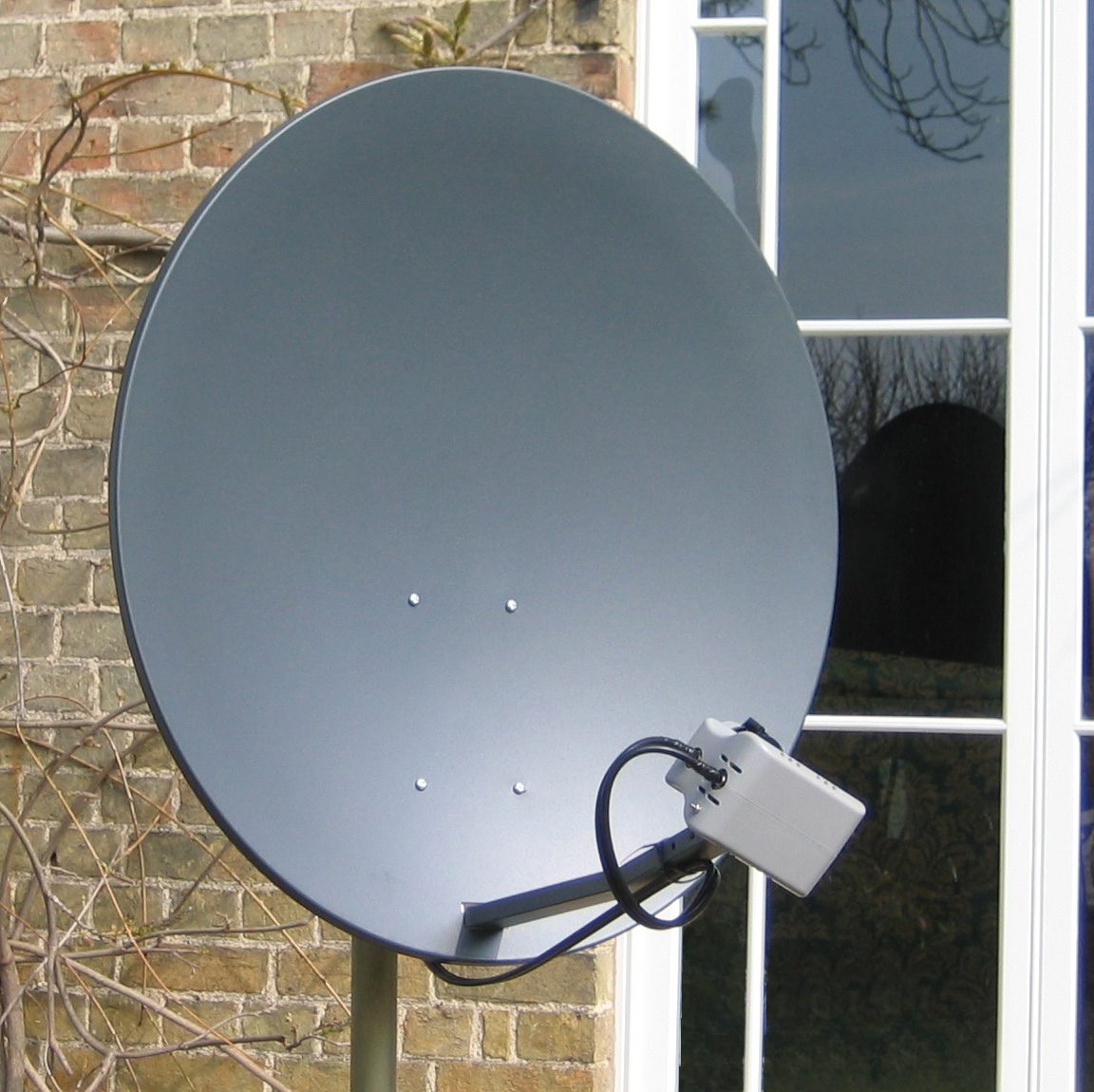
satellites
reach remote areas and the whole globe; a long delay (latency), because the signal travels to orbit and back; affected by weather; expensive
The exam asks for the comparison in both directions. Wired beats wireless on speed, reliability (no interference), security (a cable must be physically tapped) and consistency; wireless beats wired on mobility, the cost of installation, and adding a device without cabling. Allowing both lets students move around with laptops and phones while the fixed desktops keep the faster, more secure connection, and a device with no network port can still connect. Satellite instead of copper reaches places no cable can, but with more delay, weather interference and higher cost.
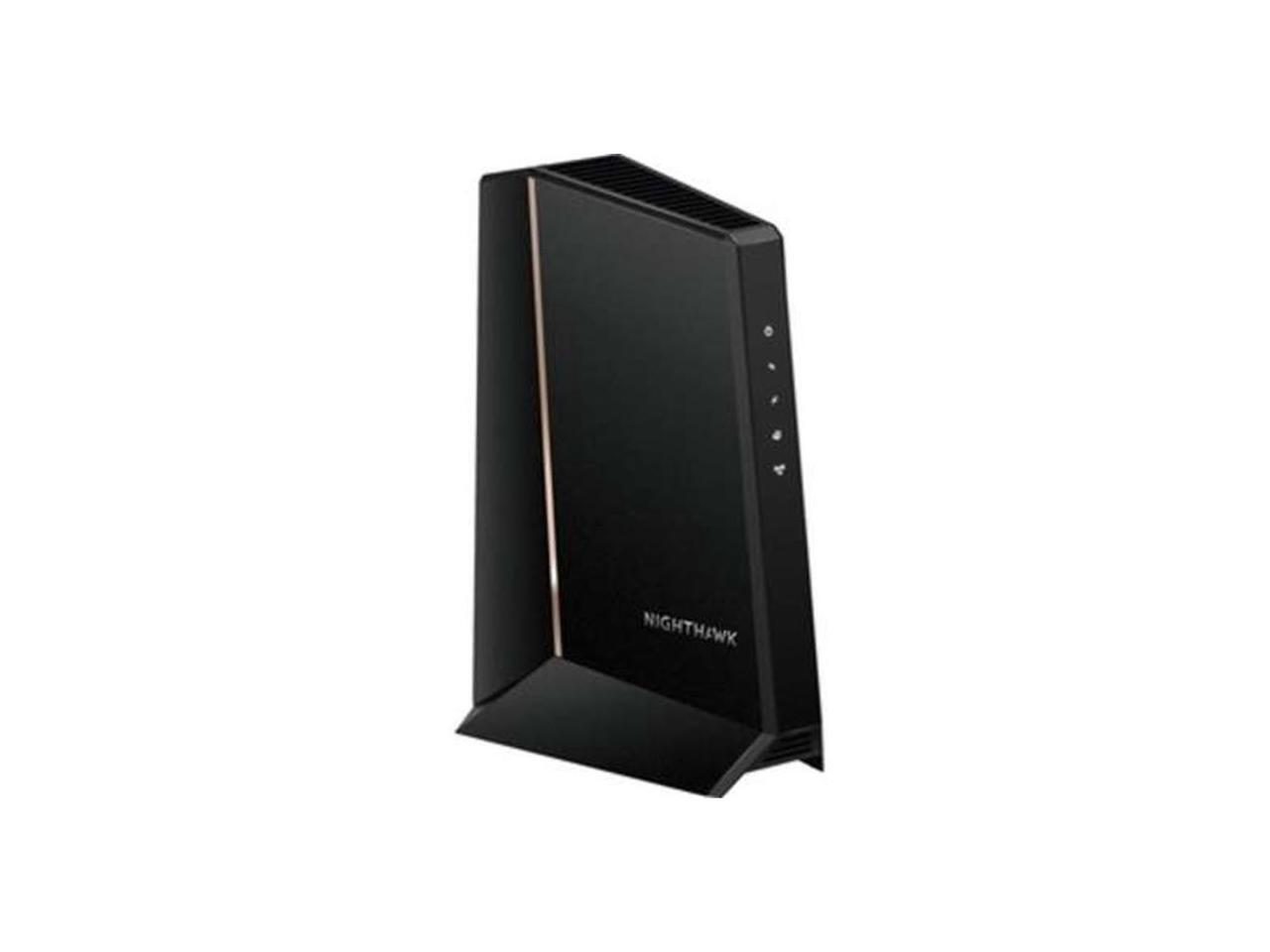
network interface card 网络接口卡 (NIC) — lets a device send and receive on the network; has a unique MAC address MAC地址 (a 48-bit hardware address). A wireless device uses a wireless network interface card 无线网络接口卡 (WNIC).
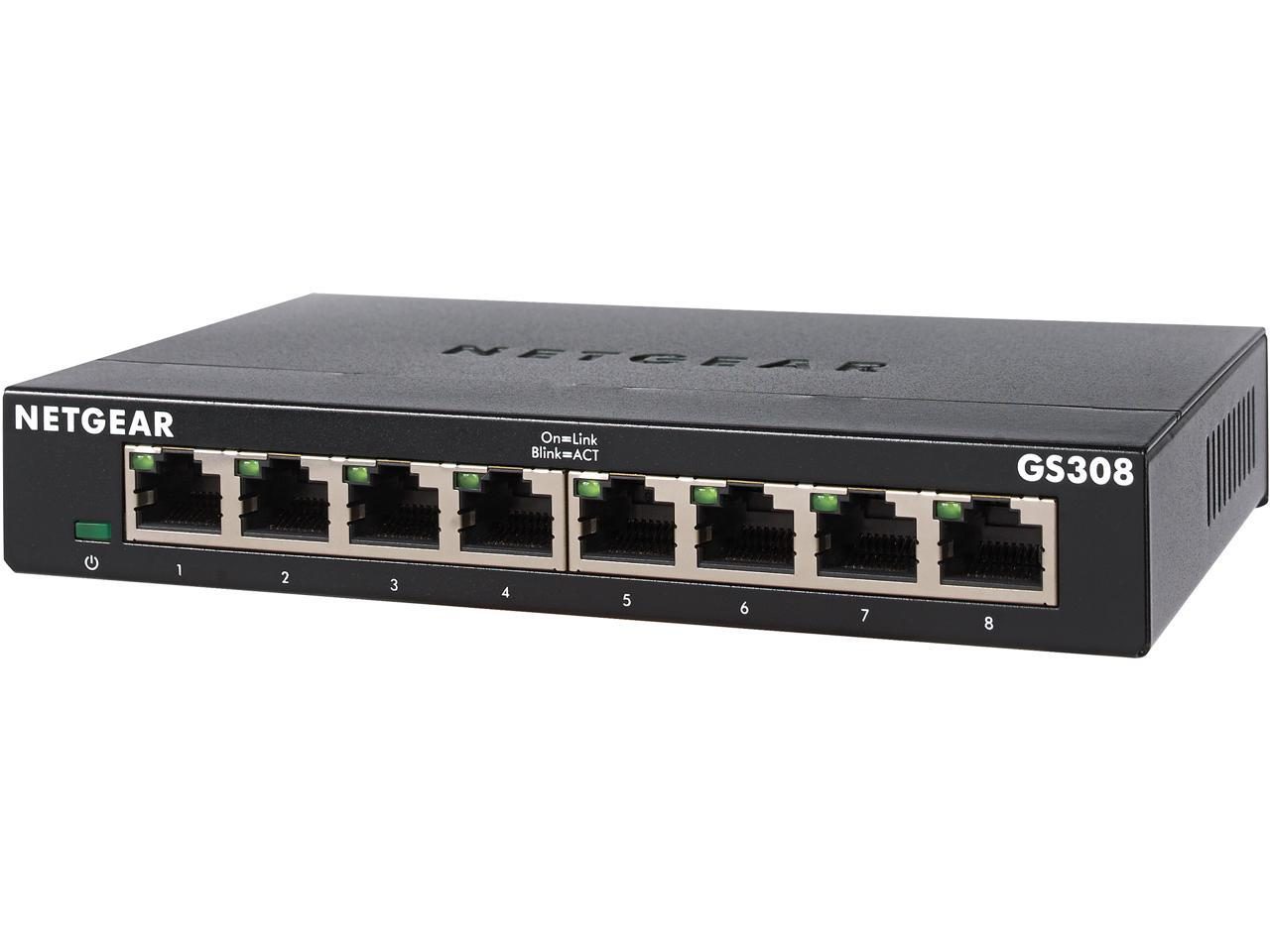
switch 交换机 — forwards Ethernet frames only to the port for the destination MAC address.
hub 集线器 — a simpler device that copies traffic to all ports (now obsolete).
wireless access point 无线接入点 (WAP) — lets wireless clients join a wired LAN.
cabling — twisted-pair for short runs; fibre-optic for longer, faster runs.
server — a computer that provides a service to the other devices: files, printing, web pages, email storage.
bridge 网桥 — joins two LAN segments into one network, passing traffic between them.
repeater 中继器 — receives a weakened signal and retransmits it at full strength, to extend a cable's reach.
A WNIC's functions, for a four-mark describe: it converts the data into radio signals and back; it carries the device's unique MAC address; it connects the device to a wireless access point and follows the wireless protocol (which channel and frequency to use); and it decodes the incoming signals for the device. Two devices that can physically connect thirty computers with NICs: a switch, or a hub.
A network switch: each device's cable plugs into one of its portsAn RJ-45 plug on a twisted-pair Ethernet cableA switch sends each frame only to the port for its destination
беспроводная точка доступа (wireless access point)
bridge/brɪdʒ/
мост (bridge)
2.1
Routers
A router 路由器 connects different networks and forwards data between them — usually at the boundary of a LAN and the internet. It does:
forwarding — reads each packet 数据包's destination IP address IP地址 and sends it out the right port, using a routing table 路由表.
network address translation 网络地址转换 (NAT) — lets many private LAN addresses share one public IP.
DHCP 动态主机配置协议 — hands out private IP addresses to LAN devices.
firewall 防火墙 — blocks unwanted incoming traffic.
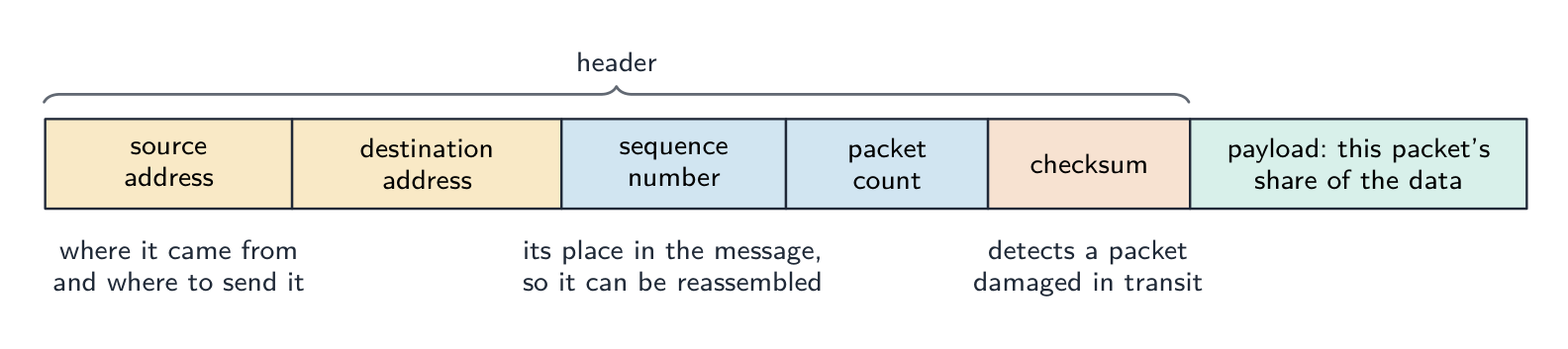
In packet switching 分组交换 a message is split into packets that are sent independently. Each router reads a packet's destination IP address, looks up the next hop in its routing table and forwards it, so the packets of one message may take different routes and are reassembled in order at the destination. A router does receive packets, forward them between networks and hand out IP addresses; it does not find the IP address for a URL (DNS does that) and it does not store web pages. A home router also contains the modem and the wireless access point, so one box connects the LAN to the internet.
A router connects a LAN to the internet or another network
Ethernet is the standard (protocol) for wired LANs: devices are joined by twisted-pair or fibre cable, data is sent in frames that carry the source and destination MAC addresses, and a shared medium uses CSMA/CD to deal with collisions. On shared media a collision 冲突 can happen when two devices send at once. The protocol is CSMA/CD 载波侦听多路访问/冲突检测 (Carrier Sense Multiple Access with Collision Detection):
carrier sense — listen before sending; wait if the cable is busy.
multiple access — many devices share the medium.
collision detection — keep listening while sending; a clash is a collision.
on a collision, both stop, send a brief "jam" signal, then wait a random backoff time before retrying.
The three tasks, in the scheme's words: the device listens (senses the carrier) before transmitting; it keeps checking for a collision while it transmits; on a collision it stops, sends a jam signal, waits a random time and retransmits.
Modern switched Ethernet uses full-duplex 全双工 point-to-point links, so collisions no longer happen.
The CSMA/CD process for handling collisions on shared media
Bit streaming 流式传输 sends multimedia as a continuous stream that the receiver plays as it arrives, instead of downloading the whole file first.
real-time (live): captured and streamed as it happens (live sport, video calls). You cannot rewind; low latency is vital.
on-demand: pre-recorded on a server (YouTube, Netflix). You can pause and rewind; the server can buffer 缓冲 ahead.
Real-time streaming works as a short pipeline:
capture and sample the source (a camera or microphone).
encode it, using compression 压缩 to shrink the data.
send it across the network as packets.
the receiver buffers a little, then plays it live — dropping any packet that arrives late, because a live stream cannot wait for it.
Lossy 有损 compression is used here: moving pictures hide small losses, and the stream must be small enough to fit the bandwidth.
Why a video is compressed before real-time streaming: the uncompressed stream would need more bandwidth than the connection has, so frames would arrive late and the playback would stall. Compression cuts the number of bits, so the bit rate 比特率 stays below the broadband speed, the delay stays small, and less storage and cost are needed at both ends. The bit rate must be lower than the connection's speed: a higher bit rate gives better quality but needs a faster connection, and if the data arrives more slowly than it is played, the buffer empties and the video freezes. On-demand streaming can buffer more of the file ahead, so it copes with a slower connection; real-time streaming cannot.
Data streams from the server into a buffer before the media player reads it
The internet 互联网 is a global network of networks using a common protocol 协议 suite (TCP/IP). The World Wide Web 万维网 (WWW) is a service that runs over it: hyperlinked documents identified by URLs, viewed in browsers via HTTP/HTTPS. Email and file transfer are other internet services that are not part of the WWW.
Webmail uses both: the WWW, because the mailbox is a web page reached through a URL in a browser over HTTP; and the internet, because the email itself travels across the network of networks (email is a separate internet service from the web).
The Web is one service running on top of the Internet
Hardware that supports the internet
modem 调制解调器 — converts the computer's digital signal into an analogue signal for a telephone line, and back again at the other end (modulation and demodulation).
PSTN — the public telephone network of exchanges and lines; a dial-up or DSL connection carries internet data over it.
dedicated line 专线 — a leased line between an organisation and its ISP: always on, with a fixed bandwidth that is not shared, so faster and more reliable, but expensive.
cell phone network 蜂窝网络 — the phone sends data by radio to the nearest cell tower (base station); the towers are linked to the phone company's network, which routes the data to the internet; as the phone moves, it is handed over from one cell to the next.
Three ways to reach the internet: a modem and the PSTN, a dedicated line, and the cell phone network
IPv4 — 32-bit, four denary numbers 0–255 (192.168.1.10); about $4.3 \times 10^{9}$ addresses (now exhausted).
IPv6 — 128-bit, eight groups of four hex digits; about $3.4 \times 10^{38}$ addresses.
IPv4 is written as four groups of denary numbers separated by dots; each group is an 8-bit number, so it runs from 0 to 255. IPv6 is written as eight groups of four hexadecimal digits separated by colons, 2001:0db8:0000:0000:0000:ff00:0042:8329, and a run of zero groups can be shortened to ::. So 192.168.3.2 is not IPv6: it has four groups, not eight, separated by dots rather than colons, and its groups are denary, not hexadecimal. 256.0.0.A is not a valid address of either kind: an IPv4 group cannot exceed 255 and cannot be a letter, and IPv6 would need colons and eight groups.
Subnetting
A network can be split into subnets 子网. The IP address splits into a network part and a host part, given by a subnet mask 子网掩码 (e.g. 255.255.255.0 = first 24 bits are network). Subnetting improves management, cuts broadcast traffic, and improves security.
The two parts of an address in a subnetwork: the network ID (the first bits, the same for every device in that subnet, given by the ones in the mask) and the host ID (the remaining bits, unique to each device). Benefits of subnetting, for "describe two benefits": less traffic on each part, because broadcasts stay inside their subnet; better security, because one department's traffic is kept from the others; easier management and fault-finding; more efficient use of the addresses. Two devices with the mask 255.255.255.0 are in different subnets when their first three groups differ.
Splitting a network into subnets, one netID per department
Public vs private addresses
private addresses are used within a LAN and are not routable on the internet (e.g. 192.168.0.0/16).
a public IP address is globally unique and routable, assigned by an ISP 互联网服务提供商.
Devices behind NAT with private addresses are not directly reachable from the internet, giving some protection.
The descriptions the tables want: a public address is visible on the internet and unique across it, allocated by the ISP; a private address is visible only inside the LAN, is reused by many LANs, and needs NAT to reach the internet. A static address never changes (set by hand or reserved, as a server needs); a dynamic address is allocated by DHCP each time the device connects and may change.
Static vs dynamic
a static IP address is fixed; used for servers that must be found at a known address.
a dynamic IP address is assigned by DHCP and may change; easier for client devices and uses a limited address pool efficiently.
Worked example. A host has IP address 192.168.10.130 with subnet mask 255.255.255.192. Which network is it on, and is 192.168.10.200 on the same one? The mask's last octet, 192, is 11000000 in binary, so the first 26 bits are the network part and the last 6 bits address the host. That makes the subnets step in blocks of $256 - 192 = 64$: .0, .64, .128, .192. The address 130 falls in the block starting at .128, so the host is on network 192.168.10.128/26, whose usable hosts run .129 to .190 (.191 is the broadcast address). 200 falls in the next block (.192), so it is on a different subnet and traffic between the two must pass through a router. Get the block size from the mask first ($256$ minus the mask octet) - guessing from the first three octets is what makes these go wrong.
A URL 统一资源定位符 (Uniform Resource Locator) locates a resource on the WWW:
https://www.example.com/about/contact.html
protocol     domain name        path
protocol: http, https, etc.
domain name 域名: a readable server address.
path: the resource on that server.
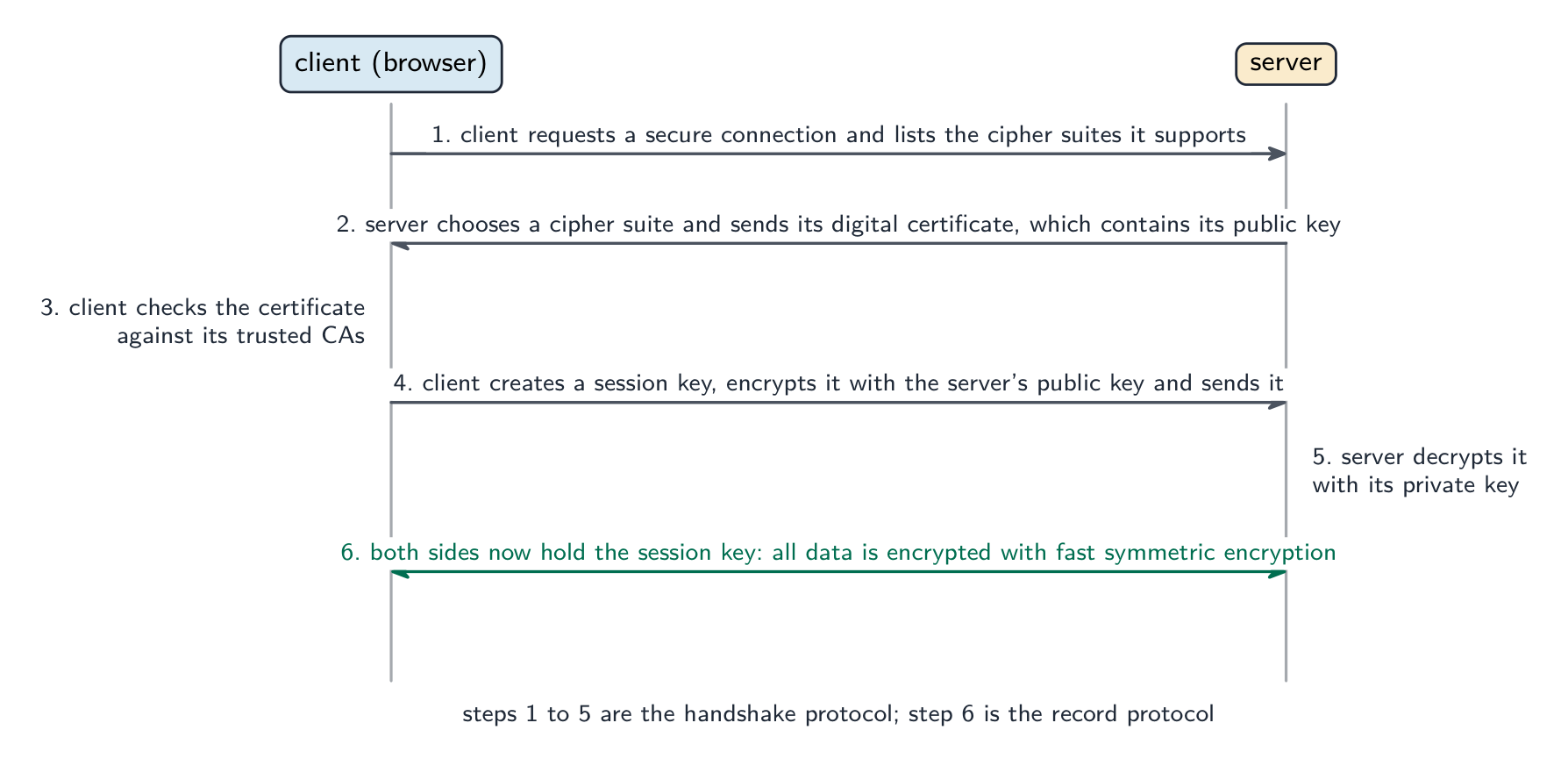
The Domain Name System 域名系统 (DNS, also called the Domain Name Service) is a distributed set of servers that turns domain names into IP addresses. When you type a URL, the browser asks a DNS resolver for the IP, which queries DNS servers (root → top-level → authoritative) until it finds it; the browser then connects to that IP and requests the path. DNS saves humans from memorising IP addresses and lets a site change server without changing its name.
For "explain how the browser uses the URL": the browser splits the URL into the protocol, the domain name and the path; it sends the domain name to a DNS server, which returns the matching IP address (a cache on the computer or at the ISP may answer first); it opens a connection to that IP address using the protocol (HTTPS on port 443); it sends a request for the path; and the web server returns the page, which the browser renders. If the DNS lookup fails, the browser reports that the server cannot be found.
How DNS finds a website's IP address before the browser connects
Explore · Исследовать
How DNS finds a website · Как DNS находит веб-сайт
Step through a DNS lookup. The network routes by IP, not by name — so before anything loads, DNS must turn the domain name into an IP address. · Процесс поиска в DNS. Сеть маршрутизирует по IP-адресам, а не по именам — поэтому прежде чем загрузится что-либо, DNS должен преобразовать доменное имя в IP-адрес.
A definition question is marked against fixed wording. Learn these exactly.
Term
Definition
LAN
a network covering a small geographical area, usually one site, whose hardware is owned by the organisation
WAN
a network covering a large geographical area, joining LANs through third-party (leased or public) links
client-server
a model in which client computers request services from a central, more powerful server that provides them
peer-to-peer
a model in which every computer is equal and can act as both client and server, with no central server
thin client
a client that does little processing or storage itself and depends on the server for both
thick client
a client that does its own processing and storage and can work without the server
mesh topology
a topology in which each device is connected directly to many others, giving more than one route between two devices
cloud computing
on-demand computing services (storage, processing, software) provided over the internet by a third party
Ethernet
the standard protocol for wired LANs, sending data in frames and using CSMA/CD on a shared medium
switch
a device that forwards each frame only to the port of its destination MAC address, within a LAN
router
a device that connects networks and forwards packets between them by their destination IP address
bit streaming
sending a continuous stream of bits so that the receiver plays the media as it arrives, without downloading the whole file first
internet
the global network of networks that uses the TCP/IP protocols
World Wide Web
the collection of hyperlinked web pages, identified by URLs and accessed over the internet through a browser
URL
the address that locates a resource on the web: protocol, domain name and path
DNS
the service that translates a domain name into the IP address of the server that holds the resource
2.1
Exam tips
Distinguish LAN vs WAN and client-server vs peer-to-peer by who stores and controls the resources.
Match each topology (bus, star, mesh) to its advantages and drawbacks (cost, reliability, collisions).
Know the job of each device: a switch directs within a LAN by MAC address, a router routes between networks by IP.
Explain bit streaming and why buffering is needed (data arrives at a different rate from playback).
Distinguish IPv4 vs IPv6 and public vs private addresses; DNS turns a URL into an IP address.
Common mistakes
Saying a switch works by IP address. A switch forwards by MAC address inside the LAN; the router forwards by IP address between networks.
Treating the internet and the World Wide Web as the same thing. The web is one service that runs over the internet; email and file transfer are others.
Giving "faster" as the whole comparison of wired and wireless. Say faster and more reliable and more secure, and give the wireless side (mobility, no cabling) when the question asks for a comparison.
Writing that a router finds the IP address for a URL. DNS does that; the router forwards packets to it.
Describing IPv6 with dots and denary groups. Eight groups of four hexadecimal digits, separated by colons.
Drawing a star topology as a ring or a chain. Every device has its own line to the switch in the middle.
Show understanding of the need for input, output, primary memory and secondary (including removable) storage
Show understanding of embedded systems
Including: benefits and drawbacks of embedded systems
Describe the principal operations of hardware devices
Including: Laser printer, 3D printer, microphone, speakers, magnetic hard disk, solid state (flash) memory, optical disc reader/writer, touchscreen, virtual reality headset
Show understanding of the use of buffers
Explain the differences between Random Access Memory (RAM) and Read Only Memory (ROM)
Including their use in a range of devices and systems
Explain the differences between Static RAM (SRAM) and Dynamic RAM (DRAM)
Including the use of SRAM and DRAM in a range of devices and systems and the reasons for using one instead of the other depending on the device and its use
Explain the difference between Programmable ROM (PROM), Erasable Programmable ROM (EPROM) and Electrically Erasable Programmable ROM (EEPROM)
Show an understanding of monitoring and control systems
Including: • difference between monitoring and control • use of sensors (including temperature, pressure, infra-red, sound) and actuators • importance of feedback
Русский
Кандидаты должны уметь:
Примечания и рекомендации
Проявлять понимание необходимости ввода, вывода, основной памяти и вторичного (включая съемного) хранилища
Проявлять понимание встраиваемых систем
Включая: преимущества и недостатки встраиваемых систем
Объяснять различия между оперативным запоминающим устройством (RAM) и постоянным запоминающим устройством (ROM)
Включая их использование в различных устройствах и системах
Объяснять различия между статическим RAM (SRAM) и динамическим RAM (DRAM)
Включая использование SRAM и DRAM в различных устройствах и системах, а также причины выбора одного вместо другого в зависимости от устройства и его применения
Объяснять различия между программируемым ROM (PROM), стираемым программируемым ROM (EPROM) и электрически стираемым программируемым ROM (EEPROM)
Проявлять понимание систем мониторинга и управления
Включая: • различие между мониторингом и управлением • использование датчиков (включая температуру, давление, инфракрасные, звуковые) и исполнительных механизмов • важность обратной связи
Source: Cambridge International syllabus · Источник: Программа Cambridge International
A general-purpose computer has four building blocks:
input devices 输入设备 — get data in (keyboard, mouse, microphone, scanner, sensors).
output devices 输出设备 — give results out (monitor, speakers, printer, actuators).
primary memory 主存储器 — fast memory the processor 处理器 (CPU) reaches directly (RAM and ROM). Holds the running program and its data.
secondary storage 辅助存储器 — slower, larger, keeps programs and data when not in use (hard disk, SSD, optical disc, USB stick).
The syllabus asks why each is needed. Input devices are needed because the computer can only work on data and instructions that have been entered. Output devices are needed to present the results in a form people can use. Primary memory is needed because the processor can only execute instructions and use data that are held in memory it can address directly, and it must reach them fast. Secondary storage is needed because primary memory is volatile and small: programs and data must survive the power being switched off, in a larger and cheaper store, and removable storage lets data be moved between computers or kept as a backup.
A keyboard: a common input device for typing text and commandsA mouse: a pointing input deviceA flatbed scanner: an input device that turns a paper page into a digital imageA monitor: a common output device that displays the screen image
Explore · Исследовать
Tap the blocks of a computer system · Нажмите на блоки компьютерной системы
Explore the four blocks plus the CPU. Data flows input → processing → output, while primary memory holds the running program and secondary storage keeps it for later. · Изучите четыре блока и процессор. Данные текут по цепочке вход → обработка → выход, при этом оперативная память хранит запущенную программу, а вторичное хранилище сохраняет её для последующего использования.
Explore · Исследовать
Network route lab · Лабораторная работа по маршрутизации в сети
Follow data from a device through network hardware and protocols. · Отслеживайте передачу данных от устройства через сетевое оборудование и протоколы.
An embedded system 嵌入式系统 is a computer built into another device to do one fixed job (washing machine, microwave, car engine unit, thermostat).
benefits: optimised for one task, so it is small, uses little power and is cheap to make in volume; reliable, because it runs one fixed program with few chances to go wrong; starts quickly and needs no user set-up; easy to use through a simple interface.
drawbacks: limited to its one task, so it cannot be upgraded to do more; hard to update (its firmware 固件 may need special tools or cannot be changed at all); difficult to troubleshoot, and usually the whole device must be replaced when it fails; if it is connected to a network it can be a security weakness, because its software is rarely patched.
A "describe the drawbacks" question wants each drawback as a full point: what the limitation is and what it means for the user, for example "the firmware cannot be updated, so a security fault found later cannot be fixed".
A laser printer 激光打印机 scans the page image onto a charged photosensitive drum 感光鼓. Toner 墨粉 sticks to the charged areas, transfers to the paper, and is melted on by a fuser. Fast, sharp, high-volume.
A laser printer: fast, sharp printing using a charged drum and toner
How it works, in the steps the mark scheme lists:
The data for the page is sent to the printer's buffer.
The drum is given a uniform electrostatic charge.
A laser, reflected off a rotating mirror, scans the page image onto the drum, removing the charge where it strikes, so the charge left on the drum matches the image.
Toner, a charged powder, is attracted to the charged parts of the drum only.
The paper is given the opposite charge and rolled against the drum, so the toner transfers onto it.
The fuser 定影器, a pair of heated rollers, melts the toner into the paper. The drum is then discharged and cleaned for the next page.
3D printer
A 3D printer 3D打印机 builds an object layer by layer: FDM melts plastic filament through a nozzle; stereolithography cures liquid resin with a UV laser. Used for prototypes and custom medical parts.
An FDM 3D printer builds an object layer by layer by melting plastic filament
How it works:
A model of the object is designed in CAD software (or scanned).
Slicing software divides the model into thin horizontal layers and produces the instructions for each one.
The printer builds the object one layer at a time: an FDM printer melts plastic filament 塑料丝 and lays it down through a moving nozzle; a resin printer cures liquid resin with a laser or UV light; a powder printer fuses powder with a laser.
Each layer bonds to the layer below, and the platform (or nozzle) moves by one layer's thickness.
When the last layer is done, any support material is removed. Uses include prototypes, custom medical parts such as prosthetics, and spare parts printed on demand.
Microphone and speakers
A microphone 麦克风 turns sound into an electrical signal (a diaphragm vibrates, changing capacitor 电容器 charge or coil position); the signal is digitised by an analogue-to-digital converter 模数转换器 (ADC). A speaker does the reverse — a varying signal drives a coil in a magnetic field, moving a cone to make sound.
A microphone turns sound into an electrical signalInside a microphone: sound vibrates the diaphragm and coil to produce a currentInside a loudspeaker: a varying current in the coil moves the cone to make sound
How a microphone works: sound waves make a diaphragm 膜片 vibrate; in a dynamic microphone a coil attached to the diaphragm moves in a magnetic field, so a varying current is induced in it, and in a condenser microphone the diaphragm is one plate of a capacitor whose capacitance changes as it moves; the varying analogue signal is then sampled by an ADC and stored as digital data. A speaker runs the chain backwards: a digital-to-analogue converter 数模转换器 (DAC) produces a varying current, the current in the coil creates a changing magnetic field that pushes against the permanent magnet, the coil and cone move in and out, and the cone's movement makes pressure waves in the air.
Magnetic hard disk (HDD)
A hard disk 硬盘 stores data on spinning platters coated with magnetic material. Each platter has tracks 磁道 divided into sectors 扇区. A read/write head 读写头 floats just above and magnetises tiny regions (write) or senses them (read). Cheap per gigabyte, but slower than SSDs and has moving parts.
An opened hard disk: the actuator arm carries the read/write head over a platterTracks and sectors on a hard disk platter
How it works: the platters spin at high speed (thousands of revolutions per minute); each surface is divided into concentric tracks and each track into sectors; read/write heads on actuator arms 磁头臂 move across the platters to the right track; to write, the head magnetises a tiny region with one of two polarities, representing 0 or 1; to read, it detects the polarity as the region passes beneath it. The delays, waiting for the arm to reach the track and for the sector to spin round, are why a hard disk is slower than an SSD.
Solid-state (flash) memory
A solid-state drive 固态硬盘 stores data as charge in transistors 晶体管, with no moving parts. Faster random access than HDDs, tougher, lower power, but dearer per gigabyte; each cell wears out after many writes.
Inside an SSD: data is stored in flash memory chips, with no moving parts (compare the hard disk above)
How it works: each cell is a floating-gate transistor 浮栅晶体管; a charge trapped on the floating gate represents a bit and stays there when the power is off; a controller chip maps each address to a cell and spreads writes across the cells, because a cell survives only a limited number of writes.
Magnetic hard disk
Solid-state drive
Moving parts
platters and heads
none
Speed
slower: seek and rotation delays
much faster random access
Cost per gigabyte
lower
higher
Robustness
damaged by knocks; noisy; more power
shock-resistant; silent; less power
Lifetime
many rewrites; wears mechanically
limited write cycles per cell
A "why a server uses hard disks rather than SSDs" question wants the left column: cheaper per gigabyte for very large capacities, a long life under constant rewriting, and easier data recovery.
Optical disc
A laser detects reflections from tiny pits on an optical disc 光盘 (CD, DVD, Blu-ray). The drive is an optical disc reader/writer: writing uses a stronger laser to change the surface's reflectivity.
An optical disc drive: a laser reads tiny pits on a CD, DVD or Blu-ray disc
How it works: the disc carries one long spiral track of pits 凹坑 and lands 平台 (the flat areas between them); the disc spins and a laser is focused on the track; light reflected from a land differs from light reflected at the edge of a pit, and a light sensor reads each change as a 1 and no change as a 0. Writing uses a stronger laser to change the reflectivity of a dye or alloy layer. A Blu-ray uses a blue laser with a shorter wavelength, so its pits are smaller and closer together, which is why it holds more data than a DVD.
Touchscreen
A touchscreen 触摸屏 senses contact. Resistive 电阻式: two conductive layers pressed together; works with anything but is less accurate. Capacitive 电容式: a finger disturbs a charge field; accurate, multi-touch, used in phones.
A touchscreen senses where a finger touches the glass
How it works: a resistive screen has two thin conductive layers separated by spacers; pressing pushes the top layer onto the bottom one, closing a circuit at that point, and the controller reads the voltage to find the coordinates. A capacitive screen has a glass layer coated with a transparent conductor that holds a charge; a finger touching it draws a tiny current, the current is measured at each corner, and the controller works out the touch position from the differences. Capacitive screens respond to a light touch and to several fingers at once, but not to a gloved finger or an ordinary stylus.
Virtual reality headset
A virtual reality 虚拟现实 (VR) headset has two small displays (one per eye) and motion sensors (accelerometer 加速度计, gyroscope 陀螺仪) that track head movement so the scene shifts as you look around.
A virtual reality headset: two small displays and motion sensors track the head
How it works: each eye sees its own display through a lens, and the two images differ slightly, so the brain sees depth; sensors (accelerometer, gyroscope, sometimes cameras) report where the head is and which way it points; the computer re-renders the scene from that viewpoint many times a second, so turning the head turns the view; headphones give sound that matches the direction. Used for games, for training such as flight or surgery simulators, and for viewing designs before they are built.
A buffer 缓冲 is memory that holds data temporarily while it moves between devices of different speeds. Example: the CPU writes a document to a printer buffer quickly, then is free to do other work while the printer prints from the buffer at its own pace. Buffers stop the fast device waiting for the slow one (also used in streaming, the keyboard, and disk access).
"State why a 3D printer needs a buffer": the computer sends the print data much faster than the printer can build the layers, so the data is held in the buffer until the printer is ready for it, and the processor is freed to do other work. When the buffer runs low the printer sends an interrupt 中断 to ask for more (topic 4). A video stream works the same way: the buffer fills ahead of playback so a short drop in the network speed does not stop the picture.
RAM 随机存取存储器 (Random Access Memory) — volatile 易失性 (loses data without power). Holds the OS, running programs and their data; read and written constantly.
ROM 只读存储器 (Read-Only Memory) — non-volatile 非易失性 (keeps data without power). Usually written once; holds firmware needed at start-up (the BIOS / boot loader).
RAM is volatile and read/write; ROM is non-volatile and read-only
ROM starts the system; RAM then holds the active work.
RAM
ROM
Volatile?
yes: contents lost when the power is off
no: contents kept without power
Read/write?
read and written constantly
read only in normal use
Holds
the operating system, running programs and their data
the firmware and bootstrap program that start the computer
Size
large, and can usually be increased
small and fixed
Typical use
the main memory of a computer or phone
the start-up code of a PC; the whole program of an embedded system such as a washing machine
More RAM lets a computer hold more programs and data at once, so it swaps less between memory and disk and runs faster; that is the answer to "explain why the computer with more RAM performs better".
A RAM module (DIMM) plugs into the motherboard as the computer's fast main memory
The same memory split matters in a wearable device: its fixed program must remain available after power off, while its live readings change during use.
A wrist-worn heart-rate monitor
Explore · Исследовать
Device and storage lab · Лаборатория устройств и хранения
Classify computing examples by what job they do in a system. · Классифицируйте примеры использования вычислений по их функции в системе.
SRAM 静态RAM (Static RAM) stores each bit in a flip-flop 触发器 of several transistors. Fast, but expensive and not dense. Used for CPU cache 高速缓存.
DRAM 动态RAM (Dynamic RAM) stores each bit as charge on a tiny capacitor. Cheaper and denser but slower, and must be refreshed 刷新 (rewritten) thousands of times a second. Used for main memory.
Use SRAM for small fast memory (cache); DRAM for large main memory.
SRAM
DRAM
Each bit stored in
a flip-flop of several transistors
one capacitor and one transistor
Needs refreshing?
no
yes, thousands of times a second
Speed
faster
slower
Density and cost
fewer bits per chip, more expensive
more bits per chip, cheaper
Power
uses less power when idle
uses more, because of the refresh
Used for
processor cache
main memory, including in embedded systems
"Explain why the embedded system uses DRAM": it needs a large amount of memory at low cost in a small space, and its speed requirement is modest, so the cheaper, denser DRAM is the right choice; SRAM is kept for the small cache where speed matters most.
PROM (Programmable ROM) — written once (fuses burned by a programmer); cannot be changed.
EPROM (Erasable Programmable ROM) — erased by strong UV light through a window, then rewritten (whole chip at once).
EEPROM (Electrically Erasable Programmable ROM) — erased and rewritten electrically, a byte at a time, in circuit. Flash memory is a derivative optimised for block erase.
An EPROM chip with a window for ultraviolet erasure
PROM
EPROM
EEPROM
Written
once, by the user with a programmer
many times
many times
Erased by
cannot be erased
ultraviolet light through a quartz window
an electrical signal
Erases
nothing
the whole chip at once
a byte or block at a time
Must be removed from the circuit to reprogram?
not applicable
yes
no
"Give two differences between EPROM and EEPROM" wants two rows of this table, each stated for both types.
3.1
Monitoring and control systems
Both read sensors; the difference is what they do next.
monitoring 监控 — collects and reports data but takes no action (a weather station logging readings).
control system 控制系统 — uses sensor data to decide and act through actuators, usually in a feedback loop (a thermostat turning a boiler on/off).
The three-mark "describe the differences" answer: a monitoring system only measures, records or displays the readings, and at most raises a warning; a control system compares each reading with a preset value 预设值 and, if it is outside the range, sends signals to actuators that change the physical process; the change is then measured again, so a control system contains feedback and a monitoring system does not. Whether a given system is one or the other is decided by that test: a bridge system that measures a vehicle's height and switches on a warning sign is monitoring, because nothing it does changes the vehicle; a system that lowers a barrier is control.
Worked example. Describe how an automated system opens a door when a person is within 2 metres and closes it when nobody is.
An infra-red or ultrasonic sensor measures the distance to anything in front of the door; the analogue reading is converted to digital by an ADC and sent to the processor; the processor compares the distance with the preset 2 metres; if it is less, the processor sends a signal to the actuator (a motor) to open the door; the sensor keeps measuring, and when no reading below 2 metres is received the processor signals the motor to close the door. The repeated measuring after each action is the feedback that stops the door opening and closing at the wrong times.
Monitoring reports data; a control system acts through a feedback loop
Sensors and actuators
A sensor 传感器 turns a physical quantity into a signal: temperature (a thermistor 热敏电阻 or thermocouple), pressure (strain gauge), infra-red, sound. Analogue signals need an ADC first. An actuator 执行器 does the reverse — turns a signal into an action (a motor, valve, heater, buzzer).
A thermistor: a temperature sensor whose resistance changes with heatA small electric motor: an actuator that turns a signal into movement
Feedback
In a control system the actuator changes the environment, which the sensors then re-measure — a feedback 反馈 loop. Without feedback the system cannot correct itself or know when to stop (a thermostat with no temperature feedback would heat forever).
Explore · Исследовать
The control feedback loop · Цикл обратной связи управления
Tap round the loop a thermostat or autopilot repeats. A control system doesn't just read the world — it acts, then re-measures, correcting itself again and again. · Пройдите по контуру, который повторяют термостат или автопилот. Система управления не просто считывает мир — она воздействует, затем измеряет снова, корректируя себя снова и снова.
Use the following logic gate symbols: [NOT, AND, OR, NAND, NOR, XOR]
Understand and define the functions of: NOT, AND, OR, NAND, NOR and XOR (EOR) gates
All gates except the NOT gate will have two inputs only.
Construct the truth table for each of the logic gates above
Construct a logic circuit
From: • a problem statement • a logic expression • a truth table
Construct a truth table
From: • a problem statement • a logic circuit • a logic expression
Construct a logic expression
From: • a problem statement • a logic circuit • a truth table
Русский
Кандидаты должны уметь:
Примечания и рекомендации
Использовать следующие символы логических вентилей: [НЕ, И, ИЛИ, NAND, NOR, XOR]
Понимать и определять функции: вентилей НЕ, И, ИЛИ, NAND, NOR и XOR (EOR)
Все вентили, кроме вентиля НЕ, будут иметь только два входа.
Составить таблицу истинности для каждого из вышеупомянутых логических вентилей
Построить логическую схему
Из: • формулировки задачи • логического выражения • таблицы истинности
Составить таблицу истинности
Из: • формулировки задачи • логической схемы • логического выражения
Составить логическое выражение
Из: • формулировки задачи • логической схемы • таблицы истинности
Source: Cambridge International syllabus · Источник: Программа Cambridge International
The half adder: XOR + AND add two bits
A logic gate 逻辑门 is a small circuit that does one Boolean 布尔 operation. Inputs and outputs are 0 (false, low) or 1 (true, high). Know the symbol, function and truth table 真值表 for each gate.
The symbols for the six logic gates
NOT (inverter)
A
NOT A
0
1
1
0
AND — output 1 only if all inputs are 1
A
B
A AND B
0
0
0
0
1
0
1
0
0
1
1
1
OR — output 1 if at least one input is 1
A
B
A OR B
0
0
0
0
1
1
1
0
1
1
1
1
NAND (NOT AND) — output 0 only when all inputs are 1
A
B
A NAND B
0
0
1
0
1
1
1
0
1
1
1
0
NOR (NOT OR) — output 1 only when all inputs are 0
A
B
A NOR B
0
0
1
0
1
0
1
0
0
1
1
0
XOR (Exclusive OR, also called EOR) — output 1 if the inputs are different
A
B
A XOR B
0
0
0
0
1
1
1
0
1
1
1
0
Explore · Исследовать
Logic gates · Логические вентили
Switch the inputs and pick a gate. Each gate has its own rule — the building blocks of every digital circuit. · Переключите входы и выберите вентиль. У каждого вентиля своё правило — это строительные блоки любой цифровой схемы.
A logic circuit 逻辑电路 is a network of gates that carries out a Boolean expression. You should be able to move between a problem statement, a logic expression, a truth table, and a circuit diagram.
The paper writes expressions in words, X = (A AND NOT B) OR (B AND C), and accepts the algebraic form $X = A\overline{B} + BC$ where a dot (or nothing) is AND, a plus is OR, and a bar is NOT. Use whichever the question uses.
From expression to circuit
Draw one gate per operator and wire them up. For $X = (A \text{ AND } B) \text{ OR } (\text{NOT } C)$: a NOT gate on $C$, an AND gate on $A$ and $B$, then an OR gate on the two results.
Gates wired together to carry out a Boolean expression
From circuit to expression
Work forwards from the inputs, labelling each gate's output, until you reach the final output.
Worked example. Write the expression for the circuit below, then complete its truth table.
Label every intermediate output: here P is A AND NOT B and Q is B AND C, so X is P OR Q
Label the gate outputs: $P = A \text{ AND NOT } B$, $Q = B \text{ AND } C$, so $X = P \text{ OR } Q = (A \text{ AND NOT } B) \text{ OR } (B \text{ AND } C)$. Then give the truth table a column for each intermediate output, so every row can be checked one gate at a time:
A
B
C
NOT B
P
Q
X
0
0
0
1
0
0
0
0
0
1
1
0
0
0
0
1
0
0
0
0
0
0
1
1
0
0
1
1
1
0
0
1
1
0
1
1
0
1
1
1
0
1
1
1
0
0
0
0
0
1
1
1
0
0
1
1
Drawing a circuit from an expression is the same walk in reverse: start from the innermost brackets, draw one gate per operator, draw a NOT gate on the wire of any input that appears with NOT, keep the inputs on the left and the single output on the right, and label the output with its letter. Every line must end at a gate input or the output; a line that goes nowhere loses the mark.
From circuit to truth table
For $n$ inputs there are $2^{n}$ rows. List every input combination; for each, work out the internal gates then the output.
From truth table to expression (sum of products)
For each row that outputs 1, write an AND of the inputs (with NOT on any input that is 0 in that row); OR these together. Example: a table that is 1 only on $(A=0,B=1)$ and $(A=1,B=0)$ gives $\overline{A}B + A\overline{B}$, which is $A \text{ XOR } B$.
From a problem statement
Turn the English into a Boolean expression first: "A and B" → A AND B; "A or B or both" → A OR B; "exactly one of A and B" → A XOR B; "neither A nor B" → A NOR B; "not both" → A NAND B.
Worked example. A machine's alarm $X$ sounds when the guard is open ($A=1$) and either the motor is running ($B=1$) or the temperature is high ($C=1$). Write the Boolean expression, and give the rows where $X=1$. Turn the English into logic one clause at a time: "either B or C" is $B + C$, and "A and that" is $X = A\cdot(B + C)$. For the rows, $X=1$ needs $A=1$and at least one of $B$, $C$ equal to 1 - so $(A,B,C) = (1,0,1)$, $(1,1,0)$ and $(1,1,1)$, three rows out of eight. Notice $A=0$ can never sound the alarm, whatever $B$ and $C$ do. Bracket the OR before ANDing it: $X = A\cdot B + C$ is a different circuit altogether, one that would sound the alarm on a high temperature even with the guard closed.
Explore · Исследовать
Half adder · Полусумматор
Wire XOR and AND to the same two inputs: XOR gives the sum bit, AND gives the carry. Click A and B. · Подключите XOR и И к одним и тем же двум входам: XOR даст бит суммы, И — перенос. Нажмите A и B.
Explore · Исследовать
Logic circuits · Логические схемы
gates combine into circuits · вентили объединяются в схемы
Each gate has a fixed rule; chaining them builds every circuit — start with one gate. · У каждого вентиля есть фиксированное правило; последовательное соединение (цепочка) позволяет построить любую схему — начните с одного вентиля.
A definition question is marked against fixed wording. Learn these exactly, and give one answer only.
Term
Definition
embedded system
a computer system with a dedicated function built into a larger device
buffer
an area of memory that temporarily stores data while it is transferred between devices working at different speeds
RAM
volatile memory that can be read from and written to, holding the programs and data in use
ROM
non-volatile memory whose contents cannot be changed in normal use, holding the start-up instructions
SRAM
static RAM that stores each bit in a flip-flop and needs no refreshing
DRAM
dynamic RAM that stores each bit as a charge on a capacitor and must be refreshed continually
monitoring system
a system that uses sensors to measure and report on a physical process without changing it
control system
a system that uses sensor readings to decide on and carry out actions, through actuators, that change a physical process
sensor
a device that measures a physical quantity and converts it into a signal for the computer
actuator
a device that converts a signal from the computer into a physical action
feedback
the output of a control system being measured and fed back as input so that the system can correct itself
logic gate
an electronic circuit that performs a Boolean operation on one or more binary inputs to give one binary output
truth table
a table listing every combination of inputs to a logic circuit with the output for each
3.2
Exam tips
Distinguish RAM (volatile, read/write) from ROM (non-volatile, holds the bootstrap); SRAM (cache, faster) from DRAM (main memory, needs refreshing).
For a logic circuit, build the Boolean expression gate by gate, then a truth table covering every input combination.
Learn the symbol, expression and truth table for each gate (AND, OR, NOT, NAND, NOR, XOR).
Explain a buffer (a temporary store bridging two different speeds) and the role of an interrupt.
Common mistakes
Naming the device instead of describing its operation. "It uses a laser" earns nothing; the steps (charge the drum, laser removes charge, toner attracted, transferred, fused) earn the marks.
Saying a monitoring system "controls" something. If nothing changes the physical process, it is monitoring; add the actuator and the feedback and it becomes control.
Writing that RAM "stores files permanently" or that ROM "stores the user's data". RAM is volatile working memory; ROM holds the fixed start-up instructions.
A truth table with fewer than $2^{n}$ rows, or rows in a random order. Count in binary from 000 to 111 so no combination is missed.
Drawing two lines from one output of a gate to be safe, or leaving a wire that ends nowhere. Draw exactly the connections the expression needs.
Von Neumann architecture · Архитектура фон Неймана
Syllabus · Программа
English
Candidates should be able to:
Notes and guidance
Show understanding of the basic Von Neumann model for a computer system and the stored program concept
Show understanding of the purpose and role of registers, including the difference between general purpose and special purpose registers
Special purpose registers including: • Program Counter (PC) • Memory Data Register (MDR) • Memory Address Register (MAR) • The Accumulator (ACC) • Index Register (IX) • Current Instruction Register (CIR) • Status Register
Show understanding of the purpose and roles of the Arithmetic and Logic Unit (ALU), Control Unit (CU) and system clock, Immediate Access Store (IAS)
Show understanding of how data are transferred between various components of the computer system using the address bus, data bus and control bus
Show understanding of how factors contribute to the performance of the computer system
Including: • processor type and number of cores • the bus width • clock speed • cache memory
Understand how different ports provide connection to peripheral devices
Including connection to: • Universal Serial Bus (USB) • High Definition Multimedia Interface (HDMI) • Video Graphics Array (VGA)
Describe the stages of the Fetch-Execute (F-E) cycle
Describe and use 'register transfer' notation to describe the F-E cycle
Show understanding of the purpose of interrupts
Including: • possible causes of interrupts • applications of interrupts • use of an Interrupt Service Routine (ISR) • when interrupts are detected during the fetch-execute cycle • how interrupts are handled
Русский
Кандидаты должны уметь:
Примечания и рекомендации
Проявлять понимание базовой модели Вона Неймана для компьютерной системы и концепции хранения программы
Проявлять понимание назначения и роли регистров, включая различие между общего назначения и специального назначения регистрами
Специальные регистры включают: • Счетчик команд (PC) • Регистр данных памяти (MDR) • Регистр адреса памяти (MAR) • Аккумулятор (ACC) • Индексный регистр (IX) • Регистр текущей команды (CIR) • Регистр состояния
Проявлять понимание назначения и ролей Арифметико-логического устройства (ALU), Устройства управления (CU) и системных часов, Памяти немедленного доступа (IAS)
Проявлять понимание того, как данные передаются между различными компонентами компьютерной системы с помощью шины адресации, шины данных и шины управления
Проявлять понимание того, какие факторы влияют на производительность компьютерной системы
Включая: • тип процессора и количество ядер • ширина шины • частота тактового генератора • кэш-память
Понимать, как различные порты обеспечивают подключение периферийных устройств
Включая подключение к: • Универсальной последовательной шине (USB) • Интерфейсу мультимедиа высокой четкости (HDMI) • Видеографическому массиву (VGA)
Описывать этапы цикла Выборка-Исполнение (F-E)
Описывать и использовать нотацию 'переноса регистра' для описания цикла F-E
Проявлять понимание назначения прерываний
Включая: • возможные причины прерываний • области применения прерываний • использование Подпрограммы обслуживания прерываний (ISR) • когда прерывания обнаруживаются во время цикла выборки-исполнения • как обрабатываются прерывания
Source: Cambridge International syllabus · Источник: Программа Cambridge International
English
The fetch-decode-execute cycle
The Von Neumann architecture 冯·诺依曼体系结构 underlies almost every general-purpose computer:
a single memory — the Immediate Access Store 立即存取存储器 (IAS) — holds both program instructions and data (the stored program 存储程序 concept).
a processor 处理器 (CPU) fetches instructions from memory and runs them one at a time.
instructions run in order unless a branch changes the flow.
The stored-program idea is what makes a computer flexible: change the program and you change what it does, with no rewiring.
Русский
Цикл выборки-декодирования-исполнения
Архитектура фон Неймана лежит в основе почти каждого универсального компьютера:
единая память — Хранилище непосредственного доступа (IAS) — содержит как инструкции программы, так и данные (концепция хранимой программы).
процессор (ЦПУ) выбирает инструкции из памяти и выполняет их одну за другой.
Инструкции выполняются по порядку, если переход не меняет поток выполнения.
Идея хранимой программы делает компьютер гибким: измените программу — и вы измените то, что он делает, без необходимости переподключать провода.
Explore · Исследовать
Tap the parts of a Von Neumann computer · Нажмите на части компьютера фон Неймана
Explore each block. The CPU (control unit, ALU, registers) talks to a single main memory over the buses — and that one shared memory for instructions AND data is the Von Neumann idea. · Исследуйте каждый блок. Процессор (блок управления, АЛУ, регистры) общается с единой основной памятью через шины — и это одна общая память для инструкций И данных является идеей фон Неймана.
4.1
The CPU's main parts · Основные части ЦПУ
English
All of these parts sit inside one small chip. The diagram later in this section shows how they connect; the photo below shows the real thing.
Arithmetic and Logic Unit (ALU)
The ALU 算术逻辑单元 does the arithmetic (add, subtract, …) and logic (AND, OR, comparisons). It takes operands from registers 寄存器 and puts results back in a register.
Control Unit (CU)
The control unit 控制单元decodes each instruction and sends the control signals to carry it out — opening data paths, telling the ALU what to do, and controlling memory reads and writes.
System clock
The clock sends a steady stream of pulses that keep the CPU in step. Each instruction takes a fixed number of cycles, and the clock speed 时钟频率 (e.g. 3.8 GHz) is one factor in performance.
"Explain how the CU and the system clock work together": the clock emits pulses at a fixed frequency; the control unit uses each pulse to move the fetch-execute cycle on by one step, sending its control signals in time with the pulses, so every part of the processor changes state together. A faster clock means more steps per second, up to the point where the circuits cannot settle between pulses.
Registers
Registers are tiny, very fast stores inside the CPU. The special purpose registers 专用寄存器 each have a fixed job in the cycle:
Program Counter 程序计数器 (PC) — the address of the next instruction.
Memory Address Register 内存地址寄存器 (MAR) — the address being read or written.
Memory Data Register 内存数据寄存器 (MDR) — the data going to or from memory.
Current Instruction Register 当前指令寄存器 (CIR) — the instruction being decoded.
Accumulator 累加器 (ACC) — the value the ALU is working on.
Status Register 状态寄存器 — holds flags 标志 (carry, zero, negative, overflow) used by branches. Each flag is one bit, set or cleared by the ALU after an operation: the zero flag after a comparison that matched, the carry flag when an addition overflowed the register, the negative flag when a result is negative. A conditional jump reads the flags to decide whether to branch, and an overflow flag can raise an interrupt.
Index Register 变址寄存器 — an offset added to an address in indexed addressing; incrementing it steps through an array one element at a time.
The "complete the table describing the role of each register" question wants one precise sentence per register in these terms: the PC holds the address of the next instruction to be fetched; the MAR holds the address of the location being read from or written to; the MDR holds the data or instruction just read from, or about to be written to, that location; the CIR holds the instruction currently being decoded and executed; the ACC holds the result of the last arithmetic or logic operation.
General-purpose registers 通用寄存器 are used by the programmer for temporary values during a calculation. Movements of data between registers and memory are written in register transfer 寄存器传送 notation — e.g. MAR ← [PC] ("copy the contents of PC into MAR").
Русский
Все эти части находятся внутри одного маленького чипа. Схема позже в этом разделе показывает, как они соединены; фото ниже демонстрирует реальное устройство.
Современный ЦПУ: весь процессор представляет собой один маленький чип (здесь показан снизу, видны контакты)Соответствующий сокет для процессора на материнской плате: контакты чипа давят на эти штырьки
Арифметико-логическое устройство (АЛУ)
АЛУ выполняет арифметические (сложение, вычитание, …) и логические (AND, OR, сравнение) операции. Оно получает операнды из регистров и возвращает результаты обратно в регистр.
Блок управления (БУ)
Блок управлениядекодирует каждую инструкцию и отправляет управляющие сигналы для ее выполнения — открывая пути данных, указывая АЛУ, что делать, и контролируя чтение и запись в память.
Системный тактовый генератор
Тактовый генератор посылает непрерывную последовательность импульсов, синхронизирующих работу ЦПУ. На выполнение каждой инструкции требуется фиксированное число тактов, а тактовая частота (например, 3,8 ГГц) является одним из факторов производительности.
"Объясните, как БУ и системный тактовый генератор работают вместе": тактовый генератор испускает импульсы с постоянной частотой; блок управления использует каждый импульс для продвижения цикла выборки-исполнения на один шаг, отправляя управляющие сигналы в ритме с импульсами, так что все части процессора изменяют свое состояние одновременно. Более высокая тактовая частота означает больше шагов в секунду, вплоть до момента, когда цепи не успевают стабилизироваться между импульсами.
Регистры
Регистры — это крошечные, очень быстрые хранилища внутри ЦПУ. Специальные регистры выполняют в цикле строго определенные функции:
Счетчик команд (PC) — адрес следующей инструкции.
Регистр адреса памяти (MAR) — адрес, который сейчас читается или записывается.
Регистр данных памяти (MDR) — данные, передаваемые в память или из нее.
Регистр текущей инструкции (CIR) — инструкция, которая декодируется.
Аккумулятор (ACC) — значение, с которым работает АЛУ.
Регистр флагов — хранит флаги (перенос, ноль, отрицательный, переполнение), используемые переходами. Каждый флаг занимает один бит, устанавливается или сбрасывается АЛУ после операции: флаг нуля после сравнения, совпавшего, флаг переноса при переполнении регистра при сложении, флаг знака при отрицательном результате. Условный переход считывает флаги для принятия решения о ветвлении, а флаг переполнения может вызвать прерывание.
Индексный регистр — смещение, добавляемое к адресу при индексированной адресации; его инкремент позволяет перебирать элементы массива по одному за раз.
Вопрос "дополните таблицу, описывающую роль каждого регистра" требует одного точного предложения для каждого регистра в следующих терминах: PC хранит адрес следующей инструкции, которую нужно выбрать; MAR хранит адрес места, которое читается или записывается; MDR хранит данные или инструкцию, только что прочитанные из этого места или готовые к записи в него; CIR хранит инструкцию, которая в данный момент декодируется и выполняется; ACC хранит результат последней арифметической или логической операции.
Регистры общего назначения используются программистом для хранения промежуточных значений во время вычислений. Перемещение данных между регистрами и памятью записывается в нотации передачи по регистрам — например, MAR ← [PC] ("скопировать содержимое PC в MAR").
Процессор фон Неймана: регистры, блок управления и АЛУ, связанные шинами
arithmetic and logic unit/ˌærɪθˈmetɪk ənd ˈlɒdʒɪk ˈjuːnɪt/
арифметико-логическое устройство
ALU/ˌeɪ el ˈjuː/
АЛУ
operand/ˈɒpərænd/
операнд
4.1
Buses · Шины
English
Three internal buses 总线 (sets of parallel wires) connect the parts:
address bus 地址总线 — carries the memory address. One-way (CPU → memory).
data bus 数据总线 — carries the data. Two-way.
control bus 控制总线 — carries control signals (read, write, interrupt). Two-way.
An $n$-bit address bus can reach $2^{n}$ memory locations. The data-bus width sets how many bits move per access (often the word size).
Русский
Три внутренних шины (наборы параллельных проводов) соединяют части:
шина адреса — переносит адрес памяти. Односторонняя (CPU → память).
шина данных — переносит данные. Двусторонняя.
шина управления — переносит управляющие сигналы (чтение, запись, прерывание). Двусторонняя.
Шина адреса на $n$ битов позволяет обратиться к $2^{n}$ ячейкам памяти. Ширина шины данных определяет количество битов, передаваемых за один доступ (часто это разрядность слова).
Три системные шины, соединяющие процессор, память и устройства ввода/выводаМатеринская плата: процессор, память и I/O расположены на единой системе шин — печатных дорожках, идущих между ними
register transfer notation/ˈredʒɪstə ˈtrænsfɜː nəʊˈteɪʃn/
нотация передачи между регистрами
interrupt service routine/ˈɪntərʌpt ˈsɜːvɪs ruːˈtiːn/
подпрограмма обработки прерываний
interrupt register/ˈɪntərʌpt ˈredʒɪstə/
регистр прерываний
stack/stæk/
stack
assembly language/əˈsemblɪ ˈlæŋɡwɪdʒ/
язык ассемблера
machine code/məˈʃiːn kəʊd/
машинный код
mnemonics/nɪˈmɒnɪks/
мнемоники
assembler/əˈsemblə/
ассемблер
symbol table/ˈsɪmbl ˈteɪbl/
таблица символов
label/ˈleɪbl/
метку
forward references/ˈfɔːwəd ˈrefrənsɪz/
прямые ссылки
opcode/ˈɒpkəʊd/
опкод
4.1
What affects performance · Что влияет на производительность
English
clock speed — more cycles per second.
number of cores 核心 — a multi-core CPU runs several threads at once.
word size 字长 — a 64-bit CPU handles 64-bit chunks per cycle and can address far more memory than a 32-bit one.
amount of RAM 随机存取存储器 — more RAM holds more of the working set; too little forces the OS to page 页 to disk.
cache memory 高速缓存 size — more cache cuts average memory access time.
secondary storage 辅助存储器 type — an SSD loads programs far faster than an HDD.
bus width and speed — wider/faster buses move data more quickly.
Match the specs to the workload: a quad-core beats a dual-core on parallel work, but higher per-core speed wins on single-threaded work.
Each factor is a two-mark answer with a reason attached:
More cores: each core can fetch and execute its own instruction at the same time, so several programs, or the threads of one program, run in parallel. But a program must be written to use more than one core, so doubling the cores does not double the speed.
Higher clock speed: more fetch-execute cycles per second, so more instructions per second; the limit is the heat produced.
Wider bus: a wider data bus moves more bits in each transfer, so fewer transfers are needed for the same data; a wider address bus can address more memory locations.
Cache memory: a small, fast memory inside or next to the processor that keeps the instructions and data used most recently or most often. Reading them from cache is much faster than from RAM, so the processor spends less time waiting.
"Explain why the new computer performs better" is answered by comparing the two specifications line by line: a higher clock speed executes more instructions per second, more cores run more tasks at once, more cache means fewer slow accesses to RAM, and more RAM means fewer transfers to disk.
Русский
частота тактирования — больше циклов в секунду.
количество ядер — многопоточный процессор выполняет несколько потоков одновременно.
разрядность слова — 64-битный процессор обрабатывает 64-битные блоки за цикл и может адресовать значительно больше памяти, чем 32-битный.
объем ОЗУ — больший объем ОЗУ вмещает больше рабочего набора; его недостаточное количество вынуждает ОС использовать подкачку на диск.
кэш-память: больший размер кэша сокращает среднее время доступа к памяти.
тип вторичного хранилища: SSD загружает программы гораздо быстрее, чем HDD.
ширина и скорость шины: более широкие/быстрые шины передают данные быстрее.
Сопоставьте характеристики с задачами: четырехъядерный процессор превосходит двухъядерный при параллельной работе, но более высокая частота на ядро побеждает в однопоточных задачах.
Каждый фактор является ответом на 2 балла с указанием причины:
Больше ядер: каждое ядро может извлекать и выполнять свою инструкцию одновременно, поэтому несколько программ или потоки одной программы работают параллельно. Однако программа должна быть написана для использования нескольких ядер, поэтому удвоение количества ядер не удваивает скорость.
Высокая частота тактирования: больше циклов выборки-исполнения в секунду, следовательно, больше инструкций в секунду; пределом является выделяемое тепло.
Более широкая шина: более широкая шина данных переносит больше битов за одну передачу, поэтому для одних и тех же данных требуется меньше передач; более широкая шина адреса позволяет адресовать больше ячеек памяти.
Кэш-память: малая быстрая память внутри или рядом с процессором, хранящая наиболее часто или недавно используемые инструкции и данные. Чтение из кэша происходит намного быстрее, чем из ОЗУ, поэтому процессор тратит меньше времени на ожидание.
"Объясните, почему новый компьютер работает лучше" отвечает сравнением двух спецификаций строка за строкой: более высокая частота тактирования выполняет больше инструкций в секунду, больше ядер выполняет больше задач одновременно, больший кэш означает меньше медленных обращений к ОЗУ, а больше ОЗУ означает меньше передач на диск.
4.1
Ports · Порты
English
A port 端口 is a physical socket for connecting a peripheral 外围设备:
USB (Universal Serial Bus) — general-purpose (keyboards, drives, phones).
HDMI (High Definition Multimedia Interface) — digital video and audio to a screen.
VGA (Video Graphics Array) — older analogue video output to a monitor.
Different ports use different signals, so an HDMI cable will not fit a USB socket. USB-C is unusual in carrying video, data and power.
"Explain how the computer connects to the monitor through HDMI": the HDMI port sends the video and the audio as one digital signal down a single cable, so no conversion to analogue is needed and the picture is not degraded; the cable carries high-definition resolutions and the monitor's own port decodes the signal. A USB device is plug-and-play: when it is connected the computer detects it, identifies it, loads or installs the driver it needs, and can supply it with power, all without a restart.
Русский
Порт — это физический разъём для подключения периферийного устройства:
USB (Universal Serial Bus) — универсальный (клавиатуры, накопители, телефоны).
HDMI (High Definition Multimedia Interface) — цифровое видео и звук на экран.
VGA (Video Graphics Array) — устаревший аналоговый видеовыход на монитор.
Разные порты используют разные сигналы, поэтому кабель HDMI не подойдет к разъему USB. USB-C необычен тем, что передает видео, данные и питание.
"Объясните, как компьютер подключается к монитору через HDMI": порт HDMI отправляет видео и звук одним цифровым сигналом по одному кабелю, поэтому преобразование в аналоговый сигнал не требуется, и качество изображения не ухудшается; кабель поддерживает высокоразрешающие форматы, а порт монитора декодирует сигнал. USB-устройство является горячей заменой: при подключении компьютер обнаруживает его, идентифицирует, загружает или устанавливает необходимый драйвер и обеспечивает питанием, всё это без перезагрузки.
4.1
Fetch-Execute cycle · Цикл выборки-исполнения
English
The CPU repeats the fetch-execute cycle 取指-执行周期, one run per machine instruction.
Fetch
the PC's address is copied to the MAR.
the PC is incremented to point to the next instruction.
a read signal goes over the control bus.
memory puts the instruction on the data bus.
it is copied into the MDR, then into the CIR.
The exam asks for these steps in register transfer notation 寄存器传送记法, where [X] means the contents of register X and [[MAR]] means the contents of the memory location whose address is in the MAR:
The order matters: the PC is incremented straight after its address has been copied, so that a jump executed later can still overwrite it. During execution the same notation describes each instruction; for LDD 200, for example, MAR ← 200, MDR ← [[MAR]], ACC ← [MDR].
Decode
The CU decodes the instruction in the CIR — what operation, and which operands or addresses.
Execute
The CU carries it out: arithmetic/logic goes to the ALU (result to the ACC); a load/store moves data between memory and a register; a branch changes the PC. Then the cycle repeats.
Русский
Процессор повторяет цикл выборки-исполнения, один проход на каждую машинную инструкцию.
Выборка
адрес PC копируется в MAR.
PC инкрементируется, чтобы указывать на следующую инструкцию.
сигнал чтения передается по шине управления.
память помещает инструкцию на шину данных.
она копируется в MDR, затем в CIR.
На экзамене эти шаги требуются в нотации передачи по регистрам, где [X] обозначает содержимое регистра X, а [[MAR]] — содержимое ячейки памяти, адрес которой находится в MAR:
MAR ← [PC]          the address of the next instruction goes to the MAR
PC  ← [PC] + 1      the PC now points to the following instruction
MDR ← [[MAR]]       the instruction at that address is read into the MDR
CIR ← [MDR]         the instruction is copied into the CIR for decoding
Порядок важен: PC инкрементируется сразу после копирования его адреса, чтобы последующий переход мог его перезаписать. Во время выполнения та же нотация описывает каждую инструкцию; например, для⟩LDD 200, это MAR ← 200, MDR ← [[MAR]], ACC ← [MDR].
Передача по регистрам при выборке: PC → MAR → память → MDR → CIR, с инкрементацией PC
Декодирование
Блок управления (CU) декодирует инструкцию в CIR — какую операцию выполнять и какие операнды или адреса использовать.
Выполнение
Блок управления выполняет её: арифметико-логические операции передаются в АЛУ (результат goes to the ACC); загрузка/выгрузка перемещают данные между памятью и регистром; переход изменяет PC. Затем цикл повторяется.
Цикл выборки-исполнения с проверкой прерываний каждый раз
Explore · Исследовать
The fetch-execute cycle · Цикл выборки-исполнения
Tap round the loop the CPU repeats billions of times a second. Watch how fetch uses the PC/MAR/MDR/CIR registers, then decode and execute act on what was fetched. · Кликайте по кругу, который процессор повторяет миллиарды раз в секунду. Следите, как выборка использует регистры PC/MAR/MDR/CIR, затем декодирование и исполнение действуют с выбранным.
Explore · Исследовать
The fetch–execute cycle · Цикл выборки-исполнения
Step through how the CPU runs one instruction — fetch it from memory, decode it, then execute it, over and over. · Пройдите пошагово, как процессор выполняет одну инструкцию: выберите её из памяти, декодируйте, затем исполните, и так снова и снова.
special purpose registers/ˈspeʃl ˈpɜːpəs ˈredʒɪstəz/
специализированные регистры
Program Counter/ˈprəʊɡræm ˈkaʊntə/
счетчик команд (PC)
Memory Address Register/ˈmeməri əˈdres ˈredʒɪstə/
регистр адреса памяти (MAR)
Memory Data Register/ˈmeməri ˈdeɪtə ˈredʒɪstə/
регистр данных памяти (MDR)
Current Instruction Register/ˈkʌrənt ɪnˈstrʌkʃn ˈredʒɪstə/
текущий регистр команд (CIR)
accumulator/əˈkjuːmjʊleɪtə/
аккумулятор
Status Register/ˈsteɪtəs ˈredʒɪstə/
регистр состояния (SR)
flags/flæɡz/
флаги
4.1
Interrupts · Прерывания
English
An interrupt 中断 is a signal that pauses the normal cycle so the CPU can handle an urgent event (a key press, a packet arriving, a hardware fault, division by zero, the OS timer).
Handling one:
finish the current instruction.
save the state (PC and registers).
load the address of the interrupt service routine 中断服务程序 (ISR) into the PC and run it.
the ISR handles the event.
restore the saved state and carry on.
Interrupts let the system respond promptly without the CPU constantly checking devices, and are how the OS multitasks.
"Explain how an interrupt from an input device is detected and handled in the F-E cycle" is a four-mark answer with these points: the device sends an interrupt signal that sets the interrupt flag in the interrupt register 中断寄存器; the processor checks that register at the end of every fetch-execute cycle, after the current instruction has finished executing; if a flag is set and the interrupt has a higher priority than the current task, the contents of the PC and the other registers are saved onto the stack 栈; the address of the interrupt service routine is loaded into the PC and the routine runs; when it finishes, the saved values are restored from the stack and the interrupted program continues from where it stopped.
Causes worth naming: a hardware interrupt from a device (a key pressed, a printer buffer empty, a network packet arriving), a software interrupt from a fault (division by zero, an illegal instruction, arithmetic overflow), a timer interrupt from the operating system marking the end of a time slice, and a power failure warning.
Русский
Прерывание — это сигнал, который приостанавливает нормальный цикл, чтобы процессор мог обработать срочное событие (нажатие клавиши, поступление пакета, аппаратная неисправность, деление на ноль, таймер ОС).
Обработка одного:
завершить текущую инструкцию.
сохранить состояние (PC и регистры).
загрузить адрес подпрограммы обработки прерываний (ISR) в PC и выполнить его.
ISR обрабатывает событие.
восстановить сохраненное состояние и продолжить работу.
Прерывания позволяют системе реагировать оперативно без постоянного опроса устройств со стороны CPU и обеспечивают многозадачность ОС.
"Объясните, как прерывание от входного устройства обнаруживается и обрабатывается в цикле F-E" — ответ на четыре балла включает следующие пункты: устройство отправляет сигнал прерывания, устанавливающий флаг прерывания в регистра прерываний; процессор проверяет этот регистр в конце каждого цикла выборки-исполнения, после завершения выполнения текущей инструкции; если флаг установлен и приоритет прерывания выше, чем у текущего задания, содержимое PC и других регистров сохраняется в стек; адрес подпрограммы обработки прерываний загружается в PC, иdirname выполняется; когда она завершается, сохраненные значения восстанавливаются из стека, и прерванная программа продолжается с того места, где остановилась.
Причины, которые стоит назвать: аппаратное прерывание от устройства (нажатая клавиша, пустой бутер принтера, поступивший сетевой пакет), программное прерывание от ошибки (деление на ноль, недопустимая инструкция, арифметическое переполнение), таймерное прерывание от операционной системы, сигнализирующее об окончании временного интервала, и предупреждение о отказе питания.
Как прерывание вписывается в цикл выборки-исполнения
Assembly language and machine code · Язык ассемблера и машинный код
Syllabus · Программа
English
Candidates should be able to:
Notes and guidance
Show understanding of the relationship between assembly language and machine code
Describe the different stages of the assembly process for a two-pass assembler
Apply the two-pass assembler process to a given simple assembly language program
Trace a given simple assembly language program
Show understanding that a set of instructions are grouped
Including the following groups: • Data movement • Input and output of data • Arithmetic operations • Unconditional and conditional instructions • Compare instructions
Show understanding of and be able to use different modes of addressing
Including immediate, direct, indirect, indexed, relative
Русский
Кандидаты должны уметь:
Примечания и рекомендации
Проявлять понимание взаимосвязи между ассемблером и машинным кодом
Опишите различные этапы процесса сборки для двухпроходного ассемблера
Примените двухпроходный ассемблер к заданной простой программе на языке ассемблера
Проследите выполнение заданной простой программы на языке ассемблера
Проявите понимание того, что набор инструкций группируется
Включая следующие группы: • Перемещение данных • Ввод и вывод данных • Арифметические операции • Безусловные и условные инструкции • Инструкции сравнения
Проявите понимание и умение использовать различные режимы адресации
Включая непосредственный, прямой, косвенный, индексный, относительный
Source: Cambridge International syllabus · Источник: Программа Cambridge International
English
The CPU actually runs machine code 机器码 — bit patterns, specific to one architecture. Assembly language 汇编语言 is a readable form, with one instruction per machine instruction, written using mnemonics 助记符 like LDD, ADD, JMP. An assembler 汇编器 translates it to machine code.
Two-pass assembler
A two-pass assembler reads the source twice:
pass 1 builds a symbol table 符号表: each time a label 标签 (like LOOP:) appears, record its address; no code yet.
pass 2 generates code: translate each instruction, and when one refers to a label (like JMP LOOP), look up its address in the symbol table.
Two passes handle forward references 前向引用 (a jump to a label defined later).
Worked example. Apply the two-pass process to this program, whose first instruction is stored at address 100.
Pass 1 reads each line, counts the address it will occupy, and records every label in the symbol table: LOOP = 101 (the DEC line) and COUNT = 105 (the data line). No code is produced. Pass 2 reads the program again and translates each line into machine code, replacing each mnemonic by its opcode 操作码 and each symbolic address by the number from the symbol table: LDD COUNT becomes the opcode for LDD with operand 操作数 105, and JPN LOOP becomes the opcode for JPN with operand 101. The jump back to LOOP could have been resolved in one pass, but a jump forward to a label not yet seen could not, which is why the assembler makes two.
Example instruction set
Cambridge uses a small generic set, printed in the paper's reference table, with one general-purpose register, the accumulator (ACC), and an index register (IX). An operand written #n is a denary number, Bn a binary number and &n a hexadecimal number; <address> is a location number or a label.
Group
Instruction
What it does
Data movement
LDM #n
load the number n into ACC (immediate)
LDD <address>
load the contents of the address into ACC (direct)
LDI <address>
the address holds another address; load the contents of that one into ACC (indirect)
LDX <address>
add IX to the address and load the contents of the result into ACC (indexed)
LDR #n
load the number n into IX
MOV <register>
copy ACC into the named register (IX)
STO <address>
store the contents of ACC at the address
Input and output
IN
read a key press and put its ASCII code in ACC
OUT
output the character whose ASCII code is in ACC
Arithmetic
ADD <address> / ADD #n
add the contents of the address, or the number, to ACC
SUB <address> / SUB #n
subtract from ACC
INC <register> / DEC <register>
add 1 to, or subtract 1 from, ACC or IX
Compare
CMP <address> / CMP #n
compare ACC with the contents of the address, or with n, and set the flag
CMI <address>
compare ACC with the contents of the address held at the address (indirect)
Jump
JMP <address>
jump to the address unconditionally
JPE <address> / JPN <address>
jump if the last compare was equal / not equal
Bit manipulation
AND, OR, XOR with #n, Bn, &n or <address>
bitwise operation on ACC
LSL #n / LSR #n
shift ACC logically n places left or right
END
end the program
The "assembly language instructions are grouped" question wants the group names, and an instruction from each: data movement, input and output, arithmetic, unconditional and conditional jumps, compare, and bit manipulation.
Русский
Фактически CPU выполняет машинный код — последовательности битов, специфичные для одной архитектуры. Язык ассемблера — это читаемая форма, где одна инструкция соответствует одной машинной инструкции, записанная с использованием мнемоников вроде LDD, ADD, JMP. Ассемблер переводит его в машинный код.
Ассемблер преобразует мнемоники в бинарные паттерны машинного кода
Двухпроходный ассемблер
Двухпроходный ассемблер читает исходный код дважды:
проход 1 строит таблицу символов: каждый раз, когда встречается метка (например, LOOP:), записывается ее адрес; код еще не генерируется.
проход 2 генерирует код: переводит каждую инструкцию, и когда одна ссылается на метку (например, JMP LOOP), ищет ее адрес в таблице символов.
Два прохода обрабатывают перекрестные ссылки (переход к метке, определенной позже).
Разобранный пример. Примените двухпроходный процесс к этой программе, чья первая инструкция хранится по адресу 100.
        LDD  COUNT
LOOP:   DEC  ACC
        CMP  #0
        JPN  LOOP
        END
COUNT:  5
Проход 1 считывает каждую строку, подсчитывает занимаемый адрес и записывает каждую метку в таблицу символов: LOOP = 101 (строка DEC) и COUNT = 105 (строка данных). Код не производится. Проход 2 снова читает программу и переводит каждую строку в машинный код, заменяя каждый мнемоник на его опкод, а каждый символический адрес — на число из таблицы символов: LDD COUNT становится опкодом для LDD с операндом 105, а JPN LOOP становится опкодом для JPN с операндом 101. Переход назад к LOOP можно было бы разрешить за один проход, но переход вперед к метке, которая еще не встречалась, нет, поэтому ассемблер делает два.
Пример набора инструкций
Кембридж использует небольшой универсальный набор, распечатанный в справочной таблице экзаменационного листа, с одним общерегистровым регистром, накопительным аккумулятором (ACC), и индексным регистром (IX). Операнд, записанный как #n, является десятичным числом, Bn — двоичным числом, а &n — шестнадцатеричным числом; <address> — номером ячейки памяти или меткой.
Группа
Инструкция
Что она делает
Перемещение данных
LDM #n
загрузить число n в ACC (непосредственно)
LDD <address>
загрузить содержимое ячейки по адресу в ACC (прямое)
LDI <address>
адрес содержит другой адрес; загрузить содержимое этого другого адреса в ACC (косвенное)
LDX <address>
сложить IX с адресом и загрузить содержимое результата в ACC (индексное)
LDR #n
загрузить число n в IX
MOV <register>
скопировать ACC в указанный регистр (IX)
STO <address>
сохранить содержимое ACC по указанному адресу
Ввод и вывод
IN
считать нажатие клавиши и поместить ASCII-код в ACC
OUT
вывести символ, ASCII-код которого находится в ACC
Арифметика
ADD <address> / ADD #n
добавить содержимое ячейки по адресу или число к ACC
SUB <address> / SUB #n
вычесть из ACC
INC <register> / DEC <register>
прибавить 1 или вычесть 1 из ACC или IX
Сравнение
CMP <address> / CMP #n
сравнить ACC с содержимым ячейки по адресу или с числом n и установить флаг
CMI <address>
сравнить ACC с содержимым ячейки по адресу, хранящемуся по этому адресу (косвенное)
Переход
JMP <address>
безусловный переход к указанному адресу
JPE <address> / JPN <address>
прыжок, если последнее сравнение было равно / не равно
Манипуляция с битами
AND, OR, XOR с #n, Bn, &n или <address>
побитовая операция над ACC
LSL #n / LSR #n
логический сдвиг ACC на n позиций влево или вправо
END
завершение программы
Вопрос «инструкции языка ассемблера сгруппированы» требует перечислить названия групп и по одной инструкции из каждой: перемещение данных, ввод и вывод, арифметика, безусловные и условные переходы, сравнение и манипуляция с битами.
Explore · Исследовать
How a two-pass assembler works · Как работает двухпроходный ассемблер
Step through it. The assembler reads your code twice: pass 1 just finds where every label lives, so pass 2 can fill in the addresses — that is how a jump to a label defined later still works. · Проанализируйте процесс. Ассемблер читает ваш код дважды: первый проход (pass 1) только определяет местоположение каждой метки, поэтому второй проход (pass 2) может подставить адреса — именно так работает переход к метке, определённой позже в коде.
The addressing mode 寻址方式 (the modes of addressing) says how the CPU finds the operand:
immediate addressing 立即寻址 — the operand is the value in the instruction. LDM #10 loads 10.
direct addressing 直接寻址 — the instruction holds an address; the operand is the value there. LDD 200.
indirect addressing 间接寻址 — the instruction holds an address that holds another address, which is the data. LDI 200.
indexed addressing 变址寻址 — effective address is address + index register; used for arrays. LDX 100 with IR = 5 reads address 105.
(Relative addressing 相对寻址 gives the address as an offset from the PC — used for jumps.)
Worked example. Memory holds: location 200 = 250, location 250 = 99, location 105 = 7. The index register holds 5. What is in the accumulator after each of LDM #200, LDD 200, LDI 200 and LDX 100? Follow how far each mode has to look. LDM #200 is immediate - the operand is the number written in the instruction, so the accumulator holds 200. LDD 200 is direct - go to location 200 and take what is there: 250. LDI 200 is indirect - location 200 holds 250, which is another address, so go on to location 250: 99. LDX 100 is indexed - add the index register to the address, $100 + 5 = 105$, and read location 105: 7. Count the hops to keep them apart: immediate 0, direct 1, indirect 2, indexed 1 (once the index has been added).
Русский
Режим адресации (или режимы адресации) определяет, как процессор находит операнд:
непосредственная адресация — операндом является значение в самой инструкции. LDM #10 загружает 10.
прямая адресация — инструкция содержит адрес; операндом является значение по этому адресу. LDD 200.
косвенная адресация — инструкция содержит адрес, который указывает на другой адрес, содержащий данные. LDI 200.
индексная адресация — эффективный адрес равен address + index register; используется для массивов. LDX 100 с индексным регистром 5 читает адрес 105.
(Относительная адресация задает адрес как смещение от PC — используется для переходов.)
Как каждый режим адресации достигает своего операнда — непосредственный, прямой, косвенный и индексный
Разобранное решение. В памяти хранится: ячейка 200 = 250, ячейка 250 = 99, ячейка 105 = 7. Индексный регистр содержит 5. Что находится в аккумуляторе после выполнения каждого из LDM #200, LDD 200, LDI 200 и LDX 100? Отследите, насколько далеко должен заглянуть каждый режим. LDM #200 — непосредственная — операнд это число, записанное в инструкции, поэтому аккумулятор содержит 200. LDD 200 — прямая — перейдите к ячейке 200 и возьмите то, что там лежит: 250. LDI 200 — косвенная — в ячейке 200 лежит 250, что является еще одним адресом, поэтому переходим к ячейке 250: 99. LDX 100 — индексная — прибавьте индексный регистр к адресу, $100 + 5 = 105$, и прочитайте ячейку 105: 7. Подсчитайте количество шагов, чтобы их различать: непосредственная 0, прямая 1, косвенная 2, индексная 1 (после того как индекс был добавлен).
Tracing an assembly program · Отладка программы на языке ассемблера
English
To trace it: make a table with columns for the PC, ACC, index register, each variable and any flags. Step through the instructions, updating the table after each; follow branches when they change the PC; stop at END. A common pattern is a loop over an array using indexed addressing.
Worked example. Trace this program. Address 200 holds 5 and address 201 holds 0.
Write one row for each instruction executed, filling in only the columns that change:
Instruction
ACC
200
201
Output
start
5
0
LDD 200
5
CMP #0
JPE 108
not taken
OUT
character with code 5
DEC ACC
4
STO 200
4
LDD 201
0
JMP 100
LDD 200
4
and so on, until LDD 200 loads 0, the compare sets the equal flag, JPE 108 is taken and the program ends. Three things the examiner checks: a CMP changes no register, only a flag; a jump not taken still counts as executed; and OUT outputs a character, so it goes in the output column, not the ACC column. "State the effect of changing LDD 10 to LDM #10": the ACC would hold the number 10 instead of the contents of address 10.
Русский
Чтобы отследить её: составьте таблицу со столбцами для PC, ACC, индексного регистра, каждой переменной и любых флагов. Проходите по инструкциям, обновляя таблицу после каждой; следите за ветвлениями, когда они изменяют PC; остановитесь на END. Распространенной схемой является цикл по массиву с использованием индексной адресации.
Разобранное решение. Отследите эту программу. Адрес 200 содержит 5, а адрес 201 содержит 0.
100   LDD  200
101   CMP  #0
102   JPE  108
103   OUT
104   DEC  ACC
105   STO  200
106   LDD  201
107   JMP  100
108   END
Запишите одну строку для каждой выполненной инструкции, заполняя только те столбцы, которые изменились:
Инструкция
ACC
200
201
Вывод
начало
5
0
LDD 200
5
CMP #0
JPE 108
не Taken (переход не выполнен)
OUT
символ с кодом 5
DEC ACC
4
STO 200
4
LDD 201
0
JMP 100
LDD 200
4
и так далее, пока LDD 200 не загрузит 0, сравнение установит флаг равенства, JPE 108 будет выполнен, и программа завершится. Экзаменатор проверяет три вещи: a CMP не изменяет ни один регистр, только флаг; невыполненный переход все равно считается выполненной инструкцией; и OUT выводит символ, поэтому он записывается в столбец вывода, а не в столбец ACC. "Укажите эффект изменения LDD 10 на LDM #10": в аккумуляторе было бы число 10 вместо содержимого адреса 10.
4.3
Binary shifts · Бинарные сдвиги
Syllabus · Программа
English
Candidates should be able to:
Notes and guidance
Show understanding of and perform binary shifts
Logical, arithmetic and cyclic Left shift, right shift
Show understanding of how bit manipulation can be used to monitor/control a device
Carry out bit manipulation operations Test and set a bit (using bit masking)
Instruction Label | Opcode | Operand
Explanation
AND #n / Bn / &n
Bitwise AND operation of the contents of ACC with the operand
AND
Bitwise AND operation of the contents of ACC with the contents of
XOR #n / Bn / &n
Bitwise XOR operation of the contents of ACC with the operand
XOR
Bitwise XOR operation of the contents of ACC with the contents of
OR #n / Bn / &n
Bitwise OR operation of the contents of ACC with the operand
OR
Bitwise OR operation of the contents of ACC with the contents of
LSL #n
Bits in ACC are shifted logically n places to the left. Zeros are introduced on the right hand end
LSR #n
Bits in ACC are shifted logically n places to the right. Zeros are introduced on the left hand end
Labels an instruction
Gives a symbolic address
All questions will assume there is only one general purpose register available (Accumulator) ACC denotes Accumulator IX denotes Index Register can be an absolute or symbolic address # denotes a denary number, e.g. #123 B denotes a binary number, e.g. B01001010 & denotes a hexadecimal number, e.g. &4A
Русский
Кандидаты должны уметь:
Примечания и рекомендации
Проявите понимание и выполните бинарные сдвиги
Логический, арифметический и циклический. Сдвиг влево, сдвиг вправо
Проявите понимание того, как манипуляции с битами могут использоваться для мониторинга/управления устройством
Выполняйте операции манипуляций с битами. Проверка и установка бита (с использованием маскирования битов)
Метка инструкции | Операнд | Операция
Пояснение
AND #n / Bn / &n
Побитовая операция И содержимого ACC с операндом
AND
Побитовая операция И содержимого ACC со содержимым
XOR #n / Bn / &n
Побитовая операция исключающего ИЛИ содержимого ACC с операндом
XOR
Побитовая операция исключающего ИЛИ содержимого ACC со содержимым
OR #n / Bn / &n
Побитовая операция ИЛИ содержимого ACC с операндом
OR
Побитовая операция ИЛИ содержимого ACC со содержимым
LSL #n
Биты в ACC логически сдвигаются на n позиций влево. Нули добавляются в правый конец
LSR #n
Биты в ACC логически сдвигаются на n позиций вправо. Нули добавляются в левый конец
Метка инструкции
Присваивает символьное имя
Все вопросы предполагают наличие только одного общепроизводительного регистра (Аккумулятора). ACC обозначает Аккумулятор, IX обозначает Индексный регистр. может быть абсолютным или символьным адресом. # обозначает десятичное число, например #123. B обозначает двоичное число, например B01001010. & обозначает шестнадцатеричное число, например &4A
Source: Cambridge International syllabus · Источник: Программа Cambridge International
English
A logical shift 逻辑移位 moves all the bits left or right by some places, filling new positions with 0.
left shift by 1 (LSL #1) — bits move left, a 0 enters on the right; for an unsigned number this is × 2.
right shift by 1 (LSR #1) — bits move right, a 0 enters on the left; for an unsigned number this is integer ÷ 2.
Shifting by $n$ places multiplies or divides by $2^{n}$. Example: 00001011 (11) LSL #1 → 00010110 (22).
Bits shifted off the end are lost, so the multiplication is only correct while they were zeros. LSL #2 on the two's-complement integer 11001010 gives 00101000: the two 1s that fell off the left are gone, the sign bit has changed, and the result is no longer four times the original.
An arithmetic right shift keeps the sign bit so a negative signed number stays negative. A cyclic shift 循环移位 (rotate) feeds the bit that drops off one end back in at the other end, so no bits are lost.
"Show the result of an arithmetic right shift of 3 places on 10011110": copy the sign bit into each vacated place, 11110011. The same shift on 01011100 gives 00001011. A cyclic left shift of 1 on 10000110 gives 00001101: the leading 1 reappears on the right.
The difference between the two right shifts is a single bit. Take 11110000, which is 240 read as unsigned and $-16$ read as signed. LSR #1 brings in a 0 and gives 01111000$= 120$, which is the correct half of 240. ASR #1 copies the sign bit instead and gives 11111000$= -8$, which is the correct half of $-16$. Neither is wrong — each halves the value under one reading.
Bit manipulation for monitoring/control
Embedded devices often use one bit 位 of a register per signal (e.g. bit $n$ = LED $n$). Using a mask 掩码 — bit masking — you can:
set bit $n$: R = R OR a mask with bit $n$ set.
clear bit $n$: R = R AND a mask with bit $n$ clear and the rest set.
toggle bit $n$: R = R XOR a mask with bit $n$ set.
test bit $n$: R AND the mask, then check if the result is non-zero.
Bit manipulation is fast, uses little memory, and lets one byte hold up to 8 on/off states.
In the exam's instruction set these are AND, OR and XOR with a mask written as a denary, binary or hexadecimal operand. With the ACC holding 10101100:
Instruction
Mask
Result in ACC
Effect
AND B00001111
00001111
00001100
keeps only the low four bits (clears the others)
OR #1
00000001
10101101
sets the least significant bit, leaving the rest unchanged
XOR &FF
11111111
01010011
inverts every bit
AND B00001000 then CMP #0
00001000
00001000
tests bit 3: the compare is not equal, so bit 3 was set
LSL #2
10110000
shifts left two places, losing the top two bits
LSR #3
00010101
shifts right three places, zeros entering on the left
"Write the instruction that sets the least significant bit to 1 and leaves the others unchanged": OR #1, or OR B00000001. To clear a bit use AND with a mask that has a 0 in that place and 1s elsewhere; to test a bit, AND with a mask that has a 1 only in that place, then compare the result with zero. In a monitoring device, one bit of a register per sensor lets a single AND check whether a particular sensor is on, and one OR switches an actuator's control bit on without disturbing the others.
Русский
Логический сдвиг перемещает все биты влево или вправо на若干 позиций, заполняя новые позиции 0.
сдвиг влево на 1 (LSL #1) — биты движутся влево, справа появляется 0; для беззнакового числа это × 2.
сдвиг вправо на 1 (LSR #1) — биты движутся вправо, слева появляется 0; для беззнакового числа это целочисленное деление на 2.
Сдвиг на $n$ позиций умножает или делит на $2^{n}$. Пример: 00001011 (11) LSL #1 → 00010110 (22).
Биты, сдвинувшиеся за пределы, теряются, поэтому умножение корректно только пока они были нулями. LSL #2 от двоичного дополнения числа 11001010 даёт 00101000: два 1, выпавших слева, исчезли, знаковый бит изменился, и результат больше не равен исходному, умноженному на четыре.
Арифметический сдвиг вправо сохраняет знаковый бит, чтобы отрицательное знаковое число оставалось отрицательным. Циклический сдвиг (поворот) возвращает бит, выпадающий с одного конца, обратно на другой конец, поэтому биты не теряются.
"Покажите результат арифметического правого сдвига на 3 позиций числа 10011110": скопируйте знаковый бит в каждую освобождённую позицию, 11110011. Тот же сдвиг числа 01011100 даёт 00001011. Циклический левый сдвиг на 1 позиций числа 10000110 даёт 00001101: старший 1 появляется справа.
Логический левый ($\times 2$), логический правый ($\div 2$) и арифметический правый (сохраняет знаковый бит)
Разница между двумя сдвигами вправо заключается в одном бите. Возьмем 11110000, которое равно 240 при чтении как беззнаковое и $-16$ при чтении как знаковое. LSR #1 вносит 0 и дает 01111000$= 120$, что является правильной половиной от 240. ASR #1 копирует знаковый бит и дает 11111000$= -8$, что является правильной половиной от $-16$. Ни один вариант не неверен — каждый уменьшает значение вдвое при соответствующей интерпретации.
Логический и арифметический сдвиги вправо для одного байта: отличается только входящий слева бит
Манипуляция с битами для мониторинга/управления
Встроенные устройства часто используют один бит регистра для каждого сигнала (например, бит $n$ = светодиод $n$). Используя маску — побитовое маскирование — вы можете:
установка бита $n$: R = R OR — маска с установленным битом $n$.
сбросить бит $n$: R = R AND маску, в которой бит $n$ сброшен, а остальные установлены.
переключить бит $n$: R = R XOR маску, в которой установлен бит $n$.
проверить бит $n$: R AND маску, затем проверить, является ли результат ненулевым.
Установите бит с помощью OR, сбросьте его с помощью AND, переключите с помощью XOR — каждый раз используя маску
Манипуляция с битами быстрая, требует мало памяти и позволяет одному байту хранить до 8 состояний «вкл/выкл».
В наборе инструкций экзамена это⟩AND, OR и XOR, где маска записана как десятичный, двоичный или шестнадцатеричный операнд. При содержимом ACC, равном 10101100:
Инструкция
Маска
Результат в ACC
Эффект
AND B00001111
00001111
00001100
оставляет только четыре младших бита (сбрасывает остальные)
OR #1
00000001
10101101
устанавливает наименее значащий бит, оставляя остальные без изменений
XOR &FF
11111111
01010011
инвертирует каждый бит
AND B00001000 затем CMP #0
00001000
00001000
проверяет бит 3: сравнение не равно, значит бит 3 был установлен
LSL #2
10110000
сдвигает влево на два места, теряя два старших бита
LSR #3
00010101
сдвигает вправо на три места, слева добавляются нули
"Запишите инструкцию, которая устанавливает наименее значащий бит в 1, оставляя остальные без изменений": OR #1 или OR B00000001. Для очистки бита используйте AND с маской, имеющей 0 на этом месте и 1 в остальных; для проверки бита выполните AND с маской, имеющей 1 только на этом месте, а затем сравните результат с нулем. В устройстве мониторинга один бит регистра на каждый датчик позволяет одной⟩AND проверить, включен ли конкретный датчик, а одна⟩OR включает управляющий бит актуатора, не затрагивая остальные.
Explore · Исследовать
Shift and mask the bits of a byte · Сдвиньте и отфильтруйте биты байта
Pick an operator and watch each result bit. A left shift (<<) moves every bit up one place (×2); a right shift (>>) moves them down (÷2); AND with a mask clears the bits you don't want. · Выберите оператор и посмотрите на каждый результатный бит. Левый сдвиг (<<) moves every bit up one place (×2); a right shift (>>) перемещает их вниз (÷2); AND с маской обнуляет ненужные биты.
Definitions the examiner accepts · Определения, принимаемые экзаменатором
English
A definition question is marked against fixed wording. Learn these exactly, and give one answer only.
Term
Definition
stored program concept
the program instructions and the data are both held in main memory, and instructions are fetched and executed one at a time
register
a small, very fast storage location inside the processor with a specific purpose
Program Counter
the register holding the address of the next instruction to be fetched
Memory Address Register
the register holding the address of the memory location being read from or written to
Memory Data Register
the register holding the data or instruction just read from, or about to be written to, memory
Current Instruction Register
the register holding the instruction currently being decoded and executed
Accumulator
the general-purpose register holding the result of the last arithmetic or logic operation
cache memory
small, fast memory close to the processor holding frequently used instructions and data
interrupt
a signal from a device or program that causes the processor to pause the current task and run an interrupt service routine
assembly language
a low-level language in which each mnemonic instruction corresponds to one machine-code instruction
immediate addressing
the operand is the value written in the instruction
direct addressing
the operand is the contents of the address written in the instruction
indirect addressing
the address in the instruction holds the address of the operand
indexed addressing
the operand's address is the address in the instruction plus the contents of the index register
relative addressing
the operand's address is given as an offset from the address of the current instruction
logical shift
every bit moves the given number of places and zeros fill the vacated places
Русский
Вопросы на определение оцениваются по фиксированной формулировке. Выучите их точно и дайте только один ответ.
Термин
Определение
концепция хранимой программы
инструкции программы и данные хранятся в основной памяти, и инструкции извлекаются и выполняются по одной
регистр
небольшое, очень быстрое место хранения внутри процессора со специфической целью
Счетчик программ (PC)
регистр, хранящий адрес следующей инструкции для извлечения
Регистр адреса памяти (MAR)
регистр, хранящий адрес местоположения памяти, из которого производится чтение или запись
Регистр данных памяти (MDR)
регистр, хранящий данные или инструкцию, которые только что были прочитаны из памяти или вот-вот будут записаны в память
Регистр текущей инструкции (CIR)
регистр, хранящий инструкцию, которая в данный момент декодируется и выполняется
Аккумулятор (ACC)
регистр общего назначения, хранящий результат последней арифметической или логической операции
кэш-память
маленькая, быстрая память рядом с процессором, хранящая часто используемые инструкции и данные
прерывание
сигнал от устройства или программы, который заставляет процессор приостановить текущую задачу и выполнить подпрограмму обработки прерываний
язык ассемблера
низкоуровневый язык, в котором каждая мнемоническая инструкция соответствует одной машинной инструкции
непосредственное адресование
операндом является значение, записанное в инструкции
прямое адресование
операндом является содержимое адреса, записанного в инструкции
косвенное адресование
адрес в инструкции содержит адрес операнда
индексное адресование
адресом операнда является адрес в инструкции плюс содержимое индексного регистра
относительное адресование
адресом операнда является смещение от адреса текущей инструкции
логический сдвиг
каждый бит перемещается на указанное количество мест, освободившиеся места заполняются нулями
4.3
Exam tips · Советы для экзамена
English
Learn the fetch-execute cycle in register-transfer terms (PC, MAR, MDR, CIR, ACC) and what increments the PC.
Name each register's job; the address bus is one-way, the data bus is two-way.
Distinguish the addressing modes (immediate, direct, indirect, indexed) — a frequent question.
Explain how clock speed, number of cores, cache size and word length affect performance.
For a binary shift, state whether it is logical or arithmetic; a left shift multiplies by 2, a right shift divides by 2.
Common mistakes
Saying the PC holds the current instruction, or the MDR holds an address. The PC holds the address of the next instruction; the MDR holds data or an instruction, never an address.
Leaving the increment of the PC out of the fetch, or putting it after the execute. It happens as soon as the address has been copied to the MAR.
Reading LDD 10 as "load 10". LDD 10 loads the contents of address 10; LDM #10 loads the number 10.
Putting a value in the ACC column for CMP or OUT. A compare sets a flag only; an output goes to the output column.
Saying an interrupt is handled "immediately". The processor finishes the current instruction and checks for interrupts at the end of the cycle.
Using a logical right shift on a negative two's-complement number. Only an arithmetic shift keeps the sign bit.
Русский
Изучите цикл выборки-исполнения в терминах передачи между регистрами (PC, MAR, MDR, CIR, ACC) и то, что увеличивает PC.
Назовите задачу каждого регистра; шина адреса односторонняя, шина данных двухсторонняя.
Объясните, как тактовая частота, количество ядер, размер кэша и длина слова влияют на производительность.
Для бинарного сдвига укажите, является ли он логическим или арифметическим; сдвиг влево умножает на 2, сдвиг вправо делит на 2.
Распространенные ошибки
Утверждение о том, что PC хранит текущую инструкцию, или MDR хранит адрес. PC хранит адрес следующей инструкции; MDR хранит данные или инструкцию, никогда адрес.
Пропуск увеличения PC при выборке или размещение его после выполнения. Это происходит сразу после копирования адреса в MAR.
Чтение LDD 10 как "загрузить 10". LDD 10 загружает содержимое адреса 10; LDM #10 загружает число 10.
Помещение значения в столбец ACC для CMP или OUT. Сравнение устанавливает флаг только; вывод направляется в столбец вывода.
Утверждение о том, что прерывание обрабатывается «немедленно». Процессор завершает текущую инструкцию и проверяет наличие прерываний в конце цикла.
Использование логического сдвига вправо для отрицательного числа в дополнении до двух. Только арифметический сдвиг сохраняет знаковый бит.
5
System Software · Системное программное обеспечение
Explain why a computer system requires an Operating System (OS)
Explain the key management tasks carried out by the Operating System
Including memory management, file management, security management, hardware management (input/output/peripherals), process management
Show understanding of the need for typical utility software provided with an Operating System
Including disk formatter, virus checker, defragmentation software, disk contents analysis / disk repair software, file compression, back-up software
Show understanding of program libraries
Including: • software under development is often constructed using existing code from program libraries • the benefits to the developer of software constructed using library files, including Dynamic Link Library (DLL) files
Русский
Кандидаты должны уметь:
Примечания и рекомендации
Объясните, почему компьютерной системе требуется Операционная система (OS)
Объясните ключевые задачи управления, выполняемые Операционной системой
Включая управление памятью, управление файлами, управление безопасностью, управление оборудованием (ввод/вывод/периферия), управление процессами
Проявите понимание необходимости типичного программного обеспечения утилит, предоставляемого с Операционной системой
Включая форматирование дисков, антивирусные сканеры, программы дефрагментации, анализ содержания диска / программное восстановление дисков, сжатие файлов, программное обеспечение резервного копирования
Проявите понимание библиотек программ
Включая: • программное обеспечение в разработке часто создается с использованием существующего кода из библиотек программ • преимущества для разработчика при использовании файлов библиотек, включая динамически подключаемые библиотеки (DLL)
Source: Cambridge International syllabus · Источник: Программа Cambridge International
English
Why a computer needs an OS
Hardware on its own can only fetch and run instructions — it knows nothing about files, programs, networks or users. The operating system 操作系统 (OS) is the software layer that:
manages the hardware (processor 处理器, memory, I/O, storage) for the running programs.
provides services (file system, network, user accounts) through a clear interface, so programs need not talk to the hardware directly.
provides a user interface (command line, GUI, touch).
lets several programs share the hardware safely — each gets fair CPU time and is kept out of the others' memory.
Without an OS, every program would need its own drivers, and only one program could safely run at a time.
"Describe the purpose of an OS" — the five-mark list. The OS (1) provides an interface between the user and the hardware; (2) hides the complexity of the hardware from the user and from application programs; (3) manages the hardware resources — processor time, memory, storage and input/output devices — and shares them between programs; (4) loads application software into memory and runs it, giving every program the same platform to run on; (5) lets several programs run at once (multitasking 多任务处理) while keeping them, and the users' data, secure. Give five different points; "it runs the computer" or "it manages resources" alone earns nothing.
Key management tasks
The syllabus names five. Each point below is one thing the OS actually does, which is what a "describe" question wants.
memory management 内存管理 — allocates memory to each program when it is loaded, keeps every program's memory separate (memory protection 内存保护) so one cannot overwrite another, frees the memory when a program ends, and swaps pages between RAM 随机存取存储器 and secondary storage 辅助存储器 (the disk) (virtual memory 虚拟内存 / paging 分页) so more programs can be open than physical memory allows.
process management 进程管理 — a running program is a process 进程. The OS creates and ends processes, decides which process gets the CPU next (scheduling 调度) and for how long (a time slice 时间片), switches between them, resolves conflicts when two want the same resource, and can kill one that stops responding.
hardware management (input/output and peripherals) — talks to each device through its device driver 设备驱动, queues and buffers data going to slow devices such as a printer, responds to interrupts 中断 from devices, and shares one device between several programs.
file management — creates, names, copies, moves and deletes files and folders, keeps the directory 目录 structure and a record of where each file is stored on the disk, allocates disk space to files, and enforces access rights 访问权限 (read / write / execute) for each user.
security management — user accounts and passwords (authentication 身份验证), access rights, encryption of stored data, a firewall, automatic security updates, and a log of who did what.
How memory and process management support multitasking (a four-mark favourite). Memory management loads several programs into memory at the same time, each in its own protected area, and keeps track of which addresses belong to which; process management shares the processor between them — each process runs for a time slice, the OS saves its state and switches to the next, and the switching is so fast that all the programs appear to run together. Interrupts let the OS take the processor back from a process whenever a device needs attention.
Interrupts. A hardware interrupt 硬件中断 comes from a device: a key pressed, a mouse click, a printer out of paper, a disk finishing a transfer, a power failure. A software interrupt 软件中断 comes from a program: division by zero, an invalid instruction, an attempt to use memory it does not own, or a request for an OS service. The OS's interrupt handler 中断处理程序 saves the state of the running process, deals with the interrupt, then restores the process (topic 4 covers the fetch–execute detail).
Utility software
Utility programs 实用程序 are system software that maintain, repair or optimise the computer rather than doing a user's task; the examiner accepts "performs a specific maintenance task that improves performance or security". Most OSes bundle these:
disk formatter — prepares a new disk (or wipes an old one) for use: sets up its file system and partitions, deleting any existing data.
virus checker (antivirus 杀毒软件) — scans files and memory, compares code against a database of known virus signatures 签名 and watches for suspicious behaviour, then quarantines or deletes what it finds; runs on a schedule and on every download, and needs updating as new viruses appear.
defragmentation software (disk defragmenter 碎片整理) — a hard disk stores a file in whatever free blocks it finds, so after many saves and deletes a file is scattered (fragmented 碎片化) across the platter and the read/write head must jump between the pieces. The defragmenter moves the pieces of each file next to each other and gathers the free space into one region, so files load faster and new files are not fragmented. Not needed on an SSD, which has no moving head.
disk contents analysis / disk repair software — shows what is using the disk space (large, duplicate or temporary files) so they can be removed; finds and repairs bad sectors, lost clusters and file-system errors.
file compression (compression 压缩) — shrinks files so they need less storage and transfer faster; archiving bundles many files into one.
back-up software (backup 备份) — copies files to another medium (external disk, network, cloud) on a schedule so data can be restored after loss, corruption or a ransomware attack; a full copy is followed by incremental backups 增量备份 of only what changed.
a firewall 防火墙 (filters network traffic by rules) and encryption tools, for security; a system monitor and automatic updates.
Bundling these with the OS saves the user installing each one.
Which utility does what.Performance: defragmentation (faster file access), disk repair (a disk with errors is slow or fails), disk contents analysis (free space by deleting junk), compression (more fits on the disk). Security: virus checker, firewall, encryption, and backup (the only recovery from ransomware). A "draw one line" question pairs each utility with exactly one purpose — learn the pairs above and use the syllabus names.
Worked example. Explain how defragmentation can improve the performance of a computer (3 marks).
Over time a file is stored in blocks scattered across the hard disk, so reading it needs many movements of the read/write head. The defragmenter rearranges the blocks so each file is stored contiguously and the free space is together. Files are then read with fewer head movements, so they load faster, and new files can be written into one continuous space.
Русский
Почему компьютеру нужна ОС
Аппаратное обеспечение само по себе может только извлекать и выполнять инструкции — оно ничего не знает о файлах, программах, сетях или пользователях. Операционная система (OS) — это программный слой, который:
управляет аппаратным обеспечением (процессор, памятью, I/O, хранилищем) для запускаемых программ.
предоставляет услуги (файловой системе, сети, учётным записям) через понятный интерфейс, поэтому программам не нужно взаимодействовать с оборудованием напрямую.
позволяет нескольким программам безопасно использовать оборудование — каждой выделяется справедливое время процессора, а также обеспечивается изоляция памяти, чтобы программы не мешали друг другу.
Без операционной системы каждая программа требовала бы собственных драйверов, и одновременно могла бы работать только одна программа.
"Опишите назначение операционной системы" — список на 5 баллов. Операционная система: (1) обеспечивает интерфейс между пользователем и оборудованием; (2) скрывает сложность оборудования от пользователя и прикладных программ; (3) управляет ресурсами оборудования — временем процессора, памятью, хранилищем и устройствами ввода-вывода — и распределяет их между программами; (4) загружает прикладное программное обеспечение в память и выполняет его, предоставляя каждой программе одинаковую платформу для работы; (5) позволяет несколько программам работать одновременно (многозадачность), сохраняя при этом безопасность программ и данных пользователей. Укажите пять различных пунктов; формулировки вроде «она запускает компьютер» или «она управляет ресурсами» без детализации не оцениваются.
Операционная система рабочего стола управляет экраном, файлами и программами для пользователяТелефону она нужна так же сильно: это мобильная операционная система Android
Ключевые задачи управления
Программа курса перечисляет пять. Каждый пункт ниже описывает реальное действие ОС, которое требуется в вопросе типа «описать».
управление памятью — выделение памяти каждой загружаемой программе, разделение памяти программ (защита памяти), чтобы одна не перезаписывала другую, освобождение памяти после завершения программы, обмен страницами между оперативной памятью (RAM) и вторичным хранилищем (диском) (виртуальная память / страничная виртуализация), что позволяет держать открытыми больше программ, чем физически вмещает оперативная память.
управление процессами — работающая программа является процессом. ОС создаёт и завершает процессы, определяет, какой процесс получит процессор следующим (планирование) и на какой промежуток времени (тайм-слайс), переключается между ними, разрешает конфликты, когда два процесса требуют одного ресурса, и может завершить зависший процесс.
управление оборудованием (устройствами ввода-вывода и периферией) — взаимодействие с каждым устройством через его драйвер устройства, постановка в очередь и буферизация данных для медленных устройств, таких как принтеры, обработка прерываний от устройств и разделение одного устройства между несколькими программами.
управление файлами — создание, переименование, копирование, перемещение и удаление файлов и папок, поддержание структуры каталогов и реестра мест хранения файлов на диске, выделение дискового пространства файлам и соблюдение прав доступа (чтение / запись / выполнение) для каждого пользователя.
управление безопасностью — учётные записи пользователей и пароли (аутентификация), права доступа, шифрование хранимых данных, межсетевой экран, автоматические обновления безопасности и журнал действий пользователей.
Основные функции, которые выполняет операционная системаЗащита памяти удерживает каждое приложение в собственном блоке памяти
Как управление памятью и процессами поддерживают многозадачность (популярный вопрос на 4 балла). Управление памятью загружает несколько программ в память одновременно, каждая в своей защищённой области, и отслеживает принадлежность адресов; управление процессами разделяет процессор между ними — каждый процесс работает на тайм-слайсе, ОС сохраняет его состояние и переключается к следующему, причём переключение происходит настолько быстро, что все программы кажутся запущенными одновременно. Прерывания позволяют ОС забрать процессор у процесса, когда устройству требуется внимание.
Прерывания.Аппаратное прерывание исходит от устройства: нажатие клавиши, клик мышью, закончилась бумага в принтере, завершение передачи данных на диске, сбой питания. Программное прерывание исходит от программы: деление на ноль, недопустимая инструкция, попытка использования чужой памяти или запрос услуги ОС. Обработчик прерываний ОС сохраняет состояние текущего процесса, обрабатывает прерывание, затем восстанавливает процесс (тема 4 раскрывает детали выборки и выполнения).
Системное утилитное ПО
Утилиты — это системное программное обеспечение, которое обслуживает, ремонтирует или оптимизирует компьютер вместо выполнения задач пользователя; экзаменатор принимает определение «выполняет конкретную задачу обслуживания, повышающую производительность или безопасность». Большинство ОС включают эти утилиты:
Утилиты: антивирус, бэкап, архивация и дефрагментация
форматировщик диска — подготовка нового диска (или очистка старого) для использования: настройка файловой системы и разделов, удаление существующих данных.
антивирус — сканирование файлов и памяти, сравнение кода с базой известных сигнатур вирусов и наблюдение за подозрительным поведением, последующая изоляция или удаление обнаруженного; запуск по расписанию и при каждой загрузке, необходимость обновления при появлении новых вирусов.
программа для дефрагментации (дефрагментатор диска) — жесткий диск хранит файл в любых свободных блоках, которые находит, поэтому после множества операций сохранения и удаления файл оказывается разбросанным (фрагментированным) по пластине, и головка чтения/записи должна перемещаться между частями. Дефрагментатор размещает части каждого файла рядом друг с другом и объединяет свободное пространство в одну область, благодаря чему файлы загружаются быстрее, а новые файлы не фрагментируются. Не требуется на SSD, так как у него нет движущихся головок.
анализ содержимого диска / программа восстановления диска — показывает, что занимает место на диске (большие, дублирующиеся или временные файлы), чтобы их можно было удалить; находит и исправляет поврежденные сектора, потерянные кластеры и ошибки файловой системы.
сжатие файлов (архивирование) — уменьшает размер файлов, чтобы они занимали меньше места и передавались быстрее; архивация объединяет множество файлов в один.
программа резервного копирования (backup) — копирует файлы на другой носитель (внешний диск, сеть, облако) по расписанию, чтобы данные можно было восстановить после потери, повреждения или атаки шифровальщика-вымогателя; за полным копированием следуют инкрементальные бэкапы, включающие только измененные данные.
фаервол (фильтрует сетевой трафик по правилам) и инструменты шифрования, для безопасности; системный монитор и автоматические обновления.
Комплектация этими утилитами с операционной системой экономит пользователю время на установку каждой из них по отдельности.
Что делает каждая утилита.Производительность: дефрагментация (ускорение доступа к файлам), восстановление диска (диск с ошибками работает медленно или выходит из строя), анализ содержимого (освобождение места путем удаления мусора), сжатие (увеличение объема хранимых данных). Безопасность: антивирус, фаервол, шифрование и резервное копирование (единственный способ восстановления от шифровальщика-вымогателя). Задания типа «проведите линию» предполагают сопоставление каждой утилиты с одной конкретной целью — выучите пары выше и используйте названия из учебной программы.
Разобранный пример. Объясните, как дефрагментация может улучшить производительность компьютера (3 балла).
Со временем файл хранится в блоках, разбросанных по жесткому диску, поэтому его чтение требует множества перемещений головки чтения/записи. Дефрагментатор упорядочивает блоки так, чтобы каждый файл хранился непрерывно (контекстно), а свободное пространство было объединено. Файлы затем читаются с меньшим числом перемещений головок, поэтому загружаются быстрее, а новые файлы могут быть записаны в одно непрерывное пространство.
Explore · Исследовать
Where the operating system sits · Где находится операционная система
Tap each layer. The OS is the middle layer — it sits between your applications and the hardware, sharing the machine safely so programs never touch the hardware directly. · Нажмите на каждый слой. ОС — средний слой: она находится между вашими приложениями и аппаратным обеспечением, безопасно разделяя машину так, чтобы программы никогда не обращались к железу напрямую.
A program library 程序库 is pre-written code (subroutines 子程序, classes, modules) that programs reuse instead of writing it themselves — e.g. a maths library, a network library, a graphics library.
Benefits: saves time (off-the-shelf code), reliable (well-tested, widely used), and standardised (consistent behaviour).
The examiner's benefit list, for the developer. The library routines 库例程 are already written and tested, so development is faster and cheaper; they are reliable and, being used by many programs, largely error-free; the developer needs no expertise in that area (graphics, compression, encryption, path-finding); the program is easier to maintain because common code lives in one place; and a whole team can use the same routines, giving consistent results. Drawbacks: a routine may not do exactly what you need and you cannot change it; your program depends on the library being available, correct and secure — a bug or a security hole in the library is a bug in your program; and you must learn how to call it.
a static library 静态库 is copied into the executable at compile time (stands alone, but larger and needs rebuilding to update).
a dynamic library 动态库 (DLL, Dynamic Link Library; .so) is loaded at run time (smaller executables, shared by many programs, updated once for all).
Dynamic Link Library (DLL) files. A DLL is a library that is loaded into memory only when a program calls it, at run time, and stays as a separate file rather than being copied into the executable. Benefits: the executable is smaller; several running programs share one copy of the DLL in memory; a DLL can be updated (bug fix, new device) without recompiling the programs that use it; and memory is used only while the routine is needed. Drawbacks: the program will not run if the DLL is missing, moved or the wrong version; an updated DLL can break a program that relied on the old behaviour; and a fake DLL put in its place runs with the program's rights.
Worked example. A team writing the software for a restaurant robot uses a program library that includes a routine to find the shortest path between tables. Explain two benefits and one drawback to the team.
Benefits: the routine is already written and tested, so the team saves time and can trust the result; the team need not understand path-finding algorithms themselves and can spend the time on the robot's own features. Drawback: the routine may not handle the restaurant's exact needs (moving chairs, one-way aisles) and the team cannot alter it, so they may have to work around its limits.
Русский
Библиотека программ — это заранее написанный код (подпрограммы, классы, модули), который программы используют повторно вместо того, чтобы писать его самостоятельно — например, математическая библиотека, сетевая библиотека, графическая библиотека.
Новая программа использует готовые routines из библиотек
Преимущества: экономия времени (готовый код), надежность (хорошо протестировано, широко используется) и стандартизация (предсказуемое поведение).
Список преимуществ для разработчика, который оценивает экзаменатор.Рутинные функции библиотеки уже написаны и протестированы, поэтому разработка идет быстрее и дешевле; они надежны и, поскольку используются многими программами, практически лишены ошибок; разработчику не нужна экспертиза в этой области (графика, сжатие, шифрование, поиск пути); программу легче поддерживать, так как общий код находится в одном месте; и целая команда может использовать одни и те же рутинные функции, обеспечивая согласованные результаты. Недостатки: рутинная функция может выполнять не ровно то, что нужно, и изменить ее нельзя; ваша программа зависит от наличия, корректности и безопасности библиотеки — баг или уязвимость в библиотеке становятся багом вашей программы; и вам нужно научиться вызывать эту функцию.
статическая библиотека копируется в исполняемый файл во время компиляции (работает автономно, но больше по размеру и требует пересборки для обновления).
динамическая библиотека (DLL, Dynamic Link Library; .so) загружается во время выполнения (меньший размер исполняемых файлов, общая для многих программ, обновляется один раз для всех).
Статическая: библиотека копируется в исполняемый файл. Динамическая: общий файл библиотеки загружается во время выполнения
Файлы динамических линкованных библиотек (DLL). DLL — это библиотека, которая загружается в память только тогда, когда программа обращается к ней, во время выполнения, и остается отдельным файлом, а не копируется в исполняемый файл. Преимущества: исполняемый файл становится меньше; несколько запущенных программ разделяют одну копию DLL в памяти; DLL можно обновить (исправление ошибки, новое устройство) без перекомпиляции использующих ее программ; и память используется только до тех пор, пока нужна рутинная функция. Недостатки: программа не запустится, если DLL отсутствует, перемещена или имеет неправильную версию; обновленная DLL может нарушить работу программы, рассчитанной на старое поведение; и поддельная DLL, подставленная на ее место, будет работать с правами программы.
Разобранный пример. Команда, пишущая программное обеспечение для робота-официанта, использует библиотеку программ, содержащую функцию поиска кратчайшего пути между столами. Опишите два преимущества и один недостаток для команды.
Преимущества: функция уже написана и протестирована, поэтому команда экономит время и может доверять результату; команде не нужно самому разбираться в алгоритмах поиска пути и можно потратить время на собственные особенности робота. Недостаток: функция может не учитывать точные потребности ресторана (перемещение стульев, односторонние проходы), и команда не может изменить ее, поэтому им придется обходить её ограничения.
Classify concrete examples by the computing idea they demonstrate. · Классифицируйте конкретные примеры по вычислительной идее, которую они демонстрируют.
5.2
Language translators · Языковые трансляторы
Syllabus · Программа
English
Candidates should be able to:
Notes and guidance
Show understanding of the need for: • assembler software for the translation of an assembly language program • a compiler for the translation of a high-level language program • an interpreter for translation and execution of a high-level language program
Explain the benefits and drawbacks of using either a compiler or interpreter and justify the use of each
Show awareness that high-level language programs may be partially compiled and partially interpreted, such as Java (console mode)
Describe features found in a typical Integrated Development Environment (IDE)
Including: • for coding, including context-sensitive prompts • for initial error detection, including dynamic syntax checks • for presentation, including prettyprint, expand and collapse code blocks • for debugging, including single stepping, breakpoints, i.e. variables, expressions, report window
Русский
Кандидаты должны уметь:
Примечания и рекомендации
Проявите понимание необходимости: • программного обеспечения ассемблера для перевода программы на языке ассемблера • компилятора для перевода программы на языке высокого уровня • интерпретатора для перевода и выполнения программы на языке высокого уровня
Объясните преимущества и недостатки использования компилятора или интерпретатора и обоснуйте применение каждого из них
Проявите осведомленность о том, что программы на языках высокого уровня могут частично компилироваться и частично интерпретироваться, например Java (консольный режим)
Включая: • для написания кода, включая контекстно-зависимые подсказки • для первичного обнаружения ошибок, включая динамические проверки синтаксиса • для представления, включая форматирование кода (prettyprint), расширение и сворачивание блоков кода • для отладки, включая пошаговое выполнение, точки останова, т.е. окна переменных, выражений, отчетов
Source: Cambridge International syllabus · Источник: Программа Cambridge International
English
You write source code; the computer runs machine code 机器码. A translator 翻译器 converts between them.
Assembler
An assembler 汇编器 translates assembly language 汇编语言 into machine code: each mnemonic instruction (LDD, ADD, JMP) becomes exactly one machine-code instruction, and symbolic addresses and labels are replaced by real addresses. It is needed because the processor executes only machine code, and assembly is used where the programmer needs direct control of the hardware (embedded systems, device drivers).
Compiler
A compiler 编译器 translates a high-level program into machine code once, before it runs.
it reports all errors at compile time; once clean, it produces a stand-alone executable 可执行文件 that runs without the compiler installed and can be run many times.
generally faster at run time (no translation while running), but tied to one CPU/OS — recompile for each platform.
The two-mark description: a compiler translates the whole high-level program into machine code (object code 目标代码) before it is run, produces an executable file, and reports all the syntax errors together as a list at the end of translation. It does not run the program.
Interpreter
An interpreter 解释器 translates and runs a high-level program one line at a time, producing no executable.
it reports an error when it reaches that line, then stops; you can fix it and continue — good for development.
the interpreter must be installed to run the program; generally slower (each run re-translates), but easy to port across platforms.
The two-mark description: an interpreter translates one statement of the high-level program at a time and executes it immediately before moving to the next; no executable file is produced; it stops at the first error it meets and reports it. Both the source code and the interpreter must be present every time the program runs.
Choosing between them
Use a compiler when:
Use an interpreter when:
run-time speed matters
you want fast edit–run cycles
distributing to users without dev tools
writing cross-platform scripts
the program runs many times
the program is small or run once
teaching beginners
Benefits and drawbacks, as the mark scheme lists them.
compiler
interpreter
execution speed
fast — already machine code
slower — translated on every run
what the user needs
only the executable; no translator, and the source code stays private
the source code and the interpreter
finding errors
all errors listed at once, after the whole program is translated
each error reported at the line where it occurs, as you develop
changing the code
recompile the whole program after every change
edit and run again immediately
portability
machine code runs on one platform only; recompile for each
the same source runs wherever an interpreter exists
Worked example. A developer uses an interpreter while writing a program and a compiler when it is finished. Explain how each is used (4 marks).
During development the interpreter runs the partly written program at once, without waiting for a complete translation; when it meets an error it reports the line, so the developer fixes it and runs again immediately — a fast edit–run cycle that is easier for debugging. When the program is finished, the compiler translates the whole program into an executable that runs faster, needs no translator on the user's computer, and does not reveal the source code, so it can be sold to the public.
Hybrid: Java
Java is compiled into bytecode 字节码 (a platform-independent intermediate form), which a virtual machine 虚拟机 (the JVM) then interprets — or uses just-in-time compilation 即时编译 to turn hot parts into native code. So errors are caught early, the bytecode runs anywhere with a JVM ("write once, run anywhere"), and long-running programs reach near-native speed. C# and Python use similar designs.
The syllabus phrase is "partially compiled and partially interpreted": the compiler stage catches syntax errors and produces compact, portable 可移植的 bytecode; the interpreting stage lets that one bytecode file run on any machine that has a virtual machine, at the cost of some speed. Java in console mode (a text program run from the command line) is the syllabus's example.
Worked example. Java source is compiled to bytecode, which a JVM then interprets. Why use both, instead of compiling straight to machine code? A compiler produces machine code for one processor and operating system, so a program compiled on one machine will not run on another. Java's compiler instead targets a virtual machine, so the bytecode it produces is identical everywhere; each platform then supplies its own JVM to interpret that bytecode into its own native instructions. One compiled file therefore runs anywhere a JVM exists - "write once, run anywhere". The price is speed: interpreting bytecode is slower than running native code, which is why a real JVM also uses JIT compilation to turn frequently-run bytecode into native code while the program runs. Name both sides - the marks are for portability bought at the cost of speed.
Русский
Вы пишете исходный код; компьютер выполняет машинный код. Транслятор преобразует между ними.
Ассемблер
Ассемблер переводит язык ассемблера в машинный код: каждая мнемоническая инструкция (LDD, ADD, JMP) преобразуется ровно в одну машинную инструкцию, а символьные адреса и метки заменяются реальными адресами. Это необходимо потому, что процессор выполняет только машинный код, а язык ассемблера используется там, где программисту требуется прямой контроль над аппаратным обеспечением (встроенные системы, драйверы устройств).
Компилятор
Компилятор переводит программу высокого уровня в машинный код один раз, до запуска.
он отображает все ошибки на этапе компиляции; после проверки без ошибок создает самодостаточный исполняемый файл, который работает без установленной компиляции и может запускаться многократно.
обычно быстрее во время выполнения (нет перевода во время работы), но привязан к конкретному CPU/ОС — требует перекомпиляции для каждой платформы.
Описание на два балла: компилятор переводит всю программу высокого уровня в машинный код (объектный код) до запуска, создает исполняемый файл и выводит все синтаксические ошибки единым списком в конце процесса перевода. Он не выполняет саму программу.
Интерпретатор
Интерпретатор переводит и выполняет программу высокого уровня по одной строке за раз, не создавая исполняемого файла.
он отображает ошибку когда достигает этой строки, затем останавливается; можно исправить её и продолжить работу — это удобно для разработки.
для запуска программы интерпретатор должен быть установлен; обычно работает медленнее (каждый запуск повторяет перевод), но легко переносим между платформами.
Описание на два балла: интерпретатор переводит одно выражение программы высокого уровня за раз и выполняет его немедленно перед переходом к следующему; исполняемый файл не создается; он останавливается на первой встреченной ошибке и отображает её. И исходный код, и интерпретатор должны присутствовать каждый раз при запуске программы.
Компилятор переводит один раз в самостоятельную программу; интерпретатор переводит построчно при каждом запуске
Выбор между ними
Использовать компилятор когда:
Использовать интерпретатор когда:
важна скорость выполнения
нужны быстрые циклы редактирования–запуска
распространение среди пользователей без инструментов разработки
написание кроссплатформенных скриптов
программа запускается многократно
программа небольшая или запускается один раз
обучение новичков
Преимущества и недостатки, согласно критериям оценки.
компилятор
интерпретатор
скорость выполнения
быстрая — уже машинный код
медленная — переводится при каждом запуске
что нужно пользователю
только исполняемый файл; нет переводчика, исходный код остается приватным
исходный код и интерпретатор
поиск ошибок
все ошибки перечислены разом после перевода всей программы
каждая ошибка сообщается на строке, где она возникает, в процессе разработки
изменение кода
перекompилировать всю программу после каждого изменения
отредактировать и запустить снова немедленно
переносимость
машинный код работает только на одной платформе; нужна перекомпиляция для каждой
тот же исходный код работает везде, где есть интерпретатор
Разобранный пример. Разработчик использует интерпретатор во время написания программы и компилятор после завершения. Объясните, как используется каждый из них (4 балла).
Во время разработки интерпретатор запускает частично написанную программу сразу, не дожидаясь полной компиляции; при возникновении ошибки он указывает строку, поэтому разработчик исправляет её и запускает снова немедленно — быстрый цикл редактирования–запуска, облегчающий отладку. Когда программа завершена, компилятор переводит всю программу в исполняемый файл, который работает быстрее, не требует наличия переводчика на компьютере пользователя и не раскрывает исходный код, поэтому ее можно продавать публике.
Гибридный подход: Java
Java компилируется в байт-код (независимую от платформы промежуточную форму), который затем интерпретирует виртуальная машина (JVM) — или использует компиляцию «на лету» (just-in-time), превращая часто выполняемые фрагменты в нативный код. Таким образом, ошибки ловятся рано, байт-код работает везде с JVM («напиши один раз, запусти везде»), а长时间 работающие программы достигают скорости, близкой к нативной. C# и Python используют аналогичные подходы.
Фраза из учебной программы гласит: «частично компилируется и частично интерпретируется»: этап компиляции ловит синтаксические ошибки и создает компактный, переносимый байт-код; этап интерпретации позволяет этому одному файлу байт-кода работать на любой машине с виртуальной машиной ценой некоторой потери скорости. Пример из учебной программы — консольный режим Java (текстовая программа, запускаемая из командной строки).
Java компилируется в переносимый байт-код, который выполняет любая JVM — напиши один раз, запусти везде
Разобранный пример. Исходный код Java компилируется в байт-код, который затем интерпретирует JVM. Почему используются оба метода вместо прямой компиляции в машинный код? Компилятор производит машинный код для одного процессора и операционной системы, поэтому программа, скомпилированная на одной машине, не запустится на другой. Компилятор Java вместо этого таргетирует виртуальную машину, поэтому производимый им байт-код идентичен повсюду; каждая платформа предоставляет собственную JVM для интерпретации этого байт-кода в свои нативные инструкции. Один скомпилированный файл поэтому работает везде, где существует JVM — «напиши один раз, запусти везде». Цена — скорость: интерпретация байт-кода медленнее выполнения нативного кода, поэтому настоящая JVM также использует JIT-компиляцию для превращения часто выполняемого байт-кода в нативный код во время работы программы. Назовите обе стороны — баллы начисляются за переносимость цена которой — скорость.}
Explore · Исследовать
The compiler route: source to running program · Путь компилятора: от исходного кода к работающей программе
Step through how a compiler works — translating the whole program once, before it runs. Contrast it with an interpreter, which translates and runs one line at a time. · Разберитесь, как работает компилятор — переводит всю программу целиком перед запуском. Сопоставьте с интерпретатором, который переводит и выполняет строку за строкой.
Integrated Development Environment (IDE) · Среда интегрированной разработки (IDE)
English
An integrated development environment 集成开发环境 (IDE) brings the tools to write, test and debug code into one application:
The syllabus groups the features into four kinds. Learn which feature belongs to which, because questions ask you to sort them and to describe one from each group.
For coding:context-sensitive prompts 上下文相关提示 — as you type, the IDE pops up the identifiers, keywords or parameters that fit at that point in the code; auto-complete 自动补全 finishes the name for you; automatic indentation and bracket matching keep the layout right as you type.
For initial error detection:dynamic syntax checks 动态语法检查 — the editor checks the syntax as you type and underlines or highlights a mistake immediately, before the program is translated; after translation, error messages with line numbers.
For presentation:prettyprint 代码美化 — keywords, identifiers, strings and comments shown in different colours or fonts (syntax highlighting 语法高亮) with consistent indentation, so the structure is visible at a glance; expand and collapse code blocks — hide the body of a loop, an IF or a subroutine so you see the outline.
For debugging:breakpoints 断点 — the program pauses when it reaches a marked line; single stepping 单步执行 — from the pause, run one line at a time; a window that shows the current values of variables and expressions as they change; and a report window 报告窗口 that lists errors, warnings and output.
Other features: translator integration (compile or run with one key, errors shown inline), a debugger 调试器 that drives the debugging features above, version control 版本控制 integration (git), project management, a help system, refactoring 重构 tools (safe renaming) and unit test 单元测试 integration.
An IDE speeds development by putting writing → running → debugging → fixing behind one interface. Common IDEs: Visual Studio, PyCharm, Eclipse, VS Code.
Worked example. A function Calculate() returns an unexpected value when the program runs. Describe how the debugging features of a typical IDE help find the cause (4 marks).
Set a breakpoint on the first line of Calculate(), so the program pauses there instead of running through. Then single-step through the function one line at a time. After each step read the values of the variables and of any expression you have asked the IDE to watch, and compare them with the values you expected; the first line after which a value is wrong is where the logic error is. The report window shows any run-time error message and the output produced so far.
Worked example. Put each feature in its syllabus group: prettyprint, context-sensitive prompt, dynamic syntax check, breakpoint, expand/collapse code blocks, report window.
Среда интегрированной разработки (IDE) объединяет инструменты для написания, тестирования и отладки кода в одном приложении:
Среда IDE объединяет редактор, кнопку «Запуск» и отладчик
Программа курса группирует функции на четыре вида. Изучите, к какой группе относится та или иная функция, так как вопросы требуют их классифицировать и описать по одной из каждой группы.
Для написания кода:контекстно-зависимые подсказки — при вводе текста IDE предлагает идентификаторы, ключевые слова или параметры, подходящие для текущего места в коде; автодополнение дописывает название за вас; автоматическое форматирование и сопоставление скобок сохраняют структуру при вводе.
Для первичного обнаружения ошибок:динамические проверки синтаксиса — редактор проверяет синтаксис по мере ввода и немедленно подчеркивает или выделяет ошибку до компиляции программы; после компиляции появляются сообщения об ошибках с номерами строк.
Для представления:подсветка синтаксиса (prettyprint) — ключевые слова, идентификаторы, строки и комментарии отображаются разными цветами или шрифтами (синтаксическая подсветка) с единообразным отступом, чтобы структура была видна сразу; разворачивание и сворачивание блоков кода — скрывают тело цикла, условия IF или подпрограммы, оставляя только каркас.
Для отладки:точки останова — программа останавливается при достижении помеченной строки; пошаговое выполнение — из состояния паузы выполнить код по одной строке; окно, показывающее текущие значения переменных и выражений по мере их изменения; и окно отчетов, перечисляющее ошибки, предупреждения и вывод.**
Другие функции: интеграция транслятора (компиляция или запуск одной клавишей, ошибки отображаются прямо в коде), отладчик, управляющий вышеописанными функциями отладки, интеграция системы контроля версий (git), управление проектом, система помощи, инструменты рефакторинга (безопасное переименование) и интеграция модульного тестирования.
Функции среды IDE, названные согласно программе курса, расположены там, где они обычно отображаются на экране
Среда IDE ускоряет разработку, объединяя процессы написания → запуска → отладки → исправления в едином интерфейсе. Популярные IDE: Visual Studio, PyCharm, Eclipse, VS Code.
Отладчик: установите точку останова, запустите, затем остановитесь для осмотра переменных и выполните код построчно
Разобранное решение. Функция Calculate() возвращает неожиданный результат во время выполнения программы. Опишите, как функции отладки типичной среды IDE помогают найти причину (4 балла).
Установите точку останова на первой строке Calculate(), чтобы программа остановилась там вместо полного выполнения. Затем выполните функцию построчно. После каждого шага прочитайте значения переменных и любых выражений, которые вы поручили IDE наблюдать, и сравните их с ожидаемыми значениями; первая строка, после которой значение оказывается неверным, указывает на место логической ошибки. Окно отчетов показывает любое сообщение об ошибке времени выполнения и уже выведенный результат.
Разобранное решение. Распределите каждую функцию по её группе в программе курса: prettyprint, контекстно-зависимая подсказка, динамическая проверка синтаксиса, точка останова, разворачивание/сворачивание блоков кода, окно отчетов.
Definitions the examiner accepts · Определения, принимаемые экзаменатором
English
A definition question is marked against fixed wording. Learn these exactly, and give one answer only.
Term
Definition
operating system
software that manages the computer's hardware and resources and provides an interface between the user, the application programs and the hardware
utility software
system software that performs a specific task to maintain, optimise or protect the computer, such as a virus checker or a defragmenter
program library
a collection of pre-written, tested routines (subroutines, classes, modules) that a program can use instead of writing its own
Dynamic Link Library (DLL)
a program library whose routines are loaded into memory only when the program calls them, at run time, and are shared between programs
assembler
a translator that converts an assembly language program into machine code, one instruction for each instruction
compiler
a translator that converts the whole of a high-level language program into machine code before it is run, producing an executable file
interpreter
a translator that translates and executes a high-level language program one statement at a time
integrated development environment
a single application that provides the tools for writing, translating, running and debugging a program
context-sensitive prompt
a pop-up that suggests identifiers, keywords or parameters that fit at the current point in the code
dynamic syntax check
checking the syntax of the code as it is typed and flagging an error before the program is translated
prettyprint
displaying code with keywords, identifiers and comments in different colours or fonts and with consistent indentation
breakpoint
a marked line at which the running program pauses so that variables can be inspected
single stepping
running a paused program one statement at a time under the programmer's control
Русский
Вопросы на определение оцениваются по фиксированной формулировке. Выучите их точно и дайте только один ответ.
Термин
Определение
операционная система
программное обеспечение, управляющее аппаратным обеспечением компьютера и ресурсами, а также обеспечивающее интерфейс между пользователем, прикладными программами и аппаратным обеспечением
служебное программное обеспечение
системное программное обеспечение, выполняющее конкретную задачу для обслуживания, оптимизации или защиты компьютера, например, антивирус или дефрагментатор
библиотека программ
набор заранее написанных, протестированных рутин (подпрограмм, классов, модулей), которые программа может использовать вместо написания собственных
Динамически подключаемая библиотека (DLL)
библиотека программ, рутины которой загружаются в память только тогда, когда программа обращается к ним во время выполнения, и которые являются общими для нескольких программ
ассемблер
транслятор, преобразующий программу на языке ассемблера в машинный код, одна инструкция на каждую инструкцию
компилятор
транслятор, преобразующий всю программу на высокоуровневом языке в машинный код перед ее выполнением, создавая исполняемый файл
интерпретатор
транслятор, который переводит и выполняет программу на высокоуровневом языке по одному оператору за раз
среда интегрированной разработки
единое приложение, предоставляющее инструменты для написания, компиляции, запуска и отладки программы
контекстно-зависимая подсказка
всплывающее окно, предлагающее идентификаторы, ключевые слова или параметры, подходящие для текущего места в коде
динамическая проверка синтаксиса
проверка синтаксиса кода по мере его ввода и выявление ошибки до того, как программа будет переведена в машинный код
prettyprint
отображение кода с ключевыми словами, идентификаторами и комментариями разных цветов или шрифтов с единообразным отступом
точка останова
помеченная строка, на которой выполняющаяся программа останавливается для осмотра переменных
пошаговое выполнение
выполнение остановленной программы по одному оператору за раз под контролем программиста
5.2
Exam tips · Советы для экзамена
English
List the OS's jobs by their syllabus names (memory, process, hardware, file and security management) and say what each does — "manages resources" alone is too vague.
Compare compiler vs interpreter vs assembler: what each translates, when it translates it, and how errors are reported.
Explain what an IDE provides using the syllabus groups: coding, initial error detection, presentation, debugging.
A "benefit to the developer" answer names the developer's saving: time, cost, expertise, reliability or maintenance. A "drawback" names a dependence: availability, version, fit, security.
For "describe the operation of" a translator, give three things: what is translated (whole program or one statement), when (before running or while running), and how errors are reported (all at once or at the first error).
Common mistakes
Writing "the OS controls the computer" or "manages resources" with no example task. Each mark is one named task with what it does.
Saying an interpreter "compiles line by line". An interpreter translates and executes each statement; it never produces an executable.
Saying a compiler runs the program. It only translates; the executable runs later, without the compiler.
Putting a DLL "inside" the executable. That is a static library; a DLL stays a separate file loaded at run time.
Saying defragmentation "deletes" or "compresses" files, or is needed on an SSD. It only moves blocks so each file is stored contiguously.
Filing prettyprint or collapsing blocks under "debugging". They are presentation features; debugging is breakpoints, single stepping, watching variables and the report window.
Русский
Перечислите задачи ОС по названиям из учебной программы (управление памятью, процессами, оборудованием, файлами и безопасностью) и объясните, что каждая из них выполняет — фразы «управляет ресурсами» недостаточно.
Сравните компилятор, интерпретатор и ассемблер: что каждый из них переводит, когда это делает и как сообщает об ошибках.
Объясните, что предоставляет IDE, используя группы из учебной программы: написание кода, первичное обнаружение ошибок, представление данных, отладка.
Ответ «преимущество для разработчика» указывает на выгоду для него: экономия времени, средств, компетенций, надёжность или простота поддержки. «Недостаток» указывает на зависимость: доступность, версия, совместимость, безопасность.
Для задания «опишите работу» переводчика укажите три вещи: что переводится (весь код или одна строка), когда (до запуска или во время выполнения) и как сообщаются ошибки (все сразу или только при первой ошибке).
Распространенные ошибки
Фразы «ОС управляет компьютером» или «управляет ресурсами» без примера конкретной задачи. За каждое очко нужно назвать конкретную задачу и её функцию.
Утверждение, что интерпретатор «компилирует построчно». Интерпретатор переводит и выполняет каждую строку; он никогда не создаёт исполняемый файл.
Утверждение, что компилятор запускает программу. Он только переводит; исполняемый файл запускается позже, уже без участия компилятора.
Размещение DLL «внутри» исполняемого файла. Это статическая библиотека; DLL остаётся отдельным файлом, который загружается во время выполнения.
Утверждения, что дефрагментация «удаляет» или «сжимает» файлы, или что она нужна на SSD. Она лишь перемещает блоки так, чтобы каждый файл хранился непрерывно.
Форматирование вывода (prettyprint) или сворачивание блоков в разделе «отладка». Это функции представления данных; отладка — это точки останова, пошаговое выполнение, отслеживание переменных и окно сообщений.
6
Security, privacy and data integrity · Безопасность, конфиденциальность и целостность данных
Security, privacy and integrity — three different ideas · Безопасность, конфиденциальность и целостность — три разных понятия
Syllabus · Программа
English
Candidates should be able to:
Notes and guidance
Explain the difference between the terms security, privacy and integrity of data
Show appreciation of the need for both the security of data and the security of the computer system
Describe security measures designed to protect computer systems, ranging from the stand-alone PC to a network of computers
Including user accounts, passwords, authentication techniques such as digital signatures and biometrics, firewall, anti-virus software, anti-spyware, encryption
Show understanding of the threats to computer and data security posed by networks and the internet
Including malware (virus, spyware), hackers, phishing, pharming
Describe methods that can be used to restrict the risks posed by threats
Describe security methods designed to protect the security of data
Including encryption, access rights
Русский
Кандидаты должны уметь:
Примечания и рекомендации
Объясните разницу между терминами безопасность, конфиденциальность и целостность данных
Проявите понимание необходимости как безопасности данных, так и безопасности компьютерной системы
Опишите меры безопасности, предназначенные для защиты компьютерных систем, от автономного ПК до сети компьютеров
Включая учетные записи пользователей, пароли, методы аутентификации, такие как цифровые подписи и биометрия, межсетевой экран (файрвол), антивирусное программное обеспечение, антишпионское ПО, шифрование
Проявите понимание угроз безопасности компьютеров и данных, исходящих из сетей и Интернета
Включая вредоносное ПО (вирусы, шпионское ПО), хакеров, фишинг, фарминг
Опишите методы, которые могут использоваться для ограничения рисков, создаваемых угрозами
Опишите методы безопасности, предназначенные для защиты целостности данных
Включая шифрование, права доступа
Source: Cambridge International syllabus · Источник: Программа Cambridge International
English
These sound alike but mean different things:
security 安全 — protecting data from unauthorised 未授权 access, change or destruction.
privacy 隐私 — an individual's right to control who sees their personal data, with consent and a clear purpose.
integrity 完整性 — the data being accurate and complete — not corrupted or accidentally changed.
A file can be secure (only the right people can open it) but lack integrity (a typo corrupted it); or accurate but not private (anyone can read it). All three are needed.
The differences the scheme wants, one sentence each: security is keeping the data safe from loss and from unauthorised access; privacy is keeping the data confidential, so that only those with the right to see it can; integrity is the data being correct, consistent and complete. So "the difference between security and privacy": security is about protecting the data from being accessed, changed or lost by people who should not; privacy is about the individual's right to decide who may see their personal data. "The difference between security and integrity": security protects the data from unauthorised access; integrity is about the data being accurate and up to date, which validation and verification protect.
Русский
Эти термины звучат похоже, но означают разное:
Безопасность — защита данных от несанкционированного доступа, изменения или уничтожения.
Конфиденциальность — право человека контролировать, кто видит его персональные данные, при наличии согласия и чёткой цели.
Целостность — соответствие данных реальности и полноте — они не должны быть повреждены или случайно изменены.
Файл может быть защищён (только нужные люди могут его открыть), но нарушена его целостность (опечатка повредила данные); или данные точны, но нет конфиденциальности (любой может их прочитать). Все три аспекта необходимы.
Различия, которые требует схема, по одному предложению для каждого: безопасность — сохранение данных от потери и несанкционированного доступа; конфиденциальность — сохранение данных в тайне, чтобы их видели только те, кому разрешено; целостность — корректность, согласованность и полнота данных. Так, «различие между безопасностью и конфиденциальностью»: безопасность защищает данные от доступа, изменения или утраты со стороны_chargeurs; конфиденциальность касается права человека решать, кто может видеть его персональные данные. «Различие между безопасностью и целостностью»: безопасность защищает от несанкционированного доступа; целостность обеспечивает точность и актуальность данных, что подтверждают проверка и верификация.
Explore · Исследовать
Risk and responsibility lab · Лаборатория рисков и ответственности
Sort examples by the rule, risk or protection involved. · Распределите примеры по вовлеченному правилу, риску или защите.
Two things to protect: the data itself (keep it confidential, intact and available) and the computer system (a compromised system can attack others, steal credentials, or be held to ransom).
"Why does the school need to keep both secure?" Data: it is personal and confidential, so it must not be read, changed or deleted by an unauthorised person, and its loss would stop the school working. System: an intruder who reaches the computer system can install malware, use it to attack other systems, damage the hardware or software, or lock it with ransomware; a secure system is the first line of defence for the data on it.
Русский
Два объекта защиты: сами данные (сохранить их в тайне, нетронутыми и доступными) и компьютерная система (скомпрометированная система может атаковать другие, красть учётные данные или стать заложником шифровальщиков).
"Почему школе нужно защищать оба?" Данные: они персональные и конфиденциальные, поэтому не должны читаться, изменяться или удаляться посторонними, а их потеря парализует работу школы. Система: злоумышленник, получивший доступ к системе, может установить вредоносное ПО, использовать её для атак на другие системы, повредить железо или программное обеспечение, или заблокировать систему шифровальщиком; защищённая система — это первая линия обороны данных, хранящихся на ней.
6.1
Threats from networks and the internet · Угрозы из сетей и интернета
virus 病毒 — self-copying code that attaches to other programs and spreads when they run.
worm 蠕虫 — self-copying code that spreads over networks 网络 with no user action.
Trojan horse 木马 — looks useful but hides malicious code.
spyware 间谍软件 — secretly collects information (keystrokes, passwords).
ransomware 勒索软件 — encrypts your files and demands payment.
adware 广告软件 — pushes unwanted adverts.
2. Tricking people (social attacks):
phishing 网络钓鱼 — fake emails/sites that trick users into giving credentials.
pharming 域名欺骗 — redirects a user to a fake site even when they type the correct address.
social engineering 社会工程 — tricking people into giving up information.
The scheme's descriptions of the four named threats: a virus is malicious software that replicates (copies itself), attaches itself to other files and deletes or corrupts data; spyware is malicious software that records the user's key presses and actions and sends them to a third party, to obtain passwords and personal data; a phishing email pretends to come from a legitimate organisation and contains a link to a fake website where the user is asked for personal or bank details; pharming is malicious code installed on the user's computer or on a web server that redirects the user to a fake website even though they typed the correct address. Similarities of spyware and a virus: both are malware, both are installed without the user's knowledge, both can send data to a third party or damage the system; the difference is that a virus replicates itself while spyware records and transmits information. Phishing and pharming both lead the user to a fake website that collects their data; phishing needs the user to click a link in an email, pharming works through code on the computer or the DNS server and needs no email.
3. Attacks on the network:
hacking 黑客入侵 by hackers 黑客 — unauthorised access, often via weak passwords or software flaws.
denial of service 拒绝服务 (DoS/DDoS) — floods a server so real users cannot reach it.
eavesdropping 窃听 — capturing data in transit (a risk on open Wi-Fi).
man-in-the-middle 中间人攻击 — an attacker secretly relays or alters messages between two parties.
Worked example. Identify and describe two threats to the data on a school network, and give a different prevention method for each.
Threat 1, malware: a virus copied onto a computer from an email attachment or a download replicates itself and corrupts or deletes files; prevention: anti-virus software that scans files and is kept up to date. Threat 2, hacking: an unauthorised person gains access to the network, for example by guessing a weak password, and reads or changes the data; prevention: a firewall that blocks unauthorised connections, or strong passwords with two-factor authentication. A third pair, phishing: an email leads a user to a fake site that collects their login; prevention: training users to check the sender and the URL, and filtering email. The measure must match the threat: encryption does not stop a virus, and anti-virus software does not stop phishing.
Русский
Угрозы делятся на три группы.
Атакующий типа "человек посередине" находится между двумя сторонами
Вредоносное ПО (malware) — опасные программы:
вирус — самовоспроизводящийся код, прикрепляющийся к другим программам и распространяющийся при их запуске.
червь — самовоспроизводящийся код, распространяющийся по сетям без участия пользователя.
троян — выглядит полезным, но скрывает вредоносный код.
шпионское ПО (spyware) — тайно собирает информацию (нажатия клавиш, пароли).
шифровальщик (ransomware) — шифрует файлы и требует выкуп.
рекламное ПО (adware) — навязывает нежелательную рекламу.
2. Обман людей (социальные атаки):
фишинг — поддельные письма/сайты, вынуждающие пользователей передать учётные данные.
фарминг — перенаправляет пользователя на поддельный сайт даже при вводе правильного адреса.
социальная инженерия — манипуляция людьми с целью получения информации.
Описания четырёх названных угроз в схеме: вирус — это вредоносное программное обеспечение, которое воспроизводит (копирует себя), прикрепляется к другим файлам и удаляет или повреждает данные; шпионское ПО (spyware) — это вредоносное программное обеспечение, которое записывает нажатия клавиш и действия пользователя и отправляет их третьей стороне для получения паролей и персональных данных; фишинговое письмо имитирует отправителя из легитимной организации и содержит ссылку на поддельный веб-сайт, где от пользователя запрашиваются персональные или банковские данные; фарминг — это вредоносный код, установленный на компьютере пользователя или на веб-сервере, который перенаправляет пользователя на поддельный веб-сайт, даже если он ввёл правильный адрес. Сходства шпионского ПО и вируса: оба являются вредоносным ПО, оба устанавливаются без ведома пользователя, оба могут отправлять данные третьей стороне или повреждать систему; различие заключается в том, что вирус воспроизводит себя, а шпионское ПО записывает и передаёт информацию. Фишинг и фарминг оба приводят пользователя на поддельный веб-сайт, собирающий его данные; фишинг требует от пользователя клика по ссылке в письме, фарминг работает через код на компьютере или DNS-сервере и не требует письма.
3. Атаки на сеть:
взлом со стороны хакеров — несанкционированный доступ, часто через слабые пароли или уязвимости программного обеспечения.
отказ в обслуживании (DoS/DDoS) — перегружает сервер так, что реальные пользователи не могут к нему обратиться.
подслушивание — перехват данных при передаче (риск в открытых сетях Wi-Fi).
атака «человек посередине» — злоумышленник тайно ретранслирует или изменяет сообщения между двумя сторонами.
Разобранное решение. Определите и опишите две угрозы данным в школьной сети, а также приведите различные методы защиты для каждой.
Угроза 1, вредоносное ПО: вирус, скопированный на компьютер из вложения письма или при загрузке, воспроизводит себя и повреждает или удаляет файлы; защита: антивирусное программное обеспечение, сканирующее файлы и поддерживаемое в актуальном состоянии. Угроза 2, взлом: несанкционированное лицо получает доступ к сети, например, подбирая слабый пароль, и читает или изменяет данные; защита: межсетевой экран, блокирующий несанкционированные соединения, или сильные пароли с двухфакторной аутентификацией. Третья пара: фишинг — письмо ведет пользователя на поддельный сайт, собирающий его учетные данные; защита: обучение пользователей проверять отправителя и URL, а также фильтрация писем. Мера защиты должна соответствовать угрозе: шифрование не останавливает вирусы, а антивирусное ПО не останавливает фишинг.
Вредоносное ПО по поведению: самораспространяющееся (вирус, червь) против скрытого/замаскированного (троян, шпионское ПО, вымогательское ПО, рекламное ПО)
Measures protect both the security of data (against loss, theft or corruption) and the security of the computer system (its hardware, software and network).
A standalone PC
a strong password; antivirus kept up to date; prompt software updates; backup 备份 to separate media; full-disk encryption 加密; a locked screen.
A networked PC
All the above, plus a firewall 防火墙, per-user permissions (admin rights only for admins), central management of user accounts 用户账户, and audit logs 审计日志 (who logged in, what they touched).
How the measures work, in the wording the scheme awards:
firewall: examines every incoming and outgoing transmission and compares it with set criteria (a whitelist or blacklist of addresses, ports and protocols); blocks any that do not meet the criteria; can prevent access to certain sites and warn of unauthorised access attempts.
encryption: the data is scrambled (encoded) with a key into ciphertext, so an intercepted copy cannot be understood without the key; the receiver uses a key to decrypt it. It protects data in transmission and in storage, but it does not stop the data being intercepted or deleted.
passwords and user accounts: only a user who knows the password can log in; a strong password (long, mixed characters, changed regularly) cannot be guessed; accounts lock after repeated failures; each account carries its own access rights.
anti-virus and anti-spyware software: scans files and programs against a database of known malware signatures, checks behaviour, quarantines or deletes what it finds, and must be updated so that new malware is recognised.
access rights: each user (or group) is given permissions for each file or table, such as read-only or read and write, so a user cannot see or change data that is not theirs; a database can also present each user with a view containing only the fields they need.
biometrics: the device captures an image of the face, fingerprint or iris, converts it to digital data, compares it with the stored data for that user and allows access only on a match; it cannot be forgotten, lent or guessed like a password.
backups: a copy of the data on separate media, kept off-site, so that lost or corrupted data can be restored.
To restrict the risks of malware, in three marks: install anti-malware software and keep it updated; use a firewall; do not open attachments or download files from unknown sources; keep the operating system and applications patched; and train users.
Across the internet
VPN 虚拟专用网 — encrypts traffic between the user and the corporate gateway.
HTTPS / TLS — encrypt web traffic.
digital signatures 数字签名 — prove who sent a message and that it was not altered in transit.
intrusion detection — watches traffic for known attack patterns.
How a digital signature authenticates a document (five marks): the sender puts the message through a hash function to produce a digest; the sender encrypts the digest with their private key, and that encrypted digest is the digital signature; the message and the signature are sent together; the receiver decrypts the signature with the sender's public key to recover the digest; the receiver hashes the received message and compares the two digests; if they match, the message came from the sender (only they hold the private key) and was not altered in transmission. A signature proves who sent the message and that it is intact; it does not hide the contents, which is what encryption of the message is for.
Русский
Меры защищают как безопасность данных (от потери, кражи или повреждения), так и безопасность компьютерной системы (ее аппаратного обеспечения, программного обеспечения и сети).
Автономный ПК
сильный пароль; антивирус, поддерживаемый в актуальном состоянии; своевременные обновления программного обеспечения; резервное копирование на отдельные носители; полное шифрование диска; заблокированный экран.
Подключенный к сети ПК
Все вышеперечисленное, плюс межсетевой экран, права доступа для каждого пользователя (административные права только для администраторов), централизованное управление учетными записями пользователей и журналы аудита (кто вошел, что трогал).
Как работают меры, в формулировках, которые оценивает схема:
межсетевой экран: проверяет каждое входящее и исходящее соединение и сравнивает его с заданными критериями (список разрешенных или запрещенных адресов, портов и протоколов); блокирует все, что не соответствует критериям; может ограничивать доступ к определенным сайтам и предупреждать о попытках несанкционированного доступа.
шифрование: данные преобразуются (кодировываются) с помощью ключа в шифротекст, поэтому перехваченная копия не может быть прочитана без ключа; получатель использует ключ для расшифровки. Это защищает данные при передаче и хранении, но не предотвращает перехват или удаление данных.
пароли и учетные записи пользователей: войти в систему может только пользователь, знающий пароль; сильный пароль (длинный, с разнообразными символами, регулярно меняемый) невозможно подобрать; учетные записи блокируются после нескольких неудачных попыток; каждая учетная запись имеет свои права доступа.
антивирусное и антишпионское ПО: сканирует файлы и программы по базе известных сигнатур вредоносного ПО, проверяет поведение, помещает найденное в карантин или удаляет его, и должно обновляться, чтобы распознавать новые угрозы.
права доступа: каждому пользователю (или группе) предоставляются права доступа к каждому файлу или таблице, такие как только чтение или чтение и запись, чтобы пользователь не мог просматривать или изменять чужие данные; база данных также может отображать каждому пользователю представление, содержащее только необходимые ему поля.
биометрия: устройство захватывает изображение лица, отпечатка пальца или радужной оболочки глаза, преобразует его в цифровые данные, сравнивает с сохраненными данными данного пользователя и предоставляет доступ только при совпадении; это нельзя забыть, одолжить или подобрать, как пароль.
резервное копирование: копия данных на отдельных носителях, хранимых отдельно от основного места, позволяет восстановить утраченные или поврежденные данные.
Для ограничения рисков вредоносного ПО, за три балла: установить антивредоносное ПО и поддерживать его в актуальном состоянии; использовать межсетевой экран; не открывать вложения и не скачивать файлы из неизвестных источников; поддерживать операционную систему и приложения в исправленном состоянии; обучать пользователей.
Межсетевой экран расположен между компьютером пользователя и интернетом
Через интернет
VPN — шифрует трафик между пользователем и корпоративным шлюзом.
HTTPS / TLS — шифрует веб-трафик.
цифровые подписи — подтверждают, кто отправил сообщение и что оно не было изменено при передаче.
обнаружение вторжений — отслеживает сетевой трафик на наличие известных паттернов атак.
Как цифровая подпись аутентифицирует документ (пять баллов): отправитель пропускает сообщение через хеш-функцию для получения дайджеста; отправитель шифрует дайджест своим закрытым ключом, и зашифрованный дайджест является цифровой подписью; сообщение и подпись отправляются вместе; получатель расшифровывает подпись с помощью открытого ключа отправителя, чтобы получить дайджест; получатель хеширует полученное сообщение и сравнивает два дайджеста; если они совпадают, значит, сообщение пришло от отправителя (только у него есть закрытый ключ) и не было изменено при передаче. Подпись доказывает, кто отправил сообщение и что оно цело; она не скрывает содержимое, для этого используется шифрование самого сообщения.
Цифровая подпись: хеш сообщения, зашифрованный закрытым ключом отправителя, проверяемый получателем по сравнению со свежим хешем
Matching measures to threats · Сопоставление мер защиты с угрозами
English
interception in transit → encrypt the data (HTTPS, VPN). Intercepted ciphertext is useless without the key.
unauthorised access → strong authentication 身份验证 (long passwords; two-factor authentication 双因素认证 with a phone code or key); user authorisation 授权; lock-out after failed logins.
malware → anti-virus software and anti-spyware 反间谍软件 with real-time scanning; patching; avoid untrusted downloads.
phishing → user training; email filtering; check the URL before entering credentials.
internal threats → the least-privilege 最小权限 principle (give each user only what they need); auditing.
DDoS → rate limiting and traffic filtering.
For confidential data crossing the internet, the scheme's method is encryption: the data is encoded with a key into ciphertext, so that an unauthorised person who intercepts it cannot read it, and only the intended receiver, who has the key, can decode it. For a program file sent by email for testing, the same answer applies (encrypt the file, or send it over an encrypted connection), together with a password on the file itself.
Русский
перехват при передаче → зашифровать данные (HTTPS, VPN). Перехваченный шифротекст бесполезен без ключа.
несанкционированный доступ → надежная аутентификация (длинные пароли; двухфакторная аутентификация с кодом из телефона или токена); авторизация пользователя; блокировка после нескольких неудачных попыток входа.
вредоносное ПО → антивирусное программное обеспечение и антишпионские программы с проверкой в реальном времени; установка обновлений; избегание скачивания из ненадежных источников.
фишинг → обучение пользователей; фильтрация электронной почты; проверка URL перед вводом учетных данных.
угрозы изнутри → принцип минимальных привилегий (выдавать каждому пользователю только то, что ему необходимо); аудит.
DDoS → ограничение скорости и фильтрация трафика.
Для конфиденциальных данных, передаваемых через интернет, методом защиты является шифрование: данные кодируются ключом в шифротекст так, что несанкционированный человек, перехвативший их, не сможет их прочитать, и только целевой получатель, имеющий ключ, может их расшифровать. Для файла программы, отправленного по электронной почте для тестирования, подходит тот же ответ (зашифруйте файл или отправьте его по защищенному каналу), а также пароль на самом файле.
6.1
Protecting the data itself · Защита самих данных
English
encryption — turn plaintext 明文 into ciphertext 密文 with a key. Symmetric encryption 对称加密 (AES) uses one shared key; asymmetric encryption 非对称加密 (RSA) uses a public key 公钥 and a private key 私钥. Protects data at rest and in transit.
access control 访问控制 — file permissions (read/write/execute) and access rights 访问权限, enforced by the OS.
authentication — authentication techniques verify the user: something you know (password), have (token, phone), or are (biometrics 生物识别 — fingerprint, face, iris); strongest combined.
backups — keep copies (some off-site) so loss or corruption is recoverable.
physical security — locked server rooms, cable locks.
Access rights in a database, described for three marks: each user is given an account with a username and password; the database administrator assigns each account permissions for each table, such as read-only, read and write, or no access; users see only the tables and fields they are allowed to, so a customer cannot open the staff table and a clerk can read but not change the prices. The DBMS enforces this with its access rights and with views, and it can encrypt the stored data as well.
Русский
шифрование — преобразование открытого текста в шифротекст с помощью ключа. Симметричное шифрование (AES) использует один общий ключ; асимметричное шифрование (RSA) использует открытый ключ и закрытый ключ. Защищает данные как в состоянии покоя, так и при передаче.
контроль доступа — права доступа к файлам (чтение/запись/исполнение) и права доступа, обеспечиваемые операционной системой.
аутентификация — методы аутентификации подтверждают личность пользователя: то, что вы знаете (пароль), то, что у вас есть (токен, телефон) или то, кем вы являетесь (биометрия — отпечаток пальца, лицо, радужная оболочка); наиболее надежным является комбинированный подход.
резервное копирование — хранение копий (некоторые вне места хранения) для восстановления при потере или повреждении данных.
физическая безопасность — запертые серверные, замки на кабелях.
Права доступа в базе данных, описанные на три балла: каждому пользователю выдается учетная запись с логином и паролем; администратор базы данных назначает каждой учетной записи разрешения для каждой таблицы, такие как только чтение, чтение и запись или отсутствие доступа; пользователи видят только те таблицы и поля, к которым им разрешен доступ, поэтому клиент не может открыть таблицу сотрудников, а менеджер может читать, но не менять цены. СУБД обеспечивает это с помощью своих прав доступа и представлений, а также может шифровать хранящиеся данные.
*Симметричное использует один общий ключ; асимметричное использует открытый ключ для шифрования и закрытый для расшифровки
*Токен безопасности показывает изменяющийся код для двухфакторной аутентификации («то, что у вас есть») *
*Сканер отпечатков пальцев проверяет «то, кем вы являетесь» — биологическую особенность человека, а не пароль
Explore · Исследовать
Encrypt with a Caesar cipher · Зашифруйте с помощью шифра Цезаря
Change the shift — that is the key. Each letter slides that many places along the alphabet to make the ciphertext, and the same key slides it back. That shared key is symmetric encryption in miniature. · Измените сдвиг — это и есть ключ. Каждая буква сдвигается на это количество позиций по алфавиту, образуя шифротекст, и тот же ключ сдвигает её обратно. Этот общий ключ является симметричным шифрованием в миниатюре.
Опишите и применяйте методы верификации данных при вводе и передаче данных
При вводе данных включают визуальную проверку, двойной ввод. При передаче данных включают проверку четности (байтовую и блочную), контрольную сумму
Source: Cambridge International syllabus · Источник: Программа Cambridge International
English
Data has integrity when it is accurate and complete. Two techniques: data validation (catch bad data before storing) and data verification (confirm data was entered or transferred correctly).
Validation — does the data make sense?
Validation 验证 checks data against sensible rules, automatically:
range check — within limits (a month is 1–12).
limit check — on the correct side of a single limit (e.g. age ≥ 18).
existence check — the referenced item exists (e.g. a product code is in the table).
length check — the right number of characters.
type / character check — the right kind of data (a phone field allows only digits).
format check — matches a pattern (an email must contain @).
presence check — required fields are not empty.
check digit 校验位 — an extra digit computed from the others (ISBN, card numbers) that spots transcription errors.
Worked example. In a simple check-digit scheme the check digit is the remainder when the sum of the digits is divided by $10$, appended to the number. The number $4162$ has digit sum $13$, so it is stored as $41623$. A user types $14623$: the first two digits are swapped, but the sum is still $13$, so the check digit still matches and the error is not caught. A user who types $41523$ is caught, because $4 + 1 + 5 + 2 = 12$ gives check digit $2$. A scheme that catches swapped digits weights each position differently, as the ISBN-13 check does (weights $1, 3, 1, 3, \ldots$, then the digit that makes the total a multiple of $10$). A check digit is validation: it tests the number against a rule at the moment it is entered.
lookup check and consistency check (e.g. delivery date ≥ order date).
Validation catches data that is wrongly formatted, but not data that is the right format yet factually wrong ("Bob" for "Bib").
Worked example. Identify the validation check each piece of pseudocode performs.
Pseudocode
Check
IF x < 0 OR x > 10 THEN OUTPUT "Invalid"
range check: the value must lie between two limits
IF x = "" THEN OUTPUT "Invalid"
presence check: the field must not be empty
IF NOT(x = "Red" OR x = "Yellow" OR x = "Blue") THEN OUTPUT "Invalid"
lookup (existence) check: the value must be one of a list
IF LENGTH(x) <> 6 THEN OUTPUT "Invalid"
length check: the right number of characters
IF MID(x, 1, 1) < "A" OR MID(x, 1, 1) > "Z" THEN OUTPUT "Invalid"
format check: a particular character must be a letter
To validate a car registration number that must be one letter, three digits and two letters: a format check tests each position against its pattern, and a length check confirms six characters. To validate a date of birth: a format check (DD/MM/YYYY), a range check (the month is $1$ to $12$, the year is not in the future) and a presence check (it is not left blank). A mark between $0$ and the maximum for the test needs a type check (an integer) and a range check, with the upper limit read from the test's own record: that is how validation protects integrity, by refusing data that could not be correct.
Verification — was the data entered or transferred correctly?
Verification 核对 checks the data was not changed in moving from one place to another.
During entry: double entry (type it twice and compare, as for a new password) or visual check.
In the scheme's words, double entry is entering the data twice, by the same person or by two people, and having the computer compare the two versions and report any difference; a visual check is the person comparing what is on the screen with the original source document and correcting any difference before saving. Both protect integrity by making sure the stored data matches the source. Even after validation and verification the data can still be wrong: it can be sensible and match the source, yet the source itself was wrong, or the user typed a different but valid value from the one intended.
During transfer (bits can flip):
parity check 奇偶校验 — an extra bit makes the number of 1s even (even parity) or odd. The receiver re-counts. Catches single-bit errors.
checksum 校验和 — the sender sends a summary value of the data; the receiver recomputes it and compares.
cyclic redundancy check 循环冗余校验 (CRC) — a stronger checksum using polynomial division, catching many more error types.
A parity block check 奇偶块校验 goes further and locates the error. Arrange the bytes in a grid: give each byte a row parity bit, then compute one extra parity byte whose bits are the column parity of the bytes above. A single flipped bit now fails one row and one column – their intersection pinpoints exactly which bit changed, so it can even be corrected.
Worked example. Four bytes are sent with even parity, followed by a parity byte. Find the bit that was corrupted.
Count the 1s in each row and each column. Every row and column should have an even number; byte 3 has five and column 4 has three. The bit where that row and that column cross is the one that changed, so it is reset from 1 to 0. A parity check on its own detects an error in a byte but cannot say which bit; two errors in the same byte cancel and pass unnoticed. A checksum, explained for three marks: the sender puts the block of data through an algorithm that produces a checksum value; the data and the checksum are sent together; the receiver runs the same algorithm on the data it received; if the two checksums match, the data is accepted, and if not, it is rejected and sent again.
Verification only proves what arrived matches what was sent — not that the data is correct, and not against deliberate tampering. Validation asks "is this sensible?"; verification asks "was this copied correctly?" — use both.
The table questions sort the methods by when they are used: during data entry, double entry and a visual check; during data transfer, a parity check (byte or block) and a checksum. Transferring video files from a camera to a server uses a checksum: the camera computes it, the server recomputes it, a mismatch means retransmit.
Worked example. A user types their date of birth as 31/02/2009, and types their email address twice. Which check catches which error, and what is the difference? Validation asks "is this data sensible?" - the computer tests it against a rule, and a format or range check rejects 31/02/2009 because February never has 31 days. Verification asks "was this data entered correctly?" - typing the email twice is double entry, and comparing the two copies catches a typing slip. The limit is what makes this a favourite question: validation can never tell you the data is right, only that it is possible - 01/02/2009 passes every validation rule even if the user was actually born on a different day. Say what each check can and cannot catch.
Русский
Данные имеют целостность, когда они точны и полны. Два метода: валидация данных (обнаружение некорректных данных до их сохранения) и верификация данных (подтверждение того, что данные были введены или переданы правильно).
Валидация — имеет ли смысл эти данные?
Валидация проверяет данные на соответствие разумным правилам автоматически:
проверка диапазона — в пределах заданных границ (месяц — это 1–12).
проверка лимита — с правильной стороны одного порога (например, возраст ≥ 18).
проверка существования — ссылочный элемент существует (например, код товара присутствует в таблице).
проверка длины — правильное количество символов.
проверка типа / символа — правильный тип данных (поле телефона допускает только цифры).
проверка формата — соответствует шаблону (электронная почта должна содержать @).
проверка наличия — обязательные поля не пустые.
контрольная цифра — дополнительный символ, вычисленный на основе остальных (ISBN, номера карт), который выявляет ошибки переписывания.
Разобранное решение. В простой схеме контрольной цифры контрольная цифра — это остаток от деления суммы цифр на $10$, добавляемый к числу. У числа $4162$ сумма цифр равна $13$, поэтому оно хранится как $41623$. Пользователь вводит $14623$: первые две цифры поменяны местами, но сумма всё ещё равна $13$, поэтому контрольная цифра совпадает и ошибка не обнаружена. Пользователь, введший $41523$, будет пойман, потому что для $4 + 1 + 5 + 2 = 12$ контрольная цифра составляет $2$. Схема, выявляющая перестановку цифр, присваивает каждой позиции весовой коэффициент, как это делает проверка ISBN-13 (веса $1, 3, 1, 3, \ldots$, затем цифра, делающая сумму кратной $10$). Контрольная цифра служит проверкой корректности: она проверяет число на соответствие правилу непосредственно в момент ввода.
справочная проверка и проверка согласованности (например, дата доставки ≥ дата заказа).
Валидация выявляет данные с неправильным форматом, но не данные, имеющие правильный формат, но фактические ошибки («Боб» вместо «Биб»).
Разобранное решение. Определите, какую проверку валидации выполняет каждый фрагмент псевдокода.
Псевдокод
Проверка
IF x < 0 OR x > 10 THEN OUTPUT "Invalid"
проверка диапазона: значение должно находиться между двумя пределами
IF x = "" THEN OUTPUT "Invalid"
проверка наличия: поле не должно быть пустым
IF NOT(x = "Red" OR x = "Yellow" OR x = "Blue") THEN OUTPUT "Invalid"
справочная (существования) проверка: значение должно быть одним из перечисленных
IF LENGTH(x) <> 6 THEN OUTPUT "Invalid"
проверка длины: правильное количество символов
IF MID(x, 1, 1) < "A" OR MID(x, 1, 1) > "Z" THEN OUTPUT "Invalid"
проверка формата: определенный символ должен быть буквой
Для проверки регистрационного номера автомобиля, который должен состоять из одной буквы, трех цифр и двух букв: проверка формата проверяет каждую позицию на соответствие шаблону, а проверка длины подтверждает наличие шести символов. Для проверки даты рождения: проверка формата (DD/MM/YYYY), проверка диапазона (месяц находится в пределах от $1$ до $12$, год не может быть будущим) и проверка наличия (поле не оставлено пустым). Оценка между $0$ и максимальным баллом за тест требует проверки типа (целое число) и проверки диапазона, при этом верхний предел считывается из самой записи теста: именно так валидация защищает целостность, отказываясь от данных, которые физически не могут быть верными.
Верификация — были ли данные введены или переданы правильно?
Верификация проверяет, не были ли данные изменены при перемещении из одного места в другое.
При вводе: двойной ввод (введите дважды и сравните, как при создании нового пароля) или визуальная проверка.
Согласно определению схемы, двойной ввод — это ввод данных дважды тем же человеком или двумя разными людьми, после чего компьютер сравнивает обе версии и сообщает о любых различиях; визуальная проверка — это когда человек сверяет то, что отображается на экране, с исходным документом, и исправляет любые расхождения перед сохранением. Оба метода защищают целостность, обеспечивая соответствие хранимых данных источнику. Даже после валидации и верификации данные все еще могут быть неверными: они могут быть логичными и соответствовать источнику, но сам источник был ошибочен, либо пользователь ввел другой, но допустимый вариант вместо задуманного.
При передаче (биты могут инвертироваться):
проверка четности — дополнительный бит делает количество 1 четным (четная четность) или нечетным. Получатель пересчитывает. Обнаруживает одиночные ошибки.
контрольная сумма — отправитель передает сводное значение данных; получатель вычисляет его заново и сравнивает.
циклический код избыточности (CRC) — более надежная контрольная сумма, использующая деление полиномов, выявляющая множество других типов ошибок.
Проверка блока четности идет дальше и локализирует ошибку. Расположите байты в сетке: добавьте каждому байте строковый бит четности, затем вычислите один дополнительный бит четности байта, биты которого являются столбцовыми битами четности байтов, расположенных выше. Одиночный перевернутый бит теперь нарушает одну строку и один столбец — их пересечение точно указывает, какой бит изменился, поэтому его даже можно исправить.
Разобранное решение. Четыре байта передаются с четной четностью, за ними следует бит четности байта. Найдите бит, который был поврежден.
Проверка блока четности: строка, которая дает сбой, и столбец, который дает сбой, пересекаются на перевернутом бите
Подсчитайте количество 1 в каждой строке и каждом столбце. В каждой строке и каждом столбце должно быть четное количество; байт 3 имеет пять, а столбец 4 — три. Бит на пересечении этой строки и этого столбца является измененным, поэтому он сбрасывается со значения 1 на 0. Проверка четности сама по себе обнаруживает ошибку в байте, но не указывает, какой именно бит; две ошибки в одном байте компенсируют друг друга и проходят незамеченными. Контрольная сумма, объясненная на три балла: отправитель пропускает блок данных через алгоритм, который вычисляет значение контрольной суммы; данные и контрольная сумма передаются вместе; получатель запускает тот же алгоритм на полученных данных; если обе контрольные суммы совпадают, данные принимаются, иначе они отклоняются и отправляются повторно.
Бит четности устанавливается для обеспечения чётного или нечётного количества 1Вычисление контрольной суммы для блока данных
Верификация доказывает лишь то, что принятое совпадает с отправленным — а не то, что данные верны, и не защиту от преднамеренного вмешательства. Валидация спрашивает: «Это разумно?»; верификация спрашивает: «Это было скопировано правильно?» — используйте оба метода.
Вопросы по таблице группируют методы в зависимости от того, когда они применяются: при вводе данных — двойной ввод и визуальная проверка; при передаче данных — проверка четности (байта или блока) и контрольная сумма. При передаче видеофайлов с камеры на сервер используется контрольная сумма: камера вычисляет её, сервер пересчитывает, несовпадение означает повторную передачу.
Валидация проверяет, что данные имеют смысл; верификация проверяет, что они были скопированы без изменений
Разобранный пример. Пользователь вводит дату своего рождения как 31/02/2009, а адрес электронной почты вводит дважды. Какой метод обнаруживает какую ошибку, и какова разница? Валидация спрашивает «являются ли эти данные разумными?» — компьютер проверяет их по правилу, и проверка формата или диапазона отвергает 31/02/2009, потому что в феврале никогда не бывает 31 дня. Верификация спрашивает «были ли эти данные введены правильно?» — ввод адреса электронной почты дважды является двойным вводом, и сравнение двух копий выявляет опечатку. Ограничение заключается в том, что это популярный вопрос: валидация никогда не может сказать вам, что данные верны, только то, что они возможны — 01/02/2009 проходит все правила валидации, даже если пользователь родился в другой день. Скажите, что каждый метод может и не может обнаружить.
Classify concrete examples by the computing idea they demonstrate. · Классифицируйте конкретные примеры по вычислительной идее, которую они демонстрируют.
Definitions the examiner accepts · Определения, принимаемые экзаменатором
English
A definition question is marked against fixed wording. Learn these exactly.
Term
Definition
data security
keeping data safe from loss and from unauthorised access, change or deletion
data privacy
keeping data confidential, so that it is seen only by those who have the right to see it
data integrity
the data being accurate, consistent and complete
malware
malicious software that is installed without the user's knowledge to damage a system or steal data
virus
malware that replicates itself, attaches to other files and corrupts or deletes data
spyware
malware that records the user's key presses or actions and sends them to a third party
phishing
an email pretending to be from a legitimate organisation that leads the user to a fake website to collect personal data
pharming
malicious code that redirects the user to a fake website even when the correct address is entered
firewall
hardware or software that examines all traffic entering or leaving a system against set criteria and blocks what does not meet them
encryption
scrambling data with a key into ciphertext, so that it cannot be understood without the key to decrypt it
digital signature
a hash of a message encrypted with the sender's private key, used to prove who sent it and that it was not altered
data validation
an automatic check that entered data is reasonable and follows set rules
data verification
a check that data has been entered or transferred correctly, by comparing it with the source or with a recomputed value
check digit
an extra digit calculated from the other digits of a number and appended to it, so that an error in the number can be detected
parity check
an extra bit added to a byte so that the number of 1s is even (or odd), which the receiver recounts
checksum
a value calculated from a block of data by an algorithm and sent with it, recalculated by the receiver and compared
Русский
Вопросы с определениями оцениваются по фиксированной формулировке. Выучите их точно.
Термин
Определение
безопасность данных
защита данных от утраты и несанкционированного доступа, изменения или удаления
конфиденциальность данных
сохранение данных в тайне, чтобы они были видны только тем, кто имеет право их просматривать
целостность данных
точность, согласованность и полнота данных
вредоносное ПО
программное обеспечение, устанавливаемое без ведома пользователя для нанесения ущерба системе или кражи данных
вирус
вредоносное ПО, которое воспроизводит себя, прикрепляется к другим файлам и повреждает или удаляет данные
шпионское ПО
вредоносное ПО, которое записывает нажатия клавиш или действия пользователя и отправляет их третьей стороне
фишинг
электронное письмо, притворяющееся письмом от легитимной организации, которое направляет пользователя на поддельный веб-сайт для сбора персональных данных
фарминг
вредоносный код, который перенаправляет пользователя на поддельный веб-сайт, даже при вводе правильного адреса
межсетевой экран
аппаратное или программное обеспечение, которое проверяет весь трафик, входящий в систему или исходящий из неё, согласно установленным критериям, и блокирует то, что им не соответствует
шифрование
преобразование данных с помощью ключа в шифротекст так, что его нельзя понять без ключа для расшифровки
цифровая подпись
хеш-сумма сообщения, зашифрованная закрытым ключом отправителя, используемая для подтверждения того, кто отправил сообщение и что оно не было изменено
валидация данных
автоматическая проверка того, что введенные данные являются разумными и соответствуют установленным правилам
верификация данных
проверка того, что данные были введены или переданы правильно, путем сравнения их с исходными данными или пересчитанным значением
проверочная цифра
дополнительная цифра, вычисленная на основе других цифр числа и добавленная к нему, чтобы можно было обнаружить ошибку в числе
проверка четности
дополнительный бит, добавляемый к байту, чтобы количество 1 было четным (или нечетным), что пересчитывается получателем
контрольная сумма
значение, вычисленное из блока данных алгоритмом и отправленное вместе с ним, пересчитываемое получателем и сравниваемое
6.2
Exam tips · Советы для экзамена
English
Keep the three ideas separate: security (keeping data safe), privacy (who may see it), integrity (keeping it correct).
Match each threat (malware, hacking, phishing, interception) to a measure (firewall, encryption, authentication, access rights).
Encryption protects confidentiality, not integrity — use a checksum, parity or check digit for integrity.
Distinguish a virus, worm and Trojan and how each spreads.
Common mistakes
Giving the same measure for two threats, or a measure that does not fit the threat. Each threat in the table needs a different prevention that actually stops it.
Naming a measure without saying how it works. "Firewall" scores when it is followed by "compares traffic with set criteria and blocks what fails".
Calling validation a check that the data is correct. Validation checks that data is reasonable; verification checks that it matches the source. Neither proves it is true.
Saying a digital signature encrypts the message. It encrypts a hash of the message with the private key; the receiver decrypts it with the public key and compares hashes.
Describing a check digit as verification, or a parity check as validation. The check digit is a validation rule on entry; parity and checksums verify a transfer.
Writing that a virus "sends data to a third party" and spyware "replicates". The replicating one is the virus; the recording one is spyware.
Русский
Разделяйте три понятия: безопасность (защита данных), конфиденциальность (кто может их видеть), целостность (сохранение их правильности).
Сопоставьте каждую угрозу (вредоносное ПО, взлом, фишинг, перехват) с мерой защиты (межсетевой экран, шифрование, аутентификация, права доступа).
Шифрование защищает конфиденциальность, но не целостность — используйте контрольную сумму, проверку четности или проверочную цифру для обеспечения целостности.
Отличайте вирус, червя и трояна и то, как каждый из них распространяется.
Распространенные ошибки
Назначение одной и той же меры для двух угроз или меры, которая не подходит к угрозе. Для каждой угрозы в таблице требуется различная профилактика, которая действительно останавливает её.
Название меры без объяснения принципа её работы. Слово «Межсетевой экран» получает баллы, если за ним следует «сравнивает трафик с установленными критериями и блокирует то, что не проходит проверку».
Называние валидации проверкой правильности данных. Валидация проверяет, что данные разумны; верификация проверяет, что они совпадают с источником. Ни одна из них не доказывает их истинность.
Утверждение о том, что цифровая подпись шифрует сообщение. Она шифрует хеш-сумму сообщения закрытым ключом; получатель расшифровывает её открытым ключом и сравнивает хеш-суммы.
Описание проверочной цифры как верификации или проверки четности как валидации. Проверочная цифра — это правило валидации при вводе; проверка четности и контрольные суммы верифицируют передачу.
Утверждение о том, что вирус «отправляет данные третьей стороне», а шпионское ПО «воспроизводится». Воспроизводящееся — это вирус; записывающее — это шпионское ПО.
7
Ethics and Ownership · Этика и право собственности
Ethics for computing professionals · Этика для специалистов в области информационных технологий
Syllabus · Программа
English
Candidates should be able to:
Notes and guidance
Show understanding of the need for and purpose of ethics as a computing professional
Understand the importance of joining a professional ethical body including BCS (British Computer Society), IEEE (Institute of Electrical and Electronic Engineers)
Show understanding of the need to act ethically and the impact of acting ethically or unethically for a given situation
Show understanding of the need for copyright legislation
Show understanding of the different types of software licencing and justify the use of a licence for a given situation
Licences to include free Software Foundation, the Open Source Initiative, shareware and commercial software
Show understanding of Artificial Intelligence (AI)
Understand the impact of AI including social, economic and environmental issues
Understand the applications of AI
Русский
Кандидаты должны уметь:
Примечания и рекомендации
Проявить понимание необходимости и цели этики как профессионала в сфере вычислительной техники
Понимать важность членства в профессиональном этическом обществе, включая BCS (British Computer Society), IEEE (Institute of Electrical and Electronic Engineers)
Проявить понимание необходимости этичного поведения и влияния этичного или неэтичного поведения на конкретную ситуацию
Проявить понимание необходимости законодательства о авторском праве
Проявить понимание различных типов лицензирования программного обеспечения и обосновать использование лицензии для конкретной ситуации
Лицензии включают: Free Software Foundation, Open Source Initiative, shareware и коммерческое программное обеспечение
Проявить понимание искусственного интеллекта (AI)
Понимать влияние AI, включая социальные, экономические и экологические аспекты
Понимание сфер применения AI
Source: Cambridge International syllabus · Источник: Программа Cambridge International
English
A computing professional is someone whose work — software, systems, networks, data — affects other people. Because the work is technical, others often cannot judge whether it was done well or honestly. So the profession follows shared ethics 伦理 (principles for good behaviour).
Why ethics matters
trust — users and employers trust professionals to act in their interest. Without that trust, software loses credibility.
impact — software runs medical devices, banking, vehicles. Careless or dishonest work can hurt people.
Professional bodies (BCS, ACM, IEEE) publish codes of ethics for members.
Typical principles
public interest first — protect the safety and welfare of those affected.
honesty and competence — be honest about your skills; don't claim expertise you lack.
confidentiality 保密性 — protect clients' and employers' private information.
avoid conflicts of interest 利益冲突 — don't take work where your interest clashes with the client's.
keep your skills current; respect intellectual property 知识产权 and privacy 隐私; treat colleagues fairly.
Joining a professional body
The syllabus names two: the BCS (British Computer Society) and the IEEE (Institute of Electrical and Electronics Engineers). Both publish a code of conduct 行为准则 that members agree to follow. The benefits of joining, in the scheme's words: a set of ethical guidelines to follow, so decisions are not left to personal judgement; training, conferences and publications that keep the member up to date; advice and support, including legal help, when a problem arises; and recognised professional status, so employers and clients trust the member's work. The consequences of not joining: no guidance on ethical decisions, so the programmer may act unethically without realising; less credibility with employers and customers, so it is harder to win work; no support in a dispute; and being out of date with developments and law. The purpose of a code of conduct (two marks): to create a safe, respectful and professional working environment, and to make sure every employee understands what is expected and the consequences of their actions.
Worked example. Explain why a programmer needs to act ethically towards colleagues and towards the public.
Colleagues: treat them fairly and without discrimination; respect their work, their ideas and their confidential information; be honest about mistakes and give credit where it is due; support their development rather than undermine it. The public: protect their personal data and privacy; produce software that is safe, reliable and properly tested, because faults can cause harm; be honest about what the software can do; take on only work within your competence; obey the law and consider the wider effects on society and the environment. Each side earns marks for a reason and its consequence, not for the word "fair" alone.
Acting ethically vs unethically
Acting ethically protects users, strengthens reputation, reduces legal risk, and builds trust. Acting unethically (skipping testing, hiding bugs, misusing data) can harm real users, lead to dismissal or legal action, damage reputation, and erode trust in technology generally.
When you face a borderline decision: identify whose interests are affected, check the code of ethics and the law, weigh the consequences, ask a trusted senior, and choose the option that protects users above short-term convenience.
Worked example. Your team's new AI hiring tool sorts CVs ten times faster, but you notice it rejects more older applicants. Shipping it pleases your manager, but it treats one group unfairly. The ethical choice is to hold it back until the bias is fixed — public interest and fairness come before short-term convenience.
Ethics also applies to users. A student who connects a personal computer to the school network should respect other people's privacy and data, not use social media inappropriately or bully others, not download or share copyrighted material, not introduce malware or try to access systems they are not allowed to, and use the network for the purpose it was provided. A "give three ethical considerations" answer lists three of these.
Русский
Специалист в области информационных технологий — это человек, чья работа — программное обеспечение, системы, сети, данные — влияет на других людей. Поскольку работа носит технический характер, другие часто не могут оценить, была ли она выполнена хорошо или честно. Поэтому профессия руководствуется общими этическими принципами (принципами надлежащего поведения).
Почему важна этика
доверие — пользователи и работодатели доверяют специалистам действовать в их интересах. Без этого доверия программное обеспечение теряет репутацию.
последствия — программное обеспечение управляет медицинскими устройствами, банковским делом, транспортными средствами. Небрежная или нечестная работа может причинить вред людям.
Профессиональные сообщества (BCS, ACM, IEEE) публикуют кодексы этики для своих членов.
Системы видеонаблюдения вызывают вопросы конфиденциальности — одна из этических проблем, которую должен учитывать специалист в области информационных технологийОтходы электроники (электронные отходы) — растущие экологические издержки вычислительной техникиРазработка программного обеспечения влияет на благополучие общества несколькими способами
Типичные принципы
приоритет общественного интереса — обеспечивать безопасность и благополучие затронутых лиц.
честность и компетентность — быть честным относительно своих навыков; не претендовать на экспертизу, которой нет.
конфиденциальность — защищать конфиденциальную информацию клиентов и работодателей.
избегать конфликтов интересов — не брать работу, где ваши интересы конфликтуют с интересами клиента.
поддерживать актуальность своих навыков; уважать интеллектуальную собственность и приватность; справедливо относиться к коллегам.
Вступление в профессиональную организацию
Программа называет две: BCS (Британское компьютерное общество) и IEEE (Институт инженеров по электротехнике и электронике). Обе публикуют кодекс этики, которому члены обязуются следовать. Преимущества вступления, согласно схеме: набор этических руководств для следования, чтобы решения не зависели от личного суждения; обучение, конференции и публикации, поддерживающие актуальность знаний члена; советы и поддержка, включая правовую помощь, при возникновении проблем; признанный профессиональный статус, чтобы работодатели и клиенты доверяли работе члена. Последствия отсутствия членства: отсутствие руководства по этическим решениям, поэтому программист может действовать неэтично, не осознавая этого; меньшая репутация у работодателей и клиентов, что затрудняет получение работы; отсутствие поддержки в споре; и отставание от развития и законодательства. Цель кодекса этики (два балла): создание безопасной, уважительной и профессиональной рабочей среды, а также обеспечение понимания каждым сотрудником того, чего от него ожидается и какие последствия будут за его действия.
Разобранный пример. Объясните, почему программисту необходимо действовать этично по отношению к коллегам и к обществу.
Коллеги: обращаться с ними справедливо и без дискриминации; уважать их труд, идеи и конфиденциальную информацию; быть честным в ошибках и признавать заслуги там, где они есть; поддерживать их развитие, а не подрывать его. Обществу: защищать их персональные данные и приватность; разрабатывать безопасное, надежное и должным образом протестированное ПО, так как ошибки могут причинить вред; быть честным относительно возможностей ПО; брать только ту работу, которая соответствует вашей компетенции; соблюдать закон и учитывать более широкое влияние на общество и окружающую среду. За каждую сторону начисляются баллы за причину и следствие, а не просто за слово «справедливо».
Этичное vs неэтичное поведение
Этичное поведение защищает пользователей, укрепляет репутацию, снижает юридические риски и строит доверие. Неэтичное поведение (пропуск тестирования, сокрытие багов, злоупотребление данными) может навредить реальным пользователям, привести к увольнению или судебному иску, повредить репутацию и подорвать общее доверие к технологиям.
Когда вы сталкиваетесь с пограничным решением: определите, чьи интересы затрагиваются, проверьте кодекс этики и законы, взвесьте последствия, спросите у надежного старшего сотрудника и выберите вариант, который ставит защиту пользователей выше краткосрочного удобства.
Разобранный пример. Новый инструмент найма ИИ вашей команды сортирует резюме в 10 раз быстрее, но вы замечаете, что он отклоняет больше кандидатов старшего возраста. Отправка его в релиз удовлетворит менеджера, но это будет несправедливо по отношению к одной группе. Этичный выбор — задержать его до устранения предвзятости: общественный интерес и справедливость важнее краткосрочного удобства.
Этика также применяется к пользователям. Студент, подключивший личный компьютер к школьной сети, должен уважать чужую приватность и данные, не использовать социальные сети неуместно или травить других, не скачивать и не распространять охраняемые авторским правом материалы, не вводить вредоносное ПО или пытаться получить доступ к системам, к которым у него нет прав, и использовать сеть по назначению. Ответ на «назовите три этических аспекта» включает любые три из перечисленных.
Explore · Исследовать
Risk and responsibility lab · Лаборатория рисков и ответственности
Sort examples by the rule, risk or protection involved. · Распределите примеры по вовлеченному правилу, риску или защите.
7.1
Copyright · Авторское право
English
Copyright 版权 is the legal right of the creator of an original work to control how it is copied, distributed, modified and performed. It applies automatically (no registration) to source code, software, documents, images, audio and video.
Without copyright, anyone could copy software freely, the developer would not be paid, and plagiarism would be legal. With copyright, developers can earn from their work (encouraging more software), users know who made it, and re-use happens on the developer's terms through licensing. Copyright lasts a long time (often 70 years after the creator's death). General ideas and algorithms are not covered by copyright but may be covered by a patent 专利.
Why a programmer should copyright a program, in the scheme's words: to be identified as the owner and author (formal recognition of ownership); so that there are legal consequences if anyone copies or steals it; to restrict competitors from selling the same work; and to be able to earn money by licensing it. Copyright applies to the program as written; a different program that does the same job does not infringe it.
Русский
Авторское право — это юридическое право создателя оригинального произведения контролировать способ его копирования, распространения, модификации и исполнения. Оно действует автоматически (без регистрации) на исходный код, программное обеспечение, документы, изображения, аудио и видео.
Без авторского права любой мог бы свободно копировать ПО, разработчик не получил бы оплаты, а плагиат стал бы легальным. С авторским правом разработчики зарабатывают на своем труде (поощряя создание большего количества ПО), пользователи знают, кто создал произведение, а повторное использование происходит на условиях разработчика через лицензирование. Авторское право длится долго (часто 70 лет после смерти автора). Общие идеи и алгоритмы не охватываются авторским правом, но могут быть защищены патентом.
Почему программисту следует регистрировать авторское право на программу, согласно схеме: чтобы быть идентифицированным как владелец и автор (официальное признание собственности); чтобы имели место юридические последствия, если кто-то скопирует или украдет её; чтобы ограничить конкурентов от продажи той же работы; и чтобы иметь возможность зарабатывать деньги путем лицензирования. Авторское право применяется к программе в том виде, в котором она написана; другая программа, выполняющая ту же задачу, не нарушает его.
Авторское право действует автоматически и длительно; патент требует подачи заявки и длится около 20 лет
Explore · Исследовать
Risk and responsibility lab · Лаборатория рисков и ответственности
Sort examples by the rule, risk or protection involved. · Распределите примеры по вовлеченному правилу, риску или защите.
Software licences · Лицензии на программное обеспечение
English
A software licence 软件许可证 is a contract granting permission to use software on the owner's terms; choosing and applying one is called software licencing.
Commercial (proprietary)
commercial software is sold: you buy a licence; the software is used only within its terms.
the source code is not given (a proprietary 专有 product); you cannot modify or redistribute it.
examples: Microsoft Office, Adobe Photoshop, most games.
Used when the developer wants revenue per user and to keep control of the code.
Open-source
the source code is public; users can read, modify and redistribute it (open-source 开源).
permissive licences (MIT, BSD) allow almost any use; copyleft 著佐权 licences (GPL) require that modified versions are released under the same licence ("share-alike").
the Free Software Foundation (FSF) and the Open Source Initiative (OSI) promote and approve open-source licences.
The syllabus names both, and they are marked as distinct answers. Free Software (the FSF's term) means free as in freedom, not price: the user may run the program for any purpose, study and change it (so the source code must be available), redistribute copies, and distribute modified versions; a fee may still be charged for a copy. Open Source (the OSI's definition) requires that the source code is available, that the program may be modified and redistributed, and that the licence does not discriminate against any person or field of use. "Identify two licence types that let other people edit and redistribute the program" is answered with these two.
examples: Linux, Python, Apache.
Used when the developer wants the software widely used and improved by the community.
Freeware and shareware
freeware 免费软件 — free of charge, no source code, may be redistributed but not modified (Acrobat Reader, WhatsApp).
shareware 共享软件 — free for a trial period, then you pay to keep using it; no source code.
The scheme's descriptions: shareware is distributed free for a trial (a limited time or limited features) and the user pays to continue using the full version; commercial software is sold for a fee, the source code is not supplied, the licence protects the developer's intellectual property, and the fee usually buys support and updates. Benefits of shareware to the programmer: users can try the program before buying, so they are more likely to purchase; it spreads widely at almost no advertising cost; and those who keep it pay. Benefits of a commercial licence: the developer earns a fee for every copy; the code and its rights stay protected; and the income funds support, updates and further development.
Type
Cost
Source
Redistribute
Modify
Commercial
Paid
No
No
No
Open-source
Free
Yes
Yes
Often, with conditions
Freeware
Free
No
Yes
No
Shareware
Free trial, then paid
No
Sometimes
No
To justify a licence choice, link it to the developer's goal (revenue, reach, community), the user's needs (cost, customising), and the use case.
Worked example. A programmer has written a game to sell to the public. Identify the most appropriate licence and justify it.
A commercial licence: the game is sold for a fee, so the programmer earns money from every copy; the source code is not released, so nobody can copy the game or change it and sell it as their own; the licence protects the intellectual property; and buyers receive updates and support. Open source would not fit, because the source code would be available, so the game could be copied, changed and redistributed without payment.
Worked example. A program helps shoppers by reading product labels aloud. Explain why an open source licence might not be appropriate.
The source code would be accessible, so it could be changed; a changed version might output the wrong product information, so shoppers could buy the wrong item; and the programmer would lose control over the quality and safety of what is distributed under the program's name. Going the other way, programs are released as open source so that other developers can improve and extend them, so that they are adopted widely at no cost, and so that users can adapt them to their own needs.
Русский
Лицензия на программное обеспечение — это контракт, предоставляющий разрешение на использование ПО на условиях владельца; выбор и применение такой лицензии называется лицензированием программного обеспечения.
Коммерческие (проприетарные)
коммерческое ПО продается: вы покупаете лицензию; ПО используется только в рамках условий лицензии.
исходный код не предоставляется (проприетарный продукт); вы не можете его изменять или распространять.
примеры: Microsoft Office, Adobe Photoshop, большинство игр.
Используется, когда разработчик хочет получать доход с каждого пользователя и сохранять контроль над кодом.
Открытый исходный код
исходный код открыт; пользователи могут читать, изменять и распространять его (открытый исходный код).
разрешительные лицензии (MIT, BSD) допускают практически любое использование; копилефт-лицензии (GPL) требуют, чтобы измененные версии выпускались под той же лицензией («share-alike» — делиться на тех же условиях).
Фонд свободного программного обеспечения (FSF) и Инициатива открытого исходного кода (OSI) продвигают и одобряют лицензии с открытым исходным кодом.
Программа экзамена упоминает оба термина, и они отмечены как отдельные ответы. Свободное программное обеспечение (термин FSF) означает свободу, а не бесплатность: пользователь может запускать программу для любых целей, изучать и изменять её (поэтому исходный код должен быть доступен), распространять копии и分发 измененные версии; за копию все равно может взиматься плата. Открытый исходный код (определение OSI) требует наличия исходного кода, возможности изменения и распространения программы, а также того, что лицензия не дискриминирует никаких лиц или областей применения. «Определите два типа лицензий, которые позволяют другим редактировать и распространять программу» — ответом являются эти две.
примеры: Linux, Python, Apache.
Используется, когда разработчик хочет, чтобы программное обеспечение широко использовалось и улучшалось сообществом.
Бесплатное и условно-бесплатное ПО
бесплатное ПО (freeware) — бесплатно, без исходного кода, может распространяться, но не изменяться (Acrobat Reader, WhatsApp).
условно-бесплатное ПО (shareware) — бесплатно на пробный период, затем нужно платить, чтобы продолжать им пользоваться; исходного кода нет.
Описания в схеме: условно-бесплатное ПО (shareware) распространяется бесплатно на испытательный срок (ограниченное время или ограниченный функционал), и пользователь платит за продолжение использования полной версии; коммерческое ПО продается за плату, исходный код не предоставляется, лицензия защищает интеллектуальную собственность разработчика, а плата обычно включает поддержку и обновления. Преимущества условно-бесплатного ПО для программиста: пользователи могут попробовать программу перед покупкой, поэтому они с большей вероятностью ее купят; она широко распространяется почти без затрат на рекламу; те, кто оставляет себе программу, платят. Преимущества коммерческой лицензии: разработчик получает плату за каждую копию; код и права на него остаются защищенными; доход финансирует поддержку, обновления и дальнейшую разработку.
Тип
Стоимость
Исходный код
Распространение
Изменение
Коммерческое
Платное
Нет
Нет
Нет
С открытым исходным кодом
Бесплатно
Да
Да
Часто, при соблюдении условий
Бесплатное
Бесплатно
Нет
Да
Нет
Условно-бесплатное
Пробный период, затем платное
Нет
Иногда
Нет
Выбор лицензии исходя из цели разработчика
Чтобы обосновать выбор лицензии, свяжите его с целью разработчика (доход, охват, сообщество), потребностями пользователей (стоимость, кастомизация) и сценарием использования.
Разбор примера. Программист написал игру для продажи публично. Определите наиболее подходящую лицензию и обоснуйте выбор.
Коммерческая лицензия: игра продается за плату, поэтому программист зарабатывает деньги с каждой копии; исходный код не публикуется, поэтому никто не может скопировать игру или изменить её и продать как свою собственную; лицензия защищает интеллектуальную собственность; покупатели получают обновления и поддержку. Open Source не подошел бы, потому что исходный код был бы доступен, и игру можно было бы скопировать, изменить и распространить без оплаты.
Разбор примера. Программа помогает покупателям, озвучивая названия товаров. Объясните, почему лицензия с открытым исходным кодом может быть неподходящей.
Исходный код был бы доступен, и его можно было бы изменить; измененная версия могла бы выдавать неверную информацию о продукте, из-за чего покупатели могли бы купить неправильный товар; а программист потерял бы контроль над качеством и безопасностью того, что распространяется под названием программы. С другой стороны, программы выпускаются с открытым исходным кодом, чтобы другие разработчики могли их улучшать и дополнять, чтобы они широко внедрялись бесплатно, и чтобы пользователи могли адаптировать их под свои нужды.
Artificial intelligence 人工智能 builds systems that do tasks once thought to need human intelligence — recognising speech and images, translating, playing games, driving.
Most modern AI uses machine learning 机器学习 — algorithms that improve at a task by learning patterns from large amounts of data, instead of being programmed step by step. Deep learning 深度学习, using neural networks 神经网络 with many layers, is the leading approach today.
Everyday examples
AI tasks split into two kinds — understanding input, and producing output or decisions.
Understanding input:
speech recognition 语音识别 — spoken words to text (voice assistants).
image recognition 图像识别 — finding objects, faces or text in images.
Producing output or decisions:
machine translation 机器翻译 — automatic translation between languages.
recommendation systems 推荐系统 — suggesting products, videos or music.
autonomous vehicles 自动驾驶汽车 and robots.
A common exam scenario: a program reads a label with a camera, translates it, and reads it aloud — using optical character recognition 光学字符识别 to find the words, machine translation to convert them, and text-to-speech 文本转语音 for the audio.
A four-mark "explain how AI is used" answer follows the pipeline step by step: image recognition (OCR) analyses the pixels of the photograph to locate the characters; the patterns of pixels are converted into individual characters and words; machine translation converts the words into the user's language; and text-to-speech produces the spoken output. Each step is a mark.
Benefits
accessibility — speech/image AI helps users with impairments; translation helps non-native speakers.
productivity — automating repetitive tasks frees people for creative work.
decision support — AI spots patterns in huge datasets (medical diagnosis, fraud detection).
always available, and personalised to each user.
Impacts: social, economic, environmental
The syllabus asks for the impact of AI under three headings, and a question names one of them. Give the impact and its consequence.
Social: benefits — a label-reading program helps people with a visual impairment, people who cannot read the language, and people with reading difficulties; facial recognition at an airport speeds up identity checks and can stop wanted people entering. Harms — facial recognition can misidentify people and tracks everyone without consent, so privacy is lost; students who use AI to do their homework may not develop reasoning and problem-solving skills, may rely on it instead of learning, and may lose the collaboration and face-to-face communication that working together brings.
Economic: an AI fault-diagnosis module in a repair garage diagnoses faults faster and more accurately, so more vehicles are repaired per day and costs fall; but fewer skilled mechanics may be needed, so jobs are lost, and the module must be bought and maintained. More generally, AI raises productivity and creates new jobs in some fields while removing routine jobs in others.
Environmental: training and running large models uses a great deal of electricity and water for cooling in data centres, and the hardware becomes e-waste; on the other side, AI is used to cut energy use in buildings, optimise transport and monitor the environment.
Ethical (the classroom question): an AI that marks work or watches students must be fair to every student, must not leak their data, must be explainable when it makes a decision about them, and must not replace the judgement of a teacher where that matters.
Concerns
bias 偏见 — unfair patterns in the training data become unfair AI decisions (hiring, lending).
job displacement — AI may replace some roles.
privacy — training often uses large amounts of personal data.
transparency — large models are "black boxes", hard to explain.
accountability — when AI is wrong, who is responsible: developer, user, or operator?
misuse — deepfakes, misinformation, surveillance.
Professionals must understand the limits of the AI they build, inform users, and reduce harm.
Русский
Искусственный интеллект создает системы, выполняющие задачи, которые раньше считались доступными только человеческому интеллекту — распознавание речи и изображений, перевод, игры, вождение.
Большинство современного ИИ использует машинное обучение — алгоритмы, которые совершенствуются в выполнении задачи за счет изучения паттернов из больших объемов данных, вместо пошаговой программирования. Глубокое обучение, использующее нейронные сети со множеством слоев, является ведущим подходом сегодня.
Повседневные примеры
Задачи ИИ делятся на два вида — понимание входных данных и генерация выходных данных или принятие решений.
Понимание входных данных:
распознавание речи — преобразование устной речи в текст (голосовые помощники).
распознавание изображений — поиск объектов, лиц или текста на изображениях.
Генерация выходных данных или принятие решений:
машинный перевод — автоматический перевод между языками.
рекомендательные системы — предложение товаров, видео или музыки.
автономные транспортные средства и роботы.
Распространенный сценарий экзамена: программа читает этикетку камерой, переводит её и озвучивает — используя оптическое распознавание символов (OCR) для поиска слов, машинный перевод для их конвертации и синтез речи (text-to-speech) для аудио.
Распространённая ситуация: OCR → машинный перевод → синтезатор речи вслух произносит иностранную надпись
Четырёхбалльный ответ на вопрос «объясните, как используется ИИ» последовательно описывает этапы конвейера: распознавание изображений (OCR) анализирует пиксели фотографии для поиска символов; паттерны пикселей преобразуются в отдельные символы и слова; машинный перевод переводит слова на язык пользователя; а синтезатор речи генерирует устный вывод. Каждый этап оценивается в один балл.
Преимущества
доступность — голосовые/изображения ИИ помогают людям с нарушениями восприятия; перевод помогает носителям иностранных языков.
производительность — автоматизация рутинных задач освобождает людей для творческой работы.
поддержка принятия решений — ИИ выявляет паттерны в огромных наборах данных (медицинская диагностика, обнаружение мошенничества).
постоянная доступность, а также персонализация для каждого пользователя.
Влияние: социальное, экономическое, экологическое
Программа требует рассмотреть влияние ИИ по трём направлениям, и в вопросе может быть названо одно из них. Укажите влияние и его последствия.
Социальное: преимущества — программа чтения надписей помогает людям с нарушением зрения, тем, кто не знает языка, и тем, у кого трудности с чтением; распознавание лиц в аэропорту ускоряет проверку личности и может предотвратить вход запрещенных лиц. Негативные последствия — распознавание лиц может ошибочно идентифицировать людей и отслеживать всех без согласия, что приводит к нарушению конфиденциальности; студенты, использующие ИИ для выполнения домашнего задания, могут не развить навыки рассуждения и решения проблем, могут зависеть от него вместо обучения, а также потерять возможность сотрудничества и живого общения, которые дает совместная работа.
Экономическое: модуль диагностики неисправностей ИИ в автосервисе быстрее и точнее определяет поломки, поэтому за день ремонтируется больше автомобилей, а расходы снижаются; однако требуется меньше квалифицированных механиков, что ведет к потере рабочих мест, а сам модуль необходимо покупать и обслуживать. В целом, ИИ повышает производительность и создает новые рабочие места в некоторых областях, но устраняет рутинные позиции в других.
Экологическое: обучение и эксплуатация крупных моделей требуют большого количества электроэнергии и воды для охлаждения в дата-центрах, а оборудование становится электронными отходами; с другой стороны, ИИ используется для снижения энергопотребления в зданиях, оптимизации транспорта и мониторинга окружающей среды.
Этика (вопрос для класса): ИИ, который оценивает работы или наблюдает за учениками, должен быть справедливым к каждому студенту, не должен раскрывать их данные, должен объяснять свои решения, а также не должен заменять оценку учителя там, где это имеет значение.
Заботы / Проблемы
предвзятость — несправедливые паттерны в обучающих данных становятся несправедливыми решениями ИИ (при приеме на работу, выдаче кредитов).
вытеснение рабочих мест — ИИ может заменить некоторые должности.
конфиденциальность — при обучении часто используются большие объемы персональных данных.
прозрачность — крупные модели являются «черными ящиками», их сложно объяснить.
подотчетность — когда ИИ ошибается, кто несет ответственность: разработчик, пользователь или оператор?
Classify concrete examples by the computing idea they demonstrate. · Классифицируйте конкретные примеры по вычислительной идее, которую они демонстрируют.
Definitions the examiner accepts · Определения, принимаемые экзаменатором
English
A definition question is marked against fixed wording. Learn these exactly.
Term
Definition
ethics
the moral principles that govern how a person behaves, in a profession the standards set out in its code of conduct
code of conduct
the rules an organisation or professional body sets for how its members must behave
copyright
the legal right of the creator of an original work to control how it is copied, distributed and modified
software licence
the legal agreement that states how a piece of software may be used, copied and distributed
commercial software
software sold for a fee, without source code, under a licence that protects the developer's intellectual property
free software (FSF)
software whose users are free to run, study, change and redistribute it, so its source code is available
open source (OSI)
software whose source code is available and which may be modified and redistributed under its licence
shareware
software distributed free for a trial period or with limited features, after which the user pays to continue
freeware
software that is free of charge to use and copy, but whose source code is not released and may not be modified
artificial intelligence
computer systems that perform tasks which normally need human intelligence, such as recognising images and speech
machine learning
a form of AI in which a system improves at a task by learning patterns from data rather than by explicit programming
Русский
Вопросы с определениями оцениваются по фиксированной формулировке. Выучите их точно.
Термин
Определение
этика
моральные принципы, регулирующие поведение человека; в профессии — стандарты, изложенные в кодексе профессиональной этики
кодекс профессиональной этики
правила, которые организация или профессиональная организация устанавливает для поведения своих членов
авторское право
юридическое право создателя оригинального произведения контролировать его копирование, распространение и модификацию
лицензия на программное обеспечение
юридическое соглашение, определяющее условия использования, копирования и распространения программного обеспечения
коммерческое ПО
программное обеспечение, продаваемое за плату, без исходного кода, под лицензией, защищающей интеллектуальную собственность разработчика
свободное ПО (FSF)
программное обеспечение, пользователи которого имеют свободу запускать, изучать, изменять и распространять его, поэтому его исходный код доступен
открытый исходный код (OSI)
программное обеспечение, исходный код которого доступен и которое может быть изменено и распространено в соответствии с его лицензией
shareware
программное обеспечение, распространяемое бесплатно на пробный период или с ограниченными функциями, после чего пользователь платит за продолжение использования
freeware
программное обеспечение, бесплатное для использования и копирования, но исходный код которого не публикуется и не может быть изменен
искусственный интеллект
компьютерные системы, выполняющие задачи, требующие обычно человеческого интеллекта, такие как распознавание изображений и речи
машинное обучение
форма ИИ, при которой система совершенствуется в выполнении задачи путем изучения паттернов из данных, а не посредством явного программирования
7.1
Exam tips · Советы для экзамена
English
Answer ethics questions against a professional code of conduct (public interest, competence, honesty), not personal opinion.
Distinguish copyright (protects the expression) from a patent (protects an invention).
Compare software licences: proprietary, open-source, freeware, shareware and FOSS.
Common mistakes
Giving a personal opinion ("it is wrong") instead of a reason with a consequence ("faulty software could harm users, so it must be tested").
Treating free software and freeware as the same thing. Free software is about the freedom to study and change the code; freeware is merely free of charge.
Saying open source means free of charge. It means the source code is available and may be modified and redistributed; a fee may still be charged.
Writing that copyright must be registered. It applies automatically to the work as written.
Naming an impact without its consequence. "Job losses" scores when it is tied to why: the AI does the diagnosis, so fewer mechanics are needed.
Describing what AI is instead of how it is used. The marks are for the steps: recognise, convert, translate, speak.
Русский
Отвечайте на вопросы об этике, опираясь на кодекс профессиональной этики (общественный интерес, компетентность, честность), а не на личное мнение.
Различайте авторское право (защищает выражение) и патент (защищает изобретение).
Сравнивайте лицензии на программное обеспечение: проприетарное, с открытым исходным кодом, freeware, shareware и FOSS.
Распространенные ошибки
Дача личного мнения («это неправильно») вместо обоснования с указанием последствий («неисправное ПО может навредить пользователям, поэтому оно должно тестироваться»).
Приравнивание свободного ПО и freeware. Свободное ПО касается свободы изучать и изменять код; freeware означает лишь отсутствие платы.
Утверждение, что open source означает бесплатность. Это означает, что исходный код доступен и может быть изменен и распространен; при этом может взиматься плата.
Написание о необходимости регистрации авторского права. Оно применяется автоматически к работе с момента её создания.
Указание воздействия без его последствий. Баллы начисляются, когда это связано с причиной: ИИ проводит диагностику, поэтому механиков требуется меньше.
Описание того, что такое ИИ, вместо того как он используется. Баллы выставляются за этапы: распознать, преобразовать, перевести, произнести.
Использовать диаграмму «сущность–связь» (E-R) для документирования проектирования базы данных
Проявить понимание процесса нормализации
Первая нормальная форма (1NF), Вторая нормальная форма (2NF) и Третья нормальная форма (3NF)
Объяснить, почему заданный набор таблиц баз данных находится или не находится в 3NF
Создать нормализованную структуру базы данных по описанию БД, заданному набору данных или заданному набору таблиц
Source: Cambridge International syllabus · Источник: Программа Cambridge International
English
Before databases, programs stored data in flat files 平面文件 — usually one file per program. This is fine for small data but breaks down at scale.
Limitations
data redundancy 数据冗余 — the same data (a customer's address) is held in several files, one per program, so storage is wasted and every copy must be updated.
data inconsistency 数据不一致 — when one copy is updated and another is not, the files disagree and nobody knows which is right.
data dependence — each program is written for the exact layout of its files; change a field's length or add a field and every program that reads the file must be rewritten.
no shared access — a file is locked while one program uses it, so users cannot work on the data at the same time.
weak integrity 完整性 — no central rules stop an invalid value or a link to a customer who does not exist; weak security — access is per file, not per field; and queries across files need a new program each time.
A relational database 关系数据库 fixes these by storing data in tables managed by one piece of software (the DBMS) that all programs use.
Why a relational database is better — the three-mark answer. Each item of data is stored once, in one table, and tables are linked by keys, so there is no redundancy and no inconsistency; the data is independent of the programs, which ask the DBMS for what they need and are unaffected when the structure changes; and the DBMS enforces integrity rules, controls access per user and per field, allows many users at once, and answers any query without a new program being written.
Worked example. A repair shop stores its customers, devices and repair jobs using a file-based approach, one file per program. Give three problems this causes, and describe how a relational database would remove them.
The customer's name and phone number are stored in the repairs file and the invoices file (redundancy); when a customer changes number, one file is updated and the other is not (inconsistency); and when the shop wants a new report — repairs per technician — a new program has to be written to read the files (no ad-hoc queries). In a relational database the customer is stored once in a CUSTOMER table and referred to by CustomerID from the REPAIR table, so a change is made once and is seen everywhere; the report is a single SQL query.
Русский
До появления баз данных программы хранили данные в плоских файлах — обычно по одному файлу на программу. Это приемлемо для небольших объемов данных, но не работает при масштабировании.
Хранение на основе файлов размещает данные в отдельных файлах, как документы в картотеке — их трудно искать, и они легко дублируются
Ограничения
избыточность данных — одни и те же данные (адрес клиента) хранятся в нескольких файлах, по одному на программу; это приводит к потере места на диске, и каждую копию необходимо обновлять.
несогласованность данных — когда одна копия обновлена, а другая нет, файлы содержат противоречащие друг другу сведения, и невозможно определить, какая информация верна.
зависимость от данных — каждая программа написана под конкретную структуру своих файлов; изменение длины поля или добавление нового поля требует переписывания всех программ, читающих этот файл.
отсутствие общего доступа — файл блокируется во время использования одной программой, поэтому пользователи не могут одновременно работать с данными.
слабая целостность — отсутствуют централизованные правила, предотвращающие ввод невалидных значений или ссылок на несуществующих клиентов; слабая безопасность — доступ осуществляется на уровне файла, а не отдельного поля; запросы к данным из разных файлов требуют создания новой программы каждый раз.
Подход на основе файлов: каждая программа хранит свои собственные файлы
Реляционная база данных устраняет эти проблемы, храня данные в таблицах, управляемых одним программным обеспечением (СБД), которое используют все программы.
Подход на основе баз данных: одна СБД обслуживает все программы
Почему реляционная база данных лучше — ответ на три балла. Каждый элемент данных хранится один раз в одной таблице, а таблицы связаны ключами, поэтому отсутствует избыточность и несогласованность; данные независимы от программ, которые запрашивают у СБД необходимое и не страдают при изменении структуры; СБД обеспечивает соблюдение правил целостности, управляет доступом для каждого пользователя и каждого поля, позволяет множеству пользователей работать одновременно и отвечает на любые запросы без написания новой программы.
Разобранное решение примера. Магазин по ремонту техники хранит информацию о клиентах, устройствах и ремонтах с использованием подхода на основе файлов, по одному файлу на программу. Назовите три проблемы, которые это вызывает, и опишите, как реляционная база данных устранила бы их.
Имя и телефон клиента хранятся в файле ремонтов и в файле счетов (избыточность); при изменении номера телефона обновляется один файл, а другой остается старым (несогласованность); когда магазину нужен новый отчет — например, количество ремонтов на одного техника, — приходится писать новую программу для чтения файлов (нет возможности создавать запросы на лету). В реляционной базе данных клиент хранится один раз в таблице CUSTOMER и ссылается через CustomerID из таблицы REPAIR, поэтому изменения вносятся один раз и видны везде; отчет формируется одним SQL-запросом.
Relational model — terms · Реляционная модель — терминология
English
table 表 (relation) — a grid of rows and columns; one table per type of entity 实体 (e.g. CUSTOMER).
record 记录 (row, also called a tuple 元组) — one row; one instance of the entity.
field 字段 (column, also called an attribute 属性) — one column; one piece of information about each record.
primary key 主键 — a field (or fields) that uniquely identifies each record; never null or duplicated.
foreign key 外键 — a field whose value matches the primary key of another table, linking the two.
composite key 复合键 — a primary key made of two or more fields together.
candidate key 候选键 — any field(s) that could be the primary key.
secondary key 次键 — a non-primary field that is indexed for fast searching.
indexing 索引 — building an index on a field so look-ups and joins run faster.
referential integrity 参照完整性 — every foreign-key value must match an existing primary key (no orphan records).
A table is written in shorthand with the primary key underlined and foreign keys noted:
Worked example. State what is meant by entity, primary key and referential integrity in a relational database, and complete the term ↔ description table for tuple and attribute.
An entity is something about which data is stored — a person, object or event — which becomes one table. A primary key is the attribute (or combination of attributes) that uniquely identifies each record in a table. Referential integrity means that every foreign-key value must match the value of a primary key in the table it refers to, so a record cannot refer to one that does not exist. A tuple is one row of a table (one record); an attribute is one column (one field). Learn the pairs: table/relation, record/tuple, field/attribute.
Русский
таблица (отношение) — сетка строк и столбцов; одна таблица для каждого типа сущности (например, CUSTOMER).
запись (строка, также называемая кортежем) — одна строка; один экземпляр сущности.
поле (столбец, также называемый атрибутом) — один столбец; одно свойство информации о каждой записи.
первичный ключ — поле (или набор полей), которое уникально идентифицирует каждую запись; не может быть пустым (null) или дублироваться.
внешний ключ — поле, значение которого совпадает с первичным ключом другой таблицы, связывая две таблицы между собой.
составной ключ — первичный ключ, состоящий из двух или более полей вместе взятых.
кандидатский ключ — любое поле (или набор полей), которое могло бы стать первичным ключом.
вторичный ключ — поле, не являющееся первичным, но проиндексированное для быстрого поиска.
индексирование — создание индекса на поле для ускорения операций поиска и соединения таблиц.
ссылочная целостность — каждое значение внешнего ключа должно соответствовать существующему первичному ключу (отсутствуют «осиротевшие» записи).
Таблица записывается в сокращенном виде с подчеркиванием первичного ключа и отметкой внешних ключей:
CUSTOMER(CustomerID, Name, Phone)
ORDER(OrderID, CustomerID, OrderDate)   -- CustomerID is FK → CUSTOMER
Внешний ключ связывает две таблицы: ORDER.CustomerID совпадает с первичным ключом CUSTOMER.CustomerID
Разобранное решение примера. Объясните, что означают сущность, первичный ключ и ссылочная целостность в реляционной базе данных, а также заполните таблицу соответствия «термин ↔ описание» для понятий кортеж и атрибут.
Сущность — это объект, для которого хранятся данные (человек, предмет или событие), который становится отдельной таблицей. Первичный ключ — это атрибут (или комбинация атрибутов), уникально идентифицирующий каждую запись в таблице. Ссылочная целостность означает, что каждое значение внешнего ключа должно соответствовать значению первичного ключа в той таблице, на которую оно ссылается, поэтому запись не может ссылаться на несуществующую. Кортеж — это одна строка таблицы (одна запись); атрибут — это один столбец (одно поле). Выучите пары: таблица/отношение, запись/кортеж, поле/атрибут.
Explore · Исследовать
Read a relational table with SELECT · Чтение реляционной таблицы с помощью SELECT
A relational table is just rows (records) and columns (fields). WHERE keeps the rows that match a condition; SELECT then keeps only the columns you asked for. · Реляционная таблица состоит из строк (записей) и столбцов (полей). WHERE оставляет строки, соответствующие условию; SELECT оставляет только запрошенные столбцы.
An entity-relationship diagram 实体关系图 shows the structure: each entity is a rectangle, each relationship a line, with the cardinality 基数 marked at each end:
one-to-one (1:1).
one-to-many 一对多 (1:M) — each Customer has many Orders; each Order has one Customer.
many-to-many (M:N) — Students take many Courses, and Courses have many Students.
A many-to-many relationship cannot be stored directly. Break it into two one-to-many relationships through a link table 连接表 holding the two foreign keys:
Drawing the E-R diagram for a given set of tables. Each table becomes an entity. A relationship exists wherever one table holds a foreign key to another; it runs from the table holding the foreign key (the many end) to the table whose primary key it is (the one end). A table with two foreign keys and no other identity is usually a link table resolving a many-to-many relationship. Label each line with the relationship type.
Worked example. A repair shop has the tables CUSTOMER(CustomerID, Name, Phone), DEVICE(DeviceID, CustomerID, Type, Model), TECHNICIAN(TechnicianID, Name) and REPAIR(RepairID, DeviceID, TechnicianID, RepairDate, Cost). Identify the relationships and their types.
DEVICE holds CustomerID, so CUSTOMER–DEVICE is one-to-many (one customer, many devices). REPAIR holds DeviceID, so DEVICE–REPAIR is one-to-many; it also holds TechnicianID, so TECHNICIAN–REPAIR is one-to-many. There is no direct CUSTOMER–REPAIR line: the link runs through DEVICE. Three lines, three crow's feet, all at the REPAIR or DEVICE ends.
Русский
Диаграмма «сущность-связь» показывает структуру: каждая сущность обозначается прямоугольником, каждая связь — линией, с указанием кардинальности на каждом конце:
«один-к-одному» (1:1).
один-ко-многим (1:M) — у каждого Клиента много Заказов; каждый Заказ принадлежит одному Клиенту.
многие-ко-многим (M:N) — Студенты посещают множество Курсов, а Курсы имеют множество Студентов.
Схема «сущность-связь»: один класс имеет многих студентовСимволы «вороньей лапки» для обозначения кардинальности связи
Связь многие-ко-многим нельзя сохранить напрямую. Разбейте её на две связи один-ко-многим через связующую таблицу, содержащую два внешних ключа:
ENROLMENT(StudentID, CourseID, EnrolmentDate)
Связующая таблица преобразует связь многие-ко-многим в две связи один-ко-многим
Построение схемы «сущность-связь» по набору таблиц. Каждая таблица становится сущностью. Существование связи определяется там, где одна таблица содержит внешний ключ на другую; линия идёт от таблицы, содержащей внешний ключ (конец многих), к таблице, являющейся носителем первичного ключа (конец одного). Таблица с двумя внешними ключами и без другой идентичности обычно является связующей таблицей, разрешающей связь многие-ко-многим. Подпишите каждую линию типом связи.
Построение диаграммы из таблиц: каждый внешний ключ представляет собой связь один-ко-многим, при этом конец «многих» находится в таблице, содержащей этот ключ
Разобранный пример. Мастерская по ремонту имеет таблицы CUSTOMER(CustomerID, Name, Phone), DEVICE(DeviceID, CustomerID, Type, Model), TECHNICIAN(TechnicianID, Name) и REPAIR(RepairID, DeviceID, TechnicianID, RepairDate, Cost). Определите связи и их типы.
DEVICE содержит CustomerID, поэтому CUSTOMER–DEVICE — это связь один-ко-многим (один клиент, много устройств). REPAIR содержит DeviceID, поэтому DEVICE–REPAIR — это связь один-ко-многим; она также содержит TechnicianID, поэтому TECHNICIAN–REPAIR — это связь один-ко-многим. Прямой линии CUSTOMER–REPAIR нет: связь проходит через DEVICE. Три линии, три «вороньи лапки», все находятся на концах REPAIR или DEVICE.
Normalisation 规范化 organises tables to cut redundancy and inconsistency, going through normal forms 范式 in order.
First normal form (1NF) — every field holds a single (atomic 原子) value, with no repeating groups, and a primary key.
Second normal form (2NF) — in 1NF, and every non-key field depends on the whole primary key (only matters for a composite key).
Third normal form (3NF) — in 2NF, and every non-key field depends only on the primary key, not on another non-key field (no transitive dependency 传递依赖).
A 3NF design stores each fact once, so insert/update/delete anomalies disappear. The trade-off is more tables and more joins. Aim for 3NF.
To produce a 3NF design: find the entities and their attributes; choose a primary key for each; split repeating/non-atomic fields (1NF); split fields depending on part of a composite key (2NF); split fields depending transitively on the key (3NF); add foreign keys for the relationships.
Worked example. The table ORDER(OrderID, CustomerID, CustomerName, ProductID, Quantity) has the composite primary key (OrderID, ProductID). Normalise it to 3NF. Test each non-key field against the key. Quantity depends on bothOrderID and ProductID, which is fine. But CustomerID depends on OrderID alone - only part of the composite key. That is a partial dependency, so the table is not in 2NF. Split it into ORDER_LINE(OrderID, ProductID, Quantity) and ORDER(OrderID, CustomerID, CustomerName). Now test 3NF: in that new ORDER table, CustomerName depends on CustomerID, which is not the key - a transitive dependency. Split again: ORDER(OrderID, CustomerID) and CUSTOMER(CustomerID, CustomerName). Name the dependency that breaks each form (partial breaks 2NF, transitive breaks 3NF); "it has repeated data" describes the symptom and earns nothing.
The three questions to ask of any table.Is every cell a single value, with no repeating group? If not, it is not in 1NF. If the key is composite, does every non-key field depend on the whole key? If some field depends on part of it, there is a partial dependency 部分依赖 and the table is not in 2NF. Does every non-key field depend on the key alone? If a field depends on another non-key field, there is a transitive dependency and the table is not in 3NF. An "explain why the table is not in 3NF" answer names the dependency and the fields involved.
Worked example. A car-rental shop records each rental as RENTAL(RentalID, RentalDate, CustomerID, CustomerName, CustomerPhone, CarReg, CarModel, DailyRate, Days), where one rental can include several cars. Explain why the table is not normalised and produce a 3NF design.
Not in 1NF: the car fields CarReg, CarModel, DailyRate, Days form a repeating group — one rental has several cars. Move them to RENTAL_CAR(RentalID, CarReg, CarModel, DailyRate, Days) with the composite key (RentalID, CarReg). Not in 2NF: in RENTAL_CAR, CarModel and DailyRate depend on CarReg alone — a partial dependency. Move them to CAR(CarReg, CarModel, DailyRate), leaving RENTAL_CAR(RentalID, CarReg, Days). Not in 3NF: in RENTAL, CustomerName and CustomerPhone depend on CustomerID, a non-key field — a transitive dependency. Move them to CUSTOMER(CustomerID, CustomerName, CustomerPhone), leaving RENTAL(RentalID, RentalDate, CustomerID). The 3NF design is four tables — CUSTOMER, RENTAL, RENTAL_CAR, CAR — with CustomerID, RentalID and CarReg as foreign keys; underline every primary key.
Русский
Нормализация упорядочивает таблицы для сокращения избыточности и несогласованности, последовательно проходя нормальные формы.
Первая нормальная форма (1NF) — каждое поле содержит одно (атомарное) значение, без повторяющихся групп, и имеется первичный ключ.
Вторая нормальная форма (2NF) — выполнение условий 1NF, и каждое неключевое поле зависит от целого первичного ключа (важно только для составного ключа).
Третья нормальная форма (3NF) — выполнение условий 2NF, и каждое неключевое поле зависит только от первичного ключа, а не от другого неключевого поля (отсутствие транзитивной зависимости).
Проект в 3NF хранит каждый факт один раз, поэтому исчезают аномалии вставки/обновления/удаления. Компромисс заключается в большем количестве таблиц и соединений. Стремитесь к 3NF.
Для получения проекта в 3NF: определите сущности и их атрибуты; выберите первичный ключ для каждой; разделите повторяющиеся/неатомарные поля (1NF); разделите поля, зависящие от части составного ключа (2NF); разделите поля, транзитивно зависящие от ключа (3NF); добавьте внешние ключи для связей.
Нормализация устраняет избыточность путем вынесения повторяющихся данных в отдельную таблицу
Разобранный пример. Таблица ORDER(OrderID, CustomerID, CustomerName, ProductID, Quantity) имеет составной первичный ключ (OrderID, ProductID). Нормализуйте её до 3NF. Проверьте каждое неключевое поле относительно ключа. Quantity зависит от обоихOrderID и ProductID, что допустимо. Но CustomerID зависит от OrderID только - лишь от части составного ключа. Это частичная зависимость, поэтому таблица не находится в 2NF. Разделите её на ORDER_LINE(OrderID, ProductID, Quantity) и ORDER(OrderID, CustomerID, CustomerName). Теперь проверьте 3NF: в новой таблице ORDER поле CustomerName зависит от CustomerID, которое не является ключом - это транзитивная зависимость. Разделите снова: на ORDER(OrderID, CustomerID) и CUSTOMER(CustomerID, CustomerName). Назовите зависимость, нарушающую каждую форму (частичная нарушает 2NF, транзитивная нарушает 3NF); фраза «в ней есть повторяющиеся данные» описывает симптом и не оценивается баллами.
Три вопроса для проверки любой таблицы.Является ли каждая ячейка единственным значением, без повторяющейся группы? Если нет, то таблица не находится в 1NF. Если ключ составной, зависит ли каждое неключевое поле от всего ключа? Если какое-либо поле зависит от его части, существует частичная зависимость, и таблица не находится в 2NF. Зависит ли каждое неключевое поле только от ключа? Если поле зависит от другого неключевого поля, существует транзитивная зависимость, и таблица не находится в 3NF. Ответ на вопрос «объясните, почему таблица не находится в 3NF» должен называть зависимость и涉及的的字段 (поля, участвующие в ней).
Разобранный пример. Магазин проката автомобилей регистрирует каждую аренду как RENTAL(RentalID, RentalDate, CustomerID, CustomerName, CustomerPhone, CarReg, CarModel, DailyRate, Days), где одна аренда может включать несколько машин. Объясните, почему таблица не нормализована, и создайте проект в 3NF.
Не соответствует 1НФ: поля CarReg, CarModel, DailyRate, Days образуют повторяющуюся группу — у одной аренды несколько автомобилей. Переместите их в RENTAL_CAR(RentalID, CarReg, CarModel, DailyRate, Days) с составным ключом (RentalID, CarReg). Не соответствует 2НФ: в RENTAL_CAR, CarModel и DailyRate значения зависят только от CarReg — это частичная зависимость. Переместите их в CAR(CarReg, CarModel, DailyRate), оставив RENTAL_CAR(RentalID, CarReg, Days). Не соответствует 3НФ: в RENTAL, CustomerName и CustomerPhone значения зависят от CustomerID,非ключавого поля — это транзитивная зависимость. Переместите их в CUSTOMER(CustomerID, CustomerName, CustomerPhone), оставив RENTAL(RentalID, RentalDate, CustomerID). Дизайн в 3НФ включает четыре таблицы — CUSTOMER, RENTAL, RENTAL_CAR, CAR — с CustomerID, RentalID и CarReg в качестве внешних ключей; подчеркните каждый первичный ключ.
Data Definition Language/ˈdeɪtə ˌdefɪˈnɪʃn ˈlæŋɡwɪdʒ/
Язык определения данных
Data Manipulation Language/ˈdeɪtə məˌnɪpjʊˈleɪʃn ˈlæŋɡwɪdʒ/
Язык манипулирования данными
aggregate functions/ˈæɡrɪɡeɪt ˈfʌŋkʃnz/
агрегатные функции
8.2
Database Management System (DBMS) · Система управления базами данных (СУБД)
Syllabus · Программа
English
Candidates should be able to:
Notes and guidance
Show understanding of the features provided by a Database Management System (DBMS) that address the issues of a file based approach
Including: • data management, including maintaining a data dictionary • data modelling • logical schema • data integrity • data security, including backup procedures and the use of access rights to individuals / groups of users
Show understanding of how software tools found within a DBMS are used in practice
Including the use and purpose of: • developer interface • query processor
Русский
Кандидаты должны уметь:
Примечания и рекомендации
Проявить понимание функций, предоставляемых Системой управления базами данных (СУБД), которые решают проблемы файлового подхода
Включая: • управление данными, включая ведение словаря данных • моделирование данных • логическая схема • целостность данных • безопасность данных, включая процедуры резервного копирования и использование прав доступа для отдельных лиц / групп пользователей
Проявить понимание того, как на практике используются инструменты программного обеспечения внутри СУБД
Включая использование и назначение: • интерфейса разработчика • процессора запросов
Source: Cambridge International syllabus · Источник: Программа Cambridge International
English
A DBMS 数据库管理系统 manages the database centrally. Features that fix the file-based limits:
data dictionary 数据字典 — a description of every table, field, type and key; programs query it instead of hard-coding the structure.
redundancy/consistency control — each fact stored once.
concurrent access 并发访问 control — locks and transactions let many users work at once.
backup 备份 and recovery; security and per-user permissions.
integrity rules — keys, unique and range constraints, enforced centrally.
transactions 事务 — a group of operations that all succeed or all fail.
views 视图 — virtual tables that show each user "their" slice of the data.
data management 数据管理 and data modelling 数据建模 — control how data is stored and define its structure as a logical schema 逻辑模式 (the logical design, independent of physical storage).
data integrity 数据完整性 and data security 数据安全 — enforce correctness and control access centrally.
a query processor 查询处理器 runs queries; a developer interface 开发者接口 gives tools and APIs for building applications.
Its tools include a data-dictionary editor, a query builder, a forms builder, a report generator, user management, and an SQL editor.
What the data dictionary holds (a "give three items" question): the names of the tables; the names of the fields in each table; each field's data type and length; the primary and foreign keys and the relationships between tables; validation rules; indexes; and who may access each table. It is metadata — data about the data — and the DBMS uses it to check every query and every change.
How the DBMS keeps the data secure (a "describe two methods" question): authentication 身份验证 — a username and password, or a biometric, before any access; access rights — each user or group is allowed to read, write or delete only certain tables or fields, often through a view; encryption of the stored data and of data sent to it, so a copied file is unreadable; backups taken regularly, so the data can be restored after loss; and a transaction log that records who changed what.
The two software tools. The developer interface is what a programmer uses to build the database and the applications on it: create tables and set keys and validation, write queries and SQL, and design forms and reports, without knowing how the data is physically stored. The query processor takes a query (SQL from a program, or a query built in the interface), checks it against the data dictionary, works out the most efficient way to run it, retrieves the data and returns the results.
Logical schema. The DBMS keeps the logical design (which tables and fields exist and how they relate) separate from the physical storage (files, indexes, disk blocks). Programs work with the logical schema, so the physical storage can be reorganised without changing a single program — this is the data independence the file-based approach lacked.
Русский
СУБД централизованно управляет базой данных. Функции, устраняющие ограничения файлового подхода:
словарь данных — описание каждой таблицы, поля, типа и ключа; программы обращаются к нему вместо жесткого кодирования структуры.
контроль избыточности/согласованности — каждый факт хранится один раз.
контроль совместного доступа — блокировки и транзакции позволяют множеству пользователей работать одновременно.
резервное копирование и восстановление; безопасность и разрешения на уровне пользователя.
правила целостности — ключи, уникальность и диапазоны ограничений, enforce centrally.
транзакции — группа операций, которые либо все выполняются, либо ни одна не выполняется.
представления (виды) — виртуальные таблицы, показывающие каждому пользователю «его» часть данных.
управление данными и моделирование данных — управление способом хранения данных и определение его структуры как логической схемы (логический дизайн, независимый от физического хранения).
целостность данных и безопасность данных — обеспечение корректности и централизованный контроль доступа.
процессор запросов выполняет запросы; интерфейс разработчика предоставляет инструменты и API для создания приложений.
Его инструменты включают редактор словаря данных, конструктор запросов, конструктор форм, генератор отчетов, управление пользователями и редактор SQL.
Что содержит словарь данных (вопрос типа «назовите три элемента»): имена таблиц; имена полей в каждой таблице; тип данных и длину каждого поля; первичные и внешние ключи, а также связи между таблицами; правила валидации; индексы; и кто может получить доступ к каждой таблице. Это метаданные — данные о данных — и СУБД использует их для проверки каждого запроса и каждого изменения.
Как СУБД обеспечивает безопасность данных (вопрос типа «опишите два метода»): аутентификация — имя пользователя и пароль или биометрия перед любым доступом; права доступа — каждому пользователю или группе разрешено читать, записывать или удалять только определенные таблицы или поля, часто через представление; шифрование хранимых данных и данных, передаваемых им, чтобы скопированный файл был недоступен; резервные копии, создаваемые регулярно, чтобы данные можно было восстановить после потери; и журнал транзакций, фиксирующий, кто и что изменил.
Два программных инструмента.Интерфейс разработчика — это то, что использует программист для создания базы данных и приложений на ней: создания таблиц и установки ключей и правил валидации, написания запросов и SQL, а также дизайна форм и отчетов, не зная, как физически хранятся данные. Процессор запросов принимает запрос (SQL из программы или запрос, созданный в интерфейсе), проверяет его на соответствие словарю данных, определяет наиболее эффективный способ его выполнения, извлекает данные и возвращает результаты.
Логическая схема. СУБД сохраняет логический дизайн (какие таблицы и поля существуют и как они связаны) отдельно от физического хранения (файлы, индексы, блоки диска). Программы работают с логической схемой, поэтому физическое хранение может быть реорганизовано без изменения единой программы — это независимость данных, которой lacked файловый подход.
Show understanding that the DBMS carries out all creation/modification of the database structure using its Data Definition Language (DDL)
Show understanding that the DBMS carries out all queries and maintenance of data using its DML
Show understanding that the industry standard for both DDL and DML is Structured Query Language (SQL)
Understand a given SQL statement
Understand given SQL (DDL) statements and be able to write simple SQL (DDL) statements using a sub-set of statements
Create a database (CREATE DATABASE) Create a table definition (CREATE TABLE), including the creation of attributes with appropriate data types: • CHARACTER • VARCHAR(n) • BOOLEAN • INTEGER • REAL • DATE • TIME change a table definition (ALTER TABLE) add a primary key to a table (PRIMARY KEY (field)) add a foreign key to a table (FOREIGN KEY (field) REFERENCES Table (Field))
Write an SQL script to query or modify data (DML) which are stored in (at most two) database tables
Queries including SELECT... FROM, WHERE, ORDER BY, GROUP BY, INNER JOIN, SUM, COUNT, AVG
Data maintenance including INSERT INTO, DELETE FROM, UPDATE
Русский
Кандидаты должны уметь:
Примечания и рекомендации
Проявить понимание того, что СУБД выполняет все операции создания/изменения структуры базы данных с помощью своего Языка определения данных (DDL)
Проявить понимание того, что СУБД выполняет все запросы и обслуживание данных с помощью своего Языка манипулирования данными (DML)
Проявить понимание того, что отраслевым стандартом как для DDL, так и для DML является Structured Query Language (SQL)
Понимать заданное SQL-выражение
Понимать заданные SQL-выражения (DDL) и уметь писать простые SQL-выражения (DDL) с использованием подмножества команд
Создание базы данных (CREATE DATABASE) Создание определения таблицы (CREATE TABLE), включая создание атрибутов с подходящими типами данных: • CHARACTER • VARCHAR(n) • BOOLEAN • INTEGER • REAL • DATE • TIME Изменение определения таблицы (ALTER TABLE) Добавление первичного ключа к таблице (PRIMARY KEY (field)) Добавление внешнего ключа к таблице (FOREIGN KEY (field) REFERENCES Table (Field))
Написать SQL-скрипт для запроса или изменения данных (DML), хранящихся в (не более чем двух) таблицах базы данных
Запросы включают: SELECT... FROM, WHERE, ORDER BY, GROUP BY, INNER JOIN, SUM, COUNT, AVG
Обслуживание данных, включая INSERT INTO, DELETE FROM, UPDATE
Source: Cambridge International syllabus · Источник: Программа Cambridge International
English
SQL 结构化查询语言 (Structured Query Language) has two halves:
Data Definition Language 数据定义语言 (DDL) — creates or changes the structure (tables, keys, constraints).
Data Manipulation Language 数据操纵语言 (DML) — works with the data (insert, update, delete, query 查询).
DDL basics
Add a foreign key:
Modify and drop:
Common types: INTEGER, REAL, VARCHAR(n), CHAR(n) (also CHARACTER(n)), DATE, TIME, BOOLEAN, DECIMAL(p, s).
DML basics
Query with SELECT:
SELECT lists fields, FROM names the table, WHERE filters rows, ORDER BY sorts.
A join 连接 combines two tables using a foreign-key relationship:
Aggregate functions 聚合函数 (COUNT, SUM, AVG, MIN, MAX) are often used with GROUP BY:
Insert, update, delete:
Always put a WHERE clause on UPDATE and DELETE, or the change hits every row.
Tips for exam SQL
use the exact table and field names from the question.
quote strings with single quotes ('Smith'); don't quote numbers.
comparisons: =, <, >, <=, >=, <>.
LIKE 'A%' matches anything starting with A (% = any string, _ = one character); IN (1,2,3); BETWEEN 10 AND 20.
combine conditions with AND / OR / NOT, and end each statement with a semicolon.
The DDL pattern the exam wants. Every CREATE TABLE names each field with its type, marks the primary key, and declares each foreign key with the table it references; a composite key is declared on its own line:
Worked example. Using CUSTOMER(CustomerID, Name, Phone) and DEVICE(DeviceID, CustomerID, Type, Model), write SQL scripts to: (a) list the name and phone number of every customer who owns a device of type 'tablet', in alphabetical order of name; (b) count the devices of each type; (c) record that customer 17 now has the phone number '0771 234 5678'; (d) add a new device, ID 305, a 'laptop' of model 'X1' belonging to customer 17.
(a)
(b)
(c) UPDATE CUSTOMER SET Phone = '0771 234 5678' WHERE CustomerID = 17;
(d) INSERT INTO DEVICE (DeviceID, CustomerID, Type, Model) VALUES (305, 17, 'laptop', 'X1');
Marks are given per clause — the fields, the tables, the join condition, the WHERE, the ORDER BY — so a script with one wrong clause still scores the rest. Write Table.Field whenever two tables are involved.
Worked example. Explain what this script does: SELECT T.Name, SUM(R.Cost) AS Total FROM TECHNICIAN T INNER JOIN REPAIR R ON T.TechnicianID = R.TechnicianID GROUP BY T.Name;
It outputs each technician's name with the total cost of the repairs that technician has carried out, one row per technician: the two tables are joined on TechnicianID, the rows are grouped by name, and the costs in each group are added. When asked what a script does, describe the result, not the syntax.
Русский
SQL (Structured Query Language) имеет две половины:
DDL создает структуру базы данных; DML работает с данными
Язык определения данных (DDL) — создает или изменяет структуру (таблицы, ключи, ограничения).
Язык манипулирования данными (DML) — работает с данными (вставка, обновление, удаление, запрос).
Основы DDL
CREATE TABLE CUSTOMER (
  CustomerID INTEGER PRIMARY KEY,
  Name VARCHAR(50) NOT NULL,
  Phone VARCHAR(20)
);
ALTER TABLE CUSTOMER ADD Email VARCHAR(100);
DROP TABLE CUSTOMER;
Распространенные типы: INTEGER, REAL, VARCHAR(n), CHAR(n) (также CHARACTER(n)), DATE, TIME, BOOLEAN, DECIMAL(p, s).
Основы DML
Запрос с помощью SELECT:
Запрос SELECT возвращает только строки, соответствующие условию
SELECT Name, Phone
FROM CUSTOMER
WHERE City = 'London'
ORDER BY Name ASC;
SELECT перечисляет поля, FROM называет таблицу, WHERE фильтрует строки, ORDER BY сортирует.
JOIN объединяет две таблицы с использованием связи внешнего ключа:
SELECT C.Name, O.OrderDate
FROM CUSTOMER C INNER JOIN ORDER O
  ON C.CustomerID = O.CustomerID
WHERE O.OrderDate >= '2024-01-01';
Части запроса в порядке их написания
Агрегатные функции (COUNT, SUM, AVG, MIN, MAX) часто используются вместе с GROUP BY:
SELECT CustomerID, COUNT(*) AS NumOrders
FROM ORDER
GROUP BY CustomerID;
Вставить, обновить, удалить:
INSERT INTO CUSTOMER (CustomerID, Name, Phone)
VALUES (101, 'Ada Lovelace', '020-1234-5678');

UPDATE CUSTOMER SET Phone = '020-9999-0000' WHERE CustomerID = 101;

DELETE FROM CUSTOMER WHERE CustomerID = 101;
Всегда добавляйте clause WHERE к UPDATE и DELETE, иначе изменение затронет каждую строку.
Советы по SQL на экзамене
используйте точные имена таблиц и полей из вопроса.
обводите строки одинарными кавычками ('Smith'); не обводите числа.
сравнения: =, <, >, <=, >=, <>.
LIKE 'A%' совпадает с любым значением, начинающимся с A (% = любая строка, _ = один символ); IN (1,2,3); BETWEEN 10 AND 20.
объединяйте условия с помощью AND / OR / NOT и завершайте каждое выражение точкой с запятой.
Шаблон DDL, который требуется на экзамене. Каждый CREATE TABLE определяет имя каждого поля с его типом, указывает первичный ключ и объявляет каждый внешний ключ вместе с таблицей, на которую он ссылается; составной ключ объявляется в отдельной строке:
Разобранное решение. Используя CUSTOMER(CustomerID, Name, Phone) и DEVICE(DeviceID, CustomerID, Type, Model), напишите SQL-скрипты для: (a) вывода имени и номера телефона каждого клиента, владеющего устройством типа 'tablet', в алфавитном порядке по имени; (b) подсчета количества устройств каждого типа; (c) записи того, что у клиента 17 теперь номер телефона '0771 234 5678'; (d) добавления нового устройства ID 305, устройства 'laptop' модели 'X1', принадлежащего клиенту 17.
(a)
SELECT CUSTOMER.Name, CUSTOMER.Phone
FROM CUSTOMER INNER JOIN DEVICE
  ON CUSTOMER.CustomerID = DEVICE.CustomerID
WHERE DEVICE.Type = 'tablet'
ORDER BY CUSTOMER.Name ASC;
(b)
SELECT Type, COUNT(DeviceID) AS NumberOfDevices
FROM DEVICE
GROUP BY Type;
(c) UPDATE CUSTOMER SET Phone = '0771 234 5678' WHERE CustomerID = 17;
(d) INSERT INTO DEVICE (DeviceID, CustomerID, Type, Model) VALUES (305, 17, 'laptop', 'X1');
Баллы начисляются за каждую часть запроса — поля, таблицы, условие соединения, WHERE, ORDER BY — поэтому скрипт с одной ошибочной частью все равно получит баллы за остальные. Пишите Table.Field, когда участвуют две таблицы.
Разобранное решение. Объясните, что делает этот скрипт: SELECT T.Name, SUM(R.Cost) AS Total FROM TECHNICIAN T INNER JOIN REPAIR R ON T.TechnicianID = R.TechnicianID GROUP BY T.Name;
Он выводит имя каждого техника с общей стоимостью ремонтов, которые он выполнил, по одной строке на техника: две таблицы соединены по TechnicianID, строки сгруппированы по имени, а затраты в каждой группе суммируются. Когда спрашивают, что делает скрипт, опишите результат, а не синтаксис.
Explore · Исследовать
Stitch two tables with INNER JOIN · Объединение двух таблиц с помощью INNER JOIN
A join matches rows where the foreign key equals the primary key — here Orders.CustomerID = Customer.CustomerID — and combines each matching pair into one wider row. · JOIN сопоставляет строки, где внешний ключ равен первичному ключу — здесь Orders.CustomerID = Customer.CustomerID — и объединяет каждую пару совпадений в одну более широкую строку.
Explore · Исследовать
SELECT … WHERE
Step through a query: WHERE keeps the rows that match, then SELECT picks the columns you asked for. · Пройдите пошагово запрос: WHERE оставляет только строки, соответствующие условию, затем SELECT выбирает запрошенные столбцы.
Define the terms exactly: entity, attribute, primary key, foreign key, and the relationship types (1:1, 1:many, many:many).
Give a reason at each normal form: 1NF (no repeating groups), 2NF (no partial dependency), 3NF (no non-key dependency) — and name the fields involved.
Explain what a DBMS provides (data independence, security, integrity, concurrent access, a data dictionary, a developer interface, a query processor).
Distinguish DDL (define the structure) from DML (query and change the data), and write SQL clause by clause: SELECT, FROM, INNER JOIN … ON, WHERE, GROUP BY, ORDER BY.
To draw an E-R diagram from tables, find each foreign key first: every foreign key is one one-to-many relationship, with the "many" at the table that holds it.
Common mistakes
Drawing a many-to-many relationship directly. It must be split into two one-to-many relationships through a link table holding both foreign keys.
Explaining "not in 3NF" by "the data is repeated". Name the dependency (partial or transitive) and the fields involved.
Double quotes round strings in SQL, or quotes round numbers. Strings take 'single quotes'; numbers take none.
Leaving out the ON condition after INNER JOIN. Without it the two tables are not linked.
Putting an ordinary field next to COUNT or SUM in a SELECT without a GROUP BY.
UPDATE or DELETE without a WHERE. It changes or removes every row in the table.
Русский
Определите термины точно: сущность, атрибут, первичный ключ, внешний ключ и типы отношений (1:1, 1:многие, многие:многие).
Дайте причину для каждой нормальной формы: 1NF (нет повторяющихся групп), 2NF (нет частичной зависимости), 3NF (нет зависимости непервичного атрибута) — и назовите涉及的的 поля.
Объясните, что предоставляет DBMS (независимость данных, безопасность, целостность, совместный доступ, словарь данных, интерфейс разработчика, процессор запросов).
Различайте DDL (определение структуры) и DML (запросы и изменение данных), и пишите SQL-запрос по частям: SELECT, FROM, INNER JOIN … ON, WHERE, GROUP BY, ORDER BY.
Чтобы нарисовать E-R диаграмму по таблицам, сначала найдите каждый внешний ключ: каждый внешний ключ — это одно отношение «один ко многим», где «многие» находятся в таблице, содержащей этот ключ.
Распространенные ошибки
Отрисовка отношения «многие ко многим» напрямую. Его необходимо разбить на два отношения «один ко многим» через промежуточную таблицу, содержащую оба внешних ключа.
Объяснение «не в 3NF» через «данные дублируются». Назовите зависимость (частичную или транзитивную) и涉及的的 поля.
Кавычки окружают строки в SQL, или кавычки окружают числа. Строки требуют 'single quotes'; числа требуют ничего.
Пропуск условия ON после INNER JOIN. Без него две таблицы не будут связаны.
Размещение обычного поля рядом с COUNT или SUM в структуре SELECT без наличия GROUP BY.
UPDATE или DELETE без наличия WHERE. Она изменяет или удаляет все строки в таблице.
9
Algorithm Design and Problem-solving · Проектирование алгоритмов и решение задач
Need for and benefits of using abstraction Describe the purpose of abstraction Produce an abstract model of a system by only including essential details
Describe and use decomposition
Break down problems into sub-problems leading to the concept of a program module (procedure / function)
Русский
Кандидаты должны уметь:
Примечания и рекомендации
Проявить понимание абстракции
Необходимость и преимущества использования абстракции Описать цель абстракции Создать абстрактную модель системы, включив только существенные детали
Описать и использовать декомпозицию
Разбивать задачи на подзадачи, ведущие к понятию модуля программы (процедура / функция)
Source: Cambridge International syllabus · Источник: Программа Cambridge International
English
Computational thinking 计算思维 is the set of mental tools for analysing a problem and designing a solution a computer can run. Two key ones are abstraction and decomposition.
Abstraction
Abstraction 抽象 means keeping the essential features of a problem and ignoring the irrelevant detail, giving a simpler model.
Examples:
a train-network map keeps the stations and lines but drops the geography.
a class in object-oriented programming keeps only the attributes and methods the system needs.
a function hides a piece of work behind a name.
A full model of any real problem would be too big to reason about, so abstraction is essential.
The examiner asks for the purpose of abstraction and for its benefits. Purpose: to produce a simpler model of a problem that contains only the details needed to solve it. Benefits: the problem is easier to understand and to program; the program is smaller and faster to write and test; the same model can be reused for similar problems. When you are asked to produce an abstract model of a system, list only the data and actions the task needs. For a school timetable that means the classes, rooms, teachers and periods; it does not mean the colour of the rooms or the age of the teachers.
Decomposition
Decomposition 分解 means breaking a large problem into smaller sub-problems, each easier to solve and tackled one at a time.
find the main parts of the task.
break each into smaller sub-tasks.
continue until each is small enough to design directly.
solve the small tasks and combine them.
For stock control: "manage stock" → "record sales", "record deliveries", "produce reports" → ("record sales") "look up product", "decrease stock count", "save the transaction". Decomposition makes big problems manageable, lets a team divide the work, and gives modular code — each module becomes a procedure 过程 or function.
"Explain why decomposition is used" is a three-mark question with a fixed shape. Give three separate benefits: each sub-problem 子问题 is small enough to design, code and test on its own; different programmers can work on different modules 模块 at the same time; a module that already exists (or a library routine) can be reused, and a fault is easier to find because it lies inside one module. A structure chart (topic 12) is the diagram of a decomposition: the program at the top, its modules beneath, and the data passed between them.
Русский
Вычислительное мышление — это набор ментальных инструментов для анализа проблемы и проектирования решения, которое может выполнить компьютер. Два ключевых из них — абстракция и декомпозиция.
Вычислительное мышление разбивает большую проблему на меньшие, более простые части — как решение пазла
Абстракция
Абстракция означает сохранение существенных особенностей проблемы и игнорирование несущественных деталей, создавая более простую модель.
Примеры:
карта железнодорожной сети сохраняет станции и линии, но игнорирует географию.
класс в объектно-ориентированном программировании сохраняет только атрибуты и методы, необходимые системе.
функция скрывает кусок работы за именем.
Полная модель любой реальной проблемы была бы слишком большой для анализа, поэтому абстракция необходима.
Экзаменатор просит объяснить цель абстракции и её преимущества. Цель: создание упрощённой модели задачи, содержащей только необходимые детали для её решения. Преимущества: задачу легче понять и запрограммировать; программа получается меньше, быстрее пишется и тестируется; одну и ту же модель можно использовать для аналогичных задач. Когда вас просят создать абстрактную модель системы, перечисляйте только данные и действия, необходимые для выполнения задания. Для школьного расписания это означает классы, аудитории, учителей и уроки; оно не включает цвет аудиторий или возраст учителей.
Абстракция сохраняет главное (станции и линии) и отбрасывает несущественные детали (географию)
Декомпозиция
Декомпозиция означает разбиение большой задачи на более мелкие подзадачи, каждую из которых проще решить, и решение их по очереди.
найдите основные части задачи.
разбейте каждую на более мелкие подзадачи.
продолжайте, пока каждая не станет достаточно маленькой для непосредственного проектирования.
решите мелкие задачи и объедините результаты.
Для контроля запасов: "управление запасами" → "фиксация продаж", "фиксация поставок", "составление отчетов" → ("фиксация продаж") "поиск товара", "уменьшение количества товара", "сохранение транзакции". Декомпозиция делает большие задачи выполнимыми, позволяет команде разделить работу и дает модульный код — каждый модуль становится процедурой или функцией.
Вопрос "Объясните, почему используется декомпозиция" имеет фиксированную структуру и оценивается в три балла. Назовите три отдельных преимущества: каждая подзадача настолько мала, что ее можно спроектировать, закодировать и протестировать отдельно; разные программисты могут работать над разными модулями одновременно; существующий модуль (или библиотечная процедура) можно переиспользовать, а ошибку легче найти, так как она находится внутри одного модуля. Структурная схема (тема 12) — это диаграмма декомпозиции: программа сверху, её модули снизу и данные, передаваемые между ними.
Декомпозиция программы на модули и подмодули
Explore · Исследовать
Solving a problem the computational way · Решение задачи вычислительным способом
Step through the four cornerstones in the order you'd use them — break the problem down, spot what repeats, strip it to essentials, then write the steps. · Пройдите через четыре основы в том порядке, в каком их следует применять — разбейте задачу на части, найдите повторяющиеся элементы, отбросьте несущественное, затем запишите шаги.
Show understanding that an algorithm is a solution to a problem expressed as a sequence of defined steps
Use suitable identifier names for the representation of data used by a problem and represent these using an identifier table
Write pseudocode that contains input, process and output
Write pseudocode using the three basic constructs of sequence, selection and iteration (repetition)
Document a simple algorithm using a structured English description, a flowchart or pseudocode
Write pseudocode from: • a structured English description • a flowchart
Draw a flowchart from: • a structured English description • pseudocode
Describe and use the process of stepwise refinement to express an algorithm to a level of detail from which the task may be programmed
Use logic statements to define parts of an algorithm solution
Русский
Кандидаты должны уметь:
Примечания и рекомендации
Проявить понимание того, что алгоритм — это решение задачи, выраженное в виде последовательности определенных шагов
Использовать подходящие имена идентификаторов для представления данных, используемых задачей, и отображать их с помощью таблицы идентификаторов
Написать псевдокод, содержащий ввод, обработку и вывод
Писать псевдокод, используя три основных конструкта: последовательность, выбор и итерация (повторение)
Документировать простой алгоритм с помощью структурированного английского описания, блок-схемы или псевдокода
Написать псевдокод на основе: • структурированного английского описания • блок-схемы
Нарисовать блок-схему на основе: • структурированного английского описания • псевдокода
Описать и использовать процесс пошаговой детализации для выражения алгоритма до уровня детализации, достаточного для программирования задачи
Использовать логические высказывания для определения частей решения алгоритма
Source: Cambridge International syllabus · Источник: Программа Cambridge International
English
Bubble sort, pass by pass
An algorithm 算法 is a solution expressed as a sequence of defined steps. Each step is unambiguous 无歧义 (one meaning), deterministic 确定性 (same input → same output), finite (the steps end), and effective (each can be done). An algorithm says what to do, independent of the programming language used to implement it.
Русский
Сортировка пузырьком, проход за проходом
Алгоритм — это решение, выраженное последовательностью определенных шагов. Каждый шаг однозначен (имеет одно значение), детерминирован (одинаковый вход → одинаковый выход), конечен (шаги завершаются) и осуществим (каждый можно выполнить). Алгоритм говорит что делать, независимо от используемого языка программирования для его реализации.
Explore · Исследовать
Selection: follow the IF / ELSE branches · Выбор: следуйте веткам IF / ELSE
Drag the score and watch which branch runs. Selection tests each condition in turn and takes the FIRST one that is true — that is how IF … ELSE IF … ELSE works. · Перетащите счет и посмотрите, какая ветка выполняется. Выбор последовательно проверяет каждое условие и выбирает ПЕРВОЕ истинное — именно так работает конструкция IF … ELSE IF … ELSE.
When you start an algorithm, list every piece of data in an identifier table 标识符表 — its identifier 标识符 (the variable 变量 name), data type 数据类型, and description. The exam's table has exactly these three columns:
Identifier
Data type
Description
Category
STRING
the product category
SaleDate
DATE
when the item was sold
ItemCost
REAL
cost of the item
InStock
BOOLEAN
TRUE if in stock
Sales
ARRAY[1:30] OF REAL
the last 30 daily sales totals
Use descriptive names (ItemCost, not x): an identifier starts with a letter, contains no spaces, and is written the same way every time it appears. Common types are INTEGER, REAL, STRING, CHAR, BOOLEAN, DATE, plus arrays. The table forces you to name every piece of data before writing code, and a "complete the identifier table" question gives one mark for each correct data type or description, so write the type exactly as the pseudocode guide does.
Русский
При начале алгоритма перечислите все данные в таблице идентификаторов — их идентификатор (название переменной), тип данных и описание. Таблица в экзамене содержит ровно эти три столбца:
Идентификатор
Тип данных
Описание
Category
STRING
категория продукта
SaleDate
DATE
дата продажи товара
ItemCost
REAL
стоимость товара
InStock
BOOLEAN
TRUE если есть в наличии
Sales
ARRAY[1:30] OF REAL
последние 30 суточных итогов продаж
Используйте описательные имена (ItemCost, а не x): идентификатор начинается с буквы, не содержит пробелов и пишется одинаково при каждом появлении. Распространенные типы — INTEGER, REAL, STRING, CHAR, BOOLEAN, DATE, а также массивы. Таблица заставляет вас назвать каждое данные перед написанием кода, а вопрос "дополнить таблицу идентификаторов" дает один балл за правильный тип данных или описание, поэтому указывайте тип точно так, как в руководстве по псевдокоду.
*Таблица идентификаторов называет все элементы данных перед написанием кода
Pseudocode — the three basic constructs · Псевдокод — три основных конструкции
English
Pseudocode 伪代码 is a structured, language-neutral way to describe algorithms.
1. Sequence
Steps run one after another (sequence 顺序):
2. Selection
A choice of which steps run, based on a condition (selection 选择):
For more options, use CASE OF ... ENDCASE.
3. Iteration
Repeating a block (iteration 迭代, a loop 循环):
A WHILE loop tests the condition before each pass (may run zero times); a REPEAT...UNTIL loop tests after each pass (always runs at least once).
Choosing the loop is itself a mark: FOR when you know how many times (a count-controlled loop 计数循环); WHILE when the loop might not run at all (a pre-condition loop 前测循环); REPEAT ... UNTIL when it must run at least once, as in validating an input (a post-condition loop 后测循环). A "describe the iteration construct" answer names the construct, says where the condition is tested, and gives the consequence (zero times or at least once).
Common operations
assignment 赋值: x ← 5 (an arrow; = is for comparison).
RAND(100) gives a real number from 0 up to (but not including) 100. INT(RAND(100)) + 1 gives an integer from 1 to 100.
Two habits earn marks on every question: declare every variable you use, with the type from your identifier table, and initialise 初始化 every counter 计数器 and total (Count ← 0, Total ← 0) before the loop that changes it.
Input → Process → Output
Every program follows this shape:
Listing the inputs and outputs first makes the algorithm cleaner.
Worked example. Write pseudocode that inputs 100 integers and outputs how many of them, and the total of those, that lie between 10 and 20 inclusive.
Identifier table: Count : INTEGER (loop counter), Value : INTEGER (the integer just input), InRange : INTEGER (how many were in range), Total : INTEGER (their sum).
If the question then asks you to "identify two constructs and state how each is used", answer in the same shape: iteration, the FOR loop, repeats the input 100 times; selection, the IF statement, adds a value only when it is in range.
Worked example. A program picks a secret integer from 1 to 100. The user guesses until they are right; after each wrong guess the program says "Too low" or "Too high", and at the end it outputs how many guesses were made.
Identifier table: Secret : INTEGER (the number to guess), Guess : INTEGER (the user's input), Tries : INTEGER (how many guesses so far).
A REPEAT ... UNTIL loop is the right choice because the user must guess at least once. The marks are for: the random number in the right range, a loop that ends on a correct guess, the counter that starts at zero and increases inside the loop, the two messages under the right conditions, and the final output.
Worked example. Output two different random integers, each between $-10$ and $10$ inclusive.
There are 21 possible values, so INT(RAND(21)) gives 0 to 20 and subtracting 10 shifts it to the range $-10$ to $10$. The second number must be generated again until it differs from the first:
Русский
Псевдокод — это структурированный, независимый от языка способ описания алгоритмов.
Три базовых блока любого алгоритма: последовательность, выбор и итерация
1. Последовательность
Шаги выполняются друг за другом (последовательность):
INPUT Name
INPUT Age
OUTPUT "Hello", Name
2. Выбор
Выбор того, какие шаги выполнять, на основе условия (выбор):
IF Age >= 18 THEN
    OUTPUT "Adult"
ELSE
    OUTPUT "Minor"
ENDIF
Для большего количества вариантов используйте CASE OF ... ENDCASE.
3. Итерация
Повторение блока (итерация, цикл):
FOR i ← 1 TO 10
    OUTPUT i
NEXT i
Цикл WHILE проверяет условие перед каждым проходом (может выполниться ноль раз); цикл REPEAT...UNTIL проверяет условие после каждого прохода (всегда выполняется хотя бы один раз).
WHILE Total < 100 DO
    INPUT Value
    Total ← Total + Value
ENDWHILE

REPEAT
    INPUT Mark
UNTIL Mark >= 0 AND Mark <= 100
Цикл WHILE проверяет до выполнения тела; цикл REPEAT ... UNTIL проверяет после, поэтому его тело всегда выполняется хотя бы один раз
Выбор цикла сам по себе является оценочным моментом: FOR когда вы знаете количество повторений (цикл с управляемым счетчиком); WHILE когда цикл может не выполниться вообще (цикл с предусловием); REPEAT ... UNTIL когда он должен выполниться хотя бы один раз, как при проверке ввода (цикл с постусловием). Ответ "опишите конструкцию итерации" называет конструкцию, указывает, где проверяется условие, и приводит следствие (ноль раз или хотя бы один раз).
Распространенные операции
присваивание: x ← 5 (стрелка; = используется для сравнения).
RAND(100) дает вещественное число от 0 до (но не включая) 100. INT(RAND(100)) + 1 дает целое число от 1 до 100.
Два навыка приносят баллы за каждый вопрос: декларировать каждую используемую переменную, указывая тип из таблицы идентификаторов, и инициализировать каждый счетчик и сумму (Count ← 0, Total ← 0) перед циклом, который их изменяет.
Ввод → Обработка → Вывод
Каждая программа имеет эту структуру:
INPUT Length
INPUT Width
Area ← Length * Width
OUTPUT "Area = ", Area
Перечисление входов и выходов делает алгоритм чище.
Разобранный пример. Напишите псевдокод, который вводит 100 целых чисел и выводит, сколько из них, и общую сумму тех, что находятся в диапазоне от 10 до 20 включительно.
Таблица идентификаторов: Count : INTEGER (счетчик цикла), Value : INTEGER (только что введенное целое число), InRange : INTEGER (сколько было в диапазоне), Total : INTEGER (их сумма).
DECLARE Count, Value, InRange, Total : INTEGER
InRange ← 0
Total ← 0
FOR Count ← 1 TO 100
    INPUT Value
    IF Value >= 10 AND Value <= 20 THEN
        InRange ← InRange + 1
        Total ← Total + Value
    ENDIF
NEXT Count
OUTPUT InRange, Total
Если затем вопрос просит "определить две конструкции и указать, как используется каждая", отвечайте в той же форме: итерация — цикл FOR повторяет ввод 100 раз; выбор — оператор IF добавляет значение только тогда, когда оно находится в диапазоне.
Разобранный пример. Программа выбирает секретное целое число от 1 до 100. Пользователь угадывает до тех пор, пока не угадает; после каждой неверной попытки программа говорит "Слишком мало" или "Слишком много", а в конце выводит, сколько попыток было сделано.
Таблица идентификаторов: Secret : INTEGER (число, которое нужно угадать), Guess : INTEGER (ввод пользователя), Tries : INTEGER (сколько попыток было сделано на данный момент).
DECLARE Secret, Guess, Tries : INTEGER
Secret ← INT(RAND(100)) + 1
Tries ← 0
REPEAT
    INPUT Guess
    Tries ← Tries + 1
    IF Guess < Secret THEN
        OUTPUT "Too low"
    ELSE
        IF Guess > Secret THEN
            OUTPUT "Too high"
        ENDIF
    ENDIF
UNTIL Guess = Secret
OUTPUT "You took ", Tries, " guesses"
Цикл REPEAT ... UNTIL является правильным выбором, так как пользователь должен угадать хотя бы один раз. Баллы начисляются за: случайное число в правильном диапазоне, цикл, завершающийся на верном угадывании, счетчик, начинающийся с нуля и увеличивающийся внутри цикла, два сообщения при правильных условиях и финальный вывод.
Та же игра в угадайку в виде блок-схемы: два ромба решений — это два оператора IF, а стрелка возврата — цикл REPEAT ... UNTIL
Разобранный пример. Вывести два различных случайных целых числа, каждое между $-10$ и $10$ включительно.
Существует 21 возможных значений, поэтому INT(RAND(21)) дает результат от 0 до 20, а вычитание 10 смещает диапазон на значения от $-10$ до $10$. Второе число необходимо генерировать повторно, пока оно не станет отличным от первого:
DECLARE First, Second : INTEGER
First ← INT(RAND(21)) - 10
REPEAT
    Second ← INT(RAND(21)) - 10
UNTIL Second <> First
OUTPUT First, Second
Каждая программа следует структуре Ввода, Обработки и Вывода
Explore · Исследовать
IF … ELSE selection · IF … ELSE (выбор)
Change the value and watch which branch runs — how a program makes a decision. · Измените значение и посмотрите, какой ветвь выполнит программа — как программа принимает решение.
structured English 结构化英语 — natural language with indentation and fixed keywords; good for a high-level description.
flowchart 流程图 — a diagram with standard shapes:
Shape
Meaning
Rounded rectangle
Start / Stop
Parallelogram
Input / Output
Rectangle
Process
Diamond
Decision
Arrow
Flow of control
pseudocode — the keyword notation above; closest to code.
You should be able to convert between any pair: each IF is a decision diamond, each loop is a back-arrow, and a sequence is stacked rectangles.
IF ... THEN
... ELSE ...
ENDIF
Русский
Один и тот же алгоритм можно записать тремя способами.
структурированный английский — естественный язык с отступами и фиксированными ключевыми словами; подходит для описания высокого уровня.
блок-схема — диаграмма со стандартными формами:
Форма
Значение
Закругленный прямоугольник
Старт / Стоп
Параллелограмм
Ввод / Вывод
Прямоугольник
Обработка
Ромб
Решение
Стрелка
Поток управления
псевдокод — нотация с ключевыми словами выше; ближе всего к коду.
Вы должны уметь преобразовывать между любой парой: каждый IF — это ромб решения, каждый цикл — стрелка назад, а последовательность — стопка прямоугольников.
IF ... THEN
... ELSE ...
ENDIF
Блок-схема усреднения списка чисел, использующая стандартные формы
9.2
Stepwise refinement · Пошаговое уточнение
English
Stepwise refinement 逐步求精 starts with a high-level outline and expands each step until it is small enough to code. For an average of $n$ numbers:
Level 1:
Level 2:
Each refinement keeps the previous structure and adds detail.
A six-mark "apply stepwise refinement" question gives you a high-level outline and wants each step expanded into the concrete statements a programmer could code. Keep the steps in the same order, name the data each step reads or produces, and stop when every line is a single input, assignment, output, loop or condition. For example, "validate the password" becomes: input the password; check its length is at least 8; check it contains at least one digit; output "accepted" if both checks pass, otherwise output "rejected".
Русский
Пошаговое уточнение начинается с высокоуровневого плана и раскрывает каждый шаг до тех пор, пока он не станет достаточно малым для кодирования. Для среднего значения $n$ чисел:
Уровень 1:
Read in the numbers
Compute the average
Output the average
Уровень 2:
INPUT n
total ← 0
FOR i ← 1 TO n
    INPUT value
    total ← total + value
NEXT i
average ← total / n
OUTPUT average
Каждое уточнение сохраняет предыдущую структуру и добавляет детали.
Вопрос на шесть баллов «применить пошаговое уточнение» дает вам высокоуровневый план и требует расширить каждый шаг до конкретных команд, которые мог бы написать программист. Сохраняйте порядок шагов, называйте данные, которые каждый шаг читает или производит, и останавливайтесь, когда каждая строка представляет собой отдельный ввод, присваивание, вывод, цикл или условие. Например, «проверить пароль» превращается в: ввести пароль; проверить, что его длина не менее 8; проверить, что он содержит хотя бы одну цифру; вывести «accepted», если оба условия выполнены, иначе вывести «rejected».
Постепенное уточнение: раскройте каждый высокоуровневый шаг в детальный псевдокод
Explore · Исследовать
Stepwise refinement: outline to code · Пошаговая декомпозиция: от плана коду
Step down the levels. You start with the whole task in one line and keep expanding each step into smaller ones — until every step is simple enough to code directly. · Спускайтесь по уровням. Вы начинаете со всей задачи в одной строке и постоянно расширяете каждый шаг на меньшие — пока каждый шаг не станет простым для прямого кодирования.
9.2
Logic statements · Логические выражения
English
A logic statement 逻辑语句 is a Boolean 布尔 condition that controls branching, built from comparisons (x > 10), connectives (AND, OR, NOT) and brackets. Use it as the condition of IF, WHILE or REPEAT...UNTIL:
Precedence 优先级 (highest to lowest): NOT, then AND, then OR. Use brackets when unsure. Common mistakes:
a = 1 OR 2 is wrong — write a = 1 OR a = 2.
NOT a > 5 means NOT (a > 5), i.e. a <= 5.
NOT (A AND B) is the same as (NOT A) OR (NOT B) (De Morgan's law 德摩根定律) — handy for simplifying conditions.
Turning a sentence into a logic statement is a skill the papers test directly. "A ticket is free for anyone under 5 or over 65" becomes Age < 5 OR Age > 65. "A mark is valid if it is a whole number from 0 to 100" becomes Mark >= 0 AND Mark <= 100. "The loop stops when the file is finished or ten records have been read" becomes UNTIL EOF(File) OR Count = 10. Write each comparison in full: Age > 65 and Age < 5, never Age > 65 OR < 5.
Worked example. Write an identifier table and pseudocode to read 10 numbers and output the largest. The identifier table names each variable with its data type and purpose: Count : INTEGER (loop counter), Num : REAL (the number just read), Max : REAL (largest so far).
The design decision carrying the marks is initialising Max: it must start lower than any possible input - or, safer still, be set to the first number read. Initialise it to 0 and the algorithm wrongly returns 0 for a list of negative numbers, a bug your trace only exposes if the test data include a negative.
Русский
Логическое выражение — это булево условие, управляющее ветвлением, состоящее из сравнений (x > 10), логических связок (AND, OR, NOT) и скобок. Используйте его как условие для IF, WHILE или REPEAT...UNTIL:
WHILE attempts < 3 AND NOT loggedIn DO
    INPUT password
    IF password = correctPassword THEN
        loggedIn ← TRUE
    ELSE
        attempts ← attempts + 1
    ENDIF
ENDWHILE
Приоритет (от наивысшего к наименьшему): NOT, затем AND, затем OR. При сомнениях используйте скобки. Частые ошибки:
a = 1 OR 2 неверно — пишите a = 1 OR a = 2.
NOT a > 5 означает NOT (a > 5), то есть a <= 5.
NOT (A AND B) равно (NOT A) OR (NOT B) (закон де Моргана) — удобно для упрощения условий.
Перевод предложения в логическое выражение — навык, который проверяют напрямую. «Билет бесплатный для всех, кому меньше 5 или больше 65» превращается в Age < 5 OR Age > 65. «Отметка действительна, если это целое число от 0 до 100» превращается в Mark >= 0 AND Mark <= 100. «Цикл останавливается, когда файл закончен или прочитано десять записей» превращается в UNTIL EOF(File) OR Count = 10. Записывайте каждое сравнение полностью: Age > 65 и Age < 5, никогда не Age > 65 OR < 5.
*Приоритет: NOT связывается с loggedIn сначала, затем AND объединяет две стороны
Разобранная задача. Составьте таблицу идентификаторов и псевдокод для чтения 10 чисел и вывода наибольшего. Таблица идентификаторов называет каждую переменную, указывая её тип данных и назначение: Count : INTEGER (счетчик цикла), Num : REAL (только что прочитанное число), Max : REAL (наибольшее на данный момент).
Max ← -999999
FOR Count ← 1 TO 10
    INPUT Num
    IF Num > Max THEN
        Max ← Num
    ENDIF
NEXT Count
OUTPUT Max
Ключевое решение, приносящее баллы, — инициализация Max: она должна начинаться ниже любого возможного ввода — или, еще безопаснее, устанавливаться равным первому прочитанному числу. Инициализация его значением 0 приведет к тому, что алгоритм ошибочно вернет 0 для списка отрицательных чисел; эта ошибка выявляется трассировкой только тогда, когда тестовые данные содержат отрицательные значения.
9.2
Definitions the examiner accepts · Определения, принимаемые экзаменатором
English
A definition question is marked against fixed wording. Learn these exactly, and give one answer only.
Term
Definition
abstraction
keeping the essential details of a problem and leaving out the details that are not needed
decomposition
breaking a problem down into smaller sub-problems, each of which can be solved separately
algorithm
a solution to a problem expressed as a sequence of defined steps
identifier table
a table listing each identifier used in an algorithm with its data type and a description of its purpose
pseudocode
a structured, language-independent way of writing the steps of an algorithm
flowchart
a diagram that shows the steps and decisions of an algorithm using standard symbols joined by arrows
sequence
statements executed one after another in the order written
selection
choosing which statements to execute according to a condition
iteration
repeating a group of statements while, or until, a condition holds
stepwise refinement
breaking each step of an outline into smaller steps, repeatedly, until each step can be coded directly
logic statement
a condition built from comparisons and the operators AND, OR and NOT that evaluates to TRUE or FALSE
Русский
Вопросы на определение оцениваются по фиксированной формулировке. Выучите их точно и дайте только один ответ.
Термин
Определение
абстракция
сохранение существенных деталей задачи и исключение несущественных
декомпозиция
разбиение задачи на более мелкие подзадачи, каждая из которых может решаться отдельно
алгоритм
решение задачи, выраженное последовательностью определенных шагов
таблица идентификаторов
таблица, перечисляющая каждый идентификатор, используемый в алгоритме, с указанием его типа данных и описания назначения
псевдокод
структурированный, независимый от языка способ записи шагов алгоритма
блок-схема
диаграмма, показывающая шаги и решения алгоритма с использованием стандартных символов, соединенных стрелками
последовательность
инструкции, выполняемые одна за другой в указанном порядке
выбор (выборочный оператор)
выбор того, какие инструкции выполнять, согласно условию
итерация (цикл)
повторение группы инструкций, пока выполняется условие или до тех пор, пока оно истинно
постепенное уточнение
разбиение каждого шага плана на более мелкие шаги, многократно, пока каждый шаг нельзя будет закодировать напрямую
логическое выражение
условие, составленное из сравнений и операторов AND, OR и NOT, которое вычисляется как TRUE или FALSE
9.2
Exam tips · Советы для экзамена
English
Define an algorithm as an unambiguous, finite, deterministic sequence of steps, independent of language.
Use the three constructs correctly — sequence, selection, iteration — and keep an identifier table with data types.
Break a problem down by decomposition and abstraction, then stepwise refinement.
Write pseudocode that would actually run: declare variables and follow the exam's pseudocode style.
Common mistakes
Using = to assign a value. Assignment is ←; = is a comparison.
Forgetting ENDIF, ENDWHILE, ENDCASE or NEXT. Every construct closes, and the closing word is where the mark for the construct is checked.
Not initialising a total or counter before the loop, so the algorithm adds to a value that never existed.
Using a FOR loop when the number of repetitions is unknown. Reading until a sentinel value or a correct guess needs WHILE or REPEAT ... UNTIL.
Writing Age > 65 OR < 5. Each side of OR and AND must be a complete comparison.
Answering "explain why decomposition is used" with one benefit written three ways. Three marks need three different benefits.
Русский
Определите алгоритм как неоднозначную, конечную, детерминированную последовательность шагов, независимую от языка программирования.
Правильно используйте три конструкции — последовательность, выбор, итерацию — и ведите таблицу идентификаторов с типами данных.
Разбивайте задачу с помощью декомпозиции и абстракции, затем применяйте постепенное уточнение.
Пишите псевдокод, который мог бы реально работать: объявляйте переменные и следуйте стилю псевдокода экзамена.
Распространенные ошибки
Использование = для присваивания значения. Присваивание обозначается как ←; = является сравнением.
Забывание ENDIF, ENDWHILE, ENDCASE или NEXT. Каждая конструкция закрывается, и закрывающее слово — это место, где проверяется балл за конструкцию.
Неинициализация суммы или счетчика перед циклом, из-за чего алгоритм прибавляет к значению, которого никогда не существовало.
Использование цикла FOR, когда количество повторений неизвестно. Чтение до специального значения или получения правильного ответа требует WHILE или REPEAT ... UNTIL.
Написание Age > 65 OR < 5. Каждая сторона OR и AND должна быть полным сравнением.
Ответ на вопрос «объясните, почему используется декомпозиция» одним преимуществом, написанным тремя способами. Три балла требуют трех разных преимуществ.
10
Data Types and Structures · Типы данных и структуры данных
Select and use appropriate data types for a problem solution
including integer, real, char, string, Boolean, date (pseudocode will use the following data types: INTEGER, REAL, CHAR, STRING, BOOLEAN, DATE, ARRAY, FILE)
Show understanding of the purpose of a record structure to hold a set of data of different data types under one identifier
Write pseudocode to define a record structure
Write pseudocode to read data from a record structure and save data to a record structure
Русский
Кандидаты должны уметь:
Примечания и рекомендации
Выбирать и использовать подходящие типы данных для решения задачи
включая integer, real, char, string, Boolean, date (псевдокод будет использовать следующие типы данных: INTEGER, REAL, CHAR, STRING, BOOLEAN, DATE, ARRAY, FILE)
Демонстрировать понимание назначения структуры записи для хранения набора данных разных типов под одним идентификатором
Написать псевдокод для определения структуры записи
Написать псевдокод для чтения данных из структуры записи и сохранения данных в структуру записи
Source: Cambridge International syllabus · Источник: Программа Cambridge International
Every variable needs a data type 数据类型 — the kind of value it holds and the operations allowed:
INTEGER — a whole number (42, -7). For counts, indexes, IDs.
REAL — a number with a fractional part (3.14). For money, measurements.
STRING — characters in quotes ("Hello"). For text.
CHAR — a single character ('A').
BOOLEAN — TRUE or FALSE. For flags.
DATE — a calendar date.
Pick the smallest precise type that fits: INTEGER for whole counts, BOOLEAN for flags (not the strings "yes"/"no").
The "give the appropriate data type" tables are decided by how the value is used: the average mark of a class is REAL (it has a fractional part); an email address is STRING; the number of students is INTEGER; whether a student has paid is BOOLEAN; a date of birth is DATE; an array index is always INTEGER; a single grade letter is CHAR; a phone number is a STRING, because it starts with 0 and is never used in arithmetic. A BOOLEAN is used for a flag with only two states: whether a search has found its target, whether a member has paid, whether a seat is booked. For the identifier table, the variable name must be meaningful too: NumberOfPeople, not n.
Use a record when values always belong together (a customer, a stock item); use separate variables for unrelated values.
Worked example. A club stores, for each student, a student ID (a string), a name, a date of birth and up to three club numbers (integers). Write pseudocode to declare the record type, an array to hold $3000$ students, and a statement that stores a name in the first element.
TYPE Student
    DECLARE StudentID : STRING
    DECLARE Name : STRING
    DECLARE DateOfBirth : DATE
    DECLARE Club : ARRAY[1:3] OF INTEGER
ENDTYPE

DECLARE Membership : ARRAY[1:3000] OF Student
Membership[1].Name ← "Li Wei"
The marks: TYPE with the identifier and ENDTYPE; each field declared with a suitable type; the array declared with its bounds and OF Student; the field reached with the index and a dot. A "state the error in the record declaration" question usually points at a missing ENDTYPE, a field with no type, or a field declared as a STRING that must hold arithmetic. Two conventions score marks on their own: an unused element is marked with a value that cannot be real data (an empty string, -1, an ID of 0), and it is good practice to use the same marker everywhere so that every module can recognise an unused slot; an unused club field is 0. The benefits of an array of records, for a "state three benefits": all the data for one entity is held under one identifier; the fields can have different data types; one array replaces several parallel arrays that would have to be kept in step; the whole set can be processed by one loop or passed as one parameter; and adding a field changes the type definition only. For one customer the suitable structure is a record (fields of different types under one name); for all customers it is an array of records.
A record holds several fields of different types under one name
Explore · Исследовать
A record groups fields under one name · Запись группирует поля под одним именем
A record bundles related fields together. Each field is a named label you reach with dot notation — Item1.Category — not by a numeric index. · Запись объединяет связанные поля вместе. Каждое поле — это именованная метка, к которой вы обращаетесь через точечную нотацию — Item1.Category — а не по числовому индексу.
Select a suitable data structure (1D or 2D array) to use for a given task
Write pseudocode for 1D and 2D arrays
Write pseudocode to process array data
Sort using a bubble sort Search using a linear search
Русский
Кандидаты должны уметь:
Примечания и рекомендации
Использовать технические термины, связанные с массивами
Включая индекс, верхняя граница и нижняя граница
Выбрать подходящую структуру данных (1D или 2D массив) для конкретной задачи
Написать псевдокод для одномерных 1D и двумерных 2D массивов
Написать псевдокод для обработки данных массива
Сортировка с помощью пузырьковой сортировки Поиск с помощью линейного поиска
Source: Cambridge International syllabus · Источник: Программа Cambridge International
An array 数组 is an ordered collection of items of the same type, under one name, reached by an index 索引.
element 元素 — one item in the array.
bounds 边界 — the lowest and highest valid indices.
dimension 维度 — 1-D (a list), 2-D (a table), etc.
lower bound 下界 and upper bound 上界 — the first and last valid index; the number of elements is upper bound minus lower bound plus one, and for a 2-D array the product of the two counts.
So in ThisArray[n] ← 42 the array has one dimension, the index is the variable n (an INTEGER), and the element at that index receives 42. Before an array can be declared you need its data type as well as its bounds. To declare $120$ values that may include a decimal place: DECLARE Data : ARRAY[1:120] OF REAL; a $150$-row, two-column table of strings: DECLARE Data : ARRAY[1:150, 1:2] OF STRING, which has $300$ elements. The benefits of an array over separate variables, for a two-mark explain: one identifier instead of thirty; the elements can be processed by a loop with the index as the counter; the size is easy to change; and the whole set can be passed to a module as one parameter. An array can also replace a chain of selection statements: DaysInMonth[Month] looks up the answer directly instead of twelve IF clauses, which is shorter, faster to write and easier to maintain.
The first index is the row, the second the column. Use nested loops to visit every cell. Use 1-D for a single sequence, 2-D for two natural dimensions (a grid, rows × columns).
A 2-D array (a table) with row and column indices
Common operations
A linear search 线性查找 checks each element until found:
FOR i ← 1 TO n
    IF A[i] = Target THEN
        OUTPUT "Found at ", i
    ENDIF
NEXT i
To find a sum, count, maximum or minimum, set a running variable then sweep through:
Max ← A[1]
FOR i ← 2 TO n
    IF A[i] > Max THEN
        Max ← A[i]
    ENDIF
NEXT i
A bubble sort 冒泡排序 puts an array in order: pass through it comparing each adjacent pair and swapping any that are out of order; repeat the passes until one pass makes no swaps.
Paper 2 asks for these algorithms both as pseudocode and as steps in words, and sometimes in their "efficient" form:
Largest value: set Largest to the first element; for each remaining element, if it is bigger than Largest, store it in Largest; after the loop output Largest. For the position of the largest, keep a second variable that stores the index each time Largest changes.
Linear search returning a position: set FoundAt ← -1 before the loop (a value that can never be a valid index, so it means "not found"); loop through the array; when the element matches, store the index and leave the loop; after the loop test FoundAt.
Count or output the non-blank elements: compare each element with the marker for an unused element ("" or -1) and count or output only those that differ.
Remove an item: find its index by a linear search; move every later element one place towards the start, so the gap closes; mark the last element as unused (or decrease the count).
Insert into a sorted array: find the first index whose element is larger; move that element and every later one one place towards the end; store the new value in the gap.
Efficient bubble sort: a Swapped flag so that the passes stop as soon as a pass makes no swap, and an upper limit that falls by one each pass because the largest value has already reached the end.
REPEAT
    Swapped ← FALSE
    FOR Index ← 1 TO Limit - 1
        IF Data[Index] > Data[Index + 1] THEN
            Temp ← Data[Index]
            Data[Index] ← Data[Index + 1]
            Data[Index + 1] ← Temp
            Swapped ← TRUE
        ENDIF
    NEXT Index
    Limit ← Limit - 1
UNTIL Swapped = FALSE
The marks are for the outer loop that repeats until no swaps, the flag set inside the IF, the three-line swap with a temporary variable, and the shrinking limit. A sort in "steps" (stepwise refinement) is: repeat until sorted; on each pass compare adjacent pairs; swap a pair that is out of order; after each pass the largest unsorted value is at the end. Two 1-D arrays of records or of parallel data are processed with one loop and one index; a 2-D array needs a nested loop, the outer over rows and the inner over columns, and a search in one row fixes the row index and loops over the column.
One pass of a bubble sort: adjacent pairs are compared and swapped, bubbling the largest value to the end
Explore · Исследовать
A 2-D array · Массив 2-D
Pick a row and column to read one element — how a grid of data is stored and indexed. · Выберите строку и столбец для чтения одного элемента — как хранится и индексируется сетка данных.
Write pseudocode to handle text files that consist of one or more lines
Русский
Кандидаты должны уметь:
Примечания и рекомендации
Демонстрировать понимание необходимости файлов
Написать псевдокод для работы с текстовыми файлами, состоящими из одной или нескольких строк
Source: Cambridge International syllabus · Источник: Программа Cambridge International
A file 文件 is data stored on secondary storage 辅助存储器, kept between program runs. Variables in RAM disappear when the program ends, so to save data permanently (high scores, records, settings) the program writes to a file. Files also let programs share data and restart from a saved state.
Variables in RAM vanish when the program ends; a file on disk persists between runs
A text file 文本文件 holds one or more lines of readable characters; programs read and write text files line by line. Open a file before use and close it after:
OPENFILE "data.txt" FOR READ      // or FOR WRITE, FOR APPEND
WHILE NOT EOF("data.txt") DO
    READFILE "data.txt", LineString
    OUTPUT LineString
ENDWHILE
CLOSEFILE "data.txt"
EOF tests the end of file 文件结束 before reading. To write:
OPENFILE "log.txt" FOR WRITE
FOR i ← 1 TO 100
    WRITEFILE "log.txt", "Event " & i
NEXT i
CLOSEFILE "log.txt"
Always close every file — otherwise buffered writes may be lost and other programs may be locked out.
Why files (two marks): the data is kept after the program ends, so it is available the next time the program runs; it can be shared with other programs; and it can hold more than fits in memory. The characteristic of a text file that lets a program work through it is that it is a sequence of lines, read one after another from the start. The three modes: READ to read from the start; WRITE to create a new file, which deletes any existing contents, so it cannot be used to add to a file; APPEND to add lines at the end of an existing file. Test EOF before every read, and open the file only once, even when several modules use it.
Worked example. Write pseudocode for a procedure LastLines(FileName : STRING) that outputs the last three lines of a text file, in order.
Each new line pushes the previous three along, so when the file ends the three variables hold its last three lines; a file with fewer lines outputs empty strings. To output the first five lines, count the lines read and stop the loop at five or at EOF, whichever comes first; a file that is empty is detected by EOF being TRUE immediately after opening.
Fields in a line. A text file holds strings, so a record is written as one line with its fields joined by a separator 分隔符 character, and each number or Boolean converted with NUM_TO_STR (and read back with STR_TO_NUM, or by comparing with "TRUE"). Choose a separator that can never appear in the data: a comma or | for names and numbers, never a space when a name may contain one. If a field may contain any character, the separator can be confused with data; the fix is to put each field on its own line, or to write the field's length before it. One item per line is simple to read back but uses more lines and makes a record harder to see as a unit. Reading a file whose lines are in a known order (ascending by an ID) allows the search to stop as soon as a larger ID is read, instead of reading to the end. A save file that is created each time the game is saved needs a meaningful filename, for instance the player's name and the date and time, so that any earlier save can be restored.
One line of a text file is one record: fields joined by a separator, converted to their types when read back
Explore · Исследовать
Handling a file: open → use → close · Обработка файла: открытие → использование → закрытие
Step through the lifecycle every file follows. The two easy-to-forget parts are testing EOF while reading in a loop, and always closing at the end. · Пройдите по жизненному циклу, которому следует каждый файл. Две легко упускаемые части — это проверка EOF во время чтения в цикле и обязательное закрытие в конце.
Show understanding that an ADT is a collection of data and a set of operations on those data
Show understanding that a stack, queue and linked list are examples of ADTs
Describe the key features of a stack, queue and linked list and justify their use for a given situation
Use a stack, queue and linked list to store data
Candidates will not be required to write pseudocode for these structures, but they should be able to add, edit and delete data from these structures
Describe how a queue, stack and linked list can be implemented using arrays
Русский
Кандидаты должны уметь:
Примечания и рекомендации
Демонстрировать понимание того, что ADT — это совокупность данных и набор операций над этими данными
Демонстрировать понимание того, что стек, очередь и связный список являются примерами ADT
Описать ключевые особенности стека, очереди и связного списка и обосновать их использование для конкретной ситуации
Использовать стек, очередь и связный список для хранения данных
Кандидатам не потребуется писать псевдокод для этих структур, но они должны уметь добавлять, редактировать и удалять данные из этих структур
Описывать, как очередь, стек и связный список могут быть реализованы с использованием массивов
Source: Cambridge International syllabus · Источник: Программа Cambridge International
Linked list: insert by rewiring pointersStack vs queue: LIFO and FIFO
An Abstract Data Type 抽象数据类型 (ADT) is a collection of data plus operations on it, defined by what it does, not how it is stored. The user works only through the operations; the implementation is hidden, so it can change without affecting code that uses the ADT. Know three: stack, queue, linked list.
The one-mark definition: an ADT is a collection of data together with a set of operations on that data. A stack, a queue, a linked list, a binary tree and an array are all ADTs. To justify a choice: a queue when items must be handled in the order they arrived (print jobs, key presses, customers in a shop), because it is first in, first out; a stack when the most recent item must be handled first (undo, going back through web pages, reversing an order, the return addresses of nested calls), because it is last in, first out; a linked list when items are inserted and deleted in the middle of an ordered sequence often, because only pointers change and nothing has to be shifted. To compare a stack and a queue: both are linear structures of items with an order, both are implemented with an array and pointers, and both need a check for full before adding and for empty before removing; a stack has one pointer and adds and removes at the same end, a queue has two pointers and adds at one end and removes at the other.
Stack
A stack 栈 works in LIFO 后进先出 order (Last In, First Out). Operations: push 入栈 (add to the top), pop 出栈 (remove from the top), peek (look at the top), and tests for empty/full. Uses: undo history, function-call return addresses, expression parsing, backtracking.
Push and pop change the top pointer; the base pointer stays put
Worked example. A stack of characters holds, from the bottom, 'P', 'N', 'Z', 'X', 'Y', 'W', with the top-of-stack pointer at 'W' (memory location 202 of 200–207). The operations POP, POP, PUSH 'A', PUSH 'B', POP are performed. What is on the stack, and where does the pointer point?
The two pops remove 'W' then 'Y'; the pushes add 'A' then 'B' in their places; the last pop removes 'B'. The stack now holds 'P', 'N', 'Z', 'X', 'A' and the pointer is at 'A', location 203. The value that has been on the stack longest is the bottom item, 'P'; at most five further pops are possible before the stack is empty, and a pop on an empty stack is an error, which is why Pop() tests for empty first. A Push() function that returns TRUE on success first tests whether the pointer is at the top of the array (full) and returns FALSE if so. The array elements need no initialising before use, because the pointer alone says which elements are in use.
A pile of books is a stack you can see. You can only add or take a book from the top, so the last one you put on is the first one you take off — that is exactly LIFO
Queue
A queue 队列 works in FIFO 先进先出 order (First In, First Out). Operations: enqueue 入队 (add to the rear), dequeue 出队 (remove from the front), and tests for empty/full. Uses: print spooling, scheduling, breadth-first search, buffering.
Enqueue adds at the rear; dequeue removes from the front
To describe adding an item: check that the queue is not full; store the item at the position given by the end-of-queue pointer; increment the end pointer (and the count). To describe removing: check that the queue is not empty; read the item at the front pointer; increment the front pointer (and decrement the count). State the convention you use: if the end pointer marks the next free space, front and end pointers being equal means the queue is empty; if it marks the last item, equal pointers mean one item. In a linear queue the front pointer only ever moves forward, so cells behind it are wasted; that is what the circular queue below fixes. The two features of a queue to state: items are added at the rear and removed from the front, so the first item added is the first removed.
A line of people is a queue you can see. You join at the back and are served from the front, so whoever waited longest is served first — that is exactly FIFO
Linked list
A linked list 链表 stores data as a sequence of nodes 节点. Each node holds a value and a pointer 指针 to the next node; a head pointer marks the start, and the last node's pointer is a sentinel (e.g. NULL). Operations: insert, delete, search, and traverse 遍历 (visit each node in order). Its advantage over an array is cheap insertion/deletion (just adjust pointers); its disadvantage is slow random access (you must follow pointers from the head).
A linked list: each node points to the next
Adding a node in order (four marks): traverse the list from the head, following the pointers, until the node before the position is found (the last node whose value is smaller); take a free node and store the new value in it; set the new node's pointer to the address the previous node pointed to; set the previous node's pointer to the new node. If the new value belongs at the front, the head pointer is changed instead. Deleting a node: find the node before it, and set that node's pointer to the address the deleted node pointed to, so the list bypasses it; the freed node returns to the free list. Compared with a 1-D array, inserting or deleting in a linked list needs no shifting of the other items, and the list can grow until memory runs out; the cost is the extra pointer stored with every item, and that reaching the $n$th item means following $n$ pointers, since there is no direct index.
Explore · Исследовать
A linked list: nodes joined by pointers · Связный список: узлы соединены указателями.
Each node stores a value and a pointer to the next node. Inserting or deleting just re-links pointers — no items shift along, unlike an array. · Каждый узел хранит значение и указатель на следующий узел. Вставка или удаление только перенаправляют указатели — элементы не сдвигаются, в отличие от массива.
Explore · Исследовать
Stacks and queues · Стеки и очереди
Push and pop. A stack is last-in-first-out; a queue is first-in-first-out — two key ADTs. · Push и pop. Стек — это last-in-first-out; очередь — first-in-first-out — две ключевые ADT.
Hold items in Stack[1:MaxSize] with an integer Top (0 when empty).
Push(x): if Top = MaxSize the stack is full (overflow 溢出); else Top ← Top + 1; Stack[Top] ← x.
Pop(): if Top = 0 the stack is empty (underflow 下溢); else return Stack[Top] and Top ← Top - 1.
Queue using a circular array
A simple queue lets Front and Rear march off the end, wasting the start. The fix is a circular array 循环数组 — when a pointer reaches MaxSize it wraps back to 1:
Dequeue(): check empty; else return Queue[Front] and Front ← (Front MOD MaxSize) + 1.
Track a separate count to tell empty from full.
The algorithm for the end pointer, in words: if the count equals the size, report that the queue is full and stop; otherwise add one to the end pointer; if it is now past the last index, set it to the first index; store the item there and add one to the count. The declarations that a five-mark "describe the declaration and initialisation" answer lists: the array with its size and element type; a front pointer and an end pointer, both initialised to the first index (or the front to the first index and the end to the next free space); and a count of items, initialised to $0$.
For example, with MaxSize = 6: if Rear = 5, then (5 MOD 6) + 1 = 6, so the next item goes in cell 6; if Rear = 6, then (6 MOD 6) + 1 = 1, so the pointer wraps back to cell 1.
A circular queue wraps the pointers back to the start of the array
Linked list using an array
Use an array of records, each with a Next index:
TYPE TNode
    DECLARE Value : INTEGER
    DECLARE Next : INTEGER     // index of the next node, or -1 for end
ENDTYPE

DECLARE Nodes : ARRAY[1:MaxSize] OF TNode
DECLARE Head : INTEGER         // index of first node, -1 if empty
DECLARE FreeListHead : INTEGER // first available free node
A free list 空闲列表 chains the unused slots, just as the data list chains its used ones. To insert: take a slot from FreeListHead, set the new node's value and Next, and update the previous node's Next (or Head). To delete: unlink the node and return its slot to the free list. This gives the flexibility of a linked structure with the static allocation of an array.
A linked list stored in an array: a data array and a pointer array
Worked example. A linked list is held in a Data array and a Pointer array, with Start pointing to index 1. The list is 1 → 3 → 4 (index 1 holds D40, index 3 holds D32, index 4 holds D11, whose pointer is $\emptyset$); the free list starts at index 2 and continues 2 → 5. Insert D6 between D32 and D11.
Take the first free node, index 2, and set FreeStart to its pointer, 5; store D6 in Data[2]; set Pointer[2] to the value Pointer[3] held, which is 4; set Pointer[3] to 2. The list reads 1 → 3 → 2 → 4 and the free list is 5 → $\emptyset$. The answer to "how can the linked list be implemented" is exactly these parts: an array (or array of records) for the data, a parallel array for the pointers holding indices, a start pointer, a free-list pointer and a null value such as $-1$ for the end.
Worked example. A circular queue is held in an array of size 5 (indices 0 to 4) with Front = 3, Rear = 3 and one item stored. Two items are added, then two are removed. Where are the pointers, and why use a circular queue at all? Every move uses (pointer + 1) MOD size, so the pointers wrap. Adding twice moves Rear: $3 \rightarrow 4$, then $4 \rightarrow 0$ (because $(4+1) \bmod 5 = 0$), so Rear = 0 and three items are stored. Removing twice moves Front the same way: $3 \rightarrow 4$, then $4 \rightarrow 0$, leaving Front = 0 and one item. The wrap is the whole point: in a linear array queue the pointers march to the end and the freed space at the front is wasted even when the queue is empty. Remember a queue removes at the Front and adds at the Rear - a stack uses one pointer for both.
Explore · Исследовать
Implementing ADTs with arrays · Реализация ADT с помощью массивов.
FIFO · FIFO.
A queue is first-in-first-out — enqueue at the back, dequeue from the front. · Очередь работает по принципу FIFO — enqueue сзади, dequeue с фронта.
Implement and write pseudocode from a given design presented as either a program flowchart or structured English
Write pseudocode statements for: • the declaration and initialisation of constants • the declaration of variables • the assignment of values to variables • expressions involving any of the arithmetic or logical operators input from the keyboard and output to the console
Use built-in functions and library routines
Any functions not given in the pseudocode guide will be provided String manipulation functions will always be given
Русский
Кандидаты должны уметь:
Примечания и рекомендации
Реализовать и написать псевдокод по заданному дизайну, представленному в виде блок-схемы программы или структурированного английского языка
Написать псевдокод для: • объявления и инициализации констант • объявления переменных • присвоения значений переменным • выражений, использующих арифметические или логические операторы, ввода с клавиатуры и вывода на экран
Использовать встроенные функции и библиотеки
Любые функции, не указанные в руководстве по псевдокоду, будут предоставлены. Функции обработки строк всегда предоставляются
Source: Cambridge International syllabus · Источник: Программа Cambridge International
Programming turns a design into instructions written as codeA programmer writes the code and tests it as they go
From design to code
You should be able to turn a design — a flowchart 流程图 (program flowchart) or structured English 结构化英语 — into pseudocode 伪代码, and then into a real language:
find the variables 变量 and their data types 数据类型.
turn input/output boxes into INPUT / OUTPUT.
turn decision diamonds into IF...ELSE...ENDIF (or CASE).
turn loop arrows into WHILE, REPEAT...UNTIL, or FOR.
turn process boxes into assignments or calculations.
check by tracing a small input.
Each flowchart symbol becomes a pseudocode keyword
Constants and variables
A constant 常量 holds a value that never changes; a variable holds one that may change. Declare them with a type:
A variable's value can change; a constant stays fixed
CONSTANT Pi = 3.14159
DECLARE Radius : REAL
DECLARE Area : REAL

Radius ← 5
Area ← Pi * Radius * Radius
Use constants for fixed values that recur (Pi, MaxScore); they make code clearer and easy to change in one place.
In the exam, a constant is the answer to "identify a more appropriate way of representing" a fixed value, such as a tax rate or a maximum score, that appears at several places in the pseudocode. The benefits the scheme lists: the value is set once and cannot be changed accidentally by the program; a change is made in one place and reaches every statement that uses it; the identifier gives the value a meaning (MaxScore rather than 100), so the code is easier to read and to check; and there is less risk of a typing error in a long value such as 3.14159. A "state a value that could be replaced by a constant" question wants the literal from the pseudocode (0.2, 40), not a new name.
Every variable is declared once, with an identifier 标识符 (its name) and a data type, before it is used. The six types in the 9618 pseudocode guide:
Type
Holds
Written in the code as
Typical use
INTEGER
whole numbers
42, -3
a count, an array index, a loop counter
REAL
numbers with a fractional part
3.75
a price, an average
CHAR
one character
'A' (single quotes)
a grade letter, a menu key
STRING
a sequence of characters
"Hello" (double quotes)
a name, a postcode
BOOLEAN
TRUE or FALSE
TRUE
a flag such as Found
DATE
a calendar date
12/05/2026
a date of birth
A "give the appropriate data type" question is answered from how the variable is used in the pseudocode: a value with a decimal point is REAL; something set to TRUE or FALSE is BOOLEAN; a value in single quotes is CHAR; a value used as an array index, or with DIV and MOD, is INTEGER. Write the type in capitals, spelled as the guide spells it.
Worked example. State the appropriate data type for each variable.
Found ← FALSE
Initial ← 'K'
Price ← 12.99
Count ← Count + 1
Name ← "Li Wei"
Found is BOOLEAN (it holds FALSE); Initial is CHAR (one character in single quotes); Price is REAL (a decimal value); Count is INTEGER (a counter that goes up by one); Name is STRING (text in double quotes).
Assignment and expressions
Use ← for assignment 赋值:
Total ← Total + 1
Average ← Sum / Count
Expressions use operators 运算符:
arithmetic + - * /, plus DIV (integer division) and MOD (remainder): 7 DIV 2 = 3; 7 MOD 2 = 1.
comparisons =, <>, <, >, <=, >=.
logic AND, OR, NOT.
Precedence 优先级 (highest to lowest): NOT → * / DIV MOD → + - → comparisons → AND → OR. Use brackets when unsure.
Input and output
OUTPUT "Enter your name:"
INPUT Name
OUTPUT "Hello, ", Name
Built-in functions and library routines
Many tasks have ready-made library routines 库例程, so you need not write them. The Paper 2 insert 附页 lists the ones you may use, with their exact names, parameters and return types; any other function a question needs is given in the question. The names below are the insert's names. VAL and STR are IGCSE names and appear in neither 9618 document, so they earn nothing. UCASE and LCASE are a different case: they are 9618, defined in the Pseudocode Guide, but they take a single CHAR, and the insert does not list them at all — for a whole string on Paper 2 the routine is TO_UPPER.
A program library 程序库 holds routines that have already been written, compiled and tested; a program calls them instead of writing its own. The benefits the scheme accepts, for a "state three benefits" question: the routines are already tested, so they are less likely to contain errors; they save development time; they may do things the programmer could not write (complex statistics, graphics); they are written by experts and reused across many programs; and a routine with a fixed interface can be called from anywhere in the program.
Routine
Returns
Example
LENGTH(s)
the number of characters in s
LENGTH("Hello") = 5
LEFT(s, n) / RIGHT(s, n)
the first / last n characters
RIGHT("Hello", 2) = "lo"
MID(s, start, n)
n characters from position start (positions count from 1)
MID("Hello", 2, 3) = "ell"
TO_UPPER(s) / TO_LOWER(s)
s in capitals / in small letters
TO_UPPER("ab1") = "AB1"
NUM_TO_STR(x) / STR_TO_NUM(s)
a number as a string / a string as a number
STR_TO_NUM("3.5") = 3.5
IS_NUM(s)
TRUE if s is a valid number
IS_NUM("12a") = FALSE
ASC(c) / CHR(n)
the character code of c / the character with code n
ASC('A') = 65, CHR(66) = 'B'
INT(x)
the whole-number part of x
INT(7.9) = 7
RAND(n)
a random real number from 0 up to, but not including, n
INT(RAND(6)) + 1 is a dice roll
DAY(d), MONTH(d), YEAR(d)
the parts of a DATE
YEAR(TODAY())
DAYINDEX(d), SETDATE(d, m, y), TODAY()
the day of the week (1 = Sunday); a date built from three integers; today's date
EOF(f)
TRUE when the file f has no more lines to read
WHILE NOT EOF("data.txt")
Strings are joined with & (concatenation 连接): "A" & "BC" is "ABC". Use the exact names from the insert, with the parameters in its order.
Dates and random numbers come up as one-line statements. SETDATE(17, 11, 2007) builds 17 November 2007; 12 - MONTH(MyDOB) is the number of months from the month of birth to the end of the year; IF DAYINDEX(MyDOB) = 5 THEN tests for a Thursday, because Sunday is day 1. RAND(n) returns a real number from 0 up to, but not including, n, so a random integer from Low to High inclusive is INT(RAND(High - Low + 1)) + Low: INT(RAND(21)) - 10 gives a value from -10 to 10.
The common string routines acting on s = "COMPUTER" (positions 1–8)
Worked example. Evaluate each expression, given Word ← "Program", Code ← 'Q' and N ← 7.
Expression
Value
Why
LENGTH(Word)
7
seven characters
MID(Word, 4, 2)
"gr"
two characters, starting at position 4
LEFT(Word, 3) & "!"
"Pro!"
joined with &
TO_UPPER(RIGHT(Word, 2))
"AM"
the inner function runs first
ASC(Code) - ASC('A')
16
'Q' is 81 and 'A' is 65
N DIV 2 + N MOD 2
4
3 + 1
NUM_TO_STR(N) & "th"
"7th"
the number becomes a string first
INT(N / 2)
3
3.5 cut to its whole part
Work from the inside out, and keep the quotes: "7" is a string and 7 is a number.
Worked example. Each statement may contain an error in its use of a function or operator. Describe the error, or write NO ERROR. (Assume every variable has the correct type.)
Statement
Error
Result ← 2 & 4
& joins strings; 2 and 4 are integers, so + is needed
SubString ← MID("pseudocode", 4, 1)
NO ERROR: one character from position 4, "u"
IF x = 3 OR 4 THEN
OR needs a Boolean on each side: IF x = 3 OR x = 4 THEN
Result ← Status AND INT(x / 2)
AND needs two Booleans; INT(x / 2) is an integer
Message ← "Done" + LENGTH(MyString)
+ cannot add a string to an integer: "Done" & NUM_TO_STR(LENGTH(MyString))
Every operator works on particular types: & on strings, + - * / DIV MOD on numbers, AND OR NOT on Booleans, and = <> on two values of the same type. An "evaluate each expression, or write ERROR" table is marked the same way: LENGTH(42) and "A" + 1 are ERROR, because the type does not match the function or the operator.
Worked example. With Points ← 100, Active ← TRUE and Exempt ← FALSE, evaluate each expression.
Expression
Value
Why
(Points > 99) OR Active
TRUE
both sides are true; one would do
(Points MOD 2 = 0) OR Exempt
TRUE
100 MOD 2 is 0
(Points <= 75) AND (Active OR Exempt)
FALSE
the first side is false, and AND needs both
(Active OR NOT Active) AND NOT Exempt
TRUE
Active OR NOT Active is always true
The last expression simplifies: X OR NOT X is TRUE whatever X is, so the whole expression is just NOT Exempt. Evaluate the brackets first, then NOT, then AND, then OR.
Explore · Исследовать
A variable is a labelled box · Переменная — это помеченная коробка
Each assignment stores one value in a named box; reassigning the same name overwrites it. Step through the program and watch each box take its current value. · Каждое присваивание хранит одно значение в именованной коробке; повторное присвоение того же имени перезаписывает его. Пройдите по программе и следите за тем, как каждая коробка принимает свое текущее значение.
Use pseudocode to write: • an ‘IF’ statement including the ‘ELSE’ clause and nested IF statements • a ‘CASE’ structure • a ‘count-controlled’ loop: • a ‘post-condition’ loop • a ‘pre-condition’ loop
Justify why one loop structure may be better suited to solve a problem than the others
Русский
Кандидаты должны уметь:
Примечания и рекомендации
Использовать псевдокод для написания: • оператора ‘IF’ с блоком ‘ELSE’ и вложенными операторами IF • структуры ‘CASE’ • цикла с управляющим счетчиком: • цикла с постусловием • цикла с предусловием
Обосновать, почему одна структура цикла может быть более подходящей для решения задачи, чем другие
Source: Cambridge International syllabus · Источник: Программа Cambridge International
Selection 选择 chooses which steps run.
IF age >= 18 THEN
    OUTPUT "Adult"
ELSE
    OUTPUT "Minor"
ENDIF
An IF...ELSE tests the condition once, then runs exactly one branch
For more than two cases you can use a nested 嵌套 IF, but deep nesting is hard to read — a CASE is cleaner when testing one value against several options:
CASE OF Grade
    "A": OUTPUT "Excellent"
    "B": OUTPUT "Good"
    OTHERWISE: OUTPUT "Try again"
ENDCASE
Cambridge CASE allows single values, value lists (1, 2, 3:), and ranges (1 TO 5:).
A nested IF is an IF inside a branch of another IF. Each IF needs its own ENDIF, and the examiner checks that every construct is closed:
IF Mark >= 50 THEN
    IF Mark >= 80 THEN
        OUTPUT "Distinction"
    ELSE
        OUTPUT "Pass"
    ENDIF
ELSE
    OUTPUT "Fail"
ENDIF
Boundaries are where marks are lost. "A mark of 50 or more passes" is Mark >= 50, not Mark > 50; the last CASE branch, for "anything else", is written OTHERWISE, not a condition such as > 200. A wrong comparison here is a logic error 逻辑错误: the program runs, but gives the wrong output for some inputs — and a trace table with a boundary value such as 50 is how you find it.
A CASE statement runs the branch that matches the value
Worked example. Rewrite this with the same functionality, without using a CASE structure.
CASE OF MySwitch
    1: ThisChar ← 'a'
    2: ThisChar ← 'y'
    3: ThisChar ← '7'
    OTHERWISE: ThisChar ← '*'
ENDCASE
Each value becomes a branch of a chain of IFs, and OTHERWISE becomes the last ELSE:
IF MySwitch = 1 THEN
    ThisChar ← 'a'
ELSE
    IF MySwitch = 2 THEN
        ThisChar ← 'y'
    ELSE
        IF MySwitch = 3 THEN
            ThisChar ← '7'
        ELSE
            ThisChar ← '*'
        ENDIF
    ENDIF
ENDIF
Two clauses that assign the same value are merged into one clause with a value list: 1, 2: ThisChar ← 'a'. The guards are tested in order: with ranges such as 1 TO 50: followed by 40 TO 60:, a value of 45 takes the first branch that matches, so an assignment in a later branch may never be performed — and when the earlier branches already cover every possible value, the OTHERWISE branch is never reached either.
Going the other way, nested IFs that test several Booleans are clearer as one condition per outcome: IF A AND B AND C THEN CALL Sub1(), then IF A AND B AND NOT C THEN CALL Sub2(), and so on. Joining tests with AND and OR removes the nesting, and IF A THEN is accepted in place of IF A = TRUE THEN.
Explore · Исследовать
Selection (IF / ELSE) · Выбор (IF / ELSE)
Change the input and see which branch runs — the essence of selection. · Измените ввод и посмотрите, какая ветвь выполнится — суть выбора.
Iteration 迭代 repeats a block. Three loops differ in how many times the body runs.
Count-controlled (FOR) loop
A count-controlled loop 计数循环 — use it when you know how many times to repeat:
FOR i ← 1 TO 10
    OUTPUT i
NEXT i
A STEP can change the count (e.g. FOR i ← 10 TO 1 STEP -1). Best for a fixed number of repeats or processing each element of an array 数组.
Pre-condition (WHILE) loop
A pre-condition loop 前测循环 tests the condition before each pass, so it may run zero times:
WHILE total < 100 DO
    INPUT n
    total ← total + n
ENDWHILE
Post-condition (REPEAT...UNTIL) loop
A post-condition loop 后测循环 tests the condition after each pass, so it always runs at least once:
REPEAT
    INPUT password
UNTIL password = correctPassword
Choosing the right loop
The three loops differ in where the condition is tested — before the body (WHILE), after it (REPEAT), or a set number of times (FOR)
count known up front → FOR.
may need zero passes → WHILE.
always at least one pass → REPEAT...UNTIL.
Justify your choice by whether the count is known and whether the body must run at least once. A typical question gives a scenario ("ask for a password until correct, but always ask at least once") and asks which loop fits.
The two marks are for the name of the loop and the reason, in the scheme's words: count-controlled, because the number of iterations is known before the loop starts; post-condition, because the loop body must be executed at least once; pre-condition, because the loop may not need to execute at all. A loop over the four elements of an array that has been written as a WHILE with a counter is "not the most appropriate": the count, four, is known, so a FOR loop fits.
Worked example. Which loop suits each task? (a) print the 12 times table; (b) keep reading numbers until the user enters 0; (c) ask for a password until it is correct. Choose by asking how many times the body runs and when the test happens. (a) The count is known in advance (12), so use a FOR loop. (b) The count is unknown, and the very first input might already be 0 - so the test must come before the body: a WHILE loop, which runs zero or more times. (c) The count is unknown, but you must always ask at least once before there is anything to test - so the test comes after the body: a REPEAT...UNTIL, which runs one or more times. The deciding question is whether the body must run at least once: WHILE may run zero times, REPEAT always runs once.
Dry running with a trace table
A trace table 跟踪表 records the value of each variable as you dry run 手工跟踪 (work through by hand) an algorithm. It is how you test a loop on paper, and a six-mark question on most Paper 2s.
DECLARE Count, Total : INTEGER
Count ← 1
Total ← 0
WHILE Total < 10
    Total ← Total + Count * 2
    Count ← Count + 1
ENDWHILE
OUTPUT Count, Total
Count
Total
Total < 10
OUTPUT
1
0
TRUE
2
2
TRUE
3
6
TRUE
4
12
FALSE
4, 12
Rules that earn the marks: one column per variable, in the order the question gives; write a value only when it changes; start a new row each time the loop repeats; evaluate the condition with the current values, and stop the moment it is FALSE; put the output in its own column, exactly as it would appear. Trace the algorithm as written, not the one you think was intended — if it never stops, say so.
Worked example. Which constructs does each line use — selection, iteration or a subroutine call?
Pseudocode
Selection
Iteration
Subroutine
IF Ready = TRUE THEN
CALL Start()
ENDIF
| FOR I ← 1 TO 20 ... NEXT I | | yes | |
| WHILE NOT IsFull() ... ENDWHILE | | yes | yes |
| CASE OF Key ... OTHERWISE ... ENDCASE | yes | | |
IF and CASE are selection; FOR, WHILE and REPEAT are iteration; a name followed by brackets — Start(), IsFull() — is a call to a procedure or a function, wherever it appears, including inside a condition.
Explore · Исследовать
Trace a loop, pass by pass · Отследите цикл, проход за проходом
A trace table records each variable after every pass of the loop. Watch the counter i climb while the running total builds up — exactly what an exam trace question asks you to fill in. · Таблица трассировки фиксирует каждую переменную после каждого прохода цикла. Следите за тем, как счетчик i растет, пока накапливается текущая сумма — именно это требуется заполнить в вопросе по трассировке на экзамене.
Explore · Исследовать
Tracing a loop · Отслеживание цикла
Step through the loop and watch the variables change each pass — exactly what a trace table records. · Шагайте по циклу и наблюдайте, как меняются переменные при каждом проходе — именно это фиксирует таблица отслеживания.
A function 函数 is like a procedure but it returns a value that becomes part of an expression.
FUNCTION Square(x : INTEGER) RETURNS INTEGER
    RETURN x * x
ENDFUNCTION

result ← Square(5) + 1     // result = 26
Use a procedure when the subroutine performs an action; use a function when it computes a value for the caller.
The syllabus asks where in the construction of an algorithm each is appropriate. A procedure is appropriate where the same group of steps is needed at several points (validate an input, print a menu, swap two values): the steps are written once and CALLed by name. A function is appropriate where a single value must be calculated and then used in an expression — a total, a TRUE/FALSE result, the larger of two numbers — because the return value 返回值 replaces the call: IF IsValid(Code) THEN.
A procedure does an action and returns nothing; a function returns a value you use in an expression
Parameters
A parameter is a variable a subroutine declares to receive input; the values the caller supplies are arguments 实参. Two ways to pass them:
pass by value 传值 — the routine gets a copy; changes inside it do not affect the caller. Use for inputs it only reads.
pass by reference 传引用 — the routine gets a reference to the caller's variable; changes do affect the caller. Use when it must update a parameter.
Pass by value copies the value into a new box; pass by reference lets the routine change the caller's own variable
PROCEDURE Swap(BYREF a : INTEGER, BYREF b : INTEGER)
    DECLARE temp : INTEGER
    temp ← a
    a ← b
    b ← temp
ENDPROCEDURE
Cambridge pseudocode writes the mode in the header, BYVAL or BYREF, before each parameter. If neither is written, BYVAL is assumed, so a routine that must change the caller's variable — Swap, or a procedure that updates a running total — needs BYREF in its header.
Worked example. What is output?
PROCEDURE Adjust(BYREF X : INTEGER, BYVAL Y : INTEGER)
    X ← X + Y
    Y ← Y * 2
ENDPROCEDURE

A ← 5
B ← 3
CALL Adjust(A, B)
OUTPUT A, B
X is a reference to A, so A becomes 8. Y is a copy of B, so doubling Y leaves B at 3. The output is 8, 3. Had the header said BYVAL X, A would still be 5.
Local vs global variables
A local variable 局部变量 is declared inside a subroutine and exists only while it runs. A global variable 全局变量 is declared outside and is visible everywhere. Prefer locals and parameters — heavy use of globals makes code hard to follow and test. (The region where a name is visible is its scope 作用域.)
The one-line difference: a global variable can be accessed from anywhere in the program, a local variable only inside the subroutine that declares it. Benefits of local variables the scheme accepts: the same identifier can be used in another subroutine without a clash; the value cannot be changed accidentally by other parts of the program; the memory is released when the subroutine ends; and the subroutine is self-contained, so it can be tested on its own and reused in another program.
A local variable is created each time the subroutine is called and destroyed when it returns, so it cannot carry a value from one call to the next. A procedure that builds up a string over repeated calls therefore needs that string to be global (or passed BYREF). If MyString is changed from a global to a local declared inside MyOutput(), every call starts with a new, empty MyString, the text added by earlier calls is lost, and the procedure "does not work as expected".
A local variable is a new, empty box on every call; only a global variable (or a BYREF parameter) keeps a value between callsA global variable is visible everywhere; a local variable exists only inside its own procedure
When to use a subroutine
Use a subroutine when:
the same logic appears in more than one place — write it once, call it many times.
a block has a clear named purpose — the name documents what it does.
the program is complex — break it into parts (decomposition 分解).
you want to test a piece in isolation.
Don't make them so tiny that the call costs more than the work inside.
Terminology
definition — the PROCEDURE ... ENDPROCEDURE (or function) block.
call — where it is invoked. argument — a value passed in. parameter — the variable that receives it.
return value — what a function passes back.
procedure/function header — the first line giving the name and parameters (PROCEDURE Name(params) or FUNCTION Name(params) RETURNS type).
procedure/function interface / signature 签名 — name + parameters + return type: what a caller must know to use it.
Worked example. Describe each term used in the header FUNCTION Pass2(Count : INTEGER) RETURNS BOOLEAN.
Term
Meaning
FUNCTION
a subroutine that returns a value
Pass2
the identifier used to call it
Count
the parameter: the identifier that receives the argument passed in
INTEGER
the data type of the parameter
RETURNS BOOLEAN
the data type of the value the function returns
The two identifiers in PROCEDURE MyProc(Count : INTEGER, Message : STRING) are parameters: they receive the values passed in when the procedure is called, and are used inside it like local variables.
To convert a procedure into a function: change PROCEDURE to FUNCTION and add RETURNS <type>; replace the OUTPUT (or the BYREF parameter that carried the result out) with a RETURN statement; and change every call so that the returned value is used, Result ← Unpack(Text) instead of CALL Unpack(Text, Result). For a "write the header" question, write the whole line: FUNCTION Calculate(Expression : STRING) RETURNS INTEGER. An array parameter is passed by reference, so a procedure that writes into an array changes the caller's array.
When a program gains a new module, the interface is what is agreed first: the name, the parameters (how many, in what order, of what type) and the return type, plus any global data the module reads or writes. A module that sends a reminder before a due date needs the record (or its index) as a parameter and returns nothing, so it is a procedure; the main program calls it once per record.
Writing a module for Paper 2
Half of Paper 2 is "write pseudocode for module X". The scheme awards a mark per feature, so a module that is not finished still scores for every correct part. The parts the examiner looks for:
Each part of a module answer carries its own mark, so write all of them even when one is uncertain
The header, as the question describes it: PROCEDURE Name(Param : TYPE) or FUNCTION Name(Param : TYPE) RETURNS TYPE, with BYREF where the routine must change the argument.
Local declarations: DECLARE every local variable with its type, and initialise counters and totals (Count ← 0).
The loop that visits every element: FOR Index ← 1 TO 50 for an array whose size is given; WHILE NOT EOF(...) for a file.
The condition, with the right comparison and boundary, on the right item: IF Score[Index] > Limit THEN.
The update inside the branch: the count increased, the value stored, or the message output.
The end: RETURN once, after the loop, in a function; ENDFUNCTION or ENDPROCEDURE; and every IF, FOR and WHILE closed.
Worked example. A global array Score : ARRAY[1:50] OF INTEGER holds test scores. Write a function CountAbove(Limit : INTEGER) that returns how many scores are greater than Limit.
FUNCTION CountAbove(BYVAL Limit : INTEGER) RETURNS INTEGER
    DECLARE Index, Count : INTEGER
    Count ← 0
    FOR Index ← 1 TO 50
        IF Score[Index] > Limit THEN
            Count ← Count + 1
        ENDIF
    NEXT Index
    RETURN Count
ENDFUNCTION
Marks: the header with its parameter and RETURNS INTEGER; Count declared and set to 0; a loop over all 50 elements; the comparison > Limit (not >=); the count updated inside the IF; RETURN Count after the loop. The main program uses the return value in an expression or an output: OUTPUT "Above 70: ", CountAbove(70).
Worked example. Write a function IsValid(Code : STRING) that returns TRUE when Code is two capital letters followed by four digits — the format 格式AB1234 — and FALSE otherwise.
FUNCTION IsValid(BYVAL Code : STRING) RETURNS BOOLEAN
    DECLARE Index : INTEGER
    DECLARE Ch : STRING
    IF LENGTH(Code) <> 6 THEN
        RETURN FALSE
    ENDIF
    FOR Index ← 1 TO 6
        Ch ← MID(Code, Index, 1)
        IF Index <= 2 THEN
            IF Ch < "A" OR Ch > "Z" THEN
                RETURN FALSE
            ENDIF
        ELSE
            IF Ch < "0" OR Ch > "9" THEN
                RETURN FALSE
            ENDIF
        ENDIF
    NEXT Index
    RETURN TRUE
ENDFUNCTION
The length check comes first, so MID is never asked for a position that does not exist. Validation 验证 like this returns a BOOLEAN so the caller can write IF IsValid(Entry) THEN ... ELSE OUTPUT "Invalid code" ENDIF: a message to the user is output by the caller, not by the function — a function calculates, a procedure acts.
Worked example. Write a function IsPalindrome(Word : STRING) that returns TRUE when Word reads the same backwards, such as "RACECAR".
Compare the characters from the two ends, moving inwards: position Index is paired with position Len - Index + 1, and only the first half needs testing.
A palindrome check pairs position i with position Len - i + 1 and stops at the middle
FUNCTION IsPalindrome(BYVAL Word : STRING) RETURNS BOOLEAN
    DECLARE Len, Index : INTEGER
    Len ← LENGTH(Word)
    FOR Index ← 1 TO Len DIV 2
        IF MID(Word, Index, 1) <> MID(Word, Len - Index + 1, 1) THEN
            RETURN FALSE
        ENDIF
    NEXT Index
    RETURN TRUE
ENDFUNCTION
The same three tools — a FOR over the positions, MID(s, i, 1) to read one character, and & to build a new string — answer most string modules on Paper 2: counting how often a character occurs (IF MID(s, i, 1) = Ch THEN Count ← Count + 1), replacing every instance of a character (add either NewChar or the original character to NewString at each position), hiding all but the last four digits of a card number (add '*' for every position up to Len - 4), or writing your own MID() by joining the characters from Start to Start + Length - 1. Asking MID for a position past the end of the string is a run-time error, so check LENGTH first.
Files. Values in variables disappear when the program ends, so a module that must keep data for the next run writes it to a file: OPENFILE "scores.txt" FOR WRITE, one WRITEFILE "scores.txt", NUM_TO_STR(Score[Index]) per line inside the loop, and CLOSEFILE "scores.txt" once, after the loop; reading back uses FOR READ, READFILE and WHILE NOT EOF("scores.txt"). Topic 10 has the full file section; here the marks are for opening in the right mode, the read or write inside the loop, and closing once after it.
Explore · Исследовать
The call stack: push on call, pop on return · Стек вызовов: push при вызове, pop при возврате
Calling a subroutine pushes a new frame on top; returning pops it and hands a value back to the caller. The call that is running is always the frame on top. · Вызов подпрограммы помещает новый кадр на вершину стека; возврат из неё удаляет этот кадр и возвращает значение вызывающему коду. Вызываемая функция всегда соответствует кадру на вершине стека.
Three features that make pseudocode easier to understand — the answer to a "state three features" question — are meaningful identifiers (Total, not t), indentation of the statements inside each construct, and comments (// ...) that explain the purpose; keywords in capitals, one statement per line and blank lines between sections are also accepted. Efficient pseudocode goes further:
move invariants out of loops — if a value (an invariant 不变量) does not change with the loop counter, compute it once before the loop.
exit a loop early when the answer is found (stop a linear search 线性查找 as soon as the target appears).
avoid redundant work — store a result and reuse it instead of recomputing.
choose the right data structure — an array beats many separate variables when the items belong together.
replace deep nested IFs with CASE when testing one value against many.
comment the intent, not the mechanics (// validate the postcode, not // loop 6 times).
use meaningful names (numberOfPupils, not n) and initialise variables before use.
Move unchanging work out of the loop so it runs once
Three kinds of error, each found in a different way:
Error
What it is
Example
Found by
syntax error 语法错误
a statement that breaks the rules of the language
a missing ENDIF; OUTPT "Hi"
the translator, before the program runs
run-time error 运行时错误
the program runs, but a statement cannot be carried out
division by zero; an array index of 0 or 51; a function called with an invalid parameter; a loop that never ends, so the program "freezes"
while running: the program stops or hangs
logic error
the program runs to the end, but the output is wrong
> where >= was needed; a total never set to 0
testing with a trace table and chosen test data
An IDE 集成开发环境 helps find the last two: a breakpoint 断点 stops the program at a chosen line; single stepping 单步执行 then runs one statement at a time; and the report (or watch) window shows the value of each variable at that moment, so the line where a value goes wrong is seen directly. Test methods and test data are in topic 12.
A definition question is marked against fixed wording. Learn these exactly.
Term
Definition
procedure
a subroutine that carries out a task (a sequence of steps) and does not return a value; it is called with CALL
function
a subroutine that returns a single value to the point where it was called, so it can be used in an expression
parameter
the identifier in a subroutine header that receives a value or a reference when the subroutine is called
argument
the value (or variable) supplied in the call, matched to a parameter
passing by value
a copy of the argument's value is given to the subroutine, so changes inside it do not affect the original variable
passing by reference
the address of the variable is given to the subroutine, so changes inside it change the original variable
header
the first line of a subroutine definition: its name, its parameters and, for a function, its return type
interface
what a calling program must know to use a subroutine: its name, its parameters (number, order, type) and its return type
return value
the value a function passes back to the expression that called it
local variable
declared inside a subroutine; it exists only while the subroutine runs and can be used only inside it
global variable
declared outside every subroutine; it can be used anywhere in the program
count-controlled loop
repeats a fixed number of times, controlled by a counter (FOR ... NEXT)
pre-condition loop
tests its condition before each iteration, so the body may never run (WHILE ... ENDWHILE)
post-condition loop
tests its condition after each iteration, so the body runs at least once (REPEAT ... UNTIL)
constant
a named value that cannot change while the program runs
subroutine
a self-contained block of code that performs a task and is called by name: a procedure or a function
library routine
a subroutine that has already been written and tested, and is available to be called from a program
11.3
Exam tips
Distinguish a procedure (no return value) from a function (returns a value); know pass by value vs by reference.
Choose the right loop: count-controlled (FOR) when the number of repeats is known, condition-controlled (WHILE/REPEAT) otherwise.
Distinguish local vs global variables and scope; prefer local variables in reusable modules.
Use the insert's exact routine names and parameter order. VAL and STR are IGCSE names and score nothing; UCASE and LCASE are real 9618 routines from the Pseudocode Guide but act on one character, so on Paper 2 a whole string takes TO_UPPER or TO_LOWER.
In a "write pseudocode" answer the header, the declarations, the loop, the condition, the update and the RETURN each carry a mark: write all six parts, even if one is uncertain.
Common mistakes
Calling a function and not using what it returns. Assign the result, or use it in the expression or output: Sorted ← BubbleSort(MyArray, 7).
Passing a length one out: 6 for a seven-element array, or the last index where the length was wanted. Decide whether the parameter is a length or an index, and check that the last element is visited.
Closing a file inside the loop that reads it. Open once, close once, after the loop.
Using the input as a filename directly. Add the extension the question gave: FileName ← Choice & ".txt".
Leaving constructs open. Every IF needs its ENDIF, every FOR its NEXT, every WHILE its ENDWHILE, and every function its RETURN; the scheme has a mark for it.
Wrong boundaries: > for "at least" (which is >=), or a FOR that starts at 0 for an array declared [1:50].
A counter or total that is never set to 0 before the loop.
In a trace table, rewriting every variable on every row, or changing a value before the statement that changes it has run.
Half a condition: IF x = 3 OR 4 — each side of OR and AND must be a complete comparison. And + does not join strings; & does.
Declaring as local a value that must survive between calls. A running total or a string built up over several calls is global or BYREF.
12
Software Development · Разработка программного обеспечения
Show understanding of the purpose of a development life cycle
Show understanding of the need for different development life cycles depending on the program being developed
Including: waterfall, iterative, rapid application development (RAD)
Describe the principles, benefits and drawbacks of each type of life cycle
Show understanding of the analysis, design, coding, testing and maintenance stages in the program development life cycle
Русский
Кандидаты должны уметь:
Примечания и рекомендации
Демонстрировать понимание цели цикла разработки
Проявить понимание необходимости различных циклов разработки в зависимости от разрабатываемой программы
Включая: водопадный, итеративный, быстрая разработка приложений (RAD)
Описать принципы, преимущества и недостатки каждого типа цикла разработки
Демонстрировать понимание этапов анализа, проектирования, написания кода, тестирования и сопровождения в цикле разработки программ
Source: Cambridge International syllabus · Источник: Программа Cambridge International
A development life cycle 开发生命周期 is the set of stages from idea to finished, maintained software. It exists to plan, manage and control a project — to build the right product, on time, with good quality.
Software is built by teams who follow a development life cycle to stay coordinatedA flowchart plans a program's logic during the design stage of the cycle
Why a life cycle is needed
The examiner's list for "the purpose of a development life cycle": it breaks a large project into stages that can be planned and managed; it makes sure the requirements are found and agreed before design and coding begin; it builds in testing and documentation rather than leaving them to the end; it lets the team track progress against milestones and manage risk; and it gives the customer defined points at which to review the work. Without one, a team codes first and discovers late that it built the wrong thing.
Why there are different ones
No single life cycle fits every project, so several development life cycles exist. The choice depends on the size and complexity, how clear the requirements 需求 are at the start, how much change is expected, the risk level, the team, and the deadline.
Common models
Waterfall 瀑布模型 — a linear sequence (Analysis → Design → Coding → Testing → Maintenance), each stage finished before the next. Clear and well-documented; good for stable requirements, but poor at coping with mid-project change, and the customer sees nothing working until the end.
Iterative model 迭代模型 — repeated passes, each producing a partial version that is reviewed and refined. Catches problems earlier; good when requirements are discovered over time, but harder to estimate.
Rapid Application Development 快速应用开发 (RAD) — heavy use of a prototype 原型 and user feedback. Very fast first delivery; good for changing requirements, but depends on user availability and suits smaller systems.
Agile 敏捷 — short iterations ("sprints"), constant collaboration and testing. Flexible and adaptive, but needs a committed customer and a skilled team.
The waterfall model: each stage is finished before the next beginsThe iterative model: repeated passes refine the programRapid application development: teams work on parts in parallel
Principles, benefits and drawbacks — as the mark scheme lists them.
Model
Principle
Benefits
Drawbacks
waterfall
the stages run in a fixed order, each completed and signed off before the next starts; going back means restarting the sequence
simple to manage; every stage is fully documented; requirements are fixed early, so costs and dates can be estimated
inflexible once a stage is finished; no working software until late; a mistake in analysis is expensive to fix later; the customer cannot see progress
iterative
a small working version is built first, then repeatedly improved through further versions until complete
working software early and often; problems found in early versions; the customer's feedback shapes each version; requirements can change
hard to estimate the total time and cost; repeated testing costs effort; needs the customer to be available; can drift if versions are not planned
RAD
prototypes of parts of the system are built quickly and refined with the user until accepted, often in parallel by several teams
very fast delivery of a first version; the user is involved throughout, so the product fits their needs; changes are easy to absorb
needs skilled developers and committed users; documentation is weak; less suited to large or safety-critical systems
Worked example. A company must be the first to launch a website for a new games console, and the design will change as the console's features are announced. Name the most suitable life cycle and justify it.
RAD. A prototype of the site can be built and shown to the users within days, and refined as the requirements change; the site is small enough for a prototype-driven approach, and speed of delivery is the main requirement. Waterfall would fix the requirements before any page was built and deliver nothing until the end.
The standard stages
Each stage has a purpose, an output and typical activities — a "describe the … stage" question wants two or three of these.
analysis — find out what the program must do. Activities: interviews, questionnaires and observation of the current system; a feasibility study; agreeing the requirements specification, which every later stage is checked against.
design — decide how it will do it. Outputs: the structure chart (modules and parameters), flowcharts or pseudocode for each module, identifier tables and data structures, screen and file layouts, and the test plan written now, from the specification, before any code exists.
coding (implementation 实现) — write the program in a high-level language, module by module, following the design; each module is tested as it is written.
testing — run the program against the test plan (normal, abnormal, extreme and boundary data) and correct the errors found; integration, alpha, beta and acceptance testing follow.
maintenance 维护 — after release, correct faults, adapt the program to new hardware, software or law, and improve it (see below).
Worked example. Complete the waterfall diagram Analysis → ? → ? → ? → Maintenance and describe what happens at the design stage.
The missing stages are Design, Coding, Testing. At the design stage the requirements are turned into a plan for the program: the problem is decomposed into modules (a structure chart), the algorithm for each module is written as pseudocode or a flowchart, the data structures and identifiers are chosen, the screens and files are laid out, and the test plan is written from the specification.
Explore · Исследовать
The program development life cycle · Жизненный цикл разработки программного обеспечения
Step through the stages every project passes through. Getting the requirements right in analysis matters most — a mistake caught in testing is far costlier to fix than one caught early. · Пройдите через этапы, которые проходит каждый проект. Правильное определение требований на этапе анализа имеет решающее значение — ошибка, обнаруженная при тестировании, обходится гораздо дороже в исправлении, чем ошибка, выявленная на ранней стадии.
Explore · Исследовать
Software process lab · Лаборатория программного процесса
Classify development examples by the stage or tool they belong to. · Классифицируйте примеры разработки по этапе или инструменту, к которым они относятся.
Use a structure chart to decompose a problem into sub-tasks and express the parameters passed between the various modules/procedures/functions which are part of the algorithm design
Describe the purpose of a structure chart Construct a structure chart for a given problem Derive equivalent pseudocode from a structure chart
Show understanding of the purpose of state-transition diagrams to document an algorithm
Русский
Кандидаты должны уметь:
Примечания и рекомендации
Использовать структурную диаграмму для декомпозиции задачи на подзадачи и отображения параметров, передаваемых между различными модулями/процедурами/функциями, входящими в состав дизайна алгоритма
Опишите purpose структурной диаграммы. Постройте структурную диаграмму для заданной задачи. Выведите эквивалентный псевдокод из структурной диаграммы
Демонстрировать понимание цели диаграмм переходов состояний для документирования алгоритма
Source: Cambridge International syllabus · Источник: Программа Cambridge International
Structure chart
A structure chart 结构图 shows the hierarchical decomposition 分解 of a program into modules (subroutines 子程序) and the parameters 参数 passed between them. Each module is a rectangle; lines link caller (above) to callee (below); small arrows show data going down and results coming back up. The design can then be turned into equivalent pseudocode 伪代码.
It is a design-stage tool, and you can read the procedure signatures off it.
A structure chart: modules with the parameters passed between them
The symbols the examiner asks about. A box is a module; a line links a caller (above) to the modules it calls (below), read left to right in the order they are called. A small arrow with an open circle at its tail is a data couple — a parameter passed down into a module or a value returned up; an arrow with a filled circle is a control couple, a flag (usually BOOLEAN) that tells the caller what happened. A diamond at a branch means selection: only one of the modules below it is called, depending on a condition. A curved arrow sweeping across the links means iteration: the modules under it are called repeatedly in a loop.
The structure-chart symbols: data and control couples, a selection diamond and an iteration arrow
Worked example. Four modules are defined as PROCEDURE Main(), PROCEDURE ReadData(BYREF Count : INTEGER), FUNCTION IsValid(Value : INTEGER) RETURNS BOOLEAN and PROCEDURE Report(Total : INTEGER, Count : INTEGER). Main calls ReadData, then calls IsValid once for each value read, then calls Report. Describe the structure chart.
Main at the top; ReadData, IsValid and Report in a row beneath it, left to right in calling order. On the ReadData link an upward data couple Count (a BYREF parameter comes back). On the IsValid link a downward data couple Value and an upward control couple (the BOOLEAN result), with a curved iteration arrow across that link because it is called for each value. On the Report link two downward data couples, Total and Count. Reading the other way, a function is any module that returns a value — its header needs RETURNS and the returned type.
State-transition diagram
A state-transition diagram 状态转换图 shows the states 状态 a system can be in and the events that move it between them — good for vending machines, traffic lights, user interfaces. State-transition diagrams are used to document the behaviour of an algorithm or system. Each state is a circle; each transition is an arrow labelled with the event.
It makes missing transitions easy to spot ("what if a second coin is inserted while awaiting selection?").
A state-transition diagram for a door lock with code 259
Reading and drawing one. Each transition is labelled input | output (or condition | action): what happened, then what the system does as it changes state. A question gives a table of current state, input, output, next state and asks for the diagram, or the reverse — every row of the table is exactly one arrow. Check that every state has an arrow leaving it for every input that can occur, including the ones that leave the state unchanged (an arrow that loops back to the same state).
Worked example. A pump controller has states pump off and pump on. In pump off, the input low level detected produces the output activate pump and moves to pump on; in pump on, normal level detected produces deactivate pump and moves to pump off. Any other input leaves the state unchanged. Draw the table.
Current state
Input
Output
Next state
pump off
low level detected
activate pump
pump on
pump off
normal level detected
—
pump off
pump on
normal level detected
deactivate pump
pump off
pump on
low level detected
—
pump on
The two "no change" rows become loop arrows on the diagram; leaving them out loses the mark for completeness.
Explore · Исследовать
Software process lab · Лаборатория программного процесса
Classify development examples by the stage or tool they belong to. · Классифицируйте примеры разработки по этапе или инструменту, к которым они относятся.
Демонстрировать понимание необходимости стратегии тестирования и плана тестирования и их вероятного содержания
Выбирать подходящие тестовые данные для плана тестирования
Включая нормальные, неправильные и экстремальные/граничные
Проявить понимание необходимости постоянного сопровождения системы и различий между каждым типом сопровождения
Включая совершенствование, адаптивное, корректирующее
Проанализировать существующую программу и внести изменения для улучшения функциональности
Source: Cambridge International syllabus · Источник: Программа Cambridge International
syntax error 语法错误 — breaks the language's grammar (missing bracket, misspelled keyword). Caught at translation time; the program won't run until fixed.
run-time error 运行时错误 — happens while running (divide by zero, file not found, array index out of range). The program crashes or raises an exception; fix by adding checks.
logic error 逻辑错误 — the program runs but gives wrong results (using + for -, an off-by-one loop, conditions in the wrong order). The hardest to find; the only sign is wrong output, so use careful testing and tracing.
When each error shows up: syntax at translation, run-time during the run, logic in the output
Exposing and avoiding faults. Faults are exposed by testing against a test plan, by a dry run or trace table, by a walkthrough with colleagues, and by the IDE's debugger (breakpoints, single stepping, watching variables). They are avoided by designing before coding (structure chart, pseudocode), by modular code with meaningful identifiers and comments, by validation of every input, by handling exceptions rather than letting a run-time error crash the program, and by the IDE's dynamic syntax checks as you type.
Worked example. State the type of error in each case and how it shows itself. (a) Result <- STR_TO_NUM(x) / STR_TO_NUM(y) is run with y = "0". (b) The same line is run with x = "12a". (c) A loop written as FOR i <- 1 TO 9 processes a ten-element array. (d) OUTPUT "Total: " Total is missing a comma.
(a) Run-time error — division by zero; the program crashes when this line is executed with that data. (b) Run-time error — the string cannot be converted to a number. (c) Logic error — the program runs but the tenth element is never processed, so the output is wrong. (d) Syntax error — the statement breaks the language's rules and is reported by the translator before the program runs.
Worked example. Correct the errors in this pseudocode, which should output the average of ten marks.
Total <- 0
FOR i <- 1 TO 10
    INPUT Mark
    Total <- Total + Mark
NEXT i
Average <- Total / 9
OUTPUT "Average" Average
The division should be by 10, not 9 (a logic error); the output line needs a comma or an & between the string and the value (a syntax error); and Average is never declared as REAL (a syntax or run-time error, depending on the language). Say which line and what the corrected line is: Average <- Total / 10.
dry run 手工跟踪 — trace the code on paper, writing each variable's value in a table.
walkthrough 走查 — a team review of the code.
white-box testing 白盒测试 — designed from the code's internal structure, covering every statement, branch and loop.
black-box testing 黑盒测试 — designed from the specification only: feed inputs, check outputs.
integration testing 集成测试 — combine modules and test the interfaces between them.
alpha testing α测试 — by the developers/in-house before release; beta testing β测试 — by a limited group of real users in their own environment.
acceptance testing 验收测试 — by the customer, to decide if the product is fit for purpose.
stub 桩 — a placeholder for a module that does not exist yet, so the structure can be tested top-down.
Black-box tests the specification; white-box tests the code paths
Which method, when. A dry run and a walkthrough need no computer — the dry run is you, tracing the algorithm with a trace table 跟踪表; the walkthrough is a meeting in which the author explains the code line by line and colleagues look for faults, so it also spreads knowledge of the code through the team and checks it against the design. White-box tests are written by someone who can see the code and aims to exercise every path; black-box tests are written from the specification and check only inputs against expected outputs, so a user or a separate tester can do them. Integration testing follows module testing: modules that pass alone can still fail when the data passed between them is the wrong type or in the wrong order. Alpha testing is in-house; beta testing gives a release candidate to a sample of real users, who report faults from real use; acceptance testing is the customer checking the finished product against the requirements before paying for it. A stub lets top-down testing start before every module exists.
A stub stands in for a module that is not written yet, so the modules above it can be tested now
Worked example. After the program passed its in-house tests it was given to a group of users to try before release. Name this type of testing, and state what happens next.
Beta testing — real users in their own environment, reporting faults the developers did not find. The faults are corrected, then the customer carries out acceptance testing against the requirements and the program is released; faults found in live use are then handled by corrective maintenance.
Worked example. Give three benefits of testing a program by walkthrough.
Errors are found by people who did not write the code and so read it without assumptions; the logic is checked against the design and specification, not only against test data; several people learn how the code works, which helps later maintenance; and no test data or working computer is needed, so it can be done early.
A test strategy 测试策略 is the high-level approach — which kinds of testing, who does them, when, and the criteria to move on. A test plan 测试计划 is the detailed list of tests — each with input data, expected output, and a column for the actual output.
What each contains. A test strategy states which testing methods will be used at which stage (module testing by the programmer, then integration, alpha, beta, acceptance), who is responsible for each, what test data is required, and the criteria for passing to the next stage. A test plan lists the individual tests: for each, the module or feature under test, the input data, the reason the data was chosen (normal, abnormal, extreme, boundary), the expected result, a space for the actual result, and what to do if they differ. The plan is written at the design stage, from the specification, so that it tests what the program should do rather than what it happens to do.
Choosing test data
For each field or condition, include three kinds:
normal data 正常数据 — typical values inside the valid range (for marks 0–100: 50, 75).
abnormal data 异常数据 — values that should be rejected (-10, 200, "abc").
extreme data 极端数据 — the largest and smallest values still accepted (0 and 100).
boundary data 边界数据 — values at the edges, where off-by-one errors hide (each accepted extreme and the rejected value just outside it: 0/-1, 100/101).
Test data for a 0–100 field: normal inside, extremes at the boundaries, abnormal outside
Worked example. A field accepts an exam mark from 0 to 100. Give test data of each kind with its expected result. Normal: 50 - accepted, a typical value inside the range. Abnormal: -10, 200, "abc" - all rejected, being out of range or the wrong data type. Extreme: 0 and 100 - the largest and smallest values that are still accepted. Boundary: the pairs straddling each edge - -1 rejected alongside 0 accepted, and 100 accepted alongside 101 rejected. Every value must carry its expected result, or the test plan proves nothing. Extreme and boundary are the pair most often confused: an extreme value sits inside and is accepted, while a boundary test is always a pair either side of the edge - which is exactly where off-by-one errors hide.
Worked example. A component passes if its weight, measured to the nearest gram, is within 3 g of the target of 50 g, i.e. from 47 g to 53 g inclusive. Draw up the test-plan rows for the check.
Test data
Type
Reason
Expected result
50
normal
a typical value well inside the range
accepted
47, 53
extreme (boundary)
the smallest and largest values that must still be accepted
accepted
46, 54
boundary
the values just outside the range, where an off-by-one error would accept them
rejected
20, 90
abnormal
values far outside the range
rejected
"abc", −5
abnormal
the wrong type, a negative weight
rejected
Each row must say why the value was chosen and what should happen; a bare list of numbers earns nothing.
Most of a program's lifetime cost is in maintenance. Three kinds:
Three kinds of maintenance: perfective, adaptive and corrective
perfective maintenance 完善性维护 — improving performance or features even though it works (a faster query, a new option).
adaptive maintenance 适应性维护 — keeping it working in a changing environment (a new OS, a new API, a legal change).
corrective maintenance 纠正性维护 — fixing bugs found in use.
A program may need all three throughout its life.
Why each is needed — the reasons the mark scheme lists.Corrective: a fault is reported by a user after release, or an incorrect output is noticed in particular circumstances that testing did not cover. Adaptive: the operating system, hardware or browser is upgraded; a law or company rule changes (tax rates, data-protection requirements); the program must work with a new external system or file format. Perfective: users ask for extra features or a better interface; the program is made faster or made to use less memory; the code is tidied to make future changes easier.
Worked example. (a) A released program outputs a wrong value under certain circumstances. (b) The hardware that runs a program is replaced. (c) Customers ask for the coffee-shop loyalty program to send a message on a customer's birthday. Name the maintenance type in each case.
(a) Corrective — a fault in the delivered program is being fixed. (b) Adaptive — the program is changed to run in its new environment. (c) Perfective — a feature is added to a program that already works.
read the existing code until you understand the algorithm and data flow.
find where the change goes — which subroutine, which lines.
make the change as small as possible — don't rewrite working code.
update related parts — every caller of a changed parameter list, every routine using a changed data structure.
test the new behaviour and the old (regression testing 回归测试 — check you broke nothing).
document the change.
Clear comments, meaningful names, decomposed subroutines and a structure chart make a program much easier to amend — which is why the design tools matter even after the first release.
Analysing a program you did not write. Start from the identifier table and the module headers: they tell you what each module receives and returns before you read a line of its body. Then trace the algorithm with a trace table for one small input, noting where each output value comes from. Only then decide where the enhancement goes — usually a new module called from the existing one, so the working code is disturbed as little as possible — and write the pseudocode for the change and the test data that proves it.
A definition question is marked against fixed wording. Learn these exactly, and give one answer only.
Term
Definition
development life cycle
the sequence of stages, from analysis to maintenance, followed to produce and support a program
waterfall model
a life cycle in which the stages are carried out in a fixed order, each completed before the next begins
iterative model
a life cycle in which a working version is produced and then repeatedly refined until it is complete
rapid application development
a life cycle that builds prototypes quickly, refining them with user feedback until they are accepted
structure chart
a diagram that shows how a program is decomposed into modules, the order in which they are called and the parameters passed between them
state-transition diagram
a diagram that shows the states a system can be in and the inputs that cause it to move between them
syntax error
an error in the way a statement is written, so it breaks the rules of the language and cannot be translated
logic error
an error in the algorithm, so the program runs but produces the wrong result
run-time error
an error that occurs while the program is running, such as division by zero, and stops it
dry run
working through the algorithm by hand, recording the values of the variables in a trace table
walkthrough
a review in which the author steps through the code with colleagues who look for errors
stub
a placeholder module with the correct header that returns a fixed value, used so the modules that call it can be tested
test plan
a list of the tests to be carried out, each with its test data, the reason for the data and the expected result
boundary data
values at each edge of the valid range, both the last value accepted and the first value rejected
corrective / adaptive / perfective maintenance
fixing faults found in use / changing the program to suit a changed environment / improving a program that already works
12.3
Exam tips
Compare development models (waterfall, iterative, RAD) by principle, benefit, drawback, and know the five stages of the program development life cycle and what each produces.
Distinguish syntax, logic and run-time errors by when each shows itself: at translation, in the output, during the run.
Choose test data of every kind — normal, abnormal, extreme and boundary — and give each value with its reason and expected result.
Distinguish the types of maintenance (corrective, adaptive, perfective) by why the change is being made.
On a structure chart, name every symbol: box, calling line, data couple, control couple, selection diamond, iteration arrow. Reading module headers off a chart, remember a function has RETURNS.
Common mistakes
Describing a life cycle stage by its name only ("in the design stage the program is designed"). Say what is produced: structure chart, pseudocode, test plan.
Calling a wrong output a "run-time error". If the program runs to the end, it is a logic error.
Giving boundary data as just the extremes. The mark needs the values on both sides of the edge.
Treating alpha and beta testing as the same. Alpha is in-house by the developers; beta is by real users outside.
Confusing adaptive and perfective maintenance. Adaptive responds to a change outside the program; perfective improves a program nobody had to change.
Drawing a structure chart with the modules in any order. They read left to right in the order they are called, and each parameter needs its arrow.
Show understanding of why user-defined types are necessary
Define and use non-composite types
Including enumerated, pointer
Define and use composite data types
Including set, record and class/object
Choose and design an appropriate user-defined data type for a given problem
Русский
Кандидаты должны уметь:
Примечания и рекомендации
Демонстрировать понимание необходимости пользовательских типов
Определять и использовать некомpozитные типы данных
Включая перечислимый, указатель
Определять и использовать композитные типы данных
Включая множество, запись и класс/объект
Выбрать и спроектировать подходящий пользовательский тип данных для данной задачи
Source: Cambridge International syllabus · Источник: Программа Cambridge International
The built-in types (INTEGER, REAL, STRING, CHAR, BOOLEAN) cover the simplest cases. For richer problems you can define user-defined types 用户定义类型, making the code clearer and the compiler stricter.
Why they are needed
A built-in STRING lets you store nonsense in a field that should hold one of a few legal values; a user-defined type can restrict it. Real entities are usually a collection of values of different types. And DECLARE Taxi : Vehicle is clearer (self-documenting) than DECLARE Taxi : STRING.
"Describe the purpose of a user-defined data type" (two marks).A data type defined by the programmer, built from existing (built-in) types, so that data specific to the problem can be represented when no built-in type fits. Both halves score: defined by the programmer and based on existing types. The examiner also accepts "to make the program easier to read and maintain" as a supporting point, never on its own.
"Explain what is meant by non-composite and composite data types" (four marks). A non-composite type is defined without reference to another type: it holds a single value, for example an integer, a real, or an enumerated value. A composite type is a collection of other types (which may themselves be composite): it holds several values under one identifier, for example a record, a set, an array or a class. Give an example with each definition; the exam asks for one.
Non-composite types
Enumerated type
An enumerated type 枚举类型 has values that are a fixed list of named constants:
The names are values of the new type (stored internally as small integers); you cannot assign anything outside the list. Uses: days of the week, colours, status codes.
"State what is meant by an enumerated data type."A non-composite user-defined type defined by listing all its possible values (in order). Because the values are ordered, they can be compared and stepped through: with TYPE Month = (January, February, ..., December), the test IF ThisMonth > June is legal, and the values are stored internally as integers. The pseudocode has three parts and the exam marks each: the keyword TYPE, the identifier with =, and the list in brackets separated by commas.
Worked example. Write pseudocode to define an enumerated type for the days on which a school is open (Monday to Friday), and declare a variable of that type set to Wednesday.
A variable of an enumerated type cannot be given a value outside the list, which is the whole point: Today ← Saturday is a compile-time error, whereas a STRING would have accepted "Saturdy".
An enumerated type is a fixed list of named values
Pointer type
A pointer 指针 holds the memory address of another variable (or NULL for "no target"). Pointers build dynamic structures (linked lists, trees) and pass references without copying.
TYPE PNode = ^TNode    // pointer to a TNode
DECLARE p : PNode
p ← NEW TNode
p^.Value ← 42          // dereference to reach the fields
To dereference 解引用 (p^) means to reach the variable it points to.
"State what is meant by a pointer data type."A non-composite type whose value is the memory address of (a reference to) a variable of a given type. The pseudocode declares the type with a caret before the type it points to, and the exam asks for exactly that line:
TYPE SelectParts = ^Parts        // a pointer to a value of type Parts
DECLARE Chosen : SelectParts
Chosen ← ^Keyboard               // Chosen now holds the address of Keyboard
OUTPUT Chosen^                   // dereference: the value stored at that address
Pointers are what a dynamic linked list or binary tree (Topic 19) is built from: each node holds a pointer to the next. Two marks are commonly lost here: writing the pointer type as if it held the value itself, and forgetting the caret when reading through the pointer.
A pointer holds an address; p^ dereferences it to reach the node's fields
Composite types
A composite type 复合类型 (one of the composite data types) groups several values under one name.
A set is an unordered collection of unique valuesA record groups fields of different types under one name
record 记录 (Topic 10) — fields of different types in a TYPE ... ENDTYPE block.
set 集合 — an unordered collection of unique values, with operations add, remove, membership test, union, intersection:
DECLARE Available : SET OF Colour
Available ← {Red, Blue}
IF Green IN Available THEN
    ...
ENDIF
class 类 / object 对象 — the OOP composite type, combining data fields (attributes 属性) with operations on them (methods 方法). An object is an instance of a class:
CLASS Taxi
    PRIVATE Capacity : INTEGER
    PUBLIC FUNCTION GetCapacity() RETURNS INTEGER
        RETURN Capacity
    ENDFUNCTION
ENDCLASS
Choosing a type
Use enumerated for a value from a fixed list, pointer for indirection, record for a group of fields, set for an unordered unique collection, and class when you need state and behaviour together.
"Describe the user-defined data type set" (three marks).A composite type that holds a collection of values of the same type, in no particular order and with no duplicates; values can be added and removed, and a value can be tested for membership. Declare the type with SET OF, then define a set constant with its values in brackets:
TYPE EvenNumbers = SET OF INTEGER
DEFINE Evens (2, 4, 6, 8, 10, 12) : EvenNumbers
TYPE SymbolSet = SET OF CHAR
DEFINE Operators ('+', '-', '*', '/') : SymbolSet
"Describe the user-defined data type record" (three marks).A composite type made up of a fixed number of fields (items), each with its own identifier and its own type, referred to under a single identifier; the fields are accessed with dot notation.
Worked example. Write pseudocode to declare a record type ClubMember for a club member's first name, last name, membership code (an integer), date of joining and whether fees have been paid; then declare a variable and set two of its fields.
Every field needs its own DECLARE line with an appropriate type, the block ends with ENDTYPE, and a field 字段 is reached as variable.field. Asked to choose a type for each field, match it to the data: a code that is only ever compared is a STRING if it can contain letters, an INTEGER if arithmetic or ordering is needed; a yes/no is BOOLEAN; a date is DATE. A field that can take one of a few named values (a pet's species, a colour) is the one to make an enumerated type.
An array of records: each element is a whole record, an index chooses the element, and a dot chooses the field
Records in arrays and files. A table of many members is DECLARE Members : ARRAY[1:100] OF ClubMember; then Members[3].LastName is one field of one element, and a loop over the index processes every record. A record is also the natural unit written to and read from a file (below), one record per PUTRECORD or WRITEFILE.
Worked example. A composite type Pet stores each pet's name (string), species (one of dog, cat, rabbit or hamster) and weight in kilograms (real). Define the types and declare a variable.
TYPE Species = (Dog, Cat, Rabbit, Hamster)
TYPE Pet
    DECLARE Name : STRING
    DECLARE Kind : Species
    DECLARE Weight : REAL
ENDTYPE
DECLARE MyPet : Pet
MyPet.Kind ← Rabbit
The enumerated type is defined first, because the record uses it: order matters in pseudocode as it does in a compiler.
Classes in pseudocode. A class is the composite type that also carries behaviour. The exam asks for the declaration with its attributes marked PRIVATE, a constructor 构造函数 named NEW that sets them, and PUBLIC methods to get or change them:
CLASS Appointment
    PRIVATE PatientName : STRING
    PRIVATE Treatment : STRING
    PRIVATE Medication : STRING
    PUBLIC PROCEDURE NEW(Name : STRING, Treat : STRING, Med : STRING)
        PatientName ← Name
        Treatment ← Treat
        Medication ← Med
    ENDPROCEDURE
    PUBLIC FUNCTION GetTreatment() RETURNS STRING
        RETURN Treatment
    ENDFUNCTION
ENDCLASS

DECLARE Visit : Appointment
Visit ← NEW Appointment("A. Chen", "filling", "none")
OUTPUT Visit.GetTreatment()
Attributes are private so that they can only be changed through methods (encapsulation, Topic 20); the constructor is a procedure called NEW with one parameter per attribute; a getter is a function that returns the attribute. Each of these is a separate mark.
Explore · Исследовать
Programming concept lab · Лабораторная работа по программированию
Connect examples to the programming idea they show. · Сопоставьте примеры с показанной ими программной идеей.
Включая пошаговый доступ для последовательных (линейных) и пошаговых файлов Прямой доступ для пошаговых и случайных файлов
Проявить понимание хэш-алгоритмов
Описывать и использовать различные хэш-алгоритмы для чтения и записи данных в случайный/пошаговый файл
Source: Cambridge International syllabus · Источник: Программа Cambridge International
File organisation 文件组织 is how the data is laid out; file access is how the program reaches a record.
serial file 串行文件 — records in the order added, no sorting. Access is sequential only; appending is fast; searching is slow. Used for logs and audit trails.
sequential file 顺序文件 — records sorted by a key. Searching is faster (you can stop early or binary-search); inserting is slow (records must shift). Used for master files updated in batch.
random file 随机文件 (direct-access file) — records at positions computed from the key (often by a hash). Direct access by key is very fast; reading in key order is harder. Used for large lookup tables and customer accounts.
Serial file: records are kept in the order they were addedSequential file: records are sorted by a key fieldRandom file: records sit at positions computed from the key
The two access methods are sequential access 顺序存取 (read from start to end) and direct access 直接存取 (jump straight to a known position). Match the structure to the dominant operation: single-key lookups favour random; in-order reports favour sequential.
Describing each organisation (the wording that scores).Serial: records are stored one after another in the order in which they were added, with no ordering by key. Sequential: records are stored in order of a key field (sorted). Random: each record is stored at an address calculated from its key by a hashing algorithm, so the records are not in any order. Comparing serial and sequential: both store records one after another and both are read sequentially, but a sequential file is ordered by key, so a search can stop as soon as a key larger than the target is read, and a new record must be inserted in its correct position (usually by rewriting the file), whereas a serial file is simply appended to.
The two access methods as procedures: direct access computes where to look; sequential access looks everywhere in turn
Describing each access method.Sequential access: start at the beginning of the file and read the records one after another (in the order stored) until the required record is found or the end of the file is reached. Applied to a serial file this means reading every record up to the match, and reading the whole file to establish that a record is absent; applied to a sequential file the search can stop early, as soon as a key greater than the target is read. Direct access: the address of the record is calculated from its key (by a hashing algorithm, or from an index), and the program goes straight to that position without reading the records before it; this is the access method for random files, and for a record referenced by a unique address on a disk.
Choosing. A payroll or utility-billing master file processed in batch, every record in turn, suits a sequential file; a log of transactions in the order they happened suits a serial file; a stock or customer file where single records are looked up and updated by key while the program runs suits a random file with direct access.
File handling in pseudocode. The exam expects the standard statements, and Paper 3 sets algorithms that use them:
Task
Statements
open a text file
OPENFILE "Scores.txt" FOR READ (or FOR WRITE, which creates or overwrites, or FOR APPEND)
read or write a line
READFILE "Scores.txt", Line and WRITEFILE "Scores.txt", Line
test for the end
WHILE NOT EOF("Scores.txt")
close
CLOSEFILE "Scores.txt"
open a random file
OPENFILE "Stock.dat" FOR RANDOM
move to a record position
SEEK "Stock.dat", Address
read or write a whole record
GETRECORD "Stock.dat", Item and PUTRECORD "Stock.dat", Item
Worked example. A random file Stock.dat holds records of type StockItem, stored at the address given by ItemID MOD 100. Write pseudocode that stores a new item at its hashed address if that position is empty, reporting the position if it is already in use.
DECLARE Item, Existing : StockItem
DECLARE Address : INTEGER
INPUT Item.ItemID, Item.Description, Item.Quantity
Address ← Item.ItemID MOD 100
OPENFILE "Stock.dat" FOR RANDOM
SEEK "Stock.dat", Address
GETRECORD "Stock.dat", Existing
IF Existing.ItemID = 0 THEN
    // 0 marks an empty position
ENDIF
    SEEK "Stock.dat", Address
    PUTRECORD "Stock.dat", Item
    OUTPUT "Stored at ", Address
ELSE
    OUTPUT "Position ", Address, " is in use"
ENDIF
CLOSEFILE "Stock.dat"
Two details the mark scheme checks: SEEKbefore each GETRECORD or PUTRECORD (reading moves the position on, so seek again before writing), and the file opened FOR RANDOM and closed at the end. To copy every record of a random file to another, loop over the addresses with SEEK, GETRECORD from one file and PUTRECORD to the other, skipping empty positions.
Explore · Исследовать
File access route · Маршрут доступа к файлу
Follow a file from storage to program and back safely. · Безопасно следите за файлом от хранилища до программы и обратно.
A hash function 散列函数 (a hashing algorithm) takes a record key and produces an address where the record is stored. A good one is fast, deterministic 确定性, and spreads keys evenly.
Common hashing algorithms for $N$ slots: modulo hash address ← key MOD N; folding (split the key, add the pieces, MOD N); a string hash (sum the character codes, MOD N).
A collision 冲突 is when two keys hash to the same address. Three ways to resolve it:
Strategy
How it works
Trade-off
linear probing 线性探测
use the next free slot (wrapping around)
simple, but keys cluster
chaining 链接法
each slot points to a linked list 链表 of records
no clustering, but uses more memory
rehashing
apply a second hash function
spreads keys, but more work
Resolving a hash collision: linear probing uses the next free slot; chaining keeps a linked list per slot
To search: hash the key, read that slot; if the keys match you are done, else follow the resolution strategy until a match or an empty slot. To insert: hash the key, write to that slot or the next free one. Keep the load factor 装填因子 (records ÷ slots) below about 70% for near-O(1) lookups.
"Explain what is meant by a hashing algorithm in the context of file access" (three marks).A calculation (function) performed on the key field of a record that produces a value, which is used as the address (location) at which the record is stored in the file and from which it is retrieved. The same calculation on the same key always gives the same address, which is why the record can be found again without searching.
"Outline two methods of overcoming a collision." (1) Linear probing (open addressing): store the record in the next free location after the calculated address, wrapping round to the start if necessary; to retrieve, start at the hashed address and read forward until the key matches. (2) An overflow area 溢出区 or chaining: store the colliding record in a separate overflow area (or a linked list attached to the address), which is searched sequentially after the main address fails to match. Either scores; describe the retrieval as well as the storage.
Worked example. A random file has 11 record positions, numbered 0 to 10, and the hashing algorithm is Address ← Key MOD 11. Records with keys 1250, 1381, 1452, 1613 and 1470 are stored in that order, using linear probing. Show where each record goes, and describe how key 1470 is retrieved.
$1250 \bmod 11 = 7$; $1381 \bmod 11 = 6$; $1452 \bmod 11 = 0$; $1613 \bmod 11 = 7$, a collision with 1250, so 1613 takes the next free position, 8; $1470 \bmod 11 = 7$ again, and positions 7 and 8 are full, so 1470 goes to 9. To retrieve 1470: calculate $7$, read position 7 (key 1250, no match), read 8 (1613, no), read 9 (1470, found). If an empty position is reached before a match, the record is not in the file. Collisions are the price of a small file: a good hashing algorithm spreads the keys evenly, and the file is kept well below full so that probes stay short.
Explore · Исследовать
A hash table · Хэш-таблица
Watch each key get hashed to a bucket. A good hash spreads keys out so lookups stay fast. · Наблюдайте, как каждый ключ хэшируется в корзину. Хороший хэш распределяет ключи, чтобы поиск оставался быстрым.
Describe the format of binaryfloating-point real numbers
Use two's complement form Understand of the effects of changing the allocation of bits to mantissa and exponent in a floating-point representation
Convert binaryfloating-point real numbers into denary and vice versa
Normalise floating-point numbers
Understand the reasons for normalisation
Show understanding of the consequences of a binary representation only being an approximation to the real number it represents (in certain cases)
Understand how underflow and overflow can occur
Show understanding that binary representations can give rise to rounding errors
Русский
Кандидаты должны уметь:
Примечания и рекомендации
Описать формат бинарныхчисел с плавающей точкой
Использовать форму двоичного дополнения Понимать эффекты изменения распределения битов между мантиссой и экспонентой в представлении числа с плавающей точкой
Преобразовывать бинарныечисла с плавающей точкой в десятичные и обратно
Нормализовать числа с плавающей точкой
Понимать причины нормализации
Проявить понимание последствий того, что бинарное представление является лишь приближением к действительному числу, которое оно представляет (в некоторых случаях)
Понимать, как могут возникать переполнение и перенос вниз (underflow)
Демонстрировать понимание того, что бинарные представления могут вызывать ошибки округления
Source: Cambridge International syllabus · Источник: Программа Cambridge International
To store real numbers of very different sizes, computers use a floating-point 浮点 format — a binary form of scientific notation, with two fields:
a mantissa 尾数 — the significant digits.
an exponent 指数 — the power of 2 to multiply by.
Both are stored as two's complement 补码 integers. The value is
Read the mantissa as a binary fraction — the first bit after the point is worth $1/2$, the next $1/4$, then $1/8$, and so on. So 0.1010000 is $1/2 + 1/8 = 0.625$; with exponent 00000010 (= 2) the value is $0.625 \times 2^{2} = 2.5$.
The place values of an 8-bit mantissa and an 8-bit exponent
Converting
binary → denary: read the mantissa (use two's-complement rules if negative) as a fraction, read the exponent as a signed integer, then multiply mantissa by $2^{\text{exponent}}$.
denary → binary: write the number as a binary fraction × a power of 2, then store the mantissa and exponent in the agreed formats.
Worked example. A number has mantissa 10110000 and exponent 00000011. Find its denary value.
The exponent 00000011 is $+3$. The mantissa begins with a 1, so it is negative. Read as 1.0110000 in two's complement, the sign bit is worth $-1$ and the fraction bits add $\tfrac{1}{4} + \tfrac{1}{8} = 0.375$, so the mantissa is $-1 + 0.375 = -0.625$. Then
$$\text{number} = -0.625 \times 2^{3} = -5.0.$$
Worked example. Store $+2.5$ in this format.
In binary $2.5 = 10.1$. Written as a normalised fraction, $2.5 = 0.101 \times 2^{2}$. So the mantissa is 01010000 (sign bit 0, then .101) and the exponent is 00000010 ($= 2$).
The exam's format: two's complement, a mantissa and an exponent
The exam states a format such as 10 bits for the mantissa and 6 bits for the exponent, both in two's complement. The mantissa's binary point sits after its first (sign) bit, so a positive mantissa is 0.xxxxxxxxx and a negative one 1.xxxxxxxxx; the exponent is an ordinary signed integer. Every conversion uses the same three moves: read the mantissa as a fraction (two's-complement rules if it starts with 1), read the exponent as an integer, multiply by $2^{\text{exponent}}$.
Worked example (binary to denary). Mantissa 0101100000, exponent 000011.
Worked example (negative mantissa). Mantissa 1011000000, exponent 000010.
The mantissa starts with 1, so it is negative. Its value is $-1 + 0.011000000_2 = -1 + (\tfrac{1}{4} + \tfrac{1}{8}) = -0.625$; exponent $= 2$; value $-0.625 \times 4 = -2.5$. (Alternatively, take the two's complement of the mantissa, 0101000000$= 0.625$, and attach the minus sign.) A negative exponent such as 111110$= -2$ divides instead: a mantissa of $0.5$ with that exponent is $0.5 \times 2^{-2} = 0.125$.
Worked example (denary to binary). Store $+6.5$ and $-6.5$ in the 10-bit and 6-bit format, normalised.
$6.5 = 110.1_2 = 0.1101_2 \times 2^{3}$, so the mantissa is 0110100000 and the exponent 000011. For $-6.5$, take the two's complement of the mantissa: 1001100000 (check: $-1 + 0.0011_2 = -1 + 0.1875 = -0.8125$, and $-0.8125 \times 8 = -6.5$), exponent 000011 unchanged. The sign never goes into the exponent; a negative number has a negative mantissa.
Normalisation
A number is normalised 规格化 when the first significant bit is immediately after the binary point (no wasted leading zeros). This maximises precision, because every mantissa bit carries information. To normalise, shift the mantissa left and decrease the exponent (or shift right and increase it) until the first significant bit is in place; the value is unchanged. For negative (two's-complement) mantissas, the sign bit (1) is followed immediately by a 0.
Recognising and producing normalised form. A positive normalised mantissa begins 01; a negative one begins 10. So 0011000000 is not normalised (shift left one place and subtract one from the exponent: 0110000000, exponent one less) and 1100000000 is not either (shift left until the pattern is 10...). Each shift left of the mantissa must be matched by subtracting one from the exponent, or the value changes.
"Explain why numbers are stored in normalised form" (two marks). (1) It gives the maximum precision (accuracy) for the number of bits available, because no bits are wasted on leading zeros (or leading ones for a negative number); (2) each number then has a unique representation, so numbers can be compared; and (3) it makes the best use of the available range. Any two of these score.
Normalising: shift the mantissa left to remove leading zeros, lowering the exponent by the same amount
Approximation and rounding errors
Many denary reals cannot be stored exactly in binary — e.g. $0.1_{10}$ is the repeating binary fraction $0.000110011\ldots_{2}$, which must be truncated. Consequences:
rounding errors 舍入误差 build up over many operations (0.1 + 0.2 is not exactly 0.3).
comparisons fail — never test a real for equality. Test that the difference is smaller than a small tolerance, IF Difference < 0.000001, where the difference is taken the right way round or through a modulus function that the question would define. ABS is not on the 9618 insert or in the Pseudocode Guide, so do not assume it: the guide says any function a question needs will be given.
subtracting two nearly-equal values loses precision.
overflow 溢出 (a result too large for the exponent's range) and underflow 下溢 (a result too small, rounding to zero) occur when the exponent runs out of range.
For exact needs (currency), use fixed-point 定点 or BCD 二进码十进数 instead of floating-point.
The same total of bits shared two ways: mantissa bits buy precision, exponent bits buy range, and one can only grow at the other's expense
"Describe the effect of changing the allocation of bits" (three marks). With a fixed total number of bits, increasing the mantissa and reducing the exponent gives greater precision 精度 (more significant figures, smaller rounding errors) but a smaller range 范围 (the largest and smallest magnitudes that can be stored shrink); increasing the exponent does the opposite: a larger range at the cost of precision. Name both effects and both directions.
Largest and smallest. In the 10-bit mantissa, 6-bit exponent format the largest positive number has mantissa 0111111111 ($= 1 - 2^{-9}$) and exponent 011111 ($= 31$): about $2^{31}$. The smallest positive normalised number has mantissa 0100000000 ($= 0.5$) and exponent 100000 ($= -32$): $0.5 \times 2^{-32} = 2^{-33}$. The most negative number has mantissa 1000000000 ($= -1$) and exponent $31$: $-2^{31}$.
"Explain what is meant by overflow and underflow."Overflow occurs when the result of a calculation is larger than the largest number that can be represented, so the exponent would need more bits than it has; underflow occurs when a result is smaller than the smallest (non-zero) number that can be represented, too close to zero for the exponent to express, so it is stored as zero. Both come from the exponent's range, not the mantissa's.
Why a binary representation is only an approximation. A binary fraction can only represent sums of $\tfrac{1}{2}, \tfrac{1}{4}, \tfrac{1}{8}, \ldots$ exactly; a value such as $0.1$ or $\tfrac{1}{3}$ has an infinite binary expansion, and the mantissa has a fixed number of bits, so the stored value is the nearest one that fits. The difference is a rounding error; it is small for one number but accumulates over repeated calculations (adding $0.1$ ten times may not give exactly $1$), which is why real numbers should never be tested for exact equality.
Explore · Исследовать
Build a floating-point number · Построение числа с плавающей точкой
Flip the mantissa and exponent bits to make a value, and check whether it is normalised. · Перевернуть биты мантиссы и экспоненты, чтобы получить значение, и проверить, нормализовано ли оно.
Explore · Исследовать
Normalising a floating-point number · Нормализация числа с плавающей точкой
Step through normalisation. Shifting the mantissa to remove wasted leading zeros — and adjusting the exponent to match — keeps the value the same but spends every bit on precision. · Процесс нормализации. Сдвиг мантиссы для удаления бесполезных ведущих нулей — и корректировка экспоненты для сохранения значения — сохраняет само число, но тратит каждый бит на точность.
A definition question is marked against fixed wording. Learn these exactly, and give one answer only.
Term
Definition
user-defined data type
a data type defined by the programmer, based on existing types, to represent data specific to the problem
non-composite type
a type defined without reference to another type; it holds a single value (integer, real, enumerated, pointer)
composite type
a type made up of other types; it holds several values under one identifier (record, set, array, class)
enumerated type
a non-composite type defined by listing all its possible values, in order
pointer type
a non-composite type whose value is the memory address of a variable of a given type
set
a composite type holding a collection of values of one type, unordered and without duplicates
record
a composite type with a fixed number of fields, each with its own identifier and type, accessed by dot notation
class
a composite type combining attributes (data) with the methods (procedures and functions) that act on them; an object is an instance of a class
serial file
records stored one after another in the order in which they were added
sequential file
records stored one after another in order of a key field
random file
records stored at addresses calculated from their keys by a hashing algorithm
sequential access
reading the records in turn from the start of the file until the one required is found
direct access
calculating the address of a record from its key and going straight to that position
hashing algorithm
a calculation on the key of a record that gives the address at which the record is stored and found
collision
two different keys producing the same address
mantissa
the part of a floating-point number that holds its significant bits, as a two's-complement fraction
exponent
the two's-complement integer giving the power of two by which the mantissa is multiplied
normalised
a floating-point number whose mantissa begins 01 (positive) or 10 (negative), so no bits are wasted on leading zeros or ones
overflow
a result too large to be represented in the number of bits available
underflow
a non-zero result too small to be represented, so it is stored as zero
rounding error
the difference between a real number and the nearest value that the binary representation can hold
13.3
Exam tips
Pseudocode declarations are marked line by line: TYPE ... = (...) for enumerated, TYPE ... = ^... for pointer, TYPE ... = SET OF ... then DEFINE ... (...) : ... for a set, TYPE ... DECLARE ... ENDTYPE for a record, CLASS ... PRIVATE ... PUBLIC PROCEDURE NEW ... ENDCLASS for a class.
Match the type to the data: fixed named values, enumerated; a group of different fields, record; a collection of unique values, set; data plus behaviour, class; an address, pointer.
File organisation is how records are stored; file access is how they are found. Serial and sequential are read sequentially; random files use direct access via a hash of the key. Sequential search of a sequential file can stop early; of a serial file it cannot.
Random-file pseudocode: OPENFILE ... FOR RANDOM, SEEK before every GETRECORD or PUTRECORD, CLOSEFILE at the end. Say how a collision is resolved when you describe hashing.
Floating point: mantissa as a two's-complement fraction (point after the sign bit), exponent as an integer, multiply by $2^{\text{exponent}}$; shift left and subtract one from the exponent to normalise; the mantissa buys precision, the exponent buys range.
The three "explain" stock answers: why normalise (precision, unique form, range), the effect of re-allocating bits (precision against range), and why $0.1$ cannot be stored exactly (an infinite binary fraction in a finite mantissa).
Common mistakes
Writing DECLARE instead of TYPE for a new type, or leaving out ENDTYPE; declaring a set without SET OF, or an enumerated type with quotation marks round its values.
Putting the sign of a floating-point number in the exponent; the sign is the first bit of the mantissa.
Reading a negative mantissa as if it were sign-and-magnitude; it is two's complement, so 1011000000 is $-0.625$, not $-0.375$.
Shifting the mantissa to normalise without changing the exponent, or changing it the wrong way (shift left, exponent down).
Describing a random file as "in random order"; the records are at addresses computed from their keys.
Saying sequential access reads "the whole file" for a sequential file; it stops when a larger key is met.
Explaining hashing without saying what the calculated value is used for (the address to store and retrieve the record), or without a way of handling collisions.
Defining overflow as "too many digits" instead of a result beyond the largest representable value, or blaming the mantissa for it.
14
Communication and internet technologies · Технологии связи и Интернета
Why protocols are needed · Почему нужны протоколы
Syllabus · Программа
English
Candidates should be able to:
Notes and guidance
Show understanding of why a protocol is essential for communication between computers
Show understanding of how protocol implementation can be viewed as a stack, where each layer has its own functionality
Show understanding of the TCP/IPprotocol suite
Four Layers (Application, Transport, Internet, Link) Purpose and function of each layer Application when a message is sent from one host to another on the internet
Show understanding of protocols (HTTP, FTP, POP3, IMAP, SMTP, BitTorrent) and their purposes
Демонстрировать понимание того, почему протокол необходим для связи между компьютерами
Показать понимание того, что реализация протокола может рассматриваться как стек, где каждый слой выполняет свою собственную функцию
Показать понимание набора протоколов TCP/IP
Четыре слоя (Прикладной, Транспортный, Межсетевой, Канальный) Назначение и функции каждого слоя Прикладной уровень при отправке сообщения с одного хоста на другой в интернете
Показать понимание протоколов (HTTP, FTP, POP3, IMAP, SMTP, BitTorrent) и их назначения
Протокол BitTorrent обеспечивает файлообмен по схеме «пиринг-к-пирингу»
Source: Cambridge International syllabus · Источник: Программа Cambridge International
English
A protocol 协议 is a set of rules for how devices communicate. Both ends must follow the same rules, or one side's signals are meaningless to the other. Protocols define the format of the data (where addresses and payload sit), the order of messages (who speaks first, when to acknowledge), the meaning of each message, the timing (timeouts, retransmits), and what to do on error. Without an agreed protocol, communication fails — like two people speaking different languages with no translator.
"Explain why protocols are essential for communication between computers" (three marks). (1) A protocol is a set of rules agreed by both the sender and the receiver; (2) without it the two computers would interpret the data differently (format, order, meaning of each part), so the message could not be understood; (3) it allows computers of different types and manufacturers to communicate, because everyone implements the same standard. Mention what the rules cover: the format of the data, the order of messages, error detection and recovery, and speed or timing.
Русский
Протокол — это набор правил, определяющих, как устройства обмениваются данными. Обе стороны должны соблюдать одинаковые правила; иначе сигналы одной стороны будут бессмысленны для другой. Протоколы определяют формат данных (расположение адресов и полезной нагрузки), порядок сообщений (кто начинает говорить первым, когда отправлять подтверждение), содержание каждого сообщения, тайминг (таймауты, повторная отправка) и действия при ошибках. Без согласованного протокола связь невозможна — подобно двум людям, говорящим на разных языках без переводчика.
"Объясните, почему протоколы необходимы для связи между компьютерами" (три балла). (1) Протокол — это набор правил, agreed双方 agreed by both the sender and the receiver; (2) без него два компьютера будут интерпретировать данные по-разному (формат, порядок, содержание каждой части), поэтому сообщение не будет понято; (3) он позволяет компьютерам различных типов и производителей обмениваться данными, поскольку все реализуют один и тот же стандарт. Упомяните, что охватывают правила: формат данных, порядок сообщений, обнаружение и восстановление ошибок, а также скорость или тайминг.
Протокол — это общие правила: формат, порядок, тайминг и обработка ошибок
Networking is complex, so it is split into layers 层, each with one focused job, talking only to the layer above and below. Benefits: modularity 模块化 (replace one layer — say Ethernet with Wi-Fi — without touching the others), standardisation (vendors interoperate), and abstraction 抽象 (you ignore details handled elsewhere). The internet uses the TCP/IPprotocol suite 协议栈 (4 layers).
Русский
Сетевое взаимодействие сложно, поэтому оно разделено на слои, каждый из которых выполняет одну конкретную задачу, общаясь только со слоями выше и ниже. Преимущества: модульность (можно заменить один слой — например, Ethernet на Wi-Fi — не затрагивая остальные), стандартизация (взаимодействие поставщиков) и абстракция (вы игнорируете детали, обрабатываемые в других местах). Интернет использует набор протоколов TCP/IP (4 слоя).
The purpose of each layer, as the mark scheme words it.Application layer: provides the protocols that user applications use (HTTP for the web, SMTP for email) and the interface between the application and the network; it produces the data to be sent and passes it to the transport layer. Transport layer: establishes the end-to-end connection, splits the data into packets (segments) and adds port numbers and sequence numbers; on receipt it reassembles the packets in order and requests any that are missing (TCP), or sends without those guarantees (UDP). Internet layer: adds the source and destination IP addresses to form IP packets (datagrams) and routes them across networks via routers; it does not guarantee delivery. Link layer: adds the MAC addresses and error-check bits to form a frame and transmits the bits over the physical local network (Ethernet or Wi-Fi) through the network interface card. "Complete the stack" means these four, in this order, from the top: Application, Transport, Internet, Link.
"Describe how the TCP/IP suite is applied when a message is sent from one host to another" (five marks). At the sender the message passes down the stack: (1) the application layer produces the data using a protocol such as HTTP or SMTP; (2) the transport layer splits it into packets and adds a header with the port numbers and a sequence number; (3) the internet layer adds a header with the source and destination IP addresses and chooses the route; (4) the link layer adds the MAC addresses of the next device and sends the frame over the physical link. Routers along the way read the internet-layer header and forward each packet. At the receiver the frame passes up the stack: each layer removes and acts on its own header, the transport layer reassembles the packets in sequence-number order and asks for any that are missing, and the application layer presents the message. The same protocol at each layer at both ends is what makes the exchange work.
Application layer
The application layer 应用层 gives services to user programs and defines the protocols they speak (HTTP for web, SMTP for email). This is where a programmer most often works.
Transport layer
The transport layer 传输层 delivers data end-to-end between processes, identified by port numbers 端口号. Two protocols:
TCP 传输控制协议 — connection-oriented 面向连接: sets up a connection, ensures all data arrives in order, retransmits lost packets 数据包, controls flow. Reliable but with overhead. Used by HTTP, HTTPS, SMTP, FTP.
UDP 用户数据报协议 — connectionless 无连接: sends and forgets, with no acknowledgements or ordering. Low overhead, no guarantees. Used for streaming, DNS and gaming, where speed beats reliability.
Internet layer
The internet layer 网络层 carries packets between hosts using IP. Each packet has a source and destination IP address IP地址, and routers 路由器 forward it onward. It does not guarantee delivery — that is TCP's job.
A home router does this job for your house: it reads each packet's destination address and sends it on towards the internet, and back to the right device.
Before the router reaches the wider internet, a modem 调制解调器 connects the home to the internet provider over the provider's cable or phone line. Its lights show the link is up and online.
Link layer
The link layer 链路层 sends bits over one physical link (Ethernet, Wi-Fi). It adds a frame header with MAC addresses MAC地址 and handles medium access (e.g. CSMA/CD 载波侦听多路访问/冲突检测 on Ethernet).
On a wired local network, a switch 交换机 joins many devices together. Each device plugs into a port with an Ethernet cable (an RJ45 plug), and the switch uses the MAC addresses in each frame to send it only to the correct port.
The physical link can be a copper wire, a radio signal (Wi-Fi), or a fibre-optic cable 光纤. In a fibre-optic cable, the bits travel as flashes of light through very thin strands of glass, which is fast and carries data a long way.
A radio link can reach much further. A satellite dish 卫星天线 sends and receives radio signals to and from a satellite, carrying data to places that wired links cannot easily reach.
Русский
Уровень
Назначение
Примеры
Прикладной
что делает пользовательская программа
HTTP, FTP, SMTP, IMAP
Транспортный
доставка «от конца к концу» между процессами
TCP, UDP
Межсетевой
маршрутизация пакетов между сетями
IP
Канальный
передача битов через физическую среду
Ethernet, Wi-Fi
Четыре слоя набора протоколов TCP/IP
Назначение каждого слоя, согласно формулировкам ключей.Прикладной слой: предоставляет протоколы, используемые приложениями пользователя (HTTP для веба, SMTP для почты) и интерфейс между приложением и сетью; он генерирует данные для передачи и передает их транспортному слою. Транспортный слой: устанавливает соединение «от конца к концу», разбивает данные на пакеты (сегменты) и добавляет номера портов и порядковые номера; при получении он собирает пакеты в правильном порядке и запрашивает недостающие (TCP), либо отправляет без этих гарантий (UDP). Межсетевой слой: добавляет IP-адреса источника и назначения для формирования IP-пакетов (дампов) и маршрутизирует их через сети с помощью маршрутизаторов; он не гарантирует доставку. Канальный слой: добавляет MAC-адреса и биты проверки ошибок для формирования кадра и передает биты через физическую локальную сеть (Ethernet или Wi-Fi) через сетевой адаптер. «Заполнить стек» означает эти четыре уровня в указанном порядке, сверху вниз: Прикладной, Транспортный, Межсетевой, Канальный.
Инкапсуляция: каждый слой добавляет свой собственный заголовок к тому, что он получил от вышестоящего слоя, поэтому биты на проводе содержат четыре набора информации; получатель удаляет их по одному слою за раз
"Опишите, как применяется набор протоколов TCP/IP при передаче сообщения от одного хоста к другому" (пять баллов). На отправителе сообщение проходит вниз по стеку: (1) прикладной слой генерирует данные с использованием протокола, такого как HTTP или SMTP; (2) транспортный слой разбивает его на пакеты и добавляет заголовок с номерами портов и порядковым номером; (3) межсетевой слой добавляет заголовок с IP-адресами источника и назначения и выбирает маршрут; (4) канальный слой добавляет MAC-адреса следующего устройства и отправляет кадр по физической линии. Маршрутизаторы на пути читают заголовок межсетевого уровня и пересылают каждый пакет. На получателе кадр проходит вверх по стеку: каждый слой удаляет и обрабатывает свой собственный заголовок, транспортный слой собирает пакеты в порядке порядковых номеров и запрашивает недостающие, а прикладной слой представляет сообщение. Один и тот же протокол на каждом уровне с обеих сторон обеспечивает работу обмена.
Прикладной уровень
Прикладной уровень предоставляет сервисы пользовательским программам и определяет протоколы, которые они используют (HTTP для веба, SMTP для почты). Именно здесь программист работает чаще всего.
Транспортный уровень
Транспортный уровень доставляет данные «от конца к концу» между процессами, идентифицируемыми номерами портов. Два протокола:
TCP устанавливает соединение и доставляет в порядке; UDP отправляет и забывает
TCP — с установлением соединения: устанавливает соединение, обеспечивает доставку всех данных в порядке, повторяет отправку потерянных пакетов, регулирует поток. Надежен, но имеет накладные расходы. Используется HTTP, HTTPS, SMTP, FTP.
UDP — без установления соединения: отправляет и забывает, без подтверждений или упорядочивания. Низкие накладные расходы, нет гарантий. Используется для стриминга, DNS и игр, где скорость важнее надежности.
Межсетевой уровень
Слой интернета передает пакеты между хостами с помощью IP. Каждый пакет имеет исходный и целевой IP-адрес, а маршрутизаторы пересылают его дальше. Он не гарантирует доставку — это задача TCP.
Домашний маршрутизатор выполняет эту функцию для вашего дома: он читает целевой адрес каждого пакета и отправляет его в интернет, а также обратно к нужному устройству.
Домашний Wi-Fi роутер: пересылает пакеты между вашими устройствами и интернетом
Прежде чем маршрутизатор свяжется с более широким интернетом, модем подключает дом к провайдеру интернета через кабель или телефонную линию провайдера. Его индикаторы показывают, что соединение установлено и устройство онлайн.
Кабельный модем подключает домашнюю сеть к провайдеру интернета
Слой канала
Слой канала передает биты по одному физическому каналу (Ethernet, Wi-Fi). Он добавляет заголовок кадра с MAC-адресами MAC и управляет доступом к среде передачи (например, CSMA/CD в Ethernet).
Части типичного кадра Ethernet
В проводной локальной сети коммутатор объединяет множество устройств. Каждое устройство подключается к порту через Ethernet-кабель (разъем RJ45), а коммутатор использует MAC-адреса из каждого кадра для отправки его только в нужный порт.
Сетевой коммутатор соединяет множество проводных устройств в локальной сети
Физическим каналом может быть медный провод, радиосигнал (Wi-Fi) или оптоволоконный кабель. В оптоволоконном кабеле биты передаются в виде вспышек света через очень тонкие стеклянные нити, что обеспечивает высокую скорость и дальность передачи данных.
Оптоволоконный кабель: данные передаются в виде света через тонкие стеклянные нити
Радиоканал может охватывать гораздо большую область. Спутниковая тарелка отправляет и принимает радиосигналы к спутнику и от него, доставляя данные в места, куда проводные каналы не могут легко добраться.
Спутниковая тарелка отправляет и принимает данные по радио на большие расстояния
Explore · Исследовать
Tap the four layers of the TCP/IP model · Нажмите на четыре уровня модели TCP/IP
Explore each layer. Data travels DOWN the stack as it's sent (each layer adds its header) and back UP as it's received — and any layer can be swapped without touching the others. · Изучите каждый уровень. Данные проходят ВНИЗ по стеку при отправке (каждый уровень добавляет свой заголовок) и вверх при получении — любой уровень можно заменить, не затрагивая остальные.
Common application-layer protocols · Распространенные протоколы прикладного уровня
English
HTTP 超文本传输协议 — browsers fetch web pages from servers (over TCP, port 80). HTTPS is HTTP over TLS — encrypted, port 443.
FTP 文件传输协议 — transfer files between client and server.
SMTP 简单邮件传输协议 — send email between client and server, and between servers. Receiving uses POP3 or IMAP.
POP3 — downloads email and usually deletes it from the server. IMAP — leaves email on the server and syncs across devices, so the same inbox appears everywhere.
BitTorrent — a peer-to-peer 对等网络 protocol; a file is split into pieces downloaded from many peers in parallel, so no single server carries all the load.
The purpose of each protocol, in the words that score.
Protocol
Purpose (state this)
HTTP
transfers web pages (hypertext) between a web server and a browser; HTTPS is the encrypted version
FTP
transfers files between a client and a server (uploading to and downloading from a file server)
SMTP
sends email from a client to a mail server, and between mail servers (a "push" protocol)
POP3
downloads email from the server to the client, usually deleting it from the server, so it is read on one device
IMAP
lets the client read and manage email that stays on the server, so the same mailbox is seen on every device
BitTorrent
shares files peer-to-peer: pieces of a file are downloaded from, and uploaded to, many other users at once
Asked for the two email protocols, give SMTP for sending and POP3 or IMAP for receiving; asked to describe IMAP, say that the messages remain on the server and are synchronised across devices, which is the difference from POP3.
"Describe how files are shared using the BitTorrent protocol" (four marks). (1) The file is split into pieces (typically 256 KB each), and a small torrent file describes them (their hashes) and names a tracker 追踪器. (2) A peer wanting the file contacts the tracker, which keeps a list of the peers in the swarm 群 currently sharing that file. (3) The peer downloads different pieces from many peers at the same time, and as soon as it holds a piece it uploads it to others; a peer with the whole file is a seed 种子, one still downloading a leech. (4) When all pieces are in, they are reassembled and checked against the hashes. "Explain what peer-to-peer file sharing means": there is no central server holding the file; every computer is both a client and a server, downloading from and uploading to the others, so the load and the bandwidth are spread across the swarm and the more peers there are, the faster it gets.
Русский
HTTP — браузеры запрашивают веб-страницы у серверов (по TCP, порт 80). HTTPS — это HTTP поверх TLS — зашифрованный, порт 443.
FTP — передача файлов между клиентом и сервером.
SMTP — отправка электронной почты между клиентом и сервером, а также между серверами. Прием используется POP3 или IMAP.
POP3 — скачивает почту и обычно удаляет ее с сервера. IMAP — оставляет почту на сервере и синхронизирует ее на всех устройствах, поэтому одна почтовая папка видна везде.
BitTorrent — пиринговый протокол; файл разбивается на части, которые скачиваются от множества пиров параллельно, так что ни один отдельный сервер не несет всю нагрузку.
BitTorrent: трекер помогает пирам найти друг друга, затем они напрямую обмениваются частями файлов
Цель каждого протокола, словами, за которые ставятся баллы.
Протокол
Цель (укажите это)
HTTP
передает веб-страницы (гипertext) между веб-сервером и браузером; HTTPS — это зашифрованная версия
FTP
передает файлы между клиентом и сервером (загрузка на сервер и скачивание с файлового сервера)
SMTP
отправляет электронную почту от клиента к почтовому серверу и между почтовыми серверами (протокол «push»)
POP3
скачивает электронную почту с сервера на клиент, обычно удаляя её с сервера, чтобы прочитать на одном устройстве
IMAP
позволяет клиенту читать и управлять почтой, которая остается на сервере, поэтому одинаковая почтовая ящика видна на каждом устройстве
BitTorrent
делится файлами по пиринговой схеме: части файла скачиваются от и загружаются на многих других пользователей одновременно
Если спросят о двух протоколах электронной почты, назовите SMTP для отправки и POP3 или IMAP для приема; если попросят описать IMAP, скажите, что сообщения остаются на сервере и синхронизируются на устройствах, что отличает его от POP3.
«Опишите, как файлы передаются с использованием протокола BitTorrent» (четыре балла). (1) Файл разбивается на части (обычно по 256 КБ каждая), а небольшой торрент-файл описывает их (их хеш-суммы) и указывает имя трекера. (2) Пир, желающий получить файл, связывается с трекером, который хранит список пиров в ройке, которые в данный момент делятся этим файлом. (3) Пир скачивает разные части от многих пиров одновременно, и как только у него появляется часть, он загружает её другим; пир, имеющий весь файл, называется сеялкой, тот, кто еще скачивает — червяком. (4) Когда все части получены, они собираются обратно и проверяются по хеш-суммам. «Объясните, что означает пиринговая передача файлов»: нет центрального сервера, хранящего файл; каждый компьютер является одновременно и клиентом, и сервером, скачивая данные у других и загружая их им, поэтому нагрузка и полоса пропускания распределяются по ройку, и чем больше пиров, тем быстрее происходит передача.
Explore · Исследовать
Network route lab · Лабораторная работа по маршрутизации в сети
Follow data from a device through network hardware and protocols. · Отслеживайте передачу данных от устройства через сетевое оборудование и протоколы.
Circuit switching vs packet switching · Коммутация каналов против коммутации пакетов
Syllabus · Программа
English
Candidates should be able to:
Notes and guidance
Show understanding of circuit switching
Benefits, drawbacks and where it is applicable
Show understanding of packet switching
Benefits, drawbacks and where it is applicable Show understanding of the function of a router in packet switching Explain how packet switching is used to pass messages across a network, including the internet
Русский
Кандидаты должны уметь:
Примечания и рекомендации
Показать понимание коммутации каналов
Преимущества, недостатки и области применения
Показать понимание коммутации пакетов
Преимущества, недостатки и области применения Показать понимание функции маршрутизатора в коммутации пакетов Объяснить, как коммутация пакетов используется для передачи сообщений по сети, включая интернет
Source: Cambridge International syllabus · Источник: Программа Cambridge International
English
Circuit switching
A dedicated path is set up between the two ends before any data is sent (circuit switching 电路交换), reserved for the whole conversation, then released. It gives reserved bandwidth 带宽 and in-order delivery, but is inefficient during silences and slow to set up. Classic example: the traditional telephone network.
"Describe circuit switching as a method of data transmission" (three marks). (1) A dedicated path (circuit) is set up between the sender and the receiver before any data is sent; (2) the whole message is sent along that path, in order, as one continuous stream; (3) the circuit is reserved for the duration of the communication and released afterwards.
Benefits and drawbacks.Benefits: the full bandwidth of the circuit is available and guaranteed; data arrives in order with no reassembly and no delay once the circuit is up; the route does not change, so timing is predictable (good for real-time voice and video). Drawbacks: time is spent setting up the circuit before anything is sent; the circuit is reserved even while no data is flowing, so bandwidth is wasted and other users cannot share it; both ends must be free at the same time; a failure anywhere on the path breaks the whole call, and there is no automatic alternative route. Where it is appropriate: a telephone call or a live video link, where a steady, uninterrupted stream matters more than efficiency.
Packet switching
The data is split into packets, each sent independently (packet switching 分组交换). Each packet carries the destination address; routers make per-packet decisions, so packets may take different routes and arrive out of order, and the destination reassembles them. It is efficient (one link is multiplexed 多路复用 across many conversations), robust (reroute around a failure), but has variable latency 延迟 and possible loss (TCP handles reliability). Used by the internet.
"Describe how packet switching is used to pass messages across a network" (four marks). (1) The message is split into packets of a fixed maximum size; (2) each packet is given a header containing the source and destination addresses, a sequence number 序号 and an error check; (3) each packet is sent independently and may take a different route, chosen by the routers it meets; (4) at the destination the packets are reassembled in order using the sequence numbers, and any missing packet is requested again. If the question excludes checking and resending, leave out the last clause.
"Describe the function of a router in packet switching" (three marks). A router receives a packet, reads the destination IP address in its header, and consults its routing table 路由表 to decide the best next hop towards that destination, taking account of the traffic (congestion) and failed links; it then forwards the packet onto that link. Packets of the same message may leave by different routes; the router holds packets in a queue when a link is busy.
"Describe two ways packet switching ensures the complete message is received." (1) Each packet carries a sequence number, so the receiver can put the packets in order and can tell that one is missing, and (2) the receiver sends an acknowledgement 确认 for packets that arrive; a packet not acknowledged within a time limit is retransmitted by the sender. A checksum 校验和 in each packet lets the receiver detect a corrupted packet and discard it, which then triggers the resend.
Benefits and drawbacks.Benefits: no circuit to set up; the network's links are shared by many messages, so bandwidth is used efficiently; packets can be rerouted around a failed or congested link, so transmission is robust; a lost or damaged packet means resending only that packet, not the whole message. Drawbacks: packets may arrive out of order and must be reassembled, and some may be lost or delayed; the headers add overhead; the variable delay makes it less suitable for real-time voice and video without extra measures; a heavily loaded network drops packets. Where it is appropriate: email, web pages, file downloads and any "bursty" traffic, and the internet in general.
Aspect
Circuit switching
Packet switching
Path
dedicated, reserved
shared, per-packet
Setup time
slow
none
Bandwidth use
inefficient
efficient
Order
in order
may be out of order
Robustness
one failure cuts the circuit
reroute around failures
Suits
constant-rate flows (voice)
bursty flows (web, email)
Modern networks use packet switching for its efficiency and resilience.
Four differences, stated as pairs. (1) Circuit switching sets up a dedicated path before sending; packet switching sends without setting up a path. (2) In circuit switching the whole message follows one route; in packet switching the packets may take different routes. (3) Circuit switching delivers the data in order without reassembly; packet switching needs sequence numbers to reassemble it. (4) Circuit switching reserves bandwidth for one conversation even when idle; packet switching shares the links between many messages. (Also acceptable: a failed link breaks a circuit but packets are rerouted; circuit switching suits real-time streams, packet switching suits bursty data.) Write each difference as both halves; one side alone earns nothing.
Describing packet switching in a few sentences
A good exam answer: "The message is broken into small packets. Each packet carries the destination and source addresses and a sequence number. Each packet travels through the network independently, with routers choosing the next hop per packet. Packets may take different paths and arrive out of order. The destination uses the sequence numbers to reassemble the message, and missing packets can be requested again."
Worked example. A phone call and a large file download share a network. Which switching method suits each, and why? A phone call needs a steady stream with low delay, and it would suffer badly if pieces arrived late or out of order - so circuit switching suits it: a dedicated path is set up for the whole call and its capacity is reserved for the duration. A file download does not care about timing or arrival order, because the receiver reassembles it, and it benefits from using whatever capacity happens to be spare - so packet switching suits it: the file is split into packets that travel independently, each carrying source and destination addresses and a sequence number, with routers choosing a next hop per packet. Name the property of the traffic that decides it: reserved capacity and low delay for the call, efficiency and resilience for the download.
Русский
Коммутация каналов
Между двумя конечными точками до отправки данных устанавливается выделенный канал (коммутация каналов), зарезервированный для всего разговора, а затем освобождаемый. Он обеспечивает зарезервированную пропускную способность и доставку пакетов по порядку, но является неэффективным в моменты бездействия и медленно настраивается. Классический пример: традиционная телефонная сеть.
Коммутация каналов: один выделенный канал резервируется сквозным
"Опишите коммутацию каналов как метод передачи данных" (три балла). (1) Между отправителем и получателем до отправки любых данных устанавливаетсявыделенный путь (канал); (2) все сообщение передается по этому пути по порядку в виде непрерывного потока; (3) канал резервируется на протяжении всей связи и освобождается после нее.
Преимущества и недостатки.Преимущества: полная пропускная способность канала доступна и гарантирована; данные поступают по порядку без повторной сборки и задержки после установки канала; маршрут не меняется, поэтому время передачи предсказуемо (хорошо для голоса и видео в реальном времени). Недостатки: время тратится на настройку канала до отправки чего-либо; канал резервируется даже когда данные не передаются, поэтому пропускная способность расходуется впустую и другие пользователи не могут ей пользоваться; обе стороны должны быть свободны одновременно; отказ в любом месте на пути прерывает весь разговор, нет автоматического альтернативного маршрута. Где уместно: телефонный звонок или прямая видеосвязь, где важнее постоянный, непрерывный поток, чем эффективность.
Коммутация пакетов
Данные разбиваются на пакеты, каждый из которых отправляется независимо (коммутация пакетов). Каждый пакет содержит адрес назначения; маршрутизаторы принимают решения для каждого пакета отдельно, поэтому пакеты могут идти разными путями и прибывать в неправильном порядке, а получатель собирает их обратно. Это эффективно (один канал мультиплексируется на множество разговоров), надежно (перенаправление вокруг сбоя), но имеет переменную задержку и возможную потерю (TCP обеспечивает надежность). Используется интернетом.
Коммутация пакетов: пакеты путешествуют независимо и могут выбирать разные маршрутыЧто позволяет пакету двигаться самостоятельно: адреса указывают куда, номер последовательности указывает, какая это часть сообщения, а контрольная сумма показывает, прибыл ли он неповрежденным
"Опишите, как используется коммутация пакетов для пересылки сообщений по сети" (четыре балла). (1) Сообщение разбивается на пакеты фиксированного максимального размера; (2) каждому пакету присваивается заголовок, содержащий адреса источника и назначения, номер последовательности и проверку ошибок; (3) каждый пакет отправляется независимо и может выбрать другой маршрут, определяемый проходящими ему навстречу маршрутизаторами; (4) на приемной стороне пакеты собираются по порядку с использованием номеров последовательности, и при необходимости запрашивается повторно любой отсутствующий пакет. Если вопрос исключает проверку и повторную отправку, опустите последнее предложение.
"Опишите функцию маршрутизатора при коммутации пакетов" (три балла). Маршрутизатор получает пакет, читает IP-адрес назначения в его заголовке и сверяется со своей таблицей маршрутизации, чтобы выбрать лучшую следующую точку к этому назначению, учитывая трафик (затылки) и неработающие линии; затем он перенаправляет пакет на эту линию. Пакеты одного и того же сообщения могут выходить разными путями; маршрутизатор удерживает пакеты в очереди, когда линия занята.
"Опишите два способа, которыми коммутация пакетов обеспечивает получение полного сообщения." (1) Каждый пакет несет номер последовательности, поэтому получатель может упорядочить пакеты и определить, что один пропущен, и (2) получатель отправляет подтверждение для принявших пакетов; пакет, не подтвержденный в течение установленного времени, повторно отправляется отправителем. Контрольная сумма в каждом пакете позволяет получателю обнаружить поврежденный пакет и отбросить его, что запускает повторную отправку.
Преимущества и недостатки.Преимущества: нет необходимости настраивать канал; каналы сети разделяются множеством сообщений, поэтому пропускная способность используется эффективно; пакеты можно перенаправлять вокруг сломанной или перегруженной линии, обеспечивая устойчивость передачи; потерянный или поврежденный пакет означает повторную отправку только этого пакета, а не всего сообщения. Недостатки: пакеты могут поступать не по порядку и требовать сборки, некоторые могут быть потеряны или задержаны; заголовки создают накладные расходы; переменная задержка делает его менее подходящим для голоса и видео в реальном времени без дополнительных мер; перегруженная сеть теряет пакеты. Где уместно: электронная почта, веб-страницы, скачивание файлов и любой «рваный» трафик, а также интернет в целом.
Аспект
Коммутация каналов
Коммутация пакетов
Путь
выделенный, резервируемый
разделяемый, на уровне пакета
Время настройки
медленное
отсутствует
Использование пропускной способности
неэффективное
эффективное
Порядок
по порядку
может быть нарушен
Устойчивость
один отказ прерывает канал
перенаправление вокруг отказов
Подходит для
потоков постоянной скорости (голос)
рваных потоков (веб, email)
Современные сети используют коммутацию пакетов благодаря ее эффективности и устойчивости.
Четыре различия, изложенные парами. (1) Коммутация каналов устанавливает выделенный путь до отправки; коммутация пакетов отправляет данные без предварительной установки пути. (2) При коммутации каналов всё сообщение следует по одному маршруту; при коммутации пакетов пакеты могут двигаться по разным маршрутам. (3) Коммутация каналов передаёт данные в порядке их поступления без повторной сборки; коммутация пакетов требует порядковых номеров для сборки. (4) Коммутация каналов резервирует пропускную способность для одного сеанса даже в простое; коммутация пакетов делит каналы между множеством сообщений. (Также допустимо: разрыв канала нарушает связь при коммутации каналов, но пакеты перенаправляются; коммутация каналов подходит для потоковой передачи в реальном времени, а коммутация пакетов — для импульсного трафика.) Запишите каждое различие как обе половины; одна половина не оценивается.
Описание коммутации пакетов в нескольких предложениях
Хороший ответ на экзамене: "Сообщение разбивается на небольшие пакеты. Каждый пакет содержит адреса назначения и источника, а также порядковый номер. Каждый пакет проходит через сеть независимо, причём маршрутизаторы выбирают следующий узел для каждого пакета отдельно. Пакеты могут двигаться по разным путям и прибывать в произвольном порядке. Узел назначения использует порядковые номера для сборки сообщения, а отсутствующие пакеты можно запросить повторно."
Разобранный пример. Телефонный разговор и загрузка большого файла используют одну сеть. Какой метод коммутации подходит для каждого и почему? Для телефонного разговора нужен непрерывный поток с низкой задержкой, и он будет серьёзно страдать, если части придут с опозданием или в неправильном порядке — поэтому ему подходит коммутация каналов: для всего разговора устанавливается выделенный путь, а его пропускная способность резервируется на всё время соединения. Для загрузки файла не важен порядок прибытия или временные рамки, так как получатель собирает его заново, и ему выгодно использовать любую свободную пропускную способность — поэтому ему подходит коммутация пакетов: файл разбивается на пакеты, которые движутся независимо, каждый из которых несёт адреса источника и назначения и порядковый номер, а маршрутизаторы выбирают следующий узел для каждого пакета. Назовите свойство трафика, определяющее выбор: резервируемая пропускная способность и низкая задержка для звонка, эффективность и отказоустойчивость для загрузки.
Explore · Исследовать
A packet's journey across the internet · Путь пакета через интернет
Step through packet switching. The message is split up, each packet finds its own way, and the destination puts them back together — which is why the internet is so efficient and hard to break. · Процесс коммутации пакетов. Сообщение разбивается на части, каждый пакет идет своим путем, а конечный узел собирает их обратно — именно поэтому интернет так эффективен и трудно нарушается.
Definitions the examiner accepts · Определения, принимаемые экзаменатором
English
A definition question is marked against fixed wording. Learn these exactly, and give one answer only.
Term
Definition
protocol
a set of rules governing how data is transmitted, agreed by sender and receiver so that both interpret it the same way
protocol stack
the layers of protocols, each with its own function, that together carry out communication; each layer communicates only with the layers above and below
application layer
provides the protocols used by applications to exchange data (HTTP, SMTP, FTP, IMAP, POP3)
transport layer
establishes end-to-end communication, splits data into packets with port and sequence numbers, reassembles them and requests missing ones (TCP), or sends without guarantees (UDP)
internet layer
adds IP addresses to form packets and routes them between networks via routers
link layer
adds MAC addresses to form frames and transmits the bits over the physical local network
router
a device that reads a packet's destination address and forwards it along the best available route towards that destination
circuit switching
a dedicated communication path is established between the two ends before data is sent and held for the whole transmission
packet switching
the message is split into packets, each with a header, sent independently over possibly different routes and reassembled at the destination
packet
a unit of data carrying a header (addresses, sequence number, error check) and a payload
peer-to-peer
file sharing without a central server, each computer acting as both client and server
Русский
Вопросы на определение оцениваются по фиксированной формулировке. Выучите их точно и дайте только один ответ.
Термин
Определение
протокол
набор правил, регулирующих передачу данных, согласованных отправителем и получателем, чтобы обе стороны интерпретировали информацию одинаково
стек протоколов
слои протоколов, каждый со своей функцией, которые вместе обеспечивают связь; каждый слой взаимодействует только со слоями выше и ниже него
прикладной уровень
обеспечивает протоколы, используемые приложениями для обмена данными (HTTP, SMTP, FTP, IMAP, POP3)
транспортный уровень
устанавливает связь «от узла к узлу», разбивает данные на пакеты с номерами портов и порядковыми номерами, собирает их обратно и запрашивает недостающие (TCP), либо отправляет без гарантий доставки (UDP)
сетевой уровень
добавляет IP-адреса для формирования пакетов и маршрутизирует их между сетями через маршрутизаторы
канальный уровень
добавляет MAC-адреса для формирования кадров и передаёт биты по физической локальной сети
маршрутизатор
устройство, которое считывает адрес назначения пакета и пересылает его по наилучшему доступному маршруту к этому назначению
коммутация каналов
между двумя конечными точками устанавливается выделенный канал связи до отправки данных, который удерживается на протяжении всей передачи
коммутация пакетов
сообщение разбивается на пакеты, каждый из которых имеет заголовок, отправляется независимо по возможно различным маршрутам и собирается в узле назначения
пакет
единица данных, содержащая заголовок (адреса, порядковый номер, проверка ошибок) и полезную нагрузку
пиринговая сеть
обмен файлами без центрального сервера, где каждый компьютер выступает одновременно и клиентом, и сервером
14.2
Exam tips · Советы для экзамена
English
Why protocols: shared rules, same interpretation, any make of computer. Why layers: each layer has one job and can be changed independently.
The four layers in order, top to bottom: Application, Transport, Internet, Link. Give each layer's job in one sentence, and the "message from host to host" answer as a walk down the stack and back up.
Protocol purposes are one-liners: HTTP web pages, FTP files, SMTP sending mail, POP3 downloading mail, IMAP mail kept on the server, BitTorrent peer-to-peer pieces from a swarm.
Circuit switching: dedicated path first, whole message, held for the duration. Packet switching: split, header with addresses and sequence number, independent routes, reassemble. Benefits and drawbacks come in pairs of opposites.
A router reads the destination address, consults its routing table, forwards along the best route; it is the packet-switching question the exam asks most.
"Where appropriate": circuit switching for a phone or live video call; packet switching for email, the web and downloads.
Common mistakes
Defining a protocol as "a language" or "software"; it is a set of rules.
Putting the layers in the wrong order, or giving the OSI seven layers instead of the four of TCP/IP.
Describing the transport layer as "routing" or the internet layer as "splitting into packets"; ports and splitting are transport, IP addresses and routing are internet.
Confusing POP3 with IMAP, or saying SMTP receives email.
Describing packet switching without the header (addresses and sequence number) or without reassembly.
Saying a router "sends the packet everywhere"; it chooses one next hop from its routing table.
Giving a benefit of packet switching as a drawback of circuit switching without stating the circuit-switching side; each difference needs both halves.
Claiming packet switching guarantees delivery by itself; the transport layer's sequence numbers and acknowledgements do that.
Русский
Зачем нужны протоколы: общие правила, единая интерпретация, совместимость любого производителя. Зачем нужны уровни: каждый уровень выполняет одну задачу и может быть изменён независимо.
Четыре уровня в порядке сверху вниз: Прикладной, Транспортный, Сетевой, Канальный. Опишите задачу каждого уровня в одном предложении, а ответ «сообщение от хоста к хосту» представьте как спуск по стеку и возврат вверх.
Назначения протоколов в одной фразе: HTTP — веб-страницы, FTP — файлы, SMTP — отправка почты, POP3 — скачивание почты, IMAP — почта остаётся на сервере, BitTorrent — пиринговые части из роя.
Коммутация каналов: сначала выделенный путь, затем всё сообщение целиком, удержание на весь период. Коммутация пакетов: разделение, заголовок с адресами и порядковым номером, независимые маршруты, сборка. Преимущества и недостатки идут парами противоположностей.
Маршрутизатор считывает адрес назначения, сверяется со своей таблицей маршрутизации, пересылает по лучшему маршруту; это самый частый вопрос экзамена по коммутации пакетов.
«При необходимости»: коммутация каналов适用于 телефонный звонок или видеозвонок в реальном времени; коммутация пакетов适用于 электронная почта, веб-серфинг и загрузка файлов.
Распространенные ошибки
Определение протокола как «языка» или «программного обеспечения»; это набор правил.
Расстановка уровней в неправильном порядке или упоминание семи уровней модели OSI вместо четырёх уровней TCP/IP.
Описание транспортного уровня как «маршрутизация» или сетевого уровня как «разбиение на пакеты»; порты и разбиение относятся к транспортному уровню, IP-адреса и маршрутизация — к сетевому.
Путаница между POP3 и IMAP или утверждение, что SMTP принимает почту.
Описание коммутации пакетов без заголовка (адресов и порядкового номера) или без процесса сборки.
Утверждение, что маршрутизатор «отправляет пакет везде»; он выбирает один следующий узел из таблицы маршрутизации.
Указание преимущества коммутации пакетов как недостатка коммутации каналов без упоминания стороны коммутации каналов; каждое различие требует обеих половин.
Утверждение, что коммутация пакетов гарантирует доставку самостоятельно; это делают порядковые номера и подтверждения транспортного уровня.
15
Hardware and Virtual Machines · Аппаратное обеспечение и виртуальные машины
Show understanding of Reduced Instruction Set Computers (RISC) and Complex Instruction Set Computers (CISC) processors
Differences between RISC and CISC Understand interrupt handling on CISC and RISC processors
Show understanding of the importance/use of pipelining and registers in RISC processors
Show understanding of the four basic computer architectures
SISD, SIMD, MISD, MIMD
Show understanding of the characteristics of massively parallel computers
Show understanding of the concept of a virtual machine
Give examples of the role of virtual machines Understand the benefits and limitations of virtual machines
Русский
Кандидаты должны уметь:
Примечания и рекомендации
Показать понимание процессоров RISC (с упрощённым набором инструкций) и CISC (со сложным набором инструкций)
Различия между RISC и CISC Понимание обработки прерываний на процессорах CISC и RISC
Показать понимание важности/использования конвейеризации и регистров в процессорах RISC
Показать понимание четырёх базовых архитектур компьютеров
SISD, SIMD, MISD, MIMD
Показать понимание характеристик масштабируемых параллельных вычислительных систем
Показать понимание концепции виртуальной машины
Привести примеры роли виртуальных машин Понять преимущества и ограничения виртуальных машин
Source: Cambridge International syllabus · Источник: Программа Cambridge International
Two styles of CPU design. The CPU itself plugs into the motherboard 主板, the main board that links the processor, the memory and every other part of the computer together.
CISC has many complex instructions; RISC has few simple onesA motherboard links the CPU, memory and other parts together
CISC
A CISC 复杂指令集 (Complex Instruction Set Computers) has many, often complex instructions (one may do several memory accesses and operations), of variable length, so decoding is intricate. It does more per instruction in hardware. Examples: Intel x86.
RISC
A RISC 精简指令集 (Reduced Instruction Set Computers) has a small set of simple instructions, each doing one basic operation, all of fixed length (fast to decode). Only load and store touch memory; everything else is register 寄存器 to register. Programs are longer but each instruction is quick and predictable, which suits pipelining. Examples: ARM, RISC-V.
Feature
CISC
RISC
Instruction set
many
few
Instruction length
variable
fixed
Memory access
many instructions
only load/store
Pipeline-friendly
harder
naturally
Per-instruction cycles
varies
usually 1
The trade-off is doing more per instruction (CISC) vs doing each instruction faster and more predictably (RISC). Modern Intel chips translate CISC instructions into simpler RISC-like micro-ops internally.
"Identify four features of a RISC processor." Any four of: a small set of simple instructions; instructions of fixed length (one word); most instructions complete in one clock cycle; many general-purpose registers; only load and store instructions access memory (all arithmetic is register to register); hard-wired control (no microcode); designed for pipelining; the compiler does more of the work, so programs contain more instructions and need more memory. "Identify four features of a CISC processor." Any four of: a large set of instructions, many of them complex (one instruction may do several operations); instructions of variable length; instructions that take several clock cycles; fewer registers; instructions that can access memory directly; microprogrammed control; less suited to pipelining; shorter programs, so a simpler compiler and less memory. "Describe what is meant by RISC and CISC" (two marks each): name the expansion and give the defining idea (few simple single-cycle instructions; many complex multi-cycle instructions).
Interrupt handling on the two designs. On a CISC processor the current instruction, however complex, is completed before the interrupt is serviced; the processor then saves the contents of its registers (including the program counter) on the stack, jumps to the interrupt service routine, and restores the registers afterwards. On a RISC processor with a pipeline, several instructions are part-way through at the moment the interrupt 中断 arrives, so the processor must either let every instruction in the pipeline finish, or discard (flush) the partly executed instructions and restart them after the interrupt; either way the pipeline is emptied, the registers are saved, and the service routine runs. The exam phrasing: "pipelining makes interrupt handling more complex, because the contents of the pipeline must be dealt with before the interrupt can be serviced".
A pipeline 流水线 processes instructions in overlapping stages, like an assembly line: Fetch → Decode → Execute (in the ALU 算术逻辑单元) → Memory access → Write back. Each stage works on a different instruction at once, so once the pipeline is full, one instruction completes per cycle. RISC's fixed-length, simple instructions make every stage take the same time. A pipeline can stall on a hazard 冒险 — a data hazard (an instruction needs a result not ready yet) or a control hazard (a branch makes the next address unknown).
Pipelining overlaps the stages of six instructions, so one finishes each cycle
RISC chips keep data in many registers because memory is slow and registers are fast; the compiler allocates values to registers wisely.
"Describe the use of pipelining in RISC processors" (three marks). (1) The fetch–execute cycle is divided into stages (fetch, decode, execute, memory access, write back); (2) several instructions are in the pipeline at once, each at a different stage, so while one is being executed the next is being decoded and the one after fetched; (3) a new instruction is started, and one completed, in every clock cycle once the pipeline is full, which increases throughput 吞吐量 (the number of instructions completed per second), although each instruction still takes the same time on its own. Fixed-length single-cycle RISC instructions are what make the stages equal and the pipeline possible.
Worked example. A processor uses five pipeline stages (IF, ID, OF, EX, WB). Four instructions enter the pipeline one after another. In which cycle does the last instruction complete, and how many cycles would the four take without pipelining?
Instruction 1 occupies IF in cycle 1, ID in 2, OF in 3, EX in 4 and WB in 5; instruction 2 starts one cycle later and finishes in cycle 6; instruction 3 in cycle 7; instruction 4 in cycle 8. In general $n$ instructions through $k$ stages take $n + k - 1$ cycles, here $4 + 5 - 1 = 8$. Without pipelining each instruction takes all five cycles before the next starts: $4 \times 5 = 20$ cycles. The exam's table is filled by writing each instruction's stages diagonally, one column to the right of the previous instruction.
A processor running this fast gives off a lot of heat, so a heat-sink 散热器 and fan sit on top of it. The metal fins spread the heat and the fan blows it away, keeping the CPU cool enough to work.
A CPU heat-sink and fan carry heat away from the processor
Explore · Исследовать
How pipelining fills up · Как заполняется конвейер
Step through the clock cycles. Once the pipeline is full, a new instruction finishes every cycle — even though each one still takes several stages — because the stages of different instructions overlap. · Процесс заполнения тактовых циклов. Как только конвейер заполнен, новая инструкция завершается каждый цикл — даже если каждая занимает несколько этапов, потому что этапы разных инструкций накладываются друг на друга.
Flynn's taxonomy 弗林分类 sorts computers by the number of instruction and data streams:
SISD — one instruction, one data stream (a traditional single core).
SIMD 单指令多数据 — one instruction works on many data items at once (GPUs, CPU vector extensions). Great for images, video, scientific arrays.
MISD — several operations on the same data; rare, mostly theoretical.
MIMD 多指令多数据 — many processors run different instructions on different data (multi-core CPUs, clusters). The most general.
Describing the four architectures (two marks each).SISD: a single processor executes one instruction at a time on one item of data; no parallelism, the traditional von Neumann machine. SIMD:one instruction is applied simultaneously to many data items, by many processing elements acting in step; used for array and graphics processing. MISD:several processors apply different instructions to the same data; rarely used, for example a fault-tolerant system where several processors check one stream. MIMD:many processors, each executing its own instructions on its own data, independently; the multi-core computer and the cluster.
SIMD: many processors run the same instruction on different data
A graphics card 显卡 (with its GPU) is a real example of SIMD hardware: it has thousands of small cores that run the same instruction on many pixels or numbers at once, which is why GPUs are so fast for images, video and machine learning.
A graphics card: its GPU runs the same instruction on many data items at once (SIMD)MIMD: each processor runs its own instructions on its own data
A massively parallel 大规模并行 system uses thousands of processors on a fast network, each with its own memory (distributed memory 分布式内存), exchanging data by messages. It is MIMD, needs specially-written software (MPI, CUDA), and suits climate simulation, large machine learning 机器学习 training, and astrophysics. The largest supercomputers 超级计算机 are massively parallel.
"Outline the characteristics of massively parallel computers" (three marks). A very large number of processors (thousands), each with its own memory, connected by a network (a high-speed interconnect or bus) so that they can pass messages to one another; they work simultaneously on parts of the same problem, so the problem must be written as a program that can be split into parts that run in parallel and combine their results. It is an MIMD arrangement.
The processors live in tall server 服务器 racks, often filling a whole room (a data centre 数据中心), wired together so they can work on one big problem at the same time.
Rows of servers in a data centre, like those used for massively parallel computing
A virtual machine 虚拟机 (VM) is a software emulation of a whole computer — the software inside sees a CPU, memory and disks that look real but are managed by host software.
a system VM runs a complete OS. A hypervisor 虚拟机监控器 creates and manages VMs, each booting its own guest OS. Uses: run different OSes on one machine; server consolidation; sandboxing 沙箱 (risky software runs isolated); snapshots.
a process (language) VM runs one program in portable bytecode 字节码 — the JVM (Java), the CLR (.NET), CPython. Benefits: portability ("write once, run anywhere"), runtime safety checks, and just-in-time compilation 即时编译 for near-native speed. The cost is an extra layer and needing the VM installed.
One real computer, several apparent ones: the host operating system and hypervisor share the hardware, and each guest operating system runs as if it had a machine of its own
"Describe what is meant by a virtual machine" (two marks).A software emulation (implementation) of a computer system that runs on a host computer and behaves, to the programs running inside it, like a separate physical computer with its own processor, memory and storage. The host operating system 宿主操作系统 runs on the actual hardware, manages the real resources and (through the hypervisor) creates and controls the virtual machines; each guest operating system 客户操作系统 runs inside a virtual machine, manages the applications in it, and is unaware that its hardware is virtual.
Benefits (give two). Several different operating systems can run on one machine at the same time; software can be tested on many systems without buying the hardware; a new computer system can be emulated and tried before it is built; each VM is isolated, so a crash or malware in one does not affect the host or the others; VMs can be copied, moved and backed up as files, and a server can be shared between many users, reducing hardware cost. Limitations (give two). A VM runs more slowly than the real hardware because every instruction passes through the emulation layer; it consumes the host's memory and processing power, so the host must be powerful; some hardware features or devices are not emulated exactly, so the tested software may behave differently on the real machine; licences are needed for each guest OS, and setting the system up needs expertise.
Classify concrete examples by the computing idea they demonstrate. · Классифицируйте конкретные примеры по вычислительной идее, которую они демонстрируют.
Produce truth tables for logic circuits including half adders and full adders
May include logic gates with more than two inputs
Show understanding of a flip-flop (SR, JK)
Draw a logic circuit and derive a truth table for a flip-flop Understand of the role of flip-flops as data storage elements
Show understanding of Boolean algebra
Understand De Morgan’s laws Perform Boolean algebra using De Morgan’s laws Simplify a logic circuit/expression using Boolean algebra
Show understanding of Karnaugh maps (K-map)
Understand of the benefits of using Karnaugh maps Solve logic problems using Karnaugh maps
Русский
Кандидаты должны уметь:
Примечания и рекомендации
Составлять таблицы истинности для логических схем, включая полусумматоры и полные сумматоры
Могут включать логические вентили с более чем двумя входами
Показать понимание триггера (SR, JK)
Нарисовать логическую схему и вывести таблицу истинности для триггера Понимать роль триггеров как элементов хранения данных
Показать понимание булевой алгебры
Понять законы де Морана Выполнять преобразования булевой алгебры с использованием законов де Морана Упрощать логическую схему/выражение с помощью булевой алгебры
Показать понимание карт Карно (K-map)
Понимать преимущества использования карт Карно Решать логические задачи с помощью карт Карно
Source: Cambridge International syllabus · Источник: Программа Cambridge International
The half adder: XOR + AND add two bits
Boolean algebra 布尔代数 simplifies Boolean 布尔 expressions, which can equally be described by truth tables 真值表. Symbols: + for OR, · for AND (often omitted), an overbar for NOT.
Key laws include commutative, associative and distributive (as in ordinary algebra), plus:
Worked example. Simplify $X = \overline{\overline{(A \cdot B)} \cdot \overline{(A + B)}}$, showing all working.
$X = \overline{\overline{(A \cdot B)}} + \overline{\overline{(A + B)}}$ (De Morgan on the outer bar) $= A \cdot B + A + B$ (double negation) $= A + B$ (absorption, $A + AB = A$, applied with $A + B$ absorbing $AB$).
Worked example. Simplify $(\overline{A + B}) \cdot (\overline{A} + B)$.
Worked example. Simplify $Y = \overline{A}\,\overline{B}\,\overline{C} + \overline{A}\,\overline{B}\,C + A\,\overline{B}\,C$.
$= \overline{A}\,\overline{B}(\overline{C} + C) + A\,\overline{B}\,C$ (distributive) $= \overline{A}\,\overline{B} + A\,\overline{B}\,C$ (complement, identity) $= \overline{B}(\overline{A} + AC)$ (distributive) $= \overline{B}(\overline{A} + C)$, using $\overline{A} + AC = (\overline{A} + A)(\overline{A} + C) = \overline{A} + C$. Applying De Morgan to a three-input term works the same way: $\overline{A + B + C} = \overline{A} \cdot \overline{B} \cdot \overline{C}$.
Sum-of-products from a truth table. Take every row whose output is 1, write the AND of its inputs (a variable barred where it is 0), and OR the terms: a row with $A = 1, B = 0, C = 1$ gives $A\,\overline{B}\,C$. This is the sum-of-products 积之和 form the exam asks for, and it is the starting point for both algebraic simplification and the Karnaugh map.
Explore · Исследовать
Boolean algebra · Булева алгебра
A·B, A+B, Ā …
Boolean algebra is just these gates written as expressions — compare the truth tables. · Булева алгебра — это просто эти логические элементы, записанные как выражения — сравните таблицы истинности.
Explore · Исследовать
Boolean truth tables · Таблицы истинности булевых выражений
Pick an operator and the inputs to build its truth table — the algebra behind logic circuits. · Выберите оператор и входные данные, чтобы построить его таблицу истинности — алгебру, стоящую за логическими схемами.
A Karnaugh map 卡诺图 (K-map) simplifies a Boolean expression by grouping adjacent 1s from a truth table. Columns and rows use Gray code 格雷码 order (00, 01, 11, 10) so adjacent cells differ in one variable.
Place a 1 in each cell where the output is 1. Find rectangular groups of 1s whose sides are powers of 2 (1, 2, 4, 8), wrapping around edges if it makes a bigger group. The larger the group, the simpler the term: a group of 2 drops one variable, a group of 4 drops two, and so on — variables that change within the group disappear. OR the group terms together for the simplified expression. Cover every 1 using as few, as large, groups as possible.
Worked example. A Karnaugh map for $A$ and $B$ has 1s in the cells $\overline{A}B$ and $AB$. Simplify. The two 1s are adjacent - they share the $B=1$ column - so group them as a rectangle of 2. Inside that group $B$ stays 1 throughout while $A$changes from 0 to 1, and any variable that changes within a group disappears. So the group leaves simply $X = B$. Compare that with the sum of products read straight off the table, $\overline{A}B + AB$: the same circuit, two gates fewer. Two rules do most of the work - make each group as large as possible (a group of 2 drops one variable, 4 drops two, 8 drops three), and remember the map wraps around its edges, so the leftmost and rightmost columns are adjacent. That wrap is the grouping most candidates miss.
Loops of 1, 2, 4 or 8 ones; the term for a loop keeps only the variables that do not change inside it. Edges join, so a loop may wrap round, and the four corners count as adjacent
Building and reading a K-map. Label the columns $AB$ and the rows $C$ (or $CD$) in Gray-code order 00 01 11 10, so that neighbouring cells differ in one variable only. Put a 1 in every cell whose minterm appears in the expression (or whose truth-table row outputs 1). Then draw the fewest, largest loops that cover every 1: each loop must be a rectangle of $1, 2, 4$ or $8$ cells, loops may overlap, may wrap across the left–right and top–bottom edges, and the four corners together make a loop. For each loop write the variables that are constant inside it (barred if 0), and OR the loop terms: that is the optimal sum-of-products. Why use one? It gives the simplest expression without algebra, in a few steps, with less chance of error, and the same map suits three or four variables.
On the three-variable map the 1s fill columns 00, 01 and 10 in both rows. The loop of four over columns 00 and 01 has $A = 0$ throughout and $B$, $C$ both varying: term $\overline{A}$. The loop of four over columns 00 and 10 (wrapping round) has $B = 0$ throughout: term $\overline{B}$. So $Z = \overline{A} + \overline{B}$, which Boolean algebra confirms: $\overline{A}(\overline{B} + B) + \ldots = \overline{A} + \overline{B}$. Two loops of two would also be correct but not optimal; a loop is as large as the 1s allow.
Worked example (four variables). A map has 1s only in its four corners: $\overline{A}\,\overline{B}\,\overline{C}\,\overline{D}$, $A\,\overline{B}\,\overline{C}\,\overline{D}$, $\overline{A}\,\overline{B}\,C\,\overline{D}$ and $A\,\overline{B}\,C\,\overline{D}$. Because the top and bottom rows are adjacent and so are the outer columns, the corners are one loop of four; $B = 0$ and $D = 0$ in all of them while $A$ and $C$ vary, so $Z = \overline{B}\,\overline{D}$.
A half adder 半加器 adds two single bits $A$ and $B$, giving a sum $S$ and a carry 进位$C$:
A
B
S
C
0
0
0
0
0
1
1
0
1
0
1
0
1
1
0
1
So $S = A \text{ XOR } B$ and $C = A \text{ AND } B$. It ignores any carry-in — hence "half".
A half adder, as a block and as a circuit of an XOR and an AND gate
A full adder 全加器 adds three bits ($A$, $B$, carry-in), giving a sum and a carry-out: $S = A \text{ XOR } B \text{ XOR } C_{\text{in}}$. It can be built from two half adders plus an OR gate. Chaining full adders (each carry-out feeding the next carry-in) makes a multi-bit "ripple-carry" adder.
A full adder is built from two half adders and an OR gate
The full-adder truth table. With inputs $A$, $B$ and the carry-in $C_{\text{in}}$: the sum $S$ is 1 when an odd number of inputs is 1, and the carry-out is 1 when two or more inputs are 1.
$A$
$B$
$C_{\text{in}}$
$S$
$C_{\text{out}}$
0
0
0
0
0
0
0
1
1
0
0
1
0
1
0
0
1
1
0
1
1
0
0
1
0
1
0
1
0
1
1
1
0
0
1
1
1
1
1
1
The circuit questions the exam sets. Given a circuit of an XOR and an AND gate sharing two inputs, or two half adders and an OR gate, "complete the truth table (show your working)" means adding a column for every intermediate gate output and filling the rows in order; "state the name of the circuit" is half adder or full adder; "state the purpose of each output" is the sum of the bits and the carry to the next column. Sum-of-products for the half adder: $S = \overline{A}B + A\overline{B}$, $C = AB$. A chain of full adders, each passing its carry-out to the next carry-in, adds two multi-bit numbers.
Explore · Исследовать
The gates inside an adder · Вентили внутри сумматора
A half-adder's sum bit is an XOR gate and its carry is an AND gate — toggle A and B and watch the truth-table row light up. · Бит суммы полусумматора — это вентиль XOR, а бит переноса — вентиль AND — измените A и B и посмотрите, как загорится соответствующая строка таблицы истинности.
A flip-flop 触发器 is a bistable 双稳态 circuit — two stable states (0 and 1) — that remembers its state. It stores one bit and is the basic element of registers and SRAM.
SR flip-flop
An SR flip-flop SR触发器 has inputs S (set) and R (reset) and outputs Q and $\overline{Q}$. S=1,R=0 sets Q to 1; S=0,R=1 resets it to 0; S=0,R=0 holds; S=1,R=1 is invalid. Built from two cross-coupled NOR gates.
The SR flip-flop: two NOR gates feeding each other. With both inputs 0 the outputs hold whatever they were, which is the memory; S sets Q to 1, R resets it, and S = R = 1 is not allowed
"Draw a logic circuit for an SR flip-flop and label the inputs." Two NOR gates (or two NAND gates), the output of each connected back to one input of the other; the free input of one gate is S, of the other R; the outputs are $Q$ and $\overline{Q}$. The feedback is what the marks are for: without it there is no memory. "State the purpose of a flip-flop."To store one bit of data; it is the basic memory element from which registers and static RAM are built, and it holds its value until it is deliberately changed. The invalid input $S = R = 1$ makes both outputs 0, so that $\overline{Q}$ is no longer the complement of $Q$, and the state after both inputs return to 0 is unpredictable, which is the SR flip-flop's weakness.
JK flip-flop
A JK flip-flop JK触发器 improves on it by using the previously-invalid 1,1 input as a toggle 翻转 (the output flips). This makes it ideal for building counters 计数器 (a chain of toggling flip-flops). It is usually clocked — inputs act only on a clock edge, keeping flip-flops synchronised.
A JK flip-flop: its symbol and a build from NAND gates
Flip-flops are the building blocks of registers (n bits = n flip-flops), counters, and SRAM 静态RAM cells.
JK flip-flop truth table. The clock 时钟 input decides when the J and K inputs are read, so the output changes only on a clock pulse: with $J = K = 0$ the output is held; $J = 1, K = 0$sets$Q$ to 1; $J = 0, K = 1$resets it to 0; $J = K = 1$toggles it (Q becomes $\overline{Q}$). The last row is exactly the SR flip-flop's forbidden input turned into a useful one, which is why the JK is preferred: every input combination is valid, and the clocked operation makes it the building block of counters and shift registers.
A definition question is marked against fixed wording. Learn these exactly, and give one answer only.
Term
Definition
RISC
a processor with a small set of simple, fixed-length instructions, most executed in one clock cycle, using many registers and pipelining
CISC
a processor with a large set of complex, variable-length instructions, many taking several clock cycles and accessing memory directly
pipelining
dividing the fetch–execute cycle into stages so that several instructions are processed at once, each at a different stage
SISD / SIMD / MISD / MIMD
one instruction on one data item; one instruction on many data items; many instructions on one data item; many instructions on many data items
massively parallel computer
thousands of processors, each with its own memory, connected by a network and working simultaneously on one problem
virtual machine
a software emulation of a computer system running on a host computer and behaving like a separate physical computer
hypervisor
the software that creates virtual machines and shares the host's hardware between them
truth table
a table listing every combination of inputs to a logic circuit with the resulting output(s)
sum-of-products
a Boolean expression written as the OR of AND terms, one term for each input combination giving 1
Karnaugh map
a grid of the truth-table outputs, arranged in Gray-code order, in which loops of adjacent 1s give the simplified expression
half adder
a circuit that adds two bits, producing a sum and a carry
full adder
a circuit that adds two bits and a carry-in, producing a sum and a carry-out
flip-flop
a bistable circuit that stores one bit, holding its output until its inputs change it
15.2
Exam tips
RISC and CISC are answered as lists of features: simple, fixed, one cycle, many registers, load/store, pipelined against complex, variable, multi-cycle, fewer registers, direct memory access, microcode. Four of each.
Pipelining: stages, several instructions at once, one completed per cycle, higher throughput; $n + k - 1$ cycles for $n$ instructions through $k$ stages; interrupts must empty the pipeline.
Flynn's four categories are "how many instruction streams" by "how many data streams"; say what runs on what. Massively parallel: many processors, own memory, network, same problem.
Virtual machine: emulation of a computer on a host; host OS on the hardware, hypervisor sharing it, guest OS inside. Two benefits and two limitations, each a full sentence.
Boolean algebra: name each law as you use it; De Morgan swaps the operator and negates each term; check with a truth table if in doubt.
K-map: Gray-code order, largest loops of 1/2/4/8, wrapping allowed, one term per loop with the unchanging variables. State why: simplest expression with no algebra.
Half adder gives sum and carry; full adder also takes a carry-in; SR flip-flop is two cross-coupled NOR/NAND gates and stores one bit; JK's 1,1 input toggles.
Common mistakes
Swapping the RISC and CISC feature lists, or offering "faster" as a feature; give the design features, not a verdict.
Describing pipelining as "running instructions in parallel on several cores"; it is stages of one processor overlapping.
Confusing SIMD (one instruction, many data) with MIMD (many of both), or describing MISD as the common case.
Defining a virtual machine as "a copy of a computer" without the word emulation or the host and guest.
Applying De Morgan to only part of an expression under a long bar, or dropping the bar without swapping AND for OR.
Looping a group of three, or a non-rectangular group, in a K-map; ordering the columns 00, 01, 10, 11 instead of Gray code.
Writing the carry of a half adder as XOR and the sum as AND.
Drawing an SR flip-flop as two gates with no feedback, or leaving out the invalid state from its truth table.
16
System Software · Системное программное обеспечение
How an OS maximises use of resources · Как ОС максимизирует использование ресурсов
Syllabus · Программа
English
Candidates should be able to:
Notes and guidance
Show understanding of how an OS can maximise the use of resources
Describe the ways in which the user interface hides the complexities of the hardware from the user
Show understanding of process management
The concept of multi-tasking and a process The process states: running, ready and blocked The need for scheduling and the function and benefits of different scheduling routines (including round robin, shortest job first, first come first served, shortest remaining time) How the kernel of the OS acts as an interrupt handler and how interrupt handling is used to manage low-level scheduling
Show understanding of virtual memory, paging and segmentation for memory management
The concepts of paging, virtual memory and segmentation The difference between paging and segmentation How pages can be replaced How disk thrashing can occur
Русский
Кандидаты должны уметь:
Примечания и рекомендации
Показать понимание того, как ОС может максимизировать использование ресурсов
Описать способы, которыми пользовательский интерфейс скрывает от пользователя сложность аппаратного обеспечения
Показать понимание управления процессами
Концепция многозадачности и процесса Состояния процесса: выполнение, ожидание и блокировка Необходимость планирования и функции, а также преимущества различных алгоритмов планирования (включая по циклическому принципу, наиболее короткая задача, первый пришёл — первый обслужен, наиболее короткое оставшееся время) Как ядро ОС действует как обработчик прерываний и как обработка прерываний используется для управления низкоуровневым планированием
Показать понимание виртуальной памяти, постраничного и сегментного адресования для управления памятью
Концепции постраничного адресования, виртуальной памяти и сегментации Различие между постраничным адресованием и сегментацией Как страницы могут быть заменены Как может возникнуть thrashing диска
Source: Cambridge International syllabus · Источник: Программа Cambridge International
English
A computer has many resources (CPU time, memory, disk, I/O) and many programs competing for them. The OS shares them fairly and efficiently so each is well used and the system stays responsive:
multi-tasking 多任务 — switch the CPU quickly between processes so several seem to run at once.
memory management — give each process the memory it needs; use disk paging 分页 when RAM runs out.
spooling 假脱机 and buffering — print jobs queue on disk so the CPU never waits for the printer.
caching — keep recently-used disk data in cache 高速缓存 / RAM.
Русский
Компьютер имеет множество ресурсов (процессорное время, память, диск, ввод/вывод) и множество программ, конкурирующих за них. ОС справедливо и эффективно разделяет их, чтобы каждый ресурс использовался хорошо, а система оставалась отзывчивой:
ОС разделяет процессор, память, диск и ввод/вывод между программами
многозадачность — быстрое переключение процессора между процессами, чтобы несколько казались запущенными одновременно.
управление памятью — предоставление каждому процессу нужной ему памяти; использование дискового pagging (перемещения страниц), когда RAM заканчивается.
spooling (пулинг) и буферизация — задания печати очереди на диске, чтобы процессор никогда не ждал принтера.
кэширование — хранение недавно использованных данных диска в кэше / RAM.
Процессор — ключевой ресурс, который ОС разделяет между конкурирующими задачамиОС также управляет памятью (RAM), решая, что оставить в ней, а что переместить на диск
The user interface hides the hardware behind friendly abstractions: the user sees windows, menus and folders, not addresses or sectors. One click on an icon makes the OS find the program on disk, allocate memory, load it and start it. A CLI (command line) is powerful and scriptable for experts; a GUI (graphical) is easier to learn. Most systems offer both.
"Describe two ways in which the complexities of the hardware are hidden from the user." (1) The user works with files and folders by name, and the OS translates them into the tracks, sectors and blocks of the disk; (2) the user runs a program with a click or a command, and the OS loads it, allocates memory and schedules it without the user knowing any addresses; (3) device drivers let the user print or save without knowing how the printer or disk is controlled; (4) a graphical interface replaces machine-level commands with icons, windows and menus. The benefit to a student, with an example: the OS makes the hardware usable without technical knowledge, for instance saving a document to a USB drive by dragging its icon.
"Show how an OS maximises the use of resources." It schedules the processor so that it is never idle while a process is ready; it manages memory, allocating it to processes, reclaiming it and extending it with virtual memory; it manages input and output, using buffers and spooling so that fast and slow devices overlap their work; and it manages storage, keeping track of free space and files. Each point names a resource and what the OS does with it.
Русский
Пользовательский интерфейс скрывает аппаратное обеспечение за понятными абстракциями: пользователь видит окна, меню и папки, а не адреса или секторы. Один клик по значку заставляет ОС найти программу на диске, выделить память, загрузить её и запустить. CLI (командная строка) мощна и поддается автоматизации для опытных пользователей; GUI (графический интерфейс) легче освоить. Большинство систем предлагают оба варианта.
"Опишите два способа, которыми сложность аппаратного обеспечения скрывается от пользователя." (1) Пользователь работает с файлами и папками по имени, а ОС преобразует их в дорожки, сектора и блоки диска; (2) пользователь запускает программу кликом мыши или командой, а ОС загружает её, выделяет память и планирует выполнение без знания пользователем каких-либо адресов; (3) драйверы устройств позволяют печатать или сохранять файлы, не зная, как управляются принтер или диск; (4) графический интерфейс заменяет машинные команды иконками, окнами и меню. Польза для студента с примером: ОС делает оборудование используемым без технических знаний, например, сохранение документа на USB-накопитель перетаскиванием его иконки.
"Покажите, как ОС максимизирует использование ресурсов." Она планирует процессор, чтобы он никогда не простаивал, пока готов к выполнению какой-либо процесс; она управляет памятью, выделяя её процессам, освобождая обратно и расширяя с помощью виртуальной памяти; она управляет вводом и выводом, используя буферы и спуллинг, чтобы быстрые и медленные устройства перекрывали друг друга по времени выполнения задач; и она управляет хранилищем, отслеживая свободное пространство и файлы. Каждый пункт называет ресурс и то, что ОС делает с ним.
16.1
Process management · Управление процессами
English
A process 进程 is a program in execution — its code, current state, memory and open files.
Scheduling
The scheduler 调度器 chooses which ready process runs next, and for how long:
round robin 轮转 — each process gets a fixed time slice 时间片, then goes to the back of the queue.
first-come-first-served; shortest job first; shortest remaining time (run the job with the least work left); priority; multilevel feedback queues.
The trade-off is responsiveness vs throughput vs fairness.
"Describe what is meant by multi-tasking and how it benefits process management."Several processes are held in memory at the same time and the processor switches between them so quickly that they appear to run simultaneously, each given a share of processor time in turn. The benefit: the processor is never left idle while one process waits for input or output, so throughput is higher and the user can work on several programs at once. "Explain the need for scheduling." There are more processes than processors, so a decision must be made about which process runs next and for how long; scheduling makes sure every process makes progress, that the processor is fully used, that response times are acceptable, and that priorities can be respected.
The scheduling routines, as the exam wants them described.
Routine
Function
Benefit
Drawback
first come first served (FCFS)
processes run in the order in which they arrive in the ready queue, each to completion
simple; every process is dealt with in turn, none is starved
a long process holds up all the short ones behind it; poor response
shortest job first (SJF)
the ready process with the shortest estimated run time runs next, to completion
minimises the average waiting time; many short jobs finish quickly
run times must be known in advance; a long job may never run (starvation)
shortest remaining time (SRT)
pre-emptive 抢占式 version of SJF: if a new process arrives with less time left than the running one, it takes over
short processes are served even faster; good throughput
more context switches; a long job can be interrupted repeatedly and starve
round robin (RR)
each ready process gets a fixed time slice in turn; when it expires the process goes to the back of the queue
fair; every process responds within a bounded time, good for interactive use
context-switch overhead; a very short slice wastes time, a long one delays others
priority
the ready process with the highest priority runs first
important or time-critical work is done first
low-priority processes may starve unless priorities age
Worked example. Three processes arrive together with CPU times of 8, 4 and 2 ms. Compare the average waiting time under FCFS (in arrival order A, B, C) and under shortest job first.
FCFS: A waits 0, B waits 8, C waits 12; average $(0 + 8 + 12)/3 = 6.7\ \text{ms}$. SJF runs C, B, A: C waits 0, B waits 2, A waits 6; average $2.7\ \text{ms}$. The total work is the same 14 ms either way; the order decides who waits. Round robin with a 2 ms slice would give A, B and C each a turn in the first 6 ms, so C finishes at 6 ms, B at 12 ms and A at 14 ms: the most responsive, not the fastest on average.
Process states
A process is new, ready (waiting for the CPU), running, blocked 阻塞 (waiting for I/O or a lock), or terminated. When its time slice ends it goes running → ready; when it requests I/O it goes running → blocked; when the I/O finishes it goes blocked → ready.
The three states and why a process moves.Running: the process has the processor. Ready: it could run but is waiting for the processor. Blocked: it cannot run until something else happens. Reasons for each transition, which the exam asks for one at a time: running to ready when its time slice ends, or when a higher-priority process becomes ready and pre-empts it (an interrupt); running to blocked when it requests input or output or waits for a resource or another process; blocked to ready when the I/O it was waiting for completes (signalled by an interrupt); ready to running when the scheduler dispatches it. A blocked process can never go straight to running: it must become ready first.
Process control block and context switch
For each process the OS keeps a process control block 进程控制块 (PCB) — the saved program counter, registers, state and memory info.
a context switch 上下文切换 suspends one process and starts another: it saves the state into one PCB and restores it from another. This small cost is paid on every switch.
the kernel 内核 (the core of the OS) acts as an interrupt handler 中断处理程序. When a device or the timer raises an interrupt, interrupt handling 中断处理 saves the running process and runs the right routine — this is what drives low-level scheduling.
"Outline how the kernel acts as an interrupt handler" (two marks). When an interrupt is raised, the kernel saves the state of the running process (its registers and program counter, in its process control block), identifies the source and priority of the interrupt, runs the appropriate interrupt service routine, and then restores the interrupted process (or a higher-priority one) so that execution continues. This is how the timer ends a time slice and how a completed I/O operation unblocks a process.
Inter-process communication
Processes are isolated, so the OS provides inter-process communication 进程间通信: pipes 管道 (one program's output feeds another's input), shared memory 共享内存 (a region several processes can use), and message passing.
Русский
Процесс — это выполняемая программа: её код, текущее состояние, выделенная память и открытые файлы.
Планирование
Планировщик выбирает, какой готовый процесс будет выполнен следующим и в течение какого времени:
циклическое планирование — каждому процессу выделяется фиксированный тайм-слайс (квант времени), после чего он ставится в конец очереди.
план по порядку поступления; кратчайшая задача первой; кратчайшее оставшееся время (выполнять задачу с наименьшим объемом оставшейся работы); приоритеты; многоуровневые очереди с обратной связью.
Компромисс заключается в балансе между отзывчивостью, пропускной способностью и справедливостью.
"Опишите, что подразумевается под многозадачностью и как она помогает управлению процессами."Несколько процессов удерживаются в памяти одновременно, а процессор переключается между ними настолько быстро, что кажется, будто они выполняются параллельно, каждый получает свою долю процессорного времени по очереди. Выгода: процессор никогда не простаивает, когда один процесс ожидает ввода или вывода, поэтому пропускная способность выше, и пользователь может работать с несколькими программами одновременно. "Объясните необходимость планирования." Существует больше процессов, чем процессоров, поэтому необходимо принимать решение о каком процессе выполнять следующим и в течение какого времени; планирование обеспечивает, чтобы каждый процесс продвигался вперед, чтобы процессор был полностью загружен, чтобы время отклика было приемлемым, и чтобы можно было соблюдать приоритеты.
Та же работа в другом порядке: план «кратчайшая задача первой» убирает короткие задания, поэтому большинство заданий ждет меньше, но есть риск, что длинное задание будет ждать вечно
Рутины планирования так, как этого требует экзамен.
Рутина
Функция
Преимущество
Недостаток
план по порядку поступления (FCFS)
процессы выполняются в порядке их поступления в очередь готовых, каждый до завершения
простота; каждый процесс обрабатывается по очереди, никто не голодает
длинный процесс задерживает все короткие задачи, следующие за ним; плохая отзывчивость
кратчайшая задача первой (SJF)
следующий выполняется готовый процесс с кратчайшей оценочной продолжительностью, до завершения
минимизирует среднее время ожидания; многие короткие задачи завершаются быстро
продолжительность должна быть известна заранее; длинная задача может никогда не выполниться (голодание)
кратчайшее оставшееся время (SRT)
прерываемая версия SJF: если новый процесс прибывает с меньшим временем выполнения, чем у текущего, он захватывает управление
короткие процессы обслуживаются еще быстрее; высокая пропускная способность
больше переключений контекста; длинная задача может прерываться снова и снова и голодать
циклическое планирование (RR)
каждый готовый процесс получает фиксированный квант времени по очереди; когда он истекает, процесс ставится в конец очереди
справедливость; каждый процесс реагирует в пределах ограниченного времени, хорошо подходит для интерактивного использования
накладные расходы на переключение контекста; очень короткий квант тратит время впустую, длинный задерживает другие
приоритет
готовый процесс с наивысшим приоритетом выполняется первым
важные или критичные по времени задачи выполняются первыми
процессы с низким приоритетом могут голодать, если приоритеты не стареют (не повышаются со временем)
Разобранный пример. Три процесса прибывают одновременно с потребностями в CPU 8, 4 и 2 мс. Сравните среднее время ожидания при FCFS (в порядке прибытия A, B, C) и при плане «кратчайшая задача первой».
FCFS: A ждет 0, B ждет 8, C ждет 12; среднее $(0 + 8 + 12)/3 = 6.7\ \text{ms}$. SJF выполняет C, B, A: C ждет 0, B ждет 2, A ждет 6; среднее $2.7\ \text{ms}$. Общий объем работы одинаков — 14 мс в обоих случаях; порядок решает, кто ждет. Циклическое планирование с квантом 2 мс обеспечило бы A, B и C по очереди в первые 6 мс, так что C завершится на 6 мс, B на 12 мс, а A на 14 мс: это наиболее отзывчивый вариант, но не самый быстрый в среднем.
Планирование по порядку поступления четырех процессовЦиклическое планирование: каждый процесс получает фиксированный квант времени по очереди, затем выполняет следующий (в отличие от плана по порядку поступления)
Состояния процессов
Процесс может находиться в состоянии нов (new), готов (ready, ожидает процессор), выполнения (running), ожидания (blocked, ожидает ввод-вывод или блокировку) или завершения (terminated). Когда заканчивается его временной слайс, он переходит из выполнения в готовность; когда он запрашивает ввод-вывод — из выполнения в ожидание; когда ввод-вывод завершается, он переходит из ожидания в готовность.
Процесс перемещается между состояниями нового, готового, выполнения, ожидания и завершения
Три состояния и причины перехода процесса.Выполнение: процесс использует процессор. Готовность: он мог бы выполняться, но ждет процессор. Ожидание: он не может выполняться, пока не произойдет другое событие. Причины каждого перехода, которые на экзамене спрашивают по одному: выполнение → готовность, когда заканчивается его временной слайс, или когда становится готовым процесс более высокого приоритета и прерывает его (прерывание); выполнение → ожидание, когда он запрашивает ввод или вывод или ждет ресурса или другого процесса; ожидание → готовность, когда завершается ожидаемый им ввод-вывод (сигнализируется прерыванием); готовность → выполнение, когда планировщик диспетчерирует его. Ожидающий процесс никогда не может сразу перейти в выполнение: сначала он должен стать готовым.
Блок управления процессом и переключение контекста
Для каждого процесса операционная система хранит блок управления процессом (PCB) — сохраненный счетчик команд, регистры, состояние и информацию о памяти.
Переключение контекста сохраняет состояние одного процесса и загружает состояние другого
переключение контекста приостанавливает один процесс и запускает другой: оно сохраняет состояние в один PCB и восстанавливает его из другого. Этот небольшой расход происходит при каждом переключении.
ядро (основа ОС) действует как обработчик прерываний. Когда устройство или таймер вызывает прерывание, обработка прерываний сохраняет выполняющийся процесс и запускает нужную подпрограмму — именно так управляется низкоуровневое планирование.
"Опишите, как ядро действует как обработчик прерываний (два балла)." При возникновении прерывания ядро сохраняет состояние выполняемого процесса (его регистры и счетчик команд в блоке управления процессом), определяет источник и приоритет прерывания, запускает соответствующую подпрограмму обработки прерываний, а затем восстанавливает прерванный процесс (или процесс более высокого приоритета), чтобы выполнение продолжилось. Именно так таймаут завершает временной слайс, а завершенная операция ввода-вывода разблокирует процесс.
Межпроцессное взаимодействие
Процессы изолированы, поэтому ОС предоставляет межпроцессное взаимодействие: каналы (pipe — вывод одной программы питает ввод другой), общая память (область, которую могут использовать несколько процессов) и передача сообщений.
Explore · Исследовать
The life of a process · Жизненный цикл процесса
Tap round the loop a process travels. It only runs when the scheduler picks it; needing I/O sends it to blocked, and finishing its time slice sends it back to ready — round and round until it's done. · Процесс движется по кругу цикла. Он выполняется только тогда, когда планировщик выбирает его; необходимость ввода/вывода переводит его в состояние ожидания (blocked), а истечение временного кванта возвращает обратно в готовность (ready) — снова и снова, пока он не завершится.
Each process gets its own virtual address space 虚拟地址空间 — a clean, contiguous range of addresses the OS maps to physical memory. This gives each process a simple space, protects processes from each other, and lets the total memory exceed physical RAM.
In paging, the virtual space is split into fixed-size pages 页 and physical memory into same-sized frames 页框. A page table maps each page to a frame. If an accessed page is not in RAM — a page fault 缺页 — the OS reads it from the swap file 交换文件 into a frame, evicting another page if RAM is full. Frequent faults cause thrashing 抖动 (disk thrashing), where the OS spends most of its time swapping pages instead of doing useful work.
In segmentation 分段, memory is split into variable-sized logical segments (code, stack, heap), each with its own permissions. Many systems use paging within segments.
"Explain what is meant by virtual memory" (three marks).Secondary storage (disk) is used to extend the RAM, so that the available memory appears larger than the physical memory; the address space of a process is divided into pages, and only the pages currently needed are held in RAM while the rest wait on disk; pages are swapped between RAM and disk as required, and the OS translates each virtual address into a physical one. Why an OS needs it: the programs running may need more memory than the RAM installed; it lets more (or larger) programs run at once; a program can be larger than the physical memory; memory is used efficiently because only the active parts of programs occupy RAM.
Paging against segmentation: the difference the exam wants.Paging divides memory into blocks of fixed size (pages and frames) chosen by the hardware, with no regard to the program's structure, and the mapping is invisible to the programmer; segmentation divides a program into variable-sized logical units (a procedure, an array, the stack) whose sizes and boundaries follow the program, so a segment can be protected or shared as a unit. "Describe the process of segmentation": the program is split into segments of different sizes, each given a segment number; a segment table records where each segment starts in memory and how long it is; a logical address is a segment number plus an offset, and the OS adds the offset to the segment's base address to find the physical location.
"Explain what is meant by disk thrashing" and when it occurs.Disk thrashing 磁盘抖动 is the state in which pages are swapped in and out of RAM so frequently that the processor spends more time moving pages than executing instructions, and the system slows almost to a halt. It occurs when the RAM is too small for the pages the running processes need (their working sets): a page just moved out is needed again almost at once, so it is fetched back, which pushes out another page that is soon needed, and so on. Too many processes, or a program that accesses memory unpredictably, brings it on; more RAM or fewer processes cure it.
Русский
Каждому процессу выделяется собственное пространство виртуальных адресов — чистый, непрерывный диапазон адресов, который ОС отображает на физическую память. Это дает каждому процессу простое пространство, защищает процессы друг от друга и позволяет суммарному объему памяти превышать объем физической ОЗУ.
При страничной организации виртуальное пространство делится на фиксированные по размеру страницы, а физическая память — на рамки такого же размера. Таблица страниц отображает каждую страницу на рамку. Если нужная страница отсутствует в ОЗУ — возникает ошибка обращения к странице (page fault), и ОС считывает ее из файла подкачки в рамку, вытесняя другую страницу, если ОЗУ заполнена. Частые ошибки вызывают thrashing (thrashing диска), когда ОС проводит большую часть времени в обмене страницами вместо полезной работы.
Страничная организация отображает каждую страницу логической памяти на рамку физической памяти
При сегментации память делится на логические сегменты переменного размера (код, стек, куча), каждый со своими правами доступа. Во многих системах используется страничная организация внутри сегментов.
Сегментация отображает сегменты переменного размера с помощью таблицы карт сегментов
"Объясните, что понимается под виртуальной памятью (три балла)." Для расширения ОЗУ используется вторичное хранилище (диск), благодаря чему доступная память кажется больше физической; адресное пространство процесса делится на страницы, и только необходимые в данный момент страницы находятся в ОЗУ, остальные ждут на диске; страницы подкачиваются между ОЗУ и диском по мере необходимости, а ОС преобразует каждый виртуальный адрес в физический. Почему ОС нужна эта технология: работающие программы могут требовать больше памяти, чем установлено в ОЗУ; она позволяет одновременно запустить больше (или более крупных) программ; программа может быть больше физической памяти; память используется эффективно, поскольку в ОЗУ занимают только активные части программ.
Страничная организация против сегментации: разница, которую хочет видеть экзаменатор.Страничная организация делит память на блоки фиксированного размера (страницы и рамки), выбираемые аппаратным обеспечением, без учета структуры программы, и отображение скрыто от программиста; сегментация делит программу на логические единицы переменного размера (процедура, массив, стек), размеры и границы которых следуют за программой, поэтому сегмент можно защитить или сделать общим как единое целое. "Опишите процесс сегментации: программа разделяется на сегменты разного размера, каждому присваивается номер сегмента; таблица сегментов фиксирует, где начинается каждый сегмент в памяти и какова его длина; логический адрес состоит из номера сегмента и смещения, а ОС добавляет смещение к базовому адресу сегмента, чтобы найти физическое местоположение.
«Объясните, что подразумевается под «thrashing» (трэш-эффектом) и когда он возникает». «Thrashing» — это состояние, при котором страницы перемещаются в оперативную память и выгружаются из неё настолько часто, что процессор тратит больше времени на перемещение страниц, чем на выполнение инструкций, и система замедляется почти до полной остановки. Оно возникает, когда оперативная память слишком мала для наборов рабочих страниц запущенных процессов: страница, только что выгруженная, требуется снова почти немедленно, поэтому она загружается обратно, что вытесняет другую страницу, которая soon тоже понадобится, и так далее. Слишком много процессов или программа с непредсказуемым доступом к памяти вызывают его; решение — добавить больше RAM или сократить количество процессов.
Explore · Исследовать
What happens on a page fault · Что происходит при ошибке обращения к странице (page fault)?
Step through a page fault. When the program touches a page that isn't in RAM, the OS quietly fetches it from disk and updates the page table — so the program sees more memory than physically exists. · Пройдите через ошибку страницы. Когда программа обращается к странице, которой нет в ОЗУ, ОС тихо подгружает её с диска и обновляет таблицу страниц — так программа видит больше памяти, чем физически существует.
How an interpreter runs a program · Как интерпретатор выполняет программу
Syllabus · Программа
English
Candidates should be able to:
Notes and guidance
Show understanding of how an interpreter can execute programs without producing a translated version
Show understanding of the various stages in the compilation of a program
Including lexical analysis, syntax analysis, code generation and optimisation
Show understanding of how the grammar of a language can be expressed using syntax diagrams or Backus-Naur Form (BNF) notation
Show understanding of how Reverse Polish Notation (RPN) can be used to carry out the evaluation of expressions
Русский
Кандидаты должны уметь:
Примечания и рекомендации
Показать понимание того, как интерпретатор может выполнять программы без создания переведённой версии
Показать понимание различных этапов компиляции программы
Включая лексический анализ, синтаксический анализ, генерацию кода и оптимизацию
Показать понимание того, как грамматика языка может быть выражена с помощью диаграмм синтаксиса или нотации Бэкуса-Наура (BNF)
Показать понимание того, как обратная польская нотация (RPN) может использоваться для вычисления выражений
Source: Cambridge International syllabus · Источник: Программа Cambridge International
English
An interpreter 解释器 translates and runs the source at the same time. For each statement it reads the line, does lexical and syntax analysis, checks types, then executes the action, and moves on. Errors are reported immediately and it usually stops; no executable is produced. The translation is redone every run (slower), but it gives fast development feedback and is portable.
"Explain how an interpreter executes a program without producing a translated version" (three marks). The interpreter takes one statement (line) at a time, translates (analyses) it, and executes it immediately, before moving to the next; no translated version of the whole program is created or stored, so every statement is translated every time it is executed, including each pass through a loop; if a statement contains an error, execution stops there and the error is reported. This is what makes an interpreter good for developing and testing (errors are found as they are reached, and a change can be tried at once) but slower for running finished programs.
Русский
Интерпретатор переводит и выполняет исходный код одновременно. Для каждой команды он считывает строку, проводит лексический и синтаксический анализ, проверяет типы, затем выполняет действие и переходит дальше. Ошибки сообщаются немедленно, и обычно выполнение останавливается; исполняемый файл не создается. Перевод выполняется заново при каждом запуске (медленнее), но это обеспечивает быструю обратную связь при разработке и является портативным.
«Объясните, как интерпретатор выполняет программу без создания переведенной версии» (три балла). Интерпретатор берет одно выражение (строку) за раз, переводит (анализирует) его и выполняет немедленно, прежде чем перейти к следующему; переведенная версия всей программы не создается и не хранится, поэтому каждое выражение переводится каждый раз при выполнении, включая каждый проход через цикл; если выражение содержит ошибку, выполнение останавливается на этом месте, и ошибка сообщается. Именно это делает интерпретатор хорошим инструментом для разработки и тестирования (ошибки находятся по мере их достижения, а изменения можно попробовать сразу), но более медленным для выполнения готовых программ.
A compiler 编译器 turns source into machine code 机器码 in phases:
lexical analysis 词法分析 — the lexer groups characters into tokens 词法单元 (keywords, identifiers, operators, literals), discarding whitespace and comments.
syntax analysis (parsing) 语法分析 — check the tokens fit the grammar and build an abstract syntax tree 抽象语法树. A missing bracket gives a syntax error 语法错误.
semantic analysis 语义分析 — check the program makes sense (variables declared, types match).
code generation 代码生成 — walk the tree and emit target code, choosing registers and layouts.
code optimisation 代码优化 — remove redundant work, fold constants, reorder for the pipeline.
The output is an executable.
The purpose of each stage, in the words that score.Lexical analysis: removes white space and comments; converts the characters of the source code into tokens (keywords, identifiers, operators, constants), checking that each is valid in the language; enters identifiers into the symbol table 符号表. Syntax analysis: checks that the sequence of tokens obeys the grammar (syntax rules) of the language; builds a parse tree (abstract syntax tree); reports syntax errors; type checking and the checking of variable declarations are sometimes counted here as semantic analysis. Code generation: converts the checked tree into object code or machine code (possibly via an intermediate code), allocating memory and registers. Optimisation: makes the code run faster or use less memory, by removing redundant instructions, combining or simplifying calculations, and reorganising loops, without changing what the program does. The matching question pairs each stage with one of these descriptions.
Русский
Компилятор преобразует исходный код в машинный код поэтапно:
Лексический анализ — лексер группирует символы в токены (ключевые слова, идентификаторы, операторы, литералы), отбрасывая пробельные символы и комментарии.
Синтаксический анализ (парсинг) — проверка соответствия токенов грамматике и построение абстрактного синтаксического дерева. Отсутствующая скобка вызывает синтаксическую ошибку.
Семантический анализ — проверка осмысленности программы (объявление переменных, соответствие типов).
Генерация кода — обход дерева и выдача целевого кода, выбор регистров и разметки.
Этапы компиляции от исходного кода до оптимизированного исполняемого файла
Цель каждого этапа, словами, которые дают баллы.Лексический анализ: удаляет пробельные символы и комментарии; преобразует символы исходного кода в токены (ключевые слова, идентификаторы, операторы, константы), проверяя, что каждый из них допустим в языке; вносит идентификаторы в таблицу символов. Синтаксический анализ: проверяет, что последовательность токенов соответствует грамматике (синтаксическим правилам) языка; строит разборное дерево (абстрактное синтаксическое дерево); сообщает о синтаксических ошибках; проверка типов и проверка объявлений переменных иногда относятся сюда как семантический анализ. Генерация кода: преобразует проверенное дерево в объектный код или машинный код (возможно, через промежуточный код), выделяя память и регистры. Оптимизация: делает код более быстрым или требующим меньше памяти, путем удаления избыточных инструкций, объединения или упрощения вычислений и реорганизации циклов, не изменяя того, что делает программа. Задание на сопоставление связывает каждый этап с одним из этих описаний.
Explore · Исследовать
The phases of compilation · Этапы компиляции
Step through what a compiler does to your source. Each phase hands its output to the next — characters become tokens, tokens become a tree, the tree becomes optimised machine code. · Продемонстрируйте, что делает компилятор с вашим исходным кодом. Каждый этап передает свой результат следующему — символы становятся токенами, токены превращаются в дерево, дерево становится оптимизированным машинным кодом.
16.2
Grammar: BNF and syntax diagrams · Грамматика: BNF и диаграммы синтаксиса
English
A grammar 文法 says which token sequences are valid programs.
Backus-Naur Form 巴科斯-诺尔范式 (BNF) is textual. A production rule 产生式 has the form:
Each alternative is a sequence of terminal 终结符 symbols (literal text) and non-terminal 非终结符 symbols (other rule names):
The recursive third rule expresses "a letter followed by any number of letters or digits". An IF statement:
A syntax diagram 语法图 (railroad diagram) shows the same thing graphically: boxes for non-terminals, rounded boxes for terminals, arrows for valid paths, loops for repetition. The two notations are equivalent. The parser uses the grammar to decide whether a program is valid.
Reading the exam's diagrams. Each diagram defines one non-terminal; follow the arrows from the entry to the exit, and every path you can trace is a valid string. A choice of boxes side by side is a set of alternatives; a loop back is "repeat as many times as you like"; a box for another non-terminal means "insert anything that rule allows". "State why the string is invalid" wants the rule it breaks, in words: 9K is invalid as a variable because the first character must be a letter, not a digit; JJ90 is an invalid passcode if the rule allows only one letter before the digits, or if J is not in the set of letters listed. Always check the string against the set of characters the diagram actually allows, not against what a real language would accept.
Writing BNF from a diagram. Each diagram becomes one rule <name> ::= ...; alternatives are separated by |; a sequence is written one symbol after another; and repetition is written with recursion, because BNF has no loop symbol: "one or more letters" is <word> ::= <letter> | <letter><word>, and "zero or more digits after a letter" is <variable> ::= <letter> | <letter><digits> with <digits> ::= <digit> | <digit><digits>.
Worked example. Complete the BNF for a vehicle registration that must begin with two letters (from A B C) followed by one, two or three digits (from 0 1 2).
AB12 is valid; A12 is not (only one letter); AB1234 is not (four digits); AD1 is not (D is not a listed letter). Asked to add a constraint such as "the third character may also be a symbol", add the extra alternative to the rule for that position only, and define <symbol> with its own rule.
Worked example. Write BNF for an expression that is a variable, followed by an operator, followed by either a variable or a number, where a variable is a single lower-case letter from a b c and an operator is + or -.
The recursive <number> rule allows any number of digits; the two alternatives of <expression> cover both cases named in the definition. Keep every non-terminal in angle brackets and every terminal without them.
Русский
Грамматика определяет, какие последовательности токенов являются допустимыми программами.
Форма Бэкуса-Наура (BNF) текстовая. Правило вывода имеет вид:
<symbol> ::= alternative1 | alternative2 | ...
Каждая альтернатива представляет собой последовательность терминальных символов (буквального текста) и нетерминальных символов (имен других правил):
Рекурсивное третье правило выражает «буква, за которой следует любое количество букв или цифр». Утверждение IF:
<if-statement> ::= IF <condition> THEN <statement> ENDIF
                 | IF <condition> THEN <statement> ELSE <statement> ENDIF
Диаграмма синтаксиса (диаграмма железной дороги) показывает то же самое графически: прямоугольники для нетерминалов, скругленные прямоугольники для терминалов, стрелки для допустимых путей, петли для повторений. Обе нотации эквивалентны. Парсер использует грамматику, чтобы определить, является ли программа корректной.
Диаграмма синтаксиса (железнодорожная) для оператора присваиванияДиаграмма синтаксиса и правило BNF говорят одно и то же: выбор становится альтернативами, разделенными чертами, а цикл — правилом, ссылающимся на самого себя
Чтение диаграмм экзамена. Каждая диаграмма определяет один нетерминал; следуйте по стрелкам от входа к выходу, и каждый путь, который можно пройти, является допустимой строкой. Выбор прямоугольников, расположенных рядом, представляет собой набор альтернатив; петля назад означает «повторить столько раз, сколько нужно»; прямоугольник для другого нетерминала означает «вставить всё, что разрешает правило». «Объясните, почему строка недействительна» требует указать нарушенное правило словами: 9K является недопустимым идентификатором, потому что первый символ должен быть буквой, а не цифрой; JJ90 является недопустимым паролем, если правило допускает только одну букву перед цифрами, или если J не входит в перечень допустимых букв. Всегда проверяйте строку на соответствие множеству символов, которые диаграмма фактически позволяет, а не тому, что было бы принято в реальном языке программирования.
Составление BNF по диаграмме. Каждая диаграмма превращается в одно правило <name> ::= ...; альтернативы разделяются знаком |; последовательность записывается символ за символом; а повторение записывается через рекурсию, поскольку в BNF нет символа цикла: «одна или более букв» записывается как <word> ::= <letter> | <letter><word>, а «ноль или более цифр после буквы» — как <variable> ::= <letter> | <letter><digits> с использованием <digits> ::= <digit> | <digit><digits>.
Разбор примера. Заполните BNF для регистрационного номера транспортного средства, который должен начинаться с двух букв (из A B C), за которыми следуют одна, две или три цифры (из 0 1 2).
<letter>       ::= A | B | C
<digit>        ::= 0 | 1 | 2
<digits>       ::= <digit> | <digit><digit> | <digit><digit><digit>
<registration> ::= <letter><letter><digits>
AB12 является валидным; A12 — нет (только одна буква); AB1234 — нет (четыре цифры); AD1 — нет (D не является перечисленной буквой). Если требуется добавить ограничение, например «третий символ также может быть символом», добавьте дополнительную альтернативу только к правилу для этой позиции и определите <symbol> собственным правилом.
Разбор примера. Напишите BNF для выражения, которое представляет собой переменную, за которой следует оператор, за которым следует либо переменная, либо число, где переменная — это одна строчная буква из a b c, а оператор — это + или -.
<variable>   ::= a | b | c
<operator>   ::= + | -
<number>     ::= <digit> | <digit><number>
<expression> ::= <variable><operator><variable> | <variable><operator><number>
Рекурсивное правило <number> позволяет любое количество цифр; две альтернативы правила <expression> охватывают оба случая, названных в определении. Сохраняйте все нетерминалы в угловых скобках, а все терминалы — без них.
Reverse Polish Notation (RPN) · Обратная польская запись (RPN)
English
In infix 中缀 notation the operator sits between its operands (3 + 4 * 2), needing brackets and precedence rules. In Reverse Polish Notation 逆波兰表示法 (RPN, postfix 后缀) the operator follows its operands (3 4 2 * +), needing no brackets.
Converting infix to RPN
Use an operator stack 栈. Scan left to right: output an operand; for an operator, first pop any stacked operators of higher or equalprecedence 优先级 to the output, then push it; push (; on ) pop to output until the matching (. At the end, pop all operators. Example: (3 + 4) * 2 → 3 4 + 2 *.
Evaluating RPN
Use a stack of operands. Scan left to right: push each operand; on an operator, pop the top two, apply it, and push the result. Evaluating 3 4 2 * +:
Token
Stack
3
3
4
3, 4
2
3, 4, 2
*
3, 8
+
11
Result: 11. RPN needs no brackets at evaluation time and suits a stack machine — which is how the JVM and many bytecode 字节码 interpreters work.
"Explain why RPN is used to evaluate expressions" (two marks). In RPN the operators appear in the order in which they are applied, so an expression can be evaluated in a single left-to-right pass with no brackets and no precedence rules; it is therefore simpler and faster for the compiler or interpreter to process. "Identify, with reasons, a suitable data structure": a stack, because evaluation needs the most recently pushed operands first (last in, first out): each operand is pushed, and each operator pops the top two, applies itself, and pushes the result. Show the stack contents after every token when asked.
Converting infix to RPN by hand. (1) Fully bracket the expression using the precedence rules; (2) move each operator to just after the closing bracket of its own pair; (3) remove the brackets. So $(a - b) * (a + c) / 7$ becomes $((a - b) * (a + c)) / 7$, then a b - a c + * 7 /. Note that * and / are applied left to right, so the division is the last operator, not the multiplication. More conversions: $((7 + 3) - (2 * 8)) / 6$ is 7 3 + 2 8 * - 6 /; $(7 - 2 + 8) / (9 - 5)$ is 7 2 - 8 + 9 5 - /; $a * b + b - d + 15$ is a b * b + d - 15 +; $(2 - 6) * (13 + 7) / 5$ is 2 6 - 13 7 + * 5 /.
Converting RPN back to infix. Work through the RPN with a stack of expressions: push each operand; for each operator pop two, write them either side of it in brackets, and push the result. So a b / 4 * a b + - is $((a / b) * 4) - (a + b)$; 5 2 + 9 3 - / 3 * is $((5 + 2) / (9 - 3)) * 3$; b a c - + d b + * c / is $((b + (a - c)) * (d + b)) / c$; a b - c + c a - * d / is $(((a - b) + c) * (c - a)) / d$. Keep the brackets: dropping them can change the meaning.
Worked example. Evaluate a b - c d + * e / when $a = 17$, $b = 5$, $c = 7$, $d = 3$ and $e = 10$, showing the stack.
token
action
stack (top on the right)
a
push 17
17
b
push 5
17, 5
-
pop 5 and 17, push $17 - 5$
12
c
push 7
12, 7
d
push 3
12, 7, 3
+
pop 3 and 7, push $7 + 3$
12, 10
*
pop 10 and 12, push $12 \times 10$
120
e
push 10
120, 10
/
pop 10 and 120, push $120 / 10$
12
Result 12. The order of the pops matters for - and /: the value popped second is the left operand, so a b - is $a - b$, not $b - a$. Two more, in the same way: d a b + * c a - / with $a = 6, b = 12, c = 15, d = 5$ gives $5 \times (6 + 12) / (15 - 6) = 90 / 9 = 10$; c a - b d + * b c + / with $a = 4, b = 12, c = 24, d = 6$ gives $(24 - 4) \times (12 + 6) / (12 + 24) = 360 / 36 = 10$.
Worked example. Convert $(A + B) \times (C - D)$ to RPN, then evaluate $(3 + 4) \times (5 - 2)$. Scan left to right using an operator stack. Push (; output A; push +; output B; on ) pop back to the matching (, giving A B + so far. Push ×, and the second bracket behaves the same way, giving C D -. At the end pop the ×. Result: A B + C D - ×. To evaluate the numbers, use a stack of operands: push 3, push 4; + pops both and pushes 7; push 5, push 2; - pops both and pushes 3; × pops 7 and 3 and pushes 21. Two things make these reliable: the operands keep their original order through the conversion (only the operators move), and every operator acts on the two values immediately below it on the stack.
Русский
В инфиксной записи оператор находится между своими операндами (3 + 4 * 2), требуя скобок и правил приоритета. В Обратной польской записи (RPN, постфиксная) оператор следует за своими операндами (3 4 2 * +), скобки не требуются.
Преобразование инфиксной записи в RPN
Используйте стек операторов. Сканируйте слева направо: выводите операнд; для оператора сначала извлеките (pop) из стека все операторы с более высоким или равнымприоритетом в выходную последовательность, затем поместите (push) текущий оператор; помещайте ⟨(⟩; при encountering ⟨)⟩ извлекайте в выход до встречного совпадающего ⟨(⟩. В конце извлеките все операторы. Пример: (3 + 4) * 2 → 3 4 + 2 *.
Вычисление RPN
Используйте стек операндов. Сканируйте слева направо: помещайте каждый операнд; при遇到 операторе извлеките два верхних элемента, примените оператор и поместите результат. Вычисление 3 4 2 * +:
Токен
Стек
3
3
4
3, 4
2
3, 4, 2
*
3, 8
+
11
Результат: 11. RPN не требует скобок во время вычисления и подходит для стеговой машины — так работают JVM и многие интерпретаторы байт-кода.
«Объясните, почему RPN используется для вычисления выражений» (два балла). В RPN операторы появляются в порядке их применения, поэтому выражение может быть вычислено за один проход слева направо с отсутствием скобок и отсутствием правил приоритета; поэтому компилятору или интерпретатору проще и быстрее его обрабатывать. «Определите, с обоснованием, подходящую структуру данных»:стек, потому что при вычислении нужны в первую очередь последние помещенные операнды (последним пришел — первым ушел): каждый операнд помещается в стек, а каждый оператор извлекает два верхних, применяет себя и помещает результат. Показывайте содержимое стека после каждого токена, если этого требуется.
Преобразование инфиксной записи в RPN вручную. (1) Полностью обведите выражение скобками, используя правила приоритета; (2) переместите каждый оператор непосредственно после закрывающей скобки своей пары; (3) удалите скобки. Таким образом, $(a - b) * (a + c) / 7$ превращается в $((a - b) * (a + c)) / 7$, затем в a b - a c + * 7 /. Обратите внимание, что * и / применяются слева направо, поэтому деление является последним оператором, а не умножением. Дополнительные преобразования: $((7 + 3) - (2 * 8)) / 6$ это 7 3 + 2 8 * - 6 /; $(7 - 2 + 8) / (9 - 5)$ это 7 2 - 8 + 9 5 - /; $a * b + b - d + 15$ это a b * b + d - 15 +; $(2 - 6) * (13 + 7) / 5$ это 2 6 - 13 7 + * 5 /.
Преобразование RPN обратно в инфиксную запись. Пройдитесь по RPN со стеком выражений: помещайте каждый операнд; для каждого оператора извлеките два, запишите их по обе стороны от него в скобках и поместите результат. Таким образом, a b / 4 * a b + - это $((a / b) * 4) - (a + b)$; 5 2 + 9 3 - / 3 * это $((5 + 2) / (9 - 3)) * 3$; b a c - + d b + * c / это $((b + (a - c)) * (d + b)) / c$; a b - c + c a - * d / это $(((a - b) + c) * (c - a)) / d$. Сохраняйте скобки: их удаление может изменить смысл.
Разбор примера. Вычислите a b - c d + * e / при значениях $a = 17$, $b = 5$, $c = 7$, $d = 3$ и $e = 10$, показывая стек.
Токен
Действие
Стек (верхний справа)
a
push 17
17
b
push 5
17, 5
-
pop 5 and 17, push $17 - 5$
12
c
push 7
12, 7
d
push 3
12, 7, 3
+
pop 3 and 7, push $7 + 3$
12, 10
*
pop 10 and 12, push $12 \times 10$
120
e
push 10
120, 10
/
pop 10 and 120, push $120 / 10$
12
Результат 12. Порядок извлечения важен для操作- и /: значение, извлеченное вторым, является левым операндом, поэтому a b - это $a - b$, а не $b - a$. Еще два, аналогичным образом: d a b + * c a - / с $a = 6, b = 12, c = 15, d = 5$ дает $5 \times (6 + 12) / (15 - 6) = 90 / 9 = 10$; c a - b d + * b c + / с $a = 4, b = 12, c = 24, d = 6$ дает $(24 - 4) \times (12 + 6) / (12 + 24) = 360 / 36 = 10$.
Разбор примера. Преобразуйте $(A + B) \times (C - D)$ в обратную польскую нотацию (RPN), затем вычислите $(3 + 4) \times (5 - 2)$. Сканируйте слева направо, используя стек операторов. Поместите (; выведите A; поместите +; выведите B; на ) извлеките обратно к соответствующей скобке (, получив пока что A B +. Поместите ×, и вторая скобка ведёт себя аналогично, давая C D -. В конце извлеките ×. Результат: A B + C D - ×. Для вычисления чисел используйте стек операндов: поместите 3, поместите 4; + извлекает оба значения и помещает 7; поместите 5, поместите 2; - извлекает оба значения и помещает 3; × извлекает 7 и 3 и помещает 21. Две вещи делают эти процессы надёжными: операнды сохраняют свой первоначальный порядок при преобразовании (двигаются только операторы), и каждый оператор действует над двумя значениями непосредственно под ним в стеке.
Explore · Исследовать
Operator precedence — what RPN removes · Приоритет операторов — то, что убирает обратная польская нотация
In ordinary infix maths × and ÷ bind tighter than + and −, so you must apply rules in the right order. Reverse Polish Notation writes the operands first (3 4 2 × + 1 −), fixing the order so no precedence rules are needed. · В обычной инфиксной математике × и ÷ имеют более высокий приоритет, чем + и −, поэтому правила применяются в правильном порядке. Обратная польская нотация записывает операнды сначала (3 4 2 × + 1 −), фиксируя порядок так, что правила приоритета не нужны.
16.2
Definitions the examiner accepts · Определения, принимаемые экзаменатором
English
A definition question is marked against fixed wording. Learn these exactly, and give one answer only.
Term
Definition
multi-tasking
several processes held in memory at once, the processor switching between them so that they appear to run simultaneously
process
a program that has been loaded into memory and is being executed (or is ready to be)
running / ready / blocked
has the processor / waiting for the processor / cannot continue until an event such as I/O completes
scheduling
deciding which ready process gets the processor next, and for how long
pre-emptive scheduling
the running process can be interrupted and moved to ready so that another process runs
virtual memory
using secondary storage to extend RAM, holding only the pages currently needed in physical memory
paging
dividing memory and programs into fixed-size pages that are moved between disk and RAM as needed
segmentation
dividing a program into variable-sized logical segments, each mapped to memory by a segment table
disk thrashing
pages being swapped between RAM and disk so often that little useful processing is done
interpreter
translates and executes a program one statement at a time, without producing a translated version
compiler
translates a whole high-level program into machine (object) code before it is run
lexical analysis
converts the source code into tokens, removing white space and comments, and builds the symbol table
syntax analysis
checks that the tokens obey the grammar of the language and builds a parse tree
Backus–Naur Form
a notation for the grammar of a language: rules of the form <name> ::= alternatives built from terminals and non-terminals
Reverse Polish Notation
a way of writing expressions with each operator after its operands, so they can be evaluated with a stack and without brackets
Русский
Вопросы на определение оцениваются по фиксированной формулировке. Выучите их точно и дайте только один ответ.
Термин
Определение
многозадачность
несколько процессов удерживается в памяти одновременно, процессор переключается между ними, создавая впечатление одновременного выполнения
процесс
программа, загруженная в память и выполняемая (или готовая к выполнению)
работающий / готовый / заблокированный
имеет процессор / ожидает процессор / не может продолжать до завершения события, такого как ввод-вывод
планирование
решение о том, какой готовый процесс получит процессор следующим и на какой период
прерываемое планирование
работающий процесс может быть прерван и перемещён в состояние «готов», чтобы другой процесс мог выполняться
виртуальная память
использование вторичного хранилища для расширения ОЗУ, хранение в физической памяти только необходимых в данный момент страниц
страничная организация
разделение памяти и программ на страницы фиксированного размера, которые перемещаются между диском и ОЗУ по мере необходимости
сегментация
разделение программы на логические сегменты переменного размера, каждый из которых отображается в памяти с помощью таблицы сегментов
трэш (thrashing)
частая подмена страниц между ОЗУ и диском, в результате которой практически бесполезная обработка не выполняется
интерпретатор
переводит и выполняет программу по одной команде за разом, не создавая переведённой версии
компилятор
переводит всю высокоуровневую программу в машинный (объектный) код до её запуска
лексический анализ
преобразует исходный код в токены, удаляя пробельные символы и комментарии, и строит таблицу символов
синтаксический анализ
проверяет соответствие токенов грамматике языка и строит дерево разбора
форма Бэкуса–Наура
нотация для грамматики языка: правила вида <name> ::= alternatives, построенные из терминальных и нетерминальных символов
обратная польская нотация
способ записи выражений, где каждый оператор следует за своими операндами, что позволяет вычислять их со стеком и без скобок
16.2
Exam tips · Советы для экзамена
English
The OS questions are marked on named mechanisms: scheduling, memory management, I/O buffering and spooling, file management; for the interface, file names not addresses, clicks not commands, drivers, GUI.
Process states with their transitions and the reason for each; scheduling routines as function plus benefit plus drawback; the kernel saves state, identifies the interrupt, services it, restores.
Virtual memory: disk extends RAM, pages swapped, address translation; paging is fixed-size and invisible, segmentation is variable-size and logical; thrashing is swapping instead of working.
Interpreter: one statement at a time, translated then executed, nothing stored. Compiler stages: tokens and symbol table, grammar and parse tree, code, optimisation.
BNF: a rule per diagram, | for choice, recursion for repetition, terminals bare and non-terminals in angle brackets. Say which rule a string breaks.
RPN: operators after operands, evaluate with a stack, show every step; convert by fully bracketing; when converting back, keep the brackets.
Common mistakes
Describing multi-tasking as "running several programs at the same time" without saying the processor switches between them.
Sending a blocked process straight to running, or giving "time slice ended" as the reason for running to blocked.
Confusing shortest job first (non-pre-emptive) with shortest remaining time (pre-emptive), or round robin with priority.
Defining virtual memory as "using the hard disk as RAM" with no mention of pages being swapped.
Saying an interpreter "converts the program to machine code and then runs it"; that is a compiler.
Putting syntax checking in lexical analysis, or optimisation before code generation in the matching question.
Writing BNF repetition as <letter>* or with an ellipsis; use recursion. Leaving angle brackets off non-terminals.
Reversing the operands of - or / when evaluating RPN, or writing the RPN of $a * b + c$ as a b c + *.
Русский
Вопросы об ОС оцениваются по названным механизмам: планирование, управление памятью, буферизация и спуллинг ввода-вывода, файловое управление; по интерфейсу: имена файлов вместо адресов, клики вместо команд, драйверы, графический интерфейс.
Состояния процессов с их переходами и причинами каждого; routines планирования как функция плюс преимущество плюс недостаток; ядро сохраняет состояние, определяет прерывание, обслуживает его, восстанавливает.
Виртуальная память: диск расширяет ОЗУ, страницы подменяются, преобразование адресов; страничная организация — фиксированный размер и невидима, сегментация — переменный размер и логична; трэш — это подмена вместо работы.
Интерпретатор: одна команда за разом, переводится затем выполняется, ничего не сохраняется. Этапы компилятора: токены и таблица символов, грамматика и дерево разбора, код, оптимизация.
BNF: одно правило на диаграмму, | для выбора, рекурсия для повторения, терминалы без скобок, нетерминалы в угловых скобках. Укажите, какое правило нарушает строка.
RPN: операторы следуют за операндами, вычисление со стеком, показ каждого шага; преобразование через полное раскрытие скобок; при обратном преобразовании сохраняйте скобки.
Распространенные ошибки
Описание многозадачности как «выполнения нескольких программ одновременно» без упоминания переключения процессора между ними.
Отправка заблокированного процесса сразу в состояние «работающий» или указание «истёк временной слайс» как причины перехода из состояния «работающий» в «заблокированный».
Путаница между алгоритмом кратчайшей задачи первой (непрерываемым) и кратчайшего оставшегося времени (прерываемым), или round robin и приоритетным планированием.
Определение виртуальной памяти как «использования жёсткого диска как ОЗУ» без упоминания подмены страниц.
Утверждение, что интерпретатор «преобразует программу в машинный код, а затем выполняет её»; это описание компилятора.
Размещение проверки синтаксиса в лексическом анализе или оптимизации перед генерацией кода в сопоставлении понятий.
Запись повторения в BNF как <letter>* или с многоточием; следует использовать рекурсию. Пропуск угловых скобок вокруг нетерминалов.
Перестановка операндов - или / при вычислении RPN, или запись RPN для $a * b + c$ как a b c + *.
Including the use of public key, private key, plain text, cipher text, encryption, symmetric key cryptography and asymmetric key cryptography How the keys can be used to send a private message from the public to an individual/organisation How the keys can be used to send a verified message to the public How data is encrypted and decrypted, using symmetric and asymmetric cryptography Purpose, benefits and drawbacks of quantum cryptography
Show awareness of the Secure Socket Layer (SSL) / Transport Layer Security (TLS)
Purpose of SSL/TLS Use of SSL/TLS in client-server communication Situations where the use of SSL/TLS would be appropriate
Show understanding of digital certification
How a digital certificate is acquired How a digital certificate is used to produce digital signatures
Русский
Кандидаты должны уметь:
Примечания и рекомендации
Показать понимание того, как работает шифрование
Включая использование открытого ключа, закрытого ключа, открытого текста, шифротекста, шифрования, симметричной криптографии и асимметричной криптографии Как ключи могут использоваться для отправки приватного сообщения от публичного источника конкретному лицу/организации Как ключи могут использоваться для отправки проверенного сообщения в публичный доступ Как шифруются и расшифровываются данные с использованием симметричной и асимметричной криптографии Назначение, преимущества и недостатки квантовой криптографии
Проявлять осведомлённость о Secure Socket Layer (SSL) / Transport Layer Security (TLS)
Назначение SSL/TLS Использование SSL/TLS в клиент-серверном взаимодействии Ситуации, когда применение SSL/TLS было бы целесообразным
Показать понимание цифровой сертификации
Как получается цифровой сертификат Как цифровой сертификат используется для создания цифровой подписи
Source: Cambridge International syllabus · Источник: Программа Cambridge International
English
Encryption 加密 turns readable plaintext 明文 (plain text) into unreadable ciphertext 密文 (cipher text) using a maths operation that depends on a key. Only someone with the right key can reverse it — decryption 解密 — to get the plaintext back. An attacker who intercepts the ciphertext without the key sees only meaningless data, because trying every possible key would take far too long. A newer approach, quantum cryptography 量子密码学, uses quantum physics to share a key in a way that reveals any eavesdropper.
Symmetric encryption
Symmetric encryption 对称加密 (symmetric key cryptography) uses the same key for both encryption and decryption, so sender and receiver must both hold the secret key. It is fast and good for bulk data (a whole disk, a video stream). Its problem is key distribution 密钥分发: how do you share the key safely in the first place? Asymmetric encryption solves this.
"Describe what is meant by symmetric key encryption" (two marks).The same key is used to encrypt the plaintext and to decrypt the ciphertext, so the key must be shared between sender and receiver and kept secret from everyone else. Two drawbacks. The key has to be exchanged before the message can be sent, and if it is intercepted in transit the interceptor can read every message; a separate key is needed for every pair of correspondents; and it gives no proof of who sent the message, because both ends hold the same key. "Give two reasons for using key cryptography": so that data is unreadable by anyone who intercepts it (confidentiality); so that the receiver can be sure the data came from the claimed sender and was not altered (authenticity and integrity 完整性). The two methods are symmetric and asymmetric key cryptography.
Asymmetric encryption (public-key)
Asymmetric encryption 非对称加密 (asymmetric key cryptography) gives each user a pair of related keys: a public key 公钥 they publish, and a private key 私钥 they keep secret. Data encrypted with the public key can be decrypted only with the matching private key, and vice versa.
To send a secret message to Alice: get her published public key, encrypt with it, and send. Only Alice — holding the matching private key — can decrypt. No prior key exchange is needed. The trade-off is that it is much slower than symmetric, so it is not used for large data.
"State what is meant by a private key."A key known only to its owner (never transmitted), used to decrypt data that was encrypted with the matching public key, and to create digital signatures."Describe the process of asymmetric encryption" (four marks): (1) the receiver generates a pair of keys, a public key and a private key, mathematically related; (2) the public key is made available to anyone who wants to send to them; (3) the sender encrypts the plaintext with the receiver's public key; (4) the ciphertext can only be decrypted with the receiver's private key, which never leaves the receiver, so nobody who intercepts the message can read it.
Worked example. Fred wants to send Sheila a confidential document. Explain how asymmetric encryption is used.
Sheila has a key pair; she sends Fred her public key (or he obtains it from her certificate). Fred encrypts the document with Sheila's public key and sends the ciphertext. Only Sheila's private key can decrypt it, and only Sheila holds that, so nobody else, including Fred once it is encrypted, can read the document. The keys are used the receiver's way round: her public key to lock, her private key to unlock. An organisation that holds a key pair "to receive secure transmissions" does exactly this: it publishes the public key, keeps the private key, and decrypts what arrives.
Two differences between symmetric and asymmetric encryption. Symmetric uses one key for both directions; asymmetric uses two related keys, one to encrypt and the other to decrypt. In symmetric encryption the key must be kept secret by both parties and exchanged securely; in asymmetric encryption the public key can be published and only the private key is secret. Symmetric encryption is much faster and suits large amounts of data; asymmetric is slower, so it is used for keys and signatures rather than bulk data.
A private key must stay secret, so it is sometimes kept on a small hardware security key 硬件安全密钥. You plug it in or tap it to prove who you are, and the secret key never leaves the device.
Hybrid approach (used by almost every real system)
Use asymmetric encryption to exchange a fresh session key 会话密钥, then use that symmetric key for the data:
the client makes a random session key.
it encrypts the session key with the server's public key.
the server decrypts it with its private key.
both ends now share the session key and use fast symmetric encryption for the rest.
This is how HTTPS and SSH work.
The exam's version of the key-exchange problem. "A symmetric key is to be exchanged before the message is sent. Explain how the key can be exchanged securely." The sender encrypts the symmetric key with the receiver's public key and sends it; the receiver decrypts it with their private key; both now hold the symmetric key, which was never exposed in transit, and use it for the messages. Asymmetric encryption solves the distribution problem; symmetric encryption then does the fast work.
Hashing (related, not encryption)
A cryptographic hash 密码散列 function takes any input and gives a fixed-size digest 摘要 such that the same input always gives the same digest, it is infeasible to find two inputs with the same digest, and a tiny change in input changes the digest completely. Hashing is one-way — you cannot get the input back. It is used for storing password checks, integrity checks, and digital signatures.
Quantum cryptography
Quantum cryptography uses the physics of light to distribute keys: the bits of a key are sent as photons whose quantum states encode the values. "Describe its purpose": to transmit an encryption key securely, in such a way that any attempt to intercept it can be detected, because measuring a photon changes its state; an eavesdropper 窃听者 therefore leaves evidence, and the corrupted key is thrown away and a new one sent. Benefits: interception is always detectable; the key cannot be copied without being altered; it is secure against future advances in computing power (a mathematical key can eventually be cracked, a quantum one cannot be read without disturbing it). Drawbacks: it needs specialised, expensive equipment; it works only over limited distances on dedicated optical fibre (or line of sight), not across the existing internet; it distributes the key only, so ordinary encryption still protects the message; and it is a new technology with few suppliers and little experience.
Русский
Шифрование превращаемые читаемый открытый текст (plain text) в нечитаемый шифротекст (cipher text) с помощью математической операции, зависящей от ключа. Только обладатель правильного ключа может выполнить обратную операцию — расшифровку — и получить открытый текст обратно. Атакующий, перехвативший шифротекст без ключа, видит лишь бессмысленные данные, так как перебор всех возможных ключей занял бы слишком много времени. Новый подход, квантовая криптография, использует квантовую физику для передачи ключа таким образом, который выявляет любого прослушивателя.
Машина «Энигма» шифровала сообщения во время Второй мировой войны — раннее механическое шифровальное устройствоШифрование перемешивает открытый текст с ключом; расшифровка возвращает его в исходное состояние
Симметричное шифрование
Симметричное шифрование (симметричная криптография) использует один и тот же ключ как для шифрования, так и для расшифровки, поэтому отправитель и получатель должны обладать общим секретным ключом. Оно быстрое и подходит для объёмных данных (весь диск, видеопоток). Его проблема — распределение ключей: как сначала безопасно передать ключ? Асимметричное шифрование решает эту проблему.
"Опишите, что понимается под симметричным шифрованием (два балла)." Для шифрования исходного текста и расшифровки шифротекста используется один и тот же ключ, поэтому ключ должен быть общим для отправителя и получателя и секретным для всех остальных. Два недостатка. Ключ необходимо обменяться до отправки сообщения, а если он будет перехвачен при передаче, злоумышленник сможет прочитать каждое сообщение; требуется отдельный ключ для каждой пары собеседников; это не обеспечивает доказательство того, кто отправил сообщение, поскольку у обоих концов есть одинаковый ключ. "Назовите две причины использования криптографии с ключами": чтобы данные были недоступны для перехватчиков (конфиденциальность); чтобы получатель мог убедиться, что данные пришли от заявленного отправителя и не были изменены (аутентичность и целостность). Существуют два метода: симметричная и асимметричная криптография.
Симметричное шифрование использует один и тот же секретный ключ на обоих концах
Асимметричное шифрование (с открытым ключом)
Асимметричное шифрование (асимметричная криптография) предоставляет каждому пользователю пару связанных ключей: открытый ключ, который он публикует, и закрытый ключ, который он хранит в секрете. Данные, зашифрованные открытым ключом, могут быть расшифрованы только соответствующим закрытым ключом, и наоборот.
Каждый пользователь имеет открытый ключ для обмена и закрытый ключ для хранения в тайне
Чтобы отправить секретное сообщение Алисе: получите её опубликованный открытый ключ, зашифруйте его им и отправьте. Только Алиса, обладающая соответствующим закрытым ключом, может расшифровать его. Предварительный обмен ключами не требуется. Компромисс заключается в том, что оно значительно медленнее симметричного, поэтому не используется для больших объёмов данных.
"Укажите, что понимается под закрытым ключом." Ключ, известный только его владельцу (никогда не передаётся), используемый для расшифровки данных, зашифрованных соответствующим открытым ключом, и для создания цифровых подписей. "Опишите процесс асимметричного шифрования (четыре балла):" (1) получатель генерирует пару ключей, открытый и закрытый, математически связанные; (2) открытый ключ становится доступным всем, кто хочет отправить ему сообщение; (3) отправитель шифрует исходный текст открытым ключом получателя; (4) шифротекст можно расшифровать только закрытым ключом получателя, который никогда не покидает его устройство, поэтому никто, перехвативший сообщение, не сможет его прочитать.
Разобранный пример. Фред хочет отправить Шейле конфиденциальный документ. Объясните, как используется асимметричное шифрование.
У Шейлы есть пара ключей; она отправляет Фреду свой открытый ключ (или Фред получает его из её сертификата). Фред шифрует документ открытым ключом Шейлы и отправляет шифротекст. Расшифровать его может только закрытый ключ Шейлы, и только Шейла обладает этим ключом, поэтому никто другой, включая Фреда после шифрования, не сможет прочитать документ. Ключи используются по схеме «получателя»: её открытый ключ для «замыкания», её закрытый ключ для «открывания». Организация, владеющая парой ключей «для получения защищённых передач», делает именно это: она публикует открытый ключ, хранит закрытый ключ и расшифровывает входящие данные.
Два различия между симметричным и асимметричным шифрованием. Симметричное использует один ключ для обоих направлений; асимметричное использует две связанные ключа, один для шифрования, другой для расшифрования. В симметричном шифровании ключ должен быть секретным для обеих сторон и передаваться безопасным путём; в асимметричном шифровании открытый ключ может быть опубликован, а секретным остаётся только закрытый ключ. Симметричное шифрование значительно быстрее и подходит для больших объёмов данных; асимметричное медленнее, поэтому используется для ключей и подписей, а не для массовых данных.
Закрытый ключ должен оставаться в секрете, поэтому иногда его хранят на маленьком аппаратном ключе безопасности. Вы подключаете его или касаетесь его, чтобы доказать свою личность, а секретный ключ никогда не покидает устройство.
Аппаратный ключ безопасности хранит секретный ключ для подтверждения личности
Гибридный подход (используется почти во всех реальных системах)
Используйте асимметричное шифрование для обмена свежим сессийным ключом, затем используйте этот симметричный ключ для передачи данных:
клиент создаёт случайный сессийный ключ.
он шифрует сессийный ключ открытым ключом сервера.
сервер расшифровывает его своим закрытым ключом.
теперь оба конца имеют общий сессийный ключ и используют быстрое симметричное шифрование для остальной части.
Так работают HTTPS и SSH.
Экзаменационная версия проблемы обмена ключами. "Симметричный ключ должен быть обменян до отправки сообщения. Объясните, как можно безопасно обменяться ключом." Отправитель шифрует симметричный ключоткрытым ключом получателя и отправляет его; получатель расшифровывает его своим закрытым ключом; теперь оба обладают симметричным ключом, который не был раскрыт при передаче, и используют его для сообщений. Асимметричное шифрование решает проблему распределения; симметричное шифрование затем выполняет быструю работу.
Гибридный подход: асимметричное шифрование один раз обменивается сессионным ключом, затем быстрое симметричное шифрование защищает данные
Хеширование (связано, но не шифрование)
Криптографическая хеш-функция принимает любой вход и выдает хеш-дигест фиксированного размера, при этом одинаковый вход всегда дает одинаковый дигест, невозможно найти два входа с одинаковым дигестом, а незначительное изменение входа полностью изменяет дигест. Хеширование является однонаправленным — нельзя восстановить исходный вход. Оно используется для хранения проверок паролей, проверки целостности данных и цифровых подписей.
Криптографический хеш дает фиксированный дигест; незначительное изменение входа полностью меняет его, и он не может быть обратимым
Квантовая криптография
Квантовая криптография использует физику света для распределения ключей: биты ключа передаются в виде фотонов, квантовые состояния которых кодируют значения. «Опишите цель»: передача ключа шифрования безопасно, так, чтобы любая попытка перехвата могла быть обнаружена, поскольку измерение фотона изменяет его состояние; поэтому перехватчик оставляет следы, испорченный ключ выбрасывается и отправляется новый. Преимущества: перехват всегда обнаруживается; ключ невозможно скопировать без изменения; это защита от будущих достижений вычислительной мощности (математический ключ можно взломать со временем, квантовый нельзя прочитать, не возмущая его). Недостатки: требуется специализированное, дорогое оборудование; работает только на ограниченных расстояниях по выделенному оптоволокну (или прямой видимости), а не через существующий интернет; распределяется только ключ, поэтому обычное шифрование все еще защищает сообщение; это новая технология с малым количеством поставщиков и опытом.
Explore · Исследовать
Hashing and the avalanche effect · Хеширование и эффект лавины
A hash is one-way: easy to compute, practically impossible to reverse. A tiny change in the input flips a large, unpredictable part of the output — the avalanche effect that makes hashes good for passwords. · Хеш односторонний: легко вычислить, практически невозможно восстановить. Небольшое изменение во входных данных меняет большую, непредсказуемую часть выхода — эффект лавины, благодаря которому хеши подходят для паролей.
Explore · Исследовать
The Caesar cipher · Шифр Цезаря
Shift each letter to encrypt the message. A simple cipher shows the idea of a key — and why a small key is easy to break. · Сдвиньте каждую букву для шифрования сообщения. Простой шифр демонстрирует концепцию ключа — и почему небольшой ключ легко взломать.
TLS 传输层安全 (Transport Layer Security, the successor to the Secure Socket Layer, SSL) is a protocol that gives encryption and authentication for data sent over a network. It encrypts the data in transit, authenticates the server with a certificate, and provides integrity (detecting tampering).
Outline of a TLS handshake:
the client connects and proposes cipher options.
the server picks one and sends its digital certificate (with its public key) — issuing and validating these certificates is digital certification.
the client checks the certificate.
the two ends exchange a fresh session key using asymmetric crypto.
all later traffic uses fast symmetric encryption with the session key.
The result is an encrypted, authenticated, integrity-checked tunnel for higher-level protocols (HTTP, SMTP). It is appropriate wherever sensitive information is sent: HTTPS web browsing, online banking and payments, secure email, and VPNs.
"Describe the purpose of SSL/TLS" and "state two functions." The purpose is to provide secure communication between a client and a server over a network. Its functions: it encrypts the data sent, so that it cannot be read if intercepted; it authenticates 认证 the server (and optionally the client) by means of a digital certificate, so the client knows it is talking to the genuine site; and it checks the integrity of the data, so that changes in transit are detected. Two examples of where it is appropriate: online banking and online shopping (card payments); also logins, private email, file transfer, VoIP and instant messaging: any transaction in which private data crosses the internet.
The two protocols that make up TLS. The handshake 握手 protocol sets up the session: it agrees the encryption algorithms (cipher suite), authenticates the server with its certificate, and exchanges the session key. The record protocol then carries the data: it encrypts each message with the session key, adds an integrity check, and passes it to the transport layer.
"Explain how SSL/TLS is used when client–server communication is initiated" (six marks). (1) The client (browser) sends a request to the server for a secure connection, saying which encryption methods it supports. (2) The server sends back its digital certificate, which contains its public key. (3) The client checks the certificate is valid (issued by a trusted Certificate Authority, not expired, for the right domain). (4) The client generates a session key, encrypts it with the server's public key and sends it. (5) The server decrypts the session key with its private key. (6) Both sides now hold the session key and all further data is sent using symmetric encryption with it. Give the steps in this order; the marks are for the certificate, the public key, the session key and the switch to symmetric encryption.
Русский
TLS (Transport Layer Security, преемник Secure Socket Layer, SSL) — это протокол, обеспечивающий шифрование и аутентификацию данных, передаваемых по сети. Он шифрует данные в пути, аутентифицирует сервер с помощью сертификата и обеспечивает целостность (обнаружение подмены).
Схема рукопожатия TLS:
клиент подключается и предлагает варианты шифрования.
сервер выбирает один из них и отправляет свой цифровой сертификат (с открытым ключом) — выдача и проверка таких сертификатов называется цифровой сертификацией.
клиент проверяет сертификат.
обе стороны обмениваются свежим сессионным ключом с использованием асимметричной криптографии.
весь последующий трафик использует быстрое симметричное шифрование с сессионным ключом.
Результатом является зашифрованный, аутентифицированный туннель с проверкой целостности для протоколов более высокого уровня (HTTP, SMTP). Это подходит везде, где передается конфиденциальная информация: веб-серфинг HTTPS, онлайн-банкинг и платежи, безопасная электронная почта и VPN.
«Опишите цель SSL/TLS» и «укажите две функции». Цель — обеспечение безопасной связи между клиентом и сервером по сети. Его функции: оно шифрует передаваемые данные, чтобы их нельзя было прочитать при перехвате; аутентифицирует сервер (и опционально клиента) с помощью цифрового сертификата, чтобы клиент знал, что общается с настоящим сайтом; и проверяет целостность данных, чтобы изменения в пути были обнаружены. Два примера, где это уместно: онлайн-банкинг и онлайн-покупки (оплата картами); также входы, приватная электронная почта, передача файлов, VoIP и мгновенные сообщения: любая транзакция, в которой частные данные проходят через интернет.
Два протокола, составляющих TLS. Протокол рукопожатия устанавливает сессию: он согласовывает алгоритмы шифрования (набор шифров), аутентифицирует сервер с помощью его сертификата и обменивается сессионным ключом. Затем рекорд-протокол переносит данные: он шифрует каждое сообщение сессионным ключом, добавляет проверку целостности и передает его транспортному слою.
Как начинается защищенная сессия: сертификат доказывает, кто такой сервер, открытый ключ сервера защищает сессионный ключ при передаче, а сессионный ключ защищает всё, что идет после этого
«Объясните, как используется SSL/TLS при инициировании клиент-серверного общения» (шесть баллов). (1) Клиент (браузер) отправляет запрос серверу на безопасное соединение, указывая поддерживаемые им методы шифрования. (2) Сервер возвращает свой цифровой сертификат, содержащий его открытый ключ. (3) Клиент проверяет валидность сертификата (выдан доверенным Удостоверяющим центром, не истек, для правильного домена). (4) Клиент генерирует сессионный ключ, шифрует его открытым ключом сервера и отправляет. (5) Сервер расшифровывает сессионный ключ своим закрытым ключом. (6) Теперь обе стороны имеют сессионный ключ, и все дальнейшие данные отправляются с использованием симметричного шифрования с ним. Дайте шаги в этом порядке; баллы начисляются за сертификат, открытый ключ, сессионный ключ и переход к симметричному шифрованию.
Explore · Исследовать
The TLS handshake · Рукопожатие TLS
Step through what happens before a padlock appears. The slow public-key crypto is used only to agree a shared key; the actual page then travels under fast symmetric encryption. · Разберитесь, что происходит до появления значка замка. Медленная криптография на открытых ключах используется только для согласования общего ключа; сама страница затем передается под защитой быстрого симметричного шифрования.
A digital certificate 数字证书 binds an identity (a domain, an organisation) to a public key, and is signed by a trusted Certificate Authority 证书颁发机构 (CA). It contains the subject (who it identifies), the subject's public key, the issuer (the CA), a validity period, and the CA's signature over all of it.
To verify one, the client (which holds a list of trusted root CAs):
checks the expiry dates.
checks the subject name matches the URL.
checks it is signed by a trusted CA, using the CA's public key to verify the signature.
follows the certificate chain up to a trusted root.
If anything fails, the browser shows the "Your connection is not private" warning. When it verifies cleanly, the client knows the identity was vetted by a trusted CA, the public key really belongs to that identity, and the certificate is current.
"Describe what is meant by a digital certificate" (two marks).An electronic document, issued by a Certificate Authority, that verifies the identity of its owner (a person, organisation or website) and contains the owner's public key.Items found in one: the serial number; the name of the owner (subject) and, for a website, its domain; the owner's public key; the name of the issuing CA; the validity period (dates); the signature algorithm used; and the CA's digital signature of the whole certificate.
"Explain how an organisation acquires a digital certificate" (four marks). (1) The organisation generates its own key pair, a public key and a private key. (2) It sends a request containing its public key and its identity details to a Certificate Authority. (3) The CA verifies the identity (checks that the applicant really is the organisation or owns the domain). (4) The CA creates the certificate containing the public key and the identity, signs it with the CA's own private key, and returns it. (5) The organisation installs the certificate on its server so that it can be sent to clients. The private key never leaves the organisation.
"Explain why a digital certificate is required to validate a digital signature." To check a signature the receiver needs the sender's public key, and needs to be sure that the key really belongs to the claimed sender; the certificate supplies the public key together with the identity, and because the certificate is signed by a trusted CA the receiver can trust that binding. Without it an impostor could publish a public key in someone else's name and sign messages as them. The same reasoning answers "what should be included with a program downloaded from the internet to prove it is genuine": a digital signature, checked against the publisher's certificate.
Русский
Цифровой сертификат связывает идентичность (домен, организацию) с открытым ключом и подписывается доверенным Удостоверяющим центром (CA). Он содержит субъект (кого идентифицирует), открытый ключ субъекта, эмитента (CA), срок действия и подпись CA на всем этом.
Центр сертификации выпускает цифровой сертификат, привязывающий личность к открытому ключу
Для проверки клиент (который хранит список доверенных корневых ЦС):
проверяет даты истечения срока действия.
проверяет, совпадает ли имя субъекта с URL.
проверяет, что сертификат подписан доверенным ЦС, используя открытый ключ ЦС для проверки подписи.
следует по цепочке сертификатов вверх до доверенного корневого.
Если проверка не пройдена, браузер показывает предупреждение «Ваше соединение не является частным». При успешной проверке клиент знает, что личность проверена доверенным ЦС, открытый ключ действительно принадлежит этой личности, а сертификат действителен.
"Опишите, что понимается под цифровым сертификатом" (два балла).Электронный документ, выпущенный Центром сертификации, который подтверждает личность владельца (человека, организации или веб-сайта) и содержит открытый ключ владельца.Элементы, присутствующие в одном:серийный номер; имя владельца (субъект) и, для веб-сайта, его домен; открытый ключ владельца; имя выпускающего ЦС; период действия (даты); алгоритм подписи; и цифровая подпись ЦС всего сертификата.
"Объясните, как организация получает цифровой сертификат» (четыре балла). (1) Организация генерирует свой собственный набор ключей: открытый и закрытый ключи. (2) Она отправляет запрос, содержащий её открытый ключ и данные об identификации, в Центр сертификации. (3) ЦС проверяет личность (убедившись, что заявитель действительно является организацией или владеет доменом). (4) ЦС создает сертификат, содержащий открытый ключ и данные об identификации, подписывает его собственным закрытым ключом ЦС и возвращает. (5) Организация устанавливает сертификат на свой сервер, чтобы он мог передаваться клиентам. Закрытый ключ никогда не покидает организацию.
"Объясните, почему для валидации цифровой подписи требуется цифровой сертификат». Для проверки подписи получателю нужен открытый ключ отправителя и нужно быть уверенным, что этот ключ действительно принадлежит заявленному отправителю; сертификат предоставляет открытый ключ вместе с личностью, и поскольку сертификат подписан доверенным ЦС, получатель может доверять этой связи. Без этого мошенник мог бы опубликовать чужой открытый ключ под чьим-либо именем и подписывать сообщения от его имени. То же рассуждение отвечает на вопрос «что должно сопровождать программу, скачанную из интернета, чтобы доказать её подлинность»: цифровая подпись, проверяемая по сертификату издателя.
A digital signature 数字签名 proves who signed a message and that it was not changed. To sign:
compute a cryptographic hash of the message.
encrypt the hash with the sender's private key — that is the signature.
send the message and the signature.
To verify: compute the hash of the received message; decrypt the signature with the sender's public key to get the sender's hash; compare. If they match, the message was signed by the holder of the private key (authentication 身份验证) and was not changed (integrity). A signature does not hide the message — for confidentiality as well, encrypt and sign.
"Explain the role of a digital certificate in creating a digital signature" (three marks). The sender's certificate was issued by a CA and contains the sender's public key together with the sender's identity; the sender produces the signature by hashing the message and encrypting the hash with their private key, the partner of the key in the certificate; the receiver uses the public key from the certificate to decrypt the hash and, because the certificate binds that key to the sender, the signature proves who signed.
"Explain how a digital signature is used to verify a message" (four marks). (1) The receiver decrypts the signature with the sender's public key (taken from the sender's certificate), which yields the hash that the sender computed. (2) The receiver hashes the received message with the same hash algorithm. (3) The two hashes are compared. (4) If they match, the message came from the holder of the private key (authentic) and has not been altered since it was signed (integrity); if they differ, the message is rejected. A banker receiving confidential data with a signature does exactly this before trusting it; the data itself may separately be encrypted with the banker's public key for confidentiality.
Putting it together
A secure request to https://www.bank.com: the server sends its certificate; the client verifies it against trusted CAs; the client uses the server's public key to exchange a session key; then data flows encrypted with that key. Encryption stops eavesdroppers, the certificate proves the server's identity, and integrity checks stop a man-in-the-middle 中间人攻击 altering the data.
Worked example. Alice sends Bob a contract. She wants Bob to be certain it came from her and was not altered, and she wants nobody else to be able to read it. Which keys does she use, and in which direction? These are two different jobs needing two different key pairs. For the signature (authentication and integrity): Alice hashes the contract and encrypts that hash with her own private key; Bob decrypts it with Alice's public key and compares it against his own hash of the message. Only Alice holds her private key, so only she could have produced it. For confidentiality: Alice encrypts the contract itself with Bob's public key, so only Bob's private key can open it. One rule keeps all four straight: you sign with your own private key and encrypt with the recipient's public key. A signature on its own does not hide the message.
Русский
Цифровая подпись доказывает, кто подписал сообщение и то, что оно не было изменено. Для создания подписи:
вычислите криптографический хеш-код сообщения.
зашифруйте хеш-код закрытым ключом отправителя — это и есть подпись.
отправьте сообщение и подпись.
Для проверки: вычислите хеш-код полученного сообщения; расшифруйте подпись открытым ключом отправителя, чтобы получить хеш-код отправителя; сравните. Если они совпадают, сообщение было подписано владельцем закрытого ключа (аутентификация) и не было изменено (целостность). Подпись не скрывает само сообщение — для конфиденциальности также необходимо зашифровать и подписать.
Подписание хеширует сообщение и шифрует дайджест закрытым ключом; получатель проверяет его с помощью открытого ключа
"Объясните роль цифрового сертификата при создании цифровой подписи» (три балла). Сертификат отправителя был выпущен ЦС и содержит открытый ключ отправителя вместе с его личностью; отправитель создает подпись путем хеширования сообщения и шифрования хеш-кода своим закрытым ключом, являющимся парным к ключу в сертификате; получатель использует открытый ключ из сертификата для расшифровки хеш-кода, и поскольку сертификат связывает этот ключ с отправителем, подпись доказывает, кто подписал.
"Объясните, как цифровая подпись используется для проверки сообщения» (четыре балла). (1) Получатель расшифровывает подпись открытым ключом отправителя (взятым из сертификата отправителя), что дает хеш-код, вычисленный отправителем. (2) Получатель хеширует полученное сообщение тем же алгоритмом хеширования. (3) Два хеш-кода сравниваются. (4) Если они совпадают, сообщение поступило от владельца закрытого ключа (подлинное) и не было изменено с момента подписания (целостность); если различаются, сообщение отвергается. Банкир, получающий конфиденциальные данные с подписью, делает именно это перед их принятием; сами данные могут отдельно шифроваться открытым ключом банкира для обеспечения конфиденциальности.
Собираем всё вместе
Безопасный запрос к https://www.bank.com: сервер отправляет свой сертификат; клиент проверяет его на соответствие доверенным ЦС; клиент использует открытый ключ сервера для обмена ключом сессии; затем данные передаются, зашифрованные этим ключом. Шифрование предотвращает прослушивание, сертификат доказывает идентичность сервера, а проверки целостности останавливают перехватчика посередине, изменяющего данные.
Разобранный пример. Алиса отправляет Бобу контракт. Она хочет, чтобы Боб был уверен, что он пришел от нее и не был изменен, а также она хочет, чтобы никто другой не мог его прочитать. Какие ключи она использует и в каком направлении? Это две разные задачи, требующие двух разных пар ключей. Для подписи (аутентификация и целостность): Алиса хеширует контракт и шифрует этот хеш своим закрытым ключом; Боб расшифровывает его публичным ключом Алисы и сравнивает со своим собственным хешем сообщения. Только у Алисы есть ее закрытый ключ, поэтому только она могла его создать. Для конфиденциальности: Алиса шифрует сам контракт публичным ключом Боба, так что открыть его может только закрытый ключ Боба. Одно правило помогает запомнить все четыре: вы подписываете своим закрытым ключом и шифруете публичным ключом получателя. Подпись сама по себе не скрывает сообщение.
Definitions the examiner accepts · Определения, принимаемые экзаменатором
English
A definition question is marked against fixed wording. Learn these exactly, and give one answer only.
Term
Definition
encryption
converting plaintext into ciphertext using an algorithm and a key so that it cannot be understood if intercepted
plaintext / ciphertext
the original readable data / the encrypted, unreadable form of it
symmetric key cryptography
the same secret key is used to encrypt and to decrypt, so it must be shared securely by both parties
asymmetric key cryptography
a pair of related keys is used: the public key encrypts and only the matching private key decrypts
public key
a key made available to anyone, used to encrypt messages to its owner and to verify the owner's signatures
private key
a key known only to its owner, used to decrypt messages encrypted with the public key and to sign
SSL/TLS
protocols that provide secure (encrypted, authenticated, integrity-checked) communication between a client and a server
digital certificate
an electronic document issued by a Certificate Authority that verifies the owner's identity and contains their public key
digital signature
a hash of a message encrypted with the sender's private key, proving who sent it and that it is unaltered
Certificate Authority
a trusted organisation that verifies identities and issues and signs digital certificates
quantum cryptography
the use of quantum states of photons to distribute keys so that any interception is detected
Русский
Вопросы на определение оцениваются по фиксированной формулировке. Выучите их точно и дайте только один ответ.
Термин
Определение
шифрование
преобразование открытого текста в шифротекст с использованием алгоритма и ключа для того, чтобы его нельзя было понять при перехвате
открытый текст / шифротекст
исходные читаемые данные / зашифрованная, нечитаемая форма
симметричная криптография
один и тот же секретный ключ используется для шифрования и дешифрования, поэтому он должен передаваться securely обеими сторонами
асимметричная криптография
используется пара связанных ключей: публичный ключ шифрует, и только соответствующий закрытый ключ расшифровывает
публичный ключ
ключ, доступный любому, используемый для шифрования сообщений владельцу и проверки подписей владельца
закрытый ключ
ключ, известный только его владельцу, используемый для расшифровки сообщений, зашифрованных публичным ключом, и для подписи
SSL/TLS
протоколы, обеспечивающие безопасное (зашифрованное, аутентифицированное, проверенное на целостность) общение между клиентом и сервером
цифровой сертификат
электронный документ, выпущенный Удостоверяющим центром, который подтверждает личность владельца и содержит его публичный ключ
цифровая подпись
хеш сообщения, зашифрованный закрытым ключом отправителя, доказывающий, кто его отправил и что он не был изменен
Удостоверяющий центр (CA)
надежная организация, которая проверяет личности и выпускает, а также подписывает цифровые сертификаты
квантовая криптография
использование квантовых состояний фотонов для распределения ключей так, чтобы любое перехватывание обнаруживалось
17.1
Exam tips · Советы для экзамена
English
Symmetric: one shared secret key, fast, key exchange is the weakness. Asymmetric: public key to encrypt, private key to decrypt, slow, no exchange problem. Two differences, two drawbacks, two reasons: the exam asks for them in pairs.
Confidentiality uses the receiver's keys (public to lock, private to unlock); a signature uses the sender's keys (private to sign, public to check). Say whose key every time.
The TLS start-up is six steps: request, certificate with public key, check, session key encrypted with the public key, decrypted with the private key, symmetric encryption from then on.
A certificate is identity plus public key, signed by a CA; acquisition is key pair, request, verification, signing, installation. It is needed to validate a signature because it proves whose public key it is.
A signature is a hash encrypted with the private key; verification is decrypt, re-hash, compare. Integrity and authenticity are the two things it proves.
Quantum cryptography distributes keys and detects eavesdropping; its limits are cost, distance and novelty.
Common mistakes
Saying a message is encrypted with the sender's public key; the receiver's public key encrypts, the receiver's private key decrypts.
Describing a signature as "encrypting the message with the private key" instead of encrypting its hash.
Claiming a certificate contains the private key; it holds the public key and the identity, signed by the CA.
Listing "the server sends its private key" in the TLS handshake; only the public key travels, inside the certificate.
Giving "SSL/TLS makes the connection faster" as a function; its functions are encryption, authentication and integrity.
Confusing hashing with encryption: a hash cannot be reversed and has no key; encryption is reversible with the key.
Answering "why is a certificate needed for a signature" with "to encrypt it"; it is needed to trust the public key.
Русский
Симметричная: один общий секретный ключ, быстро, обмен ключами — слабое место. Асимметричная: публичный ключ для шифрования, закрытый для расшифровки, медленно, нет проблемы обмена. Две разницы, два недостатка, две причины: экзамен требует их в парах.
Конфиденциальность использует ключи получателя (публичный для блокировки, закрытый для разблокировки); подпись использует ключи отправителя (закрытый для подписи, публичный для проверки). Называйте чей ключ каждый раз.
Запуск TLS состоит из шести шагов: запрос, сертификат с публичным ключом, проверка, сеансовый ключ, зашифрованный публичным ключом, расшифрованный закрытым ключом, далее — симметричное шифрование.
Сертификат — это личность плюс публичный ключ, подписанный CA; процесс получения: создание пары ключей, запрос, верификация, подписание, установка. Он необходим для проверки подписи, так как доказывает, чей именно это публичный ключ.
Подпись — это хеш, зашифрованный закрытым ключом; проверка — расшифровать, снова хешировать, сравнить. Целостность и аутентичность — две вещи, которые она доказывает.
Квантовая криптография распределяет ключи и обнаруживает прослушивание; ее ограничения — стоимость, расстояние и новизна.
Распространенные ошибки
Утверждение, что сообщение зашифровано публичным ключом отправителя; публичный ключ получателя шифрует, закрытый ключ получателя расшифровывает.
Описание подписи как «шифрования сообщения закрытым ключом» вместо шифрования его хеша.
Утверждение, что сертификат содержит закрытый ключ; он содержит публичный ключ и личность, подписанные CA.
Перечисление «сервер отправляет свой закрытый ключ» в рукопожатии TLS; передается только публичный ключ, внутри сертификата.
Указание «SSL/TLS делает соединение быстрее» как функции; его функции — шифрование, аутентификация и целостность.
Путаница между хешированием и шифрованием: хеш невозможно обратится, и у него нет ключа; шифрование обратимо с помощью ключа.
Ответ «зачем нужен сертификат для подписи» с «чтобы зашифровать его»; он нужен, чтобы доверять публичному ключу.
Show understanding of how graphs can be used to aid Artificial Intelligence (AI)
Purpose and structure of a graph Use A algorithm* and Dijkstra’s algorithm to perform searches on a graph Candidates will not be required to write algorithms to set up, access, or perform searches on graphs
Show understanding of how artificial neural networks have helped with machine learning
Show understanding of Deep Learning, Machine Learning and Reinforcement Learning and the reasons for using these methods.
Understand machine learning categories, including supervised learning, unsupervised learning
Show understanding of back propagation of errors and regression methods in machine learning
Русский
Кандидаты должны уметь:
Примечания и рекомендации
Показать понимание того, как графы могут использоваться для содействия Искусственному интеллекту (ИИ)
Назначение и структура графа Использовать алгоритм A* и алгоритм Дейкстры для выполнения поиска по графу Кандидатам не потребуется писать алгоритмы для создания, доступа или выполнения поиска по графам
Показать понимание того, как искусственные нейронные сети помогли в машинном обучении
Показать понимание глубокого обучения (Deep Learning), машинного обучения (Machine Learning) и обучения с подкреплением (Reinforcement Learning), а также причин применения этих методов.
Понимать категории машинного обучения, включая обучение с учителем (supervised learning), обучение без учителя (unsupervised learning)
Показать понимание обратного распространения ошибки и методов регрессии в машинном обучении
Source: Cambridge International syllabus · Источник: Программа Cambridge International
English
Artificial intelligence 人工智能 (AI) builds systems that do tasks normally needing human intelligence — recognising speech and images, translating, playing games, driving, generating text. Most modern AI uses machine learning 机器学习 — algorithms that learn patterns from data instead of being programmed step by step. Within it, deep learning 深度学习, using neural networks 神经网络 with many layers, has been dominant since the 2010s.
A humanoid robot 人形机器人 puts many of these abilities into one body: it uses AI to see faces, understand speech and move its face and arms in a lifelike way.
Русский
Искусственный интеллект (AI) создает системы, выполняющие задачи, обычно требующие человеческого интеллекта — распознавание речи и изображений, перевод, игры, вождение, генерация текста. Большинство современного ИИ использует машинное обучение — алгоритмы, которые учатся паттернам из данных, а не программируются шаг за шагом. Внутри него глубокое обучение, использующее нейронные сети со множеством слоев, является доминирующим с 2010-х годов.
Гуманоидный робот помещает многие из этих способностей в одно тело: он использует ИИ, чтобы видеть лица, понимать речь и двигать лицом и руками реалистичным образом.
Гуманоидный робот использует ИИ для восприятия, прослушивания и ответа, как человекГлубокое обучение является частью машинного обучения, которое является частью ИИ
Explore · Исследовать
AI learning type lab · Лаборатория типа обучения ИИ
Classify AI examples by the type of learning or concern involved. · Классифицируйте примеры ИИ по типу обучения или涉及的 concerns involved.
Many AI problems sit on a graph 图 — nodes 节点 (states, places) joined by edges 边 (moves, relationships).
pathfinding: roads form a graph; the shortest route is a graph search (Dijkstra's algorithm, the A* algorithm).
game playing: each board position is a node, each move an edge; minimax 极小化极大 with alpha-beta pruning searches the game tree.
state-space search: a planning problem is moving between states by applying operators to reach a goal.
knowledge representation: a semantic network 语义网络 has concepts as nodes and relationships as edges ("dog IS-A animal"); a knowledge graph 知识图谱 stores facts about the world for search engines and assistants.
Standard tools for navigating graphs include breadth-first search 广度优先搜索 and depth-first search 深度优先搜索.
"Describe the purpose and structure of a graph in an AI system."Purpose: to represent a problem as a set of states (or places) and the possible moves between them, so that an algorithm can search it for a solution, such as the shortest or cheapest route, or the best next move. Structure: a set of nodes (vertices), each representing a state, location or item, joined by edges representing the connections between them; each edge may carry a weight (a cost, distance or time), and edges may be directed (one-way) or undirected. "Explain the use of graphs to aid AI": the graph is the model on which the AI's search algorithms run: A* and Dijkstra's algorithm find optimal paths through it (navigation, routing), game positions form a tree searched for the best move, and knowledge stored as a graph lets a system reason about how facts are related.
The graph used below: the edge numbers are real distances; the red numbers are each node's heuristic 启发式 estimate of how far the goal still is, which only A uses*
Dijkstra's algorithm. It finds the shortest distance from the start to every node. Keep a table of the best distance found so far to each node (start 0, all others infinity). Repeatedly take the unvisited node with the smallest distance, mark it visited, and for each neighbour check whether going through this node gives a shorter distance; if so, update it and record where it came from. Stop when every node is visited (or the target is).
Worked example. Find the shortest distances from H to every other node in the graph above.
step
visit
H
A
B
C
D
G
start
0
∞
∞
∞
∞
∞
1
H (0)
0
4 (H)
3 (H)
∞
∞
∞
2
B (3)
0
4 (H)
3
∞
9 (B)
∞
3
A (4)
0
4
3
9 (A)
8 (A)
∞
4
D (8)
0
4
3
9 (A)
8
10 (D)
5
C (9)
0
4
3
9
8
10 (D)
6
G (10)
Shortest distances: A 4, B 3, D 8, C 9, G 10, and the path to G is H–A–D–G (read the "came from" labels backwards). At step 3, A offers D a distance of $4 + 4 = 8$, better than the 9 found through B, so D is updated; at step 5, C could reach G at $9 + 3 = 12$, worse than 10, so nothing changes. Showing these comparisons is the "working" the question asks for.
The A* algorithm. Dijkstra explores in every direction. A* adds a heuristic$h$, an estimate of the distance still to go, and always expands the node with the smallest $f = g + h$, where $g$ is the distance travelled so far. With a sensible heuristic (never over-estimating), it finds the same shortest path while looking at far fewer nodes, which is why satnavs and games use it. The exam gives $h$ for each node and a table to fill in.
Worked example. Find a path from H to G with A*, showing the working.
node expanded
$g$ so far
$h$
$f = g + h$
neighbours added (node: $g$, $h$, $f$)
H
0
7
7
A: 4, 5, 9; B: 3, 6, 9
B (tie with A; either)
3
6
9
D via B: 9, 2, 11
A
4
5
9
C: 9, 3, 12; D via A: 8, 2, 10 (better than 11, keep)
D
8
2
10
G: 10, 0, 10; C via D: 9 (no better)
G
10
0
10
goal reached
Path H–A–D–G, length 10, the same as Dijkstra's, but C was never expanded. Each time a node is reached by a second route, keep the smaller $g$; the search ends when the goal is the node with the smallest $f$. State the $g$, $h$ and $f$ values in every row: those are the marks.
Русский
Многие задачи ИИ расположены на графе — узлах (состояния, места), соединенных ребрами (ходы, отношения).
поиск пути: дороги образуют граф; кратчайший маршрут — поиск по графу (алгоритм Дейкстры, алгоритм A*).
игры: каждая позиция на доске — узел, каждый ход — ребро; минимакс с альфа-бета отсечением ищет дерево игры.
поиск в пространстве состояний: задача планирования — это перемещение между состояниями с применением операторов для достижения цели.
представление знаний: семантическая сеть имеет концепции в виде узлов и отношения в виде рёбер («собака IS-A животное»); граф знаний хранит факты о мире для поисковых систем и ассистентов.
Задачи ИИ часто моделируются на графах; здесь выделен кратчайший путь
Стандартные инструменты обхода графов включают поиск в ширину и поиск в глубину.
«Опишите назначение и структуру графа в системе ИИ».Назначение:представить задачу в виде множества состояний (или мест) и возможных ходов между ними, чтобы алгоритм мог выполнить поиск решения, например, кратчайшего или наименее дорогостоящего маршрута, или лучшего следующего хода. Структура: множество узлов (вершин), каждый из которых представляет состояние, локацию или объект, соединённых рёбрами, представляющими связи между ними; каждое ребро может иметь вес (стоимость, расстояние или время), а рёбра могут быть направленными (однонаправленными) или ненаправленными. «Объясните использование графов для содействия ИИ»: граф является моделью, на которой работают алгоритмы поиска ИИ: алгоритмы A* и Диjkстры находят оптимальные пути через него (навигация, маршрутизация), позиции игр образуют дерево, которое обходится для нахождения лучшего хода, а знания, представленные в виде графа, позволяют системе рассуждать о том, как связаны факты.
Граф, используемый ниже: числа на рёбрах — реальные расстояния; красные числа — эвристическая оценка каждого узла того, насколько ещё далеко до цели, которую использует только A
Алгоритм Диjkстры. Он находит кратчайшее расстояние от старта до каждого узла. Ведите таблицу наилучшего найденного на данный момент расстояния до каждого узла (старт 0, все остальные бесконечность). Повторяйте взятие непосещённого узла с наименьшим расстоянием, помечайте его посещённым, и для каждого соседа проверяйте, даёт ли прохождение через этот узел меньшее расстояние; если да, обновите его и запишите, откуда оно пришло. Останавливайтесь, когда все узлы посещены (или достигнута цель).
Разобранный пример. Найдите кратчайшие расстояния от H до каждого другого узла на графе выше.
шаг
посещение
H
A
B
C
D
G
старт
0
∞
∞
∞
∞
1
H (0)
0
4 (H)
3 (H)
∞
∞
∞
2
B (3)
0
4 (H)
3
∞
9 (B)
∞
3
A (4)
0
4
3
9 (A)
8 (A)
∞
4
D (8)
0
4
3
9 (A)
8
10 (D)
5
C (9)
0
4
3
9
8
10 (D)
6
G (10)
Кратчайшие расстояния: A 4, B 3, D 8, C 9, G 10, а путь до G — H–A–D–G (читайте метки «пришел из» в обратном порядке). На шаге 3 A предлагает D расстояние $4 + 4 = 8$, что лучше, чем 9, найденное через B, поэтому D обновляется; на шаге 5 C мог бы достичь G за $9 + 3 = 12$, что хуже, чем 10, поэтому ничего не меняется. Демонстрация этих сравнений — это «рабочий процесс», который требует вопрос.
Алгоритм A.* Диjkстра исследует во всех направлениях. A* добавляет эвристику$h$, оценку оставшегося расстояния, и всегда расширяет узел с наименьшим $f = g + h$, где $g$ — пройденное расстояние на данный момент. При разумной эвристике (никогда не переоценивающей), он находит тот же кратчайший путь, рассматривая гораздо меньше узлов, поэтому его используют навигаторы и игры. На экзамене дается $h$ для каждого узла и таблица для заполнения.
Разобранный пример. Найдите путь от H до G с помощью A*, показывая рабочий процесс.
расширенный узел
пока что $g$
$h$
$f = g + h$
добавлены соседи (узел: $g$, $h$, $f$)
H
0
7
7
A: 4, 5, 9; B: 3, 6, 9
B (ничья с A; любой)
3
6
9
D через B: 9, 2, 11
A
4
5
9
C: 9, 3, 12; D через A: 8, 2, 10 (лучше, чем 11, оставляем)
D
8
2
10
G: 10, 0, 10; C через D: 9 (не лучше)
G
10
0
10
цель достигнута
Путь H–A–D–G, длина 10, тот же, что и у Диjkстры, но C так и не был расширен. Каждый раз, когда узел достигается вторым путем, сохраняйте меньшее $g$; поиск заканчивается, когда цель является узлом с наименьшим $f$. Укажите значения $g$, $h$ и $f$ в каждой строке: это баллы.
Artificial neural networks (ANNs) · Искусственные нейронные сети (ИНС)
English
An ANN is inspired by the brain's neurons. An artificial neuron 人工神经元:
takes several input values, multiplies each by a weight 权重, and adds them up with a bias term 偏置项.
applies an activation function 激活函数 (a non-linear function such as ReLU) to the sum.
outputs the result, which feeds neurons further on.
Neurons sit in layers: an input layer, one or more hidden layers 隐藏层 (where useful internal patterns are learned), and an output layer. With many hidden layers it is a deep neural network 深度神经网络, and training it is deep learning.
ANNs let models learn complex patterns straight from raw data (pixels, audio, text) without hand-designed features — driving breakthroughs in image recognition 图像识别, speech recognition 语音识别, machine translation 机器翻译, and game playing. They do well with large amounts of data, noisy or very complex input, and patterns too hard to capture with explicit rules.
"Explain what is meant by an artificial neural network."A model of the brain's network of neurons, made of layers of connected nodes: an input layer, one or more hidden layers and an output layer. Each connection has a weight; each node sums its weighted inputs and passes the result through an activation function to the next layer. "Explain how ANNs enable machine learning" (three marks): the network is trained on many examples; for each example the output is compared with the expected result and the error is used to adjust the weights (back propagation) so that the error falls; after enough examples the weights encode the patterns in the data, and the network can then classify or predict for new data it has never seen. "State the reason for multiple hidden layers": each additional layer combines the features found by the layer before it into more complex, more abstract features, so the network can learn more complex relationships (edges, then shapes, then objects); that is what makes a network deep.
принимает несколько входных значений, умножает каждое на вес и суммирует их с членом смещения.
применяет функцию активации (нелинейную функцию, такую как ReLU) к сумме.
выдает результат, который питает последующие нейроны.
Один нейрон: каждый вход умножается на свой вес, суммируется со смещением, затем функция активации
Нейроны расположены слоями: входной слой, один или несколько скрытых слоев (где изучаются полезные внутренние паттерны) и выходной слой. При наличии многих скрытых слоев это глубокая нейронная сеть, а её обучение называется глубоким обучением.
Нейронная сеть со входным слоем, двумя скрытыми слоями и выходным слоем
ИНС позволяют моделям усваивать сложные паттерны непосредственно из сырых данных (пикселей, аудио, текста) без ручного проектирования признаков — обеспечивая прорывы в распознавании изображений, распознавании речи, машинном переводе и игре в игры. Они хорошо справляются с большими объемами данных, шумным или очень сложным входом и паттернами, которые слишком трудно захватить с помощью явных правил.
«Объясните, что понимается под искусственной нейронной сетью».Модель сети нейронов мозга, состоящая из слоёв соединённых узлов: входного слоя, одного или нескольких скрытых слоёв и выходного слоя. Каждое соединение имеет вес; каждый узел суммирует взвешенные входы и передаёт результат через функцию активации на следующий слой. «Объясните, как ИНС обеспечивают машинное обучение» (три балла): сеть обучается на большом количестве примеров; для каждого примера вывод сравнивается с ожидаемым результатом, и ошибка используется для корректировки весов (обратное распространение ошибки), чтобы уменьшить ошибку; после обработки достаточного количества примеров веса кодируют паттерны в данных, и сеть может классифицировать или предсказывать для новых данных, которые она ранее не видела. «Укажите причину наличия нескольких скрытых слоёв»: каждый дополнительный слой объединяет признаки, найденные предыдущим слоем, в более сложные, более абстрактные признаки, так что сеть может изучать более сложные зависимости (края, затем формы, затем объекты); именно это делает сеть глубокой.
Explore · Исследовать
Tap the parts of a neural network · Нажмите на части нейронной сети
Explore the layers. Data flows left to right: the input layer takes the features, the hidden layers learn patterns, and the output layer gives the answer — with every connection carrying a weight that training adjusts. · Изучите слои. Данные текут слева направо: входной слой принимает признаки, скрытые слои учатся паттернам, а выходной слой дает ответ — при этом каждое соединение имеет вес, который корректируется обучением.
Machine learning, deep learning, reinforcement learning · Машинное обучение, глубокое обучение, обучение с подкреплением
English
Machine learning
The umbrella term — any algorithm that learns from data. Three paradigms:
supervised learning 监督学习 — the data has labels 标签 (images tagged "cat"/"dog"); the algorithm learns input → label. Used for classification 分类 (a category) and regression.
unsupervised learning 无监督学习 — no labels; the algorithm finds structure, e.g. a cluster 聚类 of similar customers.
reinforcement learning (below).
Use ML when explicit rules would be impractical (spam filters, recommendations, fraud detection).
"Describe supervised learning and unsupervised learning" (the marked wordings).Supervised learning: the algorithm is trained on labelledtraining data 训练数据, each example paired with the correct output (the target); it learns the relationship between inputs and outputs and uses it to classify or predict for new inputs; the answers are known while training, so the error can be measured. Unsupervised learning: the data is unlabelled, with no correct answers given; the algorithm looks for patterns, structure or groupings in the data by itself (clustering similar items, finding associations); the output is a set of categories or relationships that were not defined in advance. How they differ: labelled against unlabelled data; known outputs against discovered structure; supervised is used to predict (classification, regression), unsupervised to explore (clustering, anomaly detection). Both are categories of machine learning; the third is reinforcement learning.
Deep learning
A subset of ML using deep neural networks. Lower layers learn simple patterns (edges, phonemes), higher layers combine them into abstract concepts. It needs lots of data and lots of compute (GPUs); for small datasets, simpler ML methods often do better.
"Explain what is meant by deep learning" (three marks).Machine learning that uses artificial neural networks with many hidden layers (deep networks); the network is trained on very large amounts of data, and each layer extracts features from the output of the layer below, so that the network learns the features it needs by itself rather than having them specified by the programmer.Reasons for using it: it can solve problems too complex for hand-written rules or shallow models (recognising faces, understanding speech, translating text); it improves as more data becomes available; it removes the need for human feature engineering; and it can handle unstructured data such as images, sound and text. How it is made more effective: more (and better-labelled) training data; more layers or nodes, within the limits of overfitting; more processing power (GPUs) and training time; tuning the learning rate and other parameters. Examples: speech recognition in voice assistants, image recognition in medical scans and self-driving cars, machine translation, recommendation systems.
Reinforcement learning
In reinforcement learning 强化学习, an agent 智能体 acts in an environment; each action changes the state and returns a reward 奖励. The agent learns a policy 策略 (a strategy) that maximises the total reward over time, by trial and error with no labels up front. Used for sequential-decision problems — games, robot control, autonomous driving.
"Explain what is meant by reinforcement learning" (three marks).An agent learns by interacting with its environment: it takes an action, the environment moves to a new state and returns a reward (or penalty), and the agent adjusts its behaviour so as to maximise the total reward over time. There is no labelled data: the agent learns by trial and error, discovering which actions are good from the rewards it collects, and gradually forms a policy that says what to do in each state. Used where the right answer is not known in advance but the result of an action can be scored: game playing (chess, Go), robot control, traffic-light timing, resource allocation. A computer playing a board game against a user learns in this way, or searches the game tree with minimax to choose the move whose worst outcome is best.
A self-driving car 自动驾驶汽车 is a real example. Lidar 激光雷达 and camera sensors (the spinning unit on the roof) build a live picture of the road, and a learned policy decides how to steer, speed up and brake safely.
Русский
Машинное обучение
Обобщающий термин — любой алгоритм, обучающийся на данных. Три парадигмы:
обучение с учителем — данные имеют метки (изображения помечены «кошка»/«собака»); алгоритм учится входу → метке. Используется для классификации (категории) и регрессии.
обучение без учителя — нет меток; алгоритм находит структуру, например, кластер похожих клиентов.
обучение с подкреплением (ниже).
Используйте ML, когда явные правила были бы непрактичными (фильтры спама, рекомендации, обнаружение мошенничества).
Те же данные, рассмотренные двумя способами: с метками задача — выучить, что разделяет классы; без меток задача — обнаружить, что группы вообще существуют
«Опишите обучение с учителем и обучение без учителя» (указанные формулировки). Обучение с учителем: алгоритм обучается на помеченныхобучающих данных, каждый пример сопоставлен с правильным выходом (целевым значением); он учит зависимости между входами и выходами и использует её для классификации или предсказания для новых входов; ответы известны во время обучения, поэтому ошибку можно измерить. Обучение без учителя: данные не помечены, правильные ответы не даны; алгоритм самостоятельно ищет паттерны, структуру или группировки в данных (кластеризация похожих элементов, поиск ассоциаций); результатом является набор категорий или связей, которые не были определены заранее. Как они отличаются: помеченные против непомеченных данных; известные выходы против открытой структуры; обучение с учителем используется для предсказания (классификация, регрессия), обучение без учителя — для исследования (кластеризация, обнаружение аномалий). Оба являются категориями машинного обучения; третья — обучение с подкреплением.
Обучение с учителем: модель обучается на помеченных данных, затем распознает новые данные
Глубокое обучение
Подмножество ML, использующее глубокие нейронные сети. Нижние слои учат простые паттерны (края, фонемы), верхние слои объединяют их в абстрактные концепции. Требует больших объёмов данных и большой вычислительной мощности (GPU); для малых наборов данных более простые методы ML часто работают лучше.
«Объясните, что понимается под глубоким обучением» (три балла). Машинное обучение, использующее искусственные нейронные сети с многими скрытыми слоями (глубокие сети); сеть обучается на очень больших объёмах данных, и каждый слой извлекает признаки из выхода нижнего слоя, так что сеть сама учит необходимые ей признаки, вместо того чтобы они задавались программистом.Причины использования: она может решать задачи, слишком сложные для ручных правил или поверхностных моделей (распознавание лиц, понимание речи, перевод текста); она улучшается по мере появления больше данных; устраняет необходимость человеческой разработки признаков; и может обрабатывать неструктурированные данные, такие как изображения, звук и текст. Как сделать её более эффективной: больше (и лучше помеченных) обучающих данных; больше слоёв или узлов в пределах переобучения; большая вычислительная мощность (GPU) и время обучения; настройка скорости обучения и других параметров. Примеры: распознавание речи в голосовых помощниках, распознавание изображений в медицинских снимках и беспилотных автомобилях, машинный перевод, системы рекомендаций.
Обучение с подкреплением
В обучении с подкреплениемагент действует в среде; каждое действие меняет состояние и возвращает вознаграждение. Агент учит политику (стратегию), максимизирующую общее вознаграждение со временем, методом проб и ошибок без предварительных меток. Используется для задач последовательного принятия решений — игр, управления роботами, автономного вождения.
«Объясните, что означает «обучение с подкреплением» (три балла).»** Агент обучается, взаимодействуя со своей средой: он выполняет действие, среда переходит в новое состояние и возвращает вознаграждение (или штраф), а агент корректирует своё поведение, чтобы максимизировать суммарное вознаграждение во времени. Для обучения не требуется размеченные данные: агент учится методом проб и ошибок, выявляя, какие действия эффективны на основе получаемых им вознаграждений, и постепенно формирует стратегию (политику), определяющую действия в каждом состоянии. Применяется там, где правильный ответ не известен заранее, но результат действия можно оценить: компьютерные игры (шахматы, го), управление роботами, регулировка работы светофоров, распределение ресурсов. Компьютер, играющий в настольную игру против пользователя, обучается таким образом или использует поиск по дереву игры с алгоритмом минимакс для выбора хода, обеспечивающего наилучший возможный исход в худшем случае.
Обучение с подкреплением: агент совершает действие, среда возвращает новое состояние и вознаграждение, а агент учится на этом
Настоящим примером является беспилотный автомобиль. Датчики Lidar и камеры (вращающийся модуль на крыше) создают живое изображение дороги, а обученная стратегия принимает решения о безопасном рулении, ускорении и торможении.
Беспилотный автомобиль использует камеры и датчики Lidar для наблюдения за дорогой вокруг себяПромышленные роботы-руки на конвейере: обучение с подкреплением может научить робота управлять своими движениями
Training an ANN: backpropagation · Обучение искусственной нейронной сети: обратное распространение ошибки
English
Training adjusts the weights so outputs match the targets. The standard method is backpropagation 反向传播 (back propagation of errors) with gradient descent 梯度下降. For each training example:
forward pass — feed the input through to the output.
compute the error with a loss function 损失函数 (a single number for how wrong the output is).
backward pass — propagate the error backwards, finding each weight's gradient (how much it contributed to the error) using the chain rule.
update the weights by a small step (set by the learning rate 学习率) that reduces the error.
Repeat over many examples and many passes (epochs 训练轮次) until the error stops shrinking. The name "back" comes from step 3: the error flows from the output back towards the input, so every weight's gradient is found in one sweep. After training, a new input needs only one forward pass to get a prediction.
"Describe the back propagation of errors method" (four marks). (1) An input is fed forward through the network and its output is compared with the expected (target) output; (2) the difference is the error; (3) the error is passed backwards through the network, layer by layer from the output to the input, and each weight's share of the error is calculated; (4) the weights are adjusted in proportion to their contribution, in the direction that reduces the error; (5) the process is repeated with many examples until the error is as small as required. The point of the method is that a network with hidden layers has no direct way of knowing which internal weight caused an output error; back propagation apportions the blame.
Русский
Обучение заключается в настройке весов так, чтобы выходы соответствовали целевым значениям. Стандартным методом является обратное распространение ошибки (backpropagation) с использованием спуска по градиенту. Для каждого примера из обучающей выборки:
прямой проход — подача входных данных через сеть к выходу.
вычисление ошибки с помощью функции потерь (одно число, отражающее степень отклонения выхода от цели).
обратный проход — распространение ошибки назад, вычисление градиента каждого веса (вклад которого в ошибку) с использованием правила дифференцирования сложной функции.
обновление весов на небольшой шаг (определяемый скоростью обучения), который уменьшает ошибку.
Процесс повторяется для множества примеров и множество проходов (эпох) до тех пор, пока ошибка перестанет уменьшаться. Название «обратное» происходит от шага 3: ошибка течет от выхода назад к входу, поэтому градиент каждого веса находится за один проход. После обучения для получения прогноза по новому входному данным требуется лишь один прямой проход.
«Опишите метод обратного распространения ошибки» (четыре балла).» (1) Входные данные подаются напрямую через сеть, и их выход сравнивается с ожидаемым (целевым) выходом; (2) разница является ошибкой; (3) ошибка проходит назад через сеть, слой за слоем от выхода к входу, и для каждого веса вычисляется его доля в ошибке; (4) веса корректируются пропорционально их вкладу, в направлении, которое уменьшает ошибку; (5) процесс повторяется с множеством примеров, пока ошибка не станет достаточно малой. Суть метода заключается в том, что сеть со скрытыми слоями не имеет прямого способа узнать, какой именно внутренний вес вызвал ошибку на выходе; обратное распространение распределяет ответственность.
Обучение корректирует веса для достижения минимальной ошибки
Choose the coefficients to minimise the sum of squared errors against the training data. Use it when the relationship looks roughly linear and you want an interpretable model. For curved data, use polynomial, decision-tree, or neural-network regression methods — same idea: define a model, define a loss, and adjust the parameters to minimise it. Regression and classification are both supervised; the choice depends on whether the answer is a number or a category.
"Describe regression methods in machine learning" (two marks).Statistical methods that find the relationship between input variables and a continuous output, by fitting a function (a line or curve) to the training data with the smallest total error; the fitted function is then used to predict the output for new inputs. Linear regression fits a straight line; other methods fit curves. Regression predicts a value (a price, a temperature, a time); classification predicts a category, which is the distinction the exam asks for.
Русский
Некоторые задачи предсказывают число (цену дома, температуру завтра) — это регрессия, в отличие от классификации (категории).
Линейная регрессия аппроксимирует прямую линию (или гиперплоскость):
Необходимо выбрать коэффициенты для минимизации суммы квадратов ошибок относительно обучающих данных. Применяйте этот метод, если зависимость выглядит примерно линейной и вам нужна интерпретируемая модель. Для криволинейных данных используйте полиномиальную, дерево решений или нейросетевые методы регрессии — та же идея: определить модель, задать функцию потерь и настроить параметры для её минимизации. И регрессия, и классификация относятся к обучению с учителем; выбор зависит от того, является ли ответ числом или категорией.
«Опишите методы регрессии в машинном обучении» (два балла).» Статистические методы, находящие связь между входными переменными и непрерывным выходом путем подбора функции (прямой или кривой) к обучающим данным с наименьшей суммой ошибок; затем подобранная функция используется для предсказания выхода для новых входных данных. Линейная регрессия подстраивает прямую линию; другие методы подстраивают кривые. Регрессия предсказывает значение (цену, температуру, время); классификация предсказывает категорию, что и является ключевым различием, ожидаемым на экзамене.
Линейная регрессия подбирает линию, которая делает общую сумму квадратов ошибок (пунктирные разрывы) как можно меньше
Explore · Исследовать
Fitting a regression line · Построение регрессионной линии
Drag the controls. Linear regression draws the straight line that makes the squared distances to the data points as small as possible — then it predicts a number for any new input. · Перетащите ползунки. Линейная регрессия строит прямую линию, которая делает квадраты расстояний до точек данных максимально малыми — затем она предсказывает число для любого нового входа.
optical character recognition/ˈɒptɪkl ˈkærɪktə ˌrekəɡˈnɪʃn/
оптическое распознавание символов
text-to-speech/tekst tə spiːtʃ/
синтез речи
18.1
How AI is used in a real scenario · Как ИИ применяется в реальной ситуации
English
Many exam scenarios use the same pattern — a deep-learning model trained on labelled data, often several combined into a pipeline:
customer identification at an automated shop: the system is trained on labelled face images; a camera captures a face; image recognition extracts a representation; it is matched against registered customers; the closest match identifies the person.
reading text from images: image recognition finds text regions; optical character recognition 光学字符识别 extracts the characters; machine translation converts them; text-to-speech 文本转语音 reads them aloud.
checkout item-detection: object-detection AI, trained on labelled product images, sees which items go into a basket and charges the account.
By the time a user interacts with the system, the model is fast — it only does forward-pass inference; the intelligence is in the patterns learned during training.
Model answers for the scenario questions.A car-park camera reads registration numbers: the camera captures an image; an AI trained on many labelled images of number plates locates the plate in the image; character recognition (a deep-learning classifier, again trained on labelled characters) converts the plate into text; the text is stored with the time and matched when the car leaves. A CCTV system detects and tracks a person: image-recognition software trained on labelled images of people identifies a person in each frame; the system compares successive frames to follow their movement; unusual movement can trigger an alert. Speech turned into commands: speech recognition trained on many recorded voices converts the sound into text; the system matches the text to a set of known commands; it improves as it is corrected. A camera that focuses on faces: a face-detection model trained on labelled faces finds the face region, and the lens is adjusted to bring that region into focus. A bank's face-recognition login: the app captures the face, a deep network extracts its features, and they are compared with the stored features for that customer. In every case the pattern is: trained on labelled examples, extracts features, matches or classifies new input.
Worked example. For each task, say whether it needs regression or classification, and what the output layer of an ANN would look like: (a) predict tomorrow's temperature; (b) decide whether an email is spam. Ask what kind of thing is being predicted. (a) A temperature is a number on a continuous scale, so this is regression, and the output layer is a single neuron holding that value. (b) Spam or not-spam is a category, so this is classification, and the output gives a probability per class. Both are supervised learning: each needs labelled examples to train on, and training adjusts the weights by backpropagation to reduce the error. The deciding question is simply number-or-category - not how difficult the task feels.
Русский
Многие экзаменационные сценарии используют одинаковую схему — глубокую модель, обученную на размеченных данных, часто несколько моделей, объединенных в конвейер обработки:
идентификация клиентов в автоматическом магазине: система обучена на размеченных изображениях лиц; камера фиксирует лицо; распознавание изображений извлекает его представление; оно сопоставляется с зарегистрированными клиентами; наиболее близкое совпадение идентифицирует человека.
чтение текста с изображений: распознавание изображений находит области с текстом; оптическое распознавание символов извлекает символы; машинный перевод преобразует их; синтез речи озвучивает их вслух.
проверка товаров при кассе: искусственный интеллект для обнаружения объектов, обученный на размеченных изображениях продуктов, определяет, какие товары кладутся в корзину, и списывает деньги со счета.
К моменту взаимодействия пользователя с системой модель работает быстро — она выполняет только прямой проход (инференс); вся «интеллектуальность» заложена в паттернах, изученных во время обучения.
Ответы на вопросы по сценариям.Камера парковки считывает номера автомобилей: камера фиксирует изображение; ИИ, обученный на множестве размеченных изображений номерных знаков, находит знак на снимке; распознавание символов (классификатор глубокого обучения, также обученный на размеченных символах) превращает номер в текст; текст сохраняется вместе со временем и сопоставляется при выезде автомобиля. Система видеонаблюдения обнаруживает и отслеживает человека: программное обеспечение для распознавания изображений, обученное на размеченных фото людей, идентифицирует человека на каждом кадре; система сравнивает последовательные кадры, чтобы проследить его движение; необычное поведение может вызвать тревогу. Голосовые команды: распознавание речи, обученное на множестве записанных голосов, преобразует звук в текст; система сопоставляет текст с набором известных команд; она улучшается по мере коррекций. Камера с автофокусом по лицам: модель обнаружения лиц, обученная на размеченных портретах, находит область лица, и объектив фокусируется на этой зоне. Вход в банк через распознавание лица: приложение захватывает лицо, нейросеть выделяет его признаки, которые затем сравниваются с сохраненными данными этого клиента. В каждом случае принцип один: обучение на размеченных примерах, извлечение признаков, сопоставление или классификация нового ввода.
Разобранный пример. Для каждой задачи определите, требуется ли регрессия или классификация, и как выглядит выходной слой нейросети: (a) предсказать температуру завтра; (b) определить, является ли письмо спамом. Задайте вопрос: что именно предсказывается? (a) Температура — это число на непрерывной шкале, значит, это регрессия, а выходной слой содержит один нейрон, хранящий это значение. (b) Спам или неспам — это категория, значит, это классификация, а выход показывает вероятность для каждого класса. Оба случая относятся к обучению с учителем: для каждого нужны размеченные примеры, а обучение корректирует весы методом обратного распространения ошибки для снижения погрешности. Решающий вопрос прост: число или категория — независимо от того, насколько сложной кажется задача.
18.1
Definitions the examiner accepts · Определения, принимаемые экзаменатором
English
A definition question is marked against fixed wording. Learn these exactly, and give one answer only.
Term
Definition
graph (in AI)
a set of nodes representing states or places, joined by edges representing connections, often weighted, that a search algorithm can explore
Dijkstra's algorithm
finds the shortest distance from a start node to every other node by always visiting the unvisited node with the smallest distance so far
A* algorithm
a shortest-path search that expands the node with the smallest total of distance so far plus a heuristic estimate of the distance to the goal
artificial neural network
a model of the brain's neurons: layers of nodes joined by weighted connections, trained by adjusting the weights
machine learning
algorithms that learn from data and improve with experience rather than following fixed rules
supervised learning
learning from labelled training data in which the correct output for each input is known
unsupervised learning
learning from unlabelled data by finding patterns, groupings or structure in it
reinforcement learning
an agent learns by trial and error, choosing actions in an environment to maximise the rewards it receives
deep learning
machine learning using neural networks with many hidden layers, trained on large amounts of data, each layer extracting features from the one below
back propagation of errors
comparing the network's output with the target, passing the error back through the layers and adjusting each weight to reduce it
regression
fitting a function to training data in order to predict a continuous output value from inputs
Русский
Вопросы на определение оцениваются по фиксированной формулировке. Выучите их точно и дайте только один ответ.
Термин
Определение
граф (в ИИ)
множество узлов, представляющих состояния или места, соединенных ребрами, обозначающими связи, часто взвешенными, которые алгоритм поиска может исследовать
алгоритм Дейкстры
находит кратчайшее расстояние от начального узла до всех остальных, всегда посещая непосещенный узел с наименьшим текущим расстоянием
алгоритм A*
поиск кратчайшего пути, расширяющий узел с наименьшей суммой текущего расстояния и эвристической оценки расстояния до цели
искусственная нейронная сеть
модель нейронов мозга: слои узлов, соединенных взвешенными связями, обучаемые путем корректировки весов
машинное обучение
алгоритмы, которые учатся на данных и совершенствуются с опытом, а не следуют жестким правилам
обучение с учителем
обучение на размеченных тренировочных данных, где правильный ответ для каждого входа известен
обучение без учителя
обучение на неразмеченных данных путем выявления в них паттернов, группировок или структуры
подкрепляющее обучение
агент учится методом проб и ошибок, выбирая действия в среде для максимизации получаемого вознаграждения
глубокое обучение
машинное обучение с использованием нейросетей с множеством скрытых слоев, обученных на больших объемах данных, где каждый слой извлекает признаки из нижележащего
обратное распространение ошибки
сравнение выхода сети с целевым значением, пропуск ошибки назад через слои и корректировка каждого веса для ее уменьшения
регрессия
подбор функции к тренировочным данным для предсказания непрерывного выходного значения по входным данным
18.1
Exam tips · Советы для экзамена
English
Graph answers name nodes, edges and weights, and what they represent; then the algorithm. Dijkstra: table of distances, visit the smallest, update neighbours. A*: $g$, $h$ and $f = g + h$ in every row, expand the smallest $f$.
ANN answers name the layers, the weighted connections and training; deep learning adds many hidden layers, large data and automatic feature extraction, with a reason and an example.
The three categories in one line each: labelled data and known outputs; unlabelled data and discovered structure; agent, environment, actions and rewards.
Back propagation: compare with the target, error backwards through the layers, adjust weights to reduce it, repeat. Regression predicts a value; classification predicts a category.
Scenario questions want the pipeline: trained on labelled examples, extracts features, recognises or classifies new input; name the type of AI (image recognition, speech recognition, deep learning).
Common mistakes
Describing a graph as "a chart"; in AI it is nodes and edges.
Running Dijkstra by picking the nearest neighbour of the current node rather than the smallest overall distance not yet visited; or forgetting to update a node when a shorter route appears.
Adding $h$ into $g$ for the next step in A*; $g$ is only the real distance, $h$ is recomputed from the table.
Saying deep learning is "learning a lot"; it is the many hidden layers.
Confusing unsupervised learning with reinforcement learning; the first finds structure in data, the second learns from rewards.
Describing back propagation without the comparison with the expected output or without saying the weights are adjusted.
Calling a prediction of a price "classification"; a continuous value is regression.
Русский
Ответы по графам называют узлы, ребра и веса, объясняют их значение, затем описывают алгоритм. Дейкстра: таблица расстояний, выбор наименьшего, обновление соседей. A*: $g$, $h$ и $f = g + h$ в каждой строке, расширение узла с наименьшим $f$.
Ответы по нейросетям называют слои, взвешенные связи и процесс обучения; глубокое обучение добавляет много скрытых слоев, большие данные и автоматическое извлечение признаков, требует обоснования и примера.
Три категории в одной строке каждая: размеченные данные и известные выходы; неразмеченные данные и выявленная структура; агент, среда, действия и вознаграждения.
Обратное распространение: сравнение с целевым значением, ошибка движется назад через слои, корректировка весов для снижения погрешности, повторение. Регрессия предсказывает значение; классификация предсказывает категорию.
Вопросы по сценариям требуют описания конвейера: обучение на размеченных примерах, извлечение признаков, распознавание или классификация нового ввода; указать тип ИИ (распознавание изображений, распознавание речи, глубокое обучение).
Распространенные ошибки
Описание графа как «диаграммы»; в ИИ это узлы и ребра.
Выполнение алгоритма Дейкстры путем выбора ближайшего соседа текущего узла вместо узла с наименьшим общим нерассмотренным расстоянием; или забвение об обновлении узла при появлении более короткого маршрута.
Добавление $h$ к $g$ для следующего шага в A*; $g$ — это только реальное расстояние, $h$ пересчитывается из таблицы.
Утверждение, что глубокое обучение — это «много учиться»; речь идет о множестве скрытых слоев.
Путаница между обучением без учителя и подкрепляющим обучением: первое выявляет структуру в данных, второе учится на основе вознаграждений.
Описание обратного распространения без сравнения с ожидаемым выходом или без указания того, что веса корректируются.
Называние предсказания цены «классификацией»; непрерывное значение — это регрессия.
19
Computational thinking and Problem-solving · Вычислительное мышление и решение задач
Show understanding of linear search and binary search methods
Write an algorithm to implement a linear search Write an algorithm to implement a binary search The conditions necessary for the use of a binary search How the performance of a binary search varies according to the number of data items
Show understanding of insertion sort and bubble sort methods
Write an algorithm to implement an insertion sort Write an algorithm to implement a bubble sort Performance of a sorting routine may depend on the initial order of the data and the number of data items
Show understanding of and use Abstract Data Types (ADT)
Write algorithms to find an item in each of the following: linked list, binary tree Write algorithms to insert an item into each of the following: stack, queue, linked list, binary tree Write algorithms to delete an item from each of the following: stack, queue, linked list Show understanding that a graph is an example of an ADT. Describe the key features of a graph and justify its use for a given situation. Candidates will not be required to write code for a graph structure
Show how it is possible for ADTs to be implemented from another ADT
Describe the following ADTs and demonstrate how they can be implemented from appropriate built-in types or other ADTs: stack, queue, linked list, dictionary, binary tree
Show understanding that different algorithms which perform the same task can be compared by using criteria (e.g. time taken to complete the task and memory used)
Including use of Big O notation to specify time and space complexity
Русский
Кандидаты должны уметь:
Примечания и рекомендации
Показать понимание методов линейного поиска и бинарного поиска
Написать алгоритм для реализации линейного поиска. Написать алгоритм для реализации бинарного поиска. Условия, необходимые для использования бинарного поиска. Как производительность бинарного поиска зависит от количества элементов данных.
Показать понимание методов сортировки вставками (insertion sort) и пузырьковой сортировки (bubble sort)
Написать алгоритм для реализации сортировки вставками. Написать алгоритм для реализации пузырьковой сортировки. Производительность процедуры сортировки может зависеть от исходного порядка данных и количества элементов.
Показать понимание и умение использовать абстрактные типы данных (Abstract Data Types — ADT)
Написать алгоритмы для поиска элемента в следующих структурах: связный список, двоичное дерево. Написать алгоритмы для вставки элемента в следующие структуры: стек, очередь, связный список, двоичное дерево. Написать алгоритмы для удаления элемента из следующих структур: стек, очередь, связный список. Показать понимание того, что граф является примером ADT. Описать ключевые особенности графа и обосновать его применение для конкретной ситуации. От кандидатов не требуется писать код для структуры графа.
Показать, как возможно реализовать ADT на основе другого ADT
Описать следующие ADT и продемонстрировать, как их можно реализовать с помощью встроенных типов или других ADT: стек, очередь, связный список, словарь (dictionary), двоичное дерево.
Показать понимание того, что различные алгоритмы, выполняющие одну и ту же задачу, можно сравнивать по критериям (например, времени выполнения задачи и используемой памяти)
Включая использование нотации Big O для определения временной и пространственной сложности.
Source: Cambridge International syllabus · Источник: Программа Cambridge International
English
Big O: how algorithms scaleInsertion sort: slide each card into placeBubble sort, pass by passBinary search: halve and conquer
A search finds a target value in a collection (often an array 数组) and returns its position, or "not found".
Linear search
A linear search 线性查找 walks from start to end, comparing each element with the target:
No preparation is needed, so it works on any list. Worst case O($n$) (target at the end or absent); best case 1 comparison. Use it on unsorted data or small lists. (The returned -1 is a sentinel value — an impossible position that means "not found"; the caller tests IF result = -1.)
The exam's version. Paper 3 asks you to complete a linear search written with a flag and a WHILE loop, and Paper 4 to write a function that returns the index or a count. Both look like this:
To stop at the first match instead, use a WHILE Index <= 100 AND NOT Found loop that sets Found ← TRUE and remembers the index. The marks are for the loop over every element, the comparison, and what is returned when the value is absent.
Binary search
A binary search 二分查找 needs the data sorted. Look at the middle element; if it is the target, done; if the target is smaller, search the left half, else the right half — halving the range each time:
Worst case O($\log_{2} n$) — for a million items, about 20 comparisons. Much faster than linear search on large sorted arrays, but you must sort first (a one-off O($n \log n$) cost), worth it if you search many times.
"State the condition necessary for a binary search."The data must be in order (sorted, ascending or descending, on the key being searched). "Describe how to perform a binary search" (three marks): (1) find the middle item of the list (or of the current range) and compare it with the target; (2) if it matches, the search ends; if the target is smaller, repeat on the lower half, if larger, on the upper half; (3) keep halving the range until the item is found or the range is empty, which means it is not present.
The exam's version, with the bounds and a flag, is the one to reproduce when asked to complete the algorithm:
"Explain how the performance varies with the number of items." Each comparison halves the number of items left, so the maximum number of comparisons is about $\log_{2} n$: doubling the size of the list adds only one more comparison. This is O($\log n$). "Compare linear and binary search": a linear search needs up to $n$ comparisons (O($n$)) and, on average, half that, but works on unsorted data; a binary search needs at most $\log_{2} n$ (O($\log n$)) and is far faster for large lists, but the data must first be sorted and it must allow direct access to the middle item (an array, not a linked list). For $1000$ items: $1000$ against $10$ comparisons.
Русский
Big O: как масштабируются алгоритмыСортировка вставками: переместите каждую карточку на местоСортировка пузырьком, проход за проходомБинарный поиск: делите пополам и побеждайте
Поиск находит целевое значение в наборе данных (часто в массиве) и возвращает его позицию или сообщение «не найдено».
Поиск в отсортированном списке, например в телефонной книге, происходит гораздо быстрее, чем проверка каждой записи по очереди
Линейный поиск
Линейный поиск проходит от начала до конца, сравнивая каждый элемент с целевым:
FOR i ← 1 TO n
    IF A[i] = target THEN
        RETURN i
    ENDIF
NEXT i
RETURN -1   // not found
Подготовка не требуется, поэтому он работает с любым списком. Худший случай O($n$) (цель в конце или отсутствует); лучший случай 1 сравнение. Используйте его для неотсортированных данных или малых списков. (Возвращаемое -1 является сигнальным значением — невозможной позицией, означающей «не найдено»; вызывающая программа проверяет IF result = -1.)
Версия для экзамена. В задании Paper 3 требуется дополнить линейный поиск, написанный с использованием флага и цикла WHILE, а в Paper 4 — написать функцию, возвращающую индекс или счетчик. Оба варианта выглядят так:
FUNCTION LinearSearch(Data : ARRAY OF INTEGER, Target : INTEGER) RETURNS INTEGER
    DECLARE Index, Count : INTEGER
    Count ← 0
    FOR Index ← 1 TO 100
        IF Data[Index] = Target THEN
            Count ← Count + 1
        ENDIF
    NEXT Index
    RETURN Count          // how many times Target occurs; 0 means not found
ENDFUNCTION
Чтобы остановиться на первом совпадении, используйте цикл WHILE Index <= 100 AND NOT Found, который устанавливает Found ← TRUE и запоминает индекс. Баллы начисляются за проход по каждому элементу, сравнение и то, что возвращается при отсутствии значения.
Линейный поиск проверяет каждую букву по очереди — 23 сравнения, чтобы найти W
Бинарный поиск
Бинарный поиск требует, чтобы данные были отсортированы. Посмотрите на средний элемент; если он целевой — готово; если цель меньше, ищите в левой половине, иначе в правой — уменьшая диапазон вдвое на каждом шаге:
low ← 1
high ← n
WHILE low <= high DO
    mid ← (low + high) DIV 2
    IF A[mid] = target THEN
        RETURN mid
    ENDIF
    IF A[mid] < target THEN
        low ← mid + 1
    ELSE
        high ← mid - 1
    ENDIF
ENDWHILE
RETURN -1
Худший случай O($\log_{2} n$) — для миллиона элементов около 20 сравнений. Гораздо быстрее линейного поиска на больших отсортированных массивах, но сначала нужно отсортировать (однократная стоимость O($n \log n$)), что оправдано, если поиск выполняется много раз.
«Укажите условие, необходимое для бинарного поиска.»Данные должны быть упорядочены (отсортированы по возрастанию или убыванию по ключу поиска). «Опишите, как выполнить бинарный поиск» (три балла): (1) найдите средний элемент списка (или текущего диапазона) и сравните его с целевым; (2) если совпадает, поиск завершается; если цель меньше, повторите для нижней половины, если больше — для верхней половины; (3) продолжайте делить пополам диапазон, пока элемент не будет найден или диапазон не опустеет, что означает отсутствие элемента.
Версия для экзамена, с границами и флагом, — это та, которую следует воспроизвести, когда просят дополнить алгоритм:
DECLARE Lower, Upper, Mid : INTEGER
DECLARE Found : BOOLEAN
Lower ← 0
Upper ← 99
Found ← FALSE
WHILE Lower <= Upper AND NOT Found
    Mid ← (Lower + Upper) DIV 2
    IF Names[Mid] = Target THEN
        Found ← TRUE
    ELSE
        IF Names[Mid] < Target THEN
            Lower ← Mid + 1
        ELSE
            Upper ← Mid - 1
        ENDIF
    ENDIF
ENDWHILE
IF Found THEN
    OUTPUT Mid
ELSE
    OUTPUT "Not found"
ENDIF
"Объясните, как производительность меняется с количеством элементов." Каждое сравнение сокращает количество оставшихся элементов вдвое, поэтому максимальное число сравнений составляет около $\log_{2} n$: удвоение размера списка добавляет лишь одно дополнительное сравнение. Это O($\log n$). «Сравните линейный и бинарный поиск»: линейный поиск требует до $n$ сравнений (O($n$)) и в среднем половину этого, но работает на неотсортированных данных; бинарный поиск требует максимум $\log_{2} n$ (O($\log n$)) и значительно быстрее для больших списков, но данные должны быть предварительно отсортированы, и необходимо произвольное обращение к среднему элементу (массив, а не связный список). Для $1000$ элементов: $1000$ против $10$ сравнений.
Бинарный поиск делит диапазон пополам на каждом шаге (low / mid / high) — всего 3 сравнения, чтобы найти WКарточный каталог: отсортированные записи позволяют проводить бинарный поиск — делите пополам, смотрите, делите снова
Explore · Исследовать
Linear vs binary search · Линейный против бинарного поиска
Search for a value. Binary search halves the list each step (only on sorted data); linear search checks one by one. · Поиск значения. Бинарный поиск делит список пополам на каждом шаге (только для отсортированных данных); линейный поиск проверяет элементы по одному.
A bubble sort 冒泡排序 repeatedly walks the array, swapping adjacent pairs that are out of order, so the largest "bubbles" to the end each pass:
Best case O($n$) (already sorted, with the early exit); average/worst O($n^{2}$). Simple but slow for large $n$.
Insertion sort
An insertion sort 插入排序 builds a sorted prefix from the left, inserting each new element into place by shifting larger ones right:
Best case O($n$) (already sorted); worst O($n^{2}$). Good for small or nearly-sorted arrays. It sorts in place 原地 and is stable 稳定 (keeps the order of equal elements).
Tracing a sort
A common task is to show the array after each outer pass. For [D, T, H, R] with insertion sort: pass 1 (key T) no change; pass 2 (key H) → [D, H, T, R]; pass 3 (key R) → [D, H, R, T].
Writing a sort from scratch. "Write pseudocode to sort DataArray[1:1000] into ascending order" is answered by a complete bubble sort with the early-exit flag, or an insertion sort, declared and indented; either scores full marks if it works for every input:
For descending order change > to <; to sort records or a 2D array by one field, compare that field but swap the whole record (or every column). Asked to write an insertion sort "that performs the same task" as a given bubble sort, keep the same array name and direction and reproduce the insertion sort above with the comparison reversed if the order is descending.
"Describe two ways the performance of a sort is affected by the data" (two marks). (1) The number of items: an $O(n^{2})$ sort takes four times as long for twice as many items. (2) How far the data is already in order: a bubble sort with a flag, or an insertion sort, finishes in one pass over already-sorted data ($O(n)$) and does the most work on data in reverse order; the number of swaps depends on how many pairs are out of order. (Also accepted: the range or number of duplicate values, and whether the items are large records that are expensive to move.) Bubble and insertion sort are both O($n^{2}$) in the worst and average cases and O($n$) at best; quicksort and merge sort are O($n \log n$), which is why they are used for large data.
Русский
Пузырьковая сортировка
Пузырьковая сортировка многократно проходит по массиву, меняя местами соседние пары, стоящие в неправильном порядке, так что наибольшие элементы «всплывают» к концу при каждом проходе:
FOR pass ← 1 TO n - 1
    swapped ← FALSE
    FOR i ← 1 TO n - pass
        IF A[i] > A[i + 1] THEN
            temp ← A[i]
            A[i] ← A[i + 1]
            A[i + 1] ← temp
            swapped ← TRUE
        ENDIF
    NEXT i
    IF swapped = FALSE THEN      // already sorted
        EXIT FOR
    ENDIF
NEXT pass
Лучший случай O($n$) (уже отсортировано, с ранним выходом); средний/худший O($n^{2}$). Проста, но медленна для больших $n$.
Сортировка вставками
Сортировка вставками формирует отсортированный префикс слева, вставляя каждый новый элемент на место путем сдвига бо́льших элементов вправо:
FOR i ← 2 TO n
    key ← A[i]
    j ← i - 1
    WHILE j >= 1 AND A[j] > key DO
        A[j + 1] ← A[j]
        j ← j - 1
    ENDWHILE
    A[j + 1] ← key
NEXT i
Лучший случай O($n$) (уже отсортировано); худший O($n^{2}$). Хороша для малых или почти отсортированных массивов. Сортирует на месте и является стабильной (сохраняет порядок равных элементов).
Отслеживание сортировки
Типичная задача — показать массив после каждого внешнего прохода. Для [D, T, H, R] со сортировкой вставками: проход 1 (ключ T) без изменений; проход 2 (ключ H) → [D, H, T, R]; проход 3 (ключ R) → [D, H, R, T].
Написание сортировки с нуля. Задание «Запишите псевдокод для сортировки DataArray[1:1000] по возрастанию» решается полной сортировкой пузырьком с флагом раннего выхода или сортировкой вставками, объявленной и отступленной; оба варианта получают полный балл, если работают для любого входа:
DECLARE Pass, Index, Temp : INTEGER
DECLARE Swapped : BOOLEAN
Pass ← 1
REPEAT
    Swapped ← FALSE
    FOR Index ← 1 TO 1000 - Pass
        IF DataArray[Index] > DataArray[Index + 1] THEN
            Temp ← DataArray[Index]
            DataArray[Index] ← DataArray[Index + 1]
            DataArray[Index + 1] ← Temp
            Swapped ← TRUE
        ENDIF
    NEXT Index
    Pass ← Pass + 1
UNTIL Swapped = FALSE OR Pass = 1000
Для сортировки по убыванию замените > на <; для сортировки записей или двумерного массива 2D по одному полю сравнивайте это поле, но меняйте местами всю запись (или каждый столбец). Если просят написать сортировку вставками «выполняющую ту же задачу», что и заданная сортировка пузырьком, сохраните то же имя массива и направление, воспроизведите описанную выше сортировку вставками, изменив знак сравнения на обратный, если порядок убывающий.
"Опишите два способа, которыми данные влияют на производительность сортировки" (два балла). (1) Количество элементов: алгоритм $O(n^{2})$ требует в четыре раза больше времени для вдвое большего количества элементов. (2) Насколько данные уже упорядочены: пузырьковая сортировка с флагом или сортировка вставками завершается за один проход по уже отсортированным данным ($O(n)$) и выполняет наибольшую работу на данных, расположенных в обратном порядке; количество обменов зависит от количества неупорядоченных пар. (Также принимается: диапазон или количество дублирующихся значений, а также то, являются ли элементы крупными записями, перемещение которых обходится дорого.) Пузырьковая сортировка и сортировка вставками имеют сложность O($n^{2}$) в худшем и среднем случаях и O($n$) в лучшем; быстрая сортировка и слиянием имеют O($n \log n$), именно поэтому они используются для больших объемов данных.
Сортировка вставками [D, T, H, R], размещающая каждый ключ на своем месте последовательно
Explore · Исследовать
Watch a sort run · Просмотр работы сортировки
Step through a sort and watch the bars settle into order — how a sorting algorithm works pass by pass. · Проходите через процесс сортировки и наблюдайте, как столбцы выстраиваются в порядке — как работает алгоритм сортировки шаг за шагом.
19.1
ADTs in algorithms · Абстрактные типы данных (ADT) в алгоритмах
English
The Abstract Data Types (ADTs) from Topic 10 appear inside many algorithms: a stack 栈 drives depth-first traversal and undo; a queue 队列 drives breadth-first traversal and print ordering; a linked list 链表 lets data grow and shrink.
ADTs can be built from other ADTs, not just from arrays: a queue from two stacks; a stack from a linked list (push = prepend a head node 节点); a queue from a linked list with head and tail pointers 指针; a binary tree 二叉树 from nodes with two child pointers; a dictionary 字典 stores key→value pairs (often on a hash table). Layering this way separates concerns — the algorithm using the ADT need not know how it is built.
The ADTs the exam asks you to describe and implement
Stack (last in, first out): items are added (pushed) and removed (popped) at the same end, the top; a pointer TopOfStack holds the index of the top item. Implemented with an array and that one pointer: push checks the stack is not full, increments the pointer and stores the item; pop checks it is not empty, returns the top item and decrements the pointer.
Queue (first in, first out): items join at the rear (enqueue) and leave from the front (dequeue); two pointers and a count. In a linear queue the front pointer creeps along the array until the space at the start is wasted; a circular queue 循环队列 wraps both pointers round with MOD, so every cell is reused.
Linked list: a sequence of nodes, each holding a data item and a pointer to the next node; a start pointer gives the first node and a null pointer (0 or $-1$) ends the list. In an array implementation two parallel arrays hold the data and the pointers, and unused cells are chained into a free list 空闲列表 so that an insertion knows where to put the new node.
To insert into an ordered list: take the first free cell (NewNode ← FreeList, FreeList ← Pointer[FreeList]), store the item, then walk the list with a Previous and Current pointer until Data[Current] > Item or the end; set Pointer[NewNode] ← Current and Pointer[Previous] ← NewNode (or Start ← NewNode if it goes first). To delete, re-link the previous node past the deleted one and return the cell to the free list.
Binary tree: a root node, each node holding data, a left pointer to a subtree of smaller values and a right pointer to a subtree of larger values. Implemented as a 2D array (or three 1D arrays) Tree[Index, 0..2] for left pointer, data, right pointer, with a root pointer and a next-free pointer.
To insert: store the item in the next free node with both pointers $-1$; if the tree is empty make it the root; otherwise walk down from the root, going left or right by comparison, until the pointer you would follow is $-1$, and set that pointer to the new node. An ADT from another ADT: a stack is a linked list where push and pop both work at the start; a queue is a linked list with a start and an end pointer; a queue can be made from two stacks (push onto one, pop from the other, moving everything across when the second is empty); a binary tree's nodes are records or objects linked by pointers, so it is built from a linked structure of nodes. Say which operations of the new ADT map onto which operations of the old one.
Русский
Абстрактные типы данных (ADT) из Темы 10 используются во многих алгоритмах: стек обеспечивает обход в глубину и функцию отмены; очередь обеспечивает обход в ширину и порядок печати; связный список позволяет данным динамически расширяться и уменьшаться.
ADT могут строиться на основе других ADT, а не только массивов: очередь из двух стеков; стек из связного списка (push = добавить узел в начало узла); очередь из связного списка с указателями на голову и хвост; бинарное дерево из узлов с двумя указателями на потомков; словарь хранит пары ключ→значение (часто на хеш-таблице). Такое построение分层 (layering) разделяет ответственность — алгоритму, использующему ADT, не нужно знать, как он реализован.
ADT, которые требуется описать и реализовать на экзамене
Стек (last in, first out): элементы добавляются (push) и удаляются (pop) с одного конца — вершины; указатель TopOfStack хранит индекс верхнего элемента. Реализуется с помощью массива и одного указателя: push проверяет, что стек не полон, увеличивает указатель и сохраняет элемент; pop проверяет, что стек не пуст, возвращает верхний элемент и уменьшает указатель.
FUNCTION Push(Item : INTEGER) RETURNS BOOLEAN
    IF TopOfStack = 9 THEN      // full (array 0 to 9)
        RETURN FALSE
    ENDIF
    TopOfStack ← TopOfStack + 1
    StackData[TopOfStack] ← Item
    RETURN TRUE
ENDFUNCTION
FUNCTION Pop() RETURNS INTEGER
    IF TopOfStack = -1 THEN      // empty
        RETURN -1
    ENDIF
    TopOfStack ← TopOfStack - 1
    RETURN StackData[TopOfStack + 1]
ENDFUNCTION
Очередь (first in, first out): элементы добавляются в хвост (enqueue) и покидают из головы (dequeue); два указателя и счетчик. В линейной очереди указатель головы смещается по массиву до тех пор, пока пространство в начале не будет потеряно; циклическая очередь оборачивает оба указателя через MOD, благодаря чему каждая ячейка используется повторно.
Циклическая очередь: указатели хвоста и головы двигаются вперед с использованием MOD, поэтому первые ячейки массива используются повторно после того, как их элементы покинут очередь
FUNCTION Enqueue(Item : STRING) RETURNS BOOLEAN
    IF Count = 6 THEN      // full
        RETURN FALSE
    ENDIF
    Rear ← (Rear + 1) MOD 6
    QueueArray[Rear] ← Item
    Count ← Count + 1
    RETURN TRUE
ENDFUNCTION
FUNCTION Dequeue() RETURNS STRING
    IF Count = 0 THEN      // empty
        RETURN ""
    ENDIF
    DECLARE Item : STRING
    Item ← QueueArray[Front]
    Front ← (Front + 1) MOD 6
    Count ← Count - 1
    RETURN Item
ENDFUNCTION
Связный список: последовательность узлов, каждый из которых содержит элемент данных и указатель на следующий узел; указатель начала указывает на первый узел, а нулевой указатель (0 или $-1$) обозначает конец списка. При реализации на массиве два параллельных массива хранят данные и указатели, а неиспользованные ячейки соединяются в свободный список, чтобы при вставке можно было определить место для нового узла.
Связный список в двух массивах: порядок элементов определяется указателями, а не позициями; вставка имени означает взятие ячейки из свободного списка и перезамену двух указателей
FUNCTION FindInList(Target : STRING) RETURNS INTEGER   // index, or 0 if absent
    DECLARE Current : INTEGER
    Current ← Start
    WHILE Current <> 0
        IF Data[Current] = Target THEN
            RETURN Current
        ENDIF
        Current ← Pointer[Current]
    ENDWHILE
    RETURN 0
ENDFUNCTION
Для вставки в упорядоченный список: возьмите первую свободную ячейку (NewNode ← FreeList, FreeList ← Pointer[FreeList]), сохраните элемент, затем пройдите по списку со значениями Previous и Current, пока не встретите Data[Current] > Item или конец; установите Pointer[NewNode] ← Current и Pointer[Previous] ← NewNode (или Start ← NewNode, если вставка происходит в начало). Для удаления пересоедините предыдущий узел, минуя удаленный, и верните ячейку в свободный список.
Двоичное дерево: узел корня, каждый узел содержит данные, левый указатель на поддерево меньших значений и правый указатель на поддерево бо́льших значений. Реализуется как 2-мерный массив (или три 1-мерных массива) Tree[Index, 0..2] для левого указателя, данных, правого указателя, с указателем корня и указателем следующего свободного элемента.
FUNCTION FindInTree(Target : INTEGER) RETURNS INTEGER   // index, or -1
    DECLARE Current : INTEGER
    Current ← Root
    WHILE Current <> -1
        IF Tree[Current, 1] = Target THEN
            RETURN Current
        ENDIF
        IF Target < Tree[Current, 1] THEN
            Current ← Tree[Current, 0]      // go left
        ELSE
            Current ← Tree[Current, 2]      // go right
        ENDIF
    ENDWHILE
    RETURN -1
ENDFUNCTION
Для вставки: сохраните элемент в следующую свободную ячейку, установив оба указателя равными $-1$; если дерево пусто, сделайте его корнем; иначе спускайтесь от корня, выбирая левый или правый путь в зависимости от сравнения, пока указатель, по которому следовало бы перейти, не станет $-1$, и установите этот указатель на новый узел. ADT на основе другого ADT: стек — это связный список, где push и pop работают с начала; очередь — это связный список с указателями начала и конца; очередь можно построить из двух стеков (push в один, pop из другого, перемещая все элементы, когда второй становится пустым); узлы бинарного дерева представляют собой записи или объекты, связанные указателями, поэтому оно строится на основе связанной структуры узлов. Укажите, какие операции нового ADT соответствуют операциям старого.
Бинарное дерево: каждый узел имеет до двух дочерних узловТри вида обхода в глубину бинарного дерева: pre-order, in-order (порядок сортировки) и post-order
Time complexity 时间复杂度 is how the running time grows with input size $n$, written in Big-O notation 大O表示法 (the dominant term): O(1) constant, O($\log n$) binary search, O($n$) linear search, O($n \log n$) good sorts, O($n^{2}$) bubble/insertion sort. A smaller order is better at scale, even if another algorithm is faster for small $n$.
To make that concrete: to sort a million items, an $O(n \log n)$ sort finishes in a fraction of a second, while an $O(n^{2})$ sort can take minutes.
Worked example. A sorted list holds $1000$ items. How many comparisons does each search need in the worst case?
A linear search checks items one at a time, so it may need up to $1000$ comparisons — this is $O(n)$. A binary search halves the list each step, so it needs at most $\lceil \log_2 1000 \rceil = 10$ comparisons — this is $O(\log n)$. Doubling the list to $2000$ items adds only one comparison to the binary search, but up to another $1000$ to the linear search — which is why the order of growth, not raw speed, decides the winner at scale.
Describing an order.O(1): the time is constant, independent of the number of items (pushing onto a stack, reading an array element). O($\log n$): the time grows with the logarithm of the number of items, so doubling the data adds only a fixed extra step (binary search). O($n$): the time grows in proportion to the number of items (linear search, one pass through a list). O($n \log n$): a little worse than linear (efficient sorts). O($n^{2}$): the time grows with the square of the number of items, so doubling the data quadruples the time (bubble and insertion sort). "State the Big O of a binary search of Names[0:99]" is answered $O(\log n)$, and "describe its meaning" as above; Big O measures how the time or memory scales, not the actual time.
Space complexity
Space complexity 空间复杂度 is the extra memory needed. Bubble and insertion sort use O(1) extra (in place); merge sort uses O($n$); recursion uses stack memory proportional to its depth. There is often a time–memory trade-off.
Other criteria
Simplicity (easier to code and maintain), stability, and adaptiveness (faster on nearly-sorted data). The right algorithm depends on the data and the constraints.
Русский
Сложность по времени
Временная сложность показывает, как время выполнения растет с увеличением размера входных данных $n$. Записывается в нотации Big-O (доминирующий член): O(1) — константная, O($\log n$) — бинарный поиск, O($n$) — линейный поиск, O($n \log n$) — эффективные сортировки, O($n^{2}$) — пузырьковая и сортировка вставками. Меньший порядок роста предпочтительнее на больших объемах данных, даже если другой алгоритм быстрее для малых $n$.
Чтобы это стало понятнее: при сортировке миллиона элементов алгоритм со сложностью $O(n \log n)$ завершится за долю секунды, тогда как алгоритм со сложностью $O(n^{2})$ может занять минуты.
Разобранный пример. В отсортированном списке находится ⟨⟩$1000$ элементов. Сколько сравнений потребуется каждому поиску в худшем случае?
Линейный поиск проверяет элементы по одному, поэтому ему может потребоваться до ⟨⟩$1000$ сравнений — это $O(n)$. Бинарный поиск на каждом шаге уменьшает список вдвое, поэтому ему нужно не более ⟨⟩$\lceil \log_2 1000 \rceil = 10$ сравнений — это $O(\log n)$. Удвоение списка до ⟨⟩$2000$ элементов добавляет к бинарному поиску всего одно сравнение, но до ⟨⟩$1000$ к линейному поиску — именно поэтому на больших объемах данных победителем становится порядок роста, а не абсолютная скорость.
Описание порядка.O(1): время постоянно и не зависит от количества элементов (добавление элемента в стек, чтение из массива). O($\log n$): время растет пропорционально логарифму количества элементов, поэтому удвоение данных добавляет лишь фиксированный дополнительный шаг (бинарный поиск). O($n$): время растет пропорционально количеству элементов (линейный поиск, один проход по списку). O($n \log n$): немного хуже линейного (эффективные сортировки). O($n^{2}$): время растет пропорционально квадрату количества элементов, поэтому удвоение данных увеличивает время в четыре раза (пузырьковая и сортировка вставками). Вопрос «Укажите Big O для бинарного поиска по ⟨⟩Names[0:99]» имеет ответ $O(\log n)$, а «опишите его значение» — см. выше; Big O измеряет масштабирование времени или памяти, а не фактическое время работы.
Сравнение распространенных порядков роста: меньший порядок выигрывает на больших объемахКак время сортировки растет с количеством элементов ⟨⟩$n$: алгоритмы со сложностью $O(n^2)$ уходят вверх относительно алгоритма со сложностью $O(n\log n)$
Пространственная сложность
Пространственная сложность — это дополнительная所需 памяти. Пузырьковая и сортировка вставках используют O(1) дополнительной памяти (in-place); слияние требует O($n$); рекурсия использует память стека, пропорциональную глубине. Часто существует компромисс между временем и памятью.
Другие критерии
Простота (легче кодить и поддерживать), стабильность и адаптивность (быстрее работает на почти отсортированных данных). Правильный выбор алгоритма зависит от данных и ограничений.
Explore · Исследовать
How running time grows with n · Как время выполнения растет вместе с n
Slide n upward and compare the curves: O(1) and O(log n) stay almost flat, O(n) rises steadily, O(n²) explodes. This is why Big-O — not a stopwatch — is how we compare algorithms on large inputs. · Наклоните график n вверх и сравните кривые: O(1) и O(log n) остаются почти горизонтальными, O(n) растет плавно, O(n²) резко возрастает. Вот почему Big-O — а не секундомер — используется для сравнения алгоритмов на больших объемах входных данных.
Explore · Исследовать
Big-O growth · Рост Big-O
Change the input size n and compare how fast each algorithm's work grows — the idea behind time complexity. · Изменяйте размер входных данных n и сравнивайте, насколько быстро растет объем работы каждого алгоритма — это суть временной сложности.
Essential features of recursion How recursion is expressed in a programming language Write and trace recursive algorithms When the use of recursion is beneficial
Show awareness of what a compiler has to do to translate recursive programming code
Use of stacks and unwinding
Русский
Кандидаты должны уметь:
Примечания и рекомендации
Показать понимание рекурсии
Сущностные особенности рекурсии. Как рекурсия выражается в языке программирования. Написание и трассировка рекурсивных алгоритмов. Когда применение рекурсии целесообразно.
Проявлять осведомленность о том, что должен сделать компилятор для трансляции кода на рекурсивных языках программирования
Использование стеков и разворачивания (unwinding).
Source: Cambridge International syllabus · Источник: Программа Cambridge International
English
Recursion: the call stack winds up and unwinds
Recursive algorithms use recursion 递归: the routine calls itself with a smaller version of the same problem, until a base case 基本情形 ends the chain. It has two parts: the base case (small enough to solve directly — without it the recursion never stops) and the recursive case 递归情形 (reduce the input and call itself).
Factorial 阶乘:
Recursion is natural for self-similar problems: trees, divide-and-conquer 分治 (binary search, merge sort), and nested data. When it is a poor fit, a loop is usually cleaner.
"Describe what is meant by recursion" (two marks).A function or procedure that is defined in terms of itself: it calls itself from within its own body, with a smaller version of the problem each time, until a base case is reached."State three essential features of recursion": (1) a base case (stopping condition) that returns a value without a further call; (2) a general case 一般情形 in which the routine calls itself; (3) each call moves the problem closer to the base case (the parameter is reduced), so that the recursion terminates. Some schemes add: values are returned as the calls unwind.
"Describe when the use of recursion is beneficial, and give an example." When the problem is naturally defined in terms of smaller versions of itself, so that the recursive solution is shorter, clearer and closer to the mathematical definition than a loop would be: a factorial or Fibonacci number, a binary search, traversing a binary tree, merge sort or quicksort, and processing nested structures such as folders within folders. It is a poor choice when the depth is large (the stack may overflow) or when the same sub-problem is computed many times (naive Fibonacci).
Tracing a recursive call
For Factorial(4): the calls go down to Factorial(1)=1, then unwinding multiplies back up: 2*1=2, 3*2=6, 4*6=24. Final result 24. Track each pending call on a stack.
Worked example. The function below is given without an explanation. Trace Unknown(3, 5) and state its output and return value.
Call 1: $X = 3, Y = 5$: $3 < 5$, output 8, call Unknown(4, 4). Call 2: $4 < 4$ is false, return 0. Unwinding: call 1 returns $0 + 1 = 1$. Output 8, return value 1. Write the trace as a table with a row per call (parameters, condition, output, what it returns), and do the returns from the deepest call upwards: that is the unwinding the mark scheme looks for.
Worked example (Fibonacci).Fib(n) returns n when n < 2, otherwise Fib(n - 1) + Fib(n - 2). Find Fib(5).
Fib(5) = Fib(4) + Fib(3); Fib(4) = Fib(3) + Fib(2); Fib(3) = Fib(2) + Fib(1); Fib(2) = Fib(1) + Fib(0) = 1 + 0 = 1. So Fib(3) = 1 + 1 = 2, Fib(4) = 2 + 1 = 3, Fib(5) = 3 + 2 = 5. The base case is reached many times (Fib(2) is computed three times), which is why this version is slow: it makes 15 calls for $n = 5$ and roughly doubles the calls for every increase in $n$.
Converting recursion to iteration. Every recursive routine can be rewritten with a loop, which uses less memory and is faster: keep a running result and loop from the base case upwards. Factorial as a loop:
Asked to change a recursive insertion sort or search into an iterative one, replace the self-call with a loop over the index that the recursion was stepping through, and turn the base case into the loop's exit condition.
Risks
infinite recursion if the base case is missed — crashes with a stack overflow 栈溢出.
high memory use for deep recursion.
slow if it repeats work (naive Fibonacci is exponential — use a loop or memoisation 记忆化).
Русский
Рекурсия: стек вызовов заполняется и опустожается
Рекурсивные алгоритмы используют рекурсию: процедура вызывает саму себя с уменьшенной версией той же задачи, пока не будет достигнут базовый случай, завершающий цепочку. Она состоит из двух частей: базового случая (достаточно малого для прямого решения — без него рекурсия никогда не остановится) и рекурсивного случая (уменьшение входных данных и вызов самой себя).
Факториал:
FUNCTION Factorial(n : INTEGER) RETURNS INTEGER
    IF n = 0 OR n = 1 THEN
        RETURN 1
    ELSE
        RETURN n * Factorial(n - 1)
    ENDIF
ENDFUNCTION
Рекурсия естественна для самоподобных задач: деревьев, разделяй и властвуй (бинарный поиск, слияние), и вложенных данных. Когда она плохо подходит, цикл обычно чище.
«Опишите, что понимается под рекурсией» (два балла).Функция или процедура, определенная через саму себя: она вызывает саму себя внутри собственного тела, передавая каждый раз меньшую версию задачи, пока не будет достигнут базовый случай.«Назовите три основных признака рекурсии»: (1) базовый случай (условие остановки), возвращающий значение без дальнейшего вызова; (2) общий случай, в котором процедура вызывает саму себя; (3) каждый вызов приближает задачу к базовому случаю (параметр уменьшается), так что рекурсия завершается. Некоторые схемы добавляют: значения возвращаются по мере того, как вызовы опустошают стек.
«Опишите, когда использование рекурсии полезно, и приведите пример». Когда задача естественно определяется через меньшие версии самой себя, так что рекурсивное решение короче, понятнее и ближе к математическому определению, чем циклическое: факториал или числа Фибоначчи, бинарный поиск, обход двоичного дерева, слияние или быстрая сортировка, обработка вложенных структур, таких как папки внутри папок. Это плохой выбор, когда глубина велика (стек может переполниться) или когда одна и та же подзадача вычисляется многократно (наивный алгоритм Фибоначчи).
Отслеживание рекурсивного вызова
Для ⟨⟩Factorial(4): вызовы спускаются до ⟨⟩Factorial(1)=1, затем опустошение умножает обратно вверх: ⟨⟩2*1=2, ⟨⟩3*2=6, ⟨⟩4*6=24. Итоговый результат ⟨⟩24. Отслеживайте каждый ожидающий вызов в стеке.
Разобранный пример. Ниже приведена функция без объяснения. Отследите ⟨⟩Unknown(3, 5) и укажите её вывод и возвращаемое значение.
FUNCTION Unknown(BYVAL X, BYVAL Y : INTEGER) RETURNS INTEGER
    IF X < Y THEN
        OUTPUT X + Y
        RETURN Unknown(X + 1, Y - 1) + 1
    ELSE
        RETURN 0
    ENDIF
ENDFUNCTION
Вызов 1: ⟨⟩$X = 3, Y = 5$: ⟨⟩$3 < 5$, вывод 8, вызов ⟨⟩Unknown(4, 4). Вызов 2: ⟨⟩$4 < 4$ является ложным, возврат 0. Опустошение: вызов 1 возвращает ⟨⟩$0 + 1 = 1$. Вывод 8, возвращаемое значение 1. Запишите отслеживание в виде таблицы со строкой на каждый вызов (параметры, условие, вывод, что он возвращает), и выполняйте возвраты от самого глубокого вызова вверх: именно такое опустошение ожидает ключ к оцениванию.
Разобранный пример (числа Фибоначчи).Fib(n) возвращает n при n < 2, иначе Fib(n - 1) + Fib(n - 2). Найдите Fib(5).
Fib(5) = Fib(4) + Fib(3); Fib(4) = Fib(3) + Fib(2); Fib(3) = Fib(2) + Fib(1); Fib(2) = Fib(1) + Fib(0) = 1 + 0 = 1. Таким образом, Fib(3) = 1 + 1 = 2, Fib(4) = 2 + 1 = 3, Fib(5) = 3 + 2 = 5. Базовый случай достигается множественно (Fib(2) вычисляется три раза), поэтому эта версия работает медленно: она выполняет 15 вызовов для $n = 5$ и примерно удваивает количество вызовов с каждым увеличением $n$.
Преобразование рекурсии в итерацию. Любую рекурсивную процедуру можно переписать с использованием цикла, который требует меньше памяти и работает быстрее: храните текущий результат и выполняйте цикл от базового случая вверх. Факториал как цикл:
FUNCTION Factorial(N : INTEGER) RETURNS INTEGER
    DECLARE Result, Count : INTEGER
    Result ← 1
    FOR Count ← 2 TO N
        Result ← Result * Count
    NEXT Count
    RETURN Result
ENDFUNCTION
Если требуется преобразовать рекурсивную сортировку вставками или поиск в итеративный, замените самовызов циклом по индексу, через который проходила рекурсия, а базовый случай превратите в условие выхода из цикла.
Рекурсия использует стек вызовов: вызовы создают фреймы, уходящие вниз до базового случая, затем возвраты разматываются обратно вверх
Риски
бесконечная рекурсия при отсутствии базового случая — завершается аварийно с ошибкой переполнения стека.
высокое потребление памяти при глубокой рекурсии.
медленная работа при повторении вычислений (наивное число Фибоначчи имеет экспоненциальную сложность — используйте цикл или мемоизацию).
Explore · Исследовать
Recursion unwinds from the leaves up · Рекурсия раскручивается от листьев вверх
Step through fib(4) in the order the calls actually finish: the leaves (base cases) resolve first, then each parent combines its children. Notice fib(2) is computed twice — that repeated work is why naive recursion is slow. · Пройдите вычисление fib(4) в порядке фактического завершения вызовов: сначала разрешаются листья (базовые случаи), затем каждый родитель объединяет своих детей. Заметьте, что fib(2) вычисляется дважды — эта повторяющаяся работа объясняет медленную работу наивной рекурсии.
What the compiler does for recursive code · Что делает компилятор с рекурсивным кодом
English
Recursion needs each call to have its own copy of its parameters 参数 and local variables 局部变量. The compiler keeps these on the call stack 调用栈. For each call it pushes a stack frame 栈帧 holding the parameters, the local variables, and the return address 返回地址 (where to resume in the caller). When the function returns, the return value is handed back, the frame is popped, and control resumes at the return address.
Because each call has its own frame, recursive calls don't trample each other's variables. The stack can grow large for deep recursion, which is why very deep recursion may overflow it. This is the same call-and-return mechanism used for ordinary (non-recursive) calls — there is no special "recursion mechanism".
"Explain why a stack is suitable for implementing recursion" (three marks). Each recursive call must save its return address, its parameters and its local variables, and the calls are completed in the reverse order to that in which they were made (the last call made is the first to finish), which is exactly the last in, first out behaviour of a stack: each new call pushes a frame, and each return pops the most recent frame, restoring the caller's state and telling it where to continue. This is the compiler's job when it translates recursive code: it generates the push of a stack frame on every call and the pop on every return, and the frames are unwound as the results come back.
Русский
Для рекурсии необходимо, чтобы каждый вызов имел собственную копию своих параметров и локальных переменных. Компилятор хранит эти данные на стеке вызовов. Для каждого вызова он помещает фрейм стека, содержащий параметры, локальные переменные и адрес возврата (место, откуда нужно продолжить выполнение в вызывающей функции). Когда функция завершает работу, значение результата передается обратно, фрейм удаляется из стека, и управление возобновляется по адресу возврата.
Поскольку у каждого вызова есть свой фрейм, рекурсивные вызовы не затирают друг друга. Стек может вырасти большим при глубокой рекурсии, именно поэтому очень глубокая рекурсия может привести к его переполнению. Это тот же механизм вызова и возврата, что используется для обычных (нерекурсивных) вызовов; здесь нет никакого специального «рекурсивного механизма».
"Объясните, почему стек подходит для реализации рекурсии (три балла).** Каждый рекурсивный вызов должен сохранить свой адрес возврата, параметры и локальные переменные, а вызовы завершаются в обратном порядке по отношению к тому, в котором они были сделаны (последний вызванный вызов является первым завершенным), что точно соответствует поведению стека «последним вошел — первым вышел» (LIFO): каждый новый вызов создает (push) фрейм, а каждый возврат удаляет (pop) самый последний фрейм, восстанавливая состояние вызывающей функции и указывая ей, где продолжать. Это задача компилятора при трансляции рекурсивного кода: он генерирует создание фрейма стека при каждом вызове и удаление при каждом возврате, а фреймы разматываются по мере поступления результатов.
19.2
Definitions the examiner accepts · Определения, принимаемые экзаменатором
English
A definition question is marked against fixed wording. Learn these exactly, and give one answer only.
Term
Definition
linear search
checking each item in turn from the start until the target is found or the end is reached
binary search
repeatedly comparing the target with the middle item of a sorted list and discarding the half that cannot contain it
bubble sort
repeatedly passing through the list, swapping adjacent items that are in the wrong order, until a pass makes no swaps
insertion sort
taking each item in turn and inserting it into its correct place among the items already sorted
abstract data type
a collection of data and the operations that can be performed on it, defined independently of how it is stored
stack
a last-in-first-out structure with push and pop at the top
queue
a first-in-first-out structure with items added at the rear and removed from the front
linked list
a sequence of nodes, each holding data and a pointer to the next node, with a start pointer
binary tree
nodes each holding data and pointers to a left subtree of smaller values and a right subtree of larger values
Big O notation
a way of classifying the time (or memory) an algorithm needs by how it grows with the size of the input
recursion
a routine that calls itself with a smaller version of the problem until a base case stops the calls
base case
the condition under which a recursive routine returns without calling itself
unwinding
the returns of a chain of recursive calls, from the deepest call back to the first, as the stack frames are popped
Русский
Вопросы на определение оцениваются по фиксированной формулировке. Выучите их точно и дайте только один ответ.
Термин
Определение
линейный поиск
последовательная проверка каждого элемента от начала до тех пор, пока целевой элемент не будет найден или не будет достигнут конец списка
бинарный поиск
многократное сравнение целевого значения со средним элементом отсортированного списка и отбрасывание половины, которая не может его содержать
пузырьковая сортировка
многократное прохождение по списку с обменом соседних элементов, стоящих в неправильном порядке, пока одно прохождение не пройдет без обменов
сортировка вставками
последовательная обработка каждого элемента и его вставка на правильное место среди уже отсортированных элементов
абстрактный тип данных
совокупность данных и операций, которые могут быть над ними выполнены, определенная независимо от способа их хранения
стек
структура типа «последним вошел — первым вышел» (LIFO) с операциями добавления (push) и удаления (pop) сверху
очередь
структура типа «первым вошел — первым вышел» (FIFO) с элементами, добавляемыми сзади и удаляемыми спереди
связный список
последовательность узлов, каждый из которых содержит данные и указатель на следующий узел, с указателем начала
двоичное дерево
узлы, содержащие данные и указатели на левое поддерево с меньшими значениями и правое поддерево с бо́льшими значениями
нотация Big O
способ классификации времени (или памяти), необходимого алгоритму, в зависимости от того, как оно растет вместе с размером входных данных
рекурсия
процедура, которая вызывает сама себя с уменьшенной версией задачи до тех пор, пока базовый случай не остановит вызовы
базовый случай
условие, при котором рекурсивная процедура завершает работу без собственного вызова
разматывание стека
последовательность возвратов цепочки рекурсивных вызовов, от самого глубокого вызова к первому, по мере удаления фреймов из стека
19.2
Exam tips · Советы для экзамена
English
Searches: linear needs no order and O($n$); binary needs a sorted array, halves each time and is O($\log n$). Know both algorithms by heart, including the bounds and the flag.
Sorts: bubble with a swapped flag, insertion with a key that shifts larger items right; both O($n^{2}$) worst, O($n$) on sorted data. Performance depends on the number of items and how ordered they are.
ADT implementations are pointer bookkeeping: a top pointer; front, rear and count with MOD; start, pointers and a free list; root with left and right pointers. Always check for full and empty.
Big O is about scaling: constant, logarithmic, linear, square. Say "doubling the data adds one comparison" for a binary search.
Recursion: base case, general case, progress towards the base case; beneficial when the problem is defined in terms of itself; a stack holds the return addresses and variables because calls return in reverse order. Trace with a table and unwind from the deepest call.
Common mistakes
Using a binary search on unsorted data, or on a linked list; and setting Lower ← Mid instead of Mid + 1, which loops for ever.
A bubble sort inner loop that runs to the end of the array every pass, or a swap without a temporary variable.
A push or enqueue that does not test for full, or a pop or dequeue that does not test for empty.
Moving the queue's front pointer without MOD in a circular queue, or treating front = rear as always meaning empty.
Inserting into a linked list by shifting the array contents; only the pointers change.
A recursive function with no base case, or one whose recursive call does not make the problem smaller.
Tracing a recursive call but forgetting to add the pending work on the way back up.
Answering "why a stack" with "because it is fast"; the reason is the last-in-first-out order of the returns.
Русский
Поиски: линейный поиск не требует упорядоченности и имеет сложность O($n$); бинарный поиск требует отсортированного массива, делит задачу пополам на каждом шаге и имеет сложность O($\log n$). Выучите оба алгоритма наизусть, включая границы и флаги.
Сортировки: пузырьковая с флагом обмена, вставками с ключом, сдвигающим бо́льшие элементы вправо; обе имеют худшую сложность O($n^{2}$) и лучшую O($n$) на отсортированных данных. Производительность зависит от количества элементов и степени их упорядоченности.
Реализации АТД требуют управления указателями: указатель верха; front, rear и count с операцией MOD; start, указатели и свободный список; корень с указателями на левое и правое поддеревья. Всегда проверяйте условия полноты и пустоты.
Big O касается масштабируемости: константная, логарифмическая, линейная, квадратичная. Для бинарного поиска говорите: «удвоение объема данных добавляет одну операцию сравнения».
Рекурсия: базовый случай, общий случай, прогресс к базовому случаю; полезна, когда задача определена через саму себя; стек хранит адреса возврата и переменные, так как вызовы завершаются в обратном порядке. Отслеживайте процесс с помощью таблицы и разматывайте стек от самого глубокого вызова.
Распространенные ошибки
Использование бинарного поиска на неотсортированных данных или на связном списке; а также установка Lower ← Mid вместо Mid + 1, что приводит к бесконечному циклу.
Вложенный цикл пузырьковой сортировки, проходящий до конца массива при каждом проходе, или обмен без использования временной переменной.
Операция push или enqueue без проверки на переполнение, или pop/dequeue без проверки на пустоту.
Перемещение указателя front очереди без применения операции MOD в кольцевой очереди или трактовка front = rear как всегда означающего пустую очередь.
Вставка в связный список путем сдвига содержимого массива; должны меняться только указатели.
Рекурсивная функция без базового случая или у которой рекурсивный вызов не уменьшает размер задачи.
Отслеживание рекурсивного вызова, но забывание добавить ожидаемую работу на обратном пути вверх.
Ответ на вопрос «почему стек» — «потому что это быстро»; истинная причина заключается в порядке возврата элементов LIFO (последним вошедшим — первым вышедшим).
20
Further Programming · Дальнейшее программирование
Understanding what is meant by a programming paradigm
Show understanding of the characteristics of a number of programming paradigms:
• Low-level
Low-level Programming: • understanding of and ability to write low-level code that uses various addressing modes: immediate, direct, indirect, indexed and relative
• Imperative (Procedural)
Imperative (Procedural) programming: • Assumed knowledge and understanding of Structural Programming (see details in AS content section 11.3) • understanding of and ability to write imperative (procedural) programming code that uses variables, constructs, procedures and functions. See details in AS content
• Object Oriented
Object-Oriented Programming (OOP): • understanding of the terminology associated with OOP (including objects, properties/attributes, methods, classes, inheritance, polymorphism, containment (aggregation), encapsulation, getters, setters, instances) • understanding of how to solve a problem by designing appropriate classes • understanding of and ability to write code that demonstrates the use of OOP
• Declarative
Declarative programming: • understanding of and ability to solve a problem by writing appropriate facts and rules based on supplied information • understanding of and ability to write code that can satisfy a goal using facts and rules
Русский
Кандидаты должны уметь:
Примечания и рекомендации
Понимать значение понятия парадигма программирования
Показать понимание особенностей ряда парадигм программирования:
• Низкоуровневое программирование
Низкоуровневое программирование: понимание и способность писать низкоуровневый код, использующий различные режимы адресации: непосредственный (immediate), прямой (direct), косвенный (indirect), индексированный (indexed) и относительный (relative).
• Императивное (Процедурное)
Императивное (Процедурное) программирование: • предполагаемые знания и понимание Структурного программирования (см. детали в разделе содержания AS 11.3) • понимание и способность писать императивный (процедурный) программный код, использующий переменные, конструкции, процедуры и функции. См. детали в содержании AS
• Объектно-ориентированное
Объектно-ориентированное программирование (ООП): • понимание терминологии, связанной с ООП (включая объекты, свойства/атрибуты, методы, классы, наследование, полиморфизм, включение (агрегация), инкапсуляцию, геттеры, сеттеры, экземпляры) • понимание того, как решать задачи путем проектирования соответствующих классов • понимание и способность писать код, демонстрирующий использование ООП
• Декларативное
Декларативное программирование: • понимание и способность решать задачи путем написания соответствующих фактов и правил на основе предоставленной информации • понимание и способность писать код, который может достичь цели с использованием фактов и правил
Source: Cambridge International syllabus · Источник: Программа Cambridge International
English
A programming paradigm 编程范式 is a style of programming — a way of structuring programs, with its own ideas and language features. Four programming paradigms are in this syllabus.
"Describe what is meant by an imperative (procedural) language" (two marks).A language in which the program is a sequence of instructions that are executed in order and that change the program's state; the programmer says how the task is done, using procedures, sequence, selection and iteration."Describe what is meant by a declarative language":the program states facts and rules (what is known and what is wanted) and the language's inference engine works out how to find the answer; the programmer does not give the sequence of steps.
Identify the paradigm from a code sample (a regular Paper 3 question): LDD 200, ADD #5, STO 201 is low-level (mnemonics, registers, memory addresses); FOR Count ← 1 TO 10 … NEXT Count with procedures and assignments is imperative; CLASS Dog … PRIVATE Name : STRING … PUBLIC PROCEDURE NEW(…) is object-oriented; type(lion, wild). and dangerous(X) IF type(X, wild) is declarative (logic). In the matching question: low-level pairs with "mnemonics that correspond directly to machine instructions", imperative with "a sequence of statements that change the state", OOP with "objects that combine attributes and methods", declarative with "facts and rules, with no order of execution given".
Low-level programming
Programming close to the hardware in machine code 机器码 or assembly language 汇编语言, where each instruction maps to what the CPU runs. It gives direct access to registers 寄存器 and memory addresses 内存地址, using different addressing modes 寻址方式 (immediate, direct, indirect, indexed and relative). It is very fast and compact, but architecture-specific, tedious, and hard to maintain. This is low-level 低级 programming, used for device drivers, firmware and bootloaders.
The five addressing modes. The syllabus asks for low-level code that uses each addressing mode (the instruction set is in Topic 4). The operand of a load instruction can be read five ways, and the exam gives you the memory contents and asks what the accumulator holds:
immediate (LDM #105): the operand is the value; ACC becomes 105.
direct (LDD 105): the operand is the address of the value; ACC becomes the contents of 105, here 27.
indirect (LDI 105): the operand is the address of an address; ACC becomes the contents of 27, here 91. Used for pointers and for data whose position is decided at run time.
indexed (LDX 105): the address is the operand plus the index register IX; with IX = 2, ACC becomes the contents of 107. Used to step through an array by incrementing IX.
relative (JMR +65): the target is an offset from the address of the current instruction, which makes the code relocatable.
Worked example. Memory: 105 holds 27, 106 holds 64, 200 holds 0. Write code to add the contents of 105 and 106, store the result in 200 and output it. LDD 105 (ACC = 27), ADD 106 (ACC = 91), STO 200, OUT. To double the value in 105 instead: LDD 105, ADD 105, STO 105. State the register contents after each line when asked to trace.
Imperative (procedural) programming
In imperative programming 命令式编程 the programmer writes a sequence of commands that change the program's state — assignments, conditionals, loops, function calls. Variables 变量 hold state; statements change it; code is organised into procedures and functions (also called structured or structural programming). This is the style of Topics 9 and 11 (Python, C). Strong when the algorithm has clear sequential steps.
Object-oriented programming (OOP)
In object-oriented programming 面向对象编程 programs are built from objects 对象 — units combining data (attributes 属性) and operations (methods 方法). Objects are instances 实例 of classes 类. The four pillars:
encapsulation 封装 — an object's data is hidden behind its methods; outside code uses the public methods only, not the data directly. This protects the object and lets its internals change without breaking callers. For example, a BankAccount hides its balance; you change it only through deposit() and withdraw(), which can enforce a rule like "never go below zero".
inheritance 继承 — a subclass 子类 specialises a superclass 父类, inheriting its attributes and methods and adding or overriding 重写 them. Models "is-a" ("a Manager is an Employee").
polymorphism 多态 — different objects respond to the same method call differently; the caller need not know the exact type. Every Shape has Area(), and a Circle and a Rectangle each implement it their own way.
abstraction 抽象 — show a simple interface and hide the implementation.
Other terms:
a constructor 构造函数 is a special method run when an object is created, to set up its attributes.
getters and setters read and write an object's attributes (its properties) through methods.
aggregation 聚合 and containment 包含 build an object from other objects (a "has-a" relationship).
OOP is used for large systems, GUIs, simulations and games.
OOP as the examiner marks it
Definitions.Class: a template (blueprint) that defines the attributes and methods of the objects of that type. Object: an instance of a class, created from it, with its own values for the attributes ("an occurrence of an object" is the exam's phrase for an instance). Attribute (property): a data item belonging to a class. Method: a procedure or function belonging to a class that acts on its attributes. Encapsulation: combining the attributes and methods in one class and restricting external access to the data: the attributes are private and can only be read or changed through public methods. Inheritance: a subclass acquires the attributes and methods of its parent (super) class and can add its own or override them. Polymorphism: methods with the same name that behave differently in different classes; typically a subclass redefines a method of its parent, and the right version runs for each object. Containment: a class has an object of another class as an attribute (a car has an engine). "Identify the feature that restricts external access to the data" is encapsulation; "the term for an occurrence of an object" is instance.
"Outline the structure of a class" (three marks): attributes (properties) that hold the object's data, usually declared private; methods (procedures and functions) that act on those attributes, usually public; and a constructor, a method that runs when an object is created to initialise the attributes. "Give three benefits of OOP": code is reused through inheritance; data is protected by encapsulation, so it can only be changed by the class's own methods; a large program is split into classes that are written and tested independently, so it is easier to maintain and extend; classes model real-world entities, so the design is easier to understand; polymorphism lets the same call work for different objects.
The class in pseudocode, as Paper 3 sets it:
An object is created with MyCar ← NEW Car("AB12 CDE", 2020) and used with MyCar.AddMileage(150) and OUTPUT MyCar.GetMileage(). A subclass reuses the parent's constructor through SUPER:
The same class in Python, as Paper 4 expects it: attributes are made private with a double underscore, the constructor is __init__, and a subclass names its parent in brackets and calls super().__init__(…):
In Java the same ideas are private/public fields, a constructor with the class's name, extends and super(…); in VB.NET Private/Public, Sub New, Inherits and MyBase.New. A polymorphic method is written in the parent and overridden in the child with the same name; a call through a parent-type variable runs the child's version.
Data structures as objects. Paper 4 builds a stack, linked list or binary tree from a Node class whose attributes are the data and one or two references to other nodes; a Tree (or LinkedList) class holds the root (or start) and the methods.
A find method walks the same path and returns TRUE when Current.Data = Target, FALSE when it reaches NULL; an in-order output method is recursive: output the left subtree, the node, then the right subtree. For a linked list the node has one reference, Next, and the list class holds Start; for a stack built from a list, push and pop both work at Start.
Worked example. A game has characters. Each has a name, health (starting at 100) and a position given by X and Y. Write a class Character with a constructor and a method Move(DX, DY); then a subclass Wizard that adds Mana (starting at 50) and a method CastSpell() that takes 10 mana and returns TRUE if there was enough.
The marks are for private attributes, a constructor that sets every attribute, the inheritance line, the call to the parent's constructor, and a method that uses and changes the object's own data. When the question asks for a class diagram, draw a box in three parts (name; attributes with - for private; methods with + for public) and join a subclass to its parent with an arrow pointing at the parent.
Declarative programming
In declarative programming 声明式编程 you say what to compute, not how — the runtime works out the steps. Two kinds:
functional programming 函数式编程 — built from pure functions 纯函数 (no side effects 副作用; same input always gives the same output) composed together. Examples: Haskell, Lisp.
logic programming 逻辑编程 — state facts and rules; the engine answers a goal (query) by inference. Example: Prolog.
A familiar declarative example is SQL 结构化查询语言: SELECT * FROM Customer WHERE Country = 'UK' says what you want, not how to walk the records.
Facts, rules and goals are what the exam tests in the declarative paradigm. Given these facts 事实 (statements that are true) and a rule 规则 (a conclusion that holds when its conditions hold):
"Write the result of the goal type(X, wild)":X = leopard, X = lion. The engine matches the goal against each fact in turn; every match is a solution, and a capital letter is a variable that the match fills in. "Write a fact to show that a cheetah is wild":type(cheetah, wild)."Explain what line 07 does": it defines a rule with the conclusion dangerous(X), which is true for any X that is both wild and large, so dangerous(A) returns A = leopard, A = lion. "Write a rule: a feature F may be available for a body style B if F is a feature and B is a body style and F is not unavailable for B":may_be_available(F, B) IF feature(F) AND body_style(B) AND NOT unavailable(F, B). Copy the exact predicate names and argument order used in the question's facts; a new fact ends with a full stop, and a rule's conditions are joined with AND.
Comparing paradigms
Paradigm
Strength
Typical languages
Low-level
maximum control, speed
assembly
Imperative
direct, intuitive
C, Python
Object-oriented
modular, models entities
Java, C#, Python
Functional
clear, no side effects
Haskell, F#
Logic
inference, rules
Prolog
Database
data queries
SQL
Modern languages often mix paradigms — Python supports all of procedural, OOP and functional. The right one depends on the problem.
Русский
Парадигма программирования — это стиль программирования, способ структурирования программ со своими идеями и языковыми возможностями. В данной программе изучаются четыре парадигмы программирования.
«Опишите, что понимается под императивным (процедурным) языком» (два балла).Язык, в котором программа представляет собой последовательность инструкций, выполняемых по порядку и изменяющих состояние программы; программист указывает, как выполняется задача, используя процедуры, последовательности, выбор и итерации.«Опишите, что понимается под декларативным языком»:программа описывает факты и правила (что известно и чего хотят достичь), а движок вывода языка определяет, как найти ответ; программист не задает последовательность шагов.
Определите парадигму по фрагменту кода (типичный вопрос Бумаги 3): LDD 200, ADD #5, STO 201 — низкоуровневый (мнемонические коды, регистры, адреса памяти); FOR Count ← 1 TO 10 … NEXT Count с процедурами и присваиваниями — императивный; CLASS Dog … PRIVATE Name : STRING … PUBLIC PROCEDURE NEW(…) — объектно-ориентированный; type(lion, wild). и dangerous(X) IF type(X, wild) — декларативный (логика). В вопросе на сопоставление: низкоуровневый соответствует «мнемоническим кодам, напрямую соответствующим машинным инструкциям», императивный — «последовательности операторов, изменяющих состояние», ООП — «объектам, объединяющим атрибуты и методы», декларативный — «фактам и правилам без указания порядка выполнения».
Четыре парадигмы: низкоуровневая, императивная, объектно-ориентированная и декларативная
Низкоуровневое программирование
Программирование, близкое к аппаратному обеспечению, на машинных кодах или ассемблере, где каждая инструкция соответствует действиям процессора. Обеспечивает прямой доступ к регистрам и адресам памяти с использованием различных режимов адресации (непосредственный, прямой, косвенный, индексный и относительный). Это очень быстро и компактно, но специфично для архитектуры, трудоемко и сложно поддерживать. Это низкоуровневое программирование, используемое для драйверов устройств, прошивок и загрузчиков.
Пять режимов адресации. Программа требует написания низкоуровневого кода, использующего каждый режим адресации (набор инструкций находится в Разделе 4). Операнд инструкции загрузки может быть прочитан пятью способами, и на экзамене вам дают содержимое памяти и спрашивают, что содержит аккумулятор:
Тот же операнд, 105, прочитанный пятью способами: как значение, как адрес, как адрес адреса, как адрес плюс индексный регистр и как смещение от текущей инструкции
непосредственный (LDM #105): операнд является значением; ACC становится равным 105.
прямой (LDD 105): операнд является адресом значения; ACC становится равным содержимому 105, здесь 27.
косвенный (LDI 105): операнд является адресом адреса; ACC становится равным содержимому 27, здесь 91. Используется для указателей и данных, положение которых определяется во время выполнения.
индексный (LDX 105): адрес равен операнду плюс индексный регистр IX; при IX = 2, ACC становится равным содержимому 107. Используется для перебора массива путем инкремента IX.
относительный (JMR +65): целевой адрес — это смещение от адреса текущей инструкции, что делает код перемещаемым.
Разобранный пример. Память: 105 содержит 27, 106 содержит 64, 200 содержит 0. Напишите код для сложения содержимого 105 и 106, сохранения результата в 200 и его вывода. LDD 105 (ACC = 27), ADD 106 (ACC = 91), STO 200, OUT. Чтобы удвоить значение в 105 вместо этого: LDD 105, ADD 105, STO 105. Укажите содержимое регистров после каждой строки, если требуется выполнить трассировку.
Императивное (процедурное) программирование
В императивном программировании программист пишет последовательность команд, изменяющих состояние программы — присваивания, условные операторы, циклы, вызовы функций. Переменные хранят состояние; операторы его изменяют; код организуется в процедуры и функции (также называемые структурным или структурным программированием). Это стиль тем 9 и 11 (Python, C). Сильная сторона — когда алгоритм имеет четкие последовательные шаги.
Объектно-ориентированное программирование (ООП)
В объектно-ориентированном программировании программы строятся из объектов — единиц, объединяющих данные (атрибуты) и операции (методы). Объекты являются экземплярамиклассов. Четыре столпа:
инкапсуляция — данные объекта скрыты за его методами; внешний код использует только публичные методы, а не данные напрямую. Это защищает объект и позволяет изменять его внутреннюю структуру без нарушения работы вызывающего кода. Например, BankAccount скрывает свои balance; вы изменяете их только через deposit() и withdraw(), которые могут enforce правило, например, «никогда не уходить ниже нуля».
наследование — подкласс специализирует суперкласс, наследуя его атрибуты и методы и добавляя или переопределяя их. Моделирует отношение «является» («Менеджер является Сотрудником»).
полиморфизм — разные объекты реагируют на один и тот же вызов метода по-разному; вызывающему коду не обязательно знать точный тип. Каждый Shape имеет Area(), а Circle и Rectangle реализуют его по-своему.
абстракция — показать простой интерфейс и скрыть реализацию.
Другие термины:
конструктор — специальный метод, запускаемый при создании объекта для настройки его атрибутов.
геттеры и сеттеры читают и записывают атрибуты объекта (его свойства) через методы.
агрегация и композиция создают объект из других объектов (отношение «имеет»).
ООП используется для крупных систем, графических интерфейсов, симуляций и игр.
Полиморфизм: один и тот же вызов метода запускает собственный код каждого объектаДиаграмма классов для Shape: приватные атрибуты и публичные методыНаследование: partTime и fullTime являются подклассами employeeИнкапсуляция: данные объекта находятся в закрытом доступе, доступны только через его публичные методы
ООП как оценивает экзаменатор
Определения.Класс:шаблон (чертеж), определяющий атрибуты и методы объектов данного типа. Объект:экземпляр класса, созданный на его основе, со своими значениями атрибутов («случай появления объекта» — формулировка экзамена для экземпляра). Атрибут (свойство): элемент данных, принадлежащий классу. Метод: процедура или функция, принадлежащая классу и действующая на его атрибуты. Инкапсуляция: объединение атрибутов и методов в одном классе и ограничение внешнего доступа к данным: атрибуты приватны и могут быть прочитаны или изменены только через публичные методы. Наследование: подкласс наследует атрибуты и методы своего родительского (супер) класса и может добавить свои или переопределить их. Полиморфизм: методы с одинаковым названием, которые ведут себя по-разному в различных классах; обычно подкласс переопределяет метод родительского, и для каждого объекта выполняется соответствующая версия. Композиция: класс содержит объект другого класса в качестве атрибута (машина имеет двигатель). «Определите признак, ограничивающий внешний доступ к данным» — это инкапсуляция; «термин для случая появления объекта» — это экземпляр.
«Опишите структуру класса» (три балла): атрибуты (свойства), хранящие данные объекта, обычно объявляемые приватными; методы (процедуры и функции), действующие на эти атрибуты, обычно публичные; и конструктор, метод, выполняемый при создании объекта для инициализации атрибутов. «Назовите три преимущества ООП»: код повторно используется благодаря наследованию; данные защищены инкапсуляцией, поэтому могут быть изменены только собственными методами класса; большая программа разбивается на классы, которые пишутся и тестируются независимо, что облегчает обслуживание и расширение; классы моделируют реальные сущности, поэтому дизайн проще понять; полиморфизм позволяет одному и тому же вызову работать с разными объектами.
Класс на псевдокоде, как требуется в Paper 3:
CLASS Car
    PRIVATE Registration : STRING
    PRIVATE Year : INTEGER
    PRIVATE Mileage : INTEGER
    PUBLIC PROCEDURE NEW(NewReg : STRING, NewYear : INTEGER)
        Registration ← NewReg
        Year ← NewYear
        Mileage ← 0
    ENDPROCEDURE
    PUBLIC FUNCTION GetMileage() RETURNS INTEGER
        RETURN Mileage
    ENDFUNCTION
    PUBLIC PROCEDURE AddMileage(Extra : INTEGER)
        Mileage ← Mileage + Extra
    ENDPROCEDURE
ENDCLASS
Объект создается с помощью MyCar ← NEW Car("AB12 CDE", 2020) и используется с MyCar.AddMileage(150) и OUTPUT MyCar.GetMileage(). Подкласс переиспользует конструктор родителя через SUPER:
CLASS ElectricCar INHERITS Car
    PRIVATE BatteryCapacity : REAL
    PUBLIC PROCEDURE NEW(NewReg : STRING, NewYear : INTEGER, NewCapacity : REAL)
        SUPER.NEW(NewReg, NewYear)
        BatteryCapacity ← NewCapacity
    ENDPROCEDURE
ENDCLASS
Тот же самый класс на Python, как ожидает Paper 4: атрибуты делаются приватными двойным подчеркиванием, конструктор — это __init__, а имя подкласса указывает родителя в скобках и вызывает super().__init__(…):
В Java те же идеи представлены как private/public поля, конструктор с именем класса, extends и super(…); в VB.NET — Private/Public, Sub New, Inherits и MyBase.New. Полиморфный метод пишется в родителе и переопределяется в потомке тем же именем; вызов через переменную типа родителя выполняет версию потомка.
Структуры данных как объекты. Paper 4 строит стек, связный список или бинарное дерево из Node класса, чьи атрибуты — это данные и один или два ссылки на другие узлы; Tree (или LinkedList) класс хранит корень (или начало) и методы.
Бинарное дерево, построенное из объектов: каждый Node хранит Data плюс ссылки Left и Right, а Tree хранит Root; вставка происходит путем спуска по ссылкам
CLASS Node
    PUBLIC Data : INTEGER
    PUBLIC Left : Node          // NULL when there is no child
    PUBLIC Right : Node
    PUBLIC PROCEDURE NEW(NewData : INTEGER)
        Data ← NewData
        Left ← NULL
        Right ← NULL
    ENDPROCEDURE
ENDCLASS

CLASS Tree
    PRIVATE Root : Node
    PUBLIC PROCEDURE Insert(NewData : INTEGER)
        DECLARE NewNode, Current : Node
        DECLARE Placed : BOOLEAN
        NewNode ← NEW Node(NewData)
        IF Root = NULL THEN
            Root ← NewNode
        ELSE
            Current ← Root
            Placed ← FALSE
            WHILE NOT Placed
                IF NewData < Current.Data THEN
                    IF Current.Left = NULL THEN
                        Current.Left ← NewNode
                        Placed ← TRUE
                    ELSE
                        Current ← Current.Left
                    ENDIF
                ELSE
                    IF Current.Right = NULL THEN
                        Current.Right ← NewNode
                        Placed ← TRUE
                    ELSE
                        Current ← Current.Right
                    ENDIF
                ENDIF
            ENDWHILE
        ENDIF
    ENDPROCEDURE
ENDCLASS
Метод поиска проходит тот же путь и возвращает TRUE, когда Current.Data = Target, FALSE при достижении NULL; рекурсивный метод вывода в порядке in-order: выводит левое поддерево, узел, затем правое поддерево. Для связного списка узел имеет одну ссылку, Next, а класс списка хранит Start; для стека, построенного на основе списка, push и pop работают в Start.
Разобраный пример. В игре есть персонажи. У каждого есть имя, здоровье (начальное значение 100) и позиция, заданная X и Y. Напишите класс Character с конструктором и методом Move(DX, DY); затем подкласс Wizard, добавляющий Mana (начальное значение 50) и метод CastSpell(), который тратит 10 маны и возвращает TRUE, если её было достаточно.
CLASS Character
    PRIVATE Name : STRING
    PRIVATE Health : INTEGER
    PRIVATE X : INTEGER
    PRIVATE Y : INTEGER
    PUBLIC PROCEDURE NEW(NewName : STRING, StartX : INTEGER, StartY : INTEGER)
        Name ← NewName
        Health ← 100
        X ← StartX
        Y ← StartY
    ENDPROCEDURE
    PUBLIC PROCEDURE Move(DX : INTEGER, DY : INTEGER)
        X ← X + DX
        Y ← Y + DY
    ENDPROCEDURE
ENDCLASS

CLASS Wizard INHERITS Character
    PRIVATE Mana : INTEGER
    PUBLIC PROCEDURE NEW(NewName : STRING, StartX : INTEGER, StartY : INTEGER)
        SUPER.NEW(NewName, StartX, StartY)
        Mana ← 50
    ENDPROCEDURE
    PUBLIC FUNCTION CastSpell() RETURNS BOOLEAN
        IF Mana >= 10 THEN
            Mana ← Mana - 10
            RETURN TRUE
        ELSE
            RETURN FALSE
        ENDIF
    ENDFUNCTION
ENDCLASS
Баллы начисляются за приватные атрибуты, конструктор, устанавливающий все атрибуты, строку наследования, вызов конструктора родителя и метод, использующий и изменяющий собственные данные объекта. Когда вопрос требует диаграмму классов, нарисуйте коробку из трех частей (имя; атрибуты с - для приватных; методы с + для публичных) и соедините подкласс с родителем стрелкой, указывающей на родителя.
Декларативное программирование
В декларативном программировании вы указываете, что нужно вычислить, а не как — время выполнения определяет шаги. Два вида:
функциональное программирование — построено из чистых функций (без побочных эффектов; одинаковый вход всегда даёт одинаковый выход), объединённых вместе. Примеры: Haskell, Lisp.
логическое программирование — задаёт факты и правила; движок отвечает на цель (запрос) путём вывода. Пример: Prolog.
Примером декларативного подхода является SQL: SELECT * FROM Customer WHERE Country = 'UK' описывает желаемый результат, а не алгоритм обхода записей.
Факты, правила и цели — это то, что проверяют на экзамене в декларативной парадигме. Даны эти факты (утверждения, являющиеся истинными) и правило (вывод, верный при выполнении его условий):
"Запишите результат цели type(X, wild)": X = leopard, X = lion. Движок сопоставляет цель с каждым фактом по очереди; каждое совпадение является решением, а заглавная буква — это переменная, которую заполняет совпадение. "Запишите факт, показывающий, что гепард дикий":type(cheetah, wild)."Объясните, что делает строка 07": она определяет правило с выводом dangerous(X), которое верно для любого X, который одновременно дикий и крупный, поэтому dangerous(A) возвращает A = leopard, A = lion. "Запишите правило: функция F может быть доступна для стиля кузова B, если F является функцией, B — стилем кузова, и F не недоступен для B":may_be_available(F, B) IF feature(F) AND body_style(B) AND NOT unavailable(F, B). Скопируйте точные имена предикатов и порядок аргументов, использованные в фактах вопроса; новый факт заканчивается точкой, а условия правила соединяются через AND.
Сравнение парадигм
Парадигма
Сильная сторона
Типичные языки
Низкоуровневая
максимальный контроль, скорость
ассемблер
Императивная
прямая, интуитивная
C, Python
Объектно-ориентированная
модульная, моделирует сущности
Java, C#, Python
Функциональная
понятная, без побочных эффектов
Haskell, F#
Логическая
вывод, правила
Prolog
Баз данных
запросы к данным
SQL
Современные языки часто сочетают парадигмы — Python поддерживает все три: процедурную, ООП и функциональную. Правильный выбор зависит от задачи.
Explore · Исследовать
Programming concept lab · Лабораторная работа по программированию
Connect examples to the programming idea they show. · Сопоставьте примеры с показанной ими программной идеей.
Open (in read, write, append mode) and close a file Read a record from a file and write a record to a file Perform file-processing operations on serial, sequential, random files
Show understanding of an exception and the importance of exception handling
Know when it is appropriate to use exception handling Write program code to use exception handling
Русский
Кандидаты должны уметь:
Примечания и рекомендации
Писать код для выполнения операций обработки файлов
Открывать (в режимах чтения, записи, добавления) и закрывать файл Считывать запись из файла и записывать запись в файл Выполнять операции обработки файлов над последовательными, линейными, случайного доступа файлами
Проявлять понимание исключения и важности обработки исключений
Знать, когда уместно использовать обработку исключений Писать программный код для использования обработки исключений
Source: Cambridge International syllabus · Источник: Программа Cambridge International
English
This extends the file 文件 handling from Topic 10, processing serial, sequential and random (direct-access) files. Pseudocode operations: OPENFILE name FOR READ | WRITE | APPEND (READ opens an existing file, WRITE creates/overwrites, APPEND adds to the end); READFILE name, line; WRITEFILE name, value; CLOSEFILE name; and EOF(name) which is TRUE at the end.
Read a whole file:
Search a file (stop when found):
Updating a file in place
Most languages can't edit a text file in place. Instead: open the original for READ and a temporary file for WRITE; for each line, write the new version if it should change, else the original; close both; then replace the original with the temp file. The same pattern handles deleting lines (skip them) and inserting lines.
Records and random-access files
Opening modes.READ: the file must exist and reading starts at the beginning. WRITE: a new file is created, and an existing file of that name is overwritten. APPEND: writing adds to the end of an existing file. Every file that is opened is closed with CLOSEFILE, and EOF(name) is TRUE when the last item has been read.
Three file organisations. In a serial file the records are in the order they were added; in a sequential file they are in key order; both are read from the start. A random file 随机文件 (direct-access file) stores each record at an address calculated from its key by a hashing 哈希 function, so one record is found without reading the others. Records are declared as a user-defined type:
The random-file operations in pseudocode are OPENFILE "Acc.dat" FOR RANDOM, SEEK "Acc.dat", Address (move the file pointer to that record), GETRECORD "Acc.dat", Rec (read the record there) and PUTRECORD "Acc.dat", Rec (write the record there). Finding a customer by account number, as Paper 3 sets it:
To store a record, hash its key, SEEK to the address and PUTRECORD, stepping on past any slot already occupied. Marks go to the hash, the SEEK before the GET or PUT, the comparison with the target, the handling of a collision, and closing the file.
Worked example.ActiveFile.dat holds AccountRecord records. Write pseudocode that copies every record whose Active field is FALSE to the end of ArchiveFile.dat.
Text files in Python (Paper 4): file = open("HighScore.txt", "r"), then for line in file: with line.strip() and line.split(",") to separate the fields, int(…) to convert a score, and file.close(); to write, open(name, "w") (or "a" to append) and file.write(str(score) + "\n"). A high-score table is read into a list of records, the new score inserted at its place, and the whole list written back. The examiner marks the open with the correct mode, a loop that reads every line, the conversion of text to numbers, and the close.
Pitfalls
Forgetting to close a file (data may be lost); opening for WRITE when you meant APPEND (overwrites everything); reading past EOF; hard-coded paths — a path like /Users/Admin/data.txt breaks on another machine, so use a relative constant such as DataFile = "./data/scores.txt".
Русский
Это расширение обработки файлов из Темы 10, включающее последовательные, серийные и случайного доступа (прямой доступ). Операции псевдокода: OPENFILE name FOR READ | WRITE | APPEND (READ открывает существующий файл, WRITE создаёт/перезаписывает, APPEND добавляет в конец); READFILE name, line; WRITEFILE name, value; CLOSEFILE name; и EOF(name), который равен TRUE в конце.
Прочитать весь файл:
OPENFILE "names.txt" FOR READ
WHILE NOT EOF("names.txt") DO
    READFILE "names.txt", thisName
    OUTPUT thisName
ENDWHILE
CLOSEFILE "names.txt"
Поиск в файле (остановиться при нахождении):
found ← FALSE
OPENFILE "people.txt" FOR READ
WHILE NOT EOF("people.txt") AND NOT found DO
    READFILE "people.txt", line
    IF line = target THEN
        found ← TRUE
    ENDIF
ENDWHILE
CLOSEFILE "people.txt"
Обновление файла на месте
Большинство языков не могут редактировать текстовый файл на месте. Вместо этого: откройте оригинал для READ и временный файл для WRITE; для каждой строки запишите новую версию, если она должна измениться, иначе оригинальную; закройте оба; затем замените оригинал временным файлом. Этот же паттерн используется для удаления строк (пропускать их) и вставки строк.
Обновление файла на месте: чтение оригинала, запись изменений во временный файл, затем замена оригинала
Записи и файлы случайного доступа
Режимы открытия.READ: файл должен существовать, чтение начинается с начала. WRITE: создаётся новый файл, а существующий файл с таким именем перезаписывается. APPEND: запись добавляется в конец существующего файла. Каждый открытый файл закрывается с помощью CLOSEFILE, и EOF(name) становится TRUE после прочтения последнего элемента.
Три организации файлов. В серийном файле записи расположены в порядке их добавления; в последовательном файле они упорядочены по ключу; оба читаются от начала. Случайный файл (файл прямого доступа) хранит каждую запись по адресу, вычисленному из её ключа с помощью функции хэширования, поэтому одну запись можно найти без чтения остальных. Записи объявляются как тип, определённый пользователем:
TYPE AccountRecord
    DECLARE AccNo : INTEGER
    DECLARE Name : STRING
    DECLARE Balance : REAL
    DECLARE Active : BOOLEAN
ENDTYPE
Нахождение одной записи в случайном файле: ключ хэшируется до адреса, указатель файла переходит непосредственно к этому слоту, и запись читается; ни одна другая запись не затрагивается
Операции со случайным файлом в псевдокоде — это OPENFILE "Acc.dat" FOR RANDOM, SEEK "Acc.dat", Address (переместить указатель файла к этой записи), GETRECORD "Acc.dat", Rec (прочитать запись там) и PUTRECORD "Acc.dat", Rec (записать запись туда). Поиск клиента по номеру счета, как задано в Paper 3:
DECLARE Rec : AccountRecord
DECLARE Target, Address : INTEGER
INPUT Target
Address ← Target MOD 1000              // the hashing function
OPENFILE "Acc.dat" FOR RANDOM
SEEK "Acc.dat", Address
GETRECORD "Acc.dat", Rec
WHILE Rec.AccNo <> Target AND Rec.AccNo <> 0    // 0 marks an empty slot
    Address ← Address + 1               // a collision: try the next slot
    SEEK "Acc.dat", Address
    GETRECORD "Acc.dat", Rec
ENDWHILE
IF Rec.AccNo = Target THEN
    OUTPUT Rec.Name, Rec.Balance
ELSE
    OUTPUT "No such account"
ENDIF
CLOSEFILE "Acc.dat"
Чтобы сохранить запись, хэшируйте её ключ, SEEK по адресу и PUTRECORD, перешагивая через уже занятые слоты. Баллы ставятся за хэширование, за SEEK перед GET или PUT, за сравнение с целевым значением, за обработку коллизии и за закрытие файла.
Разобранный пример.ActiveFile.dat содержит AccountRecord записей. Напишите псевдокод, который копирует каждую запись, чьё поле Active равно FALSE, в конец ArchiveFile.dat.
DECLARE Rec : AccountRecord
OPENFILE "ActiveFile.dat" FOR READ
OPENFILE "ArchiveFile.dat" FOR APPEND
WHILE NOT EOF("ActiveFile.dat")
    READFILE "ActiveFile.dat", Rec
    IF Rec.Active = FALSE THEN
        WRITEFILE "ArchiveFile.dat", Rec
    ENDIF
ENDWHILE
CLOSEFILE "ActiveFile.dat"
CLOSEFILE "ArchiveFile.dat"
Текстовые файлы в Python (Paper 4): file = open("HighScore.txt", "r"), затем for line in file: с line.strip() и line.split(",") для разделения полей, int(…) для преобразования оценки, и file.close(); для записи — open(name, "w") (или "a" для добавления) и file.write(str(score) + "\n"). Таблица рекордов считывается в список записей, новая оценка вставляется на своё место, и весь список записывается обратно. Экзаменатор оценивает открытие с правильным режимом, цикл, читающий каждую строку, преобразование текста в числа и закрытие файла.
Подводные камни
Забывание закрыть файл (данные могут потеряться); открытие для WRITE вместо APPEND (перезапишет всё); чтение за пределами EOF; жёстко закодированные пути — путь вроде /Users/Admin/data.txt не сработает на другом компьютере, поэтому используйте относительную константу, например DataFile = "./data/scores.txt".
Explore · Исследовать
File access route · Маршрут доступа к файлу
Follow a file from storage to program and back safely. · Безопасно следите за файлом от хранилища до программы и обратно.
An exception 异常 is an error or unexpected condition during execution — divide by zero, file not found, network failure, an array 数组 index out of range. Exception handling 异常处理 lets a program detect it and respond gracefully instead of crashing.
It matters because real programs face errors that cannot be prevented up front (files moved, networks down, bad input); without it, every operation needs its own IF check; and it separates the normal flow from the error handling, so the main path reads cleanly. For example, a file may be deleted by another user between your program checking it exists and actually opening it — you cannot prevent that, only handle the failure when it happens.
"Describe, with an example, what is meant by an exception" (two marks).An unexpected event or error that occurs during the execution of a program (at run time) and interrupts its normal flow; for example dividing by zero, opening a file that does not exist, converting non-numeric input to an integer, an array index out of range, or running out of memory."Identify two possible causes of exceptions" is answered from that list, plus "a device or network is not available" and "invalid data type entered".
"State the reasons for including exception handling" (three marks). To stop the program crashing (terminating unexpectedly); to output a meaningful message to the user rather than a system error; to allow the program to recover and continue, for example by asking for the input again, or to close files safely before it ends; and because some errors cannot be predicted when the program is written. "Describe how program termination due to an exception can be avoided": put the statements that might raise the exception inside a TRY block; write an EXCEPT (catch) block for that exception that handles it, for example by outputting a message, so that execution continues after the block instead of stopping. "Explain what is meant by exception handling": detecting an exception when it occurs and running code (the handler) that deals with it so that the program continues.
Pattern
The TRY block holds the code that might fail; the first matching EXCEPT block runs. Real languages also have a catch-all EXCEPT and a FINALLY block that runs whether or not an exception happened — useful for cleanup (closing files).
Raising an exception
A subroutine that detects an error can raise 抛出 an exception so the caller handles it:
Where to handle exceptions
Handle them close to the error if the response is simple (a message, a retry), or higher up the call stack 调用栈 if only the outer code knows what to do (a top-level GUI loop logs the error and shows a friendly dialog). Don't swallow exceptions silently — at least log them, or debugging becomes impossible.
Common exceptions: FileNotFound, IOError, DivisionByZero, IndexOutOfRange, InvalidArgument, NullReference, OutOfMemory. Wrapping each failing operation in a TRY with the right EXCEPT handlers gives a program that degrades gracefully instead of crashing.
Worked example (Paper 4). Write a function that reads whole numbers, one per line, from a file whose name is passed as a parameter and returns them in a list. It must not crash if the file does not exist or a line is not a whole number.
The try block holds the code that can fail (the open and the conversion); each except names one exception and does something useful; the function still returns a list, so the caller continues. In Java the same shape is try { … } catch (FileNotFoundException e) { … } catch (NumberFormatException e) { … }; in VB.NET Try … Catch ex As FileNotFoundException … End Try. Marks: the risky statements inside the try, the correct exception names, a message for each, and the program continuing afterwards; a catch-all except: gets the crash mark but not the "appropriate exception" mark.
Worked example. A text file of members needs one member's phone number changed. Why can the program not simply overwrite that line, and what is the pattern? A text file's lines are different lengths, and the file has no gaps to absorb a difference: a longer replacement would run into the next record, and a shorter one would leave part of the old line behind. So the pattern is to open the original for READ and a temporary file for WRITE, read every line in turn, writing the new version for the line that changes and the original line for all the others, close both, then replace the original with the temporary file. The same shape handles deleting (skip the line) and inserting (write the extra line). Note that every line gets written, not only the changed one - writing just the new record and losing the rest of the file is the classic slip.
Русский
Исключение — это ошибка или неожиданный сбой во время выполнения программы: деление на ноль, файл не найден, сетевая ошибка, выход индекса массива за допустимые пределы. Обработка исключений позволяет программе обнаружить ошибку и отреагировать на неё корректно, вместо того чтобы завершиться аварийно.
Это важно, потому что реальные программы сталкиваются с ошибками, которые невозможно предотвратить заранее (перемещённые файлы, недоступная сеть, неверный ввод); без обработки исключения каждая операция потребовала бы собственной проверки IF; кроме того, обработка исключений разделяет нормальный поток выполнения и логику обработки ошибок, благодаря чему основной код остаётся чистым и понятным. Например, другой пользователь может удалить файл между моментом, когда ваша программа проверяла его существование, и моментом открытия — вы не можете этого предотвратить, но можете обработать сбой, когда он произойдёт.
"Опишите, что понимается под исключением, приведя пример" (два балла).Неожиданное событие или ошибка, возникающая во время выполнения программы (во время работы) и нарушающая её нормальный поток; например, деление на ноль, попытка открыть несуществующий файл, преобразование текстового ввода в целое число, выход индекса массива за допустимые пределы или исчерпание оперативной памяти. Ответ на вопрос «Назовите две возможные причины возникновения исключений» берётся из этого списка, а также включает «устройство или сеть недоступны» и «введён недопустимый тип данных».
"Назовите причины использования обработки исключений" (три балла). Чтобы предотвратить аварийное завершение (неожиданный краш) программы; чтобы вывести пользователю понятное сообщение вместо системной ошибки; чтобы позволить программе восстановиться и продолжить работу, например, запросив ввод снова, или безопасно закрыть файлы перед завершением; а также потому, что некоторые ошибки нельзя предсказать на этапе написания программы. "Опишите, как избежать аварийного завершения программы из-за исключения": поместите операторы, способные вызвать исключение, внутрь блока TRY; напишите блок EXCEPT (перехватывающий) для данного исключения, который обрабатывает его, например, выводя сообщение, чтобы выполнение продолжилось после блока, а не прервалось. "Объясните, что понимается под обработкой исключений": обнаружение исключения в момент его возникновения и выполнение кода (обработчика), который справляется с ним, чтобы программа могла продолжать работу.
Шаблон
TRY
    OPENFILE "data.txt" FOR READ
    READFILE "data.txt", line
    OUTPUT line
    CLOSEFILE "data.txt"
EXCEPT FileNotFound
    OUTPUT "Sorry, the file does not exist."
EXCEPT ReadError
    OUTPUT "Sorry, error reading the file."
ENDTRY
Блок TRY содержит код, который может вызвать ошибку; выполняется первый подходящий блок EXCEPT. В реальных языках также есть универсальный блок EXCEPT и блок FINALLY, который выполняется независимо от того, произошло ли исключение — это полезно для очистки ресурсов (закрытия файлов).
*Поток обработки исключений: исключение приводит к переходу к соответствующему блоку EXCEPT; блок FINALLY всегда выполняется перед продолжением работы программы
Вызов исключения
Подпрограмма, обнаружившая ошибку, может вызвать исключение, чтобы вызывающий код обработал его:
PROCEDURE Divide(a : INTEGER, b : INTEGER) RETURNS INTEGER
    IF b = 0 THEN
        RAISE DivideByZero
    ENDIF
    RETURN a DIV b
ENDPROCEDURE
Где обрабатывать исключения
Обрабатывайте их вблизи места возникновения ошибки, если реакция простая (сообщение, повторная попытка), или выше по стеку вызовов, если только внешний код знает, что нужно делать (например, верхний уровень графического интерфейса логирует ошибку и показывает дружелюбное диалоговое окно). Не заглушайте исключения молча — хотя бы логируйте их, иначе отладка станет невозможной.
Распространённые исключения: FileNotFound, IOError, DivisionByZero, IndexOutOfRange, InvalidArgument, NullReference, OutOfMemory. Обёртывание каждой потенциально ошибочной операции в TRY с правильными EXCEPT обработчиками обеспечивает корректную деградацию программы вместо аварийного завершения.
Разбор примера (Экзаменационный лист 4). Напишите функцию, которая читает целые числа, по одному на строке, из файла, имя которого передаётся в качестве параметра, и возвращает их в виде списка. Функция не должна завершаться аварийно, если файл отсутствует или строка не является целым числом.
def read_scores(filename):
    scores = []
    try:
        file = open(filename, "r")
        for line in file:
            scores.append(int(line))
        file.close()
    except FileNotFoundError:
        print("The file", filename, "does not exist")
    except ValueError:
        print("A line in the file was not a whole number")
    return scores
Блок try содержит код, который может дать сбой (открытие файла и преобразование); каждый блок except называет одно исключение и выполняет полезные действия; функция всё равно возвращает список, поэтому вызывающий код продолжает работу. В Java аналогичная структура выглядит как try { … } catch (FileNotFoundException e) { … } catch (NumberFormatException e) { … }; в VB.NET — как Try … Catch ex As FileNotFoundException … End Try. Баллы начисляются за: опасные операторы внутри try, правильные названия исключений, сообщения для каждого случая и продолжение работы программы afterwards; универсальный перехватчик except: получает балл за предотвращение краша, но не за указание «соответствующего исключения».
Разбор примера. В текстовом файле со списком членов необходимо изменить телефон одного из них. Почему нельзя просто перезаписать эту строку и каков правильный шаблон? Строки в текстовом файле имеют различную длину, и в файле нет пустых мест, чтобы компенсировать разницу: более длинная замена затронет следующую запись, а более короткая оставит часть старой строки. Поэтому шаблон таков: открываем оригинальный файл для чтения и временный файл для записи, последовательно читаем все строки, записывая новую версию для изменяемой строки и оригинальную для всех остальных, закрываем оба файла, затем заменяем оригинал временным файлом. Тот же шаблон используется для удаления (пропуск строки) и добавления (запись дополнительной строки). Важно отметить, что каждая строка должна быть записана, а не только изменённая — запись только нового значения с потерей остальной части файла является классической ошибкой.
Explore · Исследовать
How exception handling flows · Как протекает обработка исключений
Step through what happens when code fails. The exception jumps out of the normal flow to a handler, FINALLY cleans up either way, and the program carries on instead of crashing. · Разберите по шагам, что происходит при ошибке в коде. Исключение跳出 нормального потока к обработчику, FINALLY выполняет очистку в любом случае, и программа продолжает работу вместо того, чтобы аварийно завершиться.
Definitions the examiner accepts · Определения, принимаемые экзаменатором
English
A definition question is marked against fixed wording. Learn these exactly, and give one answer only.
Term
Definition
programming paradigm
a style or way of programming, with its own way of structuring a program
imperative language
the program is a sequence of statements that change the program's state; the programmer says how the task is done
declarative language
the program states facts and rules and the inference engine works out how to find the answer
class
a template defining the attributes and methods of the objects of that type
object (instance)
an occurrence of a class, with its own values for the attributes
attribute
a data item that belongs to a class
method
a procedure or function that belongs to a class and acts on its attributes
encapsulation
keeping the attributes and methods together in a class and restricting external access to the data, so that it is changed only through public methods
inheritance
a subclass acquires the attributes and methods of its parent class and can add or override them
polymorphism
methods with the same name that behave differently for different classes
constructor
a method that runs when an object is created and initialises its attributes
containment
a class has an object of another class as one of its attributes
fact
a statement in a declarative program that is true
rule
a conclusion that holds when its conditions are true
serial, sequential, random file
records in the order added; records in key order; each record at an address calculated from its key
exception
an unexpected error or event during execution that interrupts the normal flow
exception handling
detecting an exception when it occurs and running code that deals with it so that the program continues
Русский
Вопросы на определение оцениваются по фиксированной формулировке. Выучите их точно и дайте только один ответ.
Термин
Определение
парадигма программирования
стиль или подход к программированию, имеющий свой собственный способ структурирования программы
императивный язык
программа представляет собой последовательность инструкций, изменяющих состояние программы; программист явно указывает, как выполняется задача
декларативный язык
программа описывает факты и правила, а движок вывода определяет, как найти ответ
класс
шаблон, определяющий атрибуты и методы объектов данного типа
объект (экземпляр)
конкретный случай реализации класса, обладающий собственными значениями атрибутов
атрибут
элемент данных, принадлежащий классу
метод
процедура или функция, принадлежащая классу и действующая с его атрибутами
инкапсуляция
объединение атрибутов и методов в одном классе и ограничение внешнего доступа к данным, чтобы они изменялись только через публичные методы
наследование
подкласс получает атрибуты и методы своего родительского класса и может добавлять или переопределять их
полиморфизм
методы с одинаковым названием, которые ведут себя по-разному для разных классов
конструктор
метод, который выполняется при создании объекта и инициализирует его атрибуты
композиция
класс имеет объект другого класса в качестве одного из своих атрибутов
факт
утверждение в декларативной программе, которое является истинным
правило
вывод, который верен при выполнении его условий
последовательный, упорядоченный, случайный файл
записи в порядке добавления; записи в порядке ключей; каждая запись по адресу, вычисленному на основе её ключа
исключение
неожиданная ошибка или событие во время выполнения, прерывающее нормальный поток
обработка исключений
обнаружение исключения при его возникновении и выполнение кода, обрабатывающего его, чтобы программа продолжала работу
20.2
Exam tips · Советы для экзамена
English
Paradigms: know the one-line description of each and be ready to name the paradigm from a code sample; low-level questions want the five addressing modes and what the accumulator receives.
OOP definitions come up every session: class, object, attribute, method, encapsulation, inheritance, polymorphism, constructor. Write a class in pseudocode with PRIVATE attributes, a PUBLIC NEW and getters; a subclass with INHERITS and SUPER.NEW.
Declarative: a goal with a variable returns every matching fact; a rule is a conclusion IF conditions joined with AND; copy the question's predicate names exactly.
Files: the three modes and what each does to an existing file; READFILE in a WHILE NOT EOF loop; random files use a hash, SEEK, GETRECORD and PUTRECORD, with a step-on for collisions.
Exceptions: definition with an example, three reasons for handling them, and TRY with a named EXCEPT that lets the program continue.
Common mistakes
Describing a declarative program as "a sequence of steps that gives the answer"; it states what is true and what is wanted, not how.
Confusing an object with a class, or an instance with an attribute; the question "an occurrence of an object" wants instance.
Declaring the attributes PUBLIC, or reaching them from outside the class instead of through a getter, which loses the encapsulation marks.
A subclass constructor that sets the parent's attributes directly instead of calling SUPER.NEW.
Explaining polymorphism as "many objects"; it is the same method name behaving differently for different classes.
Opening a file FOR WRITE to add a record, which destroys the existing contents; use APPEND.
Reading a random file from the start; SEEK to the hashed address first.
Putting the exception handler around code that cannot fail, or catching everything with no message, or describing exception handling as "checking the input with IF".
Русский
Парадигмы: знать однострочное описание каждой и уметь назвать парадигму по образцу кода; вопросы низкого уровня требуют знания пяти режимов адресации и того, что получает аккумулятор.
Определения ООП встречаются на каждой сессии: класс, объект, атрибут, метод, инкапсуляция, наследование, полиморфизм, конструктор. Написать класс на псевдокоде с PRIVATE-атрибутами, PUBLIC NEW и геттерами; подкласс с INHERITS и SUPER.NEW.
Декларативные программы: цель с переменной возвращает все совпадающие факты; правило — это вывод, ЕСЛИ условия соединены логическим И; точное копирование имён предикатов из вопроса.
Файлы: три режима и то, что каждый делает с существующим файлом; READFILE в цикле WHILE NOT EOF; случайные файлы используют хеш-функцию, SEEK, GETRECORD и PUTRECORD, с перекрытием записей при коллизиях.
Исключения: определение с примером, три причины их обработки, и конструкция TRY с именованным EXCEPT, позволяющая программе продолжить работу.
Распространенные ошибки
Описание декларативной программы как «последовательности шагов, дающей ответ»; она утверждает, что истинно и чего хотят, а не как это сделать.
Путаница между объектом и классом, или экземпляром и атрибутом; вопрос «экземпляр объекта» требует ответа instance.
Объявление атрибутов PUBLIC или обращение к ним извне класса вместо использования геттера, что нарушает маркировку инкапсуляции.
Конструктор подкласса, который устанавливает атрибуты родителя напрямую вместо вызова SUPER.NEW.
Объяснение полиморфизма как «множества объектов»; это одно и то же имя метода, ведущего себя по-разному для разных классов.
Открытие файла FOR WRITE для добавления записи, что уничтожает существующее содержимое; используйте APPEND.
Чтение случайного файла с начала; сначала выполните SEEK по хешированному адресу.
Размещение обработчика исключений вокруг кода, который не может дать сбой, или перехват всего без сообщения, или описание обработки исключений как «проверки ввода с помощью IF».
Pick one and the site follows you — notes, papers, videos and practice all open on it. · Выберите один, и сайт будет вести вас — конспекты, работы, видео и практика откроются там.
Type to search notes, lessons, code, vocabulary and past-paper questions across every subject. · Введите запрос для поиска заметок, уроков, кода, словаря и вопросов с реальных экзаменов по всем предметам.
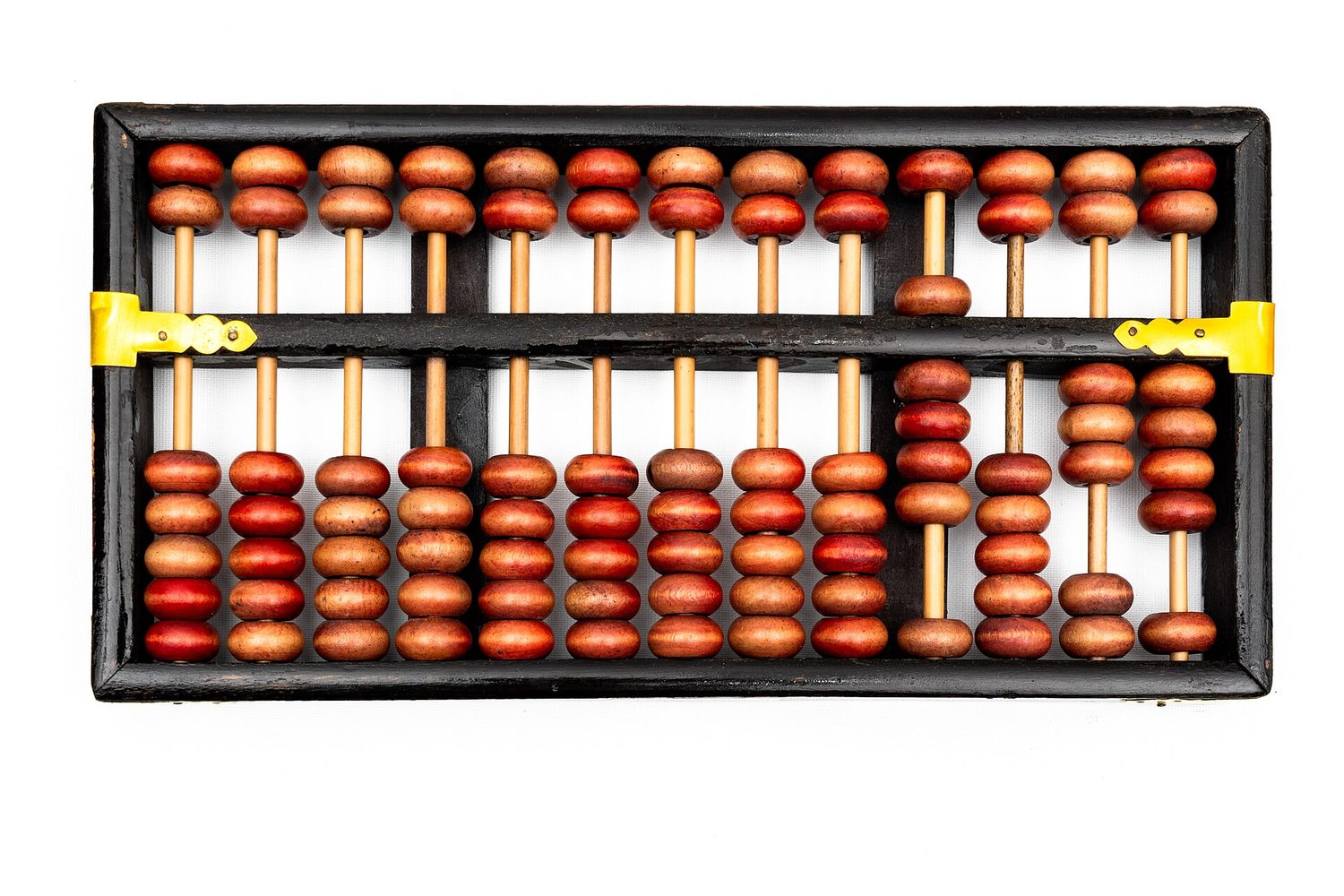
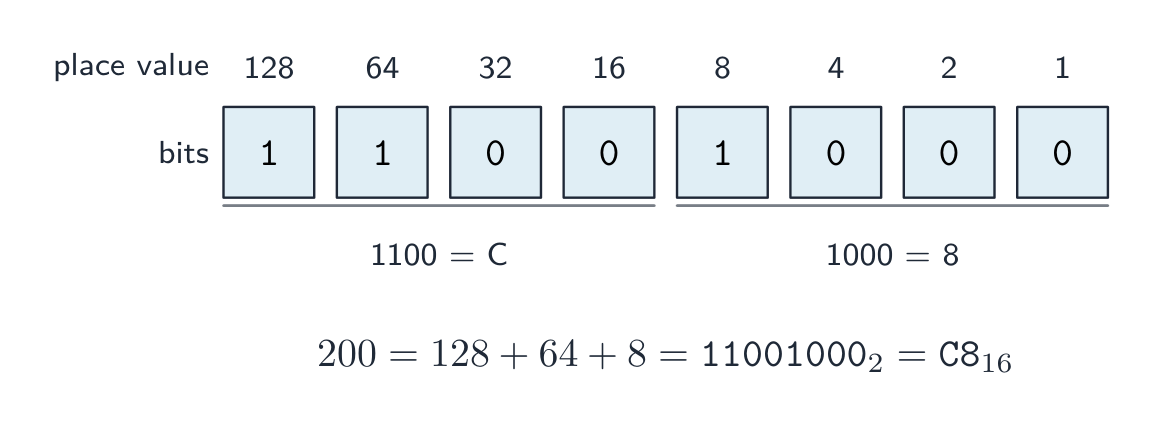 *Чтение числа 200 из разрядных значений, затем группировка битов в нибблы для получения шестнадцатеричного C8
 8-битное число в дополнительном коде: знаковый бит делит диапазон на отрицательные (
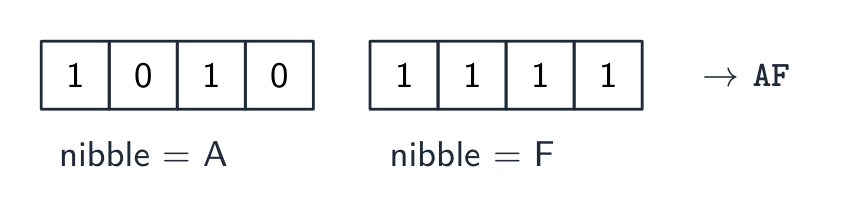
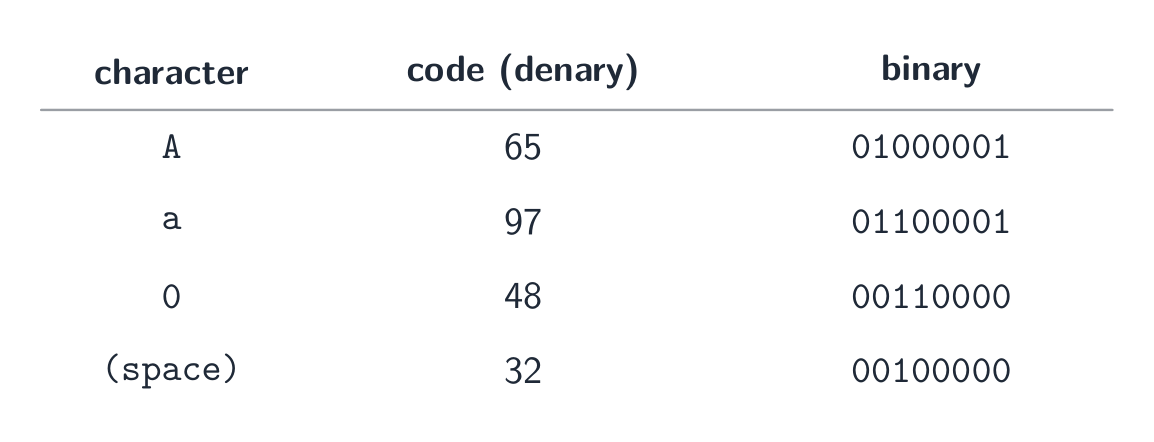
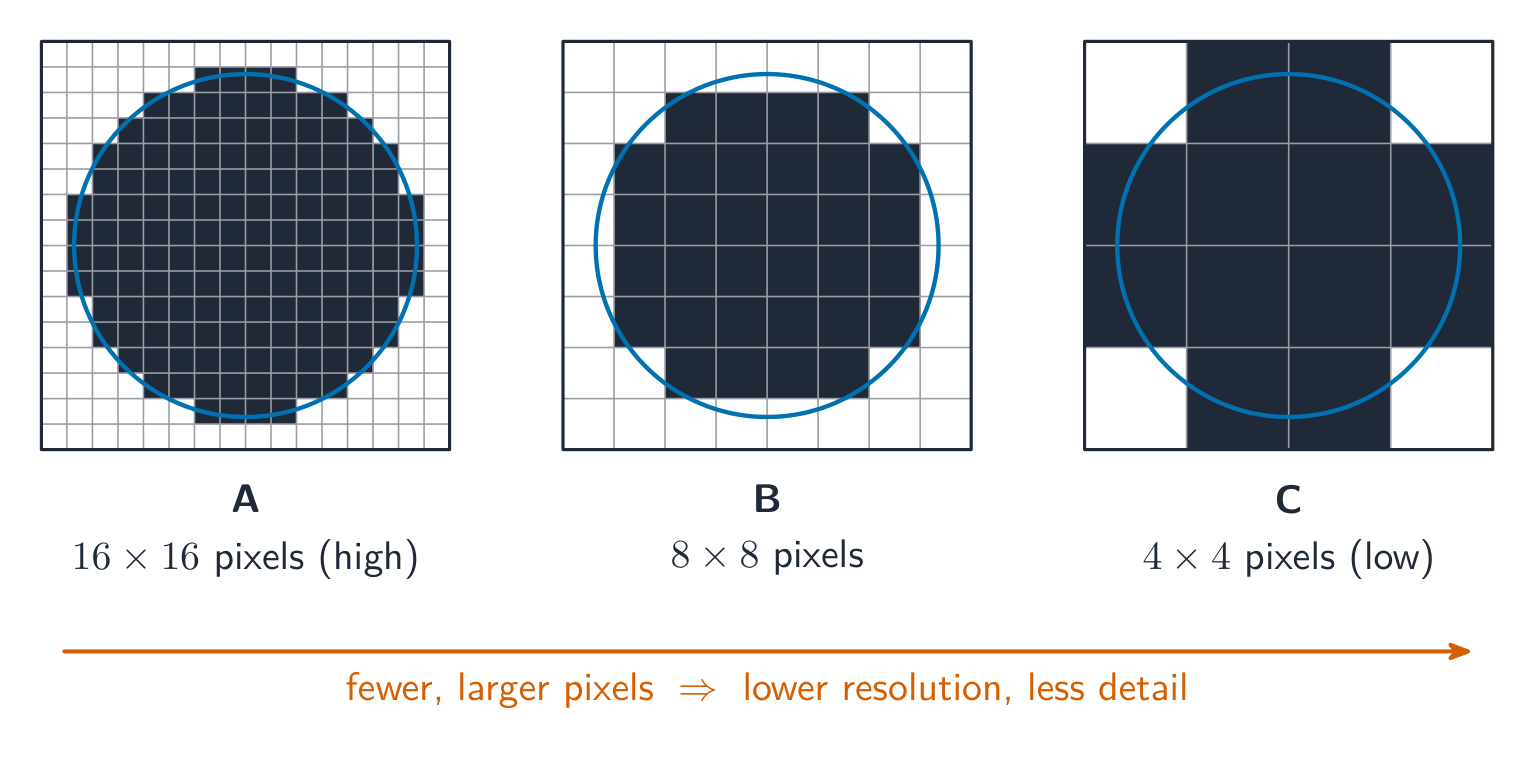
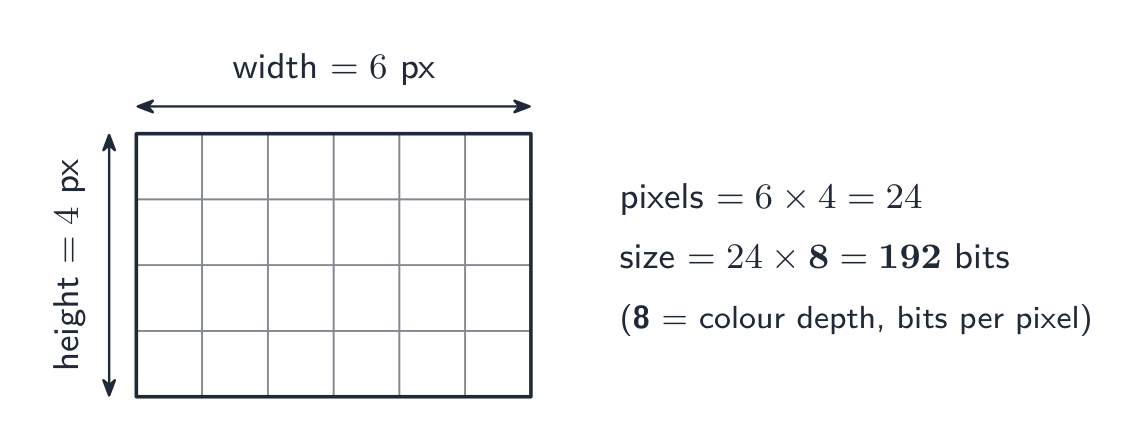

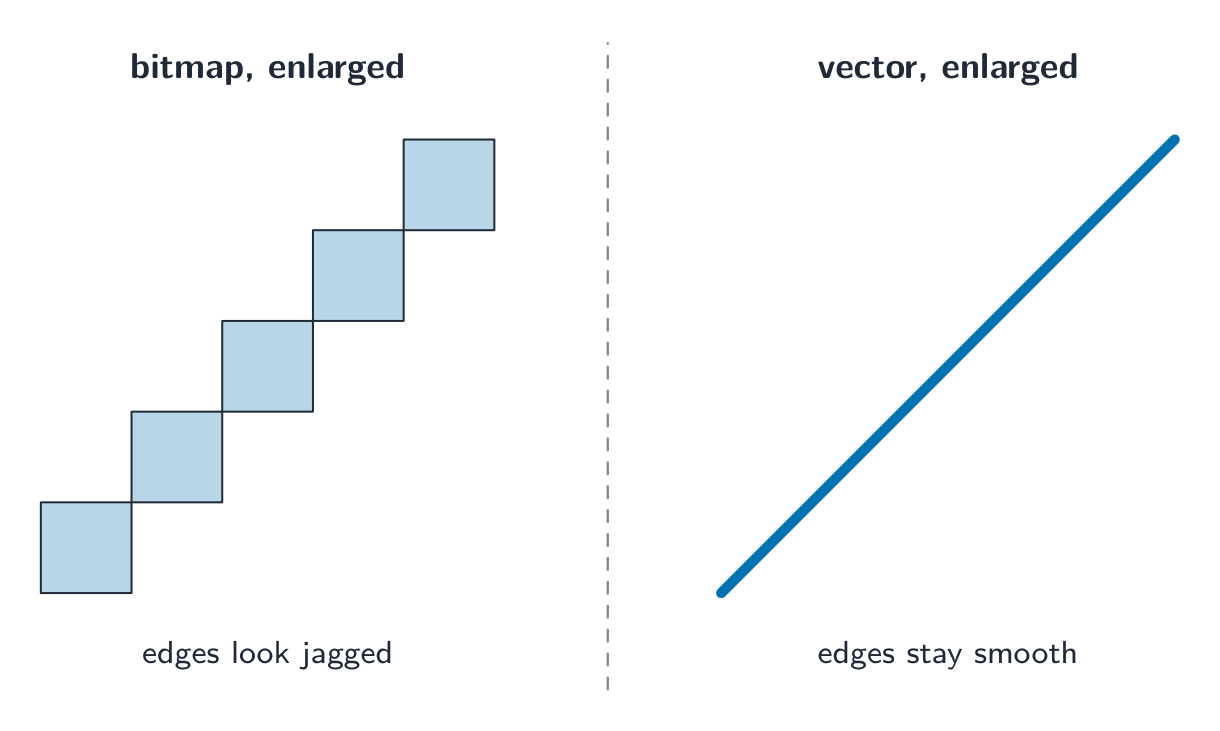
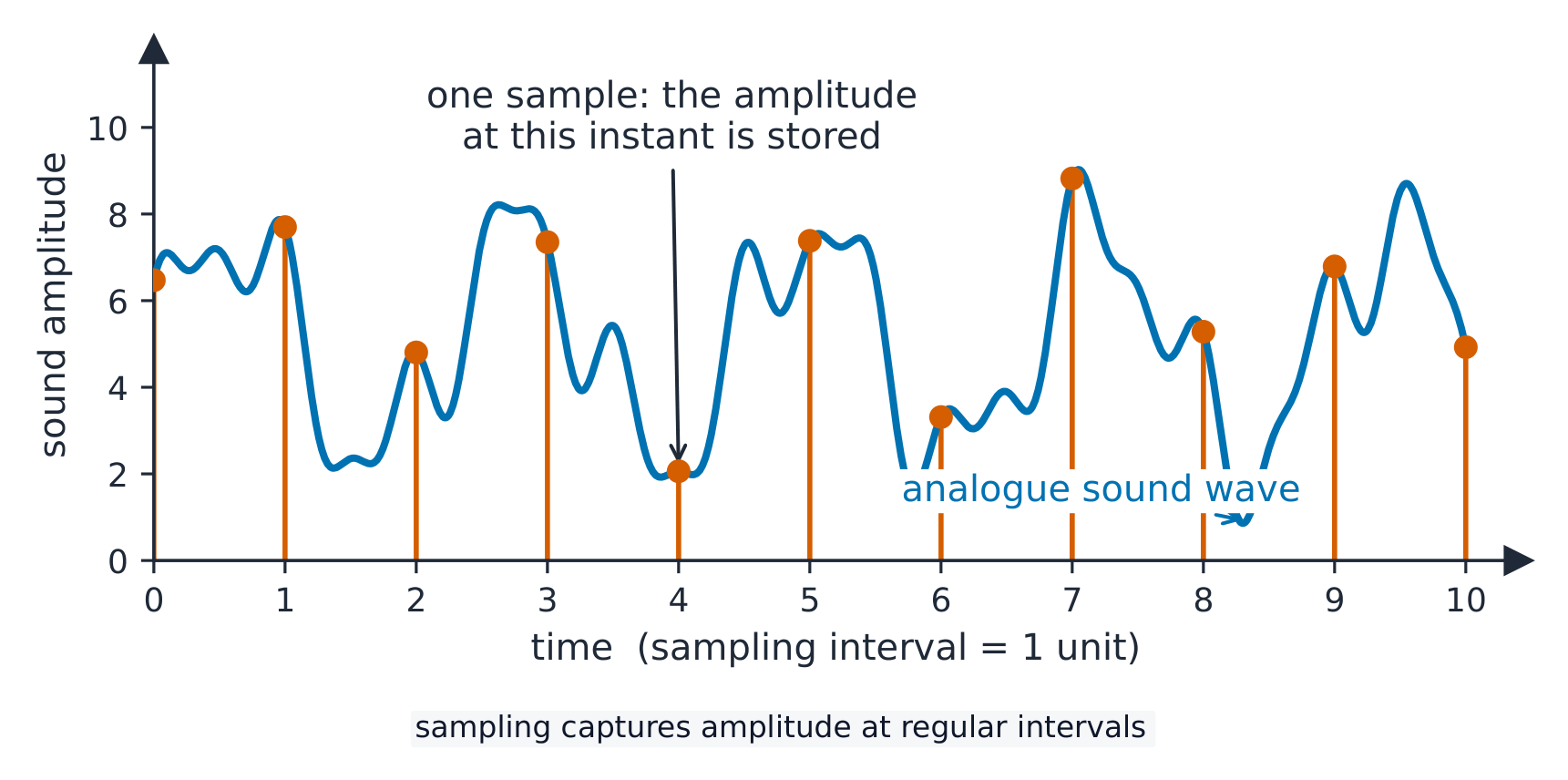
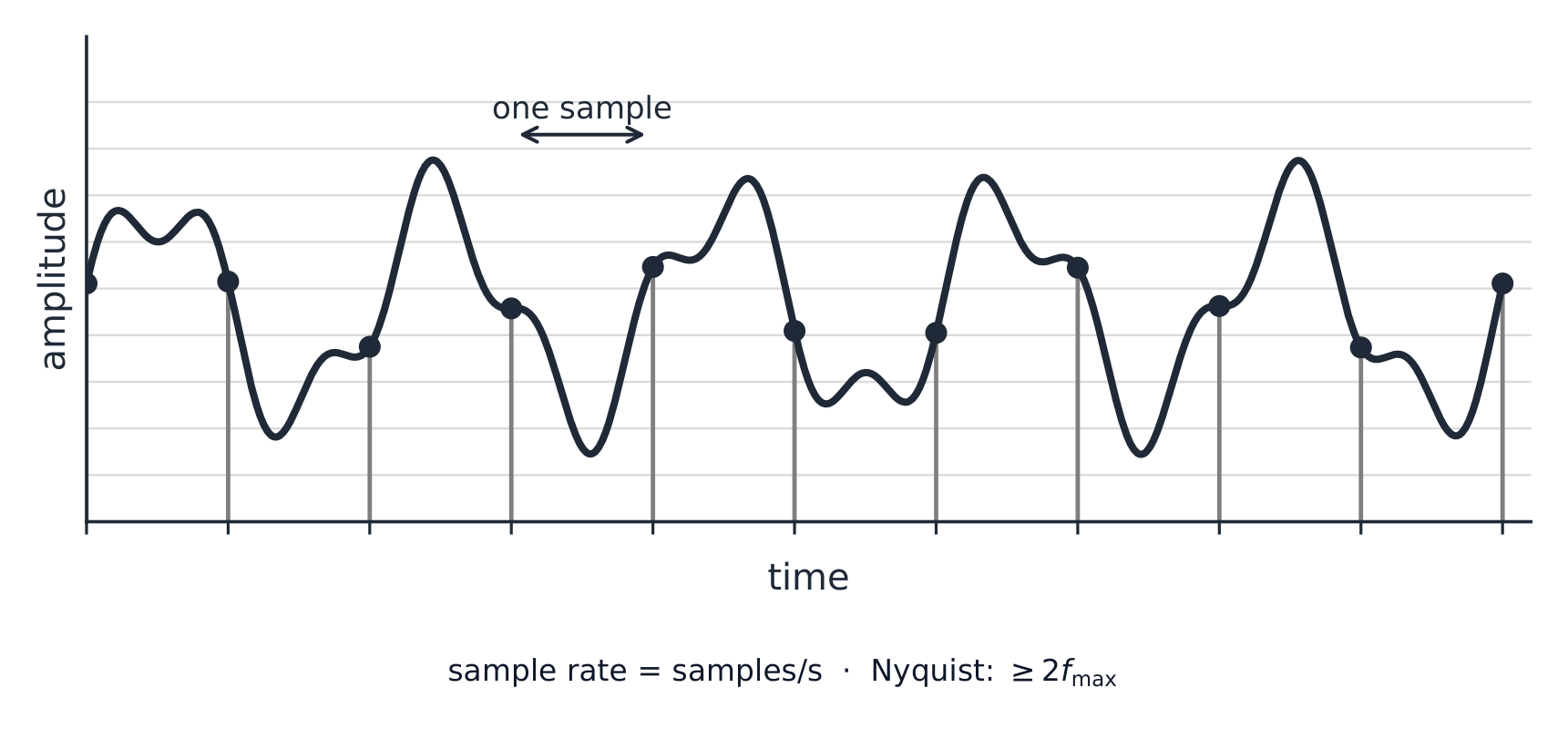


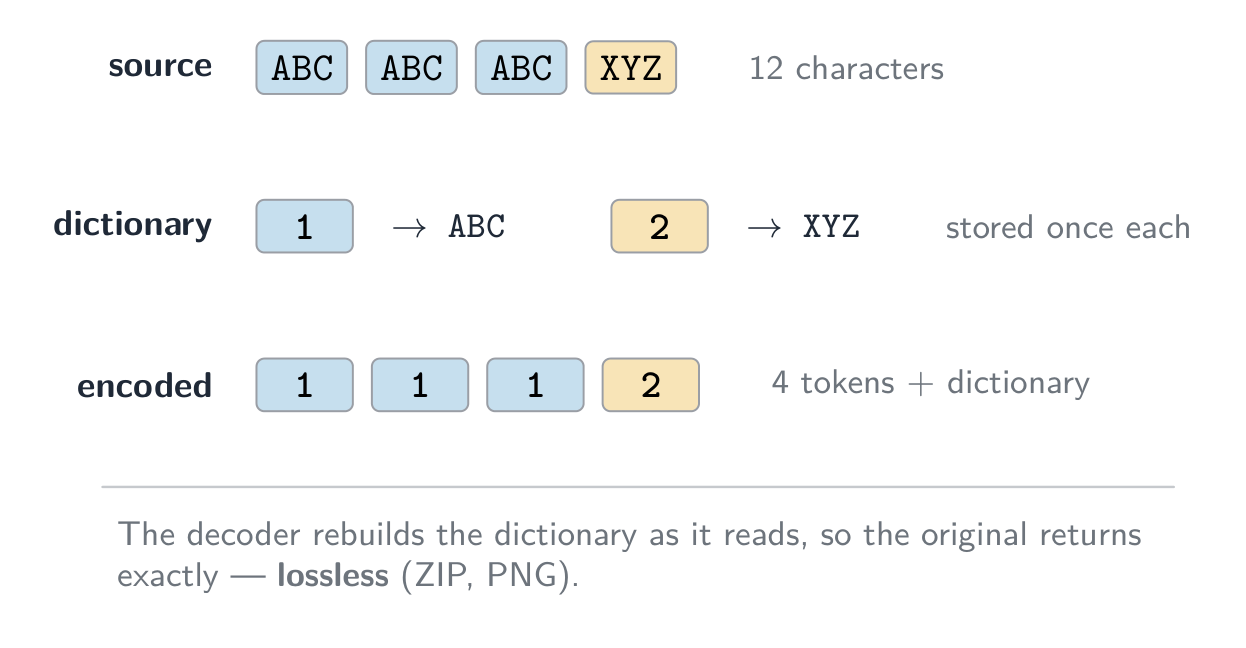
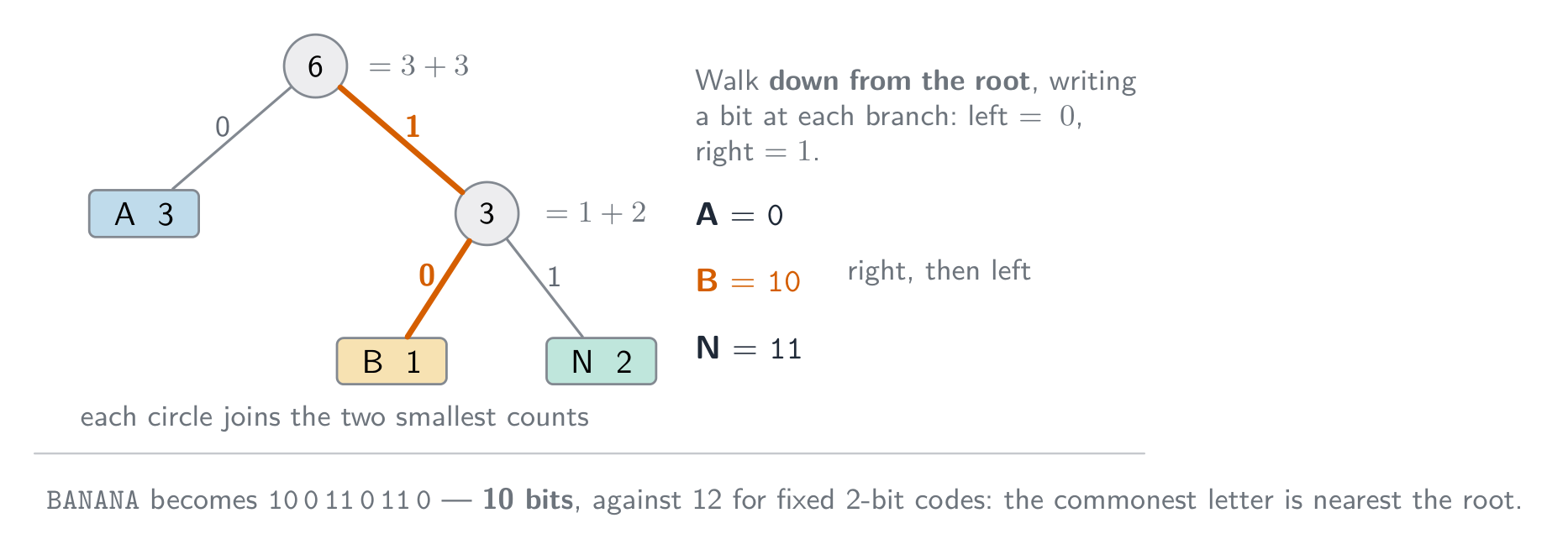
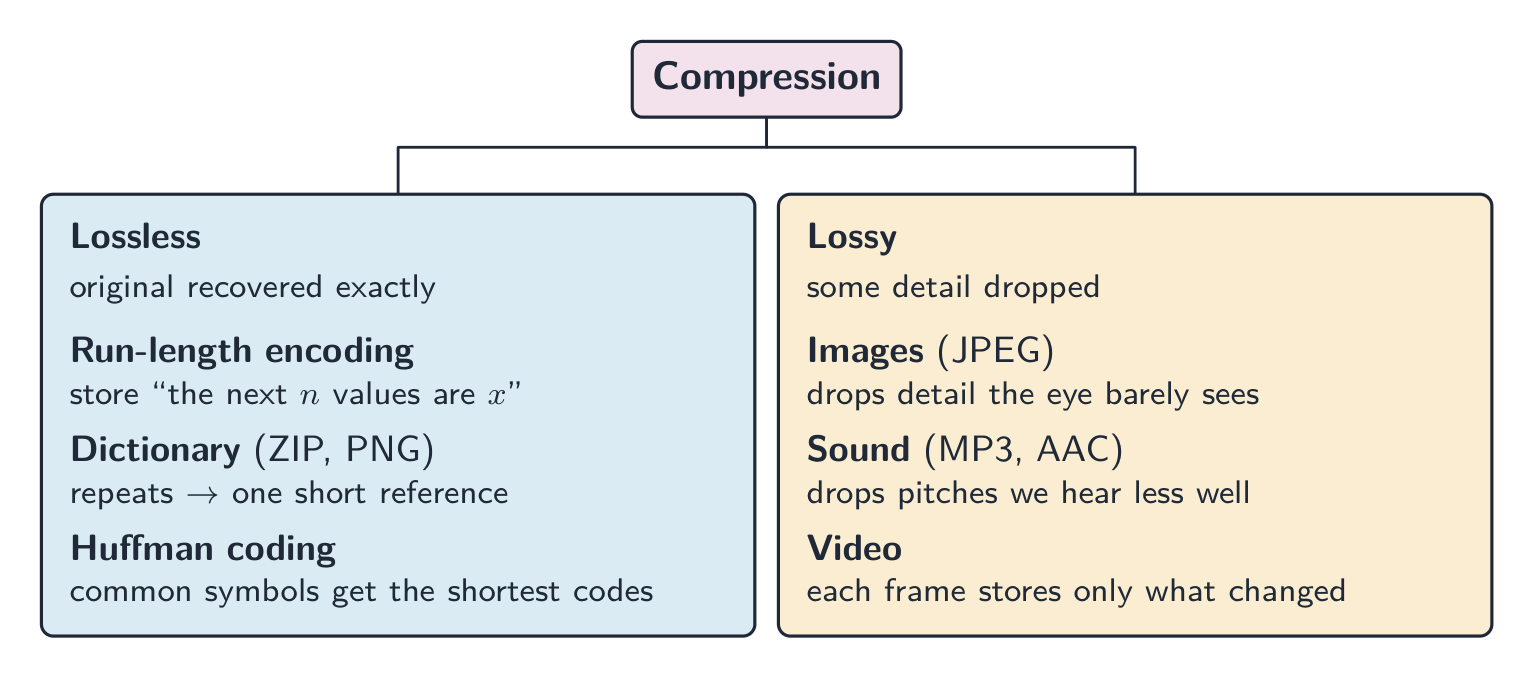


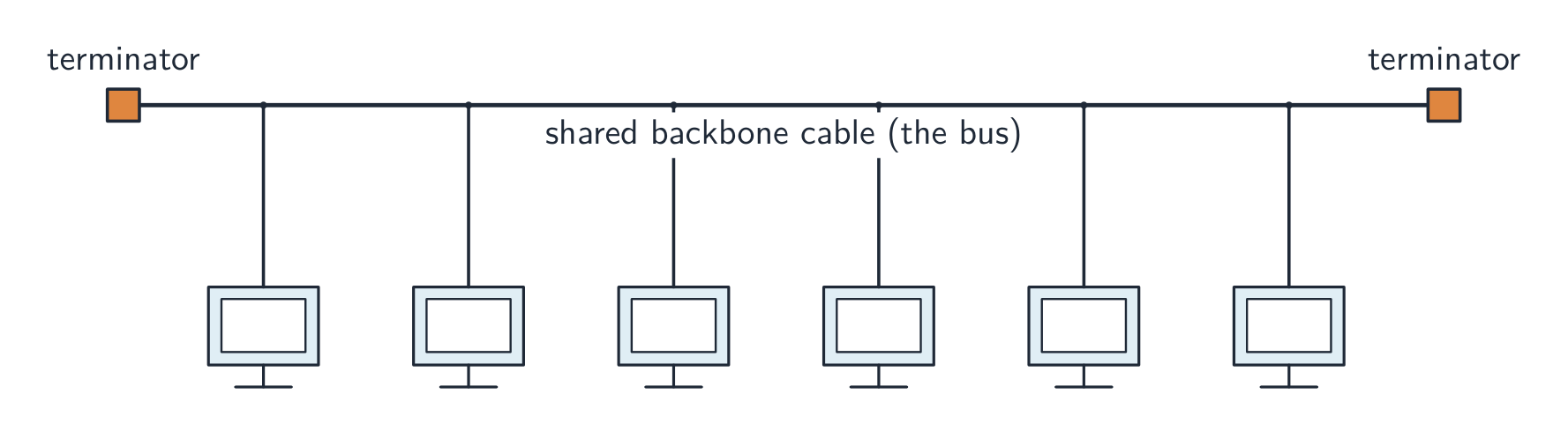
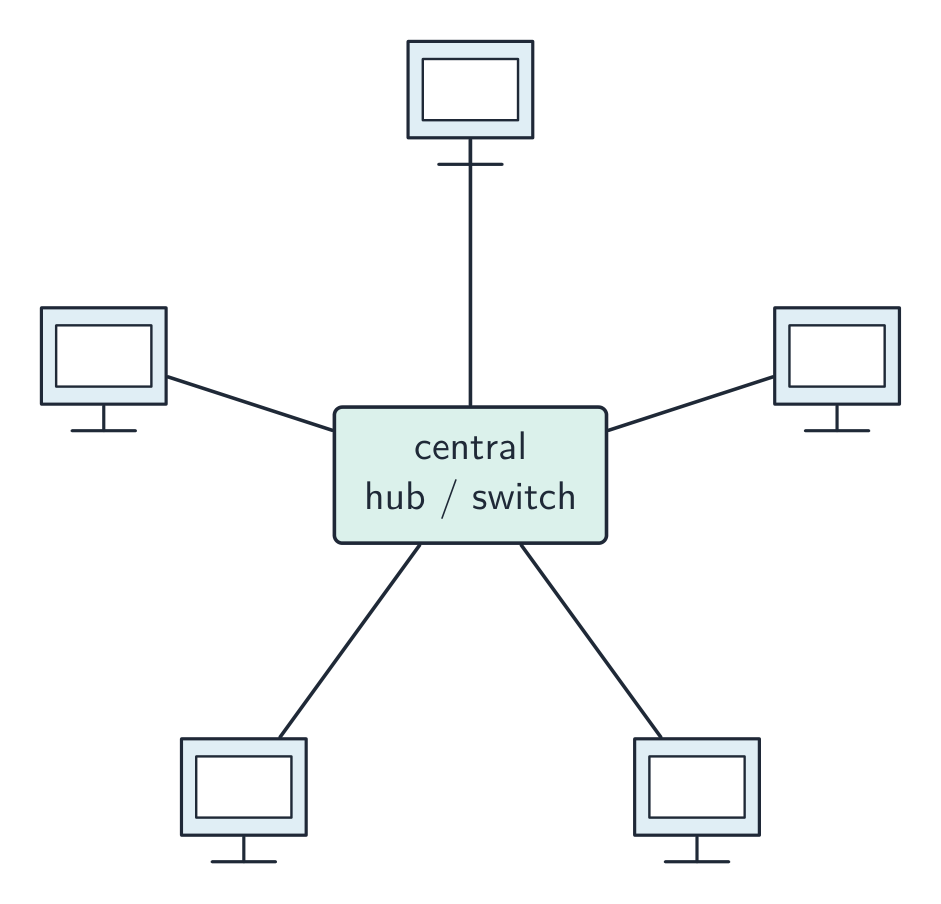
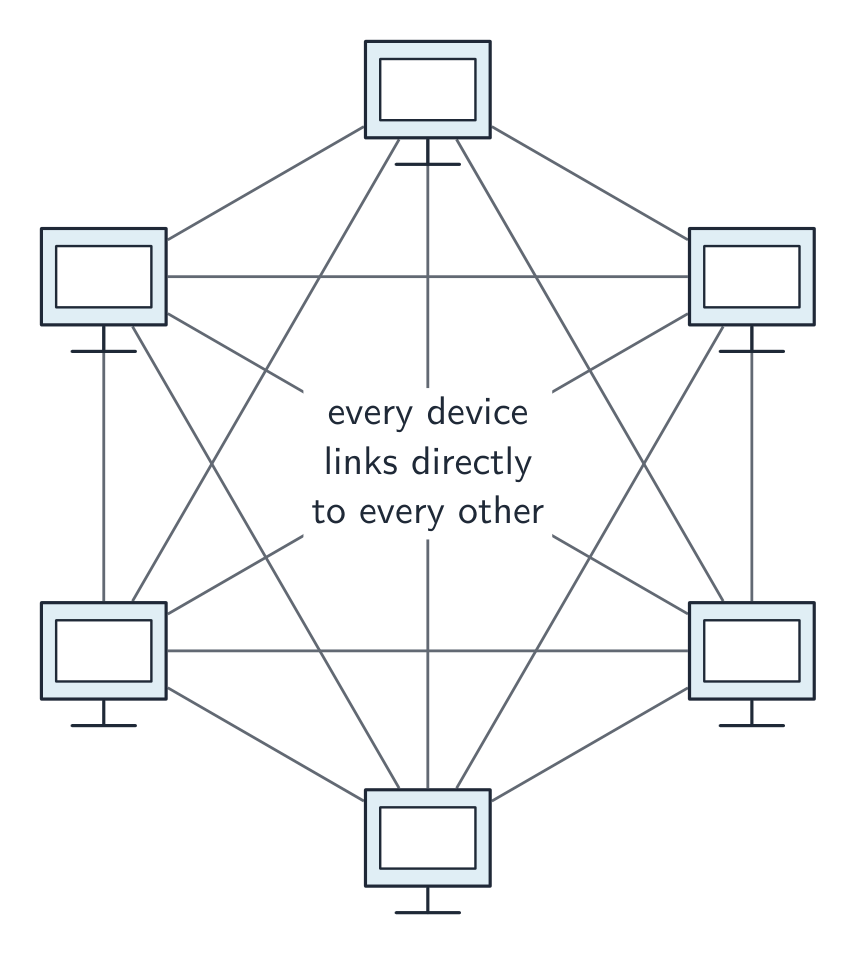
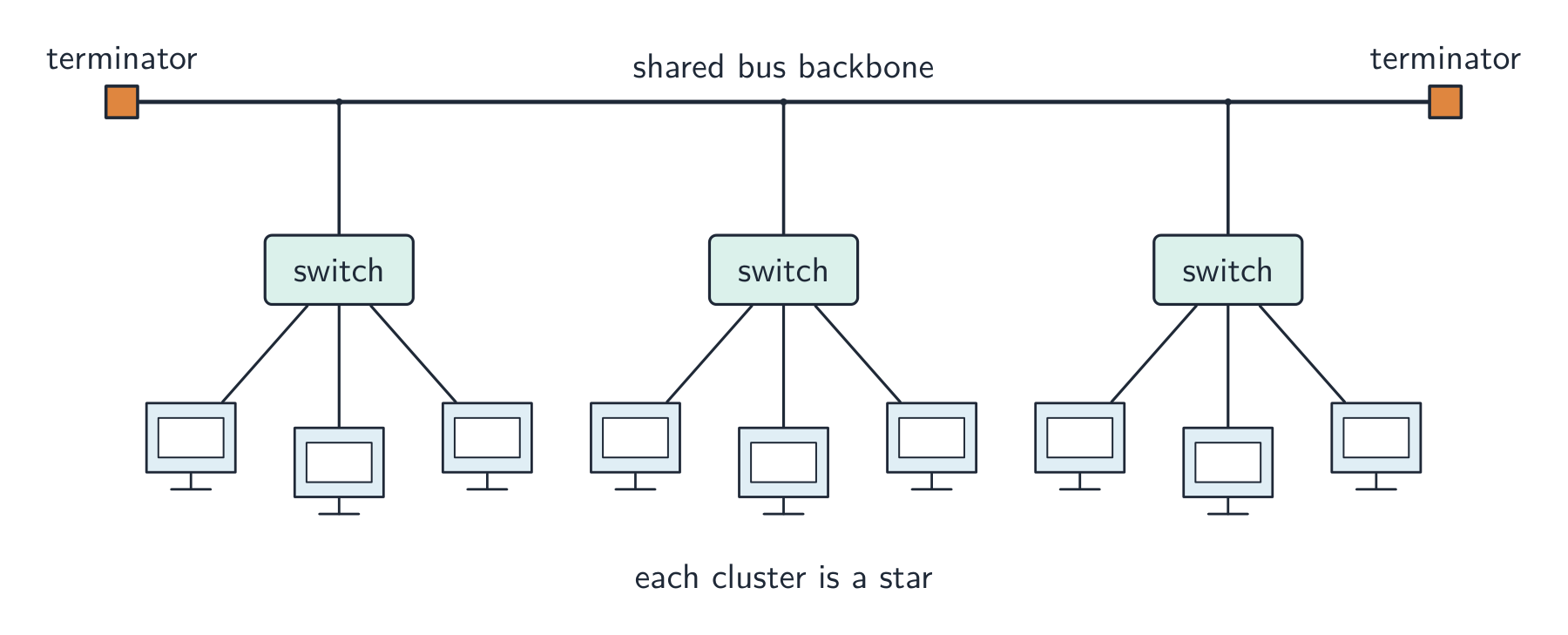

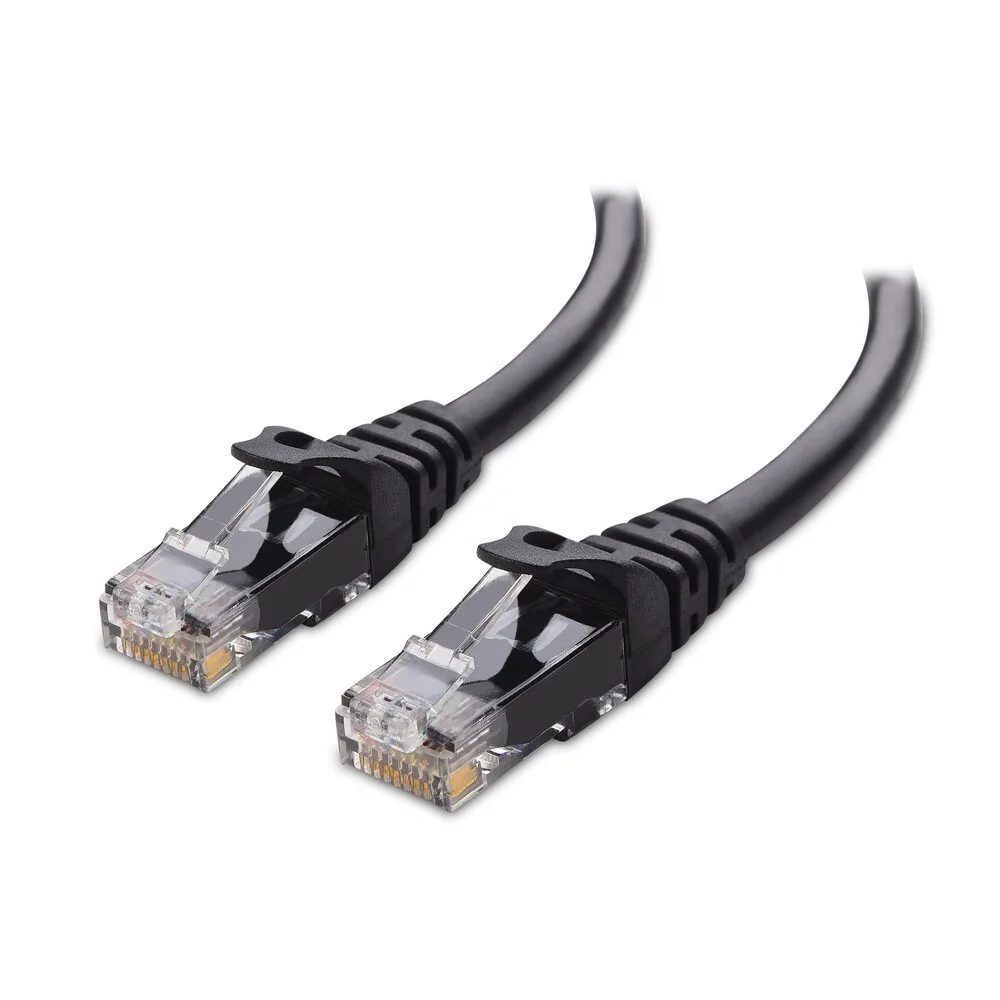


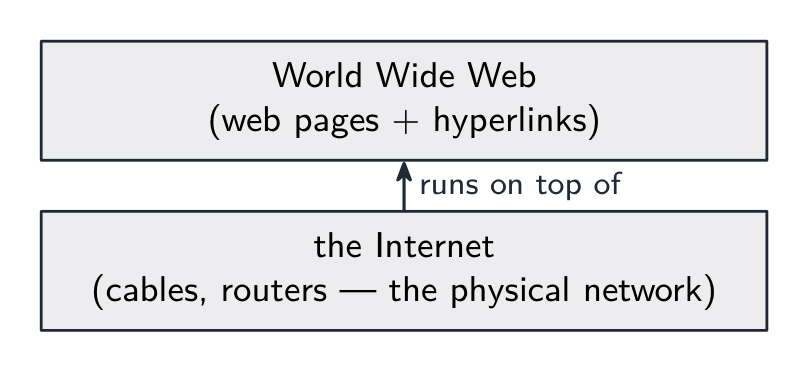
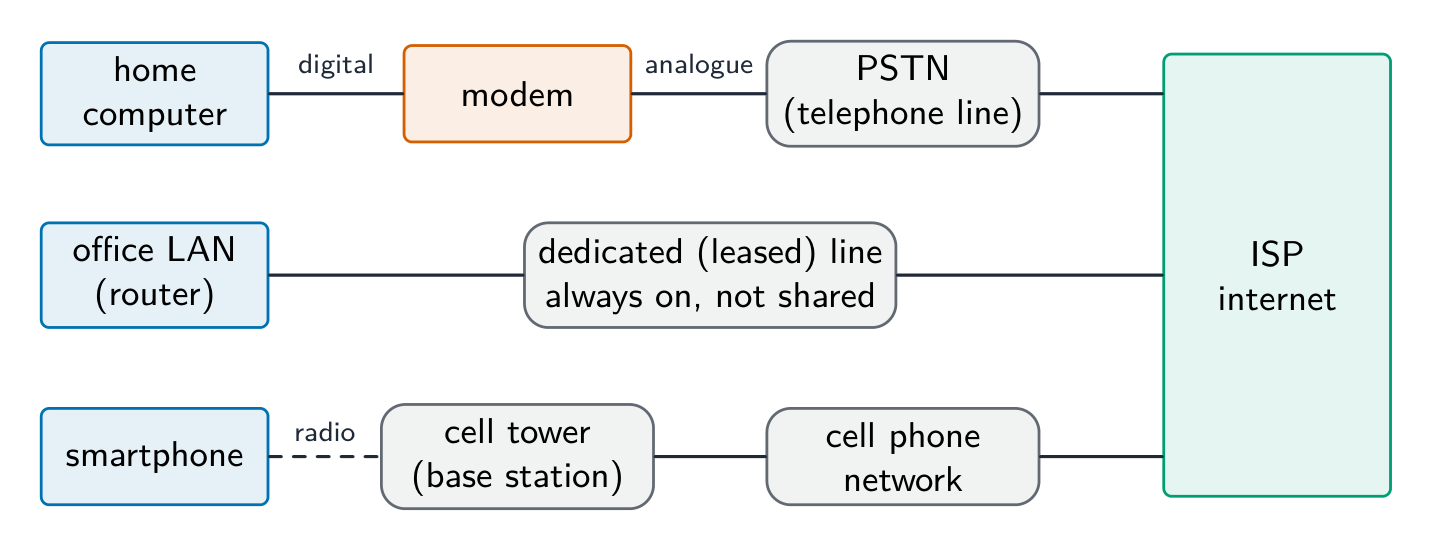
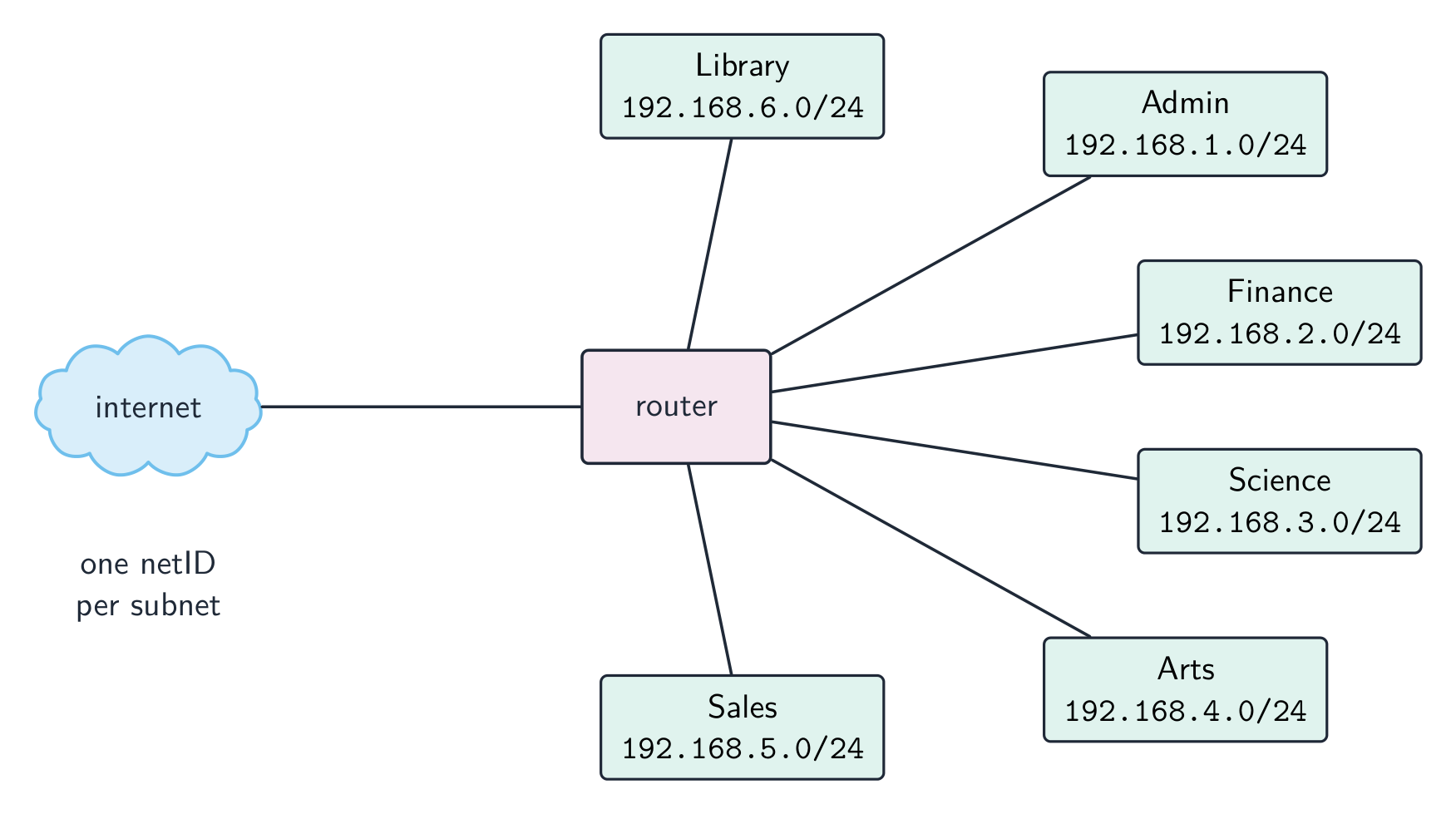






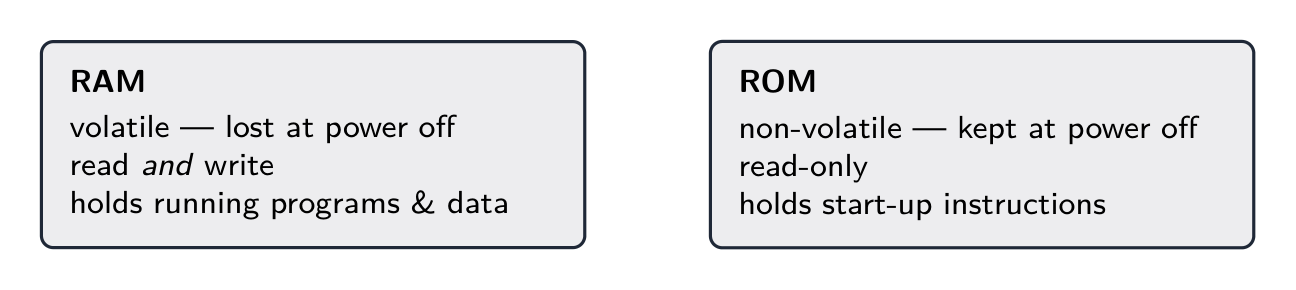

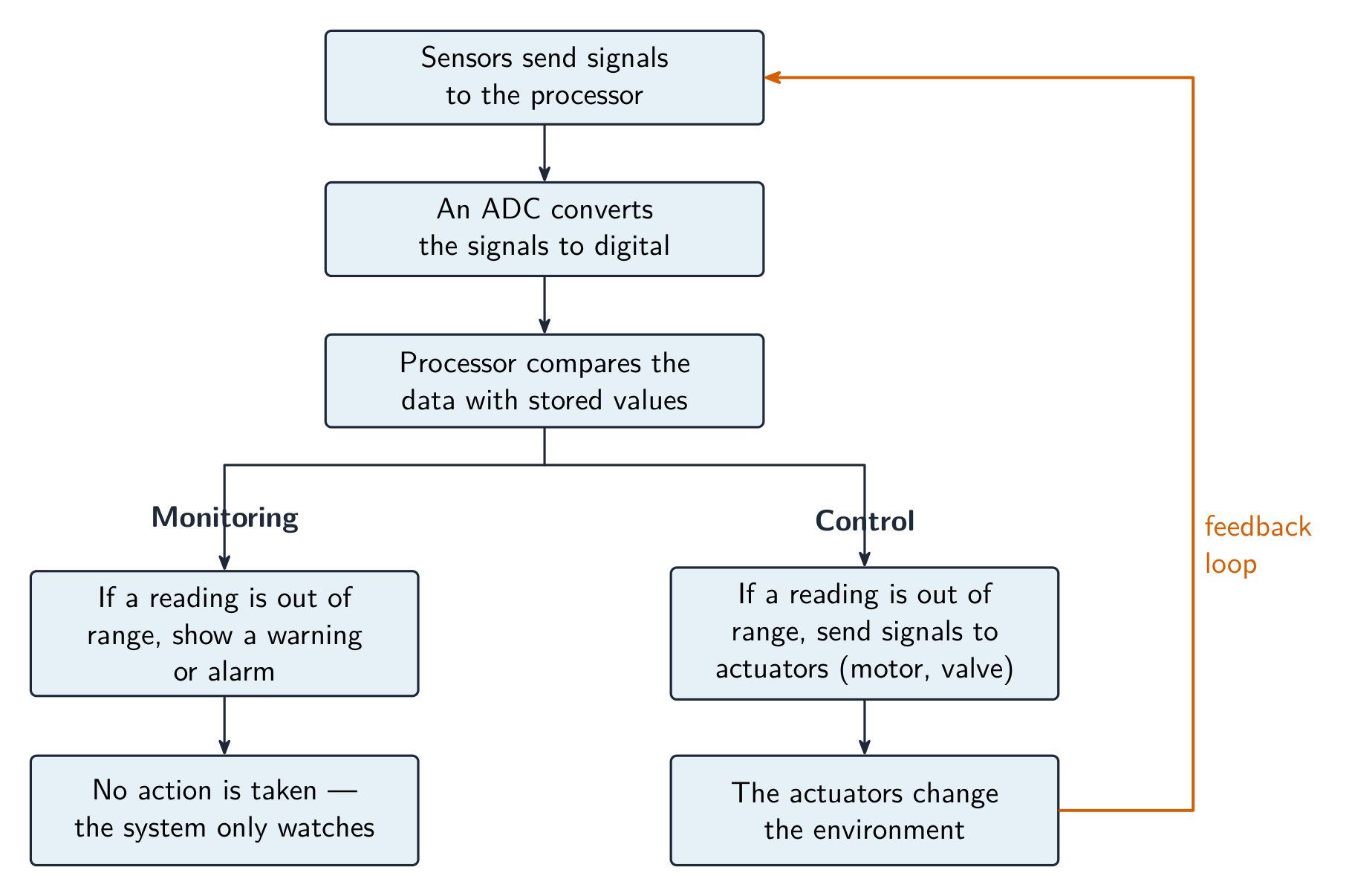




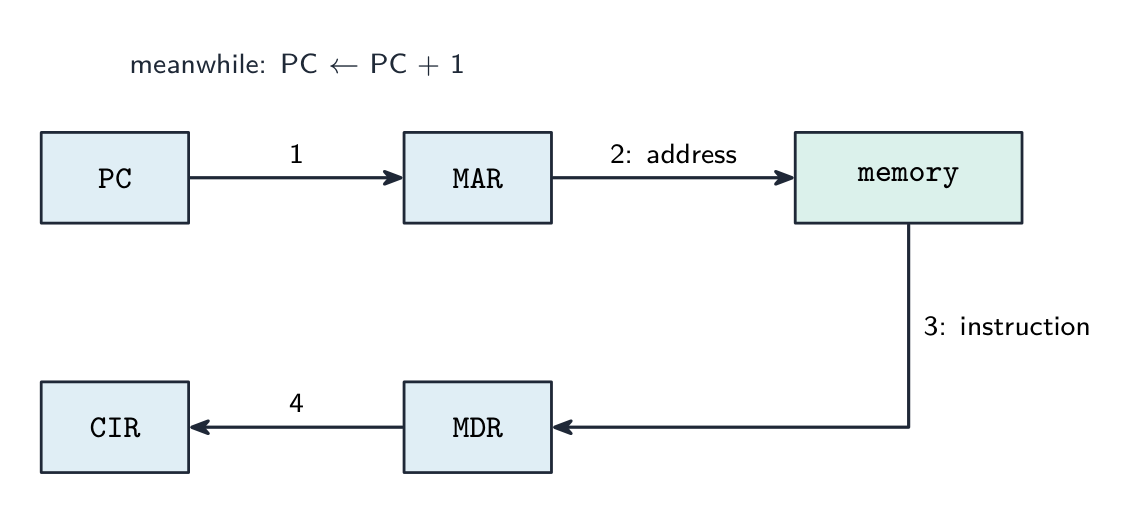
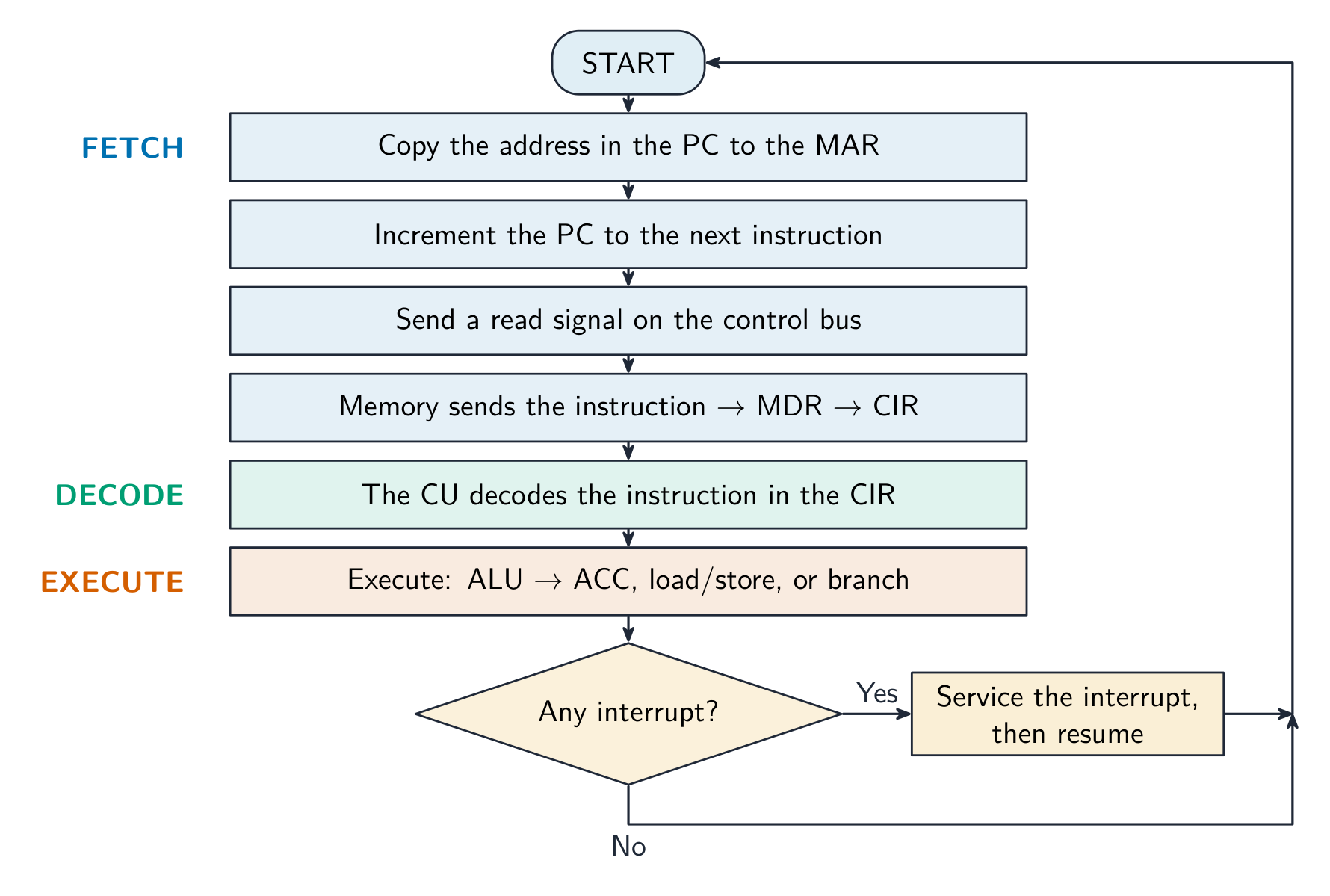
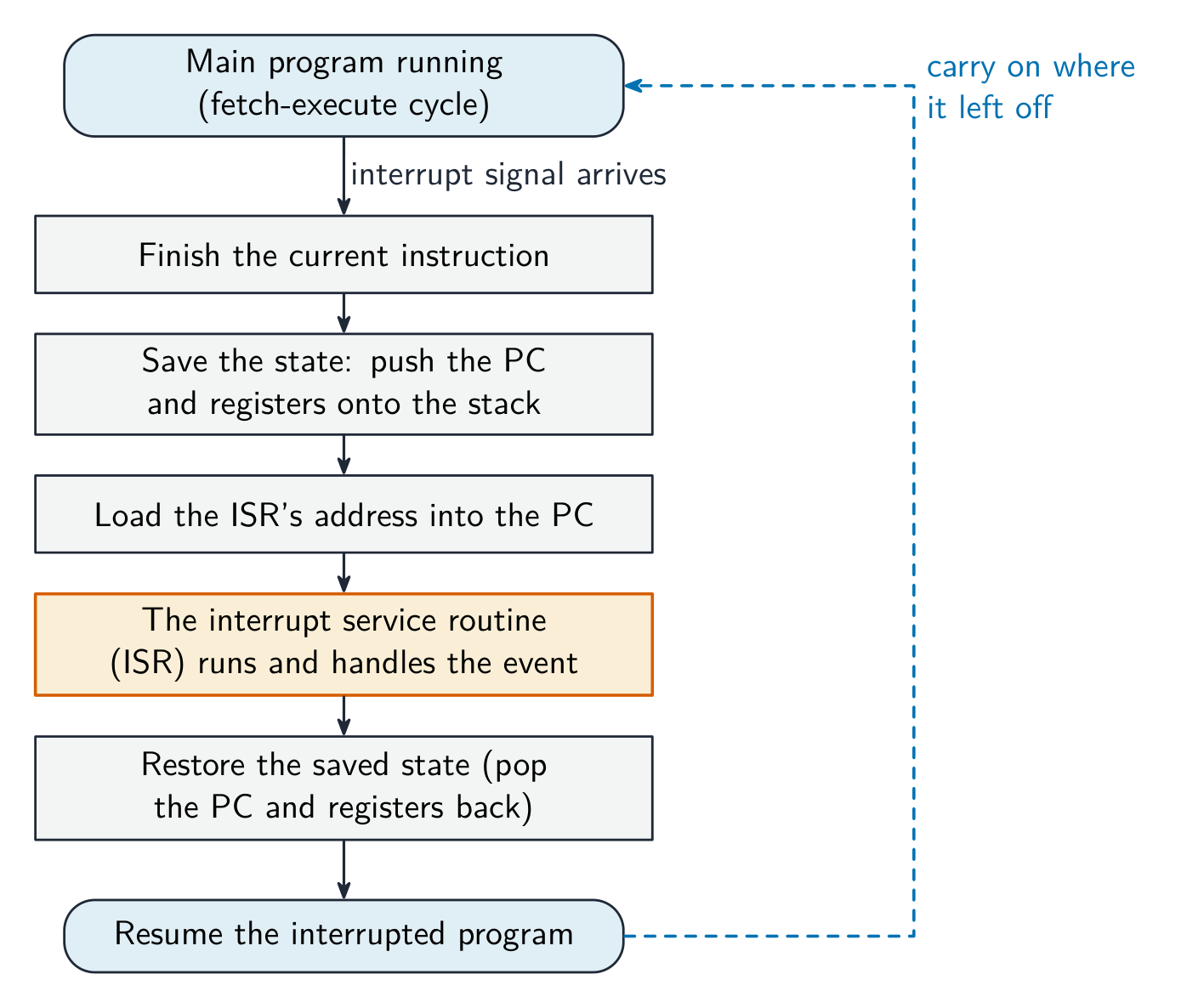





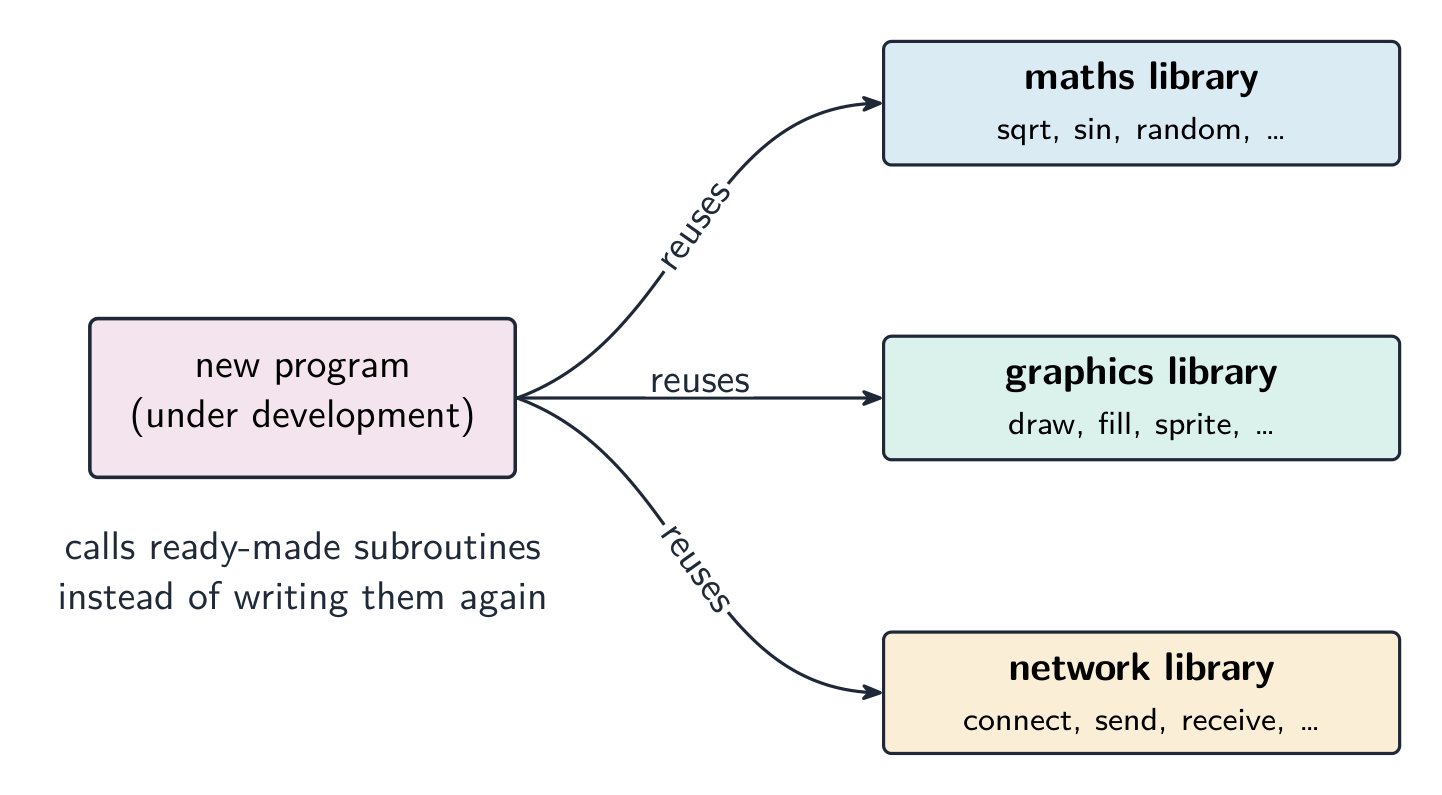
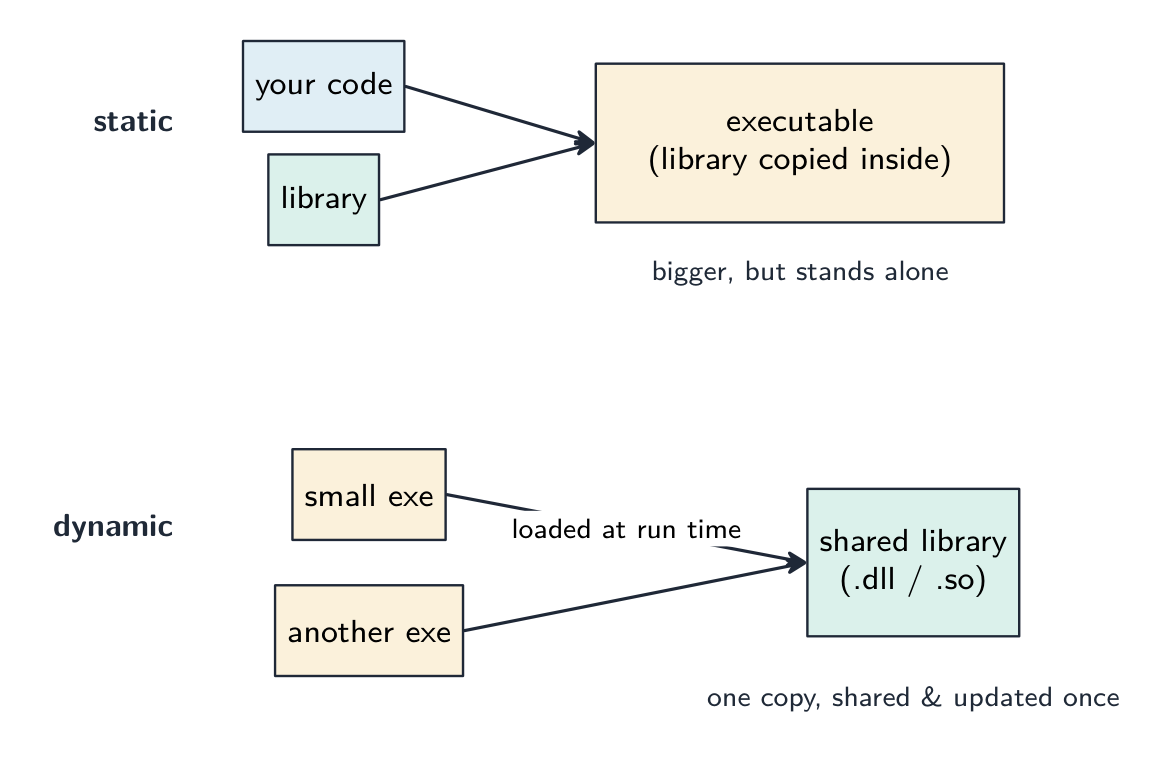




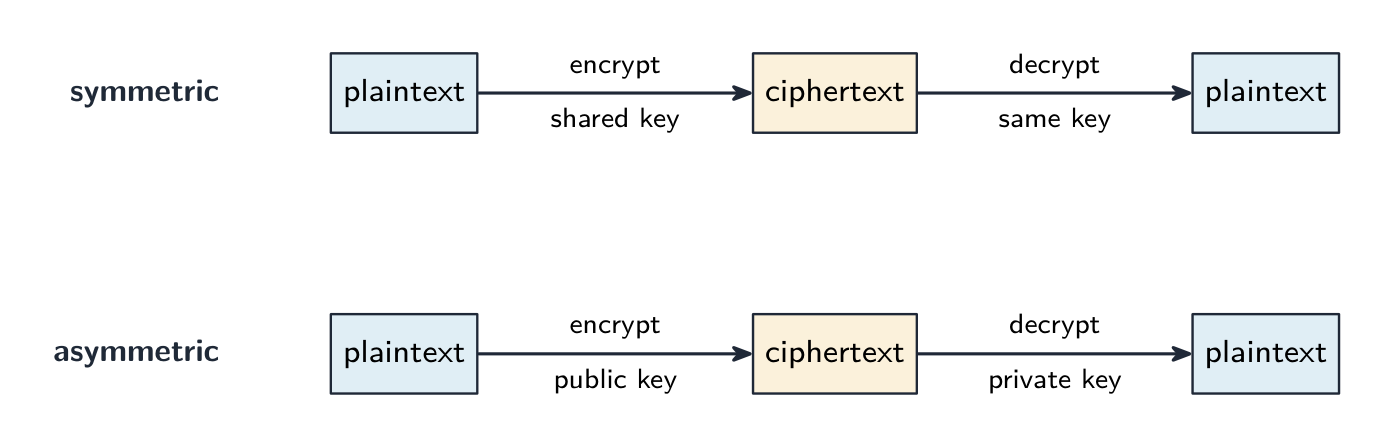
 *Токен безопасности показывает изменяющийся код для двухфакторной аутентификации («то, что у вас есть») *
 *Сканер отпечатков пальцев проверяет «то, кем вы являетесь» — биологическую особенность человека, а не пароль




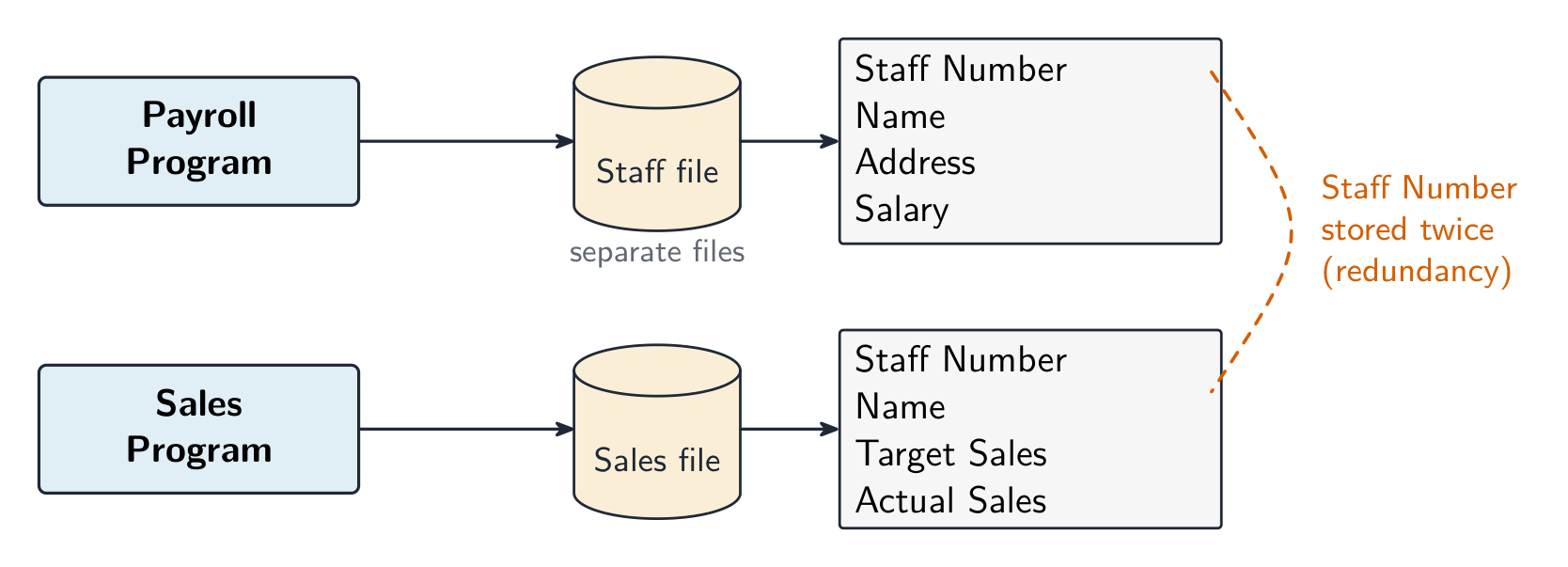
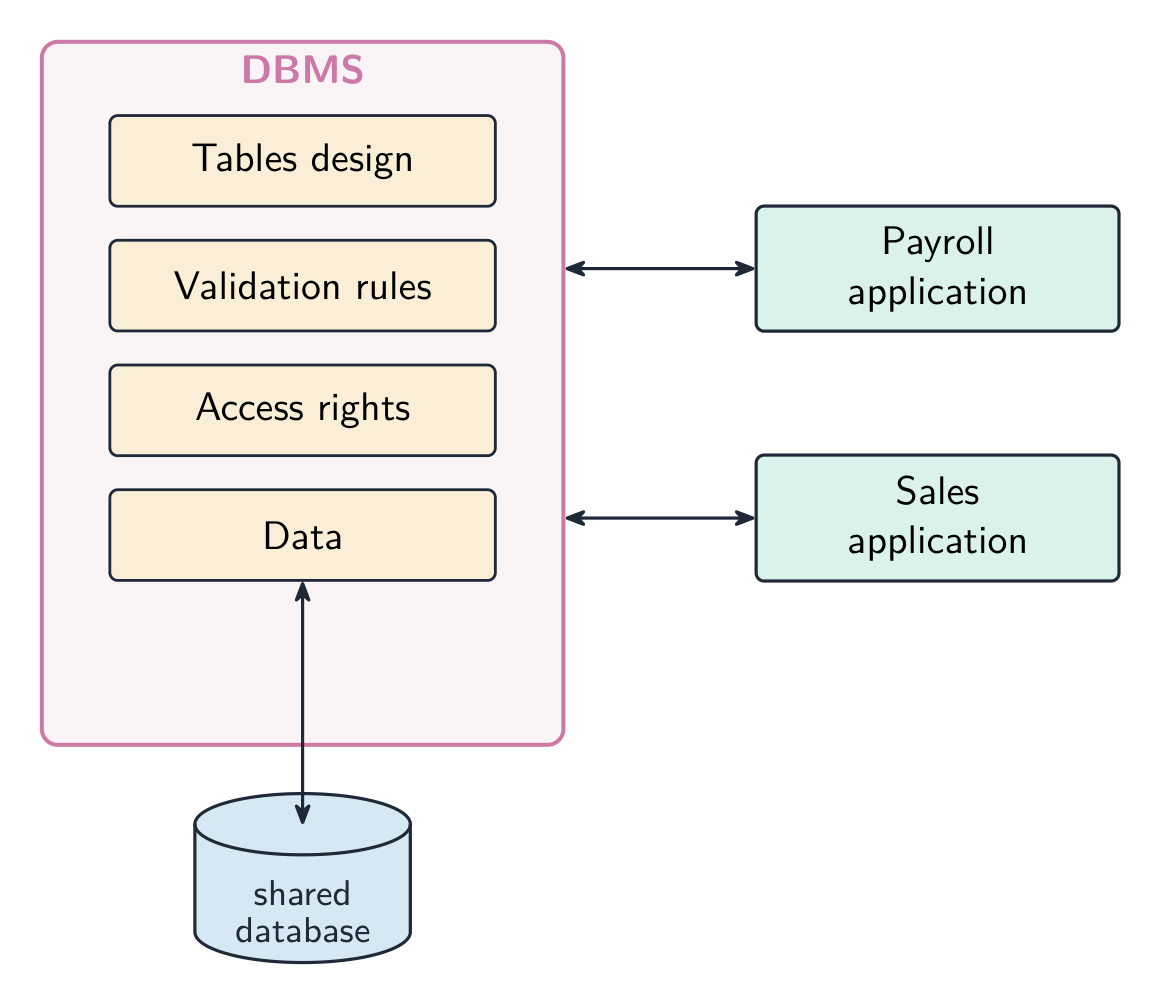
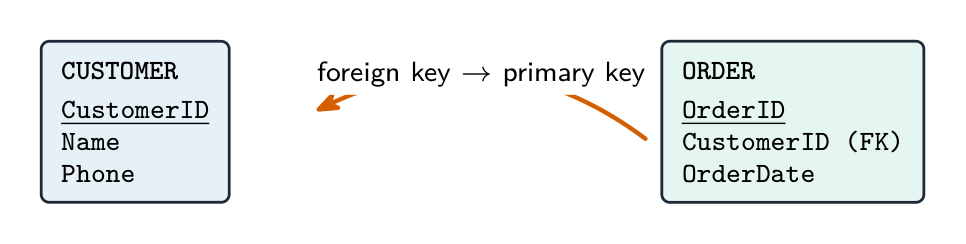


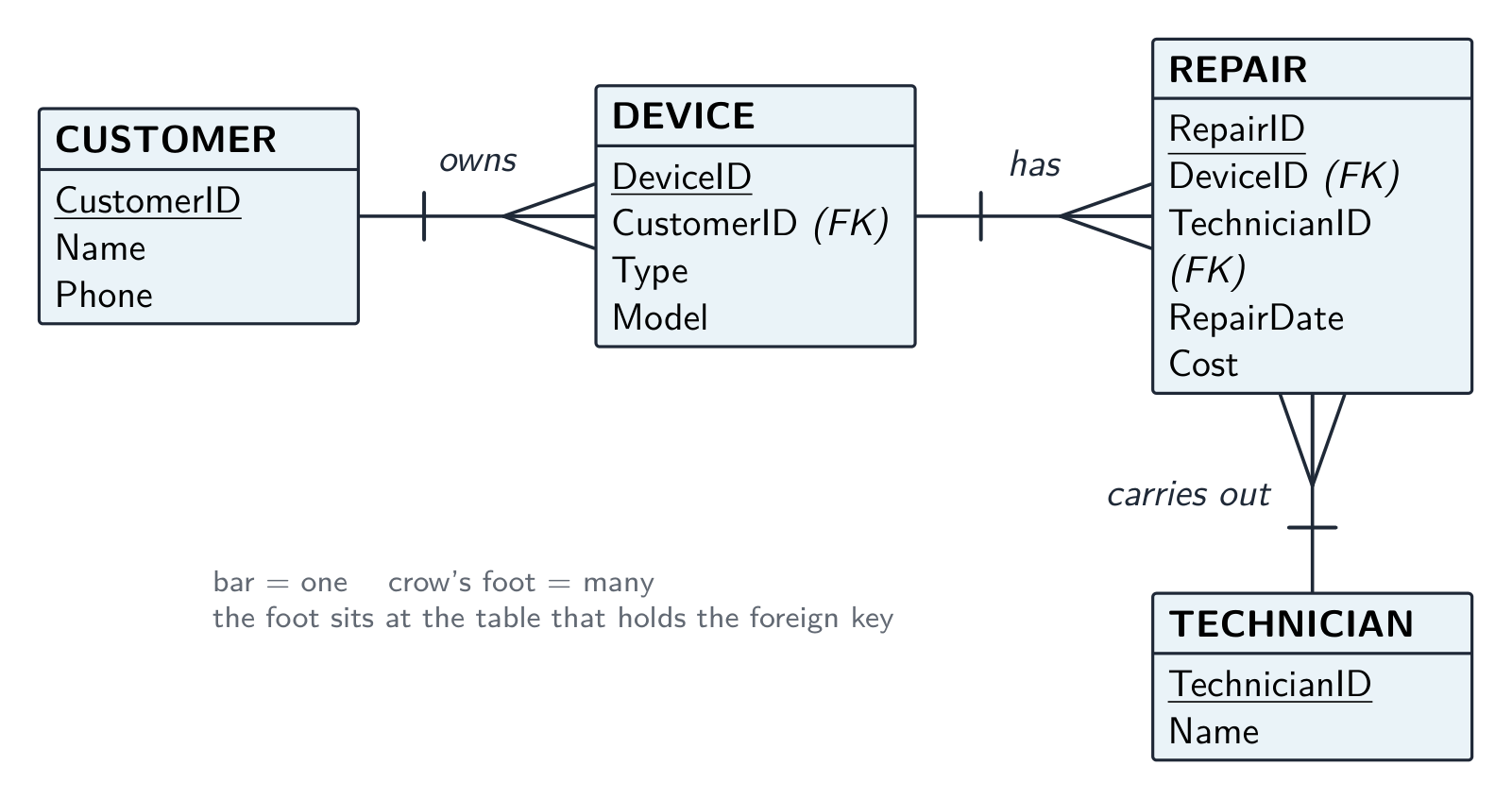
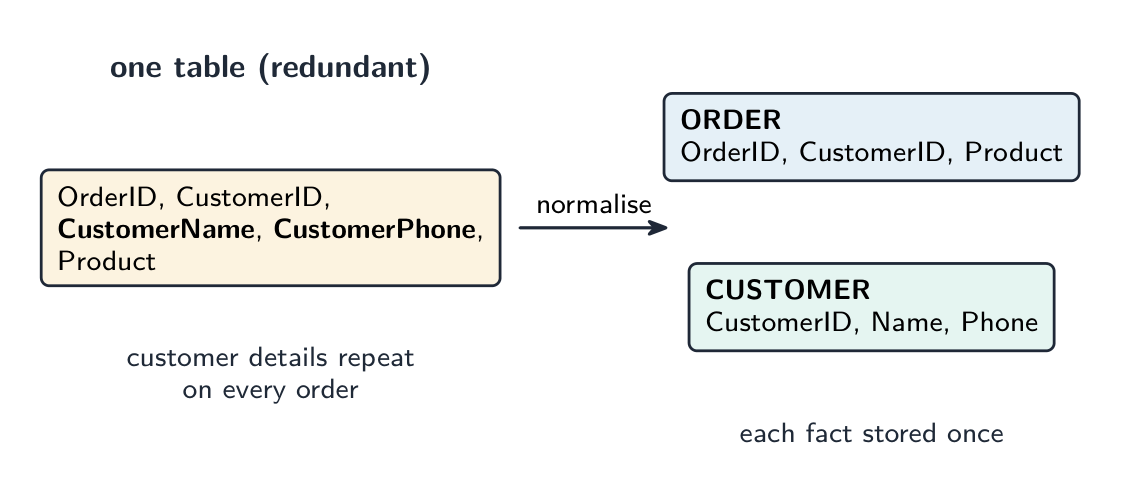
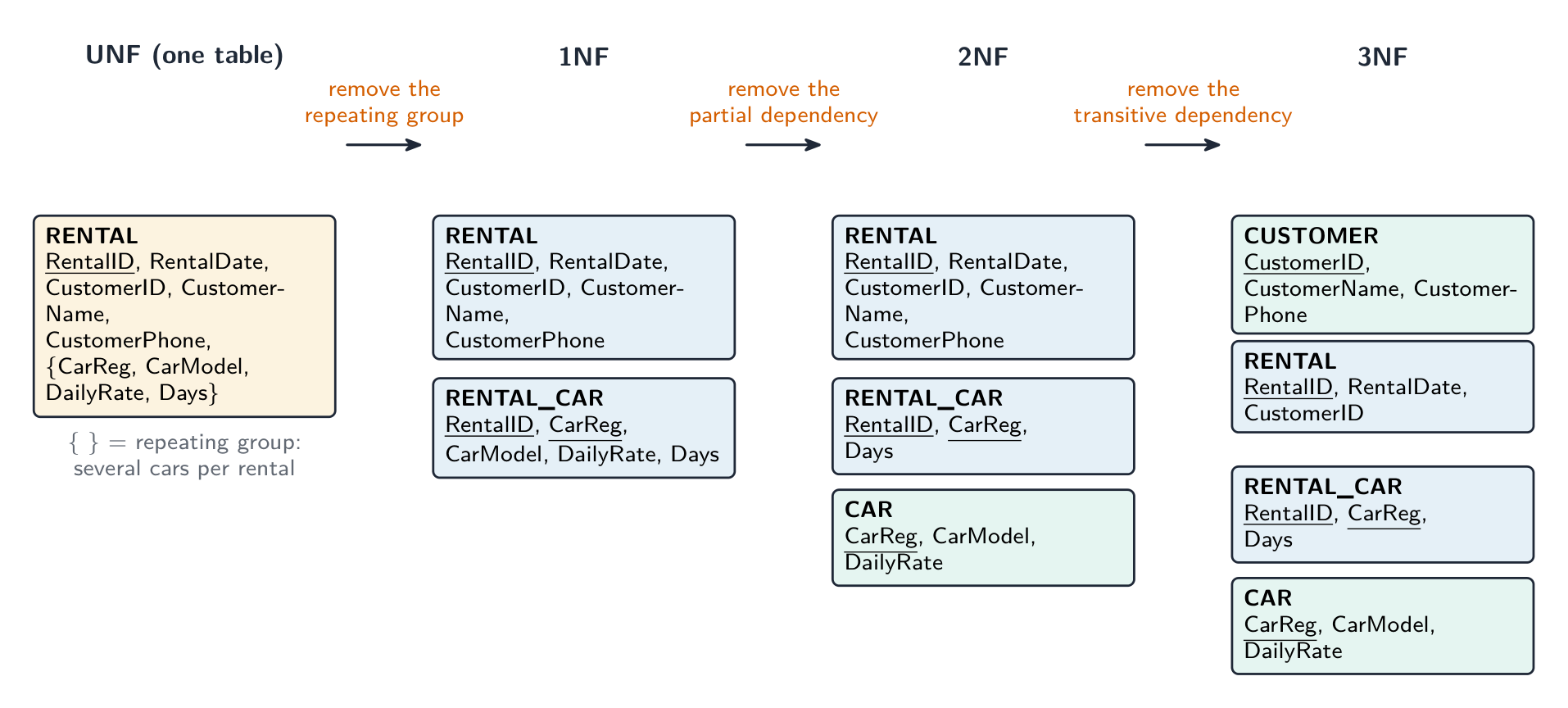






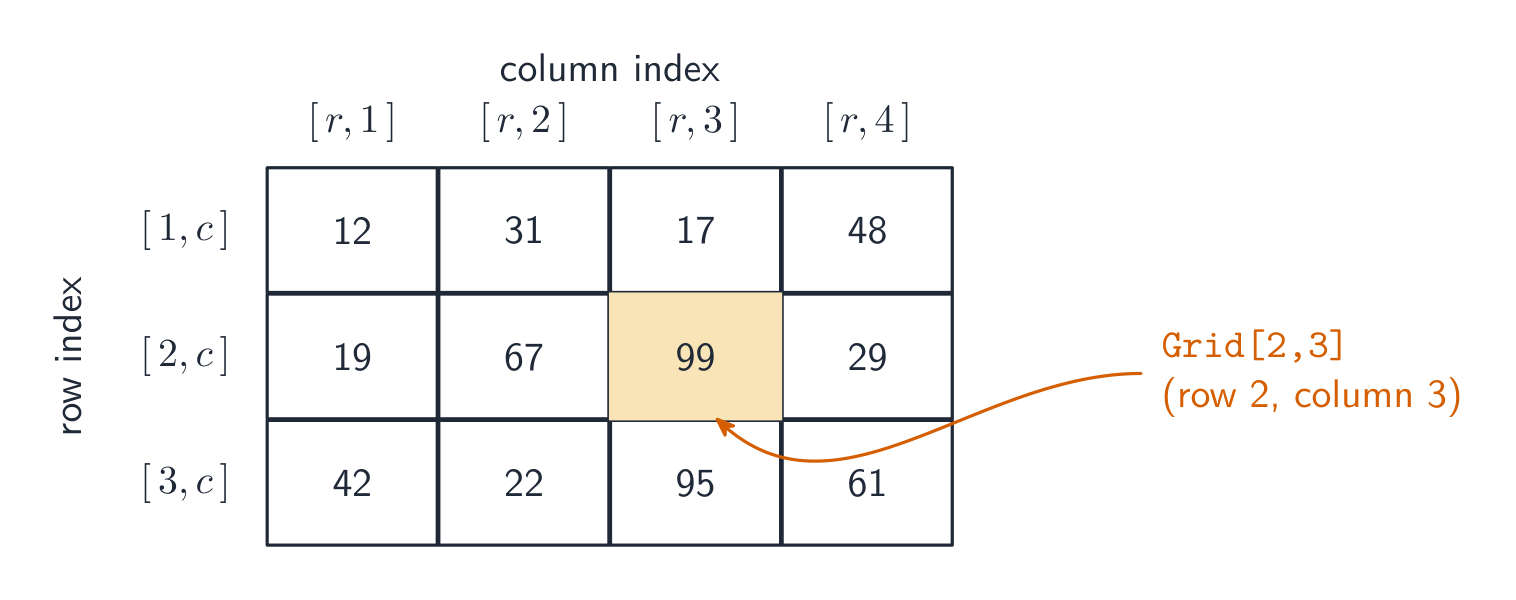



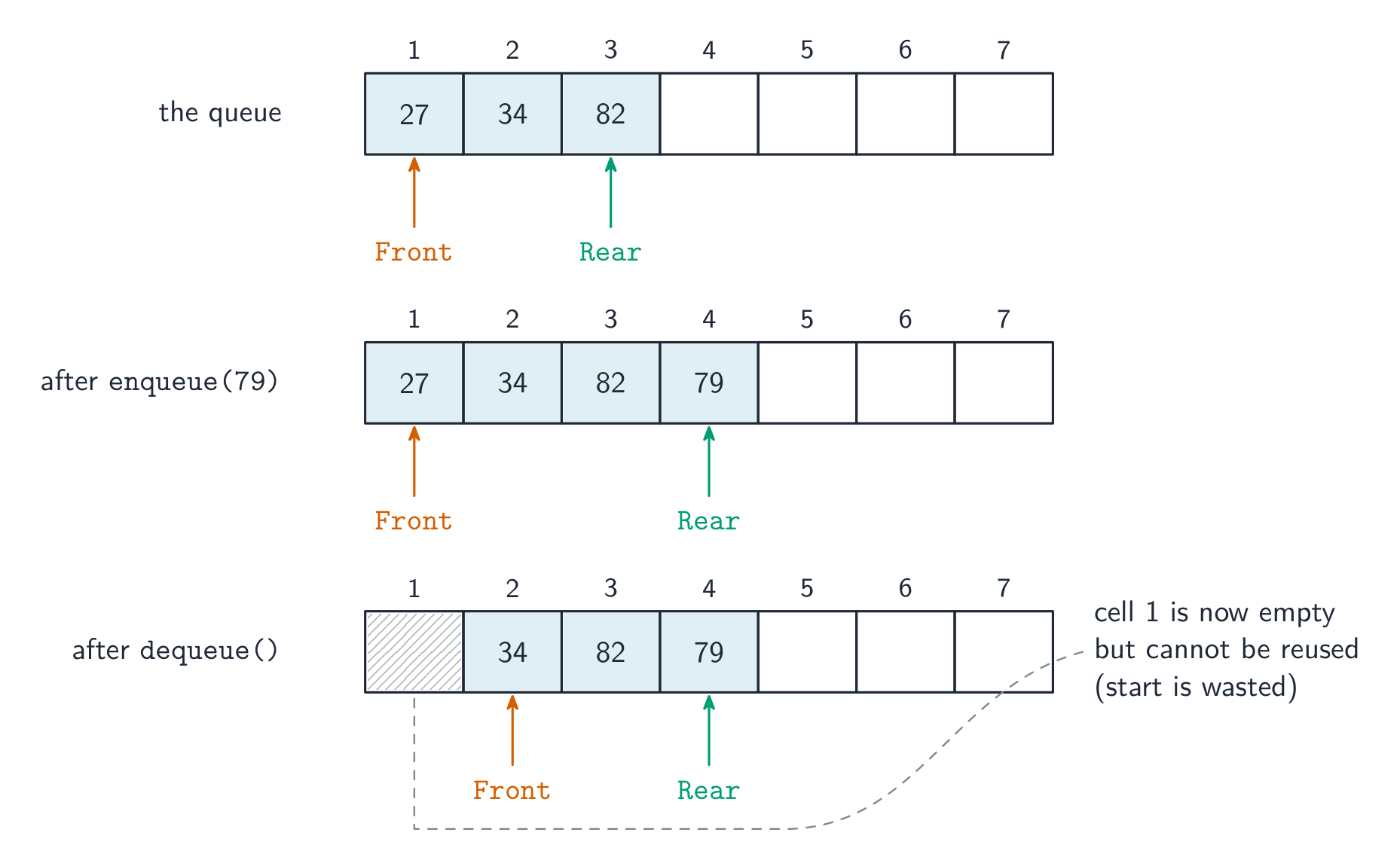


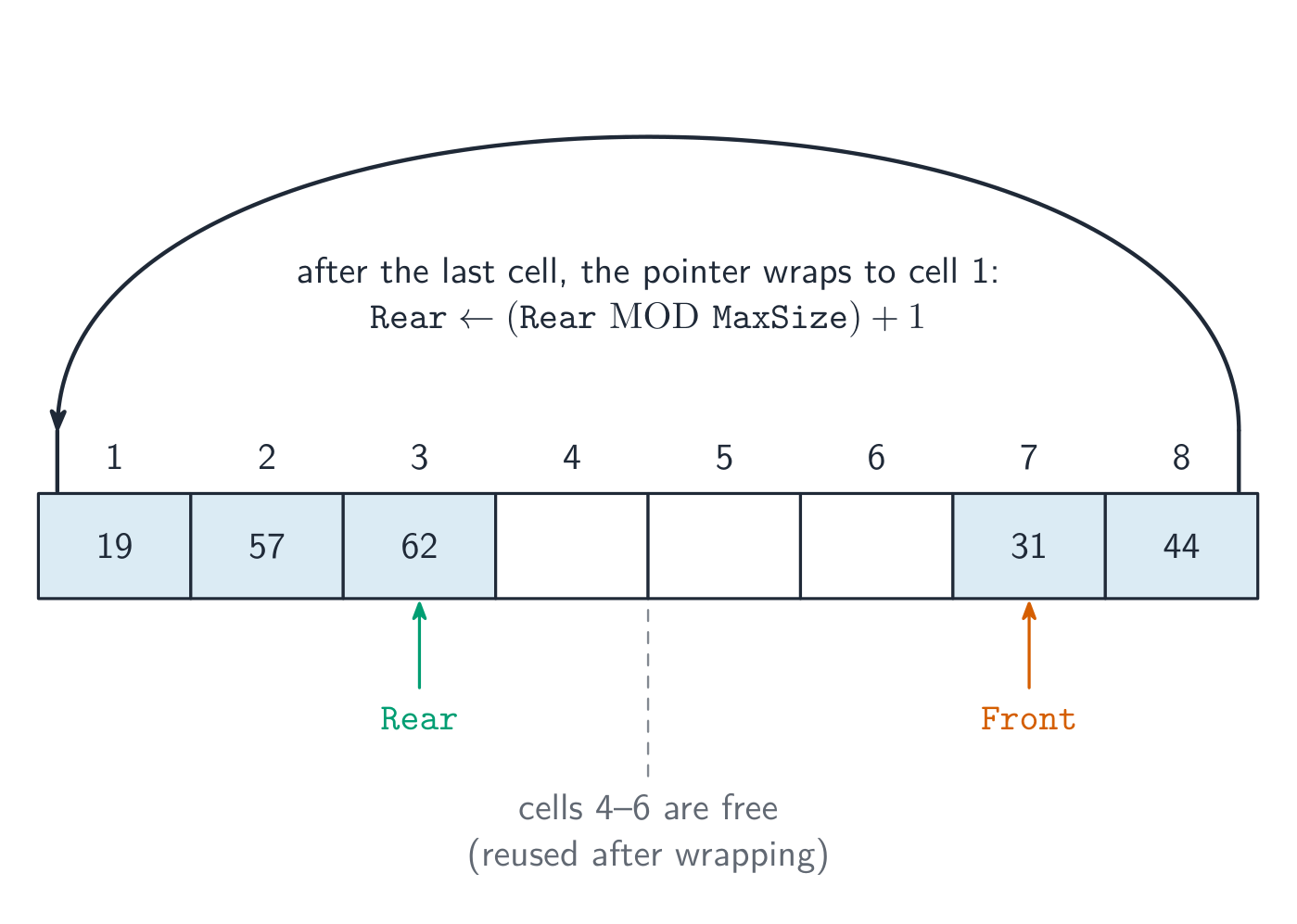
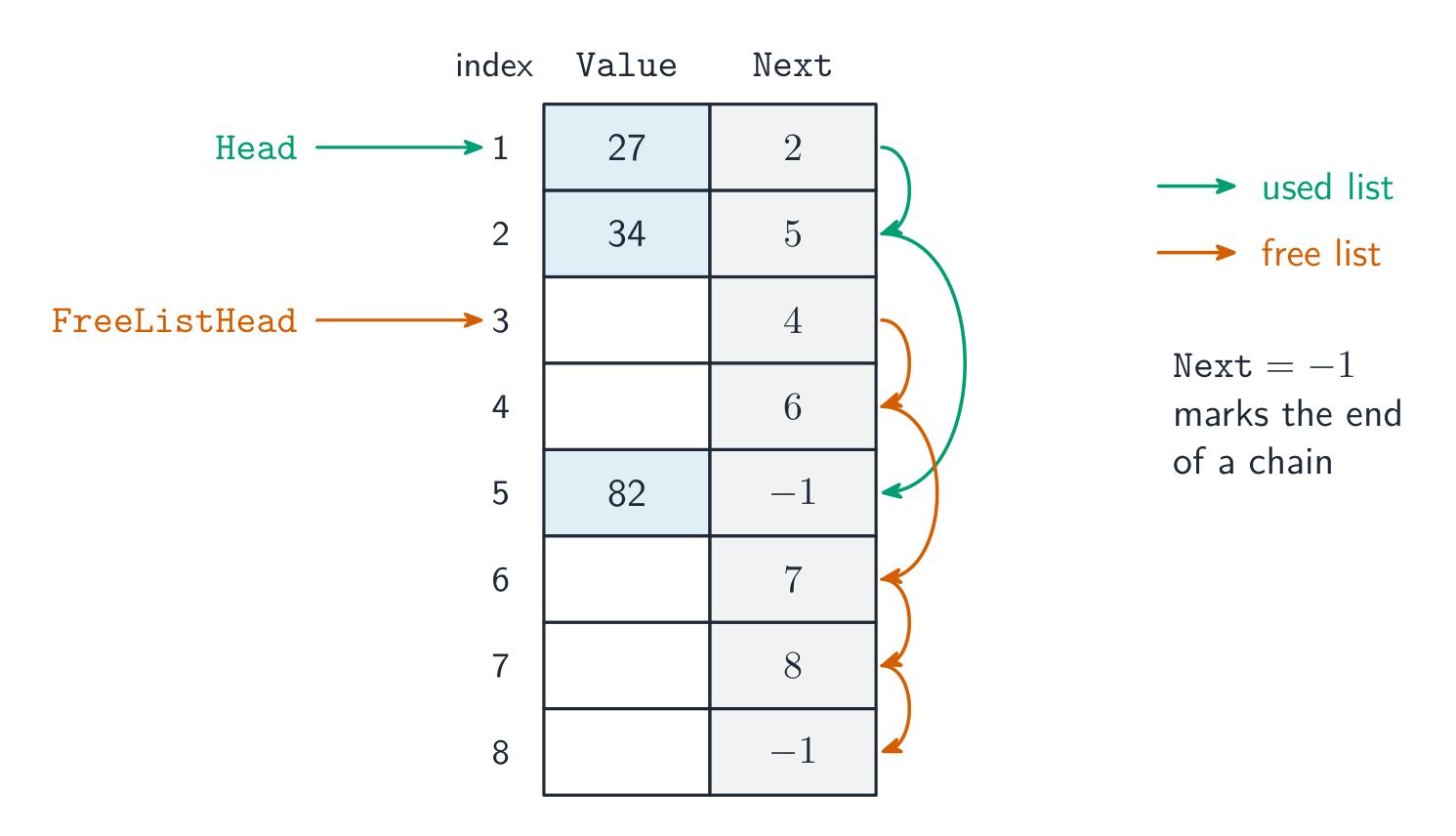













![An array of four ClubMember records drawn as rows of fields, with the callout Members[3].LastName picking out one field of one element, and an assignment writing one field of another element](/handout-media/a_level_computer_science/assets/13-array-of-records.png?v=1790840232)