Inserting rows · Inserindo linhas
Adding rows with INSERT
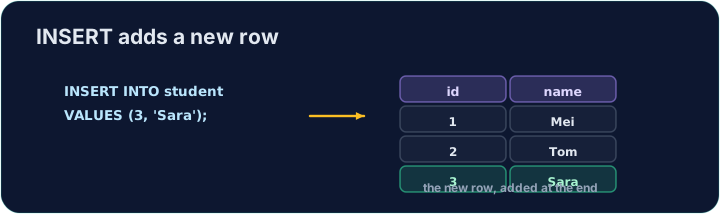
INSERT adds a new row to a table. List the columns, then a matching set of VALUES:
Text goes in single quotes; numbers do not. The values must line up with the columns, in the same order.
Adicionando linhas com INSERT
INSERT adiciona uma nova linha a uma tabela. Liste as colunas, depois um conjunto correspondente de VALUES:
INSERT INTO product (code, title, price, in_stock)
VALUES ('P04', 'Ruler', 1.20, 75);
Texto vai entre aspas simples; números não. Os valores devem alinhar-se com as colunas, na mesma ordem.
Seeing the effect
INSERT changes the data but returns no rows itself, so Run just reports how many rows changed. To see the new row, run a SELECT afterwards.
The checker does this for you: it runs your INSERT, then reads the table back to confirm your row is there.
Vendo o efeito
INSERT altera os dados mas não retorna linhas por si só, então Execute apenas relata quantas linhas foram alteradas. Para ver a nova linha, execute um SELECT depois.
O verificador faz isso por você: ele executa seu INSERT, depois lê a tabela de volta para confirmar que sua linha está lá.
Common mistakes
- The values must line up with the columns in order and type.
- Quote text values with single quotes.
Erros comuns
- Os valores devem alinhar-se com as colunas em ordem e tipo.
- Cite valores de texto com aspas simples.
Add a new product to the product table: code 'P04', title 'Ruler', price 1.20, in_stock 75. · Adicione um novo produto à tabela product: código 'P04', título 'Ruler', preço 1.20, in_stock 75.
Click Run to see the output here. · Clique em Executar para ver a saída aqui.
Add a new customer to the customer table: id 5, name 'Eve', city 'York'. List the columns you are filling, then give the matching VALUES. · Adicione um novo cliente à tabela customer: id 5, name 'Eve', city 'York'. Liste as colunas que você está preenchendo, depois dê o VALUES correspondente.
Click Run to see the output here. · Clique em Executar para ver a saída aqui.