RAM, ROM and memory types
Introduced| English | Meaning |
|---|---|
| RAM/ræm/ | Random-access memory used for working data and instructions, usually losing its contents when power is removed. |
| ROM/rɒm/ | Non-volatile memory whose stored contents are normally read rather than changed during ordinary use. |
| volatile/ˈvɒlətaɪl/ | Describing memory whose stored information is lost when its power supply is removed. |
| non-volatile/nɒn ˈvɒlətaɪl/ | Able to retain stored information when electrical power is removed. |
| firmware/ˈfɜːmweə/ | Software stored in a device to control its hardware and basic operation. |
| bootstrap/ˈbuːtstræp/ | bootstrap |
| SRAM/ˈesræm/ | Volatile memory that holds bits in bistable circuits without periodic refresh while power remains available. |
| DRAM/ˈdiːræm/ | The right choice. |
| flip-flop/flɪp flɒp/ | A digital circuit with two stable states that can store one bit of information. |
| capacitor/kəˈpæsɪtə/ | A component that stores separated electric charge and energy in an electric field. |
| refreshed/rɪˈfreʃt/ | Describing the periodic restoration of charge in dynamic memory cells so their stored bits are not lost. |
| cache/kæʃ/ | Fast storage holding copies of frequently needed data or instructions to reduce access time. |
| PROM/prɒm/ | PROM |
| EPROM/ˈiːprɒm/ | EPROM |
| EEPROM/ˌiːiːˈprɒm/ | EEPROM |
Memory woven by hand
- The Apollo Guidance Computer that flew to the Moon kept its programs in core rope memory: wires threaded by hand through or around tiny magnetic rings, one pass for a 1, the other for a 0.
- Once woven, nothing could be changed. It was read-only memory in its purest form, and it meant the flight software had to be finished months before launch.
- Its working data lived in a separate, erasable memory that lost everything when the power went.
- Every computer since has the same two kinds of main memory. This lesson is about telling them apart and choosing between them.
RAM and ROM
- RAM 随机存取存储器 (Random Access Memory) is volatile 易失性: its contents are lost when the power is off. It holds the operating system, the running programs and their data, and it is read and written constantly.
- ROM 只读存储器 (Read-Only Memory) is non-volatile 非易失性: it keeps its contents without power. It is written once, and in normal use it is only read.
- ROM holds the firmware 固件 and bootstrap 引导程序 that start the computer, or the whole program of an embedded system. RAM is large and can usually be increased; ROM is small and fixed.
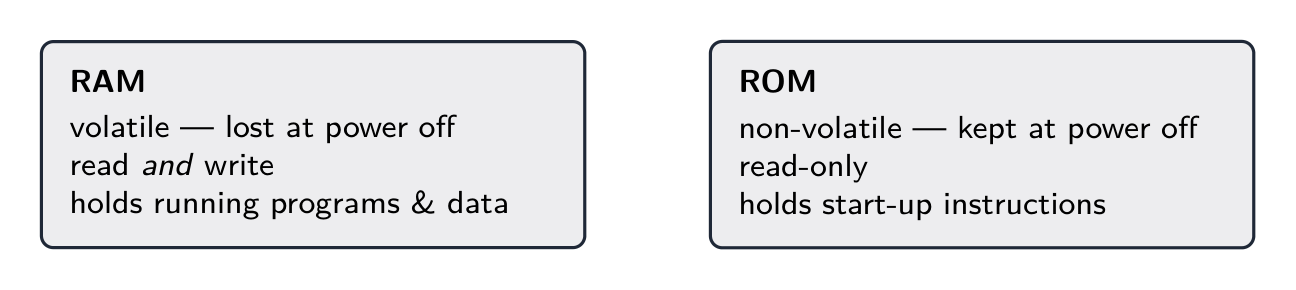
RAM is volatile and read/write; ROM is non-volatile and read-only
Device and storage lab
Classify computing examples by what job they do in a system.
Which statement is true?
Difficulty 1/5 · 100 coins + a small bonus on first completion today
RAM loses its contents without power (volatile); ROM keeps them (non-volatile).
ROM typically holds:
Difficulty 1/5 · 100 coins + a small bonus on first completion today
ROM is non-volatile and written once, so it stores the start-up firmware. Running programs live in RAM.
Worked example: two favourite questions
- Explain why a computer with more RAM performs better. It can hold more programs and data in memory at once, so it swaps less between memory and disk, so it runs faster.
- State what ROM is used for in a PC and in a washing machine. In a PC, the start-up code that checks the hardware and loads the operating system. In a washing machine, the entire control program, which never changes.
- Both answers name what is stored and why it must be there.
A computer with more RAM holds more programs and data at once, so it swaps less between memory and ____, so it runs faster.
Difficulty 1/5 · 100 coins + a small bonus on first completion today
When RAM is full the operating system moves pages out to secondary storage and back, and every swap is thousands of times slower than a memory access.
The start-up sequence
- Power on. The processor reads its first instructions from ROM, because RAM is still empty.
- The firmware checks the hardware, then loads the operating system from secondary storage into RAM.
- From then on the processor works from RAM. ROM starts the system; RAM holds the active work.
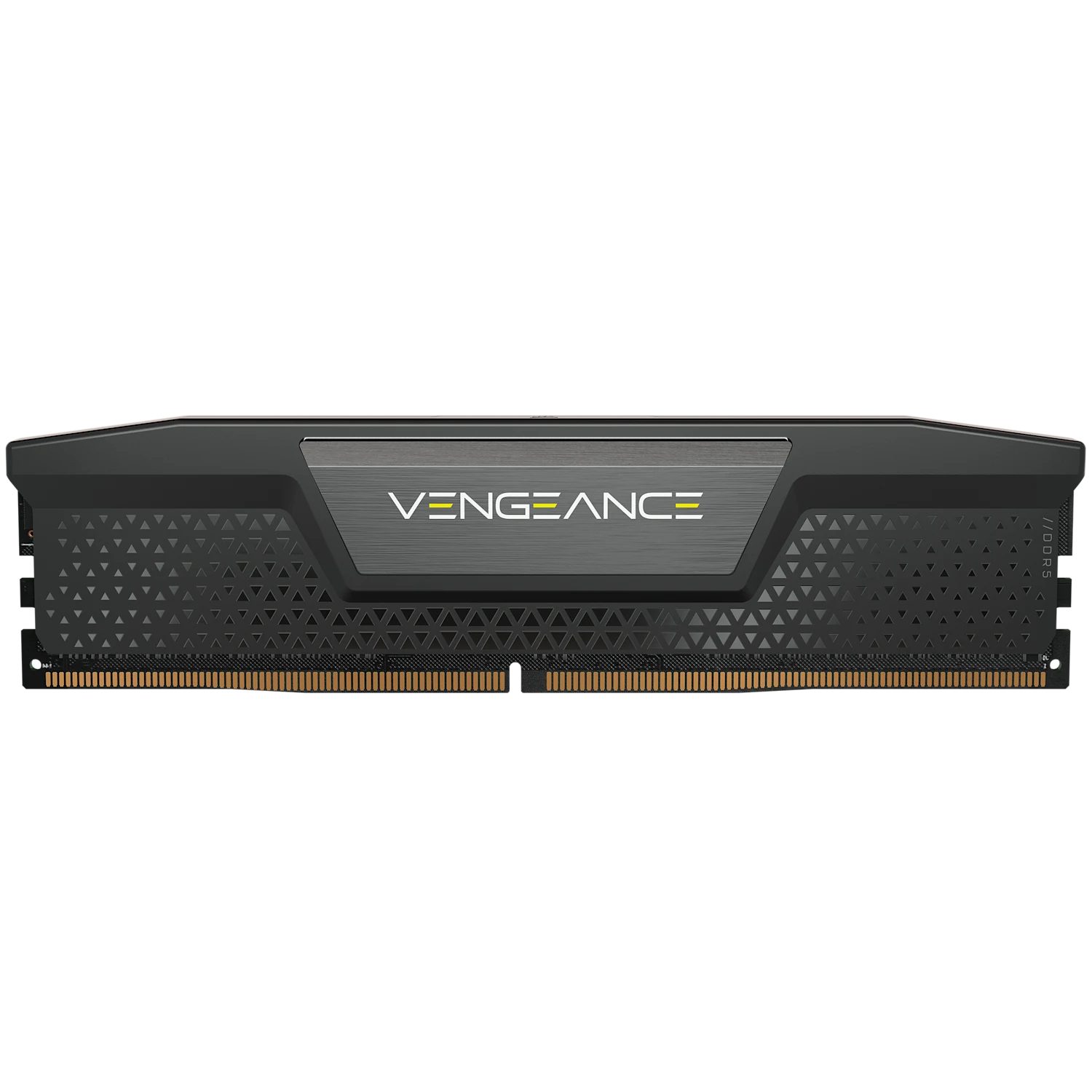
A RAM module: fast, volatile, and empty until the firmware fills it
Put the start-up sequence in order.
Difficulty 3/5 · 200 coins + a small bonus on first completion today
ROM is non-volatile so its firmware is there at power-on; it then loads the OS into volatile RAM.
SRAM and DRAM
- SRAM 静态RAM (static RAM) stores each bit in a flip-flop 触发器 of several transistors. It is fast and uses little power when idle, but it is expensive and holds fewer bits per chip.
- DRAM 动态RAM (dynamic RAM) stores each bit as charge on one tiny capacitor 电容器 with one transistor. It is cheaper and denser, but slower, and the charge leaks away, so every cell must be refreshed 刷新 thousands of times a second.
- So SRAM is used for the processor's small, fast cache 高速缓存, and DRAM for the large main memory.
SRAM is fast but expensive, so it is mainly used for:
Difficulty 1/5 · 100 coins + a small bonus on first completion today
SRAM (flip-flops) is fast but not dense, ideal for small fast cache. DRAM is used for large main memory.
DRAM must be refreshed (rewritten) thousands of times a second to keep its data.
Difficulty 1/5 · 100 coins + a small bonus on first completion today
DRAM stores each bit as charge on a capacitor, which leaks away — so it is constantly refreshed. SRAM does not need this.
Match each memory type to its key trait.
Difficulty 2/5 · 140 coins + a small bonus on first completion today
RAM/ROM split on volatility; SRAM/DRAM split on speed vs density.
Worked example: why this memory here?
- Explain why an embedded system uses DRAM for its main memory. It needs a large amount of memory at low cost in a small space, and its speed requirement is modest, so the cheaper, denser DRAM is the right choice.
- Explain why the processor's cache is SRAM. The cache is small and must be as fast as possible, and SRAM needs no refresh cycle to slow it down, so its higher cost per bit is worth paying.
- One answer argues from cost and density, the other from speed. Say which matters for the device in the question.
Why does an embedded system use DRAM rather than SRAM for its main memory? Select all that apply.
Difficulty 2/5 · 140 coins + a small bonus on first completion today
Cost and density are DRAM's advantages. It is slower and it does need refreshing; the device accepts both because its speed requirement is modest.
PROM, EPROM and EEPROM
- PROM 可编程只读存储器 (Programmable ROM) is written once by the user with a programmer, by burning fuses. It cannot be erased.
- EPROM 可擦可编程只读存储器 (Erasable Programmable ROM) is erased by strong ultraviolet light through a quartz window, the whole chip at once, and it must be taken out of the circuit to do it.
- EEPROM 电可擦可编程只读存储器 (Electrically Erasable Programmable ROM) is erased and rewritten electrically, a byte at a time, while it stays in the circuit. Flash memory is a derivative optimised for erasing whole blocks quickly.
EEPROM differs from EPROM because it can be:
Difficulty 1/5 · 100 coins + a small bonus on first completion today
EEPROM is erased electrically a byte at a time in place; EPROM needs UV to erase the whole chip; PROM is write-once.
Worked example: "give two differences"
- Give two differences between EPROM and EEPROM. Each difference is stated for both types.
- EPROM is erased by ultraviolet light, whereas EEPROM is erased by an electrical signal.
- EPROM erases the whole chip at once and must be removed from the circuit, whereas EEPROM erases a byte at a time and stays in place.
- A difference given for one side only is half an answer.
Match each ROM type to how it is erased or rewritten.
Difficulty 2/5 · 140 coins + a small bonus on first completion today
The names say it: Programmable, Erasable Programmable, Electrically Erasable Programmable.
Choosing the memory for the job
- Processor cache: SRAM, because it must be fastest and can be small.
- Main memory of a PC, phone or embedded system: DRAM, because it must be large and cheap.
- Firmware that may need updating in the field: EEPROM or flash, so a fix can be installed without opening the device.
- Firmware that must never change, made in millions: mask ROM or PROM, cheapest and safest.
A router's firmware may need a security update after it is sold. Which memory should hold it?
Difficulty 1/5 · 100 coins + a small bonus on first completion today
It must survive without power, so not RAM, and it must be rewritable in place, so not PROM. EEPROM or flash can be reprogrammed electrically without opening the device.
Marks that slip away
- "ROM cannot be written" is only true of mask ROM. PROM is written once; EPROM and EEPROM can be rewritten, in the ways above.
- Refresh belongs to DRAM only. SRAM holds its bit in a flip-flop and needs none.
- SRAM and DRAM are kinds of RAM; PROM, EPROM and EEPROM are kinds of ROM. Do not cross the lists.
- "Volatile" is about power, not speed. Say "loses its contents when the power is removed".
SRAM must be refreshed thousands of times a second to keep its contents.
Difficulty 1/5 · 100 coins + a small bonus on first completion today
Refresh is a DRAM requirement, because a capacitor's charge leaks. A flip-flop holds its state for as long as the power is on.
You've got it
- RAM volatile, read/write, holds running programs; ROM non-volatile, read-only, holds firmware; ROM starts the system, RAM does the work
- SRAM flip-flops, fast, no refresh → cache; DRAM capacitor, denser and cheaper, needs refresh → main memory
- PROM written once; EPROM UV-erased, whole chip, out of circuit; EEPROM electrically erased, byte at a time, in circuit (flash = block erase)
- a "difference" answer states both sides; a "why this memory" answer argues from speed or from cost and density