Computer components and embedded systems
Introduced| English | Meaning |
|---|---|
| embedded system/emˈbedɪd ˈsɪstəm/ | A computer built into another device to do one fixed job: a washing machine, a microwave, a car's engine controller, a thermostat. |
| input devices/ˈɪnpʊt dɪˈvaɪsɪz/ | input devices |
| output devices/ˈaʊtpʊt dɪˈvaɪsɪz/ | output devices |
| primary memory/ˈpraɪməri ˈmeməri/ | The fast memory the processor reaches directly: RAM and ROM. |
| RAM/ræm/ | Random-access memory used for working data and instructions, usually losing its contents when power is removed. |
| ROM/rɒm/ | Non-volatile memory whose stored contents are normally read rather than changed during ordinary use. |
| secondary storage/ˈsekəndəri ˈstɔːrɪdʒ/ | Non-volatile storage used to retain data and programs beyond immediate processing. |
| volatile/ˈvɒlətaɪl/ | Describing memory whose stored information is lost when its power supply is removed. |
| removable storage/rɪˈmuːvəbl ˈstɔːrɪdʒ/ | removable storage |
| buffer/ˈbʌfə/ | A temporary storage area holding data while it is transferred or processed. |
| firmware/ˈfɜːmweə/ | Software stored in a device to control its hardware and basic operation. |
The hundred computers you never see
- A new car carries around a hundred small computers. None has a keyboard or a screen, and most will never receive a software update.
- One runs the engine, one the brakes, one each window. Each does a single job for the life of the car.
- They are embedded systems 嵌入式系统, and there are far more of them in the world than laptops and phones put together.
- Before we get to them, we need the four blocks that every computer, hidden or not, is built from.
The four blocks
- Input devices 输入设备 get data in: keyboard, mouse, microphone, scanner, sensors.
- Output devices 输出设备 give results out: monitor, speakers, printer, actuators.
- Primary memory 主存储器 is the fast memory the processor reaches directly: RAM 随机存取存储器 and ROM 只读存储器. It holds the running program and its data.
- Secondary storage 辅助存储器 is slower but larger, and keeps programs and data when the power is off: hard disk, SSD, optical disc, USB stick.

A monitor: the most familiar output device
Tap the blocks of a computer system
Explore the four blocks plus the CPU. Data flows input → processing → output, while primary memory holds the running program and secondary storage keeps it for later.
Which of these is an input device?
Difficulty 1/5 · 100 coins + a small bonus on first completion today
A scanner brings data in. Monitors, speakers and printers are output devices.
Why each block is needed
- Input: the computer can only work on data and instructions that have been entered.
- Output: results have to be presented in a form people, or other machines, can use.
- Primary memory: the processor can only execute instructions and use data held in memory it can address directly, and it must reach them fast.
- Secondary storage: primary memory is small and volatile 易失性, so programs and data must survive between sessions and when the power is off.
Match each block to the reason it is needed.
Difficulty 2/5 · 140 coins + a small bonus on first completion today
The syllabus asks for the need for each block, so each reason is a mark on its own.
Primary against secondary
- Primary memory is measured in gigabytes and answers in nanoseconds; secondary storage is measured in terabytes and answers in microseconds or milliseconds.
- RAM is volatile: its contents vanish without power. Secondary storage is non-volatile.
- The processor cannot run a program straight from a disk. The program is loaded from secondary storage into RAM first, and only then executed.
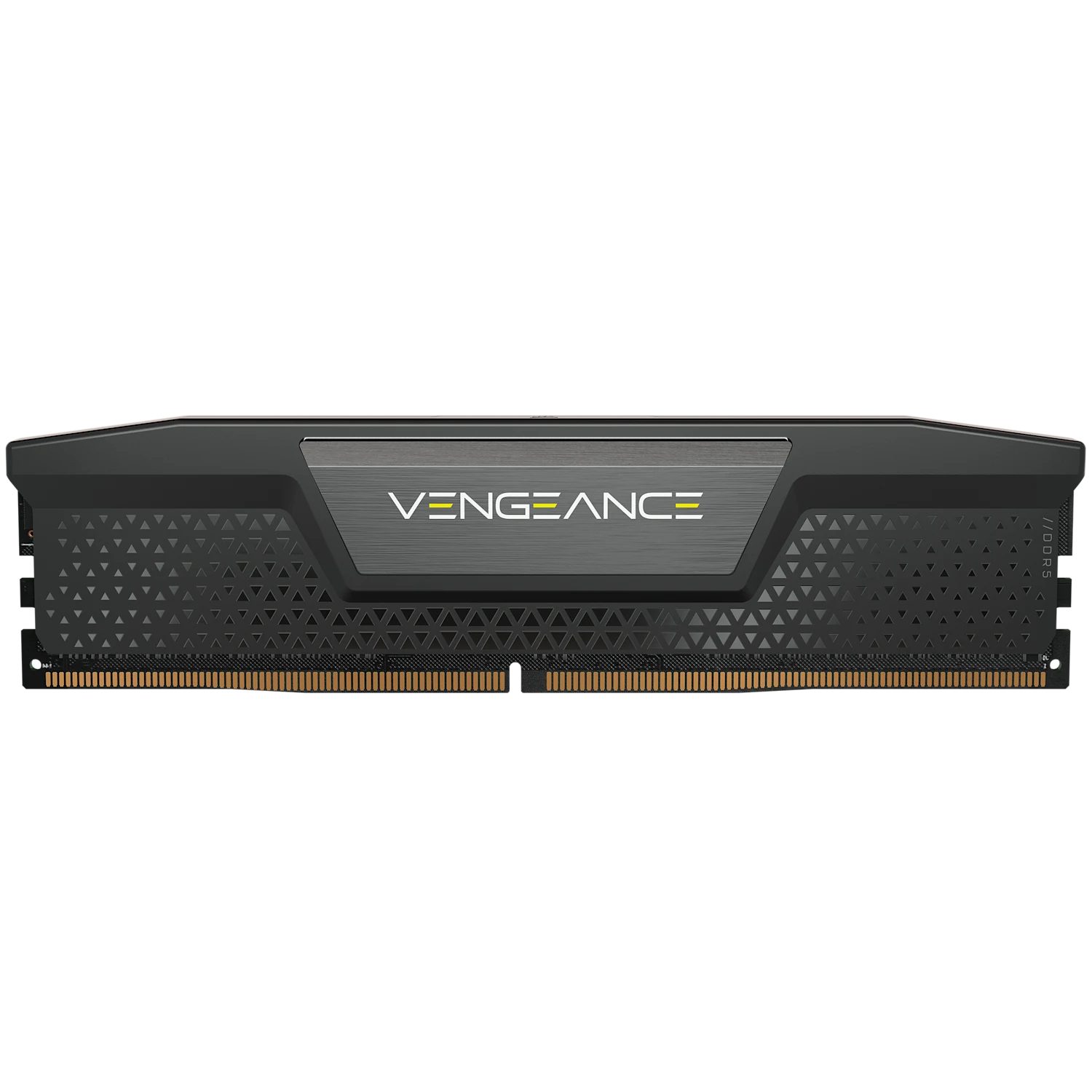
RAM: fast, volatile primary memory

A hard disk: slow but large, non-volatile secondary storage
Match each part to its category.
Difficulty 2/5 · 140 coins + a small bonus on first completion today
Keyboard = input, monitor = output, RAM = fast primary memory, SSD = non-volatile secondary storage.
Primary memory differs from secondary storage because it:
Difficulty 1/5 · 100 coins + a small bonus on first completion today
Primary memory (RAM/ROM) is fast and directly accessible by the CPU; secondary storage is slower, larger and non-volatile.
Put the steps of running a stored program in order.
Difficulty 3/5 · 200 coins + a small bonus on first completion today
The CPU can only run code from primary memory, so a program is loaded from storage into RAM first.
RAM is volatile (its contents are lost without power), while secondary storage keeps data when the power is off.
Difficulty 1/5 · 100 coins + a small bonus on first completion today
That is why your work must be saved to storage — RAM only holds it while the computer is on.
Removable storage
- Removable storage 可移动存储 is secondary storage that can be taken out of one computer and put into another: USB flash drives, memory cards, optical discs, external drives.
- It is needed to move data between machines that are not networked, to keep a backup away from the computer, and to distribute software or media.
- Its drawbacks are the reasons for the rest of the syllabus's security topic: it can be lost, stolen, or carry malware.

Optical discs: removable secondary storage read by a laser
Which of these are removable secondary storage? Select all that apply.
Difficulty 2/5 · 140 coins + a small bonus on first completion today
RAM and the firmware ROM are primary memory, fixed inside the machine. Flash drives, discs and memory cards are non-volatile and move between computers.
Buffers
- A buffer 缓冲 is a temporary area of memory that holds data while it passes between two devices working at different speeds.
- A printer buffer accepts a whole document in a moment, so the processor can carry on with other work while the printer takes minutes to print it.
- A video stream buffers a few seconds ahead, so a brief slowdown in the network does not stop the picture.
- The exam asks why: the two devices work at different rates, and the buffer lets the faster one continue instead of waiting.
A ____ is a temporary area of memory that holds data while it passes between two devices working at different speeds.
Difficulty 1/5 · 100 coins + a small bonus on first completion today
The printer buffer is the standard example: the processor hands over the whole document and carries on while the slow printer works through it.
Embedded systems
- An embedded system is a computer built into another device to do one fixed job: a washing machine, a microwave, a car's engine controller, a thermostat.
- Its program is stored in ROM as firmware 固件 and is usually never changed.
- Inputs are sensors and buttons; outputs are motors, heaters and small displays. There is no general-purpose operating system and no user installing software.
An embedded system is:
Difficulty 1/5 · 100 coins + a small bonus on first completion today
Embedded systems (in a washing machine, microwave, car…) are dedicated to a single fixed task.
Worked example: benefits and drawbacks in exam form
- Each point needs the feature and its consequence for the user.
- Benefit: it is optimised for one task, so it is small, cheap in volume and uses little power. It runs one fixed program, so it is reliable and starts instantly with no set-up.
- Drawback: the firmware is hard or impossible to update, so a security fault found later cannot be fixed. It does one task only, so it cannot be upgraded to do more. When it fails the whole device is usually replaced, because it cannot be repaired.
- "Optimised" or "hard to update" on its own is half a point. The "so" clause earns the other half.
A drawback of an embedded system is that it:
Difficulty 1/5 · 100 coins + a small bonus on first completion today
Being dedicated makes it efficient but inflexible — it cannot easily be repurposed and its firmware is hard to update.
Worked example: choosing components for a scenario
- A supermarket self-checkout. Name a device for each block and say why it fits.
- Input: a barcode scanner (reads the product code faster and more accurately than typing), a touchscreen (customer choices), a card reader (payment).
- Output: the screen (prompts and totals), a receipt printer, a speaker (the "unexpected item" warning).
- Primary memory: RAM holds the running till program and the current basket.
- Secondary storage: an SSD holds the product database and the day's transactions between power cycles.
At the self-checkout, which of these are input devices? Select all that apply.
Difficulty 2/5 · 140 coins + a small bonus on first completion today
The scanner and the card reader bring data in; the printer and the speaker give results out. A touchscreen would count as both.
Marks that slip away
- "Memory" and "storage" are not interchangeable. RAM does not keep a program permanently, and a hard disk is not where a program runs.
- A buffer is not a cache. A cache speeds up repeated access to the same data; a buffer smooths a one-way transfer between devices of different speeds.
- A drawback of an embedded system needs its consequence: "cannot be updated, so a later security fault stays unfixed".
- A touchscreen is both input and output. Say which role you mean.
A buffer and a cache do the same job.
Difficulty 1/5 · 100 coins + a small bonus on first completion today
A cache keeps copies of recently used data so repeated access is fast; a buffer holds data in transit between devices of different speeds.
You've got it
- four blocks: input, output, primary memory (RAM/ROM, fast, volatile, CPU-direct), secondary storage (large, non-volatile; removable moves data between machines)
- a program is loaded from secondary storage into RAM before it runs
- a buffer holds data between two devices of different speeds so the faster one can carry on
- an embedded system does one fixed job from firmware: cheap, reliable, instant, but hard to update or upgrade