הקורס AP Cybersecurity מכסה את משולש ה-CIA, איומים ונקודות חלשות, בקרת גישה ואישור זיהוי, גרפטיקוגרפיה (צפנוגרפיה), ביטחון רשת, תוכנה בטוחה, תגובה לאירועים ומדיניות ביטחון, חוק ואתיקה. זהו קורס חדש, ולכן עדיין אין בתי exam מפורסמים וה-Course and Exam Description הוא הרשות המוסמכת לגבי החומר שנבחן.
ההיתוך הוא הגנתי. שאלה בדרך כלל נוסחת כך: "הנה מערכת, מה עלול לקרות רע ומה תעשה לגבי כך" – דבר הדורש איום מוגדר, אמצעי בטיחות מוגדר וסיבה לכך שהאמצעי מטפל באיום זה.
למדו את השפה המדויקת.זיהוי אינו הרשאה; גיבוב (hashing) אינו הצפנה; נקודת חלשות אינה איום. הבדלים אלו הם הבסיס שעליו בנויות השאלות.
הערות אלו עוקבות אחרי CED בתחומי האיומים, הגרפטיקוגרפיה, הרשת וההגנה, עם דוגמאות מעשיות שתוכלו לנסות בדפדפן. מכיוון שהקורס חדש, הארכיון כולל את השאלות לדוגמה שפורסמו עד כה ולא סדרה של מבחנים ישנים.
Understanding Social Engineering · הבנת הנדסה חברתית
Syllabus · סיילבוס
English
Learning Objective 1.1.A: Identify common indicators of social engineering tactics.
1.1.A.1 Social engineering attacks employ psychological tactics to manipulate users into revealing sensitive information (elicitation), downloading a malicious file, or clicking on a malicious link. Social engineering can be performed in person but is often done by email, by text message, or through social media messages.
1.1.A.2 Adversaries often use psychological tactics like intimidation and urgency to achieve their goals. Intimidation is when an adversary threatens a target with negative consequences if they don’t comply. Urgency is when an adversary creates reasons why a target should act quickly.
Learning Objective 1.1.B: Explain how social engineering tactics influence victims to perform a desired action.
1.1.B.1 Social engineering tactics rely on common psychological principles that influence human behavior.
1.1.B.2 Intimidation leverages a natural human aversion to negative consequences. By drawing attention to possible negative consequences, adversaries use fear to incite targets to act.
1.1.B.3 Urgency leverages a natural human response to react quickly to time-sensitive needs. When targets detect a sense of urgency in a message, they feel pressured to respond or act quickly, which can prevent them from taking the time to consider whether an action is reasonable or safe.
Learning Objective 1.1.C: Describe possible impacts for victims of social engineering attacks.
1.1.C.1 Victims may give an adversary personal information that could lead to impersonation, such as name, phone number, address, workplace, pets’ names, or birthdate. These types of information, and information like them, are often used on websites as challenge questions to verify a user’s identity.
1.1.C.2 Victims may give an adversary secure information like a one-time password (OTP) or authentication login code, which could allow an adversary to log in to a service as the victim.
1.1.C.3 Victims may download malware or click a link that installs malware on their device, steals information from their web browser, or directs them to a website where their login credentials can be captured by an adversary.
עברית
מטרת לימוד 1.1.A: זיהוי סימנים נפוצים של טקטיקות הנדסה חברתית.
1.1.A.1 התקפות הנדסה חברתית משתמשות בטכניקות פסיכולוגיות כדי להניע משתמשים לחשוף מידע רגיש (הוצאת מידע), להוריד קובץ רע או ללחוץ על קישור רע. הנדסה חברתית יכולה להתבצע בפנים אך לרוב נעשית באמצעות דוא"ל, הודעות טקסט או הודעות ברשתות חברתיות.
1.1.A.2 מתקיפים משתמשים לעיתים קרובות בטכניקות פסיכולוגיות כמו הפחד ודחיפות כדי להשיג את מטרתם. הפחד מתרחש כאשר המתקיף מאיים על היעד בתוצאות שליליות אם הוא לא יעשה כפי שנתבקש. דחיפות מתרחשת כאשר המתקיף יוצר סיבות לכך שהיעדaction quickly.
מטרת למידה 1.1.B: הסבר כיצד טקטיקות הנדלן חברתי משפיעות על קורבנות כדי לבצע פעולה רצויה.
1.1.B.1 טקטיקות הנדלן חברתי מתבססות על עקרונות פסיכולוגיים נפוצים המשפיעים על התנהגות אנושית.
1.1.B.2 אינטimidation (הערכה) מנצלת סירוב טבעי של בני אדם לתוצאות שליליות. על ידי משיכת תשומת לב לתוצאות שליליות אפשריות, אויבים משתמשים בחשש כדי לגרם ליעדים לפעול.
1.1.B.3 דחיפות מנצלת תגובה אנושית טבעית להגיב במהירות לצרכים התלויים בזמן. כאשר יעדים מזהים תחושת דחיפות בהודעה, הם מרגישים לחץ להגיב או לפעול במהירות, מה שיכול למנוע מהם לקחת זמן לשקול האם פעולה היא סבירה או בטוחה.
מטרת למידה 1.1.C: תיאור השפעות אפשריות עבור קורבנות של התקפות הנדלן חברתי.
1.1.C.1 הקורבנות עשויים לתת לאויב מידע אישי שיכול להוביל להסתגר, כמו שם, מספר טלפון, כתובת, מקום עבודה, שמות חיות מחמד או תאריך לידה. סוגי מידע אלו, ומידע דומה, משמשים לעיתים קרובות באתרי אינטרנט כשאלות בדיקה כדי לאמת זהות משתמש.
1.1.C.2 הקורבנות עשויים לתת לאויב מידע מאובטח כמו סיסמת חד-פעמית (OTP) או קוד הזדהות, שיכול לאפשר לאויב להתחבר לשירות כקורban.
1.1.C.3 הקורבנות עשויים להוריד תוכנת רוע או ללחוץ על קישור המניח תוכנת רוע על ההתקן שלהם, גנבת מידע מדפדפן האינטרנט שלהם, או הפנייתם לאתר אינטרנט בו את פרטי ההזדהות שלהם יכולים להיות נתפסים על ידי אויב.
Source: College Board AP Course and Exam Description · מקור: תיאור הקורס והמבחן של College Board AP
English
Phishing: how a fake email steals a password
The weakest part of any computer system is often the human using it. Social engineering 社会工程学 is the art of tricking people into breaking security - giving away a password, opening a bad file, or clicking a bad link. The attacker (we call them an adversary 对手) does not need to break the code; they only need to fool a person.
Most social engineering happens by email, text message, or social media, though it can also happen in person or by phone. The goal is elicitation 套取信息 - getting sensitive information out of someone without them realising.
Adversaries lean on two powerful feelings:
Intimidation 恐吓 - the adversary threatens a bad result if you do not obey. Fear pushes you to act.
Urgency 紧迫感 - the adversary invents a deadline ("reply in the next hour or your account closes"). When we feel rushed, we stop thinking carefully about whether an action is safe.
The impact 影响 on a victim can be serious. They might reveal personal details (name, address, pet's name, birthday) that are later used to answer security challenge questions 安全问题 and impersonate 冒充 them. They might hand over a one-time password (OTP) 一次性密码, letting the adversary log in as them. Or they might download malware 恶意软件 that steals data from their browser.
Worked example. A phishing email reads: "Over 90% of staff have already verified their account - confirm yours in the next hour or lose payroll access." Two tactics are stacked here. "In the next hour" is urgency (a deadline that rushes you), and "over 90% of staff have already" is consensus (social pressure to follow the crowd). Naming each tactic - not just calling the email "suspicious" - is exactly what an exam answer needs.
עברית
הפישינג: כיצד הודעת דוא"ל מזויפת גנבת סיסמה
החלק החלש ביותר בכל מערכת מחשב הוא לעיתים קרובות האדם האנושי המשמש אותה. הנדסה חברתית היא אמנות ההטיה של אנשים לפעולה המפרה אבטחה - מסירת סיסמה, פתיחת קובץ רע, או לחיצה על קישור רע. התוקף (אנו מכנים אותו אויב) אינו צריך לפרוץ את הקוד; הוא צריך רק לבלבל אדם.
רוב ההנדסה החברתית מתרחשת באמצעות דוא"ל, הודעת טקסט או מדיה חברתית, אך היא עשויה להתרחש גם פנים מול פנים או בטלפון. המטרה היא הוצאת מידע - קבלת מידע רגיש מאדם ללא הבנתו.
תוקפים מסתמכים על שני רגשות חזקים:
הרתעה - התוקף מאיים בתוצאה רעה אם לא תתמסר. פחד דוחף אותך לפעולה.
דחיפות - התוקף ממציא deadline ("השב תוך שעה או החשבון שלך ייסגר"). כאשר אנו מרגישים בלחץ, מפסיקים לחשוב בזהירות על בטיחות פעולה.
הנדסה חברתית משתמשת בלחץ פסיכולוגי כדי לגרום לקורבן לפעול לפני שהוא חושב
ההשפעה על קורבן עשויה להיות חמורה. הוא עשוי לחשוף פרטים אישיים (שם, כתובת, שם חיית מחמד, תאריך לידה) שייועדו בהמשך לתשובות על שאלות בטיחות ולהתחלפות זהות. הוא עשוי למסור סיסמת פעם אחת (OTP), המאפשרת לאויב להתחבר כמותו. או שהוא עשוי להוריד תוכנת זיהום הגונבת נתונים מהדפדפן שלו.
דוגמה מפורטת. מייל פישिंग נוסח כך: "יותר מ-90% מהעובדים כבר אימתו את החשבון שלהם - אימתו את שלכם בשעה הקרובה או אבדתם גישה לשכר." כאן משולבים שני טקטיקות. "בשעה הקרובה" היא דחיפות (מועד סיום דוחק), ו"יותר מ-90% מהעובדים כבר" היא הסכמה (לחץ חברתי לעקוב אחר המון). ציין כל טקטיקה – ולא רק לכנות את המייל "חשוד" – זה בדיוק מה שנדרש בתשובת מבחן.
Explore · חקור
Which social-engineering tactic is it? · איזה טקטיקה הנדסה חברתית זו?
Intimidation threatens harm, urgency invents a deadline, consensus claims everyone else is doing it, and authority pretends to have power over you. · הרתעה מאיימת על נזק, דחיפות ממציאה אחרון, הסכמה טוענת שכולם האחרים עושים זאת, וסמכות מתגייסת לכוח מעליו.
Learning Objective 1.2.A: Identify common signs of a password attack.
1.2.A.1 In an online password attack, adversaries try logging in to a device or service using common passwords, common password patterns, or stolen passwords.
1.2.A.2 Signs of an online password attack include:
Many failed attempts to log in over a short duration
Login attempts at unusual times
Login attempts from unknown devices
Learning Objective 1.2.B: Explain how adversaries take advantage of weak authentication.
1.2.B.1 Many people use common patterns when creating passwords, such as:
Starting a password with one or two words, adding a two-digit number (often signifying a year), and putting a special character at the end
Including the names of family or pets in their passwords
Including personally significant dates in their passwords
1.2.B.2 Adversaries often construct a dictionary of possible passwords based on personal information gathered about a target (e.g., birthday, anniversary, names of pets and family) and use an automated tool to submit potential passwords.
Learning Objective 1.2.C: Explain how to make authentication stronger.
1.2.C.1 Users should create passwords that are long, random, and unique. A password manager can be used to generate and store strong passwords, or a user may create long, unique passphrases for their accounts.
1.2.C.2 When creating passwords, users should avoid names, dates, or other personally meaningful words or numbers.
1.2.C.3 When available, users should enable multifactor authentication (MFA), which will require the user to provide extra proof of identity—such as a one-time code—in addition to the password as an extra layer of security.
עברית
מטרת למידה 1.2.A: זיהוי סימנים נפוצים של התקפת סיסמה.
1.2.A.1 בהתקפת סיסמה אונליין, אויבים מנסים להתחבר להתקן או לשירות באמצעות סיסמות נפוצות, דפוסי סיסמה נפוצים או סיסמות גנובות.
1.2.A.2 סימנים להתקפת סיסמה אונליין כוללים:
מספר רב של ניסיונות התחברות כושלים בתוך תקופת זמן קצרה
ניסיונות התחברות בשעות בלתי שגרתיות
ניסיונות התחברות ממכשירים לא מוכרים
מטרת למידה 1.2.B: הסבר כיצד אויבים מנצלים אימות חלש.
1.2.B.1 אנשים רבים משתמשים בדפוסי סיסמה נפוצים בעת יצירת סיסמות, כמו:
התחלת סיסמה במילה אחת או שתי מילים, הוספת מספר דו-ספרתי (לרוב המייצג שנה), והכנסת character מיוחד בסוף
כללת שמות של בני משפחה או חיות מחמד בסיסמות שלהם
כללת תאריכים בעלי משמעות אישית בסיסמות שלהם
1.2.B.2 תוקפים לעיתים קרובות בונים מילון של סיסמאות אפשריות על בסיס מידע אישי שנאסף על אודות יעד (למשל, יום הולדת, יום שנה, שמות חיות מחמד ומשפחה) ומשתמשים בכלי אוטומטי כדי להגיש סיסמאות פוטנציאליות.
מטרת למידה 1.2.C: הסבר כיצד לחזק את האישור.
1.2.C.1 משתמשים צריכים ליצור סיסמאות ארוכות, אקראיות וייחודיות. ניתן להשתמש במנהל סיסמאות כדי ליצור ולשמור סיסמאות חזקות, או שמשתמש עשוי ליצור ביטויי מעבר ארוכים וייחודיים לחשבונותיו.
1.2.C.2 בעת יצירת סיסמאות, משתמשים צריכים להימנע משמות, תאריכים או מילים ומספרים אחרים בעלי משמעות אישית.
1.2.C.3 כאשר זה זמין, משתמשים צריכים להפעיל אישור רב-שלבי (MFA), שידרוש מהמשתמש לספק הוכחת זהות נוספת—כגון קוד חד-פעמי—בנוסף לסיסמה כשכבת ביטחון נוספת.
Source: College Board AP Course and Exam Description · מקור: תיאור הקורס והמבחן של College Board AP
English
A password attack 密码攻击 is any attempt to log in using guessed or stolen passwords. In an online password attack the adversary tries passwords against a real login page. The warning signs are visible in the logs:
many failed logins in a short time,
login attempts at unusual hours,
login attempts from unknown devices.
Adversaries succeed because people choose weak 弱 passwords. Common patterns include a word plus a two-digit year plus a special character (like Summer24!), or a pet's or family member's name. Because these patterns are so common, an adversary can build a dictionary 字典 of likely passwords from information gathered about you and let an automated tool try each one.
To make authentication 身份验证 stronger:
Create passwords that are long, random, and unique - a password manager 密码管理器 can generate and store them for you.
Avoid names, dates, and meaningful words.
Turn on multifactor authentication (MFA) 多因素身份验证, which asks for extra proof (like a texted code) on top of the password.
עברית
מפתח ביטוח חומרה: אימות חזק מפחית נזקים כאשר סיסמה מופקשת בפישिंग
התקפת סיסמה היא כל ניסיון התחברות באמצעות סיסמות שמחושבות או גנובות. בהתקפת סיסמה אונליין האויב מנסה סיסמות מול דף התחברות אמיתי. סימני ההתראה נראים ביומני ההתחברות:
מספר רב של התחברויות נכשלות בטווח זמן קצר,
ניסיונות התחברות בשעות לא שגרתיות,
ניסיונות התחברות ממכשירים לא מוכרים.
לאויבים מצליח מכיוון שהאנשים בוחרים סיסמות חלשות. דפוסים נפוצים כוללים מילה בתוספת שנה בעלת שתי ספרות ותווית מיוחדת (כמו Summer24!), או שם של חיית מחמד או של בן משפחה. מכיוון שדפוסים אלו נפוצים מאוד, לאויב יכול לבנות מילון של סיסמות סבירות מתוך מידע שנאסף עליו ולהפעיל כלי אוטומטי שיעלה כל אחד מהם.
כדי להפוך את האימות לחזק יותר:
צור סיסמות ארוכות, אקראיות וייחודיות – מנהל סיסמות יכול ליצור אותן ולשמור אותן עבורך.
הימנע משמות, תאריכים ומילים בעלות משמעות.
הפעל אימות רב-גורמי (MFA), הדורש הוכחה נוספת (כמו קוד שנשלח בטקסט) מעבר לסיסמה.
1.3
Best Practices for Public Networks · שיטות עבודה מיטביות ברשתות ציבוריות
Syllabus · סיילבוס
English
Learning Objective 1.3.A: Identify the type of adversary conducting a cyberattack.
1.3.A.1 Adversaries can be classified by their skill levels.
Low-skilled adversaries rely on malicious cyber tools created by others that can be purchased online. The tools they use exploit known vulnerabilities.
High-skilled adversaries have the capacity to create new malicious cyber tools or modify existing ones to adapt to new defensive techniques and tools. They also have the capacity to discover undocumented vulnerabilities, known as zero days.
1.3.A.2 Adversaries have a variety of motivations, including greed, desire for recognition, dedication to a cause, revenge, politics, or beliefs.
Learning Objective 1.3.B: Identify types of wireless cyberattacks.
1.3.B.1 In an evil twin attack, an adversary sets up their own wireless access point (WAP) with a service set identifier (SSID) similar or identical to a target network; the adversary’s network is called the evil twin. Victims of this attack could select to unknowingly connect to the evil twin, allowing the adversary to capture their network traffic. The adversary cannot read traffic that uses an encrypted protocol like HTTPS.
1.3.B.2 In a jamming attack, an adversary floods an area with a strong electromagnetic (EM) signal in the same frequency range as the wireless network, which prevents legitimate traffic between the access point (AP) and users. This type of attack that prevents users from accessing resources is called a denial of service (DoS) attack.
1.3.B.3 In a war driving attack, adversaries try to detect wireless network beacons while driving or walking around a target. If a wireless signal is detected, the adversary can gather information about the type of wireless network used and find areas where the wireless signal extends outside the physical building.
Learning Objective 1.3.C: Describe actions individuals can take to increase protection of sensitive data when using the internet and Wi-Fi.
1.3.C.1 Individuals should verify that the name of any wireless network they join exactly matches the name of the network they intend to join.
1.3.C.2 Most internet protocols are encrypted to protect network traffic. However, individuals may consider the sensitivity of their data in choosing whether to join unencrypted Wi-Fi networks to protect vulnerable data such as DNS queries.
1.3.C.3 Individuals may consider using a virtual private network (VPN), which encrypts all their traffic to the VPN operator’s system. Although this action prevents a service provider from viewing traffic, the VPN provider can view the traffic.
עברית
מטרת למידה 1.3.A: זיהוי סוג התוקף המבצע התקפה سایبرנית.
1.3.A.1 תוקפים יכולים להיות מסווגים לפי רמות המיומנות שלהם.
תוקפים בעלי מיומנות נמוכה מתבססים על כלים سایberניים רעים שנוצרו על ידי אחרים ועלולים לקנות באינטרנט. הכלים שהם משתמשים בהם מנצלים תקלות ידועות.
תוקפים בעלי מיומנות גבוהה יש להם את היכולת ליצור כלים سایberניים רעים חדשים או לשנות קיימים כדי להתאים לשיטות וכלי הגנה חדשים. הם גם יש להם את היכולת לגלות תקלות שאינן מסודרות, הנקראות 'ימים אפס' (zero days).
1.3.A.2 לתוקפים יש מגוון של מניעים, כולל תאבה, רצון להכרה, מחויבות למטרה, נקמה, פוליטיקה או אמונות.
מטרת למידה 1.3.B: זיהוי סוגי התקפות سایberניות אלחוטיות.
1.3.B.1 בהתקפת 'אחיות רעה' (evil twin), תוקף מקים נקודת גישה אלחוטית (WAP) משלו עם מזהה סט שירות (SSID) דומה או זהה לרשת יעד; הרשת של התוקף נקראת אחיות רעה. קורבנות ההתקפה עשויים לבחור, מבלי לדעת, להתחבר לאחיות הרעה, מה שמאפשר לתוקף לצלם את תנועת הרשת שלו. התוקף אינו יכול לקרוא תנועה המשמשת פרוטוקול מאופיין כמו HTTPS.
1.3.B.2 בהתקפת הפרעה (jamming), תוקף מטביע אזור בסמן אלקטרומגנטי (EM) חזק בטווח התדרים אותו טווח של הרשת האלחוטית, מה שמונע תנועה חוקית בין נקודת הגישה (AP) למשתמשים. סוג התקפה זו המונעת ממשתמשים לגשת למשאבים נקראת התקפת סירוב שירות (DoS).
1.3.B.3 בהתקפת נהיגת מלחמה (war driving), תוקפים מנסים לזהות אותות גישה של רשתות אלחוטיות בזמן נהיגה או הליכה סביב יעד. אם נזהה אות אלחוט, התוקף יכול לאסוף מידע על סוג הרשת האלחוטית המשמשת ולמצוא אזורים בהם האות האלחוט משתרע מחוץ למבנה הפיזי.
מטרת למידה 1.3.C: תיאור פעולות שיכולים לנקוט פרטים כדי להגדיל את ההגנה על נתונים רגישים בעת השימוש באינטרנט וב-Wi-Fi.
1.3.C.1 פרטים צריכים לוודא ששם כל רשת אלחוטית אליה הם מצטרפים תואם בדיוק לשם הרשת שכוונתם להצטרף אליה.
1.3.C.2 רוב פרוטוקולי האינטרנט מאופיינים כדי להגן על תנועת הרשת. עם זאת, פרטים עשויים לשקול את רגישות הנתונים שלהם בבחירה אם להצטרף לרשתות Wi-Fi לא מאופיינות כדי להגן על נתונים רגישים כגון בקשות DNS.
1.3.C.3 פרטים עשויים לשקול להשתמש ברשת פרטית וירטואלית (VPN), שמאפייה את כל תנועתם למערכת ספק ה-VPN. למרות שהפעולה הזו מונעת מספק שירות לצפות בתנועה, ספק ה-VPN יכול לצפות בתנועה.
Source: College Board AP Course and Exam Description · מקור: תיאור הקורס והמבחן של College Board AP
English
Not all adversaries are the same. We classify them by skill: low-skilled attackers buy ready-made tools online and reuse known exploits 漏洞利用, while high-skilled attackers write their own tools and can discover brand-new holes called zero days 零日漏洞. Their motivation 动机 varies too - greed, revenge, politics, or belief.
Public Wi-Fi is a favourite hunting ground. Three wireless attacks you must know:
Evil twin 双胞胎恶意热点 - the adversary sets up a fake access point 接入点 with a name (SSID 服务集标识符) copied from the real network. Victims connect to the fake one, and the adversary reads their traffic (though encrypted 加密的 sites like HTTPS stay safe).
Jamming 干扰攻击 - the adversary floods the air with a strong radio signal so no one can connect. This is one kind of denial of service (DoS) 拒绝服务 attack.
War driving 战争驾驶 - the adversary drives around detecting wireless networks and where their signal leaks outside a building.
To protect yourself on public networks: check that the network name exactly matches the one you intend to join, prefer encrypted sites, and consider a virtual private network (VPN) 虚拟专用网络, which encrypts all of your traffic to the VPN operator.
עברית
token ביטוח: קודים וטוקנים לפעם אחת מונעים שהתחברות בסיסמה בלבד תהיה מספקת
לא כל האויבים זהים. אנו מסווגים אותם לפי מיומנות: תקפי מיומנות נמוכה קונים כלים מוכנים באינטרנט ומשתמשים ב-ניצולים ידועים שוב ושוב, בעוד תקפי מיומנות גבוהה כותבים את הכלים שלהם ויכולים לגלות חורים חדשים לחלוטין הנקראים Zero Days. ה-מוטיבציה שלהם גם כן משתנה – תאובה, נקמה, פוליטיקה, או אמונה.
Wi-Fi ציבורי הוא מקום צידה מועדף. שלוש התקנות אלחוטיות שאתה חייב לדעת:
אח תמים רשע – האויב מציג נקודת גישה מזויפת עם שם (SSID) העתק מהרשת האמיתית. הקורבנות מתחברים לזה הזויף, והאויב קורא את התנועה שלהם (אם כי אתרי מוצפנים כמו HTTPS נשארים בטוחים).
הפרעה (Jamming) – האויב ממלא את האוויר עם אות רדיו חזק כך שאף אחד לא יכול להתחבר. זוהי אחת מסוגי ההתקנות של פגיעה בשירות (DoS).
War driving - השודד נהג סביב כדי לזהות רשתות אלחוטיות ולאתר היכן אותן הן דולפות מחוץ למבנה.
נקודת גישה של שד כפול מעתיקה את שם הרשת האמיתית כך שהקורבנות יתחברו לשודד
כדי להגן על עצמך ברשתות ציבוריות: ודא שהשם מתאים בדיוק לרשת שאתה מתכוון להתחבר אליה, העדף אתרים מוצפנים, והתחשב בשימוש ב-רשת פרטית וירטואלית (VPN), המצפירה את כל התנועה שלך לצד מפעיל ה-VPN.
Learning Objective 1.4.A: Explain how adversaries use AI-powered tools to augment cyberattacks.
1.4.A.1 Adversaries can use AI-powered tools that leverage existing voice and image samples of a person to create a digital avatar of that person. The use of these technologies enables adversaries to impersonate someone over the phone or even on a video call, which can lead to financial loss or the sharing of sensitive or private information. As more organizations adopt voice-based authentication, the impact of voice-impersonation has a larger potential impact.
1.4.A.2 Adversaries can use generative AI tools, like large language models (LLMs), to create convincing phishing messages in any target language. Because traditional phishing messages are sometimes written by non-native speakers of the target’s language, unnatural language is a feature that has been used to distinguish phishing messages from legitimate messages. However, with AI tools, adversaries can now craft phishing messages in any language that read as though they were written by a native speaker.
1.4.A.3 Adversaries can craft prompts that extract secure or sensitive information from LLMs. Secure or sensitive information in LLMs can come from user input and the large data sets used to train LLMs.
1.4.A.4 Adversaries can publish websites or modify existing websites to contain false information so that the false information will be included in the training sets for LLMs, causing the LLMs to repeat the false information.
1.4.A.5 Adversaries can perform reconnaissance on a target using AI-powered tools that scan the internet to gather information posted on social media and public websites.
1.4.A.6 Adversaries can use AI-enhanced coding tools to help them write new malware, modify existing application code to perform malicious activities, or to find vulnerabilities in large code bases.
Learning Objective 1.4.B: Explain how to protect against some AI-augmented cyberattacks.
1.4.B.1 Shared secrets with close friends and relatives that can be used to verify each other’s identities should be established. A secret word or phrase known only to two parties can be used to authenticate identities in high-stakes situations.
1.4.B.2 Multifactor authentication (MFA) should be enabled. If an adversary clones a target’s voice to access a system with voice authentication, requiring a second authentication factor could prevent an adversary from gaining access to accounts.
1.4.B.3 Personal or sensitive data should not be entered into any AI-powered tools, such as chatbots or virtual assistants. Some AI-powered tools feed user input back into the model to provide continuous training. Adversaries could extract data that users have included in prompts.
1.4.B.4 Output from AI-powered tools should be carefully evaluated. Verify information from AI-powered tools using reputable, stable, non-AI-based sources.
עברית
מטרות למידה 1.4.A: הסבר כיצד מתקיפים משתמשים בכלי תומכי בינה מלאכותית כדי להגביר את ההתקפות הקיברנטיות.
1.4.A.1 מתקיפים יכולים להשתמש בכלי תומכי בינה מלאכותית המנצלים דוגמאות קול וציור קיימות של אדם כלשהו ליצירת תמונת גוף דיגיטלית (avatar) שלו. שימוש בטכנולוגיות אלו מאפשר לתוקף להתחלף באופן טלפוני או אפילו בשיחת וידאו, מה שעלול לגרום לנזקים כספיים או לחשיפת מידע רגיש או פרטי. ככל שהארגונים רבים מאמצים אימות מבוסס קול, כך הפוטנציאל לאפקט הרסני של החלפה בקול גדל.
1.4.A.2 מתקיפים יכולים להשתמש בכלי בינה מלאכותית יוצרת, כמו מודלי שפה גדולים (LLMs), ליצירת הודעות פישिंग מרשעות בכל שפת יעד. מכיוון שהודעות פישिंग מסורתיות נכתבות לעיתים על ידי דוברי שפה שאינם דוברי אם-שפה של היעד, לשון לא טבעית היא מאפיין ששימש להבחנה בין הודעות פישिंग לבין הודעות חוקיות. עם זאת, עם כלי AI, מתקיפים יכולים כעת לכתוב הודעות פישिंग בכל שפה שנשמעות כאילו נכתבו על ידי דובר אם-שפה.
1.4.A.3 מתקיפים יכולים לכתוב פרומפטים שמצליחים לחלץ מידע מאובטח או רגיש ממודלי שפה גדולים (LLMs). מידע מאובטח או רגיש ב-LLMs יכול להגיע מקלט המשתמש ומסטיות הנתונים הגדולות ששימשו לאימון המודלים.
1.4.A.4 מתקיפים יכולים לפרסם אתרי אינטרנט או לשנות אתרי אינטרנט קיימים כדי שיכללו מידע שקרי, כך שהמידע השקר יכלל בסטיות האימון של ה-LLMs, מה שגורם להם לחזור ולשנות את המידע השקר.
1.4.A.5 מתקיפים יכולים לבצע סקירה על היעד באמצעות כלי תומכי בינה מלאכותית לסריקת האינטרנט לצורך איסוף מידע שפורסם ברשתות חברתיות ובאתרים ציבוריים.
1.4.A.6 מתקיפים יכולים להשתמש בכלי כתיבת קוד מוגברים על ידי AI כדי לעזור להם לכתוב תוכנת זיהוי חדשה, לשנות קוד אפליקציה קיים כדי לבצע פעולות מזיקות, או למצוא נקודות תורפה במאגרי קוד גדולים.
מטרות למידה 1.4.B: הסבר כיצד להגן על עצמם מפני חלק מההתקפות הקיברנטיות התומכות בבינה מלאכותית.
1.4.B.1 יש לקבוע סודות משותפים עם חברים קרובים ומשפחה שניתן להשתמש בהם לאימות זהות הדדי. מילה או משפט סודי המוכר רק לשתי הצדדים יכול לשמש לאימות זהות במקרים בעלי סיכון גבוה.
1.4.B.2 יש להפעיל אימות רב-גורמי (MFA). אם מתקיף שחיק את קולו של היעד כדי לגשת למערכת עם אימות קולי, דרישה לגורם אימות נוסף עשויה למנוע ממנו לגשת לחשבונות.
1.4.B.3 נתונים אישיים או רגישים לא צריכים להיות מוזנים לכלי תומכי בינה מלאכותית, כמו בוטים או עוזרים וירטואליים. חלק מהכלים הללו מעבירים את קלט המשתמש חזרה לדגם כדי לספק אימון רציף. מתקיפים יכולים לחלץ נתונים שהמשתמשים כללו בפרומפטים.
1.4.B.4 יש לבצע בדיקה קפדנית של התוצאות מכלי תומכי בינה מלאכותית. יש לוודא מידע מכלי תומכי בינה מלאכותית באמצעות מקורות אמין, יציב ולא מבוסס AI.
Source: College Board AP Course and Exam Description · מקור: תיאור הקורס והמבחן של College Board AP
English
Artificial intelligence gives adversaries powerful new tools. With enough voice and image samples, an adversary can build a deepfake 深度伪造 avatar to impersonate someone on a call. Large language models (LLMs) 大语言模型 let them write convincing phishing 钓鱼 emails in perfect, native-sounding language - removing the clumsy wording that once gave scams away.
AI also helps adversaries on the back end: crafting prompts that pull secret data out of an LLM, planting false information on websites so it poisons an LLM's training data, scanning the internet to gather facts about a target, and even writing new malware.
You can defend against many AI-augmented attacks: agree on a shared secret 共享秘密 word with close contacts to verify identity, enable MFA (so a cloned voice alone cannot log in), never type sensitive data into a chatbot, and always double-check AI output against reliable, non-AI sources.
AI writes code, and that cuts both ways. Adversaries use AI-enhanced coding tools 人工智能辅助编程工具 to write new malware faster than they could by hand, to modify existing application code so that it performs malicious activity, and to scan a codebase for vulnerabilities 漏洞 to attack. The skill barrier falls: someone who could not previously write an exploit can now ask for one, so the number of capable attackers rises even when no new technique is invented.
עברית
בינה מלאכותית מספקת לשודדים כלים חדשים וחזקים. עם מספיק דגימות קול ותמונה, יכול השודד לבנות תמונת פנים מזויפת (deepfake) כדי להסתיר תחת זהותו של מישהו שיחה. מודלי שפה גדולים (LLMs) מאפשרים להם לכתוב אימיילי פישינג משכנעים בשפה טבעית ומקומית מושלמת - ובכך לבטל את הניסוח המבוכה שמיהר בעבר לחשוף את ההונאה.
בינה מלאכותית עוזרת גם לשודדים בחלק האחורי: יצירת פרומפטים שמייצאים נתונים סודיים ממודל שפה גדול, השתלת מידע שקרי באתרים כדי לפגוע בנתוני האימון של המודל, סריקת האינטרנט לאיסוף מידע על מטרה, ואף כתיבת תוכנת זדון חדשה.
ניתן להגן על עצמך מרבים מההתקפות המוגברות באמצעות בינה מלאכותית: הסכם על מילה סודית משותפת עם אנשים קרובים כדי לאמת זהות, הפעל אימות רב-שלבי (כך שרק קול משתלה לא יהיה מספיק להתחבר), לעולם אל תכניס נתונים רגישים לתוך בוט צ'אט, ובכל פעם בדוק את תוצרי הבינה המלאכותית מול מקורות אמין שאינו מבוסס בינה מלאכותית.
בינה מלאכותית כותבת קוד, ויש לכך שני צדדים. השודדים משתמשים בכלי כתיבת קוד מוגברים באמצעות בינה מלאכותית כדי ליצור תוכנת זדון חדשה מהר יותר מאשר יכלו לעשות ידנית, לשנות קוד אפליקציות קיים כדי שיבצע פעילות מזדה, ולסרוק בסיס קוד חיפוש נקודות חולשה להתקפה. מחסום הכישרון יורד: מי שלא ידע לפני כן לכתוב ניצול יכול כעת לבקש אותו, ולכן מספר המתקיפים המיומנים עולה גם כאשר לא נמצא טכניקה חדשה.
Large language models (LLMs)/lɑːdʒ ˈlæŋɡwɪdʒ ˈmɒdlz/
מודלי שפה גדולים (LLMs)
1.5
Leveraging AI in Cyber Defense · ניצול בינה מלאכותית בהגנה سایبرית
Syllabus · סיילבוס
English
Learning Objective 1.5.A: Explain how cyber defenders can leverage AI-powered tools to protect networks, applications, and data.
1.5.A.1 AI tools can review current security configurations, like firewall rules and access controls, and recommend more secure options. Recommendations should always be checked by a knowledgeable security technician before being implemented.
1.5.A.2 AI-powered tools can analyze application code to identify vulnerabilities and recommend mitigations. Recommendations should always be reviewed by a knowledgeable programmer before being implemented.
1.5.A.3 AI-powered tools can suggest rules for automated detection systems. Detection rules should always be reviewed by a knowledgeable detection engineer before being added to a system.
Learning Objective 1.5.B: Explain how AI-powered tools are enabling faster and more accurate threat detection and response.
1.5.B.1 Of the millions of digital events that happen on networks daily, some likely represent an adversary conducting malicious activity. Humans cannot carefully examine all those events to identify the malicious activity.
1.5.B.2 AI-powered tools can be trained to quickly analyze digital events and sort the events that are likely malicious activity from those that are harmless.
1.5.B.3 AI-powered tools can be programmed to alert human cybersecurity personnel when likely malicious activity is detected or to take specific corrective actions based on the type of malicious activity detected.
1.5.B.4 AI-powered tools enable threat-detection and response teams to catch malicious activity and intervene quickly to prevent loss, harm, damage, and destruction to digital infrastructure and data.
עברית
מטרות למידה 1.5.A: הסבר כיצד מגינים קיברנטיים יכולים לנצל כלי תומכי בינה מלאכותית כדי להגן על רשתות, אפליקציות ומידע.
1.5.A.1 כלבי AI יכולים לבדוק תצורות אבטרה נוכחיות, כמו כללי חומות אש ושליטת גישה, ולהמליץ על אפשרויות מאובטחות יותר. המלצות אלו צריכות תמיד להיות נבדקות על ידי טכנאי אבטחה מיומן לפני ביצוען.
1.5.A.2 כלבי AI יכולים לנתח קוד אפליקציה כדי לזהות נקודות תורפה ולהמליץ על מניעה. המלצות אלו צריכות תמיד להיות נבדקות על ידי מתכנת מיומן לפני ביצוען.
1.5.A.3 כלבי AI יכולים להציע כללים למערכות זיהוי אוטומטיות. כללי זיהוי אלו צריכים תמיד להיות נבדקים על ידי מהנדס זיהוי מיומן לפני הוספתם למערכת.
מטרות למידה 1.5.B: הסבר כיצד כלי תומכי בינה מלאכותית מאפשרים זיהוי ותגובה לאיומים מהירים ומדויקים יותר.
1.5.B.1 מבין מיליוני האירועים הדיגיטליים שקורים ברשתות מדי יום, חלקם ככל הנראה מייצגים פעילות מזיקה של מתקיף. אנשים אינם יכולים לבדוק בקפדנות את כל האירועים הללו כדי לזהות את הפעילות המזיקה.
1.5.B.2 כלבי AI יכולים להיות מאומנים כדי לנתח במהירות אירועים דיגיטליים ולמיון את האירועים שעלולים להיות פעילות מזיקה מאלו שהם חסרי סיכון.
1.5.B.3 כלים המופעלים על ידי בינה מלאכותית יכולים להיכנס לתוכנית כדי לזהיר אישיות אבטחת מידע אנושית כאשר מתגלה פעילות רעה סבירה, או לבצע פעולות תיקון ספציפיות בהתבסס על סוג הפעילות הרעה שזוהתה.
1.5.B.4 כלים המופעלים על ידי בינה מלאכותית מאפשרים לצוותי זיהוי איומים ותגובה לתפוס פעילות רעה ולתערב במהירות למניעת נזק, פגיעה, הרס וה destruction (השמדה) לתשתית דיגיטלית ולמידע.
Source: College Board AP Course and Exam Description · מקור: תיאור הקורס והמבחן של College Board AP
English
The same technology defends us. AI tools can analyse an application's own source code, identify vulnerabilities in it and recommend mitigations; they can also review firewall rules and access settings and recommend safer options - though a human expert must always check the advice before applying it. AI can scan application code for weaknesses and suggest detection rules.
⚠️ A recommendation is not a fix. The CED is explicit that the advice must be reviewed and implemented by a knowledgeable programmer: an AI tool can be confidently wrong about whether a flaw is exploitable, and applying a suggested patch without understanding it can introduce a new fault of its own.
Its biggest advantage is scale. A medium network produces millions of events every day - far too many for people to read. AI can quickly sort the harmless events from the likely-malicious ones, alert human staff, or take an automatic action. This lets defenders catch an attack and respond in seconds instead of days, preventing loss and damage.
That scale is what makes threat detection and response 威胁检测与响应 possible in practice: an AI system flags malicious activity as it happens, so the response team can intervene quickly enough to prevent loss, harm, or destruction of digital infrastructure — rather than reading the logs days later and finding out what was taken.
עברית
אותה טכנולוגיה מגנה עלינו. כלי בינה מלאכותית יכולים לנתח קוד מקור של אפליקציה, לזהות נקודות חולשה בהן ולהציע פתרונות להפחתת הסיכון; הם יכולים גם לסדר כללי אשכולות וקביעות גישה ולהציע אופציות בטוחות יותר - אם כי יש לוודא תמיד כי מומחה אנושי בדק את ההמלצה לפני יישוםה. בינה מלאכותית יכולה לסרוק קוד אפליקציה לחיפוש חולשות ולהציע כללי זיהוי.
⚠️ המלצה אינה תיקון. ה-CED מדגיש במפורש שההמלצה חייבת להיות נבדקת ומומשת על ידי מתכנת מומחה: כלי בינה מלאכותית יכול להיות בטוח לגמרי שגוי לגבי יכולת ניצול פגם, ויישום תיקון מוצע ללא הבנתו יכול להכניס תקלה חדשה משלו.
היתרון הגדול ביותר שלו הוא הקנה מידה. רשת בגודל בינוני מייצרת מיליוני אירועים ביום - הרבה מדי עבור אנושים לקרוא. בינה מלאכותית יכולה למיין במהירות אירועים חסרי סיכון מאירועים שנראים כמזדונים, להציג התראה לצוות האנושי, או לנקוט בפעולה אוטומטית. הדבר מאפשר להגנה לזהות התקפה ולהגיב בתוך שניות ולא ימים, ולמנוע נזק ואובדן.
הקנה מידה הזה הוא מה ש_make_ זיהוי איומים והגיבה אפשרי בפועל: מערכת בינה מלאכותית מסמנת פעילות מזדה בזמן אמת, כך צוות ההגיבה יכול להתערב במהירות מספיק כדי למנוע אובדן, נזק או הרס תשתית דיגיטלית - במקום לקרוא את הלוגים ימים לאחר מכן ולגלות מה נלקח.
1.5
Exam tips · טיפים לבחינות
English
When a question asks you to rank risks, remember high risk = high impact AND easy to exploit. A parking-lot Wi-Fi leak matters less than an open internal port that lets an adversary spoof a device.
Learn the social-engineering tactics by name - intimidation, urgency, pretexting, authority, consensus, scarcity, familiarity - and be ready to spot which one an email is using.
Encryption still protects you on an evil twin: the adversary sees your traffic but cannot read HTTPS. Say what is exposed, not just "it's unsafe".
For "how to make authentication stronger", MFA is almost always part of the answer, plus long/unique passwords from a manager.
AI is dual-use: the same tool (LLMs, code analysis) appears on both the attack and the defense side. Read the question carefully to see which side it asks about.
עברית
כאשר שאלה מבקשת ממך למיין סיכונים, זכור ש-סיכון גבוה = השפעה גבוהה AND קל לניצול. דליפת Wi-Fi בחניה פחותה משמעותית מאשר פורט פנימי פתוח המאפשר לשודד להסתיר תחת זהות התקן.
למד את טקטיקות ההנדסה החברתית בשמם - הארגה, דחיפות, הקמה, סמכות, קונסנס, מחסור, מכריות - והתכונן לזהות איזה אחד מהן משתמש אימייל נתון.
הצפנה עדיין מגנה עליך מול שד כפול: השודד רואה את התנועה שלך אך לא יכול לקרוא HTTPS. אמור מה נחשף, ולא רק "זה לא בטוח".
עבור "איך לחזק אימות", MFA היא כמעט תמיד חלק מהתשובה, בנוסף למילים קרות/יחודיות מנהל מילים קוד.
בינה מלאכותית היא שימוש כפול: אותו כלי (LLMs, ניתוח קוד) מופיע גם בצד ההתקפה וגם בצד ההגנה. קרא את השאלה בקפדנות כדי לראות באיזה צד היא שואלת.
Learning Objective 2.1.A: Identify social engineering attacks.
2.1.A.1 Social engineers use psychological tactics to manipulate targets into taking a desired action.
2.1.A.2 Pretexting is when adversaries create a believable reason to contact a target.
2.1.A.3 Authority is when adversaries impersonate someone with power over a target or pretend to relay instructions from that person.
2.1.A.4 Intimidation is when adversaries state negative consequences if demands aren’t met.
2.1.A.5 Consensus is when adversaries create social pressure by making a target believe everyone else is doing a desired action.
2.1.A.6 Scarcity is when adversaries create a sense of limited availability.
2.1.A.7 Familiarity is when adversaries pretend to be or know someone close to a target to establish trust.
2.1.A.8 Urgency is when adversaries create a deadline that requires quick action by a target to avert negative consequences.
Learning Objective 2.1.B: Identify types of adversaries.
2.1.B.1 Script kiddies are low-skilled adversaries who use tools developed by others without understanding how the tools work. They are often motivated by greed or a desire for recognition.
2.1.B.2 Hacktivists are motivated by social, political, or personal causes. They compromise computers and networks to support their cause or stop perceived harm, believing their goals justify their illegal methods.
2.1.B.3 Insider adversaries are unique threats because they have legitimate credentials and access to systems and data. They can be recruited by malicious third parties and can be motivated by greed or revenge.
2.1.B.4 Cyberterrorists are motivated by politics or beliefs and seek to disrupt entire communities, regions, or nations through cyberattacks (e.g., attacking a power grid, water treatment plant, or other civil infrastructure). They can act independently or on behalf of governments or criminal organizations.
2.1.B.5 Transnational criminal organizations seek financial gain primarily by deploying ransomware and stealing corporate intellectual property (IP) to sell in illegal markets.
Learning Objective 2.1.C: Describe the phases of a cyberattack.
2.1.C.1 Cyberattacks aim to disrupt, harm, steal, or destroy devices, networks, or data. Adversaries work in phases, which may not all be used in every attack. The phases are:
i. Reconnaissance
ii. Initial access
iii. Persistence
iv. Lateral movement
v. Taking action
vi. Evading detection
2.1.C.2 In the reconnaissance phase of an attack, adversaries gather as much information as possible about their target, often using open source intelligence (OSINT), which is freely available information.
2.1.C.3 In the initial-access phase of an attack, adversaries establish a foothold on the target’s computer, often through social engineering or compromised or weak credentials.
2.1.C.4 After gaining access during an attack, adversaries establish persistence to maintain access without needing to regain it. They may use a command and control (C2) protocol to send commands to the device and receive output, often through malware like a remote access trojan (RAT) or rootkit.
2.1.C.5 In the lateral-movement phase of an attack, adversaries try to escalate their privileges by accessing computers and user accounts with elevated permissions to services and data.
2.1.C.6 In the taking-action phase of an attack, adversaries act on their objectives by collecting targeted data, exfiltrating it, and disrupting services or destroying data.
2.1.C.7 In the final phase of an attack, many adversaries try to evade detection by removing or editing log files and erasing other files they may have planted on devices (e.g., malware).
Learning Objective 2.1.D: Describe the risk assessment process.
2.1.D.1 Risk occurs when a threat can exploit a vulnerability to compromise an asset.
2.1.D.2 An asset is anything valuable. Assets include financial resources, intellectual property, data, digital infrastructure, physical property, and reputation.
2.1.D.3 Risk assessment considers two factors:
The likelihood of an attack against a specific vulnerability
The severity of the projected damage from an attack against a specific vulnerability
2.1.D.4 The likelihood of a vulnerability being exploited depends on many factors, including:
The value of the target: Adversaries are more likely to attack targets they perceive as valuable.
The level of skill required to exploit the vulnerability (i.e., the difficulty): Vulnerabilities with well-documented exploits often require less skill and can be carried out by more adversaries.
The motivation and capabilities of likely adversaries: Highly motivated and skilled adversaries are more likely to be able to perform more complex exploits.
2.1.D.5 The severity of an attack is often measured by financial cost, which can also include reputational and operational impacts.
Illustrative examples for 2.1.D.5:
A hacktivist is passionate about illegal fishing practices supported by a local food production company. The main webpage of this food production company would be a high-value target for this hacktivist; defacing the webpage to expose the company’s support of illegal fishing would provide no financial gain to the adversary, but would allow them to raise awareness about an issue that motivates them.
2.1.D.6 The result of a risk assessment can be quantitative or qualitative.
Quantitative risk assessment assigns a numeric value to a vulnerability based on a numeric scale (e.g., 1–10) or quantifiable impact, which could be financial (e.g., a $10,000 annual risk).
Illustrative examples for 2.1.D.6:
Low, medium, high, severe
Unlikely low impact, likely low impact, unlikely high impact, likely high impact
2.1.D.7 Risk assessment documentation should include:
Vulnerable assets and their value
Descriptions of likely threats to the assets
Details of specific vulnerabilities for specific assets and how they would be exploited
An explanation of the severity of damage (financial, operational, reputational, etc.) if a specific asset were compromised, and the likelihood of that compromise occurring
A final rating, quantitative or qualitative, for each risk identified
Illustrative examples for 2.1.D.7:
Scaled score (e.g., 1–10)
Monetary value (e.g., a $10,000 risk vs. a$100,000 risk)
Learning Objective 2.1.E: Identify strategies for managing risk.
2.1.E.1 Once a risk has been identified and assessed, an organization has four options for managing that risk:
i. Avoid
ii. Transfer
iii. Mitigate
iv. Accept
2.1.E.2 Risk avoidance stops the activity that is generating the risk. If the activity is a critical part of an organization’s mission or purpose, then avoidance is not possible.
2.1.E.3 Risk transference places the burden of the risk on another entity, such as an insurance company, a government, or consumers.
2.1.E.4 Risk mitigation implements security controls to reduce the likelihood or impact of a risk.
2.1.E.5 Residual risk is the risk that remains after an organization has gone through avoidance, transference, and mitigation. The residual risk is the level of risk that an organization is willing to accept. Risk acceptance acknowledges the fact that absolute security is unattainable.
2.1.E.6 To conserve financial resources and employee capacity, an organization will often favor solutions that are cost effective and easy to implement and maintain. Cost-effective solutions cost less to install and maintain than the expected loss from an attack.
Learning Objective 2.1.F: Identify types of security controls.
2.1.F.1 Security controls address at least one of the following principles:
Confidentiality ensures that only authorized individuals, systems, or processes can access data. Systems lacking confidentiality are vulnerable to data theft or destruction.
Integrity ensures data are accurate and trustworthy. Systems lacking integrity are vulnerable to data manipulation.
Availability ensures data and services are accessible to authorized individuals when needed. Systems lacking availability may experience unexpected downtime.
2.1.F.2 Security controls can be classified by type.
Physical controls provide security in the physical space and include locks, fences, and cameras, bollards, and security guards.
Technical controls provide security in the digital space and include firewalls, anti-malware software, and encryption.
Managerial controls provide rules, guidelines, policies, and procedures that specify what security should be in place and include password policies, regular access reviews, and incident response plans (IRPs).
2.1.F.3 Security controls can be classified by function.
Preventative controls address potential vulnerabilities with the goal of stopping an adversary from attacking and include locks and encryption.
Detective controls help identify attacks when they occur and include intrusion detection systems (IDSs), cameras, and security incident and event management (SIEM) systems.
Corrective controls fix problems and help restore systems to an operational state and include vulnerability patching, repairing a broken card reader, and intrusion prevention systems (IPSs).
Learning Objective 2.1.G: Explain why a defense-in-depth security strategy is necessary to optimally protect an organization.
2.1.G.1 A defense-in-depth strategy, or layered defense, uses multiple types of security controls to protect sensitive data and systems.
2.1.G.2 A defense-in-depth strategy allows an organization to address different types of threats, each with a security control most suited to mitigate it.
2.1.G.3 A defense-in-depth strategy allows for resilience in data protection so when one security control is bypassed by an adversary, another security control may still prevent access to the data or system or limit the damage done to the data or system.
2.1.G.4 Layers in a defense-in-depth strategy can include human, physical, network, device, application, and data.
עברית
מטרות למידה 2.1.A: זיהוי התקפות הנדסה חברתית.
2.1.A.1 מהנדסים חברתיים משתמשים בטקטיקות פסיכולוגיות כדי לעורר בקרב היעד נטיות לקבלת פעולה רצויה.
2.1.A.2 יצירת תרחיש (Pretexting) היא מצב שבו מתקיפים יוצרים סיבה סבירה ליצירת קשר עם יעד.
2.1.A.3 סמכות היא מצב שבו מתקיפים מחקים מישהו בעל כוח על היעד או מדמים העברת הוראות ממנו.
2.1.A.4 אינטimidation (הרתעה) היא מצב שבו מתקיפים מודעים למ consequences שליליות אם הדרישות לא יתקבלו.
2.1.A.5 קונסנסוס הוא מצב שבו מתקיפים יוצרים לחץ חברתי על ידי כך שהיעד יאמין שכל האחרים עושים את הפעולה הרצויה.
2.1.A.6 חוסר זמינות הוא מצב שבו מתקיפים יוצרים תחושה של זמינות מוגבלת.
2.1.A.7 היכרות היא מצב שבו מתקיפים מדמים להיות מישהו הקרוב ליעד או מכירים אותו כדי ליצור אמון.
2.1.A.8 דחיפות היא מצב שבו מתקיפים יוצרים מועד אחרון הדורש פעולה מהירה מהיעד כדי למנוע consequences שליליות.
מטרות למידה 2.1.B: זיהוי סוגי מתקיפים.
2.1.B.1 "Script kiddies" הם מתקיפים בעלי מיומנויות נמוכות המשתמשים בכלים שפותחו על ידי אחרים מבלי להבין כיצד הכלים עובדים. הם לעיתים קרובות מופעלים על ידי תאובה או רצון להכרה.
2.1.B.2 Hacktivists מופעלים על ידי causes חברתיים, פוליטיים או אישיים. הם מקלקלים מחשבים ורשתות כדי לתמוך ב-cause שלהם או לעצור harm נראית, באמונה שהatches שלהם מצדיקים את שיטותיהם הבלתי חוקיות.
2.1.B.3 מתקיפי insider (פנים) הם איומים ייחודיים מכיוון שיש להם תעודות הסמכה חוקיות וגישה למערכות ולמידע. הם יכולים להתגייס על ידי צד שלישי רע, ויכולים להיות מופעלים על ידי תאובה או נקמה.
2.1.B.4 Cyberterrorists מופעלים על ידי פוליטיקה או אמונות ושואפים להפרע בקהילות, אזורים או מדינות שלמות באמצעות התקפות سایبر (למשל, תקיפת רשת חשמל, מפעל טיפול במים או תשתיות אזרחיות אחרות). הם יכולים לפעול באופן עצמאי או בשם ממשלות או ארגוני פשע.
2.1.B.5 ארגוני פשע טרנס-לאומיים שואפים לרווח פיננסי בעיקר על ידי השקעת ransomware וגניבת IP (קניין רוחני) עסקי למכירה בשווקים בלתי חוקיים.
מטרות למידה 2.1.C: תיאור שלב ההתקפה הסיברית.
2.1.C.1 התקפות سایבר שואפות להפרע, לפגוע, לגנוב או להשמיד מכשירים, רשתות או מידע. המתקיפים עובדים בשלבים, שאינם בהכרח מופעלים בכל התקפה. השלבים הם:
i. סיור
ii. גישה ראשונית
iii. הישרדות
iv. תנועה אופקית
v. ביצוע פעולות
vi. הימנעות מהזיהוי
2.1.C.2 בשלב הסיור המודיעינתי של התקפה, אויבים איספו ככל האפשר מידע על יעדם, לעיתים קרובות באמצעות מודיעין ממקורות פתוחים (OSINT), שהוא מידע זמין בחינם.
2.1.C.3 בשלב הגישה הראשונית של התקפה, אויבים מקימים נקודת עגינה במחשב המיועד, לעיתים קרובות דרך הנדסה חברתית או דרכי סמכות משוחדות או חלשות.
2.1.C.4 לאחר שרכשו גישה במהלך התקפה, אויבים מקימים קיומיות כדי לשמור על הגישה ללא צורך בהשבתה מחדש. הם עשויים להשתמש בפרוטוקול פיקוד ושליטה (C2) לשליחת פקודות למכשיר ולקבלת תפוצה, לעיתים קרובות דרך תוכנת זיהום כמו טרוजन לגישה מרחוק (RAT) או רוטקיט.
2.1.C.5 בשלב התנועה האופקית של התקפה, אויבים מנסים להגביר את הרשאותיהם על ידי גישה למחשבים ולחسابי משתמשים עם רישיונות מוגברים לשירותים ולמידע.
2.1.C.6 בשלב ביצוע הפעולות של התקפה, אויבים פועלים לפי המטרות שלהם על ידי איסוף מידע ממוקד, שליפתו החוצה מהמערכת והפרעת שירותים או השמדת מידע.
2.1.C.7 בשלב הסופי של התקפה, רבים מאויביים מנסים להימנע מגילוי על ידי מחיקה או עריכת קובצי יומן ומחיקת קבצים אחרים שייתכן שהטילו במכשירים (למשל, תוכנת זיהום).
מטרות למידע 2.1.D: לתאר את תהליך הערכת הסיכון.
2.1.D.1 סיכון מתרחש כאשר איום יכול לנצל פגיעות כדי לפגוע בנכס.
2.1.D.2 נכס הוא כל דבר בעל ערך. נכסים כוללים משאבים פיננסיים, רכוש רוחני, מידע, תשתית דיגיטלית, נכסי קרקע ושמע.
2.1.D.3 הערכת הסיכון לוקחת בחשבון שני גורמים:
הסיכוי להתקפה על פגיעות ספציפית
חומרת הנזק המשוער מהתקפה על פגיעות ספציפית
2.1.D.4 הסיכוי לפגיעות מסוימת יהיה מנוצל תלוי בגורמים רבים, כולל:
הערך של היעד: אויבים נוטים יותר לתקוף יעדים שהם תופסים כבעלי ערך.
רמת המיומנות הנדרשת לניצול התקלה (כלומר, הקושי): תקלות עם ניצולים מוסברים היטב דורשות לעיתים פחות מיומנות ועלולות להיות מוצלחות על ידי מספר רב יותר של מתקיפים.
המotivation והיכולות של מתקיפים סבירים: מתקיפים בעלי מotivation גבוהה ומיומנות היא רבה נוטים יותר לצלוח בביצוע ניצולים מורכבים יותר.
2.1.D.5 חומרת התקפה נמדדת לעיתים קרובות על פי העלות הכספית, שיכולה לכלול גם השפעות על המוניטין ועל הפעילות.
דוגמאות הדגמה עבור 2.1.D.5:
פעיל דיגיטלי (האקטיביסט) נלהב לגבי מעשי ציד בלתי חוקיים התומכים בחברת ייצור מזון מקומית. הדף הראשי של חברת ייצור המזון הזו יהיה מטרה בעלת ערך גבוה עבור ההאקטיביסט הזה; שחיקת הדף כדי לחשוף את תמיכת החברה בציד הבלתי חוקי לא תספק התועלת כספית למתקוף, אך תאפשר לו להעלות מודעות לנושא שמניע אותו.
2.1.D.6 תוצאות הערכת הסיכון יכולות להיות כמותיות או איכותיות.
הערכת סיכון כמותית מייחסת ערך מספרי לחולשה על בסיס סולם מספרי (למשל, 1–10) או השפעה כמותית, שעשויים להיות כספיים (למשל, סיכון שנתי של 10,000$).
דוגמאות הדגמה עבור 2.1.D.6:
נמוך, בינוני, גבוה, חמור
לא סביר עם השפעה נמוכה, סביר עם השפעה נמוכה, לא סביר עם השפעה גבוהה, סביר עם השפעה גבוהה
2.1.D.7 מסמכי הערכת הסיכון אמורים לכלול:
נכסים רגישים וערכם
תיאורים של איומים סבירים לנכסים
פרטים על חולשות ספציפיות עבור נכסים ספציפיים וכיצד הן ינוצלו
הסבר על חומרת הנזק (כספי, תפעולי, מוניטין, וכו') אם נכס ספציפי יתחרש, וכן על סבירות התרחשות תחרוש זה
דירוג סופי, כמותי או איכותי, עבור כל סיכון שזוהה
דוגמאות הדגמה עבור 2.1.D.7:
ציון בקנה מידה (למשל, 1–10)
ערך כספי (למשל, סיכון של $10,000 risk vs. a$100,000)
מטרות לימוד 2.1.E: זיהוי אסטרטגיות לניהול סיכונים.
2.1.E.1 לאחר זיהוי ושיקול סיכון, לארגון יש ארבע אפשרויות לניהול הסיכון:
i. הימנעות
ii. העברה
iii. הקטנה
iv. קבלה
2.1.E.2 הימנעות מסיכון מונעת את הפעילות המייצרת את הסיכון. אם הפעילות היא חלק קריטי ממשימת הארגון או מטרתו, אזי הימנעות אינה אפשרית.
2.1.E.3 העברת סיכון מעמיסה את נטל הסיכון על צד שלי, כגון חברת ביטוח, ממשלה או צרכנים.
2.1.E.4 הקטנת סיכון מגייסת בקרות אבטחה כדי להפחית את הסבירות או ההשפעה של הסיכון.
2.1.E.5 סיכון שאר הוא הסיכון שנותר לאחר שהארגון עבר תהליכי הימנעות, העברה והקטנה. רמת הסיכון השארית היא הרמה שבה הארגון מוכן לקבל את הסיכון. קבלת סיכון מכירה בעובדה שאבטחה מוחלטת בלתי ניתנת להשגה.
2.1.E.6 כדי לשמר משאבים פיננסיים וקיבוע עובדים, ארגון יעדיף לעיתים קרובות פתרונות שיחוסיים וקלים ליישום ולתחזוקה. פתרונות שיחוסיים עולים פחות להתקנה ולתחזוקה מאשר ההפסד הצפוי מהתקפה.
מטרות למידה 2.1.F: זיהוי סוגי הבקרות האבטחה.
2.1.F.1 בקרות אבטחה טומנות בתוכן לפחות אחד מהעקרונות הבאים:
סודיות מבטיחה כי רק אנשים, מערכות או תהליכים מורשים יכולים לגשת לנתונים. מערכות שאין בהן סודיות חשופות לגניבת נתונים או להשמדתם.
שלמות מבטיחה שהנתונים מדויקים ואמינים. מערכות שאין בהן שלמות חשופות לעריכת נתונים.
זמינות מבטיחה שהנתונים והשירותים יהיו נגישים לאנשים מורשים כאשר נדרש. מערכות שאין בהן זמינות עלולות לחוות הפסקות פעולה בלתי צפויות.
2.1.F.2 בקרות אבטחה ניתן למיין לפי סוג.
בקרות פיזיקליות מספקות אבטחה במרחב הפיזיקלי וכוללות נעילה, גדרות, מצלמות, עמודי הגנה ושומרים.
בקרות מנהליות מספקות כללים, הנחיות, מדיניות ותהליכים המפרטים מה אמור להיות ממוקם באבטחה וכוללים מדיניות סיסמאות, בדיקות גישה תקופתיות ותוכניות תגובה לאירועים (IRPs).
2.1.F.3 בקרות אבטחה ניתן למיין לפי פונקציה.
בקרים מונעים מטרתם להתמודד עם תקלות אפשריות במטרה למנוע מתקיף לתקוף, וכוללים נעילות והצפנה.
בקרים מאירועים מסייעים לזהות התקפות בעת התרחשותן וכוללים מערכות זיהוי התחדשות (IDSs), מצלמות ומערכות ניהול אירועים ואובייקטי אבטחה (SIEM).
בקרים מתקנים מתקנים בעיות וסייעים לשחזר מערכות למצב תפעולי, וכוללים תיקוני תקלות, תיקון קורא כרטיסים שבור, ומערכות מניעת התחדשות (IPSs).
מטרות לימוד 2.1.G: הסבר מדוע אסטרטגיית הגנה בעומק היא הכרחית להגנה מיטבית על ארגון.
2.1.G.1 אסטרטגיית הגנה בעומק, או הגנה שכבתית, משתמשת בסוגים שונים של בקרות אבטחה כדי להגן על נתונים ומערכות רגישים.
2.1.G.2 אסטרטגיית הגנה בעומק מאפשרת לארגון להתמודד עם סוגים שונים של איומים, כל אחד עם בקרת אבטחה המתאימה ביותר להפחתתו.
2.1.G.3 אסטרטגיית הגנה בעומק מאפשרת עמידות בהגנת נתונים כך שכאשר בקרת אבטחה אחת עוברת על ידי אתגר, בקרת אבטחה אחרת עשויה עדיין למנוע גישה לנתונים או למערכת או להגביל את הנזק שנגרם לנתונים או למערכת.
2.1.G.4 השכבות באסטרטגיית הגנה בעומק יכולות לכלול אנשים, פיזיות, רשת, מכשירים, יישומים ונתונים.
Source: College Board AP Course and Exam Description · מקור: תיאור הקורס והמבחן של College Board AP
English
Before defending a system, you need a shared language. This section builds it.
Every security control protects at least one part of the CIA triad 信息安全三要素 - the three goals of security:
Confidentiality 保密性 - only authorised people can read the data.
Integrity 完整性 - the data is accurate and unaltered.
Availability 可用性 - the data and services are there when needed.
Attacks come from different adversaries, classified by their goals. A script kiddie 脚本小子 reuses tools built by others for greed or recognition; a hacktivist 黑客活动分子 acts for a political, social, or personal cause; an insider 内部人员 already holds legitimate access and may act from revenge or greed; a cyberterrorist 网络恐怖分子 disrupts critical infrastructure like a power grid or water plant; and transnational criminal organisations 跨国犯罪组织 chase money through ransomware and stolen data.
Most attacks unfold in phases 阶段: reconnaissance 侦察 (gathering information, often from public OSINT 公开来源情报 sources), initial access, persistence, lateral movement 横向移动 (spreading to more systems by escalating privileges), taking action on the goal, and evading detection. Naming the phase an attacker has reached helps a defender choose the right response.
Social engineering: the seven tactics
Most attacks begin not with code but with social engineering 社会工程学 - psychological tricks that manipulate a person into doing what the adversary wants. The exam names seven tactics, and expects you to identify which one a scenario shows:
Tactic
The trick
Pretexting 借口
inventing a believable reason to make contact ("I'm from IT, verifying your account")
Authority 权威
posing as someone powerful, or relaying "the boss's" instructions
Intimidation 恐吓
threatening negative consequences if a demand is not met
Consensus 从众
claiming everyone else is already doing it, to create social pressure
Scarcity 稀缺
inventing limited availability ("only 2 left")
Familiarity 熟悉
pretending to be, or to know, someone close to the target
Urgency 紧迫感
imposing a tight deadline so the target acts before thinking
the common thread is that all seven bypass a target's judgement by triggering an automatic emotional response - fear, trust, haste, or the wish to fit in. The defence is the same each time: verify through a separate, trusted channel before acting.
A risk 风险 appears when a threat 威胁 can exploit a vulnerability 漏洞 to compromise an asset 资产 (anything valuable - data, money, hardware, reputation). We assess risk by weighing two things: the likelihood 可能性 of an attack and the severity 严重性 of the damage.
Likelihood itself depends on the value of the target (adversaries chase what looks worth stealing), the skill needed to exploit the vulnerability (a well-documented exploit needs little skill, so more adversaries can use it), and the motivation and capability of likely adversaries. Severity is usually measured in financial cost, but includes reputational and operational damage too.
The final rating can be written two ways, and the exam wants you to tell them apart:
quantitative 定量 - a number: a score on a scale (e.g. 1-10), or a money value (e.g. "a $10,000 annual risk").
qualitative 定性 - a label: low / medium / high / severe, or a grid such as likely-high-impact vs unlikely-low-impact.
A written risk assessment 风险评估 should record, for each risk: the vulnerable asset and its value, the likely threats, how the specific vulnerability would be exploited, the severity if it were compromised, and a final quantitative or qualitative rating.
Once a risk is measured, an organisation has four ways to manage it:
Avoid 规避 - stop the risky activity (only possible if it isn't essential).
Transfer 转移 - shift the burden to someone else, such as an insurer.
Mitigate 缓解 - add controls to lower the likelihood or impact.
Accept 接受 - live with the leftover residual risk 剩余风险, because perfect security is impossible.
Security controls are grouped two ways. By type: physical 物理 (locks, fences, guards), technical 技术 (firewalls, anti-malware, encryption), and managerial 管理 (policies and procedures). By function: preventative 预防性 (stop an attack, like a lock), detective 检测性 (spot an attack, like a camera), and corrective 纠正性 (fix and restore, like patching).
Worked example. A hospital stores patient records on an unencrypted server in an unlocked room. Rate the risk: the asset is highly sensitive (patient data, protected by law) and the vulnerability is easy to exploit (no encryption, no access control), so this is a high risk. Now classify one fix - a door lock: by type it is a physical control, and by function it is preventative (it stops entry before an attack even begins).
The best strategy layers many controls - a defense-in-depth 纵深防御 approach. If an adversary bypasses one layer, another still stands. Layers include human, physical, network, device, application, and data.
עברית
קיר מסכים: ניטור רשתות ורישום עוזרים לזהות פרוצות
לפני הגנה על מערכת, יש צורך בשפה משותפת. סעיף זה בונה אותה.
כל אמצעי ביטחון מגן לפחות על חלק אחד ממשולש ה-CIA – שלושה יעדי הביטחון:
סודיות - רק אנשים מורשים יכולים לקרוא את הנתונים.
אינטגרציה - הנתונים מדויקים ולא שונו.
זמינות - הנתונים והשירותים זמינים כשנדרשים.
משולש ה-CIA: שלושת היעדים שאותם תומך כל אמצעי ביטחון
התקפות נובעות מאויבים שונים, המיוגלים לפי יעדיהם. סקריפט קידי (script kiddie) משתמש בכלים שנבנו על ידי אחרים מתוך ח貪 או רצון להכרה; אקטיביסט (hacktivist) פועל למען מטרה פוליטית, חברתית או אישית; מערער פנימי (insider) כבר מחזיק בגישה חוקית ועשוי לפעול מתוך נקמתן או ח贪; טרוריסט سایبری (cyberterrorist) מפריע לתשתיות קריטיות כמו רשת חשמל או מפעל מים; וארגוני פשיעה טרנס-לאומיים (transnational criminal organisations) רדפים אחרי כסף באמצעות תוכנות קפאית (ransomware) ונתונים גנובים.
ברוב ההתקפות מתרחשות שלבים: סיור (reconnaissance - איסוף מידע, לעיתים מקורות OSINT ציבוריים), גישה ראשונית, היציבות, תנועה אופקית (lateral movement - התפשטות למערכות נוספות על ידי העלאת זכויות), ביצוע פעולה במטרה, והימנעות מהזדהות. שיוך השלב שהתוקף הגיע אליו עוזר למגן לבחור את התגובה המתאימה.
הנדסה חברתית: שבע הטקטיקות
רוב ההתקפות מתחילות לא בקוד אלא בהנדסה חברתית - טריקים פסיכולוגיים שמניעים אדם לעשות מה שהאויב רוצה. הבחינה מציינת שבע טקטיקות, ומצפה שתזהה איזו אחת המקרה מציג:
טקטיקה
הטריק
היכרות (Pretexting)
המצאת סיבה סבירה ליצירת קשר ("אני ממחלקת IT, מאמת את החשבון שלך")
סמכות (Authority)
הצגת עצמו כאדם בעל סמכה, או העברת "הוראות המנהל"
הרתעה (Intimidation)
איום בתוצאות שליליות אם הדרישה לא תתקבל
הסכמה (Consensus)
טענה שכולם האחרים כבר עושים זאת, ליצירת לחץ חברתי
נדירות (Scarcity)
המצאת זמינות מוגבלת ("נותרו רק 2")
היכרות (Familiarity)
התlocalhostes להיות, או לדעת, מישהו קרוב למטרה
דחיפות
imposed deadline so the target acts before thinking
החוט המנחה הוא שכל שבעתם עוקפים את השיקול הדעת של היעד על ידי הפעלת תגובה רגשית אוטומטית - פחד, אמון, חופז, או רצון להתאים. ההגנה זהה בכל פעם: אמת דרך ערוץ נפרד ואמין לפני פעולה.
סיכון מופיע כאשר איום יכול לנצל חוסר אבטחה כדי לפגוע ב-נכס (כל דבר בעל ערך - נתונים, כסף, ציוד, מוניטין). אנו מעריכים סיכון על ידי שיקול משקל של שני גורמים: ה-הסתברות להתקפה וה-חומרה הנזק.
ההסתברות עצמה תלויה ב-ערך היעד (אויבים רודפים אחרי מה שנראה ששווה לגניבה), ה-מיומנות הנדרשת לניצול חוסר האבטחה (ניצול מתודוא היטב דורש מעט מיומנות, ולכן יותר אויבים יכולים להשתמש בו), וה-מוטיבציה והיכולת של אוינים סבירים. החומרה נמדדת בדרך כלל בעלות פיננסית, אך כוללת גם נזק מוניטלי ותפעולי.
הדירוג הסופי ניתן לכתיבה בשתי דרכים, ובמבחן מבקשים ממך להבדיל ביניהן:
כמותי - מספר: ציון בסולם (למשל 1-10), או ערך כספי (למשל "סיכון שנתי של $10,000").
איכותי - תווית: נמוך / בינוני / גבוה / קיצוני, או טבלה כמו סביר-השפעה גבוהה לעומת לא סביר-השפעה נמוכה.
הערכת סיכונים כתובה צריכה לתעד, לכל סיכון: הנכס הרגיש וערכו, האיומים הסבירים, כיצד חוסר האבטחה הספציפי יונצל, החומרה אם יושג פגיעה, ודירוג כמותי או איכותי סופי.
לאחר שמדידת סיכון, לארגון יש ארבע דרכים לניהול שלו:
להימנע - לעצור את הפעילות הסיכון (אפשרי רק אם היא אינה הכרחית).
להעביר - להעביר את העומס למישהו אחר, כמו ביטוח.
להקל - להוסיף בקרות להפחתת ההסתברות או ההשפעה.
לקבל - לחיות עם ה-סיכון המותרש שנותר, מכיוון שאבטחה מושלמת בלתי אפשרית.
בקרות אבטחה מקובצות בשתי דרכים. לפי סוג: פיזיקלי (מנעולים, גדרות, שומרים), טכנולוגי (חומות מגן, אנטי-מאלוואר, הצפנה), ומנהלי (מדיניות ותהליכים). לפי פונקציה: מניעתית (עוצרת התקפה, כמו מנעול), גילוי (זהירה בהתקפה, כמו מצלמה), ותיקונית (מתקנת ומחזירה, כמו עדכון תוכנה).
דוגמה מפורטת. בית חולים מאחסן תיקי מטופלים על שרת ללא הצפנה בחדר ללא מנעול. דרג את הסיכון: הנכס רגיש מאוד (נתוני מטופלים, מוגן בחוק) וגם חוסר האבטחה קל לניצול (ללא הצפנה, ללא בקרת גישה), לכן זהו סיכון גבוה. כעת סמן שיטה אחת לתיקון - מנעול לדלת: לפי סוג היא בקרה פיזיקלית, ופי פונקציה היא מניעתית (היא עוצרת כניסה לפני שהתקפה מתחילה).
האסטרטגיה הטובה ביותר משלבת רבות בקרות - גישה של הגנה בעומק. אם אויף עוקף שכבה אחת, אחרת עדיין עומדת. השכבות כוללות אנושית, פיזיקלית, רשת, מכשיר, אפליקציה, ונתונים.
הגנה בעומק: רבות שכבות כך פריצה אחת לא חושפת את הנכס
Explore · חקור
Classify each security control by function · מיינו כל אמצעי בטיחות לפי פונקציה
A preventative control stops an attack, a detective control spots one in progress, and a corrective control fixes the damage and restores the system. · אמצעי מוניע מונע התקפה, אמצעי גילוי מזהה התקפה מתרחשת, ואמצעי תיקון מתקן נזק ומשחזר את המערכת.
Explore · חקור
Classify each security control by type · מיינו כל אמצעי בטיחות לפי סוג
A physical control guards the physical space, a technical control works in the digital space, and a managerial control is a rule, policy, or procedure. · בקרה פיזית שומרת על החלל הפיזי, בקרה טכנית פועלת בחלל הדיגיטלי, ובקרה מנהלית היא חוק, מדיניות או תהליך.
Physical Vulnerabilities and Attacks · חוסרי אבטחה פיזיקליים והתקפות
Syllabus · סיילבוס
English
Learning Objective 2.2.A: Identify common physical attacks.
2.2.A.1 Adversaries often use social engineering when conducting a physical attack.
2.2.A.2 Piggybacking is the name for an attack where an adversary uses social engineering to manipulate an authorized individual to grant the adversary access to a restricted area. Common piggybacking tactics include carrying something large to entice an authorized person to hold the door open, pretending to be an authorized person who has forgotten their access token, or pretending to be a maintenance person who needs to get into a certain area to perform an inspection or repair.
2.2.A.3 Tailgating is the name for an attack where an adversary gains unauthorized access to a restricted area by following close behind an authorized individual without that individual’s awareness or knowledge.
2.2.A.4 Shoulder surfing is the name for an attack where an adversary watches as a user accesses sensitive information so the adversary can use it later. Sometimes adversaries use a camera to record the target accessing the sensitive information for later analysis.
2.2.A.5 Dumpster diving is the name for an attack where an adversary goes through a target’s physical trash to look for information that could be used to help the adversary reach their goal.
2.2.A.6 Card cloning is the name for an attack where an adversary makes a copy of an authorized user’s access card so they can gain access to all the resources the user is authorized to access.
Learning Objective 2.2.B: Explain how threats can exploit common physical vulnerabilities to cause loss, damage, disruption, or destruction to assets.
2.2.B.1 Threats include human adversaries seeking to cause harm or disruption as well as natural disasters. Natural disasters can cause physical damage or destruction to computers and data as well as disruption of digital services provided by computers.
2.2.B.2 Vulnerabilities are weaknesses or flaws that could allow an asset to be compromised. Common compromises include:
Unauthorized access to sensitive data or restricted physical spaces
Disruption of services
Theft or destruction of digital or physical resources
Unauthorized modification of data
2.2.B.3 When adversaries disrupt power to a device, the device and any services it provides become unavailable. To disrupt power, adversaries may damage fuses or breakers in an electrical box, unplug or cut electrical wiring, or damage power distribution systems like substations and transformers.
2.2.B.4 When adversaries gain access to an area with sensitive information, they can steal or copy sensitive information.
2.2.B.5 When adversaries gain physical access to a device and its ports, they can plug in a keylogger or external drive containing malware, which could allow them to collect data from a user or possibly even to gain control of the device. With direct physical access adversaries can also physically destroy a device, making the device itself, any data stored on it, and any services it provides unavailable.
Learning Objective 2.2.C: Assess and document risks from physical vulnerabilities.
2.2.C.1 Physical access to devices can allow adversaries to bypass many technical controls and layers of security.
2.2.C.2 High risks from physical vulnerabilities arise when sensitive information or systems are exposed in physical spaces without sufficiently restricted and controlled access.
Illustrative examples for 2.2.C.2:
A server that stores customer data is in a room with no lock which is accessed via an unmonitored hallway.
2.2.C.3 Moderate risks from physical vulnerabilities arise when a noncritical or nonsensitive part of an organization is left unprotected in a way that it could act as a foothold for an adversary to gain initial access to other resources.
Illustrative examples for 2.2.C.3:
An office has a reception area beyond which access is controlled; the receptionist has a computer that connects to the office’s internal wireless network and the computer has exposed USB ports.
2.2.C.4 Low risks from physical vulnerabilities arise when a vulnerable asset is of low value and the vulnerability is unlikely to be exploited.
Illustrative examples for 2.2.C.4:
Employees in an office that requires badge access have laptop computers that they leave on their desks unattended when they all go to lunch together. The computers do not contain any sensitive information, but there are no cables securing the devices to the desks.
עברית
מטרות לימוד 2.2.A: זיהוי התקפות פיזיות נפוצות.
2.2.A.1 אתגרים משתמשים לעיתים קרובות בהנדסה חברתית בביצוע התקפה פיזית.
2.2.A.2 Piggybacking הוא השם להתקפה שבה אתגר משתמש בהנדסה חברתית כדי להטעות איש מורשה להעניק לו גישה לאזור מוגבל. טקטיקות Piggybacking נפוצות כוללות נשיאת חפץ גדול כדי לגרום לאיש מורשה להחזיק דלת פתוחה, ההתחזות לאיש מורשה שכח את תג המעבר שלו, או ההתחזות לאיש תחזוקה שמצריך כניסה לאזור מסוים לבצע בדיקה או תיקון.
2.2.A.3 Tailgating הוא השם להתקפה שבה אתגר מקבל גישה בלתי מורשת לאזור מוגבל על ידי מעקב צמוד אחרי איש מורשה מבלי שהאיש המורשה יהיה מודע לכך או יודע זאת.
2.2.A.4 Shoulder surfing הוא השם להתקפה שבה אתגר צופה כאשר משתמש נכנס לנתונים רגישים כדי שהאתגר יוכל להשתמש בם לאחר מכן. לעיתים אתגרים משתמשים במצלמה לצלם את היעד כשהוא נכנס לנתונים רגישים עבור ניתוח מאוחר יותר.
2.2.A.5 Dumpster diving הוא השם להתקפה שבה אתגר חופר בפח האשפה הפיזי של היעד לחפש מידע שיכול לשמש את האתגר כדי להגיע למטרתו.
2.2.A.6 Card cloning הוא השם להתקפה שבה אתגר יוצר העתק של כרטיס הגישה של משתמש מורשה כדי שיוכל לקבל גישה לכל המשאבים שהמשתמש מורשה לגשת אליהם.
מטרות לימוד 2.2.B: הסבר כיצד איומים יכולים לנצל חומרי חולשן פיזיים נפוצים כדי לגרום לפסד, נזק, הפרעה או הרס לנכסים.
2.2.B.1 איומים כוללים אתגרים אנושיים המחפשים לגרום לנזק או להפרעה כמו גם אסונות טבע. אסונות טבע יכולים לגרום לנזק פיזי או להרס מחשבים ונתונים כמו גם להפרעה בשירותים דיגיטליים המסופקים על ידי מחשבים.
2.2.B.2 חומרי חולשן הם חולשות או פגמים שיכולים לאפשר לפעילות להיות מופקעת. הפקעות נפוצות כוללות:
גישה בלתי מורשת לנתונים רגישים או לאזורים פיזיים מוגבלים
הפרעת שירותים
גניבה או הרס של משאבים דיגיטליים או פיזיים
שינוי לא מורשה של נתונים
2.2.B.3 כאשר מתקיפים מפסיקים אספקת חשמל למכשיר, המכשיר ושירותים כלשהם שהוא מספק הופכים לא זמינים. כדי להפסיק אספקת חשמל, מתקיפים עשויים לפגוע בפיוזים או במפסקים בקופסת חשמל, לנתק או לחתוך חוטים חשמליים, או לפגוע במערכות חלוקת חשמל כמו תחנות חשמל ומפסגות.
2.2.B.4 כאשר מתקיפים נכנסים לגישה לאזור הכולל מידע רגיש, הם יכולים לגנוב או להעתיק מידע רגיש.
2.2.B.5 כאשר מתקיפים נכנסים לגישה פיזית למכשיר ולפורטים שלו, הם יכולים לחבר מקלדת מקלקד (keylogger) או כונן חיצוני המכיל תוכנת רעל, מה שיאפשר להם לאסוף נתונים ממשתמש או אף לקבל שליטה על המכשיר. עם גישה פיזית ישירה, מתקיפים יכולים גם להרוס פיזית מכשיר, מה שהופך את המכשיר עצמו, את כל הנתונים הארוחים עליו ואת כל השירותים שהוא מספק לא זמינים.
מטרות לימוד 2.2.C: הערכת ותיעוד סיכונים הנובעים ממעורבות פיזיות.
2.2.C.1 גישה פיזית למכשירים יכולה לאפשר למתקיפים לעקוף בקלות许多 controls טכניים ושלבי הגנה רבים.
2.2.C.2 סיכונים גבוהים ממעורבות פיזיות נוצרים כאשר מידע רגיש או מערכות חושפות באזורים פיזיים ללא גישה מוגבלת ומנוצרת בצורה מספקת.
דוגמאות להמחשה עבור 2.2.C.2:
שרתי המאחסן נתוני לקוחות נמצא בחדר ללא נעילה הנגיש דרך מסדרון שאינו נצפה.
2.2.C.3 סיכונים בינוניים ממעורבות פיזיות נוצרים כאשר חלק שאינו קריטי או שאינו רגיש בארגון מושאר בלתי מוגן בצורה שיכולה לשמש כנקודת יציאה למתקיף בכדי להשיג גישה ראשונית למשאבים אחרים.
דוגמאות להמחשה עבור 2.2.C.3:
משרד כולל אזור קבלה שממנו הגישה נשלטת; הקבלנית מחזיקה במחשב המקושר לרשת אלחוטית פנימית של המשרד, והמחשב כולל פורטי USB חשופים.
2.2.C.4 סיכונים נמוכים ממעורבות פיזיות נוצרים כאשר נכס פגיע הוא בעל ערך נמוך והמעורבות סביר שלא תופעה.
דוגמאות להמחשה עבור 2.2.C.4:
עובדים במשרד הדורש כרטיס כניסה משאירים מחשבים ניידים על שולחנותיהם ללא השגחה כאשר כולם יוצאים לארוחת צהריים יחד. המחשבים אינם מכילים מידע רגיש, אך אין כבלים המחברים את המכשירים לשולחנות.
Source: College Board AP Course and Exam Description · מקור: תיאור הקורס והמבחן של College Board AP
English
Digital security means nothing if an adversary can simply walk in. Common physical attacks 物理攻击 often begin with social engineering:
Piggybacking 尾随(获许可) - tricking an authorised person into holding a door open (for example, by carrying a heavy box).
Tailgating 尾随(未察觉) - slipping through a secured door behind someone without their knowledge.
Shoulder surfing 肩窥 - watching someone type a password or read sensitive information.
Dumpster diving 翻垃圾搜集情报 - searching a target's trash for useful information.
Card cloning 门禁卡复制 - copying an access card to enter restricted areas.
With physical access, an adversary can cut power, steal or copy data, or plug in a keylogger 键盘记录器. We rate physical risk as high when sensitive systems sit in a space without controlled access, moderate when an unimportant area could act as a foothold 立足点 to reach other resources, and low when the asset is worthless and unlikely to be attacked.
עברית
לבט דיגיטלית אין שום ערך אם אויף יכול פשוט להיכנס פנימה. התקפות פיזיקליות נפוצות לעיתים קרובות מתחילות בהנדסה חברתית:
הצמדה (Piggybacking) - רימוי אדם מורשה להחזיק דלת פתוחה (למשל, על ידי נשיאת קופסה כבדה).
מעקב אחרי דלת (Tailgating) - מעבר דרך דלת מאובטחת מאחורי מישהו ללא ידיעתו.
גלישת כתף (Shoulder surfing) - צפייה באדם שכותב סיסמה או קורא מידע רגיש.
חיפוש בפחיות אשפה (Dumpster diving) - חפירה בפסולת של יעד למציאת מידע שימושי.
העתקת כרטיסי כניסה - העתקת כרטיס גישה כדי להתחבר לאזורים מוגבלים.
עם גישה פיזית, מתקיף יכול לקטוע חשמל, לגנוב או להעתיק נתונים, או לחבר מקלדן מקלדת (keylogger). אנו מדרגים סיכון פיזי כ-גבוה כאשר מערכות רגישות נמצאות בחלל ללא גישה מבוקרת, בינוני כאשר אזור לא חשוב יכול לשמש כנקודת תמיכה להשגת משאבים אחרים, ונמוך כאשר הנכס אינו בעל ערך ולא צפוי להיות מותקף.
מנעולה בשרשרת: אבטחה פיזית היא השכבה הראשונה — מנעולים, דלתות ומחסומים הם קריטיים
Protecting Physical Spaces · הגנה על חללים פיזיים
Syllabus · סיילבוס
English
Learning Objective 2.3.A: Identify managerial controls related to physical security.
2.3.A.1 Organizations should conduct employee security awareness training to educate employees about how they can contribute to the organization’s security by:
Detecting social engineering attempts like phishing
Not badging other people into restricted areas
Preventing device theft
2.3.A.2 Organizations should have a workstation security policy that outlines the measures necessary to protect a physical workplace. The policy may have tiers of workstation security based on the type of data handled at a workstation. Workstation policies often require:
Locking devices before leaving workstations unattended to prevent unauthorized access
Clearing sensitive documents off workstations before leaving them unattended (sometimes called a clean desk policy)
Using a privacy screen filter or other physical barrier to prevent others from viewing information on the screen
Connecting devices to surge protectors or uninterruptible power supplies (UPS)
Learning Objective 2.3.B: Determine mitigation strategies for risks from physical vulnerabilities.
2.3.B.1 To determine a relevant control, a cyber defender considers how an adversary could take advantage of a vulnerability to attack a system and how to prevent, detect, or correct the attack.
2.3.B.2 Installing physical controls like fencing, gates, and bollards around a building can deter adversaries from trying to physically access an organization’s buildings.
2.3.B.3 Locks on doors, server cabinets, and computers can prevent devices from being accessed or stolen.
2.3.B.4 Card readers can record which employee badges are being used to access different entries at specific times and deny access to unauthorized badges.
2.3.B.5 Access control vestibules and turnstiles can prevent an authorized person from intentionally or accidentally admitting an unauthorized person into a restricted area.
2.3.B.6 Organizations can disable USB ports to prevent external drives from loading malware onto a computer.
2.3.B.7 An uninterruptible power supply (UPS) provides a backup power source for a device in the event of a power outage. Organizations can also use power generators to provide power at a larger scale to a building or set of critical devices.
2.3.B.8 Organizations prioritize risk mitigations based on the severity of the risks and the cost of the recommended mitigations.
עברית
מטרות לימוד 2.3.A: זיהוי בקרות ניהוליות הקשורות לבטיחות פיזית.
2.3.A.1 ארגונים צריכים לבצע הכשרת מודעות לבטיחות לעובדים כדי ללמד אותם כיצד הם יכולים לתרום לבטיחות הארגון על ידי:
זיהוי ניסיונות מهندסה חברתית כמו הפישינג
חתימה לא מורשית של אנשים אחרים לתוך אזורים מוגבלים
מניעת גניבת מכשירים
2.3.A.2 לערכות יש מדיניות אבטחת עומדות עבודה המפרטת את הצעדים הנדרשים להגנה על מקום העבודה הפיזי. המדיניות עשויה לכלול רמות שונות של אבטחת עומדת עבודה בהתאם לסוג הנתונים המטופלים בעומדה. מדיניות עומדת עבודה דורשת לרוב:
נעילת מכשירים לפני עזיבת תחנות עבודה ללא השגחה למניעת גישה לא מורשית
ניקוי מסמכים רגישים מתחנות העבודה לפני עזיבתם ללא השגחה (לעיתים קרובות נקרא 'מדיניות שולחן עבודה נקי')
השימוש במסך הגנה פרטנית או בגדר פיזי אחר כדי למנוע מאנשים אחרים לצפות במידע המוצג על המסך
חיבור מכשירים למגני זרמים או לספקי חשמל בלתי ניתנים להפסקה (UPS)
מטר לימוד 2.3.B: זיהוי אסטרטגיות להקלת סיכונים הנובעים ממעוואים פיזיים.
2.3.B.1 כדי לקבוע בקרה רלוונטית, מגן סייבר שוקל כיצד התוקף יכול לנצל מעווא לתקוף מערכת וכיצד למנוע, לזהות או לתקן את ההתקפה.
2.3.B.2 התקנת בקרות פיזיות כמו מחסומים, שערים ובלוקיות סביב מבנה יכולות להרחיק תוקפים מנסות לגשת פיזית לבנייני הארגון.
2.3.B.3 נעילות בדלתות, ארונות שרתים ומחשבים יכולות למנוע גישה למכשירים או גניבתם.
2.3.B.4 קוראי כרטיסים יכולים לרשום אילו תעודות מעבר משתמשות בגישה לכניסות שונות בזמנים ספציפיים ולסרב גישה לתעודות בלתי מורשות.
2.3.B.5 וסטibules בקרת גישה וקרוסלים יכולים למנוע מאדם מורשה להכניס, במתכוון או בטעות, אדם בלתי מורשה לאזור מוגבל.
2.3.B.6 ארגונים יכולים לכבות יציאות USB כדי למנוע מהכוננים החיצוניים להטמיע תוכנת רע במחשב.
2.3.B.7 מקור כוח בלתי הפסק (UPS) מספק מקור כוח גיבוי למכשיר במקרה של הפסקת חשמל. ארגונים יכולים גם להשתמש בגנרטורים כדי לספק כוח בקנה מידה גדול יותר למבנה או לקבוצת מכשירים קריטיים.
2.3.B.8 ארגונים מדורגים הקלות סיכונים לפי חומרת הסיכונים ועלות ההקלות המומלצות.
Source: College Board AP Course and Exam Description · מקור: תיאור הקורס והמבחן של College Board AP
English
Managerial controls come first: security-awareness training teaches staff not to badge strangers in, and a workstation security policy requires locking devices, clearing desks (a clean desk policy 清桌政策), and using privacy screens.
Physical controls then harden the building: fences, gates, and bollards 防撞柱 deter access; locks protect doors and cabinets; card readers 读卡器 log and restrict entry; an access control vestibule 门禁前室 (a two-door airlock) stops piggybacking; disabling USB ports blocks malware drives; and an uninterruptible power supply (UPS) 不间断电源 keeps devices running through an outage. Organisations prioritise these by matching the cost of a control to the severity of the risk.
עברית
בקרות מנהליות מגיעות תחילה: הדרכת מודעות ביטחון מלמדת עובדים לא לפתוח לדלת זרים, ומדיניות אבטחת עמדות עבודה מחייבת נעילת מכשירים, פינוק שולחנות עבודה (מדינית שולחן נקי) והשתמש במסכי פרטיות.
בקרות פיזיות מחזקות את המבנה לאחר מכן: גדרות, שערים ועמודי הגנה (bollards) מרחיקים גישה; מנעולים מגנים על דלתות וארונות; קוראי כרטיסים מפרטים ומגבילים כניסה; לובי בקרת גישה (מנעול אוויר דו-דלת) מונע הצמדה; נעילת יציאות USB חוסמת דיסקיות תוכנת זיהוי; ומקור חשמל בלתי מפסק (UPS) שומר על פעילות מכשירים במהלך הפסקת חשמל. ארגונים ממיינים את הבקרות הללו על ידי התאמת העלות של הבקרה לרמת הסיכון.
מצלמת אבטחה בצורת כיפה: בקרות פיזיות וניטור מגנים על חללים ועל רשתות גם כן
2.4.A.1 Cameras can capture a visual record of an adversary’s malicious activity. The feed from a camera should be recorded and monitored for maximum effect. Recordings can be especially helpful in after-incident investigations.
2.4.A.2 Security guards can monitor activity in an area and respond to suspicious activity once detected.
2.4.A.3 Motion sensors can alert security to movement in an area.
2.4.A.4 Employees that work in a physical space are often the first to notice the presence of an unauthorized person and can alert security.
Learning Objective 2.4.B: Determine effective placement of security controls for detecting physical attacks.
2.4.B.1 When placing cameras, consideration should be given to visual coverage, angle, and the ability to be tampered with by an adversary. Consideration should also be given to what a camera in a specific area could capture an adversary doing and how that information would be helpful. Points of ingress and egress are often monitored by camera.
2.4.B.2 Motion sensors should be placed in areas where traffic is unexpected, like server rooms, or areas where sensitive materials are stored and few people have access. Motion sensors in high-traffic areas create many false alarms, making the alarms less likely to be taken seriously when there is a real security event.
2.4.B.3 Locks should be placed on all entries to areas containing sensitive information or systems. For areas with particularly sensitive information or systems, an organization could use an access control vestibule at the entry point to prevent piggybacking or tailgating.
2.4.B.4 Security guards can be stationary or patrolling. Stationary guards can provide constant protection for a specific area, entrance, or high-value item. Patrolling guards are more difficult for an adversary to plan around and can create time pressure for an adversary. Placing stationary guards at places that funnel traffic (e.g., entry gates, main entrances or lobbies, and entrances to more secure access areas) can be highly effective, while patrolling guards are better suited for perimeters and exterior areas.
Learning Objective 2.4.C: Apply detection techniques to identify physical attacks.
2.4.C.1 Cameras provide visual monitoring and a visual record of activity within a designated space. Cameras can be paired with facial recognition software that can provide alerts when unauthorized individuals enter controlled areas. Once a physical breach has been detected, defenders can use live and recorded camera footage to track an adversary’s path and actions.
2.4.C.2 Motion detectors work best when paired with cameras. When a security alert is raised because a motion detector has been activated, defenders can use cameras to check the space visually and verify a physical security breach.
2.4.C.3 When employees are required to use an electronic badge to unlock a door to a restricted area, a sensor can record how long the door was open. In reviewing entry logs for the door, potential piggybacking or tailgating can be detected by doors being open for longer than normal lengths of time.
עברית
מטר לימוד 2.4.A: זיהוי דרכים שבהן בקרות אבטחה יכולות לזהות התקפות פיזיות.
2.4.A.1 מצלמות יכולות לתעד ויזואלית פעילות מזיקה של תוקף. הרשמת זרם המצלמה צריכה להתבצע ולהישמר למעקב כדי להשיג את האפקט המקסימלי. הרשומות יכולות להיות מועילות במיוחד בחקירות לאחר אירוע.
2.4.A.2 שומרי אבטחה יכולים לעקוב אחרי פעילות באזור ולסגת לפעילות חשודה ברגע שזוהתה.
2.4.A.3 חיישני תנועה יכולים לזהות תנועה באזור ולדווח על כך לאבטחה.
2.4.A.4 עובדים העובדים במרחב פיזי הם לעיתים קרובות הראשונים להבחין בנוכחות של אדם לא מורשה ויכולים לדווח על כך לאבטחה.
מטרות למידה 2.4.B: קביעת מיקום יעיל של בקרות אבטחה לגילוי התקפות פיזיות.
2.4.B.1 בעת הרכבת מצלמות, יש לקחת בחשבון כיסוי ויזואלי, זווית צילום והיכולת שלהן להתערבות על ידי אויב. כמו כן, יש לבחון מה יכולה מצלמה באזור ספציפי לצלם מאוויב וכיצד המידע הזה יהיה שימושי. נקודות כניסה ויציאה נצפות לעיתים קרובות באמצעות מצלמות.
2.4.B.2 חיישני תנועה צריכים להיות ממוקמים באזורים בהם תנועה אינה צפויה, כמו חדר שרתים, או אזורים בהם מאובזרים רגישים מאוחסים ומעטים אנשים מגיעים אליהם. חיישני תנועה באזורים עם תנועה גבוהה יוצרים הרבה אזעקות שווא, מה שמפחית את האפשרות שהאזעקות יוקחו ברצינות כאשר מתרחשת אירוע אבטחה אמיתי.
2.4.B.3 נעילה צריכה להיות מותקנת בכל הכניסות לאזורים המכילים מידע רגיש או מערכות. עבור אזורים המכילים מידע או מערכות רגישים במיוחד, ארגון יכול להשתמש בווסטיבול (חלל מעבר) לשליטת גישה בכניסה כדי למנוע כניסת "חזרה" (piggybacking/tailgating).
2.4.B.4 שומרי אבטחה יכולים להיות מקובעים או משוטטים. שומרים מקובעים מספק הגנה מתמדת לאזור ספציפי, כניסה או פריט בעל ערך גבוה. שומרים משוטטים קשים יותר לאויב לתכנן מולם ועשויים ליצור לחץ זמן על האויב. הרכבת שומרים מקובעים במקומות המכוונים תנועה (כגון שערי כניסה, כניסות ראשיות או לוביות, וכניסות לאזורים עם גישה בטוחה יותר) יכולה להיות יעילה מאוד, בעוד ששומרים משוטטים מתאימים יותר לגבולות ולאזורים חיצוניים.
מטרות למידה 2.4.C: יישום טכניקות גילוי לזיהוי התקפות פיזיות.
2.4.C.1 מצלמות מספקות ניטור ויזואלי ורשומה ויזואלית של פעילות בתוך מרחב מוגדר. מצלמות יכולות להיות משולבות עם תוכנת זיהוי פנים שתספק אזעקות כאשר individuals לא מורשים נכנסים לאזורים מבוקרים. לאחר זיהוי הפרה פיזית, הגנת יכולים להשתמש בצילומי מצלמה חיים וברשומות כדי לעקוב אחר מסלול ופעולותיו של האויב.
2.4.C.2 חיישני תנועה עובדים הטוב ביותר כאשר משולבים עם מצלמות. כאשר מופעלת אזעקה בגלל הפעלת חיישן תנועה, הגנת יכולים להשתמש במצלמות כדי לבדוק את החלל ויזואלית ולאמת הפרה פיזית של אבטחה.
2.4.C.3 כאשר לעובדים נדרש להשתמש בתג אלקטרוני לפתיחת דלת לאזור מוגבל, חיישן יכול לרשום כמה זמן הייתה הדלת פתוחה. בעת בדיקת רשומות כניסה לדלת, ניתן לזהות כניסת "חזרה" או tailgating אם הדלת נשארת פתוחה למשך זמן ארוך מהרגיל.
Source: College Board AP Course and Exam Description · מקור: תיאור הקורס והמבחן של College Board AP
English
Some controls detect attacks rather than prevent them. Cameras record activity and help after-incident investigations; security guards respond to what they see; motion sensors 运动传感器 alert staff to movement; and employees themselves often notice an intruder first.
Placement matters. Cameras belong at points of ingress and egress 出入口 (entrances and exits). Motion sensors work best in low-traffic areas like server rooms - put them in a busy hallway and constant false alarms make everyone ignore them. Stationary guards protect a fixed high-value point, while patrolling guards are harder for an adversary to plan around. Reviewing door-open times in entry logs can even reveal piggybacking, because a door held open too long is suspicious.
עברית
חלק מהבקרות מזהות התקפות במקום למנוע אותן. מצלמות מצלמות פעילות ועוזרות בבדיקות לאחר האירוע; שומרים מגיבים למה שהם רואים; חיישני תנועה מזהירים עובדים על תנועה; ועובדים עצמם לעיתים קרובות מבחינים בתוקפן ראשונים.
המיקום חשוב. מצלמות צריכות להיות בנקודות כניסה ויציאה (כניסות ויציאות). חיישני תנועה עובדים הכי טוב באזורים עם תנועה נמוכה כמו חדר שרתים – אם תניחו אותם במסדרון עמוס, אזעקות שווא מתמשכות יגרמו לכולם להתעלם מהן. שומרים עומדים מגנים על נקודה קבועה בעלת ערך גבוה, בעוד ששומרים המסתובבים קשים יותר לתוקף לתכנן עליהם. בדיקת זמני פתיחת דלתות ביומני כניסה יכולה אפילו לחשוף הצמדה, שכן דלת שנשארת פתוחה זמן רב מדי היא חשודה.
Memorise the CIA triad and be ready to say which goal a control protects - encryption serves confidentiality, a hash checks integrity, a backup restores availability.
Know the four risk responses (avoid, transfer, mitigate, accept) and the two ways to classify controls (by type: physical/technical/managerial; by function: preventative/detective/corrective).
Distinguish piggybacking (with consent, tricked) from tailgating (without the person's knowledge) - exam questions test this exact pair.
For risk-rating questions, high risk needs both high value AND easy exploitation; a "foothold to other systems" is the classic moderate risk.
Defense in depth is the model answer whenever a question asks why one control is not enough.
עברית
לזכור את משולש ה-CIA ולהיות מוכן לומר איזה מטרה הבקרה מגנה עליו – הצפנה שומרת על סודיות, פונקציית hash בודקת שלמות, וגיבוי משחזר זמינות.
לדעת את ארבעת תגובות הסיכון (הימנעות, העברה, הקלה, קבלה) ואת שתי הדרכים לסיווג בקרות (לפי סוג: פיזי/טכני/מנהלי; לפי פונקציה: מונעת/זורעת/מתקנת).
להבדיל בין הצמדה (עם הסכמה, אך מרומוי) לבין מעקב אחרי דלת (ללא הידיעת האדם) – שאלות במבחן בודקות בדיוק זוג זה.
בשאלות דירוג סיכון, סיכון גבוה דורש גם ערך גבוה AND ניצול קל; "נקודת תמיכה למערכות אחרות" היא הסיכון הבינוני הקלאסי.
הגנה בשכבות היא התשובה המודלית תמיד כאשר שאלה שואלת מדוע בקרת אחת אינה מספיקה.
Network Vulnerabilities and Attacks · חומות נקבעויות והתקפות ברשת
Syllabus · סיילבוס
English
Learning Objective 3.1.A: Identify common network attacks.
3.1.A.1 The address resolution protocol (ARP) is used by a default gateway on a network to establish a table that pairs internet protocol (IP) addresses with media access control (MAC) addresses. An ARP poisoning attack is when an adversary sends falsified ARP packets to the default gateway to modify the table so that the adversary’s device receives traffic intended for the target by linking the target’s IP address to the adversary’s MAC address. Faking a MAC address is called MAC spoofing. This is an example of an on-path attack (or man-in-the-middle attack), which is when an adversary interrupts a data stream between two parties, captures both parties’ data, and copies or alters the data before sending them on. Both parties think they are communicating directly with each other, but instead they are each communicating with the adversary who is secretly intercepting their messages.
3.1.A.2 A MAC flooding attack is when an adversary sends the target switch many Ethernet frames, each with a different MAC address. This can force the switch into broadcast mode, and the adversary can then collect all of the frames on the network (because they are being broadcast), which could allow the adversary to access sensitive information. This is an example of eavesdropping (or sniffing), which is when an adversary captures data in transit and can record and copy the data.
3.1.A.3 A domain name system (DNS) poisoning attack is when an adversary pretends to be an authoritative name server (NS) and plants a fake DNS record on a DNS server to redirect browser traffic to a malicious website designed to steal credentials. This is an example of credential harvesting, which is when adversaries set up a fake login site that looks like a real one. Unsuspecting users enter their real credentials, which the adversaries capture and use.
3.1.A.4 A smurf attack attempts to overwhelm a network with Internet Control Message Protocol (ICMP) requests. It is a type of denial of service (DoS) attack, which makes a system or resource unavailable to authorized users. During a smurf attack, an adversary sends many ICMP requests with the victim’s address to the network’s broadcast address. The network’s gateway then sends these requests to all devices on the network. Each device on the network replies to the victim’s address, creating a flood of traffic that can block legitimate messages. When multiple devices attack the same target simultaneously, it’s called a distributed denial of service (DDoS) attack.
Learning Objective 3.1.B: Explain how adversaries can exploit network vulnerabilities to steal, disrupt, or destroy network communication.
3.1.B.1 Adversaries can send malicious traffic into a network to flood it creating a DoS, to map the internal structure of the network, or to spoof a legitimate device. Networks without firewalls, or with improperly configured firewalls, are vulnerable to these types of attacks.
3.1.B.2 Adversaries that have compromised a device often attempt to leverage their access to compromise other devices on the local area network (LAN).
3.1.B.3 Adversaries that physically plug into a data port can gain access to a LAN through the switch port unless port security is enabled. This allows adversaries to launch DoS attacks or perform MAC flooding or MAC spoofing attacks.
3.1.B.4 Adversaries standing outside of physically secure spaces can pick up the signals and beacon frames from a wireless access point that is broadcasting outside the physical space. This allows them to gather information about the wireless network and to attempt eavesdropping and cryptographic attacks on it.
3.1.B.5 Adversaries can attempt to join networks to launch attacks from within the networks. Networks that do not authenticate devices and users make it easier for adversaries to join.
3.1.B.6 If there is an open network port, an adversary can plug a wireless access point into the port creating a rogue access point. The adversary could use this rogue access point to access the internal network wirelessly (maybe even from outside the physical space). This allows the adversary direct access to the LAN, bypassing any firewalls.
3.1.B.7 Adversaries can attempt to break wireless encryption and intercept, steal, or compromise data on a network.
Learning Objective 3.1.C: Assess and document risks from network vulnerabilities.
3.1.C.1 Vulnerabilities on a network can lead to adversaries being able to intercept and alter data in transit, launch DoS attacks, or move laterally on a network to gain access to more sensitive or critical systems. Network vulnerabilities can constitute a risk to confidentiality, integrity, and availability.
3.1.C.2 There are automated vulnerability scanners that can check networks, devices, and applications for known vulnerabilities. These scanners produce a report that often includes the vulnerabilities detected, their severity, and mitigation recommendations.
3.1.C.3 Successfully exploiting a network vulnerability often requires advanced technical ability and knowledge. This can impact the likelihood of an exploit.
3.1.C.4 High risks from network vulnerabilities allow an adversary to easily have a significant impact by capturing network traffic, spoofing a legitimate device on the network, or launching a DoS attack.
Illustrative examples for 3.1.C.4:
An organization has a single unsegmented internal network that is accessible via a wireless network with weak encryption, and on that network it has a server running its proprietary web-application.
3.1.C.5 Moderate risks from network vulnerabilities could include vulnerabilities that might give adversaries the ability to gain information about systems or devices on a network.
Illustrative examples for 3.1.C.5:
An organization’s external firewall is not configured to block external ICMP traffic.
3.1.C.6 Low risks from network vulnerabilities include vulnerabilities that would be difficult to exploit and would likely have minimal negative impacts on an organization.
Illustrative examples for 3.1.C.6:
An organization has wireless access points that broadcast a beacon frame, which contains the network service set identifier (SSID) and the wireless encryption protocols.
עברית
מטרות למידה 3.1.A: זיהוי התקפות רשת נפוצות.
3.1.A.1 פרוטוקול פתרון כתובות (ARP) משמש על ידי שערי ברירת מחדל ברשת ליצירת טבלה המקשרת כתובות אינטרנט (IP) לכתובות בקרת גישה מדיה (MAC). התקפת הרשלת ARP היא כאשר אויב שולח חבילות ARP מזויפות לשער ברירת מחדל כדי לשנות את הטבלה כך שמכשיר האויב יקבל תנועה שנועדה ליעד על ידי חיבור כתובת ה-IP של היעד לכתובת ה-MAC של האויב. הזיוף של כתובת MAC נקרא MAC spoofing. זהו דוגמה להתקפה מסלול (או man-in-the-middle), שבה אויב מפריע לזרימת נתונים בין שני צדדים, תופס את הנתונים של שני הצדדים ומעתיק או משנה אותם לפני השליחה. שני הצדדים חושבים שהם תקשורת ישירה אחד עם השני, אך למעשה כל אחד תקשורת עם האויב שחוצץ בסתר בהודעותיהם.
3.1.A.2 התקפת הצפת MAC היא כאשר אויב שולח למתג היעד מספר רב של מסגות אתרנט, כל אחת עם כתובת MAC שונה. זאת יכולה להכריח את המתג לעבור למצב שידור (broadcast), ובכך האויב יכול לאסוף את כל המסגות ברשת (מכיוון שהן משודרות), מה שיכול לאפשר לאויב לגשת למידע רגיש. זהו דוגמה להקשבה (או sniffing), שבה אויב תופס נתונים בזמן מעבר ויכול להקליט ולהעתיק אותם.
3.1.A.3 התקפת הרשלת DNS היא כאשר אויב מתחזה לשירות שם מוסמך (NS) ומוטען רקCORD DNS מזויף על שרת DNS כדי להפנות תנועת דפדפן לאתר רע designed to steal credentials. זהו דוגמה לאיסוף תעודות זיהוי (credential harvesting), שבו אויבים יוצרים אתר התחברות מזויף שנראה כמו אתר אמיתי. משתמשים חסרי ספק מכניסים את תעודות הזיהוי האמיתיות שלהם, שהאויבים תופסים ומשתמשים בהן.
3.1.A.4 התקפת Smurf מנסה לעמוס רשת בבקשות Internet Control Message Protocol (ICMP). זוהי סוג של התקפת סירוב שירות (DoS), שמפחיתה את זמינות מערכת או משאב למשתמשים מורשים. במהלם התקפת Smurf, אויב שולח מספר רב של בקשות ICMP עם כתובת הקורבן לכתובת השידור של הרשת. שערי הרשת שולחים את הבקשות הללו לכל המכשירים ברשת. כל מכשיר ברשת מגיב לכתובת הקורבן, ויוצר גלישת תנועה שיכולה לחסום הודעות חוקיות. כאשר מספר מכשירים תוקפים אותו יעד בו-זמנית, נקראת ההתקפה התקפת סירוב שרות מבוזרת (DDoS).
מטרות למידה 3.1.B: הסבר כיצד אויבים יכולים לנצל חולשות רשת לגניבה, הפרעה או הרס תקשורת רשת.
3.1.B.1 מתקיפים יכולים לשלוח תנועה זדונית לתוך רשת כדי לטבול אותה ולגרום להפסקת שירות (DoS), לעצב את המבנה הפנימי של הרשת, או לגרסת התחברות של התקן חוקי. רשתות שאין בהן אשונות גדר, או שהאשונות הגדר שלהן מוגדרות באופן לא תקין, הן רגישות לסוגי התקפות אלו.
3.1.B.2 מתקיפים שפרצו התקן מסוים נטים לנצל את גישה זו כדי לפרץ התקנים אחרים ברשת מקומית (LAN).
3.1.B.3 התוקפים שמחברים פיזית לתא נתונים יכולים להשיג גישה לרשת LAN דרך יציאת הסוויץ' כל עוד ביטחון יציאה אינו מופעל. הדבר מאפשר להתוקפים להפעיל תקיפת DoS או לבצע תקיפות MAC flooding או MAC spoofing.
3.1.B.4 מתקיפים הנמצאים מחוץ לחללים בטוחים פיזית יכולים לקלוט אותות ומסגרות ביקור (beacon frames) מאחת נגישות אלחוטית שמשידרת מחוץ לחלל הפיזי. זה מאפשר להם לאסוף מידע על הרשת האלחוטית ולנסות לבצע ציתת דיבור והתקפות קריפטוגרפיות עליה.
3.1.B.5 מתקיפים יכולים לנסות להתחבר לרשתות כדי לבצע התקבות מתוכן הרשתות. רשתות שאינן מאמתות התקנים ומשתמשים מקלות על מתקיפים להתחבר אליהן.
3.1.B.6 אם יש פורט רשת פתוח, מתקין יכול לחבר אחת נגישות אלחוטית לפורט ליצירת אחת נגישות זדונית. המתקין יכול להשתמש באחת הנגישות הזו כדי לגשת לרשת הפנימית אלחוטית (ואולי גם מחוץ לחלל הפיזי). זה מאפשר למתקין גישה ישירה ל-LAN, סביב כל אשון גדר.
3.1.B.7 מתקיפים יכולים לנסות לשבור את ההצפנה של רשתות אלחוטיות ולהצית, לגנוב או לפגוע במידע ברשת.
מטרות למידה 3.1.C: הערכה ותיעוד סיכונים ממעורעוריות ברשתות.
3.1.C.1 מעורעוריות ברשת עשויות להוביל לכך שמתקיפים יוכלו להצית ולשנות מידע במעבר, לבצע התקבות DoS, או לנוע בצדדים ברשת כדי לגשת למערכות רגישות או קריטיות יותר. מעורעוריות ברשת יכולות להוות סיכון לנאמנות, שלמות וזמינות.
3.1.C.2 קיימים סורקי מעורעוריות אוטומטיים שיכולים לבדוק רשתות, התקנים ואפליקציות למעורעוריות ידועות. סורקים אלו מייצרים דוח המכלל לעיתים קרובות את המעורעוריות שזוהו, את חומרתן, והמלצות לטיפול.
3.1.C.3 ניצול מוצלח של מעורעוריות ברשת דורש לעיתים קרובות יכולת טכנית ומידע מתקדמים. הדבר יכול להשפיע על הסבירות לניצול.
3.1.C.4 סיכונים גבוהים ממעורעוריות ברשת מאפשרים למתקין להשיג השפעה משמעותית בקלות על ידי לכידת תנועת רשת, גרסת התחברות של התקן חוקי ברשת, או ביצוע התקבת DoS.
דוגמאות מדגמיות ל-3.1.C.4:
ארגון בעל רשת פנימית אחת שאינה מחולקת, הנגישה דרך רשת אלחוטית עם הצפנה חלשה, ועל הרשת הזו יש שרת המופעלת בו אפליקציית אינטרנט פרופריטארית.
3.1.C.5 סיכונים בינוניים ממעורעוריות ברשת יכולים לכלול מעורעוריות שיכולות לתת למתקינים יכולת לקבל מידע על מערכות או התקנים ברשת.
דוגמאות מדגמיות ל-3.1.C.5:
אשון גדר חיצוני של ארגון אינו מוגדר כדי לחסום תנועת ICMP חיצונית.
3.1.C.6 סיכונים נמוכים ממעורעוריות ברשת כוללים מעורעוריות שייהיו קשות לניצול ושמסביר שיהיו להן השפעות שליליות מינימליות על ארגון.
דוגמאות מדגמיות ל-3.1.C.6:
לארגון יש אחת נגישות אלחוטית שמשידרת מסגרת ביקור, המכילה את מזהה שרת השירות של הרשת (SSID) ואת פרוטוקולי ההצפנה האלחוטיים.
Source: College Board AP Course and Exam Description · מקור: תיאור הקורס והמבחן של College Board AP
English
A man-in-the-middle attackDDoS: a botnet floods a server
A network connects devices so they can share data - and every connection is a possible way in. You must know the classic network attacks and the tricks behind them.
ARP poisoning 地址解析投毒 - the address resolution protocol (ARP) 地址解析协议 pairs IP addresses with hardware MAC addresses 物理地址. An adversary sends fake ARP messages so traffic meant for the target flows to the adversary instead. This is an on-path attack 中间人攻击 (also called man-in-the-middle): the adversary secretly sits between two parties, reading and even altering their messages.
MAC flooding 物理地址泛洪 - flooding a switch 交换机 with fake MAC addresses forces it into broadcast mode, so the adversary can capture all traffic. This is a form of eavesdropping 窃听.
DNS poisoning 域名投毒 - planting a fake record on a domain name system (DNS) 域名系统 server redirects users to a malicious site to steal credentials (credential harvesting 凭据收集).
Smurf attack - flooding a network with ICMP requests aimed at the broadcast address, so every device replies to the victim. It is a denial of service (DoS) 拒绝服务 attack; when many machines attack at once it becomes a distributed denial of service (DDoS) 分布式拒绝服务.
Adversaries exploit weak networks to flood, map, or spoof devices. A physical data port with no port security lets an attacker plug in; an open port lets them install a rogue access point 非法接入点 that bypasses the firewall entirely. We rate network risk by impact and by how much skill the exploit needs.
To find weaknesses before an adversary does, organisations run an automated vulnerability scanner 自动漏洞扫描器: a tool that checks networks, devices, and applications against a database of known vulnerabilities, then produces a report listing each one found, how severe it is, and a recommended mitigation 缓解措施. Fixing the highest-severity items first is a core part of managing network risk.
עברית
התקפת אדם באמצע רשתDDoS: בוטנט מציף שרת
רשת מחברת מכשירים כדי שיכלו לשתף נתונים - וכל חיבור הוא דרך אפשרית לתוקפים. עליך לדעת את ההתקפות הקלאסיות על רשת ואת הטריקים מאחוריהן.
הרעלת ARP - פרוטוקול פתרון הכתובות (ARP) זוגי כתובות IP עם כתובות MAC של ציוד. תקוף שולח הודעות ARP מזויפות כך שתנועה שהייתה אמורה להגיע למטרה תזרום אליו במקום זאת. זוהי התקפת on-path (שנקראת גם אדם באמצע רשת): התוקף יושב בסתר בין שתי הצדדים, קורא ואפילו משנה את ההודעות שלהם.
הצפה MAC - הצפת מתג בכתובות MAC מזויפות גורמת לו לעבור למצב שידור קבוצתי, כך שהתוקף יכול לתפוס את כל התנועה. זהו סוג של הקשבה סמויה.
הרעלת DNS - השתלת רישום מזויף על שרת מערכת שמות הדומיין (DNS) מפנה משתמשים לאתר זדוני כדי לגנוב פרטי כניסה (איסוף פרטים).
התקפת Smurf - הצפת רשת עם בקשות ICMP המכוונות לכתובת השידור הקבוצתית, כך שכל מכשיר מגיב לקורban. זוהי התקפת סירוב שירות (DoS); כאשר מכונות רבות תוקפות בו-זמנית, היא הופכת לסירוב שירות מפוזר (DDoS).
תוקפים מנצלים רשתות חלשות כדי להצפיף, למפות או להתחזות למכשירים. פורט נתונים פיזי ללא ביטחון פורט מאפשר לתוקף לחבר מכשיר; פורט פתוח מאפשר להם להתקין נקודת גישה פוגעת שעוברת מעל הגופרית לחלוטין. אנו דורגים סיכון רשת לפי ההשפעה ולפי כמה מיומנות הפעולה מתקיף דורשת.
כדי למצוא חולשות לפני שבתוקף עושה זאת, ארגונים מבצעים סורק נקבעויות אוטומטי: כלי בודק רשתות, מכשירים ואפליקציות מול מסד נתונים של נקבעויות ידועות, ומייצר דוח המפרט כל אחת מהן שנמצאה, כמה חמורה היא, והמלצה להקלה. תיקון האובייקטים בעלי החמורה הגבוהה ביותר קודם כל הוא חלק ליבה בניהול סיכון רשת.
Explore · חקור
Identify the network attack from its evidence · זהה את התקיפה ברשת מתוך העדויות שלה
Each network attack leaves a distinct trace: ARP poisoning = one IP with two MACs; MAC flooding = a surge of new MACs; DNS poisoning = misdirected web traffic; smurf/DoS = a flood that blocks legitimate traffic. · כל תקיפה ברשת משאירה עקבות ייחודיים: ריעול ARP = כתובת IP אחת עם שני MACs; הצפת MAC = גלישה חד של MACs; ריעול DNS = תנועת אינטרנט מופנת לשגוי; Smurf/DoS = הצפה החוסמת תנועה חוקית.
3.2
Protecting Networks: Managerial Controls and Wireless Security · הגנה על רשתות: בקרות מנהליות ובטיחות אלחוטית
Syllabus · סיילבוס
English
Learning Objective 3.2.A: Identify managerial controls related to network security.
3.2.A.1 A router security policy will set forth a minimum configuration standard for routers on an organization’s network and may include:
Banning local user accounts (All router logins must use an approved authentication server.)
Disabling unnecessary services (e.g., Telnet)
Requiring a firewall (An organization may opt for a firewall device separate from the router.)
3.2.A.2 A switch security policy will set forth a minimum configuration standard for switches on an organization’s network and may include:
Banning local user accounts (All switch logins must use an approved authentication server.)
Requiring port security to be enabled.
Using MAC filtering
3.2.A.3 A virtual private network (VPN) policy will detail the minimum security requirements for employees using a VPN to access an organization’s internal network, and it may include:
A list of roles within the organization that are allowed to use a VPN to access the organization’s internal network
Authentication requirements for employees using a VPN (e.g., public/private key system or MFA)
A prohibition against split tunneling (also called dual tunneling)
3.2.A.4 A wireless security policy will establish the minimum security requirements for wireless networks within an organization and may include:
Requiring users to authenticate to the wireless network through an extensible authentication protocol (EAP) connected to an approved authentication server
Requiring all wireless traffic to be encrypted using AES encryption with a minimum key length
3.2.B.1 Organizations can disable beacon frame broadcasting on wireless access points (WAPs) to make it harder for adversaries to find their wireless network and learn its basic properties.
3.2.B.2 Organizations can control the broadcast direction and signal strength of a WAP so the signal does not extend beyond the physical space the access point is meant to cover.
3.2.B.3 Organizations should enable strong wireless encryption protocols to ensure wireless frames are not readable by adversaries who might intercept them.
WEP, WPS, and the original WPA wireless encryption protocols have known vulnerabilities and are insecure.
WPA3 is currently the strongest wireless encryption algorithm.
3.2.B.4 Organizations can enable MAC filtering to prevent unauthorized devices from accessing the network, and they can require users to authenticate when joining a network.
עברית
מטרות למידה 3.2.A: זיהוי בקרות מנהליות הקשורות לאבטחת רשת.
3.2.A.1 מדיניות אבטחת נתב תגדיר תקן תצורה מינימלי לנתבים ברשת הארגון, ויכלול עשויה להכיל:
איסור על חשבנות משתמש מקומיים (כל כניסות הנתב חייבות להשתמש בשרת אימות מאושר.)
השבתת שירותים שאינם נדרשים (למשל Telnet)
דרישה לגודל חומרה (An organization may opt for a firewall device separate from the router.)
3.2.A.2 מדיניות אבטחת סוויץ' תגדיר תקן תצורה מינימלי לסוויצים ברשת הארגון, ויכלול עשויה להכיל:
איסור על חשבנות משתמש מקומיים (כל כניסות הסוויץ' חייבות להשתמש בשרת אימות מאושר.)
דרישה להפעלת אבטחת יציאה.
שימוש במסנן MAC
3.2.A.3 מדיניות רשת פרטית וירטואלית (VPN) תפרט את הדרישות המינימליות לאבטחה עבור עובדים המשתמשים ב-VPN כדי לגשת לרשת הפנימית של הארגון, ויכלול עשויה להכיל:
רשימת תפקידים בארגון המאושרים להשתמש ב-VPN כדי לגשת לרשת הפנימית של הארגון
דרישות אימות לעובדים המשתמשים ב-VPN (למשל מערכת מפתחות ציבורית/פרטית או MFA)
איסור על טונל פיצול (split tunneling, גם קרוי dual tunneling)
3.2.A.4 מדיניות אבטחה אלחוטית תקבע את הדרישות המינימליות לאבטחה ברשתות אלחוטיות בתוך הארגון ויכלול עשויה להכיל:
דרישה מהמשתמשים לבצע אימות לרשת האלחוטית באמצעות פרוטוקול אימות הרחבה (EAP) מחובר לשרת אימות מאושר
דרישה שכל התנועה האלחוטית תוצפן באמצעות הצפנת AES עם אורך מפתח מינימלי
השבתת מסגרות ביקה (beacon frames) על נקודות גישה אלחוטיות
מטרות למידה 3.2.B: תצורת מאפייני אבטחה לרשת אלחוטית.
3.2.B.1 ארגונים יכולים להשבת את שידור מסגרות הביקה בנקודות גישה אלחוטיות (WAPs) כדי להקשות על מתקיפי רשת למצוא את הרשת האלחוטית וללמוד את המאפיינים הבסיסיים שלה.
3.2.B.2 ארגונים יכולים לשלוט בכיוון השידור ובעוצמת האות של נקודת גישה אלחוטית (WAP) כך שהאות לא יתפשט מעבר למרחב הפיזי שנקודת הגישה אמורה לכסות.
3.2.B.3 ארגונים צריכים להפעיל פרוטוקולי הצפנה אלחוטית חזקים כדי להבטיח שהמסגרות האלחוטיות לא יהיו קריאות עבור אויבים שייתכן שמצליחים לחצוץ אותן.
פרוטוקולי ההצפנה האלחוטית WEP, WPS ו-WPA המקורי בעלי תכונות חולשה ידועות ואינם מאובטחים.
כעת, WPA3 הוא האלגוריתם ההצפנה האלחוטית החזק ביותר.
3.2.B.4 ארגונים יכולים להפעיל סינון MAC כדי למנוע מכשירים בלתי מורשים מגישה לרשת, ויכולים לדורש מהמשתמשים לעבור אימות כאשר הם מצטרפים לרשת.
Source: College Board AP Course and Exam Description · מקור: תיאור הקורס והמבחן של College Board AP
English
Good network security starts with written policies that set a minimum standard: a router security policy and switch security policy ban local accounts and require port security; a VPN policy sets authentication rules and forbids split tunneling 分离隧道; and a wireless security policy requires strong encryption and authenticated access.
For wireless networks specifically, organisations disable beacon frames so the network is harder to find, control signal strength so it does not leak outside the building, enable strong encryption - WPA3 Wi-Fi 保护接入第三代 is the current strongest, while old WEP and the original WPA are broken - and use MAC filtering to allow only known devices.
עברית
ביטחון רשת טוב מתחיל במדיניות כתובה שקובעת סטנדרט מינימלי: מדיניות ביטחון נתב ומדיניות ביטחון מתג אוסמות חשבונות מקומיים ודורשות ביטחון פורט; מדיניות VPN קובעת כללי אימות ואוסמת חלוקת מנהרות; ומדיניות בטיחות אלחוטית דורשת הצפנה חזקה וגישה מאומתת.
לרשתות אלחוטיות ספציפית, ארגונים מנטרלים פריימים Beacon כך שהרשת קשה יותר למצוא, שולטים בעוצמת אות כך שלא תדלף מחוץ לבניין, מפעילים הצפנה חזקה - WPA3 Wi-Fi הוא החזק כיום, בעוד WEP ישן ו-WPA המקורי הם שבורים - ומשתמשים בסינון MAC כדי לאפשר רק מכשירים ידועים.
Protecting Networks: Segmentation · הגנה על רשתות: ניתוק רשתות
Syllabus · סיילבוס
English
Learning Objective 3.3.A: Identify techniques for segmenting a network.
3.3.A.1 Firewall zones and rules can be used to create a screened subnet (also known as a demilitarized zone, or DMZ)—a network segment that sits between public, external networks like the internet and internal, private networks. A screened subnet is typically a lower security zone than the internal, private networks, and it typically holds an organization’s publicly facing resources, separating them from the internal network.
3.3.A.2 Subnetting can be used to create different subnets based on IP addressing. If a device is compromised by an adversary, subnets can contain a security breach to reduce the number of exposed devices.
3.3.A.3 Switches can be used to create VLANs, which logically separate devices physically connected to central switches.
3.3.B.1 Network segmentation refers to the process of dividing a network into smaller, isolated segments or subnetworks (subnets).
3.3.B.2 Dividing a network into smaller subnets isolates network traffic, which can prevent attacks on one subnet from impacting devices on other subnets.
3.3.B.3 Network segmentation can allow for different security policies and controls to be applied to different segments of the network, allowing for higher security zones and lower security zones.
3.3.B.4 Port security on a switch can prevent MAC flooding by limiting the number of addresses assignable to any single switch port.
עברית
מטרות למידה 3.3.A: זיהוי טכניקות לחלוקת רשת לקטעים.
3.3.A.1 אזורי חומות מגן וכלליהן יכולים לשמש ליצירת סבנט מסונן (ידוע גם כאזור דמי-ליטרי, DMZ) – קטע רשת השוכן בין רשתות ציבוריות חיצוניות כמו האינטרנט לבין רשתות פנימיות פרטיות. סבנט מסונן הוא בדרך כלל אזור עם רמת אבטחה נמוכה יותר מאשר הרשתות הפנימיות הפרטיות, והוא משמש בדרך כלל לאחסון המשאבים הציבוריים של הארגון, ובכך מפריד אותם מהרשת הפנימית.
3.3.A.2 חלוקה לסבנטים (Subnetting) יכולה לשמש ליצירת סבנטים שונים על בסיס כתובות IP. אם מכשיר מושפג על ידי התוקף, הסבנטים יכולים לכבוש את ההפרה ולצמצם את מספר המכשירים החשופים.
3.3.A.3 סוויצים יכולים לשמש ליצירת VLANs, המפרידים לוגית מכשירים מחוברים פיזית לסוויצים מרכזיים.
מטרות למידה 3.3.B: הסבר מדוע חלוקת רשת לקטעים יכולה להגביר את הביטחון ברשת.
3.3.B.1 חלוקת רשת לקטעים מתייחסת לתהליך חלוקת רשת לקטעים קטנים יותר ומבודדים או לתת-רשתות (subnets).
3.3.B.2 חלוקת רשת לתת-רשתות קטנות יותר מבודדת תנועת רשת, מה שעלול למנוע תקיפות בסבנט אחד מלהשפיע על מכשירים בסבנטים אחרים.
3.3.B.3 חלוקת רשת לקטעים מאפשרת היישום של מדיניות אבטחה ושליטה שונות על קטעים שונים ברשת, כך ניתן ליצור אזורי אבטחה גבוהים ואזורי אבטחה נמוכים.
3.3.B.4 ביטחון יציאה בסוויץ' יכול למנוע MAC flooding על ידי הגבלת מספר הכתובות הניתנות ליישוב לכל יציאת סוויץ' בודדת.
Source: College Board AP Course and Exam Description · מקור: תיאור הקורס והמבחן של College Board AP
English
Network segmentation 网络分段 divides one network into smaller, isolated pieces (subnets 子网). If one subnet is breached, the damage is contained and cannot spread.
A key pattern is the screened subnet 屏蔽子网 (also called a DMZ 隔离区). It sits between the public internet and the private internal network, holding an organisation's public-facing servers in a lower-security zone - separated from the sensitive internal systems.
Segments can also be built with subnetting (by IP address) or VLANs 虚拟局域网 (logically separating devices on the same switch). Each segment can then get its own security policy - higher-security and lower-security zones.
עברית
ניתוק רשתות מחלק רשת אחת לחלקים קטנים יותר, מבודדים (תת-רשתות). אם תת-רשת נפרצה, הנזק מוגבל ולא יכול להתפשט.
דפוס מרכזי הוא תת-רשת מוגנת (שנקראת גם DMZ). היא נמצאת בין האינטרנט הציבורי לרשת הפנימית הפרטית, ומכילה את השרתים המיועדים לציבור של הארגון באזור בטחון נמוך יותר - מבודד מהמערכות הפנימיות הרגישות.
רשת תת-מסוננת (DMZ) מניחה שרתים ציבוריים בין שתי מצפנים, הרחוק מהרשת הפרטית
ניתן לבנות חלוקות גם באמצעות חלוקת רשת תת-מסוננת (על בסיס כתובת IP) או VLANs (הפרדה לוגית של התקנים על אותו מתג). כל חלוקה יכולה לקבל מדיניות אבטחה משלה - אזורים עם ביטחון גבוה ואזורים עם ביטחון נמוך.
*מארזי שרתים: חלוקת רשת מבודדת מערכים כך שפרצת אבטחה אחת לא פותחת את הכל
Protecting Networks: Firewalls · הגנה על רשתות: מצפנים
Syllabus · סיילבוס
English
Learning Objective 3.4.A: Identify types of network-based firewalls.
3.4.A.1 A firewall is used to allow or deny network traffic in or out of a network. The firewall itself is software that can be hosted on a standalone device or integrated into another network device, such as a router.
3.4.A.2 A stateless firewall filters traffic based on information in packet headers, such as IP addresses, ports, and protocols.
3.4.A.3 A stateful firewall (also known as dynamic packet filtering) tracks the state of network connections passing through the firewall and can filter according to connection-related rules in addition to the filtering done by a stateless firewall. This allows for more control over content allowed in and out of a network.
3.4.A.4 A next-generation firewall (NGFW) has both the capabilities of typical stateless and stateful firewalls and additional advanced features, such as intrusion prevention, deep packet inspection, and filtering by application type.
Learning Objective 3.4.B: Explain how a firewall uses an access control list to allow or deny traffic entering or leaving a network.
3.4.B.1 Network administrators create a set of rules, called an access control list (ACL), that a firewall uses to permit or deny inbound and outbound network traffic.
3.4.B.2 ACL rules are checked in order and the first rule that matches the criteria will be executed for the specified data.
3.4.B.3 A typical ACL will specify the direction of traffic (inbound or outbound), the criterion to filter by (IP addresses, logical port, service, or application), and the action to take (permit or deny).
Learning Objective 3.4.C: Determine the effective placement of firewalls in a network.
3.4.C.1 Each segment of a network should have a firewall to control the flow of data in and out of that segment.
3.4.C.2 Network segments may have different security needs based on the data and services within them. The level of security for each firewall can be set independently.
3.4.C.3 Each point of data ingress and egress between the internal network and the public internet should have a firewall.
Learning Objective 3.4.D: Configure a firewall to manage the flow of network traffic.
3.4.D.1 The requirements for a firewall will specify what type of traffic from which sources or to which destinations should be allowed or denied.
3.4.D.2 Specific rules for a firewall can allow or deny inbound or outbound traffic based on source or destination port or IP address, service, protocol, or application.
Illustrative examples for 3.4.D.2:
Allow inbound TCP port 22 from ALL; (this rule will allow all inbound TCP traffic with destination port 22, which is the designated port for the SSH protocol)
Deny inbound TCP port 80 from 192.168.1.0/24; (this rule will deny inbound TCP traffic with destination port 80 from IP addresses in the 192.168.1.0-192.168.1.255 range)
3.4.D.3 Rules are implemented in order, and changing the order of a set of rules can change which traffic is allowed or denied. Consideration must be given to the precedence of filtering priorities when establishing the order of rules.
Illustrative examples for 3.4.D.3:
This set of rules would allow SSH traffic and deny other inbound TCP traffic
Rule 1: ALLOW inbound TCP port 22 from ALL;
Rule 2: DENY inbound TCP ALL from ALL;
Reversing the order of those rules would deny all inbound TCP traffic including SSH traffic.
עברית
מטרות למידה 3.4.A: זיהוי סוגי חומות מגן מבוססות רשת.
3.4.A.1 חומת מגן משמשת לאישור או לדחיית תנועת רשת הנכנסת או היוצאת מרשת. חומת המגן עצמה היא תוכנה שתוכל להיות מארחת על מכשיר עצמאי או משולבת בתוך מכשיר רשת אחר, כגון נתב.
3.4.A.2 חומת מגן ללא מצב (stateless firewall) מסננת תנועה על בסיס מידע בשלופי החבילה, כגון כתובות IP, יציאות ופרוטוקולים.
3.4.A.3 חומת אש מדידה (הידועה גם כסינון חבילות דינמי) מעקבת אחרי מצב החיבורים הרשת עוברים דרכה ויכולה לסנן לפי כללים הקשורים לחיבור, בנוסף לסינון הנעשה על ידי חומת אש ללא מצבה. הדבר מאפשר שליטה רבה יותר על התוכן המותר נכנס ויוצא מהרשת.
3.4.A.4 חומת אש מדור חדש (NGFW) כוללת את יכולותיהן של חומות אש ללא מצב ולמצב רגילות, בנוסף לתכונות מתקדמות נוספות, כמו מניעת פלישות, בדיקת עמוקה של חבילות וסינון לפי סוג יישום.
מטרות למידה 3.4.B: הסבר כיצד חומת אש משתמשת ברשימת בקרת גישה כדי לאפשר או לסרב תנועה הנכנסת או יוצאת מרשתה.
3.4.B.1 מנהלי רשתות יוצרים סט של כללים, הנקרא רשימת בקרת גישה (ACL), שחומת האש משתמשת בו כדי לאפשר או לסרב תנועת רשת נכנסת ויוצאת.
3.4.B.2 כללי ה-ACL נבדקים בסדר, והכלל הראשון התואם לקריטריונים יושרת עבור הנתונים המסופקים.
3.4.B.3 כלל ACL רגיל יפרט את כיוון התנועה (נכנסת או יוצאת), הקריטריון לסנון לפיו (כתובות IP, יציאה לוגית, שירות או יישום), והפעולה לבצע (אישור או סירוב).
מטרות למידה 3.4.C: קביעת המקום היעיל לחומות אש ברשת.
3.4.C.1 לכל מקטע ברשת צריכה להיות חומת אש כדי לשלוט בזרימת הנתונים לתוך זה ובחוץ ממנו.
3.4.C.2 מקטעי רשת עשויים להצריך רמות אבטחה שונות בהתבסס על הנתונים והשירותים הפועלים בתוכם. רמת האבטחה לכל חומת אש ניתן לקבוע באופן עצמאי.
3.4.C.3 לכל נקודת כניסה ויציאת נתונים בין הרשת הפנימית לאינטרנט הציבורי צריכה להיות חומת אש.
מטרות למידה 3.4.D: הגדרת חומת אש כדי לנהל את זרימת התנועה ברשת.
3.4.D.1 הדרישות לחומת האש יפרטו איזה סוג של תנועה מאיזו מקור או ליעד כלשהו צריך להיות מותר או מוסרב.
3.4.D.2 כללים ספציפיים לחומת האש יכולים לאפשר או לסרב תנועה נכנסת או יוצאת בהתבסס על יציאה או כתובת IP של מקור, שירות, פרוטוקול או יישום.
דוגמאות מסבריות ל-3.4.D.2:
האישור תנועה נכנסת TCP יציאה 22 מכל; (כלל זה יאפשר את כל תנועת ה-TCP הנכנסת עם יציאת יעד 22, שהיא היציאה המיועדת לפרוטוקול SSH)
הסרת תנועה נכנסת TCP יציאה 80 מ-192.168.1.0/24; (כלל זה יסיר תנועת TCP נכנסת עם יציאת יעד 80 מכתובות IP בטווח 192.168.1.0 עד 192.168.1.255)
3.4.D.3 כללים מיושמים בסדר, ושליפה בסדר של קבוצת כללים יכולה לשנות את התנועה המותרת או המוסרבת. יש לקחת בחשבון את עדיפויות הסנון בעת קביעת סדר הכללים.
דוגמאות מסבריות ל-3.4.D.3:
קבוצה זו של כללים תאפשר תנועת SSH ותסיר שאר תנועות TCP נכנסות
כלל 1: אישור תנועה נכנסת TCP יציאה 22 מכל;
כלל 2: הסרת תנועה נכנסת TCP מכל מכל;
הפיכת סדר הכללים האלה תסיר גישה לכל תנועת TCP נכנסת, כולל תנועת SSH.
Source: College Board AP Course and Exam Description · מקור: תיאור הקורס והמבחן של College Board AP
English
How a firewall decides
A firewall 防火墙 allows or denies traffic entering or leaving a network. There are several kinds:
Stateful 有状态 - also tracks the state of each connection for finer control.
Next-generation (NGFW) - adds advanced features like intrusion prevention and deep packet inspection.
A firewall follows an access control list (ACL) 访问控制列表 - an ordered set of rules. Rules are checked in order, and the first match wins, so the order of rules changes which traffic gets through. Each rule specifies a direction, a thing to filter by (IP, port, service), and an action (permit or deny).
Worked example. A firewall has Rule 3: DENY TCP 443 from 192.168.*, and lower down Rule 7: ALLOW TCP 443 from ALL. A user at 192.168.45.37 cannot reach port 443 - even though Rule 7 would allow them - because Rule 3 matches first, and the first match wins. The fix is to move the ALLOW rule above the DENY. This is why rule order, not just rule content, decides what traffic gets through.
Firewalls belong at every point where data crosses between zones - at each network segment and at every gateway to the public internet.
עברית
*איך מצפן מקבל החלטות
מצפן מאפשר או דוחה תנועה הנכנסת או יוצאת מרשת. קיימים סוגים שונים:
ללא מצב - מסנן לפי כותרות החבילה בלבד (IP, יציאה, פרוטוקול).
עם מצב - עוקבת גם אחר המצב של כל חיבור לשליטה מדויקת יותר.
דור חדש (NGFW) - מוסיף תכונות מתקדמות כמו מניעת תקיפות וסקירת חבילות מעמיקה.
מצפן פועל לפי רשימת בקרת גישה (ACL) - סדרה מסודרת של כללים. כללים נבדקים בסדר, וההתאמה הראשונה היא הקובעת, ולכן סדר הכללים משנה איזה תנועה תעבור. כל כלל מפרט כיוון, קריטריון לסננון (IP, יציאה, שירות), ופעולה (התרצה או איסור).
*מצפן בודק את ה-ACL שלו מלמעלה למטה; הכלל המתאים הראשון הוא הקובע
דוגמה מפורטת. למצפן יש הכלל 3: DENY TCP 443 from 192.168.*, ומטה יותר הכלל 7: ALLOW TCP 443 from ALL. משתמש ב192.168.45.37 אינו מגיע ליציאה 443 - גם אם הכלל 7 היה אמור להרשות לו - כי הכלל 3 מתאים קודם, וההתאמה הראשונה היא הקובעת. הפתרון הוא להעביר את הכלל ALLOW מעל ה-DENY. זוהי הסיבה לכך שמסדר הכללים, ולא רק תוכן הכללים, קובע איזה תנועה תעבור.
מצפנים צריכים להיות בכל נקודה שבה נתונים חוצים בין אזורי אבטחה - בכל חלוקת רשת ובכל שערי הגישה לאינטרנט הציבורי.
*ציוד רשת אמיתי: מצפן הוא מכשיר (או תוכנה) הממוקם במקום שבו כבלים אלו נפגשים עם העולם החיצוני
network intrusion detection system (NIDS)/ˈnetwɜːk ɪnˈtruːʒn dɪˈtekʃn ˈsɪstəm/
מערכת זיהוי התפרצויות רשת (NIDS)
network intrusion prevention system (NIPS)/ˈnetwɜːk ɪnˈtruːʒn prɪˈvenʃn ˈsɪstəm/
מערכת מניעת התפרצויות רשת (NIPS)
security information and event management (SIEM)/sɪˈkjʊərɪti ˌɪnfəˈmeɪʃn ænd ɪˈvent ˈmænɪdʒmənt/
ניהול מידע ואירועי אבטחה (SIEM)
Signature-based/ˈsɪɡnɪtʃə beɪst/
מבוסס חתימות
Anomaly-based/əˈnɒməli beɪst/
מבוסס חריגות
baseline/ˈbeɪslaɪn/
בסיס
network-based indicators of compromise/ˈnetwɜːk beɪst ˈɪndɪkeɪtəz ɒv ˈkɒmprəmaɪz/
אינדיקטורים מבוססי רשת להתפרצויות
probabilistic/ˌprɒbəbɪˈlɪstɪk/
פרובליסטי
threshold/ˈθreʃəʊld/
סף
alert fatigue/əˈlɜːt fəˈtiːɡ/
דיוש התראות
3.5
Detecting Network Attacks · זיהוי התקפות ברשת
Syllabus · סיילבוס
English
Learning Objective 3.5.A: Identify types of automated security tools used to detect network attacks.
3.5.A.1 Automated detection tools analyze data collected from an organization’s network and devices, such as switches and routers, servers, firewalls, and user computers. These data are often collected in a log file.
3.5.A.2 A network intrusion detection system (NIDS) is an automated tool that analyzes data to determine if malicious activity is taking place on a network. When an attack is detected, it generates an alert.
3.5.A.3 A network intrusion prevention system (NIPS) is an automated tool that, like an IDS, analyzes data to determine if malicious activity is taking place on a network. A NIPS can also mitigate or halt an attack by closing ports, blocking specific IP or MAC addresses, or rejecting specific protocols.
3.5.A.4 A security information and event management (SIEM) system collects and analyzes data from multiple sources (including firewalls, NIDS/NIPS, device logs, and application logs) to detect patterns that may indicate a cyberattack and raises an alert if a potential attack is detected. Security analysts investigate the alert to determine whether it represents a true threat and follow standard operating procedures to resolve or escalate the alert.
Learning Objective 3.5.B: Explain how organizations can leverage artificial intelligence (AI) to enhance threat detection and response.
3.5.B.1 Computers log every action that users take. Firewalls, IDS, IPS, and other network sensors log all the traffic passing through various points in a network. A medium-sized organization’s network is logging millions (or even tens of millions) of data points per day. Even a large team of humans is incapable of analyzing so much data.
3.5.B.2 Threat detection teams are creating AI algorithms to analyze large amounts of data and classify the data patterns as malicious or normal.
3.5.B.3 AI models for threat detection are based on probabilistic calculations; they report a percentage to indicate the likelihood that something is malicious.
3.5.B.4 Organizations determine their own thresholds for what percentage of likelihood of a threat results in an alert. If the threshold is set too high, real attacks may go undetected; if the threshold is too low, the security team will be overwhelmed with false alerts.
Learning Objective 3.5.C: Determine a network detection method.
3.5.C.1 Volume of network traffic is a criterion for determining a detection method. Signature-based detection is more efficient for networks with high traffic volume. Signature-based detection compares detection data to a database of known indicators of compromise (IoCs), called signatures. Signature databases must be updated with IoCs for the latest attacks. Signature-based detection runs more quickly than anomaly-based detection.
3.5.C.2 Consistency of network traffic patterns is a criterion for determining a detection method. Anomaly-based detection is most effective on networks with consistent traffic patterns. Anomaly-based detection compares detection data to a baseline of recorded activity. Baselines must be recorded on uncompromised systems to establish expected data types and volumes. Anomaly-based detection triggers an alert or action when data types or volumes outside of a specified tolerance range are recorded. Anomaly-based detection relies on consistent patterns in network traffic to detect anomalous traffic patterns.
3.5.C.3 Degree of sensitivity or criticality of a network is a criterion for determining a detection method. Networks with more sensitive or critical data or services will likely consider a hybrid approach. Hybrid detection combines signature-based and anomaly-based detection. Hybrid detection is more expensive than using either signature- or anomaly-based detection alone, and hybrid-detection models generate more alerts.
3.5.C.4 Likelihood of novel attacks on a network is a criterion for determining a detection method. Signature-based detection cannot detect a new attack. When an organization suspects that adversaries are likely to attempt a new attack on a network, anomaly-based detection is the preferred method when the cost of hybrid detection is prohibitively high.
Learning Objective 3.5.D: Evaluate the impact of a network detection method.
3.5.D.1 Speed of detection is a factor in evaluating the impact of a network detection method. Faster detection enables faster response. Signature-based detection methods are faster than anomaly-based detection methods, especially on networks with high traffic volume.
3.5.D.2 Cost is a factor in evaluating the impact of a network detection method. Detection tools and ongoing costs need to be within a budget. Anomaly-based detection systems require more expensive hardware to operate than signature based. Hybrid detection is the most expensive option because it combines both anomaly- and signature-based methods.
3.5.D.3 False positive rate is a factor in evaluating the impact of a network detection method. Signature-based detection has almost no false positives. Anomaly-based or hybrid detection will have higher false positive rates. Impacts of high false positive rates include:
Time and resources are put toward investigating alerts for nonmalicious activity.
Alert fatigue is a condition that occurs when responders get accustomed to false positives and take alerts less seriously because they assume alerts are false positives before investigating them.
3.5.D.4 False negative rate is a factor in evaluating the impact of a network detection method. A false negative occurs when an adversary can bypass a detection system. Signature-based detection systems are easier to bypass than anomaly-based or hybrid systems. False negatives can result in adversaries causing loss, harm, disruption, or destruction to data and systems.
Learning Objective 3.5.E: Apply detection techniques to identify indicators of network attacks by analyzing log files.
3.5.E.1 Evil-twin attacks can be detected by regularly scanning for service set identifiers (SSIDs) that look suspicious or similar to local legitimate SSIDs. Signal triangulation can be used to locate and disable an access point broadcasting an evil-twin network.
3.5.E.2 Jamming attacks can be detected by recognizing that no wireless devices in a specific physical space are able to connect to a wireless network and by scanning for electromagnetic (EM) noise in the wireless range.
3.5.E.3 ARP poisoning attacks can be detected by monitoring network traffic for unusual ARP messages (particularly duplicate MAC address ARP packets) and checking the ARP table on the default gateway.
3.5.E.4 MAC flooding attacks can be detected by monitoring network traffic for an unexpected surge of Ethernet frames with different MAC addresses and checking the MAC address table on a switch.
3.5.E.5 DNS poisoning attacks are difficult to detect. However, if an organization’s website experiences an abrupt and otherwise inexplicable drop in traffic, DNS records should be examined as a potential cause.
3.5.E.6 Smurf attacks can be detected by watching network traffic for a sudden increase in ICMP requests sent to the network’s broadcast address.
3.5.E.7 Network-based IoCs are discovered when analyzing network traffic, often in the form of packet capture files. Indicators can be found in source and destination IP addresses, ports, and protocols. These can include:
Connections to known malicious IP addresses
Unauthorized network scans
Unusual spikes or slow downs in network traffic
Mismatched port-application traffic
עברית
מטרת ההלימוד 3.5.A: לזהות סוגים של כלי אבטחה אוטומטיים המשמשים לזיהוי התקפות רשת.
3.5.A.1 כלי זיהוי אוטומטיים מנתחים נתונים שנאספו מהרשת והמכשירים של הארגון, כגון מתגי רשת (switches) ונתבים (routers), שירותים, חומות אש ומחשבי משתמשים. נתונים אלו נאספים לעיתים קרובות בקובץ יומן (log file).
3.5.A.2 מערכת זיהוי פריצות רשת (NIDS) היא כלי אוטומטי המנתח נתונים כדי לקבוע האם מתרחשת פעילות מזיקה ברשת. כאשר נזרקת התקפה, המערכת מייצרת איתור.
3.5.A.3 מערכת מניעת פריצות רשת (NIPS) היא כלי אוטומטי שמדמה ל-IDS ומנתח נתונים כדי לקבוע האם מתרחשת פעילות מזיקה ברשת. NIPS יכול גם למנוע או להפסיק התקפה על ידי סגירת פורטים, חסימת כתובות IP או MAC ספציפיות, או דחיית פרוטוקולים מסוימים.
3.5.A.4 מערכת ניהול מידע ואירועי אבטחה (SIEM) אוספת ומנתחת נתונים ממקורות מרובים (כולל חומות אש, NIDS/NIPS, יומני מכשירים ויומני אפליקציות) כדי לזהות דפוסים שעשויים להעיד על התקפת سایبر ולעורר איתור במקרה של גילוי התקנה אפשרית. אנליסטי אבטחה בודקים את האיתור כדי לקבוע האם הוא מייצג איום אמיתי ועוברים לפי הprotocols תקין כדי לפתור או להעלות את האיתור.
מטרת ההלימוד 3.5.B: להסביר כיצד ארגונים יכולים להיעזר באינטליגנציה מלאכותית (AI) לשיפור זיהוי איומים ותגובה אליהם.
3.5.B.1 מחשבים מקלטים כל פעולה שמשתמשים מבצעים. חומות אש, IDS, IPS וחיישני רשת אחרים מקלטים את כל התנועה העוברת דרך נקודות שונות ברשת. ברשת של ארגון בגודל בינוני נאספים מיליונים (או אף עשרות מיליונים) נקודות נתונים ביום. גם צוות אנשים גדול אינו מסוגל לנתח כמות כזו של נתונים.
3.5.B.2 צוותי זיהוי איומים יוצרים אלגוריתמי AI לניתוח כמות גדולה של נתונים ולסיווג דפוסי הנתונים כמזיקים או נורמליים.
3.5.B.3 מודלי AI לזיהוי איומים מבוססים על חישובים פרובabilitistic; הם מדווחים אחוז כדי להצביע על הסיכון שהדבר הוא מזיק.
3.5.B.4 ארגונים קובעים את הסף שלהם עבור אחוז הסיכון שגורם לאיתור. אם הסף גבוה מדי, התקפות אמיתיות עשויות להישאר בלתי מזוהות; אם הסף נמוך מדי, צוות האבטחה יהיה מוצף באיתורי שווא.
מטרת ההלימוד 3.5.C: לקבוע שיטת זיהוי רשת.
3.5.C.1 נפח תנועת הרשת הוא קריטריון לקביעת שיטת זיהוי. זיהוי מבוסס סיגנונים (Signature-based) יעיל יותר ברשתות עם נפח תנועה גבוה. זיהוי מבוסס סיגנונים משווה נתוני זיהוי לבנק נתונים של אינדיקטורים ידועים לפגיעה (IoCs), המכונים סיגנונים. בנקי הסיגנונים צריכים להתעדכן עם IoCs עבור ההתקפות האחרונות. זיהוי מבוסס סיגנונים פועל מהר יותר מאשר זיהוי מבוסס אנומליה.
3.5.C.2 יציבות דפוסים של תנועת הרשת היא קריטריון לקביעת שיטת זיהוי. זיהוי מבוסס אנומליה (Anomaly-based) יעיל ביותר ברשתות עם דפוסים תנועה יציבים. זיהוי מבוסס אנומליה משווה נתוני זיהוי לבסיס של פעילות מצולמת. בסיסים חייבים להיות מצולמים במערכות שאינן מופקות כדי לקבוע סוגי נתונים ונפחים צפויים. זיהוי מבוסס אנומליה מעורר איתור או פעולה כאשר נרשמים סוגי נתונים או נפחים מחוץ לטווח סטייה מוגדר.
3.5.C.3 רמת הרגישות או הקריטיות של הרשת היא קריטריון לקביעת שיטת זיהוי. רשתות עם נתונים או שירותים רגישים או קריטיים יותר יכללו ככל הנראה גישה היברידית. זיהוי היברידי משלב זיהוי מבוסס סיגנונים וזיהוי מבוסס אנומליה. זיהוי היברידי יקר יותר משימוש בכל שיטה בנפרד, ומודלי זיהוי היברידיים מייצרים יותר איתורים.
3.5.C.4 הסיכון להתקנות חדשות ברשת הוא קריטריון לקביעת שיטת זיהוי. זיהוי מבוסס סיגנונים אינו יכול לזהות התקנה חדשה. כאשר ארגון חושד שהתוקפים יסתמכו על ניסיון התקנה חדשה ברשת, זיהוי מבוסס אנומליה הוא השיטה המועדפת כאשר העלות של זיהוי היברידי היא גבוהה מדי.
מטרת ההלימוד 3.5.D: להעריך את השפעת שיטת זיהוי רשת.
3.5.D.1 מהירות הזיהוי היא גורם בהערכת השפעת שיטת זיהוי רשת. זיהוי מהיר מאפשר תגובה מהירה. שיטות זיהוי מבוסס סיגנונים מהירות מאשר שיטות זיהוי מבוסס אנומליה, במיוחד ברשתות עם נפח תנועה גבוה.
3.5.D.2 העלות היא גורם בהערכת השפעת שיטת זיהוי רשת. כלי זיהוי ועלויות מתמשכות צריכים להיות בתוך התקציב. מערכות זיהוי מבוסס אנומליה דורשות ציוד קשה יקר יותר לתפעול מאשר זיהוי מבוסס סיגנונים. זיהוי היברידי הוא האפשרות היקרה ביותר מכיוון שהוא משלב גם שיטות מבוסס אנומליה וגם מבוסס סיגנונים.
3.5.D.3 שיעור חיובים שקריים הוא גורם בהערכת ההשפעה של שיטת זיהוי ברשת. זיהוי מבוסס חתימה (signature) כמעט ואינו מייצר חיובים שקריים. זיהוי מבוסס אנומליה או היברידי יכיל שיעורי חיובים שקריים גבוהים יותר. השפעות של שיעורי חיובים שקריים גבוהים כוללות:
זמן ומשאבים מושקעים בבדיקת התראות הקשורות לפעילות שאינה מזיקה.
עייפות התראה היא מצב שנוצר כאשר מטפלים מתרגלים לחיובים שקריים ופחות רגישים להתראות, משום שהם מניחים שהן שקריות לפני בדיקתן.
3.5.D.4 שיעור שליליים שקריים הוא גורם בהערכת ההשפעה של שיטת זיהוי ברשת. שלילי שקרי מתרחש כאשר אדוורסרי יכול לעקוף מערכת זיהוי. מערכות זיהוי מבוסס חתימה קל יותר לעקוף מאשר מערכות מבוסס אנומליה או היברידיות. שליליים שקריים עלולים לגרום לאדוורסרים לגרום לנזק, הרס, הפרעה או הרסנתה של נתונים ומערכות.
מטרות למידה 3.5.E: יישום טכניקות זיהוי כדי לזהות אינדיקטורים לתקיפות ברשת באמצעות ניתוח קובצי יומן.
3.5.E.1 תקיפות "אח תמך" (Evil-twin) ניתן לזהות על ידי סריקה שוטפת של מזהאי שירות (SSIDs) שנראים חשודים או דומים ל-SSIDs מקומיים חוקיים. טריאנגולציה של אותות יכולה לשמש למיקום וכיבוי נקודת גישה המשידרת רשת "אח תמך".
3.5.E.2 תקיפות הפרעה (Jamming) ניתן לזהות על ידי הבחנה שאין מכשירים אלחוטיים במרחב פיזי מסוים יכולים להתחבר לרשת אלחוטית, ועל ידי סריקה לנוכחות רעש אלקטרומגנטי (EM) בטווח האלחוטי.
3.5.E.3 תקיפות רעל ARP ניתן לזהות על ידי ניטור תנועת רשת להודעות ARP חריגות (במיוחד חבילות ARP עם כתובות MAC כפולות) ובדיקת טבלת ה-ARP בגייטווי הרצף.
3.5.E.4 תקיפות הצפה MAC (MAC flooding) ניתן לזהות על ידי ניטור תנועת רשת לעלייה בלתי צפונית במסגרות אתרנט עם כתובות MAC שונות ובדיקת טבלת כתובות ה-MAC במתג (switch).
3.5.E.5 תקיפות רעל DNS קשות לזיהוי. עם זאת, אם אתר האינטרנט של ארגון חווה ירידה פתאומית ובבלתי מוסברת בתנועת הגולשים, יש לבדוק את רשומות ה-DNS כגורם אפשרי.
3.5.E.6 תקיפות Smurf ניתן לזהות על ידי צפייה בתנועת רשת לעלייה פתאומית בבקשות ICMP שנשלחות לכתובת השידור (broadcast) של הרשת.
3.5.E.7 אינדיקטורים מבוססי רשת (IoCs) נמצאים בעת ניתוח תנועת רשת, לעיתים קרובות בצורת קובצי לכידת חבילות. אינדיקטורים יכולים להופיע בכתובות IP מקור ויעד, פורטים ופרוטוקולים. הם יכולים לכלול:
חיבורים לכתובות IP מזוהות כמזוהמות
סריקות רשת לא מורשות
עלייה או ירידה חריגות בתנועת רשת
תנועת פורט-יישום שאינה תואמת
Source: College Board AP Course and Exam Description · מקור: תיאור הקורס והמבחן של College Board AP
English
When prevention fails, detection takes over. Automated tools read the log files 日志文件 that record network activity:
a network intrusion detection system (NIDS) 网络入侵检测系统 analyses traffic and raises an alert, but does not block;
a network intrusion prevention system (NIPS) 网络入侵防御系统 can also stop an attack by closing ports or blocking addresses;
a security information and event management (SIEM) 安全信息与事件管理 system gathers data from many sources to spot patterns.
There are two detection methods. Signature-based 基于特征 detection compares traffic to a database of known attack signatures - fast and low on false alarms, but blind to brand-new attacks. Anomaly-based 基于异常 detection compares traffic to a normal baseline 基线 and flags anything unusual - it can catch novel attacks but needs more resources and raises more false alarms. A hybrid approach combines both.
Examining captured traffic (packet-capture files), analysts hunt for network-based indicators of compromise 网络入侵指标 in the source and destination IP addresses, ports, and protocols. Four common ones: connections to known-malicious IP addresses, unauthorized network scans (an outsider probing your ports), unusual spikes or slowdowns in traffic, and mismatched port-application traffic (for example, non-web traffic flowing over port 80). These complete the host-, file-, and behaviour-based indicators a single device logs.
AI, thresholds, and alert fatigue
A medium network logs millions of events a day - far more than any team can read - so organisations train AI models to sort likely-malicious patterns from normal ones. These models are probabilistic 概率的: rather than a yes/no, each event gets a percentage likelihood of being malicious.
The organisation then sets a threshold 阈值 - the likelihood at which an alert fires - and that choice is a genuine trade-off:
set the threshold too high and real attacks slip through undetected;
set it too low and the team is overwhelmed with false alerts.
Too many false alerts cause alert fatigue 警报疲劳: responders get so used to false positives that they start assuming an alert is false before investigating it - so a real attack, when it finally comes, is waved away. This is exactly why a low false-positive rate matters: signature-based detection has almost none, while anomaly-based and hybrid detection trade a higher false-positive rate for the ability to catch novel attacks.
עברית
כשמניעה נכשלת, זיהוי לוקח את הפיקוד. כלים אוטומטיים קוראים את קובצי הלוג שמקליטים פעילות ברשת:
מערכת זיהוי התקנות רשת (NIDS) מנתחת תנועה ומפעילה התראה, אך אינה חוסמת;
מערכת מניעת התקנות רשת (NIPS) יכולה גם כן לעצור התקפה על ידי סגירת יציאות או חסימת כתובות;
מערכת ניהול מידע ואירועי אבטחה (SIEM) אוספת נתונים ממקורות מרובים כדי לזהות דפוסים.
ישנן שתי שיטות זיהוי. זיהוי מבוסס סימנים משווה תנועה לבסיס נתונים של סימנים של התקנות ידועות - מהירה ופחות התרעות שווא, אך עיוורת להתקנות חדשות לחלוטין. זיהוי מבוסס חריגות משווה תנועה לבסיס תקין ומסמן כל חריגה - הוא יכול לתפוס התקנות חדשות אך דורש משאבים רבים יותר וגורם להרבה יותר התראות שווא. גישה מעורבת משלבת את שניהם.
בעת בדיקת תנועה שנלקחה (קבצי פלט-לכידה), אנליסטים מחפשים מדדי חשיפה מבוססי רשת בכתובות IP מקור ויעד, יציאות ופרוטוקולים. ארבעה מדדים נפוצים: חיבורים לכתובות IP מזיקות ידועות, סריקות רשת לא מורשות (מישהו מחוץ לרשת שחוקר את היציאות שלך), פיצוצים או האטות חריגות בתנועה, ותנועה יציאה-יישום לא תואמת (למשל, תנועה שאינה דפדפנית העוברת דרך יציאה 80). אלו משלים את המדדים המבוססי מארח, קובץ והתנהגות שמכשיר יחיד מקליט.
בינה מלאכותית, ספים והתייזות התראות
ברשת בינונית נלכדים מיליונים של אירועים ביום - הרבה יותר ממה שכל צוות יכול לקרוא - ולכן ארגונים מאמנים דגמי בינה מלאכותית לסנן דפוסים סבירים להונאה מתוך תקינים. דגמים אלו הם פרובאבליסטיים: במקום כן/לא, לכל אירוע מיועד אחוז סבירות להיות מזיק.
לאחר מכן הארגון קובע סף - הסבירות שבה ההתרה נשלחת - ובחירה זו היא תמורה אמיתית:
אם הסף גבוה מדי, התקנות אמיתיות נשמרות בלתי מודעות;
אם הסף נמוך מדי, הצוות מוטבח בהתראות שווא.
הרבה מדי התראות שווא גורמות להתייזות התראות: המגיבים הופכים כל כך למרגילים לפוזיטיבים שווא עד שהם מתחילים להניח שהתרה היא שווא לפני שחוקרים אותה - ולכן, כשהתקפה אמיתית מגיעה בסוף, היא נדחית. זה בדיוק הסיבה ששיעור פוזיטיבים שווא נמוך חשוב: זיהוי מבוסס סימנים כמעט אין לו, בעוד שזיהוי מבוסס חריגות ומעורב מתחלפים שיעור פוזיטיבים שווא גבוה יותר תמורת יכולת לתפוס התקנות חדשות.
זיהוי מבוסס סימנים תואם התקנות ידועות; זיהוי מבוסס חריגות מסמן סטיות מתקין
3.5
Exam tips · טיפים לבחינות
English
For firewall-ACL questions, read the rules top-to-bottom and stop at the first match - a Deny rule above an Allow blocks the traffic even though the Allow exists lower down.
Pair each attack with its tell-tale sign: ARP poisoning = one IP with two MAC addresses; MAC flooding = a surge of new MAC addresses; DNS poisoning = an unexplained drop in web traffic.
Read packet captures for network-based IoCs: known-malicious IPs, unauthorized scans, traffic spikes/slowdowns, and mismatched port-application traffic.
Run vulnerability scanners to find known weaknesses proactively, and fix the highest-severity findings first.
Signature-based = fast, few false positives, misses new attacks (more false negatives); anomaly-based = catches new attacks, costs more, more false positives. Memorise this trade-off.
A screened subnet / DMZ holds public-facing servers between the internet and the private network - name it whenever a question separates public services from internal data.
WPA3 is the strong wireless encryption; WEP and original WPA are insecure.
עברית
בשאלות אודות ACLs של פיראוול, קראו את הכללים מלמעלה למטה ועצרו בהתאמה הראשונה - כלל Deny (איסור) למעלה מכלל Allow (אישור) חוסם את התנועה גם אם קיים Allw (אישור) במיקום נמוך יותר.
שויו כל התקנה עם הסימן המאפיין שלה: הונאת ARP = כתובת IP אחת עם שני MACs; הצפת MAC = גל של כתובות MAC חדשות; הונאת DNS = ירידה בלתי מוסברת בתנועת אתרים.
קראו פלט-לכידות למציאת IoCs מבוססי רשת: כתובות IP מזיקות ידועות, סריקות לא מורשות, פיצוצים/האטות בתנועה, ותנועה יציאה-יישום לא תואמת.
הפעילו סורקי נקודות תורפה כדי למצוא חולשות ידועות באופן proactively, ותיקנו את הממצאים בעלי חומרה הגבוהה ביותר תחילה.
מבוסס סימנים = מהיר, פוזיטיבים שווא מעטים, מפספס התקנות חדשות (יותר פוזיטיבים שווא); מבוסס חריגות = תופס התקנות חדשות, עולה יותר, יותר פוזיטיבים שווא. שימו לב לתמורה זו.
DMZ / רשת תת-מבודדת מכילה שרתים המוצגים לציבור בין האינטרנט לרשת הפרטית - הזכירו זאת בכל שאלה המבדילה בין שירותים ציבוריים למידע פנימי.
WPA3 היא ההצפנה אלחוטית החזקה; WEP ו-WPA המקורי הם לא בטוחים.
Device Vulnerabilities and Attacks · רגישותות התקן והתקפות
Syllabus · סיילבוס
English
Learning Objective 4.1.A: Identify types of computing devices.
4.1.A.1 Server computers are devices that provide one or more services to other computers (e.g., DNS, DHCP, FTP). Any computer can be a server, and in an enterprise environment servers typically have more processing power and storage than a personal computer.
4.1.A.2 Personal computers are devices that are designed to be used by one person for work or recreational purposes (e.g., word processing, graphic design, web browsing, and media production or viewing). These include desktop, laptop, and notebook computers.
4.1.A.3 Handheld computers (also called mobile computers or information appliances) are smaller than personal computers and run on battery power. These include tablets, smartphones, and wearable technology like smart watches.
4.1.A.4 Embedded computers are devices that are part of a machine. Embedded devices have specific instruction sets for interfacing with the specialized components of the machine they’re embedded in. Embedded computers tend to be slower and cheaper than other computers and have minimal storage.
4.1.A.5 Everyday devices with embedded computers are often called Internet of Things (IoT) devices. Embedded computers are found in transportation (e.g., cars, trains, and airplanes), devices that operate critical infrastructure (e.g., operating circuit breakers at electrical substations and pumps at water treatment plants), medical equipment (e.g., IV pumps, MRI scanners, pacemakers, and insulin pumps), and everyday devices like washing machines, coffee makers, and thermostats.
Learning Objective 4.1.B: Identify the type of malware used in a cyberattack.
4.1.B.1 Malware is malicious software that can damage or destroy a device or network, or allow an adversary access to a device and the data on the device.
4.1.B.2 Malware is often used as a tool to accomplish part of an adversary’s plan to achieve their ultimate goal(s). There are many types of malware, such as:
Viruses are malware that must be activated by a user executing or opening a file.
Worms spread from one computer to another without human interaction.
Trojans are malware embedded in other software that seems harmless. Remote access trojans (RATs) provide an adversary with remote access to the target system.
Ransomware encrypts a device’s files, preventing the user from accessing files on the device. The ransomware typically presents the user with a screen demanding payment and promising to give the user a decryption key for their files if the user pays within a fixed amount of time.
Spyware tracks a user’s actions on a computer and sends information back to an adversary.
A keylogger is software or hardware that logs the users keystrokes and sends the information back to the adversary. Adversaries can often extract usernames and passwords from keylogger data.
Logic bombs are set to trigger their effect only when a specific set of conditions are met; the conditions can include time and date, specific type or version of the operating system, character set the computer is using, etc.
A rootkit is sophisticated malware that gets into the target computer’s operating system and can control nearly every aspect of the system, including making the rootkit itself invisible to detection.
4.1.B.3 While most malware is a file or a collection of files, fileless malware is malicious code that lives in RAM and uses legitimate programs already installed on a device to compromise it.
Learning Objective 4.1.C: Explain how adversaries can exploit common device vulnerabilities to cause loss, damage, disruption, or destruction.
4.1.C.1 Adversaries can develop exploits for known vulnerabilities in software (including operating systems). Devices with unpatched software are vulnerable to these exploits, which could allow an adversary to crash a system, view user actions, enable or disable various services or components on the device (e.g., turning on a webcam or microphone), or even take control of the device to issue their own commands including commands to steal or destroy information on the device.
4.1.C.2 Adversaries can take advantage of weak authentication requirements by guessing a user’s password or using social engineering to get a user to divulge their password.
4.1.C.3 When systems don’t have a password on the basic input output system (BIOS) or unified extensible firmware interface (UEFI), an adversary can boot a computer into a special mode (e.g., “recovery mode”) that gives them higher-level privileges. Without BIOS or UEFI protection, adversaries can load their own operating system onto a device from an external drive and use specialized tools to alter or create user profiles, including changing user passwords.
4.1.C.4 Adversaries can load malware onto an external drive, and if autorun is enabled, then a device will run the malware when the external drive is inserted.
4.1.C.5 Adversaries can leverage open ports to connect to a device.
4.1.C.6 Adversaries can send malicious data to devices to disrupt them or attempt to take control of them. Devices that have no firewall (or a misconfigured firewall) cannot filter out this malicious data.
4.1.C.7 Adversaries often attempt to install malware on a device to disrupt or control it. Devices lacking anti-malware software are more vulnerable to this type of attack.
Learning Objective 4.1.D: Assess and document risks from device vulnerabilities.
4.1.D.1 Risk from device vulnerabilities can come from unauthorized access or malware that allow an adversary to impersonate an authorized user, remotely control a device, encrypt a device’s drive to ransom the data, or wipe a device’s memory, destroying data or rendering the device inoperable. The level of risk varies depending on the criticality of the device or the services the device provides or data it stores.
4.1.D.2 High risks from device vulnerabilities involve potentially compromising sensitive data or critical operations.
Illustrative examples for 4.1.D.2:
An organization has not installed the most recent update for their email server which included a patch for a known critical vulnerability.
4.1.D.3 Moderate risks from device vulnerabilities can arise from weak authentication requirements or from vulnerabilities that would be less likely to be exploited.
Illustrative examples for 4.1.D.3:
A water treatment plant has embedded systems controlling pumps. The pumps can be remotely accessed via username and password for remote management for the plant, but the devices do not require multi-factor authentication (MFA).
4.1.D.4 Low risks from device vulnerabilities are typically related to vulnerabilities that, if exploited, would have little impact.
Illustrative examples for 4.1.D.4:
An employee’s laptop has telnet port 23 open.
עברית
מטרות למידה 4.1.A: זיהוי סוגי מכשירי מחשוב.
4.1.A.1 מחשבי שרת הם מכשירים המספקים שירות אחד או יותר למחשבים אחרים (למשל: DNS, DHCP, FTP). כל מחשב יכול להיות שרת, ובסביבת עסקים שרתים בדרך כלל בעלי יכולת עיבוד ואחסון גדולה יותר ממחשב אישי.
4.1.A.2 מחשבים אישיים הם מכשירים המיועדים לשימוש על ידי אדם אחד לצורך עבודה או הפעלה (למשל: עיבוד טקסט, עיצוב גרפי, גלישת אינטרנט, וייצור או צפייה במדיה). הם כוללים מחשבים שולחניים, ניידים וnotebook.
4.1.A.3 מחשבים ניידים (הנקראים גם מחשבים ניידים או מכשירי מידע) הם קטנים ממחשבים אישיים ופועלים על בסיס סוללה. כאלו כולל טאבלטים, סמארטפונים וטכנולוגיה נשית כמו שעונים חכמים.
4.1.A.4 מחשבים מובנים הם התקנים החלקים ממכונה. למכשירים המובנים ישנם סטות הוראות ספציפיות להתחברות עם רכיבים ייעודיים של המכונה שבהם הם מובנים. מחשבים מובנים נוטים להיות איטיים וזולים יותר ממחשבים אחרים ולעבור על אחסון מינימלי.
4.1.A.5 מכשירים יומיומיים עם מחשבים מובנים נקראים לעיתים קרובות מכשירי אינטרנט של דברים (IoT). מחשבים מובנים נמצאים בתחבורה (למשל: מכוניות, רכבות ומטוסים), במכשירים הפועלים תשתית קריטית (למשל: הפעלת מפסקי זרם בבתי חשמל ומשאבות במפעלי טיפול במים), ציוד רפואי (למשל: משאבות תנובה, סורקי MRI, מתקפי לב ומשאבות אינסולין) ובמכשירים יומיומיים כמו מכונות כביסה, מכונות קפה ותרמוסטטים.
מטרת למידה 4.1.B: לזהות את סוג התוכנה הרעה המשמשת בהתקפת אבטחת מידע.
4.1.B.1 תוכנה רעה היא תוכנה מזיקה שיכולה לפגוע או להרוס התקן או רשת, או לאפשר לגורם עוין גישה להתקן ולנתונים הנמצאים בו.
4.1.B.2 תוכנה רעה משמשת לעיתים קרובות ככלי להשגת חלק מהתוכנית של הגורם העוין להשגת המטרה/מטרות הסופיות שלו. קיימים סוגים רבים של תוכנה רעה, כגון:
וירוסים הם תוכנה רעה הדורשים הפעלה על ידי משתמש שמבצע או פותח קובץ.
תולעים מתפשטות ממחשב אחד לאחר ללא מעורבות אנושית.
טרויאנים הם תוכנה רעה המובנית בתוכנה אחרת שנראית חסרת נזק. טרויאנים לגישה מרחוק (RATs) מספקים לגורם עוין גישה מרחוק למערכת היעד.
תוכנת קפאי (Ransomware) מצפנת קבצים של התקן, ומונעת מהמשתמש גישה לקבצים על ההתקן. תוכנת הקפאי מציגה לרוב למשתמש מסך הדורש תשלום ומבטיח לספק לו מפתח פינוי לקבצים שלו אם השילם בתוך תקופת זמן קבועה.
תוכנת ריגול (Spyware) עוקבת אחר פעולות המשתמש במחשב ושולחת מידע חזרה לגורם עוין.
מקליד (Keylogger) הוא תוכנה או חומרה שמקלדת הקישות של המשתמש ושולחת את המידע חזרה לגורם עוין. גורמים עוינים יכולים לעיתים קרובות לחשוף שמות משתמש וסיסמאות מתוך נתוני המקליד.
בומבי לוגיקה מוגדרים כדי להפעיל את השפעתם רק כאשר מתקיים סט ספציפי של תנאים; התנאים יכולים לכלול זמן ותאריך, סוג או גרסה ספציפיים של מערכת ההפעלה, קבוצת האותיות שבה המחשב משתמש, ועוד.
רוטקית (Rootkit) היא תוכנה רעה מתוחכמת החודרת למערכת ההפעלה של המחשב היעד ויכולה לשלוט בכל פרט כמעט במערכת, כולל הופעת עצמה לחסרות גילוי.
4.1.B.3 בעוד שהרוב מן התוכנה הרעה הוא קובץ או אוסף קבצים, תוכנה רעה ללא קבצים (Fileless malware) היא קוד מזיק הנמצא בזיכרון RAM ומשתמש בתוכנות חוקיות שמוקמות כבר על ההתקן כדי לפגוע בו.
מטרת למידה 4.1.C: להסביר כיצד גורמים עוינים יכולים לנצל פגמים נפוצים בהתקנים כדי לגרום להפסד, נזק, הפרעה או הרס.
4.1.C.1 גורמים עוינים יכולים לפתח ניצול (Exploits) לפגמים ידועים בתוכנה (כולל מערכות הפעלה). התקנים עם תוכנה שאינה מדובקת (Unpatched) חשופים לניצולים אלו, שיכולים לאפשר לגורם עוין להקריס מערכת, לצפות בפעולות המשתמש, לאפשר או לנטרל שירותים או רכיבים שונים בהתקן (למשל: הדלקת מצלמת ווב או מיקרופון), או אף לקחת שליטה בהתקן כדי להנפיק פקודות משלו, כולל פקודות לגניבה או הרס מידע על ההתקן.
4.1.C.2 גורמים עוינים יכולים לנצל דרישות אימות חלשות על ידי ניחוש סיסמת משתמש או באמצעות הנדסה חברתית כדי לגרום למשתמש לחשוף את סיסמתו.
4.1.C.3 כאשר למערכות אין סיסמה במערכת הבסיס (BIOS) או בממשק הרקמה המורחב המאוחד (UEFI), גורם עוין יכול להדליק מחשב למצב מיוחד (למשל: "מצב התאוששות") שמעניק לו זכויות גבוהות יותר. ללא הגנה BIOS או UEFI, גורמים עוינים יכולים להטמיע מערכת הפעלה משלהם על ההתקן מתוך כונן חיצוני ולהשתמש בכלים ייעודיים כדי לשנות או ליצור פרופילי משתמש, כולל שינוי סיסמות משתמש.
4.1.C.4 גורמים עוינים יכולים להטמיע תוכנה רעה על כונן חיצוני, ואם הפעלה אוטומטית מופעלת, אזי ההתקן יפעיל את התוכנה הרעה בעת חיבור הכונן החיצוני.
4.1.C.5 התוקפים יכולים לנצל יציאות פתוחות כדי להתחבר למכשיר.
4.1.C.6 התוקפים יכולים לשלוח נתונים רעים למכשירים כדי להפרעם או לנסות לקחת את השליטה עליהם. מכשירים שאינם כוללים חומת מגן (או שיש בה הגדרות לא נכונות) אינם מסוגלים לסנן נתונים אלו.
4.1.C.7 התוקפים לעיתים קרובות מנסים להתקין תוכנות זדוניות במכשיר כדי להפריע לו או לשלוט בו. מכשירים שאינם כוללים תוכנת אנטי-מאלוור, רגישים יותר לסוג זה של התקפה.
מטרות למידה 4.1.D: הערכה ותיעוד סיכונים הנגזרים ממפגעי מכשירים.
4.1.D.1 הסיכון ממפגעי מכשירים עשוי לנגוע בגישה בלתי מורשת או בתוכנות זדוניות המאפשרות להתוקף לחקות משתמש מורשה, לשלוט במכשיר מרחוק, לקודד את הדיסק במכשיר תמורת פיצויים, או למחוק את הזיכרון במכשיר, מה שמסכן את הנתונים או גורם למכשיר להיות לא שימושי. רמת הסיכון משתנה בהתאם למעמד החיוני של המכשיר, לשירותים שהמכשיר מספק או לנתונים שהוא מאחסן.
4.1.D.2 סיכונים גבוהים ממפגעי מכשירים מעורבים באפשרות לפגוע בנתונים רגישים או בתפעול קריטי.
דוגמאות לדוגמאות ל-4.1.D.2:
ארגון לא התקין את העדכון האחרון עבור שרת הדואל שלו, שהכלל תיקון לפגוע קריטי ידוע.
4.1.D.3 סיכונים בינוניים ממפגעי מכשירים עשויים לנבוע מדרישות אימות חלשות או מפגעים שהסתברות לניצולם היא נמוכה יותר.
דוגמאות לדוגמאות ל-4.1.D.3:
מתקן טיפול במים כולל מערכות מובנות המשליטות בפומפיות. הפומפיות ניתנות לגישה מרחוק באמצעות שם משתמש וסיסמה לניהול מרחוק במתקן, אך המכשירים אינם דורשים אימות רב-שלבי (MFA).
4.1.D.4 סיכונים נמוכים ממפגעי מכשירים קשורים בדרך כלל לפגעים שעלולים לייצר השפעה מזערית אם יושגו.
דוגמאות לדוגמאות ל-4.1.D.4:
מחשב נייד של עובד כולל יציאת Telnet 23 פתוחה.
Source: College Board AP Course and Exam Description · מקור: תיאור הקורס והמבחן של College Board AP
English
A device is any computer - a server, a personal laptop, a smartphone, or an embedded computer 嵌入式计算机 built into a machine. Everyday devices with embedded computers are called Internet of Things (IoT) 物联网 devices, and they run everything from water pumps to washing machines.
The four classes of device, and why the class matters
Class
What it is
Security consequence
servers
shared machines running services for many users
the highest-value target; one compromise reaches everyone
personal computers
desktops and laptops
general purpose, so they run anything the user installs
handheld computers 手持计算机 (also called mobile computers or information appliances)
smaller than a PC and running on battery power — smartphones, tablets, smart watches and other wearable technology
easily lost or stolen, and often carried across untrusted networks
embedded computers
a computer that is part of a machine — a car's engine controller, a thermostat, a medical pump
has a specialised instruction set for interfacing with its components, and tends to be slower, cheaper and to have minimal storage, so security features are often left out and updates are rare
That last row is the reason embedded and IoT devices appear so often in attack scenarios: the constraints that make them cheap are the same constraints that make them hard to defend.
The main threat to a device is malware 恶意软件 - malicious software. Learn the types:
Virus 病毒 - must be activated by a user opening a file.
Worm 蠕虫 - spreads by itself, with no human action.
Trojan 木马 - hides inside software that looks safe; a remote access trojan (RAT) 远程访问木马 gives the adversary remote control.
Ransomware 勒索软件 - encrypts your files and demands payment for the key.
Spyware 间谍软件 - secretly tracks what you do.
Keylogger 键盘记录器 - records every keystroke to steal passwords.
Logic bomb 逻辑炸弹 - triggers only when a condition is met (a date, a version).
Rootkit - deeply hides in the operating system and can even make itself invisible.
Most malware is a file, but fileless malware 无文件恶意软件 is different: it lives only in RAM 内存 and abuses legitimate programs already on the device, leaving no file for a scanner to find.
Adversaries exploit unpatched software 未打补丁的软件, weak passwords, unprotected BIOS/UEFI startup settings, and open ports. We rate device risk by the value and criticality of the device - a hospital's unpatched email server is high risk, while an employee's laptop with one unused open port is low.
עברית
התקן הוא כל מחשב - שרת, מחשב נייד אישי, טלפון חכם או מחשב מובנה המבנה בתוך מכונה. התקנים יומיומיים עם מחשבים מובנים נקראים תקני אינטרט של דברים (IoT), והם מפעילים הכל מאגרי מים ועד מכונות כביסה.
ארבע הקטגוריות של התקן, ולמה הקטגוריה חשובה
קטגוריה
מה זה
תוצאה אבטחה
שרתים
מכונות משותפות הפועלות בשירות למספר רב של משתמשים
היעד בעל הערך הגבוה ביותר; פגיעה אחת מגיעה לכולם
מחשבים אישיים
מחשבים שולחניים וניידים
לשימוש כללי, ולכן הם מפעילים את כל מה שהמשתמש מתקין
מחשבים ניידים (נקראים גם מחשבים ניידים או מכשירי מידע)
קטנים יותר ממחשב אישי ופועלים על סוללה – טלפונים חכמים, טאבלטים, שעונים חכמים וטכנולוגיית לבוש אחרת
קלים לאובדן או גניבה, ולעיתים קרובות נשארים עמם ברשתות שאין לסמוך עליהן
מחשבים מובנים
מחשב שהוא חלק ממכונה – בקר מנוע ברכב, תרמוסטט, משאבת רפואית
יש לו סט הוראות מיוחד להתחברות למרכיבים שלו, ונוטה להיות איטי יותר, זול יותר ולהיות בעל אחסון מינימלי, ולכן תכונות אבטחה לעיתים קרובות נשלפות עדכונים נדירים
השורה האחרונה היא הסיבה לכך שמחשבים מובנים ותקני IoT מופיעים לעיתים קרובות בתרחישי התקפה: המגבלות הופכות אותם לזולים הן המגבלות הופכות אותם לקשה להגן עליהם.
האיום הראשי על התקן הוא תוכנת זדון - תוכנה מזדונה. למד את הסוגים:
וירוס - חייב להיות מופעל על ידי משתמש הפותח קובץ.
חוליה - נפשט באופן עצמאי, ללא פעולה אנושית.
סוס טרויה - מסתתר בתוך תוכנה שנראית בטוחה; סוס טרויה לגישה מרחוק (RAT) נותן לתוקב שליטה מרחוק.
תוכנת רansomware - מצפינה את הקבצים שלך ודורשת תשלום עבור המפתח.
תוכנת ריגול - עוקבת בסתר אחר מה שאתה עושה.
Keylogger - מקליט כל לחיצת מקשי כדי לגנוב סיסמאות.
בומבה לוגית - מופעלת רק כאשר תנאי מסוים מתקיים (תאריך, גרסה).
Rootkit - מסתער עמוק בתוך מערכת ההפעלה ואף יכול להפוך את עצמו לבלתי נראה.
רוב תוכנות הזדון הן קובץ, אך תוכנת זדון ללא קובץ שונה: היא נמצאת רק ב-RAM ומנצלת תוכניות חוקיות שכבר קיימות בהתקן, ולא משאירה קובץ שמסורק יוכל למצוא.
תוקבים מנצלים תוכנה ללא תיקונים, סיסמאות חלשות, הגדרות הפעלה BIOS/UEFI ללא הגנה ופורטים פתוחים. אנו מדרגים סיכון התקן לפי הערך והחשיבות של התקן - שרת דואר ללא תיקונים בבית חולים הוא סיכון גבוה, בעוד שמחשב נייד של עובד עם פורט פתוח אחד לא בשימוש הוא סיכון נמוך.
Explore · חקור
Name the malware from its behaviour · זיהוי תוכנת זרע מההתנהגות שלה
Each kind of malware has one defining trait: a worm self-spreads, a virus needs a user to run it, ransomware encrypts for money, and a rootkit hides deep in the OS. · לכל סוג של תוכנת זיהוי יש תכונה אחת מכרעת: זחל מתפשט באופן אוטומטי, וירוס דורש משתמש כדי להפעיל אותו, תוכנת קפאית מצפנת למטרות כספיות, ו-רוטקית נסתרת עמוק בתוך מערכת ההפעלה.
Learning Objective 4.2.A: Explain why hashes (also called hash outputs, checksums, message digests, or digests) are used to store passwords.
4.2.A.1 A cryptographic hash function (also called a message digest function) is a mathematical algorithm that takes binary data of an arbitrary length, processes it according to a set of instructions, and outputs a fixed-length binary string called the hash (or checksum or message digest). Well known cryptographic hashes include:
MD5
SHA-1, SHA-256, SHA-512 (SHA stands for Secure Hash Algorithm)
NTHash
RIPEMD-160
4.2.A.2 An n-bit hash has $2^n$ possible outputs. The number of inputs is infinite, and so inevitably two different inputs will produce the same hash. This is called a collision.
4.2.A.3 Cryptographic hash functions have the following properties:
Hashes are collision resistant; it is difficult to find two different inputs to the same hash function that produce the same output.
Hashes have pre-image resistance; given a hash, it is infeasible to figure out the input that generated the hash.
Hashes are repeatable; the same input will always produce the same hash.
Hashes have a fixed length; the length in bits of the hash for a specific hash function is constant regardless of the size of the input.
4.2.A.4 Adversaries try to compromise hashing functions by forcing collisions in their output. If an efficient algorithm exists to force a collision for a specific hash function, then that hash function will be deprecated (no longer used in secure settings). MD5 and SHA1 are examples of deprecated hash functions.
4.2.A.5 Password-based authentication services shouldn’t store passwords in plaintext, so that if an adversary gains access to the user:password directory they won’t immediately know the passwords for all users. Instead, user passwords should be hashed and the hash stored in a database. When a user enters their password, it is hashed, and the hash is compared to the hash stored on file. If the hashes match, then the user is authenticated.
4.2.A.6 If two users had the same password, then their passwords would have identical hashes in the user:password directory. To prevent this, a few random bits (called salt) are hashed with a user’s password to generate the hash. Each user’s salt is unique, so even if two users have the same password they will have a different password hash because they have different salt.
Learning Objective 4.2.B: Explain how password attacks exploit vulnerabilities.
4.2.B.1 If an adversary can compromise the password of a legitimate user, and that user’s organization has not enabled MFA or other authentication protections, then the adversary can act within that organization with all the access and rights available to the user.
4.2.B.2 Password attacks can be classified as online or offline.
Online password attacks attempt user:password combinations in an active authentication portal.
Offline password attacks have captured a user:password database and can run password attacks against the database on their own computer. This method bypasses any account lock out protections that may be in place.
4.2.B.3 Many users reuse the same passwords (or variations of the same password) for all the services and accounts they have, despite warnings not to. When an organization’s user database is stolen, the usernames, emails, and passwords are sold to adversaries or posted online. Adversaries often begin an attempt to compromise an account by trying stolen or leaked credentials for a target individual.
4.2.B.4 Many users set passwords that are easy to guess, and adversaries will attempt to guess common passwords for a user’s account. Password spraying is an attack where an adversary attempts a common password against many different user accounts.
4.2.B.5 Some services and devices (e.g., switches, routers, and IoT devices) are preconfigured with a default administrative user and password. Credential stuffing is an attack where an adversary attempts to gain access to these services or devices using common default credentials or account credentials that have been stolen.
4.2.B.6 Offline password attacks use automated hash-cracking tools to hash possible passwords and compare them against a captured hash. Although hashes can’t be reversed, an adversary can use these tools to hash many potential passwords and compare them to the target hash. If an adversary finds a hash that matches, they can use the password that generated the hash to login to the user’s account. Offline attacks include:
Brute force attacks, where an adversary uses an automated tool to test all the potential passwords that a user could have
Dictionary attacks, where an adversary uses an automated tool to test a list of common passwords
4.2.B.7 A rainbow table attack uses a list of common passwords to generate a rainbow table. A rainbow table is a table that contains each potential password and its hash. The table is then sorted by the hashes, and the adversary uses an automated tool to search the list of hashes for the captured hash. If the hashes match, then the adversary has found a password that generates the same hash, and the password will allow the adversary to login to the user’s account.
Learning Objective 4.2.C: Determine the type of authentication used to verify the identity of a user.
4.2.C.1 Authentication mechanisms are technical controls that verify the identity of a user to ensure that only authorized users access a system. The proof the user provides to identify themselves is called a factor. Common authentication factors include:
Something the user knows (knowledge factor)
Something the user has (possession factor)
Something the user is (biometric factor)
Somewhere the user is (location factor)
4.2.C.2 Knowledge factors can be passwords, PINs, or answers to preselected challenge questions. For a knowledge factor to be effective it needs to be something an adversary can’t easily guess; however, knowledge factors that are difficult for an adversary to figure out can also be harder for a user to remember.
4.2.C.3 A possession factor is an object a user has that is unique to them, such as an access card, a bank card, a cell phone, or an authentication token. The more difficult it is for an adversary to obtain the object (or a copy of it), the more secure the possession factor is.
4.2.C.4 Biometric factors measure features of the human body and can include fingerprints, palm prints, facial recognition, iris or retina scans, or voice identification. Biometric factors are difficult for an adversary to duplicate because they are unique to an individual.
4.2.C.5 Location factors use information about Wi-Fi signals, GPS data, time zone settings, and even IP address information to make determinations about location. Rules can be established for allowing or denying access based on a location factor.
4.2.C.6 Multifactor authentication (MFA) is when a system uses more than one factor to authenticate a user. MFA is more secure than single-factor authentication because it requires the user to provide at least two separate factors of authentication.
Learning Objective 4.2.D: Configure login settings to make a device more secure.
4.2.D.1 Requiring complexity in passwords is a login setting that can be configured. When enabled, users setting a new password must include at least one character from each character set. Passwords with characters from each character set are significantly harder for an adversary to crack than passwords that use characters from only one or two character sets. The main character sets often required are:
Uppercase letters (A–Z)
Lowercase letters (a–z)
Numeric digits (0–9)
Special characters (!”#$%&’()*+,-./:;<=>?@ [ \ ] ^_`{|}~)
4.2.D.2 Requiring a minimum password length is a login setting that can be configured. This means that users must have at least a certain number of characters in their password. The longer and more complex a password is, the longer it will take a digital tool to crack the password.
4.2.D.3 Requiring a maximum password age is a login setting that can be configured. When configured, users will receive a prompt to change their password a certain number of days after their last password change, usually every 90 or 120 days. If a user’s password has been compromised, changing it could prevent an adversary from gaining access to the user’s account. However, some national standards recommend that organizations not require users to change their passwords on predefined intervals to discourage users from developing password patterns (e.g., PasswordFall2028).
4.2.D.4 Requiring the system to store a certain number of previous user passwords is a login setting that can be configured. This prevents a user from reusing a password. Many organizations store users’ previous 5–10 password hashes to prevent reuse.
4.2.D.5 Requiring a lockout period after a certain number of invalid login attempts is a login setting that can be configured. This prevents an adversary from continuously randomly attempting wrong passwords. Many organizations lock a user’s account after 3–5 invalid login attempts. The period of the lockout varies.
עברית
מטרות למידה 4.2.A: הסבר על השימוש בפונקציות היש (הנקראות גם תוצרי היש, סכומי בדיקה, חתימות הודעה או חתימות) לאחסון סיסמאות.
4.2.A.1 פונקציית היש קריפטוגרפית (הנקראת גם פונקציית חתימת הודעה) היא אלגוריתם מתמטי המקבל נתונים בינאריים בעל אורך任意, מעבד אותם לפי סדרת הוראות ומפיק שרשרת בינארית בעלת אורך קבוע הנקרא היש (או סכום בדיקה או חתימת הודעה). פונקציות היש קריפטוגרפיות מוכרות כוללות:
MD5
SHA-1, SHA-256, SHA-512 (SHA הוא קיצור של Secure Hash Algorithm)
NTHash
RIPEMD-160
4.2.A.2 פונקציית TODO של n ביטים מייצרת $2^n$ תוצאות אפשריות. מספר הקלטות הוא אינסופי, ולכן בהכרח שתי קלטות שונות יניבו את אותו TODO. תופעה זו נקראת התנגשות.
4.2.A.3 פונקציות גיבול קריפטוגרפיות בעלות את המאפיינים הבאים:
הגיבולים עמידים להתנגשות; קשה למצוא שתי קלטות שונות לפונקציית גיבול אותה שתובילו לאותה תוצאה.
לגיבולים יש עמידות בפני חיפוש הפוך; נתון גיבול, קשה מאוד (לא מעשי) לזהות את הקלטה שהפיקה אותו.
הגיבולים חוזרים על עצמם; אותה קלטה תוביל תמיד לאותו גיבול.
לגיבולים יש אורך קבוע; האורך בביטים של הגיבול עבור פונקציית גיבול ספציפית הוא קבוע ללא קשר לגודל הקלטה.
4.2.A.4 מתקיפים מנסים לפגוע בפונקציות גיבול על ידי הכנת התנגשות בתוצאתן. אם קיים אלגוריתם יעיל להכנת התנגשות עבור פונקציית גיבול ספציפית, אזי פונקציית גיבול זו תוסרה מהשימוש (לא תשמש בסביבות מאובטחות). MD5 ו-SHA1 הן דוגמאות לפונקציות גיבול שהוסרו מהשימוש.
4.2.A.5 שירותי אימות מבוססי סיסמאות לא צריכים לאחסן סיסמאות בטקסט פשוט, כדי שאם מתקיף יגיע לגישה לתיקית משתמש:סיסמה, הוא לא ידע מיד את הסיסמאות של כל המשתמשים. במקום זאת, סיסמאות המשתמש צריכות להיות TODO וה-TODO ייאחסן במאגר נתונים. כאשר משתמש מזין את הסיסמה שלו, היא TODO, וה-TODO מושווה ל-TODO המאוחסן בתיקיה. אם ה-TODOs תואמים, המשתמש מאומת.
4.2.A.6 אם לשני משתמשים הייתה אותה סיסמה, אז ה-TODOs שלהן היו זהים בתיקית משתמש:סיסמה. כדי למנוע זאת, כמה ביטים אקראיים (הנקראים מלח) TODO עם הסיסמה של המשתמש כדי ליצור את ה-TODO. המלח של כל משתמש הוא ייחודי, כך שגם אם לשני משתמשים יש אותה סיסמה, להם יהיה TODO שונה כי יש להם מלח שונה.
מטרות למידה 4.2.B: הסבר כיצד התקפות סיסמאות מנצלנות נקודות תורפה.
4.2.B.1 אם מתקיף מצליח לחשוף את הסיסמה של משתמש חוקי, וארגון המשתמש לא הפעיל MFA או מגנים לאימות אחרים, אזי המתקיף יכול לפעול בתוך הארגון עם כל ההגישורים והזכויות הזמינות למשתמש.
4.2.B.2 התקפות סיסמאות ניתן למיין כאוונליין או אופליין.
התקפות סיסמאות אופליין תפסו מאגר נתונים של משתמש:סיסמה ויכולות לבצע התקפות סיסמאות נגד המאגר במחשב האישי שלהן. שיטה זו עוקפת כל הגנה על נעילת חשבון שעשויה להיות מופעלת.
4.2.B.3 רבים מהמשתמשים משתמשים באותן סיסמאות (או בגרסאות של אותה סיסמה) לכל השירותים והחשבונות שלהם, למרות אזהרות נגד זאת. כאשר מאגר המשתמשים של ארגון נגנב, שמות המשתמשים, כתובות הדואר האלקטרוני והסיסמאות נמכרים למתקיפים או מפורסמים ברשת. מתקיפים לעיתים קרובות מתחילים ניסיון לחשוף חשבון על ידי ניסיון פרטי הצצה שנגנבו או דלפו עבור משתמש יעד.
4.2.B.4 רבים מהמשתמשים קובעים סיסמאות שקל לנחש, ומתקיפים ינסו לנחש סיסמאות נפוצות לחשבון המשתמש. פיזור סיסמאות (Password spraying) הוא התקפה שבה מתקיף מנסה סיסמה נפוצה נגד מספר רב של חשבונות משתמשים שונים.
4.2.B.5 חלק משירותים ומכשירים (למשל, מתגי רשת, נתבים ומכשירי IoT) מגיעים מוגדרים כברירת מחדל עם משתמש וסיסמת ניהול ברירת מחדל. הצפת זיהוי (Credential stuffing) היא התקפה שבה מתקיף מנסה לקבל גישה לשירותים אלו או למכשירים אלו באמצעות פרטי הצצה נפוצים ברירת מחדל או פרטי הצצה שנגנבו.
4.2.B.6 התקפות סיסמאות אופליין משתמשות בכלי פיצוח גיבול אוטומטיים כדי לגבול סיסמאות אפשריות ולהשוות אותן לגיבול שנפס. למרות שלא ניתן להפוך גיבולים, מתקיף יכול להשתמש בכלים אלו כדי לגבול הרבה סיסמאות אפשריות ולהשוות אותן לגיבול היעד. אם מתקיף מוצא גיבול התואם, הוא יכול להשתמש בסיסמה שהפיקה את הגיבול כדי להתחבר לחשבון המשתמש. התקפות אופליין כוללות:
התקפות כוח גס (Brute force), שבהן מתקיף משתמש בכלי אוטומטי כדי לבדוק את כל הסיסמאות האפשריות שמשתמש יכול היה להשתמש בהן.
התקפות מילון, שבהן מתקיף משתמש בכלי אוטומטי לבדיקת רשימת סיסמאות נפוצות
4.2.B.7 התקפת טבלת קשת-ענן (rainbow table) משתמשת ברשימת סיסמאות נפוצות ליצירת טבלת קשת-ענן. טבלת קשת-ענן היא טבלה המכילה כל סיסמה אפשרית ואת ההשקה שלה. לאחר מכן הטבלה מסודרת לפי ההשקות, והמתקיף משתמש בכלי אוטומטי לחפש את ההשקה הנשכדת ברשימת ההשקות. אם ההשקות תואמות, המתקיף מצא סיסמה שמייצרת את אותה השקה, והסיסמה תאפשר למתקיף להיכנס לחשבונות המשתמש.
מטרות למידה 4.2.C: זיהוי סוג האישור המשמש לאישור זהותו של משתמש.
4.2.C.1 מכניזמים לאישור הם בקרות טכניות המאשרות את זהותו של משתמש כדי להבטיח שרק משתמשים מורשים יגיעו למערכת. הראיה שהמשתמש מספק כדי לזהות את עצמו נקראת גורם. גורמי אישור נפוצים כוללים:
דבר שמשתמש יודע (גורם ידע)
דבר שמשתמש מחזיק (גורם החזקה)
דבר שמשתמש הוא (גורם ביומטרי)
מקום שבו משתמש נמצא (גורם מיקום)
4.2.C.2 גורמי ידע יכולים להיות סיסמאות, PINs או תשובות לשאלות אתגר שנבחרו מראש. כדי שגורם ידע יהיה אפקטיבי, עליו להיות דבר שאינו ניתן לניחוש קל על ידי מתקיף; עם זאת, גורמי ידע שקשה למתקיף לחשוף עשויים להיות גם קשים יותר למשתמש לזכור.
4.2.C.3 גורם החזקה הוא חפץ שמשתמש מחזיק ואינו ייחודי לו, כמו כרטיס גישה, כרטיס בנקאי, טלפון נייד או תג auth. ככל שקשה יותר על מתקיף לקבל את החפץ (או העתק שלו), כך גורם ההחזקה בטוח יותר.
4.2.C.4 גורמים ביומטריים מדדים מאפיינים בגוף האדם ועלולים לכלול טביעות אצבע, חותמות כף יד, זיהוי פנים, סריקת איס or רשתית, או זיהוי קול. גורמים ביומטריים קשים למתקיף לשחק deoarece הם ייחודיים לאדם אחד.
4.2.C.5 גורמי מיקום משתמשים במידע על אותות Wi-Fi, נתוני GPS, הגדרות אזור זמן ואף מידע על כתובת IP כדי לקבוע מיקום. ניתן להגדיר כללים לאישור או לסירוב לגישה על בסיס גורם מיקום.
4.2.C.6 אישור רב-גורמי (MFA) מתרחש כאשר מערכת משתמשת ביותר מגורם אחד כדי לאשר משתמש. MFA בטוח מאישור גורם יחיד כי הוא דורש מהמשתמש לספק לפחות שני גורמי אישור נפרדים.
מטרות למידה 4.2.D: הגדרת הגדרות כניסה כדי להפוך התקן לבטוח יותר.
4.2.D.1 דרישה לעקיציות בסיסמאות היא הגדרת כניסה שניתן לקבוע. כאשר הפונקציה מופעלת, על משתמשים לקבוע סיסמה חדשה שתכלול לפחות תווית אחת מכל קבוצת תווים. סיסמאות הכוללות תווים מכל קבוצת תווים קשות הרבה יותר על מתקיף לשבור מאשר סיסמאות המשתמשות בתווים ממקבוצה אחת או שתי קבוצות בלבד. קבוצות התווים העיקריות הנדרשות לרוב הן:
אותיות גדולות (A–Z)
אותיות קטנות (a–z)
ספרות (0–9)
תווים מיוחדים (!"#$%&’()*+,-./:;<=>?@ [ \ ] ^_`{|}~)
4.2.D.2 דרישה לאורך מינימלי לסיסמה היא הגדרת כניסה שניתן לקבוע. המשמעות היא שמשתמשים חייבים להכיל לפחות מספר מסוים של תווים בסיסמה שלהם. ככל שהסיסמה ארוכה ומורכבת יותר, כך ייקח יותר זמן לכלי דיגיטלי לשבור את הסיסמה.
4.2.D.3 דרישה לגיל מוגדר למעבר סיסמה היא הגדרת התחברות שניתן לכוון. כאשר ההגדרה מופעלת, משתמשים יקבלו הודעה לשינוי הסיסמה שלהם מספר ימים לאחר השינוי האחרון במעבר הסיסמה, בדרך כלל כל 90 או 120 ימים. אם מעבר הסיסמה של משתמש נפגע, שינויו עשוי למנוע מאויב מהיכנס לחשבונם. עם זאת, חלק מהתקנים לאומיים ממליצים שארגונים לא ידרשו משתמשים לשנות את מעברי הסיסמה שלהם בתדירות קבועה כדי למנוע מהם פיתוח דפוסי סיסמות (למשל: PasswordFall2028).
4.2.D.4 דרישה מהמערכת לאחסן מספר מסוים של מעברי סיסמה קודמים של משתמשים היא הגדרת התחברות שניתן לכוון. הדבר מונע ממשתמש להשתמש מחדש באותו מעבר סיסמה. ארגונים רבים מאחסנים את hash-ים של 5–10 מעברי הסיסמה הקודמים של משתמשים כדי למנוע שימוש חוזר.
4.2.D.5 דרישה לתקף נעילה לאחר מספר מסוים של ניסיונות התחברות לא תקינים היא הגדרת התחברות שניתן לכוון. הדבר מונע מאויב לבצע ניסיונות אקראיים רציפים לניחוש מעברי סיסמה שגויים. ארגונים רבים נועלים את החשבון של משתמש לאחר 3–5 ניסיונות התחברות לא תקינים. תוקף הנעילה משתנה.
Source: College Board AP Course and Exam Description · מקור: תיאור הקורס והמבחן של College Board AP
English
Multi-factor authentication
To store passwords safely, systems use a cryptographic hash function 密码散列函数 - a one-way maths algorithm that turns any input into a fixed-length string called a hash 散列值 (or digest). Hashes have three vital properties: they are collision resistant 抗碰撞 (hard to find two inputs with the same output), have pre-image resistance 抗原像 (you cannot work backwards to the input), and are repeatable (the same input always gives the same hash).
Real hash functions have names. The Secure Hash Algorithm (SHA) family – SHA-256 and SHA-512 – is today's standard. Adversaries attack a hash function by trying to force a collision (two different inputs with the same hash); once an efficient collision attack exists, that function is deprecated 弃用 (retired from secure use). MD5 and SHA-1 are the classic deprecated examples – never rely on them to protect data today.
A service never stores your plaintext password. It stores the hash; when you log in, it hashes what you typed and compares. To stop two identical passwords producing identical hashes, a few random bits called salt 盐值 are added before hashing, so every stored hash is unique.
Worked example. Two users both choose the password sunshine. Without salt, both stored hashes would be identical, so cracking one instantly cracks the other. Give each user a unique salt - say x7 and q2 - and the service hashes sunshinex7 and sunshineq2 instead. The two stored hashes now look completely different, so the adversary must attack each account separately. This is why a stolen hash database is far less dangerous when the hashes are salted.
Adversaries fight back with password attacks. Online attacks guess against a live login; offline attacks steal the hash database and crack it on their own machine (which bypasses any account-lockout protection). Techniques include:
brute force 暴力破解 - an automated tool tries every possible password in turn; guaranteed to work eventually, but slow, and it grows explosively with password length.
a dictionary attack 字典攻击 - the tool tries a list of common words and known passwords first, because most people pick guessable ones.
password spraying 密码喷洒 - one common password against many accounts (this dodges lockout, which counts failures per account).
credential stuffing 撞库 - reusing stolen or default credentials, exploiting that people reuse passwords across sites.
a rainbow table 彩虹表 - a precomputed table of passwords and their hashes, sorted by hash, so a captured hash can be looked up instead of recomputed.
Password policy settings
An administrator hardens accounts by configuring login settings - and the exam expects you to name them and say what each defends against:
Setting
What it does
The attack it slows
complexity 复杂度
require a character from each set (upper, lower, digit, special)
brute force / dictionary
minimum length 最小长度
require N characters - length matters more than anything
brute force (grows exponentially)
maximum age 最长有效期
force a change every ~90-120 days
limits how long a stolen password is useful
password history 密码历史
store the last 5-10 hashes, block reuse
stops recycling an old (possibly leaked) password
lockout 锁定
lock the account after 3-5 wrong tries
brute force / online guessing
One subtlety worth a mark: some national standards now advise against forced expiry, because regular changes push users into predictable patterns like PasswordFall2028. A password manager 密码管理器 solves the real problem - it generates and stores a long, unique password per site, so none is ever reused or guessable.
Authentication factors prove who you are, and fall into categories: something you know (a password), something you have (a token or phone), something you are (a biometric 生物特征 like a fingerprint or retina scan), and somewhere you are (a location factor). Using two or more is multifactor authentication (MFA) 多因素身份验证 - far stronger than a password alone.
Removable media, and the autorun problem
An adversary can load malware onto an external drive — a USB stick, a portable disc — and leave it where someone will pick it up. If autorun 自动运行 is enabled, the device runs a program from that drive the moment it is inserted, with no click required, so the malware executes before the user has decided to trust anything.
Two controls answer this, and the exam wants both named:
Disable autorun, so inserting a drive never runs anything by itself.
Prohibit users from connecting external drives or media at all — enforced by policy and by a technical control that blocks the USB ports — which is why so many secure environments physically or logically disable them.
עברית
אימות רב-גורמיסורק טביעת אצבע: אימות ביומטרי בודק משהו שאתה (something you ARE), מה שקשה הרבה יותר למתקיף לגנוב או לנחש מאשר סיסמה
כדי לאחסן סיסמות בבטחה, מערכות משתמשות בפונקציית גיבוי קריפטוגרפית - אלגוריתם מתמטי חד-כיווני הממיר כל כניסה למחרוזת בעלת אורך קבוע הנקראת גיבוי (או digest). גיבויים ישנם שלוש תכונות קריטיות: הם עמידים נגד התנגשויות (קשה למצוא שתי כניסות עם אותה תוצאה), יש להם עמידות נגד תמונה מקדימה (לא ניתן לעבוד לאחור לכניסה), והם ניתנים לחזרה (אותה כניסה תמיד נותנת אותו גיבוי).
פונקציית גיבוי ממירה כל כניסה לתמונה מקדימה בעלת אורך קבוע, ואין אפשרות להפוך את התהליך
לפונקציות גיבוי אמיתיש יש שמות. משפחת אלגוריתם הגיבוי הבטוח (SHA) – SHA-256 ו-SHA-512 – היא הסטנדרט היום. מתקיפים פוגעים בפונקציית גיבוי על ידי ניסיון להכריח התנגשות (שתי כניסות שונות עם אותו גיבוי); ברגע שקיים תקפת התנגשות יעילה, הפונקציה נחשבת מיושנת (נשללת לשימוש בטוח). MD5 ו-SHA-1 הם דוגמאות קלאסיות לפונקציות מיושנות – לעולם אין לסמוך עליהן להגנת נתונים היום.
שירות לעולם לא מאחסן את הסיסמה המקורית שלך. הוא מאחסן את הגיבוי; כאשר אתה נכנס, הוא מבצע גיבוי על מה שהקלדת ומשווה. כדי למנוע מכך ששתי סיסמות זהות יייצרו גיבויים זהים, מוספים כמה ביטים אקראיים הנקראים מלח (salt) לפני ביצוע הגיבוי, כך שכל גיבוי מאוחסן יהיי ייחודי.
דוגמה עבודה. שני משתמשים בחרו בשתי סיסמות sunshine. ללא מלח, שני הגיבויים הארוכים יהיו זהים, ולכן פיצוץ אחד יוביל לפיצוץ המיידי של השני. תן למשתמש כל אחד מלח ייחודי – למשל x7 ו-q2 – והשירות יבצע גיבוי עבור sunshinex7 ו-sunshineq2 במקום זאת. שני הגיבויים הארוכים ייראו כעת שונים לחלוטין, ולכן המתקיף חייב לתקוף כל חשבון בנפרד. זוהי הסיבה לכך שמאגר גיבויים גנוב הוא פחות מסוכן כאשר הגיבויים מומלחים.
מתקיפים מגיבים עם תקפות סיסמות. תקפות אונליין מנחשות נגד כניסה חי; תקפות אופליין גונבות את מאגר הגיבויים ופורצות אותם במכונה שלהם (מה שעוקף כל הגנת נעילת חשבון). טכניקות כוללות:
כוח גס - כלי אוטומטי מנסה כל הסיסמות האפשריות בתור; מובטח לעבוד בסופו של דבר, אך איטי, והוא גדל באופן אקספוננציאלי עם אורך הסיסמה.
תקפת מילון - הכלי מנסה רשימה של מילים נפוצות וסיסמות ידועות תחילה, כי רוב האנשים בוחרים סיסמות שניתן לנחש.
פיזור סיסמות - שימוש בסיסמה אחת נפוצה נגד חשבונות רבים (זה מונע נעילה, שסופרת כישלונים לכל חשבון בנפרד).
הצפת זיהויים - שימוש מחודש בזיהויים גנובים או ברירת מחדל, מנצל את העובדה שאנשים משתמשים באותן סיסמות באתרים שונים.
טבלת קשתות - טבלה שנחשבה מראש של סיסמות וגיבויים שלהן, מסודרת לפי גיבוי, כך שגיבוי שנלקח יכול להיות נבדק במקום לחישוב מחדש.
הגדרות מדיניות סיסמות
מנהל מאבטח חשבונות על ידי הגדרת הגדרות כניסה – ובמבחן מצפים שתציין אותן ותאמר נגד מה כל אחת מגנה:
הגדרה
מה היא עושה
התקפה שהיא מאטה
מורכבות
דורשים תווית מכל סוג (אותיות גדולות, אותיות קטנות, ספרות, מיוחד)
כוח גס / מילון
אורך מינימלי
דורשים N תוויות - האורך חשוב יותר מכל
כוח גס (גדל אקספוננציאלית)
גיל מרבי
מחייבים שינוי כל ~90-120 ימים
מגביל את זמן החיים של סיסמה שגנובה
היסטוריית סיסמות
שומרים את ה-5 עד 10 hashes האחרונים, חוסמים שימוש חוזר
מונע מחזור מחדש של סיסמה ישנה (שאולי דלפה)
נעילה
נועלים את החשבון לאחר 3-5 ניסיונות שגויים
כוח גס / ניחוש מקוון
עדינות אחת ששווה ניקוד: תקנים לאומיים רבים ממליצים כעת נגד פתיחה מחויבת, משום ששינויים קבועים דוחפים משתמשים לדפוסי התנהגות צפופים כמו PasswordFall2028. מנהל סיסמות פותר את הבעיה האמיתית - הוא יוצר ושומר סיסמה ארוכה וייחודית לכל אתר, כך שאף אחת לעולם אינה מושבת או ניתנת לניחוש.
גורמי אימות מוכיחים מי אתה, וחלוקים לקטגוריות: משהו שאתה יודע (סיסמה), משהו שיש לך (טוקן או טלפון), משהו שאתה (ביומטרי כמו סריקת טביעת אצבע או רשתית), ומקום שאתה (גורם מיקום). שימוש בשניים או יותר הוא אימות רב-גורמי (MFA) - הרבה חזק יותר מסיסמה בלבד.
מפתח ביטחון חומרה מאמת מי אתה באמצעות משהו שמחזיק פיזית בידך — גורם שני חזק
תמיכות הניתנות להסרה, ובעיית ההפעלה האוטומטית
תוקף יכול להטמין תוכנת זדון על כונן חיצוני - דיסק און קי, דיסק נייד - ולהשאיר אותו במקום שבו מישהו ימצא אותו. אם הפעלה אוטומטית מופעלת, המכשיר מפעיל תוכנית מהכונן הזה ברגע שהוא מוחדר, ללא צורך בלחיצה, ולכן תוכנת הזדון מתבצעת לפני שהמשתמש החליט לסמוך על משהו.
שני בקרות עונים על זה, והמבחן דורש ששניהם יהיו מפורטים:
לנטרל הפעלה אוטומטית, כך שהחדרת כונן לעולם לא תפעיל דבר מה מעצמו.
לסגור בפני משתמשים חיבור של כוננים חיצוניים או תמיכות בכלל — נכפה על ידי מדיניות ועל ידי בקרה טכנית החוסמת את יציאות ה-USB — ולכן כה הרבה סביבות מאובטחות נעלות אותן פיזית או לוגית.
Explore · חקור
How a hash maps any input to a fixed slot · כיצה פונקציית גזירה (hash) מתאימה כל קלט לתיבה קבועה
A hash function sends every input to a fixed-length output. The same input always lands in the same place (repeatable), and you cannot work backwards from the slot to the input. · פונקציית גזירה שולחת כל קלט לתוצאה בעלת אורך קבוע. אותו קלט תמיד יוביל לאותו מקום (ניתן לחזרה), ואין אפשרות להגיע מהתיבה לקלט המקורי.
Learning Objective 4.3.A: Identify managerial controls related to device security.
4.3.A.1 An acceptable use policy will describe the range of activities that are permissible, prohibited, or required by users on devices owned by an organization and may include:
Prohibiting users from accessing specific websites or types of websites (e.g., social media or gaming)
Requiring users to keep software updated
Allowing users to connect peripheral devices
Prohibiting users from connecting external drives or media
4.3.A.2 A password policy will detail the requirements for user passwords within an organization and may include:
A minimum or maximum password length
A minimum or maximum amount of time a user may keep the same password
A prohibition of password reuse
Rules for password construction (e.g., no dictionary words and character set requirements)
A suggestion to use secure password management tools instead of writing passwords down
4.3.A.3 A software installation policy will describe what (if any) software users are allowed to install on their devices and usually also a process for users to request specialized software they may need to perform their role, and it may include:
A prohibition against users installing software on their devices
A process for users to request new software needed for their role
A list of approved software for users
Learning Objective 4.3.B: Explain how anti-malware software can make a device more secure.
4.3.B.1 Anti-malware software (sometimes called antivirus software) has tools to quarantine and remove malware that can corrupt, spy on, or destroy a system. Malware contains indicators that make it detectable; these indicators are called signatures.
4.3.B.2 Anti-malware software has a database of malware signatures. It periodically scans the files on a device and checks to see if any of the files match any of the signatures in its database. If there is a match, the software quarantines and removes the malicious files.
Learning Objective 4.3.C: Explain why keeping a device’s operating system and software updated makes it more secure.
4.3.C.1 When vulnerabilities in operating systems and software are found, the vendor or organization that maintains the operating system software will fix it and send an update. A small update is called a patch.
4.3.C.2 Ensuring that a computer’s operating system and software applications are updated to the most recent version prevents adversaries from taking advantage of a known vulnerability.
Learning Objective 4.3.D: Configure a host-based firewall.
4.3.D.1 Host-based firewalls allow or deny traffic into or out of a single device. This provides an extra layer of security in case a host is connected to a compromised network.
4.3.D.2 A host-based firewall is software that runs on a device and follows a set of rules (an ACL) like a network-based firewall. Firewall rules are implemented in order, applying the first rule that matches.
4.3.D.3 A host-based firewall can also block specified types of outbound traffic. Host-based firewalls should always block ports or services not needed for a given device.
Illustrative examples for 4.3.D.3:
A host-based firewall is configured to block outbound FTP traffic. This prevents an adversary with remote access to the host from using FTP to exfiltrate a file to the adversary’s server.
4.3.D.4 The rules for a host-based firewall can allow or deny traffic based on source or destination port or IP address, service, protocol, or application.
עברית
מטרת הלמידה 4.3.A: זיהוי בקרות מנהליות הקשורות לבטיחות המכשירים.
4.3.A.1 מדיניות שימוש מקובל תפרט את טווח הפעילויות permitted, אסורות או מחייבות על ידי משתמשים על מכשירים בבעלות ארגון, ועשויה לכלול:
איסור על משתמשים לגשת לאתרים ספציפיים או לסוגי אתרים (למשל: רשתות חברתיות או משחקים)
דרישה למשתמשים לשמור על תוכנה מעודכנת
מתן אפשרות למשתמשים להתחבר למכשירים חיצוניים
איסור על משתמשים להתחבר לכוננים חיצוניים או לתקני אחסון
4.3.A.2 מדיניות סיסמות תפרט את הדרישות למעברי סיסמה של משתמשים בתוך ארגון ועשויה לכלול:
אורך מינימום או מקסימום למעבר סיסמה
זמן מינימום או מקסימום שמשתמש רשאי לשמור על אותה סיסמה
איסור על שימוש חוזר במעבר סיסמה
כללים לבניית סיסמה (למשל, איסור על מילים ממילון ותנאי קבוצת תווים)
המלצה להשתמש בכלי ניהול סיסמאות מאובטחים במקום לרשום סיסמאות על נייר
4.3.A.3 מדיניות התקנת תוכנה תכליל מה (אם כלל) תוכנה המשתמשים מוראים להתקין על ההתקנים שלהם, ודרך כלל גם תהליך עבור משתמשים לבקש תוכנה מקצועית שהם עשויים לצורך לתפקידם, ועלולה לכלול:
איסור על משתמשים להתקין תוכנה על ההתקנים שלהם
תהליך עבור משתמשים לבקש תוכנה חדשה הנדרשת לתפקידם
רשימת תוכנה מאושרת עבור משתמשים
מטרת הלמידה 4.3.B: הסבר כיצד תוכנת אנטי-וירוס יכולה להפוך את המכשיר לבטוח יותר.
4.3.B.1 תוכנת אנטי-וירוס (לעיתים קרובות נקראת תוכנת אנטי-וירוס) כוללת כלים לבידוד והסרת תוכנות רעות שיכולות לפגוע במערכת, לרגל אחריה או להשמיד אותה. לתוכנות הרעות יש אינדיקטורים הופכים אותן לגלויות; אינדיקטורים אלו נקראים חתימות.
4.3.B.2 לתוכנת אנטי-וירוס יש בסיס נתונים של חתימות תוכנות רעות. היא סורקת באופן תקופתי קבצים על המכשיר ובוקשת אם אחד מהקבפים מתאים לחתימה כלשהי בבסיס הנתונים שלה. אם יש התאמה, התוכנה מבידדת והסורת את הקבצים הזדוניים.
מטרת הלמידה 4.3.C: הסבר מדוע שמירה על עדכון מערכת ההפעלה והתוכנות במכשיר הופך אותו לבטוח יותר.
4.3.C.1 כאשר נמצאות נקודות תורפה במערכות הפעלה ובתוכנות, היצרן או הארגון שמוחזק את תוכנת מערכת ההפעלה יתיקן אותה וישלח עדכון. עדכון קטן נקרא פיצ'.
4.3.C.2 וידוי שמערכת ההפעלה ואפליקציות התוכנה במחשב מעודכנות לגרסה העדכנית ביותר מונע מאויבים לנצל נקודת תורפה ידועה.
מטרת הלמידה 4.3.D: תצורת חומת מגן מבוססת מארח.
4.3.D.1 חומות מגן מבוססות מארח מאפשרות או שואלות תנועה הנכנסת או יוצאת ממכשיר יחיד. זה מספק שכבת ביטחון נוספת במקרה שהמארח מחובר לרשת פוגענית.
4.3.D.2 חומת מגן מבוססת מארח היא תוכנה הפועלת על מכשיר ועוקבת אחרי סדרת כללים (ACL) כמו חומת מגן מבוססת רשת. כללי חומת המגן מיושמים בסדר, תוך יישום הכלל הראשון המתאים.
4.3.D.3 חומת מגן מבוססת מארח יכולה גם לחסום סוגים ספציפיים של תנועה יוצאת. חומות מגן מבוססות מארח צריכות תמיד לחסום פורטים או שירותים שאינם נדרשים למכשיר נתון.
דוגמאות הדמיה עבור 4.3.D.3:
חומת מגן מבוססת מארח מוגדרת כדי לחסום תנועת FTP יוצאת. זה מונע מאויב עם גישה מרחוק למארח מלשתמש ב-FTP לשלוח קובץ לאיימתו לקובץ השרת של האויב.
4.3.D.4 הכללים בחומת מגן מבוססת מארח יכולים לאפשר או לשאול תנועה בהתבסס על פורט מקור או יעד, כתובת IP, שירות, פרוטוקול או אפליקציה.
Source: College Board AP Course and Exam Description · מקור: תיאור הקורס והמבחן של College Board AP
English
Managerial controls set the rules: an acceptable use policy 可接受使用政策 lists what users may and may not do, a password policy sets length and reuse rules, and a software installation policy controls what can be installed.
Technical controls do the work. Anti-malware software 反恶意软件 keeps a database of malware signatures and quarantines any file that matches. Keeping the operating system and applications updated - installing each patch 补丁 - closes known holes before adversaries can use them. A host-based firewall 主机防火墙 controls traffic in and out of one single device, blocking ports and services it does not need.
עברית
בקרות מנהליות קובעות את הכללים: מדיניות שימוש מקובל מפרטת מה משתמשים יכולים ומה הם לא יכולים לעשות, מדיניות סיסמות קובעת אורך וכללי שימוש חוזר, ומדינית התקנת תוכנה שולטת על מה ניתן להתקין.
בקרות טכניות מבצעות את העבודה. תוכנת אנטי-זדון שומרת על בסיס נתונים של חתימות של תוכנות זדון ומבודדת כל קובץ שתואם. שמירה על מערכת ההפעלה והאפליקציות מעודכנות - התקנת כל תיקון - סוגרת חורים ידועים לפני שהתוקפים יוכלו להשתמש בהם. חומת מגן מבוססת מארח שולטת בתנועה הנכנסת והיוצאת ממכשיר יחיד, וחוסמת יציאות ושירותים she does not need.
תוכנת אנטי-זדון סורקת קבצים מול בסיס חתימות ומבודדת כל התאמה — סריקה זו סימנה שני איומים
Detecting Attacks on Devices · זיהוי התקפות על מכשירים
Syllabus · סיילבוס
English
Learning Objective 4.4.A: Explain how to detect attacks against devices.
4.4.A.1 System processes and settings, login attempts, file download attempts, and user actions are logged by computing systems. These logs can be used to reconstruct circumstances leading up to and during a cyber incident.
4.4.A.2 An indicator of compromise (IoC) is evidence that an adversary has compromised a device or network.
4.4.A.3 Authentication logs (or auth logs) record every attempted login on a system. Analysis of authentication logs can reveal attempted attacks.
4.4.A.4 Host-based IoCs are discovered when analyzing logs and configuration settings. Indicators, such as the following, can be found in authentication logs, user activity logs, and system configuration files:
Unusual files being created or modified
Unexpected processes or services
Unauthorized changes to system configuration settings
Unauthorized software installation or update
4.4.A.5 File-based IoCs are discovered when analyzing files on a device. Indicators are usually found in executable files and can include:
Files whose hash matches known malware
File names that are known to be created by a certain piece of malware
File paths that are associated with malicious activity
4.4.A.6 Behavior-based IoCs are discovered when analyzing logs. Indicators can be found in authentication logs and access logs and can include:
Multiple failed login attempts
Unusual login times or locations
Unauthorized attempts to access sensitive data
Attempts to elevate user privileges on a system
Learning Objective 4.4.B: Determine controls for detecting attacks against a device.
4.4.B.1 Performance is a criterion for determining a detection method. Detection tools use system memory and processing power and can impact the performance of a device. Anomaly-based detection tools use more system resources than signature-based tools. Signature-based detection is a better option for devices with less powerful system resources. Many embedded devices do not have enough system resources to run any detection tools on the device.
4.4.B.2 Cost is a criterion for determining a detection method. Organizations that purchase detection software need to consider the cost of purchasing enough software licenses for the number of devices they need to monitor. Some organizations purchase an endpoint detection and response (EDR) service from a third-party vendor. Although these services are expensive, they provide a holistic, unified approach to threat detection for an organization’s devices; they typically include a centralized alert platform for monitoring possible attacks on devices.
4.4.B.3 Sensitivity or criticality of the device is a criterion for determining a detection method. Devices that store or process sensitive information or provide critical services are more likely to be targeted by adversaries and benefit from a hybrid-detection model to offer maximum protection, when possible.
Learning Objective 4.4.C: Evaluate the impact of a device detection method.
4.4.C.1 Speed and performance are factors in evaluating the impact of a detection method. Signature-based detection is faster than anomaly-based detection in general, and that effect is compounded on devices, which often lack the processing power to effectively run anomaly-based detection tools. Implementing resource-intensive detection tools on devices can degrade device performance.
4.4.C.2 Phase of the attack is a factor in evaluating the impact of a detection method. To carry out actions on a device, adversaries must first bypass a combination of physical- or network-layer protective, deterrent, and detective security controls. Detecting and stopping an attack at the device level can prevent adversaries from accessing sensitive data or disrupting critical services.
4.4.C.3 False positives versus ease of bypassing detection is a factor in evaluating the impact of a detection method. Most device-level detection tools are signature-based, and signature-based detection has a low rate of false positives. However, signature-based detection is easier for adversaries to bypass.
Learning Objective 4.4.D: Apply detection techniques to identify indicators of password attacks by analyzing log files.
4.4.D.1 Online password attacks can be detected in authentication logs. A single user attempting many wrong passwords is an indicator of an online password attack. If a user:password hash database has been compromised, all the user passwords in the database should be considered insecure and all users should be forced to reset their passwords.
4.4.D.2 If an authorized user is logging in from a different location or IP address than expected, or at a different time than normal, this can be an indicator that the user’s password has been compromised.
4.4.D.3 An indicator of password spraying is many users trying to log in within seconds of each other from one IP address or from unusual IP addresses.
4.4.D.4 An indicator of credential stuffing is a series of default user:password combinations being attempted on a device in quick succession, often from the same IP address.
4.4.D.5 Offline password attacks can’t be detected, because the attack takes place on the adversary’s computer.
עברית
מטרת הלמידה 4.4.A: הסבר כיצד לזהות התקפות נגד מכשירים.
4.4.A.1 מעבדים ומגurations מערכת, ניסיונות כניסה, ניסיונות הורדת קבצים ופעולות משתמש נרשמים על ידי מערכות מחשוב. רשומות אלו יכולות לשמש לשחזור נסיבות שהובילו להתקפת סייבר ולמהלכה.
4.4.A.2 אינדיקטור לפגיעה (IoC) הוא עדות לכך שאויב פגע במכשיר או ברשת.
4.4.A.3 רשומות אינטוריקציה (או auth logs) מקלחות כל ניסיון כניסה למערכת. ניתוח רשומות אינטוריקציה יכול לחשוף התקפות attempted.
4.4.A.4 IoCs מבוססי מארח מתגלים בעת ניתוח רשומות והגדרות תצורה. אינדיקטורים, כגון הבאים, ניתן למצוא ברשומות אינטוריקציה, רשומות פעילות משתמש וקבצי תצורת מערכת:
קבצים בלתי רגילים שנוצרו או ששונו
תהליכים או שירותים בלתי צפויים
שינויים לא מורשים בהגדרות תצורת המערכת
התקנת תוכנה או עדכון לא מורשים
4.4.A.5 IoCs מבוססי קבצים מתגלים בעת ניתוח קבצים על מכשיר. אינדיקטורים נמצאים לרוב בקבצי ביצוע וכוללים:
קבצים שהחשף שלהם תואם למalware ידוע
שמות קבצים הידועים כאלו שנוצרו על ידי סוג מסוים של malwared
נתיבי קבצים הקשורים לפעילות זדונית
4.4.A.6 IoCs מבוססי התנהגות מתגלים בעת ניתוח רישומי מערכת. אינדיקטורים יכולים להימצא ברשימות הרשאות וברשימות גישה וכוללים:
ניסיונות התחברות כושלים מרובים
זמני התחברות או מיקומים חריגים
ניסיונות גישה לא מורשים לנתונים רגישים
ניסיונות להעלות את זכויות השימוש של משתמש במערכת
מטרות לימוד 4.4.B: קביעת בקרות לגילוי התקפות על מכשיר.
4.4.B.1 ביצועים הם קריטריון לקביעת שיטת גילוי. כלי גילוי משתמשים בזיכרון המערכת ובכוח העיבוד ועלולים להשפיע על ביצועי המכשיר. כלים לבניית גילוי מבוססת אנומליות משתמשים במקורות מערכת יותר מאשר כלים מבוססי חתימה. גילוי מבוסס חתימה הוא אפשרות טובה יותר למכשירים עם מקורות מערכת פחות עוצמתיים. למכשירים embedded רבים אין מספיק מקורות מערכת כדי להריץ כל כלי גילוי על המכשיר.
4.4.B.2 עלות היא קריטריון לקביעת שיטת גילוי. ארגונים הרוכשים תוכנת גילוי צריכים לשקול את העלות של רכישת רישיונות תוכנה מספיקים עבור מספר המכשירים שהם צריכים לעקוב אחריהם. חלק מהארגונים רוכשים שירות EDR (Endpoint Detection and Response) מספק צד שלישי. למרות שהשירותים הללו יקרים, הם מספקים גישה הוליסטית ומאוחדת לגילוי איומים עבור מכשירי הארגון; הם כוללים לרבות פלטפורמת התראות מרכזית לניטור התקפות אפשריות על מכשירים.
4.4.B.3 רגישות או קריטיות המכשיר היא קריטריון לקביעת שיטת גילוי. מכשירים שאחסנים או מעבדים מידע רגיש או מספקים שירותים קריטיים נוטים יותר להיות ממוקדים על ידי אויבים ויודעים להפיק תועלת מדגם גילוי היברידי כדי לספק הגנה מקסימלית, כאשר ניתן.
מטרות לימוד 4.4.C: הערכת ההשפעה של שיטת גילוי מכשיר.
4.4.C.1 מהירות וביצועים הם גורמים בהערכת ההשפעה של שיטת גילוי. גילוי מבוסס חתימה הוא מהיר יותר באופן כללי מאשר גילוי מבוסס אנומליות, והשפעה זו מתחזקת על מכשירים, שע often חסרים את כוח העיבוד הנדרש להפעלת כלי גילוי מבוססי אנומליות ביעילות. הפעלת כלי גילוי דורשי משאבים על מכשירים עלולה להחמיר את ביצועי המכשיר.
4.4.C.2 שלב ההתקפה הוא גורם בהערכת ההשפעה של שיטת גילוי. כדי לבצע פעולות על מכשיר, אויבים חייבים תחילה לעקוף שילוב של בקרות ביטחון פיזיות-רשתיות מגנות, מרתעות וגילוי. גילוי ועצירת התקפה ברמת המכשיר יכול למנוע מאויבים לגשת לנתונים רגישים או להפרע לשירותים קריטיים.
4.4.C.3 תוצאות חיוביות שגויות לעומת קלות העקיפה של הגילוי הוא גורם בהערכת ההשפעה של שיטת גילוי. רוב כלי הגילוי ברמת המכשיר הם מבוססי חתימה, וגילוי מבוסס חתימה יש שיעור נמוך של תוצאות חיוביות שגויות. עם זאת, גילוי מבוסס חתימה קל יותר לאויבים לעקוף.
מטרת למידה 4.4.D: יישום טכניקות זיהוי לזיהוי אינדיקציות לתקיפות סיסמאות באמצעות ניתוח קובצי רשומות.
4.4.D.1 תקיפות סיסמאות מקוונות יכולות להתגלות ברשומות אימות. ניסיון של משתמש אחד להכנס עם הרבה סיסמאות שגויות הוא אינדיקציה לתקיפת סיסמה מקוונת. אם בסיס הנתונים של השאשים (hash) של סיסמאות המשתמש נפגע, יש להתייחס לכל סיסמאות המשתמשים שבבסיס כחלשות וכל המשתמשים חייבים לאפס את הסיסמאות שלהם.
4.4.D.2 אם משתמש מורשה נכנס ממיקום או כתובת IP שונים מהמצופה, או בזמן שונה מהרגיל, זה עשוי להיות אינדיקציה לכך שהסיסמה שלו נפגעה.
4.4.D.3 אינדיקציה ל"ריסוס סיסמאות" (password spraying) היא מספר רב של משתמשים המנסים להיכנס בתוך שניות מאחדם, מכתובת IP אחת או מכתובות IP חריגות.
4.4.D.4 אינדיקציה ל"הזרמת סמכים" (credential stuffing) היא סדרה של צירופי משתמש:סיסמה ברירת-ברירת המנסים להיכנס למכשיר במהירות, לעיתים קרובות מאותה כתובת IP.
4.4.D.5 תקיפות סיסמאות אונליין לא ניתן לגלות, מכיוון שהתקיפה מתרחשת במחשב המטרה.
Source: College Board AP Course and Exam Description · מקור: תיאור הקורס והמבחן של College Board AP
English
Devices log logins, file changes, and processes, and these logs reveal an indicator of compromise (IoC) 入侵指标 - evidence that an adversary got in. Host-based IoCs show up as unexpected processes or changed settings; file-based IoCs are files whose hash matches known malware; behaviour-based IoCs are things like many failed logins or unusual login times.
Choosing a detection method means weighing performance (signature-based is lighter, better for weak devices), cost (an endpoint detection and response (EDR) 端点检测与响应 service is powerful but expensive), and how sensitive the device is. Reading authentication logs exposes password attacks: many wrong passwords for one user signals a guessing attack; many users failing from one IP signals password spraying; a burst of default credentials signals credential stuffing. Offline attacks, though, cannot be detected - they happen on the adversary's own computer.
Speed is itself a security factor.Signature-based detection compares what it sees against a list of known-bad patterns, so it is faster than anomaly-based detection, which must first learn what normal looks like and then measure every event against that model. Anomaly-based detection catches attacks that have no signature yet, but it costs far more processing power — and on a device that lacks it, the effect compounds: the detection runs slowly, the device degrades, and the method ends up not being implemented effectively at all.
עברית
התקנים מקליטים כניסות, שינויים בקבצים ותהליכים, והקלפים הללו חושפים מדד לפגיעה (IoC) – עדות לכך שהאויב נכנס. IoCs המבוססי אירוח מופיעים כתהליכים בלתי צפויים או הגדרות שונויות; IoCs המבוססי קבצים הם קבצים whose hash מתאים למalware ידוע; IoCs המבוססי התנהגות הם דברים כמו כניסות רבות שנכשלו או שעות כניסה חריגות.
בחירת שיטת זיהוי מחייבת איזון בין ביצועים (זיהוי מבוסס סימנים הוא קל משקל, טוב יותר להתקנים חלשים), עלות (שירות זיהוי ושימוש בתגובה בקצה (EDR) הוא עוצמתי אך יקר), וכמה הרגישות של ההתקן. קריאת קלפי אימות חושפת התקפות סיסמאות: הרבה סיסמאות שגויות עבור משתמש אחד מעידות על התקפת ניחוש; הרבה משתמשים שנכשלים מאותו IP מעידות על פיזור סיסמאות; פיצוץ של תעודות ברירת מחדל מעיד על צפיפות תעודות. התקפות לא-מחוברות, לעומת זאת, אינן ניתנות לזיהוי – הן מתרחשות במחשב האויב עצמו.
מהירות היא גורם ביטחוני בעצמו. זיהוי מבוסס סימנים משווה את מה שהוא רואה לרשימת דפוסים רעים ידועים, ולכן הוא מהיר יותר מזיהוי מבוסס אנומליה, שמחייב ללמוד תחילה מה נראה תקין ואז למדוד כל אירוע מול הדגם הזה. זיהוי מבוסס אנומליה תופס התקפות שאין להן סימן עוד, אבל זה עולה הרבה יותר באנרגיית עיבוד – ובתקן שאינו מחזיק בכך, ההשפעה מצטברת: הזיהוי עובד לאט, ההתקן מתדרדר, והשיטה בסופו של דבר אינה מיושמת בצורה יעילה כלל.
Know each malware type by its defining trait: a worm self-spreads, a virus needs a user, ransomware encrypts for money, a RAT gives remote control, a rootkit hides.
A hash is one-way and fixed-length; salt makes identical passwords hash differently. Never say a service "stores the password" - it stores the salted hash.
Name real algorithms: SHA-256/SHA-512 are current; MD5 and SHA-1 are deprecated because efficient collision attacks exist.
Match the password attack to its log signature: one user + many wrong passwords = guessing; many users + one IP = spraying; default credentials = stuffing.
Sort authentication factors into know / have / are / where, and remember MFA combines two or more - a fingerprint plus a password, not two passwords.
Offline password attacks cannot be detected because the cracking happens on the adversary's machine - a favourite exam "gotcha".
עברית
הכר כל סוג malwaredon by its defining trait: a worm self-spreads, a virus needs a user, ransomware encrypts for money, a RAT gives remote control, a rootkit hides.
TODO: TODO is one-way and fixed-length; salt makes identical passwords hash differently. Never say a service "stores the password" - it stores the salted hash.
שמרו אלגוריתמים אמיתיים: SHA-256/SHA-512 הם עדכניים; MD5 ו-SHA-1 הוסרו מהשימוש כי קיימות תקיפות התנגשות יעילות.
התאימו התקפת סיסמה לחתימת הלוג: משתמש אחד + הרבה סיסמאות שגויות = ניחוש; משתמשים רבים + IP אחת = פיזור; סיסמאות ברירת מחדל = הצפה.
מיינו גורמי אימות לידע / בעלות / זהות / מיקום, וזכרו ש-MFA משלב שניים או יותר — טביעת אצבע בתוספת סיסמה, לא שתי סיסמאות.
התקפות סיסמה אופליין לא ניתן לזהות כי השבירה מתבצעת במכונת המטרה — זהו 'trap' אהוב בבחינות.
Learning Objective 5.1.A: Explain how adversaries can exploit application and file vulnerabilities to cause loss, damage, disruption, or destruction.
5.1.A.1 An adversary can read any unencrypted files if they have access to the device or drive storing the files.
5.1.A.2 Computers have standard users and administrative users. Administrative users have access to control system settings and can typically access any files or applications on a system. If regular users are given administrative privileges on a computer, and an adversary can compromise a user’s account, then the adversary will have elevated privileges on the system.
5.1.A.3 When access control settings are weakly configured, many users often have permission to view and sometimes even edit files on a system. Adversaries can take advantage of weak access control settings to steal or destroy files or disrupt an application.
Learning Objective 5.1.B: Explain how application attacks exploit vulnerabilities.
5.1.B.1 Applications are programs that run instructions on computers; they are executable data. Some applications run locally on a user’s computer, while other applications, like web applications, run on a server and are accessed by users through a network.
5.1.B.2 Many applications take user input through open-ended input fields where users can type characters (e.g., letters, numbers, punctuation). Developers should include user input checks in their application, such as numeric input when asked for a number of items, to ensure that the user input matches what is expected; the application should reject input outside of the expected parameters. This process of verifying that user input meets expected criteria before processing it is called data validation. Applications that fail to validate user input are vulnerable to injection-type attacks, where adversaries insert unexpected character strings in input fields to alter the behavior of a program.
5.1.B.3 Structured query language (SQL) is a computer language used to request information from databases and make changes to databases or entries in databases. Applications that query a database using unvalidated or unsanitized input from users are vulnerable.
5.1.B.4 An SQL-injection attack places SQL commands and control characters into a user-input field in an application, which can lead to a breach of confidentiality by causing the application to return more information than it should, or a breach of integrity by modifying or deleting data in the database.
5.1.B.5 Websites are written using hypertext markup language (HTML), and many websites use Javascript to create dynamic content on websites or web applications. Because Javascript commands run in the browser of the user visiting the website, those commands can access sensitive data stored in the browser like usernames, passwords, and cryptographic keys.
5.1.B.6 A cross site scripting (XSS) attack injects malicious code into a website that a user’s browser then executes. The malicious code can be embedded in a link the user clicks (a Type I or Reflected XSS attack) or it can be inserted onto a website through a comment field, forum post, or visitor log, which would affect any user visiting that website (a Type II or Stored XSS attack).
5.1.B.7 When applications take user input, that input is written to a buffer. A buffer is a designated section of computer memory with a fixed size. If the amount of data the user enters exceeds the size of the buffer, it can overflow into adjacent memory locations and overwrite other parts of the computer’s memory.
5.1.B.8 A buffer overflow attack feeds more data into memory than was allotted, which can cause a system to crash or to execute code outside the scope of a program’s security policy, effectively allowing the adversary to perform unauthorized actions on a computer, such as accessing, modifying, or deleting files.
5.1.B.9 The files that run web applications are stored in directories on servers. When users access web applications, their browsers send GET requests using hypertext transfer protocol (HTTP). A GET request accesses a file somewhere in the filesystem of the server.
5.1.B.10 In a directory traversal attack, adversaries modify URLs and GET requests to attempt to access sensitive data (e.g., usernames and passwords) on a server’s file system.
Illustrative examples for 5.1.B.10:
A web server stores images for a website it hosts in the /var/www/images/ directory. An adversary modifies a URL requesting an image to ../../../etc/passwd. The .. moves one directory up in the file system; so the three consecutive .. returns the path to the root, and from there the adversary is attempting to access the passwd file that would return a list of all the authorized usernames on the device.
Learning Objective 5.1.C: Assess and document risks from application and data vulnerabilities.
5.1.C.1 Data security risks can involve a compromise of confidentiality when unauthorized persons can access sensitive data, integrity when data can be manipulated or altered from its intended state, and availability when data can be destroyed or encrypted to prevent others from accessing it.
5.1.C.2 High risks from data vulnerabilities often involve highly sensitive data (e.g., data that is governed by laws or regulations) that could be compromised through a highly likely exploit.
Illustrative examples for 5.1.C.2:
The company developing the next jet engine that will be used by the Air Force in its planes is storing the technical specifications for the engine on an unencrypted drive.
5.1.C.3 Moderate risks from data vulnerabilities often involve sensitive data not having strong enough encryption or strict enough access controls.
Illustrative examples for 5.1.C.3:
A company stores its customers’ PII in a spreadsheet, and the spreadsheet is encrypted using a small key.
5.1.C.4 Low risks from data vulnerabilities often involve less sensitive information being encrypted with shorter keys or having access controls that are not strict enough.
Illustrative examples for 5.1.C.4:
An organization’s CEO stores his private memos to his executive staff on a company share drive that is unencrypted and has no access controls.
עברית
מטרת למידה 5.1.A: הסבר כיצד תוקפים יכולים לנצל פגיעות באפליקציות ובקבצים כדי לגרום לאובדן, נזק, הפרעה או הרס.
5.1.A.1 תוקף יכול לקרוא כל קובץ שאינו מוצפן אם יש לו גישה למכשיר או לכונן האוחז את הקבצים.
5.1.A.2 למחשבים יש משתמשים רגילים ומשתמשים מנהלים. למשתמשים מנהלים יש גישה להגדרות שליטה במערכת והם יכולים בדרך כלל לגשת לכל הקבצים או האפליקציות במערכת. אם משתמשים רגילים מקבלים זכויות מנהל במחשב, ובתוקף מצליח לפגוע בחשבון המשתמש, אז התוקף יקבל זכויות מוגברות במערכת.
5.1.A.3 כאשר הגדרות בקרת הגישה חלשות, למשתמשים רבים יש לעיתים קרובות רשות לצפות ולפעמים גם לערוך קבצים במערכת. תוקפים יכולים לנצל הגדרות בקרת גישה חלשות לגנוב או להרס קבצים או להפריע באפליקציה.
מטרת למידה 5.1.B: הסבר כיצד תקיפות באפליקציות מנצלות פגיעות.
5.1.B.1 אפליקציות הן תוכניות המבצענות פקודות במחשבים; הן נתונים ביצועיים. חלקן רצה על מחשב המשתמש המקומי, בעוד שאחרות, כמו אפליקציות אתר, רוצות על שרত ומוגשות למשתמשים דרך רשת.
5.1.B.2 למספר אפליקציות יש שדות כניסה פתוחים בהם משתמשים יכולים להקליד תווים (למשל, אותיות, מספרים, סימני פיסוק). מת開發ים צריכים לכלול בדיקות כניסת משתמש באפליקציה, כגון כניסה מספרית כאשר מבוקש מספר פריטים, כדי להבטיח שכניסת המשתמש תתאים למצופה; האפליקציה אמורה לדחות כניסה מחוץ לפארמטרים המצופים. תהליך זה של וידוא שכניסת המשתמש עומדת בקריטריונים מצופים לפני העיבוד נקרא תקפות נתונים. אפליקציות שלא מבצענות תקפות בכניסת המשתמש הן פגיעות לתקיפות מסוג הזרקת קוד, שבהן תוקפים מזריקים שרשרות תווים בלתי צפויות בשדות הכניסה כדי לשנות את התנהגות התוכנית.
5.1.B.3 שפת SQL (Structured Query Language) היא שפת מחשב המשמשת לבקשת מידע ממאגרי נתונים ולביצוע שינויים במאגרי נתונים או בהקלטות במאגר. אפליקציות המבקשות מידע ממאגר נתונים באמצעות כניסה שאינה תקפה או לא נוקאת משמשת המשתמשים הן פגיעות.
5.1.B.4 תקפת הזרקת SQL (SQL-injection) מניחה פקודות SQL ותווים שלט בשדה כניסת משתמש באפליקציה, מה שעשוי להוביל לפגיעה בסודיות על ידי גרירה לאפליקציה להחזיר יותר מידע ממה שצריך, או לפגיעה באמינות על ידי שינוי או מחיקת נתונים במאגר הנתונים.
5.1.B.5 אתרים נכתבים באמצעות HTML (hypertext markup language), והרבה אתרים משתמשים ב-Javascript ליצירת תוכן דינמי באתרים או באפליקציות אתר. מכיוון שפקודות Javascript רוצות בדפדפן של המשתמש המבקר באתר, פקודות אלו יכולות לגשת למידע רגיש שנשמר בדפדפן כמו שמות משתמש, סיסמאות ומפתחות קריפטוגרפיים.
5.1.B.6 תקפת XSS (cross site scripting) מזריקה קוד רע לאתר שהדפדפן של המשתמש מבצע לאחר מכן. הקוד הרע יכול להיות משולב בקישור שמשתמש לוחץ עליו (תקפת Type I או Reflected XSS) או שהוא יכול להיות מוזרק לאתר דרך שדה תגובה, פרסום בפורום או לוג ביקורים, מה שישפיע על כל משתמש המבקר באתר הזה (תקפת Type II או Stored XSS).
5.1.B.7 כאשר אפליקציות לוקחות כניסת משתמש, כניסה זו נכתבת לבאפר. באפר הוא אזור מוגדר בזיכרון המחשב בגודל קבוע. אם כמות הנתונים שמשתמש מכניס עולה על גודל הבאפר, היא עלולה להתפשט לזיכרון סמוך ולהחליף חלקים אחרים של זיכרון המחשב.
5.1.B.8 תקפת overflow באפר (buffer overflow) מזריקה יותר נתונים לזיכרון מאשר הוקצב, מה שעשוי לגרום למערכת לקרוש או לבצע קוד מחוץ לתחום מדיניות הביטחון של התוכנית, ומאפשר בפועל לתוקף לבצע פעולות בלתי מורשות במחשב, כגון גישה, שינוי או מחיקת קבצים.
5.1.B.9 הקבצים המפעילים אפליקציות אינטרנט מאוחסנים בתיקיות על שרתים. כאשר משתמשים נכנסים לאפליקציות אינטרנט, הדפדפנים שלהם שולחים בקשות GET באמצעות פרוטוקול העברת טקסט היפר (HTTP). בקשת GET גישה לקובץ כלשהו במערכת הקבצים של השרת.
5.1.B.10 בתקיפת דילוג בתיקיות, מתקיפים מעבירים את הכיתובים (URLs) ואת הבקשות GET כדי לנסות לגשת למידע רגיש (למשל, שמות משתמש וסיסמאות) במערכת הקבצים של השרת.
דוגמאות להמחיה עבור 5.1.B.10:
שרת אינטרנט מאחסן תמונות לאתר שהוא מארח בתיקיה /var/www/images/. מתקיף מעביר כיתוב (URL) בבקשה לתמונה ל- ../../../etc/passwd. ה- .. מייצג מעבר תיקיה אחת כלפי מעלה במערכת הקבצים; לכן, שלושת ה- .. הרציפים מחזירים את הנתיב לשורש, ומשם המתקיף מנסה לגשת לקובץ passwd שיחזיר רשימה של כל שמות המשתמשים המורשים על המכשיר.
מטרות לימוד 5.1.C: הערכה ותיעוד סיכונים הנובעים ממעבירות באפליקציות ובנתונים.
5.1.C.1 סיכוני אבטחת נתונים עשויים לכלול פגיעה בסודיות כאשר אנשים בלתי מורשים יכולים לגשת למידע רגיש, שלמות כאשר נתונים ניתנים לעיוות או שינוי מהמצב המקורי שלהם, וזמינות כאשר נתונים ניתנים להריסה או הצפנה כדי למנוע מגישה אליהם.
5.1.C.2 סיכונים גבוהים ממעבירות נתונים כוללים לעיתים קרובות נתונים רגישים מאוד (למשל, נתונים הנשלטים על ידי חוקים או תקנות) שעשויים להיות חשופים דרך ניצול סביר מאוד.
דוגמאות להמחיה עבור 5.1.C.2:
החברה המפתחת את מנוע הסילון הבא שימשמש במטוסי צה"ל מאחסנת את המפרטים הטכניים של המנוע על דיסק שאינו מצופה הצפנה.
5.1.C.3 סיכונים בינוניים ממעבירות נתונים כוללים לעיתים קרובות נתונים רגישים שאין להם הצפנה חזקה מספיק או הגבלות גישה מחמירות מספיק.
דוגמאות להמחיה עבור 5.1.C.3:
חברה מאחסנת את המידע האישי של לקוחותיה (PII) בגיליון עבודה, והגיליון מצופה הצפנה בעזרת מפתח קטן.
5.1.C.4 סיכונים נמוכים ממעבירות נתונים כוללים לעיתים קרובות מידע פחות רגיש המצופה במפתחים קצרים או עם הגבלות גישה שאינן מחמירות מספיק.
דוגמאות להמחיה עבור 5.1.C.4:
נשיא מועצה מנהלת מאחסן את המכתבים הפרטיים שלו לצוות המנהלים בחברה על נתיב שיתוף בחברה שאינו מצופה הצפנה ואינו כולל הגבלות גישה.
Source: College Board AP Course and Exam Description · מקור: תיאור הקורס והמבחן של College Board AP
English
SQL injection
Applications 应用程序 are the programs that run on computers, and data is what they process - both are prime targets. If files are stored unencrypted, anyone with access to the drive can read them. If a normal user is given administrative 管理性 privileges, an adversary who steals that account gains sweeping power.
The biggest application danger is bad user input. When a program does not check what a user types, an adversary can slip in commands - an injection attack 注入攻击. Data validation 数据验证 (checking input meets expected rules) is the defense. Key attacks:
SQL injection SQL注入 - inserting SQL commands into an input field to read or change a database.
Cross-site scripting (XSS) 跨站脚本 - injecting malicious script into a website that runs in another user's browser.
What a SQL injection actually looks like
SQL is a language for querying a database, and its control words are always written in capital letters — SELECT, FROM, WHERE, IN, OR, AND. A login form usually builds a query by pasting what you typed into one:
An attacker types SQL into the field instead of a name. Two tricks do most of the damage:
A condition that is always true. Entering ' OR '1'='1 makes the WHERE clause true for every row, so the database returns every user.
A double dash, which begins a comment in SQL. Entering admin' -- ends the name string and comments out the whole rest of the line, including the password check, so the query becomes … WHERE name = 'admin' and the attacker is logged in as the administrator without a password.
The defence is not to filter for the word SELECT. It is to stop the input being treated as code at all: use parameterised queries 参数化查询 (also called prepared statements), where the database is given the query and the values separately and never mixes them, and add input validation to reject characters the field has no reason to contain.
Buffer overflow 缓冲区溢出 - sending more data than a memory buffer 缓冲区 can hold, so it overflows into nearby memory and may run the adversary's code.
Directory traversal 目录遍历 - using ../ sequences in a URL to reach files outside the intended folder, such as /etc/passwd.
We rate data risk by sensitivity: unencrypted military plans are high risk; customer data with a weak key is moderate; low-value data with short keys is low.
עברית
SQL injection
אפליקציות הן התוכניות הפועלות במחשבים, ו-נתונים הם מה שהן מעבדות - שניהם יעדים מרכזיים. אם קבצים מאוחזים ללא הצפנה, כל מי שיש לו גישה לדיסק יכול לקרוא אותם. אם למשתמש רגיל ניתנות זכויות מנהל, מתקיף שגונב את החשבון שלו מקבל כוח נרחב.
הסכנה הגדולה ביותר לאפליקציה היא תקלט משתמש רע. כאשר תוכנית אינה בודקת מה המשתמש מקליד, מתקיף יכול להכניס פקודות - מתקפת הזרקה. אימות נתונים (בדיקה שהתקלט עומד בתנאים צפויים) הוא ההגנה. מתקפות מפתח:
הזרקת SQL: הכנסת פקודות SQL לשדה תקלט כדי לקרוא או לשנות מסד נתונים.
התקפת סריקת אתרים (XSS): הזרקה של סקריפט מזיק לאתר הרץ בדפדפן של משתמש אחר.
What a SQL injection actually looks like
SQL is a language for querying a database, and its control words are always written in capital letters — SELECT, FROM, WHERE, IN, OR, AND. A login form usually builds a query by pasting what you typed into one:
SELECT * FROM users WHERE name = 'alice' AND password = 'secret'
מתקיף מקליד SQL בשדה במקום שם. שתי טריקים עושים את רוב הנזק:
תנאי שתמיד נכון. הכנסת ' OR '1'='1 הופכת את סעיף ה-WHERE לנכון לכל שורה, ולכן מסד הנתונים מחזיר את כל המשתמשים.
מקש כפול (- -), המהווה תחילת הערה ב-SQL. הזנת admin' -- מסתיימת במחרוזת השם ומעבירה את שאר השורה להערות, כולל בדיקת הסיסמה, כך שהשאלה הופכת ל-… WHERE name = 'admin' והמתקפה מצליחה להתחבר כמנהל ללא סיסמה.
ההגנה אינה לה filtrate (לסנן) את המילה SELECT. ההגנה היא למנוע מהכניסה להיות מטופלת כקוד: השתמשו ב-שאלות פאראמטריות (ידועות גם כ-הצהרות מוכנות), שבהן הבסיס מקבל את השאלה ואת הערכים בנפרד ולעולם אינו מערבב ביניהם, והוסיפו אימות כניסה כדי לדחות תווים ששדה זה לא אמור להכיל.
התפשטות באזור בואפר - שליחת יותר נתונים מאשר בואפר זמין יכול להכיל, כך שהוא זורם לתוך זיכרון סמוך ועשוי להריץ קוד של המתקיף.
ניווט בתיקיות - שימוש ב-תצורות../ ב-URL כדי לגשת לקבצים מחוץ לתיקיה הרצויה, כמו /etc/passwd.
אנו מדרגים סיכון נתונים לפי רגישות: תוכניות צבאיות בלתי מוצפנות הן סיכון גבוה; נתוני לקוח עם מפתח חלש הם סיכון בינוני; נתונים בעלי ערך נמוך עם מפתحات קצרים הם סיכון נמוך.
Protecting Applications and Data: Managerial Controls and Access Controls · הגנה על אפליקציות ונתונים: בקרות מנהליות ובקרות גישה
Syllabus · סיילבוס
Learning Objective
Essential Knowledge
5.2.A
Explain how the state or classification of data impacts the type and degree of security applied to that data.
5.2.A.1 Organizations implement specific security controls to comply with legal requirements based on the types of data they collect, store, process, and transmit.
5.2.A.2 Data can be classified by their state.
Data at rest are stored on a drive. It is important to protect the physical drive storing the data from destruction or theft. Data at rest can also be encrypted so that if an adversary steals it, they can’t immediately read the data.
Data in transit are being sent from one device to another. If the data are being transferred over physical media (e.g., cables) it is important to protect the media. Data in transit can also be encrypted so that if an adversary intercepts it, they can’t immediately read the data.
Data in use are being processed by software or a person. Access controls can be used to limit who or what has the ability to use data in different ways (e.g., view or edit). Data must be unencrypted to be used.
5.2.A.3 Organizations often categorize data according to their sensitivity and prioritize a higher degree of security for more sensitive information.
5.2.A.4 Laws and regulations can require certain types of data to be stored, transmitted, and handled according to specific rules.
Personally identifiable information (PII) is any data that allows someone to be identified and includes (but is not limited to): name, signature, phone number, address, biometric data (e.g., fingerprints), social security number, date of birth, and email address. The protection of this data is covered by many laws but most notably The Privacy Act of 1974 and for children under the age of 13 the Children’s Online Privacy Protection Act of 1998.
Protected health information (PHI) is any data related to an individual’s health, treatment, payment for healthcare at any time and includes (but is not limited to): test results, treatment records, hospital records, doctor visit notes, and health provider payment records. The protection of PHI is included in the Health Insurance Portability and Accountability Act of 1996.
Payment card information (PCI) is the data collected by organizations to process payments via cards (e.g., credit cards) and includes the following: name, account number, expiration date, address, and CVV code. The protection of this data is regulated by the Payment Card Industry Data Security Standard (PCI-DSS).
5.2.A.5 Organizations that collect regulated data will label them and have policies that comply with the legal or regulatory requirements for the safe storage, transmission, and handling of these data.
5.2.B
Identify managerial controls related to application and data security.
5.2.B.1 A cryptography policy will describe the acceptable encryption protocols and key parameters for an organization and may include:
A list of encryption algorithms approved for specific uses
Minimum or maximum key lengths
Cryptographic key-generation requirements and parameters
Cryptographic key-storage requirements
5.2.B.2 A web application security policy will outline the requirements and parameters for testing and mitigating web application vulnerabilities in an organization, and it may include:
Parameters for when an application is subject to a security assessment
Timelines for remediating vulnerabilities based on level of risk
Parameters for how an application security assessment is to be carried out (e.g., using specific tools or according to specific frameworks)
5.2.C
Determine an appropriate access control model to protect applications and data.
5.2.C.1 Access control enforces which users or applications (called subjects) can access, modify, add, or remove (called operations) which files or applications (called objects). Access control models describe how to determine which subjects have what type of access to which objects.
5.2.C.2 Role-based access control (RBAC) assigns every subject to a role and defines which roles have which types of access to which objects.
Illustrative examples for 5.2.C.2:
An example of a role at a company might be “accountant,” and one type of object could be the payroll software. Role-based access could be used to ensure that only subjects who are assigned to the role of “accountant” have access to the payroll software object.
5.2.C.3 Rule-based access control (RuBAC) checks a set of rules to determine what type of access a subject should have for a specific object and then allows or denies types of access based on the rules. This access control model is typically layered on top of another access control model.
Illustrative examples for 5.2.C.3:
There is a rule that prohibits subjects (even those who would normally have access) from accessing a certain database (the object) outside of local working hours. When a subject attempts to access the database, even if they are authorized to access it, they will be denied access if it is outside the time designated by the rule.
5.2.C.4 Discretionary access control (DAC) gives individual subjects the ability to set the type of access that other subjects have on objects they own. In DAC models some subjects are designated as administrators or super users, and they have the ability to override the access controls established by other subjects.
Illustrative examples for 5.2.C.4:
Bob creates a file (an object) and decides to give Alice permission to edit the file, to give Frank permission to view the file only, and to deny everyone else access to the file altogether.
5.2.C.5 Mandatory access control (MAC) follows strict rules for which types of access each subject level has for objects that are above their level, at their level, or below their level. Subject and object levels are assigned by an external administrator.
5.2.C.6 The Bell-LaPadula model is a MAC model that is often used by governments and military organizations to control the security of information. This model has the following two important properties:
i. The Simple Security Property states that subjects may not read objects that are above their level.
ii. The * (Star) Security Property states that subjects may not write to objects below their level.
These rules taken together are often summarized as “write up, read down” (WURD).
5.2.C.7 The principle of least privilege is the idea that entities should be given exactly as much access as they need to perform their function and no more.
5.2.D
Configure access control settings on a Linux-based system.
5.2.D.1 Authorization is when an entity is granted permission to have a certain type of access to a resource. Access controls are put in place to control which users have what types of access to which data.
5.2.D.2 There are three types of access to a file in Linux that can be set, and they always come in the following order:
i. Read access allows a user to view the contents of a file.
ii. Write access allows a user to make changes to a file.
iii. Execute access allows a user to run a binary file such as a program.
These are abbreviated rwx, respectively. If a user only has read and execute permissions (not write), then it would display as r-x. The - symbol indicates the absence of that permission.
5.2.D.3 There are three default entities for which permissions are set and always in this order: (1) the file owner, (2) the file group, and (3) all other users. The three sets are displayed with no spaces (e.g., rwxrwxrwx).
5.2.D.4 To view the current permission settings for a file, use the command ls -l, which will show the current settings for the default entities. If there is a + symbol at the end of the permissions, this means that other permissions have been set for that file and it can be viewed with the getfacl command.
5.2.D.5 To modify the permission settings for a file, use the chmod command. This command can be used with the numeric method or the symbolic method.
5.2.D.6 To use chmod in the numeric method the syntax is chmod ### filename. Each of the three ### represents one of the three entities mentioned above (the owner, the group, other nongroup users).
The first # = the owner
The second # = the group
The third # = other nongroup users
The permission for each entity is determined by adding up the values for the types of access to be granted:
0 = no permissions
1 = execute
2 = write
4 = read
Therefore 3 sets permission to write and execute, 5 sets permission to read and execute, 6 sets permission to read and write, and 7 sets permission to read, write, and execute.
Illustrative examples for 5.2.D.6:
The command chmod 750 test would set the permissions for the owner to read, write, and execute, for the group to read and execute, and for everyone else to no access at all.
The command chmod 543 test would set the permissions for the owner to read and execute, for the group to read only, and for everyone else to write and execute.
The command chmod 777 test would set the permissions for all three entities to read, write, and execute for the file test.
5.2.D.7 To use chmod in the symbolic method the syntax is chmod entity +(or –) permission filename. The entities are the user owner, the group, and other nongroup users. Each entity is represented with a single letter.
u = user owner
g = group
o = others
a = all
Permission can be either added or removed to any combination of entities.
= add the permission
– = remove the permission
The permissions that can be set are read, write, and execute.
r = read
w = write
x = execute
Entities and permissions can be combined in a single command. To add the read and execute permissions for the group and user owner for a file called testfile, the command would be chmod ug+rx testfile.
Source: College Board AP Course and Exam Description · מקור: תיאור הקורס והמבחן של College Board AP
English
Data is classified by its state - at rest 静态数据 (stored on a drive), in transit 传输中数据 (moving between devices), and in use 使用中数据 (being processed). Data at rest and in transit can be encrypted so a thief cannot read it; data in use must be decrypted, so access controls guard it instead.
Some data types are regulated 受监管 - the law dictates how they must be stored, transmitted and handled - so an organisation must achieve compliance 合规 by matching its controls to the rules. The exam expects you to pair each data type with its governing law:
Regulated data
What it is
Governing law
personally identifiable information (PII) 个人身份信息
anything identifying a person: name, address, SSN, biometrics, date of birth
The Privacy Act (1974); COPPA for under-13s
protected health information (PHI) 受保护健康信息
health, treatment and healthcare-payment records
HIPAA (1996)
payment card information (PCI) 支付卡信息
card number, expiry, CVV, cardholder name
PCI-DSS
An organisation that collects regulated data must label it and hold policies that keep its storage, transmission and handling compliant - the higher the sensitivity, the higher the required degree of security.
Access control decides which subjects (users) may perform which operations on which objects (files). Four models:
Role-based (RBAC) 基于角色的访问控制 - access follows your role (all "accountants" reach the payroll software).
Rule-based (RuBAC) 基于规则的访问控制 - access follows conditions (only during business hours), layered on another model.
Discretionary (DAC) 自主访问控制 - the owner of a file decides who else may use it.
Mandatory (MAC) 强制访问控制 - a central administrator sets strict levels; the Bell-LaPadula model summarises it as "write up, read down".
A guiding idea across all models is the principle of least privilege 最小权限原则 - give each entity exactly the access it needs and no more.
On a Linux system, each file has three permissions - read (r), write (w), execute (x) - for three groups: the owner, the group, and others. The chmod command sets them with numbers, adding 4 (read) + 2 (write) + 1 (execute). So chmod 640 means owner read+write (6), group read (4), others nothing (0).
Worked example. A principal wants only herself to read and edit a file, her staff group to read it, and no one else to touch it. Read+write = 4+2 = 6 for the owner, read = 4 for the group, nothing = 0 for others, giving chmod 640 file. The listing then shows -rw-r-----. To also let the owner run the file as a program you would add execute (7 = 4+2+1), giving chmod 740.
עברית
נתונים מסווגים לפי מצבם - בשקט (אחסון על דיסק), במעבר (זז בין מכשירים) ובשימוש (עיבוד). נתונים בשקט ובמעבר יכולים להיות מוצפנים כך שגנב לא יוכל לקרוא אותם; נתונים בשימוש חייבים להיות מופיענים, ולכן בקרות גישה מגנות עליהם במקום זאת.
חלק מסוגי הנתונים מווסתים - החוק קובע כיצד יש לאחסן, לשדרוג ולטפל בהם - כך שהארגון חייב להשיג עמידה על ידי התאמת הבקרות שלו לכללים. המבחן מצפה שתתאימו כל סוג נתונים לחוק המחייב אותו:
נתונים מוסתרים
מהי המשמעות
חוק מחייב
מידע מזהה אישי (PII)
כל דבר המזהה אדם: שם, כתובת, SSN, ביומטריה, תאריך לידה
חוק הפרטיות (1974); COPPA עבור מתחת לגיל 13
מידע רפואי מוגן (PHI)
רשומות רפואיות, טיפול ותשלום על שירותי רפואה
HIPAA (1996)
מידע כרטיסי תשלום (PCI)
מספר כרטיס, תאריך תפוגה, CVV, שם מחזיק הכרטיס
PCI-DSS
ארגון שאוסף נתונים מוסתרים חייב תווית אותם ולהחזיק ב-מדיניות שמבטיחה עמידה באחסון, שידור וטיפול בהם - ככל שהרגישות גבוהה יותר, כך דרגת הביטחון הנדרשת גבוהה יותר.
בקרת גישה קובעת אילו סובייקטים (משתמשים) יכולים לבצע אילו פעולות על אילו אובייקטים (קבצים). ארבעה מודלים:
מבוסס תפקיד (RBAC) - הגישה נקבעת לפי ה-תפקיד שלך (כל "חשבונאים" מגיעים לתוכנת משכורות).
מבוסס כללים (RuBAC) - הגישה נקבעת לפי תנאים (רק בתוך שעות עבודה), משולב על מודל אחר.
דיסקרציונלי (DAC) - ה-בעלים של קובץ קובה מי יכול להשתמש בו נוספים.
חובה (MAC) - מנהל מרכזי קובה רמות מחמירות; מודל Bell-LaPadula מסכם זאת כ"כתיבה למעלה, קריאה למטה".
ארבעה מודולי בקרת גישה קובעים מי מגיע לאיזה אובייקט וכיצד
רעיון מנחה בכל המודלים הוא עקרון הזכויות המינימליות - להעניק לכל ערכה בדיוק את ההגישה שהיא צריכה ולא יותר.
מערכת Linux בעלת שלושה רשומות, כל אחת עם שלוש הרשאות: קריאה (r), כתיבה (w), ביצוע (x) עבור שלושה קבוצות: בעל, קבוצה, ואחרים. הפקודה chmod מגדירה אותן באמצעות מספרים, על ידי חיבור 4 (קריאה) + 2 (כתיבה) + 1 (ביצוע). לכן chmod 640 משמעותו בעל קריאה+כתיבה (6), קבוצה קריאה (4), ואחרים ללא גישה (0).
הרשאות קובץ ב-Linux: קריאה/כתיבה/ביצוע עבור בעל, קבוצה ואחרים
דוגמה פותרת. ראש מוסד מעוניין שרק היא תוכל לקרוא ולערוך קובץ, קבוצת העובדים שלה תוכל רק לקרוא אותו, ואף אחד אחר לא יגיע אליו. קריאה+כתיבה = 4+2 = 6 עבור בעל, קריאה = 4 עבור הקבוצה, ללא גישה = 0 עבור האחרים, מה שמניב chmod 640 file. רשימת הרשאות תציג אז -rw-r-----. כדי לאפשר גם לבעל להריץ את הקובץ כתוכנית יש להוסיף ביצוע (7 = 4+2+1), מה שמניב chmod 740.
Explore · חקור
Which access-control model fits the rule? · איזו דגם של בקרת גישה מתאים לכלל זה?
Each access-control model has a different decider: RBAC by your role, RuBAC by a condition, DAC by the file's owner, and MAC by a central administrator's levels. · לכל דגם ניהול בדיקת גישה יש מחליט שונה: RBAC לפי התפקיד שלך, RuBAC לפי תנאי מסוים, DAC לפי בעל הקובץ, ו-MAC לפי רמות מנהל מרכזי.
Protecting Stored Data with Cryptography · הגנת נתונים מאוחזים באמצעות קריפטוגרפיה
Syllabus · סיילבוס
English
Learning Objective 5.3.A: Explain how encryption can be used to protect files.
5.3.A.1 The purpose of cryptography is to hide information. A cryptographic algorithm defines a process for encrypting and decrypting information. Encryption is the process of hiding the information, and decryption is the process of reversing the encryption to retrieve the original information.
5.3.A.2 An encryption algorithm defines a process for combining the information to be encrypted with a predefined key. The information to be encrypted is called the plaintext. The output of the encryption algorithm is called the ciphertext.
5.3.A.3 The number of possible keys that can be used in an encryption algorithm is called the keyspace. The larger the keyspace, the longer it will take an adversary to discover the correct key by random chance.
5.3.A.4 Cryptographic algorithms are classified by whether they use one key or two keys.
Symmetric encryption algorithms use the same key to encrypt and decrypt information.
Asymmetric encryption algorithms use two different keys—one to encrypt information and the other to decrypt information.
5.3.A.5 Cryptographic algorithms are also classified by whether they process information one bit at a time or in fixed-size chunks of bits.
Block encryption handles information in fixed-size chunks called blocks, producing an output block for each input block.
Stream encryption handles input information continuously, producing output one element at a time.
Learning Objective 5.3.B: Apply symmetric encryption algorithms to encrypt and decrypt data.
5.3.B.1 Computer-based encryption algorithms operate on binary data. The most common symmetric encryption algorithm is the Advanced Encryption Standard (AES). AES encryption is used to secure Wi-Fi transmissions, internet browsing, file encryption on disks, and hardware-level encryption on processors.
5.3.B.2 AES is a symmetric key block cipher that encrypts data in 128-bit blocks (16 bytes). AES can operate with keys of varying lengths. Longer keys produce more secure encryption but require more time to encrypt and decrypt.
5.3.B.3 Symmetric encryption and decryption can be performed using the command line, specialized software, or web-based tools.
On a command line interface, users can encrypt or decrypt with OpenSSL.
Specialized software like AES Crypt is an open source tool that can encrypt and decrypt files.
There are many web-based tools for encrypting and decrypting files.
5.3.B.4 Using OpenSSL in a CLI, a user can encrypt and decrypt a file using the following commands (note that the encryption key is derived from the password provided):
To encrypt a file named test with AES using a 128-bit key, use the command: openssl enc -aes-128-cbc -e -in test -k password -out test.enc
To decrypt the encrypted file using the same key, use the command: openssl enc -aes-128-cbc -d -in test.enc -k password -out text
עברית
מטרת הלמידה 5.3.A: הסבר כיצד ניתן להשתמש בהצפנה כדי להגן על קבצים.
5.3.A.1 מטרת הקריפטוגרפיה היא להסתיר מידע. אלגוריתם קריפטוגרפי מגדיר תהליך להצפנה ופענוח של מידע. הצפנה היא התהליך של הסתרת המידע, ופענוח הוא התהליך של הפיכת ההצפנה לחזור למידע המקורי.
5.3.A.2 אלגוריתם הצפנה מגדיר תהליך לשילוב המידע שהצפנה עם מפתח מוגדר מראש. המידע שהצפנה נקרא טקסט גלוי. תוצאת אלגוריתם ההצפנה נקראת טקסט מוצפן.
5.3.A.3 מספר המפתחות האפשריים שיכולים לשמש באלגוריתם הצפנה נקרא חלל מפתחות. ככל שחלל המפתחות גדול יותר, כך ייקח לאויב זמן רב יותר לגלות את המפתח הנכון באמצעות מקרה אקראי.
5.3.A.4 אלגוריתמים קריפטוגרפיים מחולקים לפי השימוש במפתח אחד או בשני מפתחות.
אלגוריתמי הצפנה סימטרית משתמשים באותו מפתח להצפנה ופענוח של מידע.
אלגוריתמי הצפנה א-סימטרית משתמשים בשני מפתחות שונים—אחד להצפנת מידע והשני לפענוחו.
5.3.A.5 אלגוריתמים קריפטוגרפיים מסווגים גם לפי האם הם מעבדים מידע ביט אחד באחד או בקבוצות בעלת גודל קבוע של ביטים.
הצפנה בבלוקים מטפלת במידע בקבוצות בעלת גודל קבוע הנקראות בלוקים, ומייצרת בלוק תוצאה עבור כל בלוק כניסה.
הצפנת זרם מטפלת במידע הכניסה ברציפות, ומייצרת תוצאת ביט אחת בכל פעם.
מטרות למידה 5.3.B: יישום אלגוריתמי הצפנה סימטרית להצפנה ופענוח נתונים.
5.3.B.1 אלגוריתמי הצפנה המבוססי מחשב פועלים על נתונים בינאריים. אלגוריתם ההצפנה הסימטרית הנפוץ ביותר הוא סטנדרט ההצפנה המתקדם (AES). הצפנת AES משמשת להגנת שידורי Wi-Fi, גלישה באינטרנט, הצפנת קבצים על דיסקים והצפנה ברמת חומרה במעבדים.
5.3.B.2 AES הוא ציפר בלוק סימטרי עם מפתח שמצפן נתונים בבלוקים בגודל 128 ביט (16 בytes). AES יכול לפעול עם מפתחות באורכים משתנים. מפתחות ארוכים יותר מייצרים הצפנה בטוחה יותר אך דורשים יותר זמן להצפנה ופענוח.
5.3.B.3 הצפנה ופענוח סימטריים ניתן לבצע באמצעות שורת הפקודות, תוכנה ייעודית או כלים מבוססי אינטרנט.
בממשק שורת פקודות, משתמשים יכולים להצפין או לפתוח באמצעות OpenSSL.
תוכנה ייעודית כמו AES Crypt היא כלי קוד פתוח שיכול להצפין ולפתוח קבצים.
קיימים כלים רבים מבוססי אינטרנט להצפנה ופענוח קבצים.
5.3.B.4 שימוש ב-OpenSSL בשורת פקודות מאפשר למשתמש להצפין ולפתוח קובץ באמצעות הפקודות הבאות (שימו לב שהמפתח בהצפנה נגזר מהסיסמה שסופקה):
להצפנת קובץ בשם test באמצעות AES עם מפתח בגודל 128 ביט, השתמש בפקודה: openssl enc -aes-128-cbc -e -in test -k password -out test.enc
לפתוח את הקובץ המוצפן באמצעות אותו מפתח, השתמש בפקודה: openssl enc -aes-128-cbc -d -in test.enc -k password -out text
Source: College Board AP Course and Exam Description · מקור: תיאור הקורס והמבחן של College Board AP
English
Symmetric vs asymmetric encryptionHashing and the avalanche effect
Cryptography 密码学 hides information. An encryption algorithm combines the plaintext 明文 with a key 密钥 to produce ciphertext 密文; decryption reverses it. The keyspace 密钥空间 is the number of possible keys - the bigger it is, the longer an adversary needs to guess. An n-bit key has a keyspace of $2^n$.
Symmetric encryption 对称加密 uses the same key to encrypt and decrypt. The standard is AES 高级加密标准, a block cipher 分组密码 that works on 128-bit blocks and secures Wi-Fi, browsing, and stored files. Because both sides need the same secret key, sharing that key safely is the challenge.
עברית
מכונת אנאגמה: קריפטוגרפיה מגנה על נתונים מאוחזים ומועברים ממטריקיםהצפנה סימטרית לעומת חסר-סימטריתהישור והשפעת השלג
קריפטוגרפיה מחביאה מידע. אלגוריתם הצפנה משלב טקסט גלוי עם מפתח ליצירת טקסט מוצפן; פענוח הופך את התהליך. מרחב המפתחות הוא מספר המפתחות האפשריים - ככל שהוא גדול יותר, כך נדרש זמן ארוך יותר לצד אויב כדי לנחש. מפתח בגודל ⟦n⟩-ביט מכיל מרחב מפתחות של $2^n$.
הצפנה סימטרית משתמשת במפתח זהה להצפנה ולפענוח. הסטנדרט הוא AES, צפנת בלוקים הפועלת על בלוקים בגודל 128 ביט ומגנה על Wi-Fi, גלישה וקבצים מאוחזים. מכיוון ששני הצדדים זקוקים למפתח סוד זהה, חלוקת מפתח זה בבטיחות מהווה את האתגר.
מכונת אנאגמה היסת הודעות באמצעות גלגלים — דוגמה מוקדמת להצפנה שנפרצה
Explore · חקור
Encrypt a message by shifting letters · מכנס הודעה על ידי הזזת אותיות
Encryption combines plaintext with a key to make ciphertext. In this simple cipher the key is the shift amount; only someone who knows the shift can decrypt the message back. · הצפנה משלבת טקסט גלוי עם מפתח ליצירת טקסט מוצפן. בקוד הפשוט הזה המפתח הוא כמות ההזזה; רק מי שמכיר את ההזזה יכול לפענח את ההודעה בחזרה.
Learning Objective 5.4.A: Determine the appropriate asymmetric key to use when sending or receiving encrypted data.
5.4.A.1 Asymmetric encryption allows users to communicate securely without prearranging a shared secret key.
5.4.A.2 When using asymmetric encryption, each entity that will be receiving data must first generate a key pair. Key pairs are binary strings of equal length that are generated at the same time through a mathematical process. One key is designated as the public key and the other as the private key. The keys are mathematical inverses of each other— each key reverses its partner. Either key can be used to encrypt information, but only the other key in the key pair will then be able to decrypt it.
5.4.A.3 Once the receiver generates the key pair, the private key must be stored securely. If the private key is exposed, shared, stolen, corrupted, or compromised the key pair must be deleted and a new key pair must be generated, because the security of the encryption algorithm rests on the security of the private key. The public key is published for anyone to view and use.
5.4.A.4 To send information securely to someone, the sender will use the receiver’s public key to encrypt the data and send it. Only the receiver who has the private key will be able to decrypt and read the information.
Learning Objective 5.4.B: Explain why the length of a key impacts the security of encrypted data.
5.4.B.1 Longer keys result in larger keyspaces. For binary keys, an n-bit length key has a keyspace of $2^n$.
5.4.B.2 Using an application to randomly guess an n-bit length encryption key means that on average an adversary will be able to guess the correct key in $2^n \div 2$ (or $2^{n-1}$) guesses.
5.4.B.3 Although longer keys are more secure, they also require more time to encrypt and decrypt messages.
5.4.B.4 Computational processing power and efficiency continue to improve, allowing software to guess keys faster. Key-length recommendations for both symmetric and asymmetric encryption algorithms are periodically increased to account for increased processing power.
5.4.B.5 Key-length comparison is only valid when comparing keys for the same cryptographic algorithm.
Illustrative examples for 5.4.B.5:
An AES 256-bit key is more secure than an AES 128-bit key.
An RSA 4096-bit key is more secure than an RSA 2048-bit key.
RSA and AES keys cannot be directly compared to one another in determining the level of security.
Learning Objective 5.4.C: Apply asymmetric encryption algorithms to encrypt and decrypt data.
5.4.C.1 Common asymmetric encryption algorithms include RSA and elliptic curve cryptography (ECC). Asymmetric algorithms are used in many applications, including digital signatures and digital certificates.
5.4.C.2 As with symmetric encryption, asymmetric encryption and decryption can be performed using the command line, specialized software, or web-based tools.
On a command line interface, users can encrypt or decrypt with OpenSSL.
Specialized software like RSA Encryption Tool is an open source tool that can encrypt and decrypt files.
There are many web-based tools for encrypting and decrypting files.
5.4.C.3 In a CLI, a user can generate an asymmetric key pair and encrypt or decrypt files as necessary.
To generate a 2048-bit RSA key pair and save the key to a file named rsa.pem use the command: openssl genrsa -out rsa.pem 2048
To extract the public key from rsa.pem into a file named public.pem, use the command: openssl rsa -pubout -in rsa.pem -outform PEM -out public.pem
To encrypt the file test using RSA encryption and the key file public.pem, use the command: openssl pkeyutl -encrypt -pubin -inkey public.pem -in test -out test.enc
To decrypt the test.enc file using the rsa.pem file, run the command: openssl pkeyutl -decrypt -inkey rsa.pem -in test.enc -out test
עברית
מטרות למידה 5.4.A: קביעת המפתח הלא-סימטרי המתאים לשימוש בעת שליחה או קבלת נתונים מוצפנים.
5.4.A.1 הצפנה לא-סימטרית מאפשרת למשתמשים לתקשר בבטחה ללא התארגנות מראש למפתח סוד משותף.
5.4.A.2 בעת שימוש בהצפנה לא-סימטרית, כל ישות שתקבל נתונים חייבת לייצר תחילה זוג מפתחות. זוגות מפתחות הם מחרוזות בינאריות באורך שווה המיוצרות בו-זמנית באמצעות תהליך מתמטי. מפתח אחד מוגדר כמפתח הציבורי והאחר כמפתח הפרטי. המפתחות הם הפכיים מתמטיים זה לזה—כל מפתח הופך את הזוג שלו. ניתן להשתמש בכל מפתח להצפנת מידע, אך רק המפתח השני בזוג המפתחות יהיה מסוגל לפתוח אותו.
5.4.A.3 לאחר שהקבלן ייצר את זוג המפתחות, יש לאחסן את המפתח הפרטי בצורה בטוחה. אם המפתח הפרטי נחשף, משותף, נגנב, פוגם או מופקע, יש למחוק את זוג המפתחות ולייצר זוג מפתחות חדש, מכיוון שהבטחת אלגוריתם ההצפנה נשענת על הבטחת המפתח הפרטי. המפתח הציבורי מפורסם לכל אחד לצפייה ולהשתמש בו.
5.4.A.4 כדי לשלוח מידע באופן בטוח למישהו, השולח ישמש במפתח הציבורי של המקבל להצפנת הנתונים ולישלח אותם. רק המקבל שיש לו את המפתח הפרטי יהיה מסוגל לפתוח לקרוא את המידע.
מטרות למידה 5.4.B: הסבר מדוע אורך המפתח משפיע על הבטחת הנתונים המוצפנים.
5.4.B.1 מקשי ארוכים מובילים למרחבי מקשים גדולים יותר. עבור מקשי בינאריים, מקש באורך n-ביט בעל מרחב מקשים של $2^n$.
5.4.B.2 שימוש באפליקציה לניחוש מקש הצפנה באורך n-ביט באופן אקראי מציע שבערך האויב יוכל לנחש את המקש הנכון ב$2^n \div 2$ (או $2^{n-1}$) ניסיונות.
5.4.B.3 למרות שמקשים ארוכים הם בטוחים יותר, הם דורשים גם זמן רב יותר להצפנה ופענוח הודעות.
5.4.B.4 כוח עיבוד מחשובי ויעילות ממשיכים לשפר, ומאפשרים לתוכנה לנחש מקשים מהר יותר. המלצות לגבי אורך מקש עבור אלגוריתמי הצפנה סימטרית וא-סימטרית מוגדלות באופן תקופתי כדי להתחשב בכוח העיבוד המוגבר.
5.4.B.5 השוואת אורך מקש היא רק תקפה כאשר משווים מקשים עבור אותו אלגוריתם קריפטוגרפי.
דוגמאות הדמיה ל-5.4.B.5:
מקש AES באורך 256 ביט הוא בטוח יותר ממקש AES באורך 128 ביט.
מקש RSA באורך 4096 ביט הוא בטוח יותר ממקש RSA באורך 2048 ביט.
לא ניתן להשוות מקשי RSA ו-AES ישירות זה לזה כדי לקבוע את רמת הבטיחות.
מטרת הלמידה 5.4.C: יישום אלגוריתמי הצפנה א-סימטריים להצפנה ופענוח נתונים.
5.4.C.1 אלגוריתמי הצפנה א-סימטרית נפוצים כוללים RSA והצפנת מעגל אלכסוני (ECC). אלגוריתמים א-סימטריים משמשים באפליקציות רבות, כולל חתימות דיגיטליות ותעודות דיגיטליות.
5.4.C.2 כמו בהצפנה סימטרית, הצפנה ופענוח א-סימטריים יכולים להתבצע באמצעות פקודות בשורת הפקודות, תוכנה ייעודית או כלים מבוססי רשת.
בממשק שורת פקודות, משתמשים יכולים להצפין או לפתוח באמצעות OpenSSL.
תוכנה ייעודית כמו RSA Encryption Tool היא כלי קוד פתוח המסוגל להצפין ולפענח קבצים.
קיימים כלים רבים מבוססי אינטרנט להצפנה ופענוח קבצים.
5.4.C.3 בממשק CLI, משתמש יכול ליצור זוג מקשים א-סימטרי ולהצפין או לפענח קבצים לפי הצורך.
ליצירת זוג מקשי RSA באורך 2048 ביט ולאחסון המקש בקובץ בשם rsa.pem, השתמש בפקודה: openssl genrsa -out rsa.pem 2048
לחילוץ המקש הציבורי מקובץ rsa.pem לקובץ בשם public.pem, השתמש בפקודה: openssl rsa -pubout -in rsa.pem -outform PEM -out public.pem
להצפנת הקובץ test באמצעות הצפנת RSA וקובץ המקש public.pem, השתמש בפקודה: openssl pkeyutl -encrypt -pubin -inkey public.pem -in test -out test.enc
לפענוח הקובץ test.enc באמצעות קובץ rsa.pem, הרץ את הפקודה: openssl pkeyutl -decrypt -inkey rsa.pem -in test.enc -out test
Source: College Board AP Course and Exam Description · מקור: תיאור הקורס והמבחן של College Board AP
English
Asymmetric encryption 非对称加密 solves the key-sharing problem with a key pair 密钥对 - a public key 公钥 anyone may see and a private key 私钥 kept secret. The keys are mathematical inverses: whatever one locks, only the other unlocks. To send you a secret, I encrypt with your public key, and only your private key can decrypt it - so we never had to share a secret in advance.
Longer keys mean larger keyspaces and more security, but slower encryption. Common asymmetric algorithms are RSA and elliptic curve cryptography (ECC) 椭圆曲线密码学, used in digital signatures and certificates. Remember: you can only compare key lengths within the same algorithm - an RSA 4096-bit key is not directly comparable to an AES 256-bit key.
עברית
הצפנה חסר-סימטרית פותרת את בעיית חלוקת המפתחים באמצעות זוג מפתחות: מפתח ציבורי שכל אחד יכול לראות ומפתח פרטי שנשמר בסוד. המפתחות הם הפוך מתמטי אחד לשני: מה שאחד נעול, רק השני פותח. כדי לשלוח לך סוד, אני מצפן במפתח הציבורי שלך, ורק המפתח הפרטי שלך יכול לפתוח אותו - כך מעולם לא היינו צריכים לחלק סוד מראש.
הצפנה חסר-סימטרית: הצפנה במפתח הציבורי, פענוח במפתח הפרטי
מפתחות ארוכים יותר מצביעים על מרחב מפתחות גדול יותר ובטיחות מוגברת, אך מהירות הצפנה נמוכה. אלגוריתמים א-סימטריים נפוצים הם RSA ו-קריפטוגרפיה מעגלית (ECC), המשמשים בחתימות דיגיטליות ותעודות. זכרו: ניתן להשוות בין אורך המפתחות רק בתוך אותו אלגוריתם - מפתח RSA באורך 4096 ביט אינו ניתן להשוואה ישירה למפתח AES באורך 256 ביט.
סגנאל נעילה: קריפטוגרפיה נועלת נתונים כך שרק מי עם המפתח המתאים יכול לפתוח אותם
Learning Objective 5.5.A: Identify the application security principles of secure by design and security by default.
5.5.A.1 Secure by design is an initiative that encourages companies to include security in all phases of product development including design. When organizations implement secure by design, security is a design principle not just a technical feature.
5.5.A.2 Secure by design includes three design principles:
i. Companies should take ownership of customer security outcomes. Companies should build products that meet the security needs of their customers.
ii. Companies should embrace radical transparency and accountability. Sharing relevant security-related product news and updates quickly increases security for everyone.
iii. Companies should build organizational structure and leadership to implement secure by design. Companies need leaders who are focused on security and have a security-first posture.
5.5.A.3 Secure by design includes the concept of secure by default, which is the idea that security features for software and devices should be enabled by default. Devices and software should be secure to use out of the box, with security features already enabled.
Learning Objective 5.5.B: Explain how user input sanitization protects applications.
5.5.B.1 When users enter input into an application, the application typically encases that input in special characters to process it. The characters that encase the user input are called control characters and include the single quote, the double quote, and the semicolon.
5.5.B.2 When creating a program that takes user input, programmers should use a function to verify that user input meets their expected criteria and does not include any control characters that could be used to manipulate the system. This verification function can sanitize user input by removing potentially malicious characters, or it can give the user an error and force the user to provide different input. This can protect against many application attacks, including:
SQL injection attacks
XSS attacks
Directory traversal attacks
עברית
מטרת הלמידה 5.5.A: זיהוי עקרונות בטיחות אפליקציות של "בטיחות בתכנון" ו"בטיחות כברירת מחדל".
5.5.A.1 עיצוב בטוח הוא יוזמה המעודדת חברות לכלול את הביטחון בכל שלבי פיתוח המוצר, כולל העיצוב. כאשר ארגונים מיישמים עיצוב בטוח, הביטחון הוא עקרון עיצוב ולא רק תכונה טכנית.
5.5.A.2 עיצוב בטוח כולל שלושה עקרונות עיצוב:
i. חברות צריכות לקחת אחריות על תוצאות הביטחון של הלקוחות. חברות צריכות לבנות מוצרים העונים לצרכי הביטחון של לקוחותיהן.
ii. חברות צריכות לאמץ שקיפות רדיקלית ואחריות אישית. שיתוף חדשות ועדכונים רלוונטיים הקשורים לביטחון המוצר מהר יותר מגביר את הביטחון עבור כולם.
iii. חברות צריכות לבנות מבנה ארגוני ומנהיגות כדי ליישם עיצוב בטוח. לחברות נדרשים מנהיגים המתמקדים בביטחון ויש להם גישה ראשונית לביטחון.
5.5.A.3 עיצוב בטוח כולל את המושג הגדרת ברירת מחדל בטוחה, והוא הרעיון לפיו מאפייני ביטחון לתוכנה ולמכשירים צריכים להיות מופעלים כברירת מחדל. מכשירים ותוכנה צריכים להיות בטוחים לשימוש מיידית מהאריזה, עם מאפייני ביטחון שכבר מופעלים.
מטרות למידה 5.5.B: הסבר כיצד ניקוי קלט משתמש מגן על אפליקציות.
5.5.B.1 כאשר משתמשים מזנים קלט לתוך אפליקציה, האפליקציה בדרך כלל חוסמת את הקלט בתווים מיוחדים כדי לעבד אותו. התווים החוסמים את קלט המשתמש נקראים תווים בקרה וכוללים הפסיקת תנכ"ס, סימון ההפסקה (quote) והנקודה-פסיק.
5.5.B.2 בעת יצירת תוכנית המקבלת קלט ממשתמש, מתכנתים צריכים להשתמש בפונקציה לאמת שהקלט עומד בקריטריונים הצפויים שלהם ואינו כולל תווים בקרה שיכולים לשמש להתערבות במערכת. פונקציית האמת הזו יכולה לנקות את קלט המשתמש על ידי הסרת תווים פוטנציאלית מסוכנים, או להעניק למשתמש הודעת שגיאה ולהחייב אותו לספק קלט שונה. זאת יכולה להגן מפני许多 סוגי תקיפת אפליקציות, כולל:
תקיפות השתלת SQL
תקיפות XSS
תקיפות ניווט בתיקיות
Source: College Board AP Course and Exam Description · מקור: תיאור הקורס והמבחן של College Board AP
English
Two design principles keep applications safe from the start. Secure by design 安全设计 builds security into every phase of development, not as an afterthought. Secure by default 默认安全 means the product ships with its security features already enabled - safe straight out of the box.
Secure by design rests on three principles a company must adopt: (1) take ownership of its customers' security outcomes rather than shifting blame onto users, (2) embrace radical transparency and accountability – sharing security-relevant news and updates quickly so everyone becomes safer, and (3) build the organisational structure and leadership that makes security a first-class goal.
The key defense against injection attacks is input sanitization 输入清理. Certain special characters 特殊字符 - the single quote, double quote, and semicolon - can be used to manipulate a system, so a good program removes or rejects them before processing. Sanitization protects against SQL injection, XSS, and directory-traversal attacks alike.
עברית
שני עקרונות עיצוב שומרים על בטיחות היישומים משלב ההתחלה. בטיחות בעיצוב בונה אבטחה בכל שלב בתהום הפיתוח, ולא כאחר מחשבה. בטיחות ברירת מחדל פירושה שהמוצר יוצא לשוק עם תכונות הבטיחות שלו כבר פעילות - בטוח מהקופסה.
בטיחות בהנחה נשענת על שלושה עקרונות שמחייבת לחברה לאמץ: (1) לקחת אחריות לתוצאות הבטיחות של הלקוחות במקום להעמיס אשמה על המשתמשים, (2) לאמץ שקיפות וחובה ארגונית רדיקליות – שיתוף חדשות ועדכונים רלוונטיים לבטיחות במהירות כדי שכולם יהיו בטוחים יותר, ו-(3) לבנות את המבנה הארגוני והנהגה שהופכים את הבטיחות למטרה בעלת ערך ראשוני.
ההגנה המרכזית נגד מתקפות הזרקה היא ניקוי תקלט. מספר תווים מיוחדים - המקשית היחידה, המקשית הכפולה והנקודה-פסוקה - יכולים לשמש לעריכת מערכת, ולכן תוכנית טובה מסירה או דוחה אותם לפני העיבוד. ניקוי מגן נגד הזרקת SQL, XSS, ומתקפות ניווט בתיקיות.
Detecting Attacks on Data and Applications · זיהוי מתקפות על נתונים ואפליקציות
Syllabus · סיילבוס
Learning Objective
Essential Knowledge
5.6.A
Explain how to detect attacks on data.
5.6.A.1 Devices track and log when data are accessed and by whom. The process of recording and monitoring user activities is called accounting. Analysis of these logs can reveal malicious activity when an adversary attempts to access, copy, move, or delete data. Suspicious activity can include:
Accessing files that aren’t typically accessed
Accessing files or applications outside of a user’s normal patterns (including time of day, location, and device type)
Attempts to delete or copy sensitive files
5.6.A.2 A honeypot is a file that appears as if it contains valuable data (e.g., credit card information, PII, passwords), but the data in the file are fake. A system can alert defenders if someone attempts to access the honeypot. Since the honeypot is a fake file, there is no legitimate reason to be accessing it, and any attempted access would be an indicator of malicious activity.
5.6.A.3 Cryptographic hash functions can generate a digest for data and can reveal if data have been altered. If a file has changed unexpectedly, this can be a sign of malicious activity.
5.6.B
Determine controls for detecting attacks against applications or data.
5.6.B.1 Cost is a criterion in determining detective controls. Detective controls like honeypots and using hash values to check data integrity are inexpensive. Some organizations invest in third-party data loss prevention (DLP) services, which monitor data access, usage, and transmission by users throughout the organization to detect suspicious activity; DLP services provide strong detection capabilities at a higher cost.
5.6.B.2 Sensitivity or criticality of data or applications is a criterion in determining detective controls. More sensitive or critical data or applications are more likely targets of an adversary and should be monitored more closely.
5.6.B.3 Classification of data is a criterion in determining detective controls. Data that have been classified as private, educational, healthcare, or financial often have legal or regulatory detection and monitoring requirements.
5.6.C
Evaluate the impact of a method for detecting attacks against an application or data.
5.6.C.1 To operate at an effective speed, log analysis needs to be augmented with some automation. Honeypots offer near instantaneous detection capabilities.
5.6.C.2 Some DLP tools, honeypots, and realtime automated log analysis provide alerts as an attack is happening. These tools allow for a prompt response that can stop an attack before it does more harm. Retrospective log analysis and the use of cryptographic hashes to verify data integrity identify attacks after they have occurred.
5.6.C.3 False negatives can occur in applications and data attack detection. Cryptographic hash functions only detect if data have been altered. An adversary could view and steal data without altering it, and a cryptographic hash function would not detect this. Honeypots cannot detect adversaries that do not attempt to access them.
5.6.D
Identify whether a file has been altered by verifying its hash.
5.6.D.1 Cryptographic hash functions can help identify changes in a file because they are repeatable: the same input always produces the same output for a given hash function.
5.6.D.2 Hashes can be calculated using the command line on a computer, a website, or specialized software.
In Windows Powershell, if a user wanted to generate the SHA256 hash for a file named testfile, they would use the command: Get-FileHash testfile -Algorithm SHA256
In BASH the same could be accomplished with the command: sha256sum testfile
In zsh, the common command line terminal on Apple computers, this could be accomplished with the command: shasum -a 256 testfile
5.6.D.3 A file can be hashed and its hash output recorded. Then it can be hashed again later, and the second hash output can be compared to the previous hash output for the same file. If a file’s hash changes, then the file was altered between when the first and second hashes were generated.
5.6.E
Apply detection techniques to identify and report indicators of application attacks by analyzing log files.
5.6.E.1 SQL injection attacks can be detected by reviewing application and server logs of user input for SQL control words and symbols such as:
A single (') or double (") quote character
Boolean conditions like OR 1=1
A double dash (which indicates a comment in SQL): --
SQL control words (always in capital letters) like WHERE, IN, FROM
5.6.E.2 XSS attacks can be detected by reviewing user input for suspicious tags, particularly the tag.
5.6.E.3 For web applications, buffer overflows can be detected by checking the amount of data the user is sending to the web application in their request. The fields commonly checked are the URL length, cookie length, query string length, and total request length. Long strings in any of these fields can be an indicator of an attempted buffer overflow attack.
5.6.E.4 Directory traversal attacks can be detected by reviewing application and server logs. HTTP GET requests that include paths with sequences of ../ are indicators of an adversary attempting a directory traversal.
Source: College Board AP Course and Exam Description · מקור: תיאור הקורס והמבחן של College Board AP
English
To detect data attacks, systems perform accounting 审计记录 - logging who accessed what and when. But logs are huge, so log analysis must be automated to run at a useful speed; a human reading raw logs is far too slow. A clever complement is a honeypot 蜜罐 - a fake file that looks valuable; since no one has a real reason to open it, any access is a clear, near-instantaneous sign of an attack. Watch especially for attempts to delete or copy sensitive files. Cryptographic hashes also help: re-hash a file and compare - if the digest changed, the file was altered.
Choosing detective controls means weighing cost (honeypots are cheap; a data loss prevention (DLP) 数据泄露防护 service is powerful but pricey) against the sensitivity of the data. To read a specific attack from logs, look for its signature: SQL injection shows OR 1=1 and --; XSS shows <script> tags; directory traversal shows ../ sequences; a buffer overflow shows unusually long input strings.
Checking that a file has not been altered
A cryptographic hash turns a file of any size into a short fixed-length value. Change one byte of the file and the hash changes completely, so comparing a downloaded file's hash with the one the publisher lists proves the file arrived intact. You do this at the command line:
Shell
Command
BASH (Linux, and most servers)
sha256sum testfile
zsh, the usual terminal on Apple computers
shasum -a 256 testfile
Both print the SHA-256 hash of testfile. If it differs from the published value by even one character, the file has been altered — by corruption in transit, or by an attacker who replaced it.
⚠️ A hash proves integrity, not authenticity. An attacker who can replace the file on a web page can usually replace the published hash beside it too; that is why a signed hash, or one fetched over a separate trusted channel, is stronger evidence.
עברית
כדי לזהות התקפות על נתונים, מערכות מבצעות חשבונאות - רישום מי גיש למה וכאן. אבל הלוגים הם עצומים, ולכן ניתוח לוגים חייב להיות אוטומטי כדי לפעול בקצב שימושי; אדם הקורא לוגים גולמים איטי מאוד. משלים חכם הוא עץ דבש - קובץ מזויף שנראה חשוב; מכיוון שאין למי סיבה אמיתית לפתוח אותו, כל גישה היא סימן ברור, כמעט מיידי להתקפה. שימו לב במיוחד לניסיונות מחיקה או העתקה של קבצים רגישים. חשיבות קריפטוגרפיות גם עוזרות: לחשב מחדש קובץ ולהשוות - אם הגישר השתנה, הקובץ עובר שינוי.
בחירת בקרות גילוי דורשת משקולת בין עלות (עצי דבש זולים; שירות מניעת אובדן נתונים (DLP) חזק אך יקר) לבין רגישות הנתונים. לקרוא התקעה ספציפית מלוגים, יש לחפש את החתימה שלה: הזרקת SQL מציגה OR 1=1 ו--; XSS מציגה תגי <script>; ניווט תיקיות מציגה רצפי ../; פריצת буфер מציגה מחרוזות תקלט ארוכות במיוחד.
בדיקה שקובץ לא עבר שינוי
חשיבה קריפטוגרפית הופכת קובץ בכל גודל לערך קצר באורך קבוע. שינוי בייט אחד בקובץ משנה את החשיבה לגמרי, ולכן השוואת חשיבה של קובץ מורד עם זו שהמפרסם מציינת מוכיחה שהקובץ הגיע שלם. עושים זאת בשורת הפקودות:
שורת פקודות
פקודה
BASH (Linux, ורוב השרתים)
sha256sum testfile
zsh, הממשק הקומנדי הסטנדרטי במחשבי Apple
shasum -a 256 testfile
שניהם מדפסים את חישוי ה-SHA-256 של testfile. אם הערך שונה מהערך המפורסם באף על פי בסימול אחד, המשמעות היא שהקובץ שונה — בשל פגם בהעברה או בגלל התקפה שמחליפה אותו.
⚠️ חישון מוכיח התאמה ולא אותנטיות. מתקף שיכול להחליף קובץ בדף האתר יכול לרוב להחליף גם את החישון המפורסם לצדו; לכן חישון חתום או חישון שנלקח דרך ערוץ אמינה נפרדת מהווים ראיה חזקה יותר.
Match each application attack to its evidence in a log: OR 1=1 / -- = SQL injection; <script> = XSS; ../ = directory traversal; very long input = buffer overflow.
Learn the four access-control models by their decider: RBAC = your role, RuBAC = a condition, DAC = the file's owner, MAC = a central admin. Least privilege underlies them all.
Read Linux permissions by adding 4+2+1 per group - chmod 750 = owner rwx (7), group r-x (5), others none (0). Practice converting both ways.
Symmetric = one shared key (fast, AES); asymmetric = a public/private key pair (solves key sharing, RSA/ECC). Encrypt with the recipient's public key.
Input sanitization is the single best answer for preventing injection attacks; a honeypot is the classic cheap detective control.
עברית
התאם כל תקיפת יישום ל-הוכחה ביומן: OR 1=1 / -- = הזרקת SQL; <script> = XSS; ../ = ניווט בתיקיות; קלט ארוך מדי = גרימת ספיגה.
למד את ארבעת דגמי בקרת הגישה לפי קובעי ההחלטה: RBAC = תפקידך, RuBAC = תנאי, DAC = בעל הקובץ, MAC = מנהל מרכזי. עקרון הזכויות המינימליות הוא הבסיס שלהם כולם.
לקרוא הרשאות Linux על ידי חיבור 4+2+1 לכל קבוצה - chmod 750 = בעלים rwx (7), קבוצה r-x (5), אחרים אין (0). תרגל המרה בשתי הכיוונים.
סימטרי = מפתח משותף אחד (מהיר, AES); א-סימטרי = זוג מפתחות ציבורי/פרטי (פותר שיתוף מפתחות, RSA/ECC). הצפנת עם המפתח הציבורי של המקבל.
ניקוי קלט הוא התשובה הטובה ביותר למניעת תקפות הזרקה; סל דבש הוא הבקרת חוקרים קלאסית וזולה.
Pick one and the site follows you — notes, papers, videos and practice all open on it. · בחרו נושא אחד והאתר יעקוב אחריו — הערות, מסמכים, וידאו ותרגולים פתוחים בו.
Type to search notes, lessons, code, vocabulary and past-paper questions across every subject. · הקלד כדי לחפש הערות, שיעורים, קוד, אוצר מילים ושאלות מבחנים בכל הנושאים.

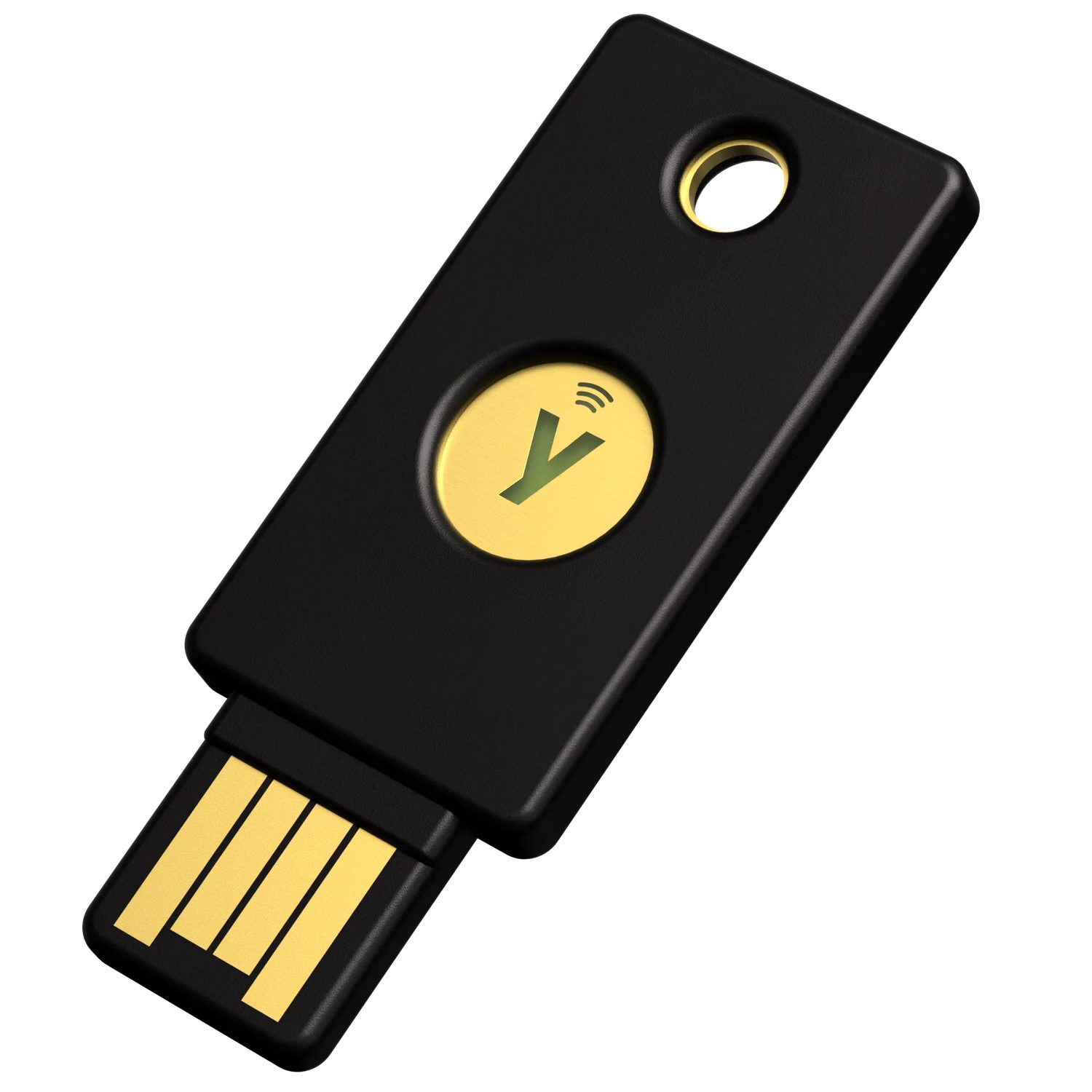
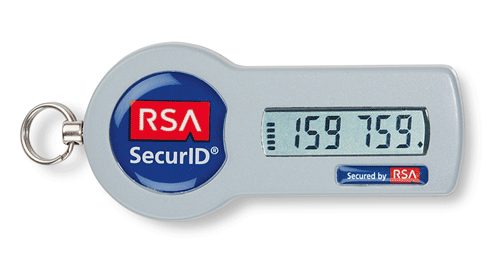


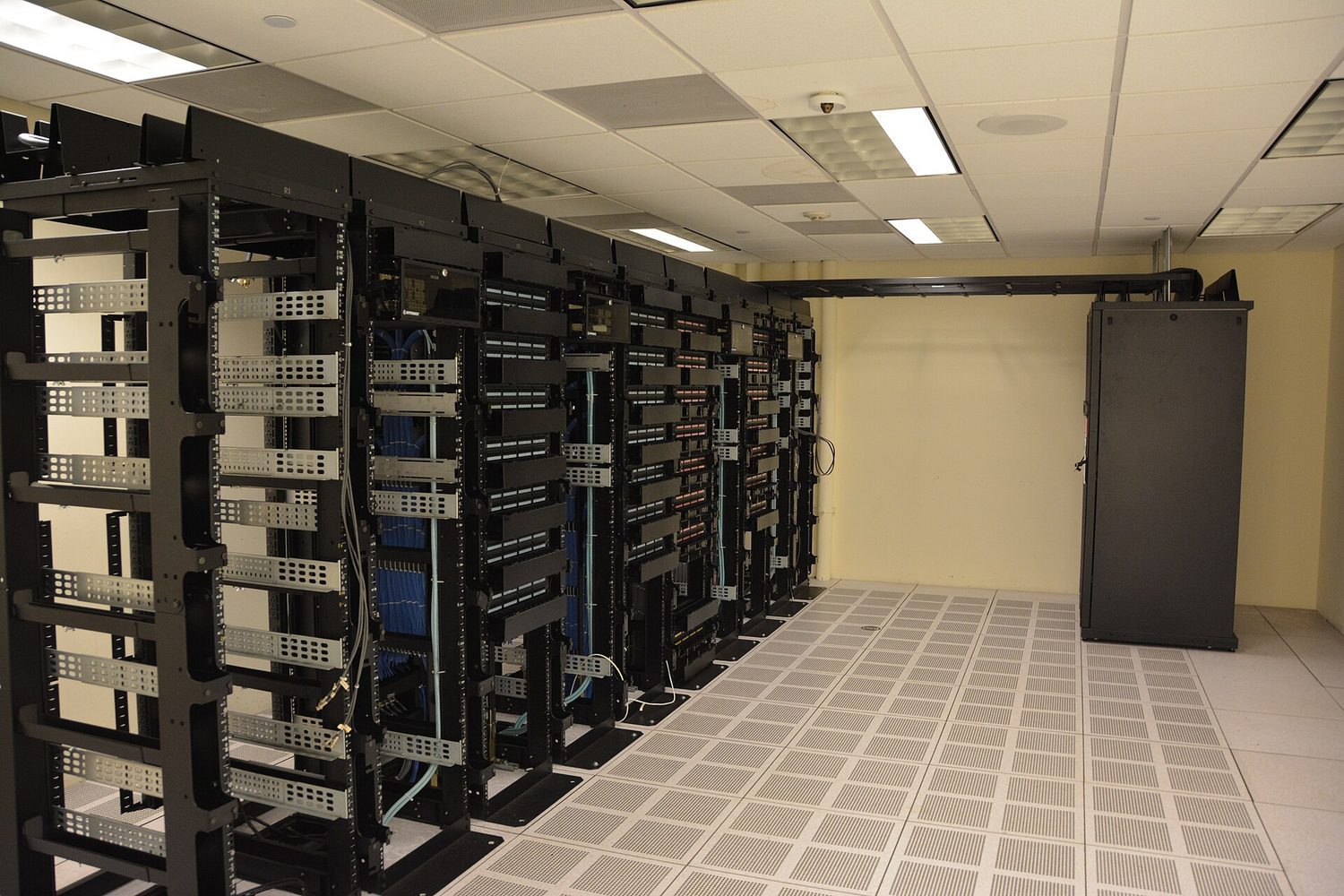 *מארזי שרתים: חלוקת רשת מבודדת מערכים כך שפרצת אבטחה אחת לא פותחת את הכל
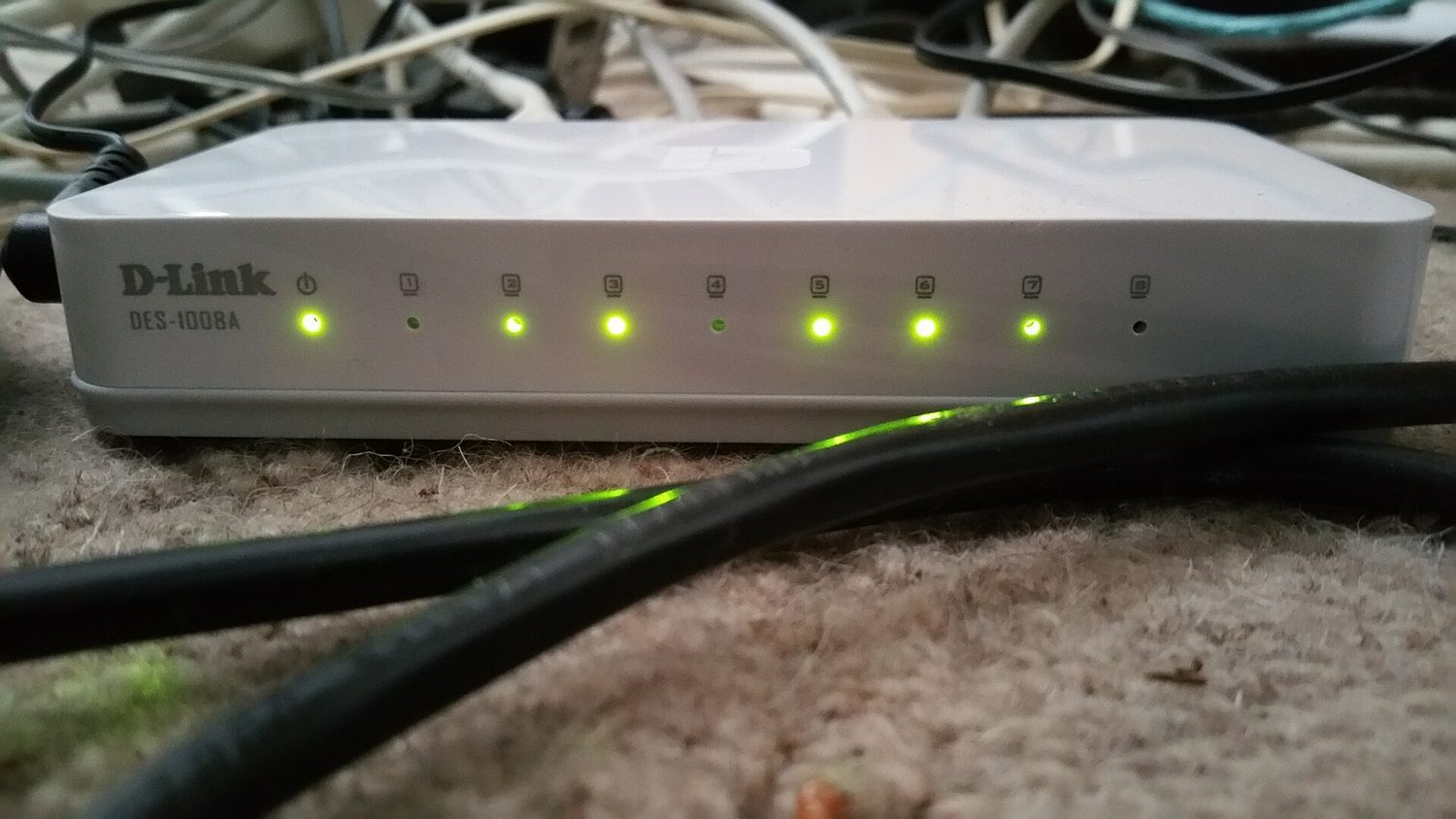 *ציוד רשת אמיתי: מצפן הוא מכשיר (או תוכנה) הממוקם במקום שבו כבלים אלו נפגשים עם העולם החיצוני