Data storage and compression · 数据存储与压缩
| English | 中文 | Pinyin · 拼音 |
|---|---|---|
| compression/kəmˈpreʃn/ | 压缩 | yā suō |
| kibibyte/ˈkɪbɪbaɪt/ | 二进制千字节 | èr jìn zhì qiān zì jié |
| lossless/ˈlɒsləs/ | 无损 | wú sǔn |
| run-length encoding/rʌn leŋθ enˈkəʊdɪŋ/ | 行程编码 | xíng chéng biān mǎ |
| lossy/ˈlɒsi/ | 有损 | yǒu sǔn |
Squeezing files smaller
- Data storage is measured in units that each step up by 1024.
- We can calculate the size of an image or sound file.
- Compression 压缩 then makes files smaller.
把文件挤得更小
- 数据存储以每步增大 1024 的单位测量。
- 我们能计算一个图像或声音文件的大小。
- 压缩(compression)然后使文件更小。
Measuring storage
- bit (one 0/1) · nibble (4 bits) · byte (8 bits).
- Then each unit is 1024× the one before (because $1024 = 2^{10}$): kibibyte 二进制千字节 (KiB) = 1024 bytes, mebibyte (MiB) = 1024 KiB, gibibyte (GiB) = 1024 MiB, tebibyte (TiB) = 1024 GiB.
- Always divide by 1024 (not 1000) to step up a unit.
Computers represent all data as binary — long strings of 0s and 1s.
测量存储
- 位(一个 0/1) · 半字节(4 位) · 字节(8 位)。
- 然后每个单位是前一个的 1024×(因为 $1024 = 2^{10}$):kibibyte (KiB) = 1024 字节,mebibyte (MiB) = 1024 KiB,gibibyte (GiB) = 1024 MiB,tebibyte (TiB) = 1024 GiB。
- 总是除以 1024(不是 1000)来增大一个单位。
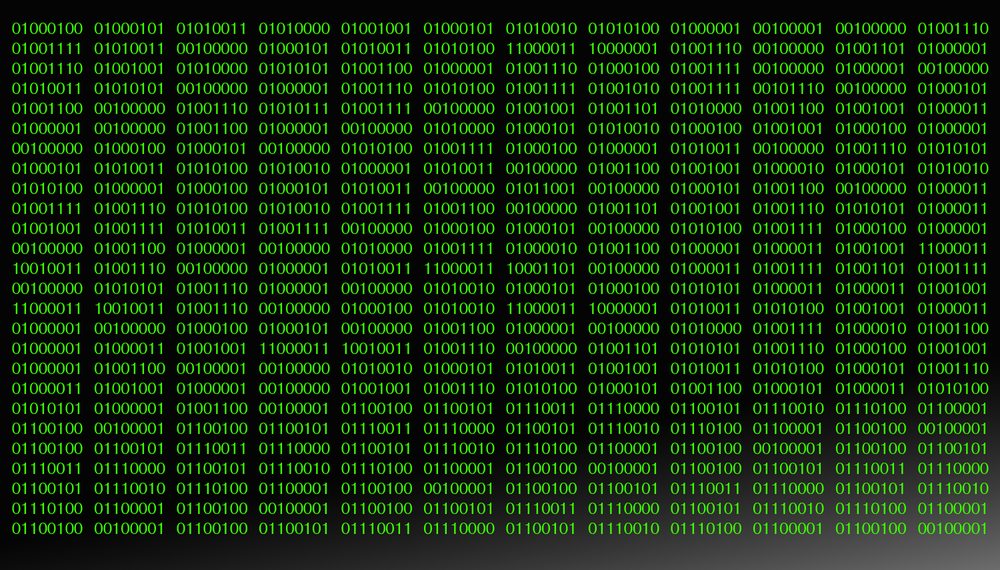
计算机把所有数据表示为二进制——0 和 1 的长串。
How many bytes are in 1 kibibyte (KiB)? · 1 kibibyte (KiB) 中有多少字节?
1 KiB = 1024 bytes (each storage unit steps up by 1024 = 2^10). · 1 KiB = 1024 字节(每个存储单位以 1024 = 2^10 增大)。
Match each storage/compression idea to its meaning. · 把每个存储/压缩概念匹配到它的含义。
File size grows with detail; compression shrinks it, losslessly or lossily. · 文件大小随细节增长;压缩缩小它,无损地或有损地。
Calculating file size
- Image (bits) $=$ width × height × colour depth.
- Sound (bits) $=$ sample rate × sample resolution × seconds.
- Divide by 8 for bytes, then by 1024 for KiB, again for MiB.
- e.g. $1024 \times 1024$ at 16 bpp $= 16\,777\,216$ bits $= 2$ MiB.
计算文件大小
- 图像(位)$=$ 宽度 × 高度 × 色彩深度。
- 声音(位)$=$ 采样率 × 采样分辨率 × 秒数。
- 除以 8 得字节,然后除以 1024 得 KiB,再次得 MiB。
- 例如 $1024 \times 1024$ 在 16 bpp $= 16\,777\,216$ 位 $= 2$ MiB。
An image is 100 × 100 pixels with a colour depth of 24 bits. What is its size in bits? · 一个图像是 100 × 100 像素,色彩深度为 24 位。它以位为单位的大小是多少?
width × height × colour depth = 100 × 100 × 24 = 240 000 bits. · 宽度 × 高度 × 色彩深度 = 100 × 100 × 24 = 240 000 位。
Compression
- Lossless 无损 compression makes a file smaller with no permanent loss — the original can be rebuilt exactly. Run-length encoding 行程编码 (RLE) stores a run of repeats once (e.g.
WWWWWWWW→ "8 W"). - Lossy 有损 compression makes it much smaller by permanently removing data (lower resolution/sample rate).
- Use lossless for text and program files; lossy for photos, music and video.
Run-length encoding stores a run of repeats once, as a (count, value) pair: 8 W, then 4 R.
压缩
- 无损(lossless)压缩使一个文件更小且没有永久损失——原件能被精确重建。行程长度编码(run-length encoding,RLE)把一段重复存储一次(例如
WWWWWWWW→ "8 个 W")。 - 有损(lossy)压缩通过永久移除数据使它小得多(更低的分辨率/采样率)。
- 对文本和程序文件使用无损;对照片、音乐和视频使用有损。

行程长度编码把一段重复存储一次,作为一个(计数,值)对:8 个 W,然后 4 个 R。
Run-length encoding shrinks repeats · 行程长度编码缩小重复
Compression makes a file smaller. Run-length encoding replaces a run of identical values with one value plus a count — lossless, and best when the data has long runs. · 压缩使一个文件更小。行程长度编码用一个值加一个计数替换一段相同的值——无损,且在数据有长重复段时最好。
Lossless compression: · 无损压缩:
Lossless keeps all the data (e.g. RLE); lossy permanently discards some. · 无损保留所有数据(例如 RLE);有损永久丢弃一些。
Run-length encoding (RLE) compresses data by: · 行程长度编码(RLE)通过以下压缩数据:
RLE replaces a run like WWWWWWWW with "8 W" — great when data has many repeats. · RLE 用 "8 个 W" 替换像 WWWWWWWW 这样的一段——在数据有许多重复时很好。
Lossy compression is most appropriate for: · 有损压缩最适合用于:
Lossy suits media where a slight quality loss buys a much smaller file; exact data needs lossless. · 有损适合媒体,在那里轻微的质量损失换来一个小得多的文件;精确数据需要无损。
You've got it
- storage units step up by 1024 (KiB, MiB, GiB, TiB)
- image size = width × height × colour depth (bits); sound = rate × resolution × seconds
- lossless = exact recovery (RLE); lossy = smaller, permanent loss
- lossless for text/programs; lossy for photos/music/video
你掌握了
- 存储单位以 1024 增大(KiB、MiB、GiB、TiB)
- 图像大小 = 宽度 × 高度 × 色彩深度(位);声音 = 采样率 × 采样分辨率 × 秒数
- 无损 = 精确恢复(RLE);有损 = 更小,永久损失
- 文本/程序用无损;照片/音乐/视频用有损