Lists · 列表
This page needs a recent browser (with SharedArrayBuffer support). Please update Chrome, Edge, Firefox or Safari to the latest version. · 此页面需较新浏览器(支持 SharedArrayBuffer)。请升级 Chrome、Edge、Firefox 或 Safari 至最新版本。
English
Lists
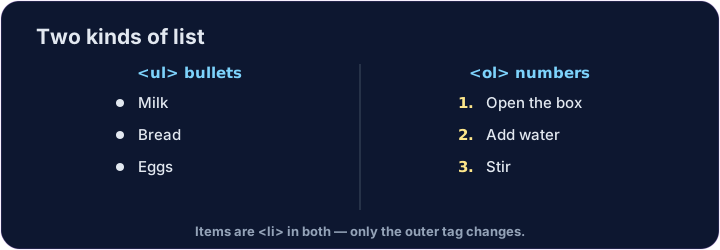
- Use a list when you have several items.
- A bullet list uses
<ul>(unordered list). - Each item goes inside its own
<li>(list item).
中文
列表
- 当你有好几项内容时,就用列表。
- 项目符号列表用
<ul>(无序列表)。 - 每一项都放进自己的
<li>(列表项)里。
<ul>
  <li>Milk</li>
  <li>Bread</li>
  <li>Eggs</li>
</ul>
English
Numbered lists
- For steps in order, use
<ol>(ordered list). - The browser adds the numbers 1, 2, 3 for you.
- The items are still
<li>— only the outer tag changes.
中文
有编号的列表
- 表示有先后顺序的步骤时,用
<ol>(有序列表)。 - 浏览器会自动帮你加上 1、2、3 的编号。
- 每一项仍然是
<li>—— 只是外面的标签换了。
<ol>
  <li>Open the box</li>
  <li>Add water</li>
  <li>Stir</li>
</ol>
English
Common mistakes
<ul>is bullets,<ol>is numbers; each item goes in<li>.- Close every
<li>.
中文
常见错误
<ul>是项目符号,<ol>是编号;每个条目放在<li>里。- 每个
<li>都要闭合。
English
Now you try
- Notice how the
<li>items sit inside the<ul>or<ol>. - Build one of each below.
中文
现在你来试试
- 注意
<li>是放在<ul>或<ol>里面的。 - 下面各做一个。
Make a bullet list with three items: Apples, Bananas, Cherries. Put each one in its own <li>. · 做一个有三项的项目符号列表:Apples、Bananas、Cherries。每一项放进自己的 <li>。
Make a numbered list with at least two steps. Use <ol> with <li> items inside. · 做一个有编号的列表,至少两步。用 <ol>,里面放 <li>。