Users and sudo · 用户与 sudo
This page needs a recent browser (with SharedArrayBuffer support). Please update Chrome, Edge, Firefox or Safari to the latest version. · 此页面需较新浏览器(支持 SharedArrayBuffer)。请升级 Chrome、Edge、Firefox 或 Safari 至最新版本。
English
Many users, one computer
- Linux was built for many people to share one machine safely.
- Each person has a user account.
whoamitells you who you currently are:
- Your files are yours; other users cannot read or change them unless you allow it.
中文
多个用户,一台计算机
- Linux 从设计之初就是为了让许多人安全地共用一台机器。
- 每个人都有一个用户账户。
whoami会告诉你当前是谁:
whoami
- 你的文件属于你自己;除非你允许,其他用户既看不到也改不了它们。
English
The superuser: root
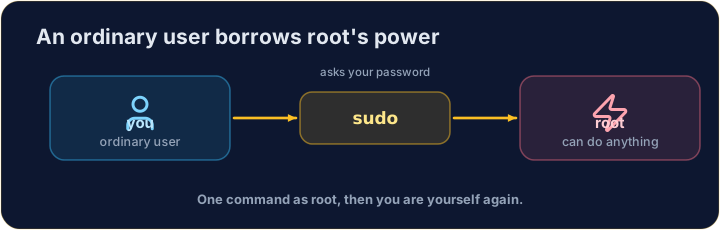
- One special user, root, can do anything — change any file, install software, manage other users.
- With great power comes great danger: a wrong command as root can break the whole system.
- So you normally work as an ordinary user, and only become root when you must.
中文
超级用户:root
- 有一个特殊用户 root,几乎无所不能 —— 修改任何文件、安装软件、管理其他用户。
- 能力越大,危险越大:以 root 身份执行一条错误命令,可能会搞坏整个系统。
- 所以你平时以普通用户的身份工作,只在必要时才变成 root。
English
sudo — borrow root for one command
sudoruns a single command as root (it asks for your password first):
- Think of it as "do this super-user do". Use it only when a task truly needs admin rights — and read the command twice before you press Enter.
中文
sudo —— 临时借用 root 执行一条命令
sudo以 root 身份运行一条命令(它会先要求输入你的密码):
sudo apt install git
- 可以把它理解成 “super-user do(以超级用户身份执行)”。只在某个任务确实需要管理员权限时才用它 —— 按回车前,把命令读两遍。
English
Common mistakes
sudoruns one command as the administrator — use it carefully.- Do not put
sudoin front of everything.
中文
常见错误
sudo以管理员身份运行一条命令——要谨慎使用。- 不要什么命令前面都加
sudo。
Print the name of the user you are logged in as, with whoami. · 用 whoami 打印出你当前登录的用户名。
Every machine has a name too. Print the name of the computer you are on with hostname. · 每台机器也都有一个名字。用 hostname 打印出你所在计算机的名字。