English
| Candidates should be able to: | Notes and guidance |
|---|---|
| 1 Understand the difference between the internet and the world wide web | • The internet is the infrastructure • The world wide web is the collection of websites and web pages accessed using the internet |
| 2 Understand what is meant by a uniform resource locator (URL) | • A URL is a text-based address for a web page; it can contain the protocol, the domain name and the web page/file name |
| 3 Describe the purpose and operation of hypertext transfer protocol (HTTP) and hypertext transfer protocol secure (HTTPS) | |
| 4 Explain the purpose and functions of a web browser | • The main purpose of a web browser is to render hypertext markup language (HTML) and display web pages • Functions include: – storing bookmarks and favourites – recording user history – allowing use of multiple tabs – storing cookies – providing navigation tools – providing an address bar |
| 5 Describe how web pages are located, retrieved and displayed on a device when a user enters a URL | • Including the role of: – the web browser – IP addresses – the domain name server (DNS) – the web server – HTML |
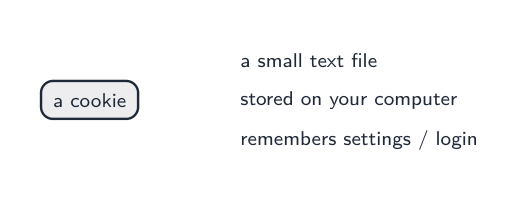
| 6 Explain what is meant by cookies and how they are used, including session cookies and persistent cookies | • Cookies are used for functions, including: – saving personal details – tracking user preferences – holding items in an online shopping cart – storing login details |
ไทย
| ผู้เข้าสอบควรสามารถ: | หมายเหตุและคำแนะนำ |
|---|---|
| 1 เข้าใจความแตกต่างระหว่าง อินเทอร์เน็ต และ เวิลด์ไวด์เว็บ | • อินเทอร์เน็ตคือโครงสร้างพื้นฐาน • เวิลด์ไวด์เว็บคือชุดของเว็บไซต์และหน้าเว็บที่ถูกเข้าถึงผ่านอินเทอร์เน็ต |
| 2 เข้าใจความหมายของ ** Uniform Resource Locator (URL)** | • URL คือที่อยู่แบบข้อความของหน้าเว็บ; สามารถประกอบด้วยโปรโตคอล, ชื่อโดเมน และชื่อหน้าเว็บ/ไฟล์ |
| 3 อธิบายวัตถุประสงค์และการทำงานของ Hypertext Transfer Protocol (HTTP) และ Hypertext Transfer Protocol Secure (HTTPS) | |
| 4 อธิบายวัตถุประสงค์และฟังก์ชันของ เว็บเบราว์เซอร์ | • วัตถุประสงค์หลักของเว็บเบราว์เซอร์คือการเรนเดอร์ HTML และแสดงหน้าเว็บ • ฟังก์ชันรวมถึง: – การเก็บ/bookmark และรายการโปรด – การบันทึกประวัติการใช้งานของผู้ใช้ – การอนุญาตให้ใช้แท็บหลายอัน – การเก็บcookies – การให้เครื่องมือนำทาง – การให้แถบที่อยู่ (address bar) |
| 5 อธิบายวิธีการค้นหา ดึงกลับมา และแสดงหน้าเว็บบนอุปกรณ์เมื่อผู้ใช้กรอก URL | • รวมถึงบทบาทของ: – เว็บเบราว์เซอร์ – ที่อยู่ IP – เซิร์ฟเวอร์ชื่อโดเมน (DNS) – เว็บเซิร์ฟเวอร์ – HTML |
| 6 อธิบายความหมายของ cookies และการใช้งาน их, รวมถึง session cookies และ persistent cookies | • Cookies ใช้สำหรับฟังก์ชันต่างๆ รวมถึง: – การบันทึกข้อมูลส่วนบุคคล – การติดตามความชอบของผู้ใช้ – การเก็บสินค้าในตะกร้าช้อปปิ้งออนไลน์ – การเก็บข้อมูลการเข้าสู่ระบบ |