Skip to content · ⁨ข้ามไปยังเนื้อหา⁩

Data representation

IGCSE Computer Science · ⁨Computer Science IGCSE⁩ · Topic 1 · ⁨หัวข้อ 1⁩

Video lesson for this topic · ⁨บทเรียนวิดีโอสำหรับหัวข้อนี้⁩ Open the video page · ⁨เปิดหน้าวิดีโอ⁩
21:16

ทำไมคอมพิวเตอร์จึงใช้เลขสองฐาน

ภายในโปรเซสเซอร์มีสวิตช์ขนาดเล็กนับพันล้านตัว แต่ละตัวสามารถเป็นได้แค่ เปิด หรือ ปิด นั่นคือสิ่งที่คอมพิวเตอร์มีทางกายภาพจริง — ไม่มีสาม, ไม่มีเจ็ด, ไม่มี…

English narration · English + 中文 subtitles burned in · ⁨การบรรยายภาษาอังกฤษ · คำบรรยายภาษาอังกฤษ + 中文 ลอยตัวบนภาพ⁩

1.1

Why computers use binary · ⁨ทำไมคอมพิวเตอร์ใช้เลขฐานสอง⁩

English

A computer can only work with two states: on and off. You write these as 1 and 0. A system that uses only two digits 数字 is called binary 二进制 (base 2).

Every kind of data 数据 — numbers, text, sound and images — must be changed into binary before a computer can use it. The computer processes this binary using logic gates 逻辑门, and stores it in registers 寄存器 (small, fast stores inside the processor 处理器).

ไทย

คอมพิวเตอร์ทำงานได้เพียงสองสถานะ: เปิด และ ปิด เขียนเป็นเลข 1 และ 0 ระบบที่ใช้ตัวเลขเพียงสองหลักเรียกว่า ระบบทวิฐาน (ฐาน 2)

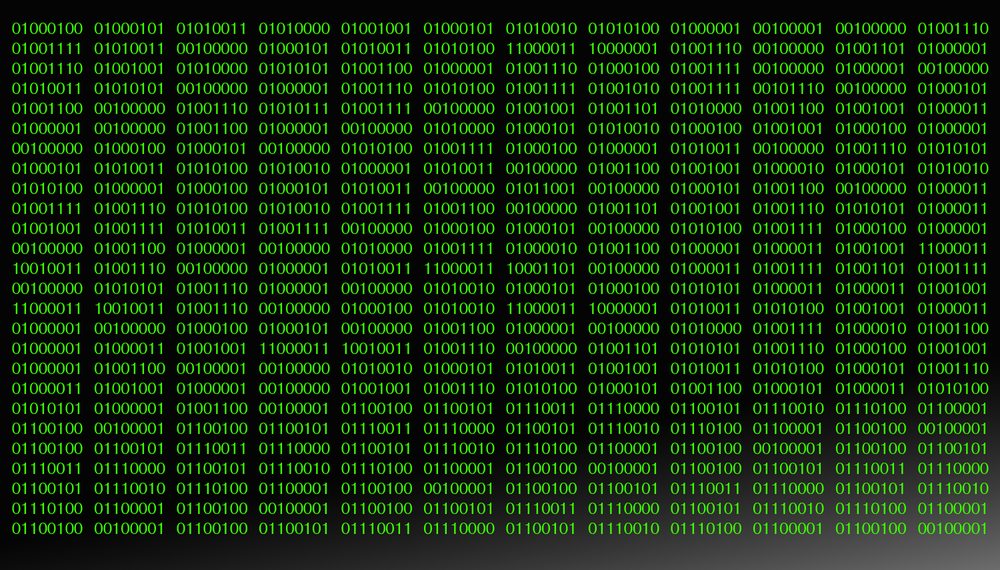
สนามของตัวเลขทวิฐานสีน้ำเงิน 0 และ 1
คอมพิวเตอร์แสดงข้อมูลทั้งหมด — ตัวเลข ข้อความ เสียง และภาพ — เป็นลำดับบิตทวิฐานของ 0 และ 1

ข้อมูลทุกประเภท — ตัวเลข ข้อความ เสียง และภาพ — ต้องถูกแปลงเป็นทวิฐานก่อนที่คอมพิวเตอร์จะนำไปใช้ คอมพิวเตอร์ประมวลผลทวิฐานนี้โดยใช้ เกตตรรกะ และจัดเก็บใน รีจิสเตอร์ (หน่วยความจำขนาดเล็กและเร็วภายในโปรเซสเซอร์)

ชิปซิลิกอนของไมโครโปรเซสเซอร์ภายใต้การขยาย
ไมโครโปรเซสเซอร์มีทรานซิสเตอร์ขนาดเล็กนับล้านตัว แต่ละตัวเป็นสวิตช์ที่เปิด (1) หรือปิด (0) — ซึ่งเป็นพื้นฐานทางกายภาพของระบบทวิฐาน
Vocabulary · ⁨คำศัพท์⁩ Train · ⁨ฝึกฝน⁩
English ไทย
digit/ˈdɪdʒɪt/ หลักเลข
binary/ˈbaɪnəri/ แบบไบนารี
data/ˈdeɪtə/ ข้อมูล (data)
logic gate/ˈlɒdʒɪk ɡeɪt/ เกตลอจิก
processor/ˈprəʊsesə/ หน่วยประมวลผล
register/ˈredʒɪstə/ รีจิสเตอร์ (register)
number system/ˈnʌmbə ˈsɪstəm/ ระบบตัวเลข
denary/ˈdiːnəri/ ฐานสิบ
hexadecimal/ˌheksəˈdesɪml/ ฐานสิบหก
base/beɪs/ ฐาน
1.1

Number systems · ⁨ระบบตัวเลข⁩

Syllabus · ⁨หลักสูตร⁩
Candidates should be able to: Notes and guidance
1 Understand how and why computers use binary to represent all forms of data • Any form of data needs to be converted to binary to be processed by a computer • Data is processed using logic gates and stored in registers
2 (a) Understand the denary, binary and hexadecimal number systems (b) Convert between (i) positive denary and positive binary (ii) positive denary and positive hexadecimal (iii) positive hexadecimal and positive binary • Denary is a base 10 system • Binary is a base 2 system • Hexadecimal is a base 16 system • Values used will be integers only • Conversions in both directions, e.g. denary to binary or binary to denary • Maximum binary number length of 16-bit
3 Understand how and why hexadecimal is used as a beneficial method of data representation • Areas within computer science that hexadecimal is used should be identified • Hexadecimal is easier for humans to understand than binary, as it is a shorter representation of binary
4 (a) Add two positive 8-bit binary integers (b) Understand the concept of overflow and why it occurs in binary addition • An overflow error will occur if the value is greater than 255 in an 8-bit register • A computer or a device has a predefined limit that it can represent or store, for example 16-bit • An overflow error occurs when a value outside this limit should be returned
5 Perform a logical binary shift on a positive 8-bit binary integer and understand the effect this has on the positive binary integer • Perform logical left shifts • Perform logical right shifts • Perform multiple shifts • Bits shifted from the end of the register are lost and zeros are shifted in at the opposite end of the register • The positive binary integer is multiplied or divided according to the shift performed • The most significant bit(s) or least significant bit(s) are lost
6 Use the two’s complement number system to represent positive and negative 8-bit binary integers • Convert a positive binary or denary integer to a two’s complement 8-bit integer and vice versa • Convert a negative binary or denary integer to a two’s complement 8-bit integer and vice versa

Source: Cambridge International syllabus · ⁨แหล่งที่มา: หลักสูตร Cambridge International⁩

English
Counting in binary: 0 to 15

A number system 数制 is a way of writing numbers using a fixed set of digits. You need three of them.

System Base Digits used
Denary 10 0–9
Binary 2 0 and 1
Hexadecimal 16 0–9 then A–F
  • denary 十进制 is the normal counting system (also called decimal).
  • binary uses only 0 and 1.
  • hexadecimal 十六进制 (hex) uses sixteen digits: 0–9, then A, B, C, D, E, F stand for 10, 11, 12, 13, 14, 15.

The base 基数 tells you how many different digits a system uses.

Place value

Each column in a number has a place value 位值. In binary the place values double from right to left. For an 8-bit number they are:

One bit 位 is a single 0 or 1. Eight bits make one byte 字节. Four bits (half a byte) is a nibble 半字节.

Converting between number systems

Denary → binary. Write the place values. Put a 1 under each value you need so they add up to your number; put 0 under the rest.

Example: change denary 150 to binary. $150 = 128 + 16 + 4 + 2$.

So $150$ = 10010110.

Binary → denary. Add the place values where there is a 1. 10010110 $= 128 + 16 + 4 + 2 = 150$.

Hexadecimal → binary. Change each hex digit into its own 4-bit group (a nibble).

Example: hex F08. $F = 1111$, $0 = 0000$, $8 = 1000$, so F08 = 1111 0000 1000.

Binary → hexadecimal. Group the bits into nibbles of 4, starting from the right. Change each nibble to one hex digit.

Denary → hexadecimal. The easy way is to change to binary first, then binary to hex.

This table helps with the hex letters:

Denary Binary Hex
10 1010 A
11 1011 B
12 1100 C
13 1101 D
14 1110 E
15 1111 F

Cambridge questions use binary numbers up to 16 bits long.

Worked example. Convert denary 100 to 8-bit binary, then to hexadecimal.

$100 = 64 + 32 + 4$, so the binary is 01100100. Splitting into nibbles, 0110 0100 $= 6$ and $4$, so the hexadecimal is 64.

Why hexadecimal is used

Hex is shorter than binary and easier for people to read and write. One hex digit replaces 4 binary digits, so you make fewer mistakes. The value does not change — hex is just a shorter way to show the same binary.

Computer scientists use hex for:

  • MAC addresses and IPv6 addresses
  • colour codes in HTML (for example #FF0000 is red)
  • memory addresses 内存地址 and error codes
  • showing the contents of memory (a "memory dump")
ไทย
การนับเลขฐานสอง: 0 ถึง 15

ระบบจำนวน คือวิธีการเขียนตัวเลขโดยใช้ชุดตัวเลขที่กำหนดไว้ คุณจำเป็นต้องรู้สามอย่างนี้

ระบบ ฐาน ตัวเลขที่ใช้
ระบบสิบ进制 10 0–9
ระบบทวิภาค 2 0 และ 1
ระบบหก عشر进制 16 0–9 ตามด้วย A–F
  • ระบบสิบ เป็นระบบนับทั่วไป (หรือเรียกว่าทศฐาน)
  • ระบบทวิฐาน ใช้เฉพาะ 0 และ 1
  • ระบบหก عشر (เฮก) ใช้ตัวเลขสิบหกตัว: 0–9 ตามด้วย A, B, C, D, E, F แทนค่า 10, 11, 12, 13, 14, 15

ฐาน บอกจำนวนตัวเลขที่แตกต่างกันที่ระบบนั้นใช้

ตำแหน่งที่มีค่าน้ำหนัก

แต่ละหลักในตัวเลขมี ตำแหน่งที่มีค่าน้ำหนัก ในระบบทวิฐาน ค่าตามตำแหน่งจะคูณสองจากขวาไปซ้าย สำหรับตัวเลขขนาด 8 บิต จะมีค่าดังนี้:

128  64  32  16  8  4  2  1
ตารางตำแหน่งที่มีค่าน้ำหนักแบบ 8 บิต มีค่าตั้งแต่ 128 ลงมาจนถึง 1 และมีบิตของ 150 วางอยู่ใต้หลักที่รวมกันได้ 150
ตารางตำแหน่งที่มีค่าน้ำหนักแบบ 8 บิต: ตัวเลข 1 อยู่ใต้ค่าที่บวกกันได้ 150

หนึ่ง บิต คือ 0 หรือ 1 เดียวกัน แปดบิตสร้างเป็นหนึ่ง ไบต์ สี่บิต (ครึ่งไบต์) เรียกว่า นิบบล

การแปลงระหว่างระบบจำนวน

ระบบสิบ → ทวิฐาน เขียนตำแหน่งที่มีค่าน้ำหนัก วาง 1 ใต้ค่าที่ต้องการเพื่อให้รวมกันได้เท่ากับตัวเลขของคุณ วาง 0 ใต้ค่าที่เหลือ

ตัวอย่าง: เปลี่ยนระบบสิบ 150 เป็นทวิฐาน $150 = 128 + 16 + 4 + 2$

128 64 32 16 8 4 2 1
  1  0  0  1 0 1 1 0

ดังนั้น $150$ = 10010110

ทวิฐาน → ระบบสิบ รวมตำแหน่งที่มีค่าน้ำหนักที่มีเลข 1 10010110 $= 128 + 16 + 4 + 2 = 150$

ระบบหก عشر → ทวิฐาน เปลี่ยนแต่ละตัวเลขหก عشرให้เป็นกลุ่มบิต 4 บิตของตัวเอง (นิบบล)

ตัวอย่าง: เฮก F08 $F = 1111$, $0 = 0000$, $8 = 1000$ ดังนั้น F08 = 1111 0000 1000

ตัวเลขหก عشرสามตัว F, 0 และ 8 แต่ละตัวมีลูกศรชี้ลงสู่กลุ่มบิตสี่บิตของตัวเอง
แต่ละตัวเลขหก عشرจับคู่กับนิบบลบิต 4 ตัวของตัวเอง — F08 = 1111 0000 1000

ทวิฐาน → ระบบหก عشر จัดกลุ่มบิตเป็นนิบบลละ 4 บิต เริ่มจากทางขวา เปลี่ยนแต่ละนิบบลให้เป็นตัวเลขหก عشرหนึ่งตัว

ระบบสิบ → ระบบหก عشر วิธีง่ายคือแปลงเป็นทวิฐานก่อน แล้วจากทวิฐานเป็นเฮก

ตารางนี้ช่วยในการจดจำตัวอักษรเฮก:

เดนารี่ ไบนารี เฮก
10 1010 A
11 1011 B
12 1100 C
13 1101 D
14 1110 E
15 1111 F

คำถามของ Cambridge ใช้ตัวเลขทวิฐานยาวถึง 16 บิต

ตัวอย่างวิธีทำ แปลงระบบสิบ 100 เป็นทวิฐาน 8 บิต จากนั้นเป็นระบบหก عشر

$100 = 64 + 32 + 4$ ดังนั้นทวิฐานคือ 01100100 เมื่อแบ่งเป็นนิบบล จะได้ 0110 0100 $= 6$ และ $4$ ดังนั้นระบบหก عشرคือ 64

เหตุผลที่ใช้ระบบหก عشر

เฮกสั้นกว่าทวิฐานและอ่าน-เขียนง่ายสำหรับมนุษย์ ตัวเลขเฮกหนึ่งตัวแทนบิตทวิฐาน 4 ตัว จึงลดโอกาสเกิดข้อผิดพลาด ค่าไม่เปลี่ยนแปลง — เฮกเป็นเพียงวิธีแสดงทวิฐานเดียวกันแต่สั้นกว่าเท่านั้น

นักวิทยาศาสตร์คอมพิวเตอร์ใช้เฮกเพื่อ:

  • MAC addresses และ IPv6 addresses
  • รหัสสีใน HTML (เช่น #FF0000 คือสีแดง)
  • ที่อยู่หน่วยความจำ และรหัสข้อผิดพลาด
  • แสดงเนื้อหาภายในหน่วยความจำ ("memory dump")
Explore · ⁨สำรวจ⁩

Binary, denary and hex · ⁨二进制、十进制和十六进制⁩

Type a number and see it in binary, denary and hex — and how the place values build it. · ⁨พิมพ์ตัวเลขและเห็น它在 binary, denary and hex — และวิธีที่ตำแหน่งสร้างมันขึ้นมา⁩

Vocabulary · ⁨คำศัพท์⁩ Train · ⁨ฝึกฝน⁩
English ไทย
place value/pleɪs ˈvæljuː/ ตำแหน่งที่มีค่า
nibble/ˈnɪbl/ นิبل
memory address/ˈmeməri əˈdres/ ที่อยู่หน่วยความจำ
1.1

Binary addition · ⁨การบวกทวิฐาน⁩

English

You can add two 8-bit binary numbers, column by column from the right, just like denary. The rules for one column are:

A B Result bit Carry
0 0 0 0
0 1 1 0
1 0 1 0
1 1 0 1

When a carry also comes in, $1 + 1 + 1 = 1$ with a carry of 1.

Example: add 01110110 (118) and 00110000 (48).

Overflow

An 8-bit register can hold denary values from 0 to 255 only. If an addition gives a result above 255, the answer needs a 9th bit. The register cannot hold this extra bit, so it is lost. This is called overflow 溢出 (an overflow error). It happens when a value goes outside the limit the register can store.

Example: 11001000 (200) $+$ 01001000 (72) $= 272$. In binary that is 1 00010000, which needs 9 bits. The leading 1 will not fit in 8 bits, so the stored answer is wrong.

ไทย

คุณสามารถบวกตัวเลขทวิฐาน 8 บิตสองจำนวนเข้าด้วยกัน หลักต่อหลักจากทางขวา เหมือนกับการบวกทศฐาน กฎสำหรับหนึ่งหลักคือ:

A B บิตผลลัพธ์ คัดโอน
0 0 0 0
0 1 1 0
1 0 1 0
1 1 0 1

เมื่อมีการคัดโอนเข้ามาด้วย $1 + 1 + 1 = 1$ พร้อมการคัดโอน 1

ตัวอย่าง: บวก 01110110 (118) และ 00110000 (48)

  0 1 1 1 0 1 1 0    (118)
+ 0 0 1 1 0 0 0 0    (48)
-------------------
  1 0 1 0 0 1 1 0    (166)
การบวกทวิฐาน 8 บิตของ 118 และ 48 พร้อมแสดงบิตคัดโอนเป็นสีแดงเหนือหลักทางซ้าย ได้ผลลัพธ์ 166
บวกหลักต่อหลัก; การคัดโอนกระจายไปทางซ้าย 118 + 48 = 166

การเกินขอบเขต (Overflow)

รีจิสเตอร์ 8 บิตสามารถเก็บค่าทศฐานได้ตั้งแต่ 0 ถึง 255 เท่านั้น หากผลบวกมีค่ามากกว่า 255 คำตอบต้องใช้บิตที่ 9 รีจิสเตอร์ไม่สามารถเก็บบิตเพิ่มนี้ได้ ดังนั้นบิตนี้จะหายไป สิ่งนี้เรียกว่า การเกินขอบเขต (overflow error) เกิดขึ้นเมื่อค่าทะลุ出去จากขีดจำกัดที่รีจิสเตอร์สามารถเก็บได้

ตัวอย่าง: 11001000 (200) + $+$ + 01001000 (72) = $= 272$ ในทวิฐานคือ 1 00010000 ซึ่งต้องใช้ 9 บิต ตัวเลขนำหน้า 1 จะไม่พอดีกับ 8 บิต ดังนั้นคำตอบที่บันทึกจึงผิด

การบวก 200 และ 72 ได้ 272 ซึ่งในทวิฐานต้องใช้เก้าบิต; รีจิสเตอร์ 8 บิตเก็บเฉพาะแปดบิตล่างและเสียบิตที่เก้า ทำให้คำตอบที่บันทึกเป็น 16 ไม่ใช่ 272 *การบวก 200 และ 72 ต้องใช้ 9 บิต แต่รีจิสเตอร์ 8 บิตตัดบิตที่เก้าทิ้ง ทำให้คำตอบผิด

Vocabulary · ⁨คำศัพท์⁩ Train · ⁨ฝึกฝน⁩
English ไทย
overflow/ˌəʊvəˈfləʊ/ overflow
logical binary shift/ˈlɒdʒɪkl ˈbaɪnəri ʃɪft/ การเลื่อนบิตแบบลอจิก
1.1

Logical binary shift · ⁨การเลื่อนบิตเชิงตรรกะ (Logical binary shift)⁩

English

A logical binary shift 逻辑二进制移位 moves all the bits left or right by a number of places.

  • Bits that move off the end of the register are lost.
  • Zeros are added at the empty end.

A left shift multiplies the number by 2 for each place moved. A right shift divides it by 2 for each place; the right-most bits (the least significant bit(s) 最低有效位) are lost.

Example: left shift 00110101 (53) by 2 places.

The result is 11010100 (212), which is $53 \times 4$. The two left-most bits were lost and two zeros came in on the right. If a 1 is pushed off the end, that information is gone for good.

ไทย

การเลื่อนบิตเชิงตรรกะ ขยับบิตทั้งหมดไปทางซ้ายหรือขวาจำนวนตำแหน่งที่กำหนด

  • บิตที่เลื่อนออกจากปลายรีจิสเตอร์จะถูก สูญเสีย
  • ศูนย์ จะถูกเติมที่ปลายว่าง

การเลื่อนไปทางซ้าย (left shift) คูณตัวเลขด้วย 2 สำหรับแต่ละตำแหน่งที่เลื่อน การเลื่อนไปทางขวา (right shift) หารด้วย 2 สำหรับแต่ละตำแหน่ง; บิตทางขวาสุด (least significant bit(s)) จะถูกสูญเสีย

ตัวอย่าง: เลื่อนไปทางซ้าย 00110101 (53) จำนวน 2 ตำแหน่ง

start:         0 0 1 1 0 1 0 1
left shift 2:  1 1 0 1 0 1 0 0
การเลื่อนไปทางซ้ายเชิงตรรกะ 2 ตำแหน่ง: ลูกศรย้ายบิตแต่ละตัวไปทางซ้าย 2 หลัก บิตทางซ้ายสุด 2 ตัวถูกลบออกและมีศูนย์ 2 ตัวแทรกเข้ามาทางขวา
การเลื่อนไปทางซ้าย 2 ตำแหน่ง: บิตทุกตัวจะเคลื่อนที่ไปทางซ้าย 2 ตำแหน่ง บิตที่อยู่ด้านบนสุดจะถูกตัดออก และตำแหน่งด้านขวาจะถูกเติมด้วยเลขศูนย์

ผลลัพธ์คือ 11010100 (212), ซึ่งเท่ากับ $53 \times 4$. บิตสองตัวทางซ้ายสุดถูกตัดออก และมีเลขศูนย์เข้ามาแทนที่ทางขวาสองตัว หากมีเลข 1 ถูกดันออกไปจากปลายข้อมูล ข้อมูลนั้นจะหายไปตลอดกาล

Vocabulary · ⁨คำศัพท์⁩ Train · ⁨ฝึกฝน⁩
English ไทย
bit/bɪt/ บิต (bit)
least significant bit/liːst sɪɡˈnɪfɪkənt bɪt/ บิตที่มีนัยสำคัญน้อยที่สุด
two's complement/tuːz ˈkɒmplɪmənt/ สองคอมพลีเมนต์
1.1

Two's complement · ⁨การแทนค่าด้วย complement แบบสอง⁩

English

So far the numbers were positive. Two's complement 补码 lets an 8-bit register hold negative numbers too.

In two's complement, the left-most bit (the most significant bit 最高有效位, or MSB) has a negative place value:

  • If the MSB is 0, the number is positive.
  • If the MSB is 1, the number is negative.

To make a positive number negative: write the positive binary, flip every bit (0↔1), then add 1.

Example: make $-40$.

  • $+40$ = 00101000
  • flip the bits = 11010111
  • add 1 = 11011000

So $-40$ = 11011000. Check by adding the place values: $-128 + 64 + 16 + 8 = -40$.

To read a negative two's complement number, just add the place values (the MSB counts as $-128$). The range of an 8-bit two's complement number is $-128$ to $+127$.

ไทย

จนถึงตอนนี้ตัวเลขทั้งหมดเป็นบวก การแทนค่าด้วย complement แบบสอง ทำให้รีจิสเตอร์ขนาด 8 บิตสามารถเก็บตัวเลขลบได้ด้วย

ในการแทนค่าด้วย complement แบบสอง บิตทางซ้ายสุด (most significant bit หรือ MSB) จะมีค่าน้ำหนักในเชิง ลบ:

-128  64  32  16  8  4  2  1
  • ถ้า MSB เป็น 0 ตัวเลขนั้นจะเป็นบวก
  • ถ้า MSB เป็น 1 ตัวเลขนั้นจะเป็นลบ

การแปลงตัวเลขบวกให้เป็นลบ: เขียนเลขทศนิยมที่เป็นบวก, สลับทุกบิต (0↔1), แล้วบวก 1

ตัวอย่าง: แปลง $-40$ ให้เป็นลบ

  • $+40$ = 00101000
  • สลับบิต = 11010111
  • บวก 1 = 11011000

So $-40$ = 11011000. Check by adding the place values: $-128 + 64 + 16 + 8 = -40$.

แผนภูมิ complement แบบสองขนาด 8 บิต โดย most significant bit มีค่าน้อยกว่า -128, เน้นสี 11011000 เพื่อแสดงค่า -40
บิตที่มีนัยสำคัญที่สุดมีค่า −128 ดังนั้น 11011000 = −128 + 64 + 16 + 8 = −40

ในการอ่านตัวเลข complement แบบสองลบ เพียงแค่บวกค่าน้ำหนัก (โดย MSB นับเป็น $-128$). ช่วงของตัวเลข complement แบบสองขนาด 8 บิตคือ $-128$ ถึง $+127$

Vocabulary · ⁨คำศัพท์⁩ Train · ⁨ฝึกฝน⁩
English ไทย
most significant bit/məʊst sɪɡˈnɪfɪkənt bɪt/ บิตที่มีนัยสำคัญสูงสุด
character set/ˈkærɪktə set/ ชุดอักขระ
1.2

Representing text · ⁨การแทนค่าข้อความ⁩

Syllabus · ⁨หลักสูตร⁩
English
Candidates should be able to: Notes and guidance
1 Understand how and why a computer represents text and the use of character sets, including American standard code for information interchange (ASCII) and Unicode • Text is converted to binary to be processed by a computer • Unicode allows for a greater range of characters and symbols than ASCII, including different languages and emojis • Unicode requires more bits per character than ASCII
2 Understand how and why a computer represents sound, including the effects of the sample rate and sample resolution • A sound wave is sampled for sound to be converted to binary, which is processed by a computer • The sample rate is the number of samples taken in a second • The sample resolution is the number of bits per sample • The accuracy of the recording and the file size increases as the sample rate and resolution increase
3 Understand how and why a computer represents an image, including the effects of the resolution and colour depth • An image is a series of pixels that are converted to binary, which is processed by a computer • The resolution is the number of pixels in the image • The colour depth is the number of bits used to represent each colour • The file size and quality of the image increase as the resolution and colour depth increase
ไทย
ผู้เข้าสอบควรสามารถ: หมายเหตุและคำแนะนำ
1 เข้าใจวิธีและเหตุผลที่คอมพิวเตอร์แสดงข้อความและการใช้ ชุดอักขระ (character sets) รวมถึงรหัสมาตรฐานอเมริกันสำหรับการแลกเปลี่ยนข้อมูล (ASCII) และ ยูนิโค้ด (Unicode) • ข้อความจะถูกแปลงเป็นเลขฐานสองเพื่อประมวลผลโดยคอมพิวเตอร์ • ยูนิโค้ดอนุญาตให้มีช่วงของอักขระและสัญลักษณ์ที่หลากหลายมากกว่า ASCII รวมถึงภาษาต่างๆ และอีโมจิ • ยูนิโค้ดต้องการบิตต่ออักขระมากกว่า ASCII
2 เข้าใจวิธีและเหตุผลที่คอมพิวเตอร์แสดงเสียง รวมถึงผลกระทบจาก อัตราการสุ่มตัวอย่าง (sample rate) และ ความละเอียดของการสุ่มตัวอย่าง (sample resolution) • คลื่นเสียงจะถูกสุ่มตัวอย่างเพื่อให้เสียงถูกแปลงเป็นเลขฐานสอง ซึ่งจะถูกประมวลผลโดยคอมพิวเตอร์ • อัตราการสุ่มตัวอย่างคือจำนวนตัวอย่างที่ lấyในหนึ่งวินาที • ความละเอียดของการสุ่มตัวอย่างคือจำนวนบิตต่อหนึ่งตัวอย่าง • ความแม่นยำของการบันทึกและขนาดไฟล์จะเพิ่มขึ้นเมื่ออัตราการสุ่มตัวอย่างและความละเอียดสูงขึ้น
3 เข้าใจวิธีการและเหตุผลที่คอมพิวเตอร์แสดงภาพ รวมถึงผลกระทบของ ความละเอียด และ ความลึกของสี • ภาพคือชุดของพิกเซลที่ถูกแปลงเป็นไบนารี ซึ่งจะถูกประมวลผลโดยคอมพิวเตอร์ • ความละเอียดคือจำนวนพิกเซลในภาพ • ความลึกของสีคือจำนวนบิตที่ใช้แทนแต่ละสี • ขนาดไฟล์และคุณภาพของภาพจะเพิ่มขึ้นเมื่อความละเอียดและความลึกของสีเพิ่มขึ้น

Source: Cambridge International syllabus · ⁨แหล่งที่มา: หลักสูตร Cambridge International⁩

English

Computers store text by giving every character a number, then storing that number in binary. The set of characters a computer can use, together with their numbers, is a character set 字符集.

  • ASCII uses 7 bits per character, so it has 128 different characters. This is enough for English letters, digits and common symbols.
  • Unicode uses more bits per character. It can represent far more characters — many languages, plus symbols and emoji 表情符号.

Because Unicode has more characters, it needs more bits per character than ASCII, so the same text takes more storage 存储.

ไทย

คอมพิวเตอร์จัดเก็บข้อความโดยการกำหนดหมายเลขให้กับแต่ละตัวอักษร แล้วจัดเก็บเลขนั้นในรูปแบบทศนิยม เซตของตัวอักษรที่คอมพิวเตอร์ใช้ได้连同หมายเลขที่เกี่ยวข้อง เรียกว่า ชุดตัวอักษร

  • ASCII ใช้ 7 บิตต่อตัวอักษร จึงมีได้ 128 ตัวอักษรต่างกัน เพียงพอสำหรับตัวอักษรอังกฤษ的数字และสัญลักษณ์ทั่วไป
  • Unicode ใช้จำนวนบิตมากกว่าต่อตัวอักษร สามารถแทนค่าตัวอักษรได้มากกว่ามาก — หลายภาษา连同สัญลักษณ์และ emoji

เนื่องจาก Unicode มีตัวอักษรมากกว่า จึงต้องใช้บิตมากกว่าต่อตัวอักษรเมื่อเทียบกับ ASCII ทำให้ข้อความเดียวกันใช้พื้นที่จัดเก็บมากขึ้น

ASCII ใช้เจ็ดบิตต่อตัวอักษรสำหรับ 128 ตัวอักษร เพียงพอสำหรับภาษาอังกฤษ; Unicode ใช้บิตมากกว่าสำหรับตัวอักษรมากมายรวมถึงหลายภาษาและ emoji แต่ใช้พื้นที่จัดเก็บมากขึ้น *ASCII ใช้ 7 บิตสำหรับ 128 ตัวอักษร; Unicode ใช้บิตมากกว่าสำหรับตัวอักษรมากแต่ใช้พื้นที่จัดเก็บมากขึ้น

Vocabulary · ⁨คำศัพท์⁩ Train · ⁨ฝึกฝน⁩
English ไทย
emoji/ɪˈməʊdʒi/ อีโมจิ
1.2

Representing sound · ⁨การแทนค่าเสียง⁩

English

A sound wave 声波 is smooth and always changing. To store it, the computer measures the height of the wave at regular moments. This is called sampling 采样, and each measurement is a sample.

  • sample rate 采样率 is the number of samples taken each second (measured in Hz).
  • sample resolution 采样分辨率 is the number of bits used for each sample. The height of the wave at a sample point is its amplitude 振幅.

A higher sample rate and a higher sample resolution give a more accurate recording, but a larger file.

ไทย

คลื่นเสียงมีความเรียบลื่นและเปลี่ยนแปลงตลอดเวลา ในการจัดเก็บมัน คอมพิวเตอร์จะวัดความสูงของคลื่นในช่วงเวลาปกติ การนี้เรียกว่า การสุ่มตัวอย่าง (sampling) และแต่ละการวัดคือตัวอย่างหนึ่ง

คลื่นเสียงเรียบลื่นพร้อมเส้นตั้งฉากที่ช่วงเวลาปกติเพื่อวัดความสูง之它,ระบุช่วงการสุ่มตัวอย่างและความสูงของคลื่น *การสุ่มตัวอย่างบันทึกความสูงของคลื่น (amplitude) ในช่วงเวลาปกติ

  • sample rate คือจำนวนตัวอย่างที่ถูกเก็บต่อวินาที (วัดเป็น Hz)
  • sample resolution คือจำนวนบิตที่ใช้สำหรับแต่ละตัวอย่าง ความสูงของคลื่นที่จุดตัวอย่างคือ amplitude ของมัน

sample rate ที่สูงขึ้นและ sample resolution ที่สูงขึ้นให้บันทึกที่แม่นยำขึ้น แต่ไฟล์จะมีขนาดใหญ่ขึ้น

Explore · ⁨สำรวจ⁩

Representing sound · ⁨การแทนเสียง⁩

y = a sin(bt + c)

Sound is a wave; sampling records its height many times a second. · ⁨เสียงคือ คลื่น; การสุ่มตัวอย่างบันทึกความสูงของมันหลายครั้งต่อวินาที⁩

Vocabulary · ⁨คำศัพท์⁩ Train · ⁨ฝึกฝน⁩
English ไทย
sampling/ˈsæmplɪŋ/ การสุ่มตัวอย่าง (sampling)
sample rate/ˈsæmpl reɪt/ อัตราการสุ่มตัวอย่าง
sample resolution/ˈsæmpl ˌrezəˈluːʃn/ ความละเอียดของการสุ่มตัวอย่าง
amplitude/ˈæmplɪtjuːd/ แอมพลิจูด
resolution/ˌrezəˈluːʃn/ ความละเอียด
1.2

Representing images · ⁨การแทนค่าภาพ⁩

English

A computer image is made of a grid of small dots called pixels 像素.

  • resolution 分辨率 is the number of pixels in the image (for example $1920 \times 1080$).
  • colour depth 颜色深度 is the number of bits used to store the colour of each pixel.

A higher resolution and a higher colour depth give a better-quality image, but a larger file.

ไทย

ภาพบนคอมพิวเตอร์ประกอบด้วยตารางของจุดเล็กๆที่เรียกว่า พิกเซล (pixels)

ตาราง 8×8 ของพิกเซลสร้างภาพสีเรียบง่าย โดยมีสี่เหลี่ยมหนึ่งถูกติดป้ายว่าเป็นพิกเซลหนึ่ง
A bitmap is a grid of pixels; the resolution is how many pixels it has
  • resolution คือจำนวนพิกเซลในภาพ (เช่น $1920 \times 1080$)
  • colour depth คือจำนวนบิตที่ใช้จัดเก็บสีของแต่ละพิกเซล

ความละเอียดที่สูงและ colour depth ที่สูงกว่าให้คุณภาพภาพที่ดีขึ้น แต่ไฟล์จะมีขนาดใหญ่ขึ้น

Vocabulary · ⁨คำศัพท์⁩ Train · ⁨ฝึกฝน⁩
English ไทย
pixel/ˈpɪksl/ พิกเซล
colour depth/ˈkʌlə depθ/ ความลึกของสี
1.3

Measuring data storage · ⁨การวัดการจัดเก็บข้อมูล⁩

Syllabus · ⁨หลักสูตร⁩
Candidates should be able to: Notes and guidance
1 Understand how data storage is measured • Including: – bit – nibble – byte – kibibyte (KiB) – mebibyte (MiB) – gibibyte (GiB) – tebibyte (TiB) – pebibyte (PiB) – exbibyte (EiB) • The amount of the previous denomination present in the data storage size, e.g.: – 8 bits in a byte – 1024 mebibytes in a gibibyte
2 Calculate the file size of an image file and a sound file, using information given • Answers must be given in the units specified in the question. Calculations must use the measurement of 1024 and not 1000 • Information given may include: – image resolution and colour depth – sound sample rate, resolution and length of track
3 Understand the purpose of and need for data compression • Compression exists to reduce the size of the file • What the impact of this is, e.g.: – less bandwidth required – less storage space required – shorter transmission time
4 Understand how files are compressed using lossy and lossless compression methods • Lossy compression reduces the file size by permanently removing data, e.g. reducing resolution or colour depth, reducing sample rate or resolution • Lossless compression reduces the file size without permanent loss of data, e.g. run length encoding (RLE)

Source: Cambridge International syllabus · ⁨แหล่งที่มา: หลักสูตร Cambridge International⁩

English

Data storage is measured in the units below. A nibble is 4 bits and a byte is 8 bits; from the kibibyte upward, each unit is 1024 times the one before it (because $1024 = 2^{10}$, which fits binary).

Unit Equals
bit a single 0 or 1
nibble 4 bits
byte 8 bits
kibibyte (KiB) 1024 bytes
mebibyte (MiB) 1024 KiB
gibibyte (GiB) 1024 MiB
tebibyte (TiB) 1024 GiB
pebibyte (PiB) 1024 TiB
exbibyte (EiB) 1024 PiB
ไทย

การจัดเก็บข้อมูลวัดได้ในหน่วยด้านล่าง nibble มี 4 บิตและ byte มี 8 บิต; ตั้งแต่ kibibyte ขึ้นไป ทุกหน่วยมีค่าเป็น 1024 เท่าของหน่วยก่อนหน้า (เพราะ $1024 = 2^{10}$ ซึ่งเข้ากับระบบทศนิยม)

หน่วย เท่ากับ
bit 0 หรือ 1 เดี่ยวๆ
nibble 4 บิต
byte 8 บิต
kibibyte (KiB) 1024 bytes
mebibyte (MiB) 1024 KiB
gibibyte (GiB) 1024 MiB
tebibyte (TiB) 1024 GiB
pebibyte (PiB) 1024 TiB
exbibyte (EiB) 1024 PiB

จานดิสก์แข็ง: การจัดเก็บข้อมูลวัดในหน่วย byte — การรู้ขนาดไฟล์ต้องการความกว้าง × ความสูง × colour depth สำหรับภาพ *จานดิสก์แข็ง: การจัดเก็บข้อมูลวัดในหน่วย byte — การรู้ขนาดไฟล์ต้องการความกว้าง × ความสูง × colour depth สำหรับภาพ

Vocabulary · ⁨คำศัพท์⁩ Train · ⁨ฝึกฝน⁩
English ไทย
byte/baɪt/ ไบต์
storage/ˈstɔːrɪdʒ/ หน่วยจัดเก็บข้อมูล
sound wave/saʊnd weɪv/ คลื่นเสียง
Watch lesson · ⁨ดูบทเรียน⁩
1.3

Calculating file size · ⁨คำนวณขนาดไฟล์⁩

English

Image file size (in bits) $=$ resolution $\times$ colour depth $=$ width $\times$ height $\times$ colour depth.

Example: an image is $1024 \times 1024$ pixels with a colour depth of 2 bytes ($= 16$ bits).

  • bits $= 1024 \times 1024 \times 16 = 16\,777\,216$ bits
  • bytes $= \div 8 = 2\,097\,152$ bytes
  • KiB $= \div 1024 = 2048$ KiB
  • MiB $= \div 1024 = 2$ MiB

Sound file size (in bits) $=$ sample rate $\times$ sample resolution $\times$ length in seconds.

Always divide by 1024 (not 1000) to change to KiB, MiB and so on. Give your answer in the unit the question asks for.

Worked example. A sound is recorded for 30 seconds at a sample rate of 8,000 Hz with a sample resolution of 16 bits. Find the file size in kibibytes (KiB).

  • bits $= 8\,000 \times 16 \times 30 = 3\,840\,000$ bits
  • bytes $= 3\,840\,000 \div 8 = 480\,000$ bytes
  • KiB $= 480\,000 \div 1024 \approx 469$ KiB
ไทย

ขนาดไฟล์ภาพ (ในหน่วยบิต) $=$ resolution $\times$ colour depth $=$ width $\times$ height $\times$ colour depth

ตัวอย่าง: ภาพมีขนาด $1024 \times 1024$ พิกเซล ด้วย colour depth 2 байต์ ($= 16$ บิต)

  • บิต $= 1024 \times 1024 \times 16 = 16\,777\,216$ บิต
  • байต์ $= \div 8 = 2\,097\,152$ байต์
  • KiB $= \div 1024 = 2048$ KiB
  • MiB $= \div 1024 = 2$ MiB

ขนาดไฟล์เสียง (ในหน่วยบิต) $=$ sample rate $\times$ sample resolution $\times$ ความยาวเป็นวินาที

หารด้วย 1024 เสมอ (ไม่ใช่ 1000) เพื่อแปลงเป็น KiB, MiB เป็นต้น ให้ตอบในหน่วยที่โจทย์ถาม

ตัวอย่างแบบฝึกหัด. เสียงถูกบันทึกเป็นเวลา 30 วินาที ด้วย sample rate 8,000 Hz และ sample resolution 16 บิต หาขนาดไฟล์เป็น kibibytes (KiB)

  • บิต $= 8\,000 \times 16 \times 30 = 3\,840\,000$ บิต
  • байต์ $= 3\,840\,000 \div 8 = 480\,000$ байต์
  • KiB $= 480\,000 \div 1024 \approx 469$ KiB
1.3

Compression · ⁨การบีบอัด⁩

English

Compression 压缩 makes a file smaller. A smaller file:

  • uses less storage space,
  • needs less bandwidth 带宽 (the amount of data a connection can carry),
  • takes a shorter time to send (a shorter transmission 传输 time).

There are two types.

Lossless compression

Lossless 无损 compression makes the file smaller with no permanent loss of data. The original file can be rebuilt exactly.

One method is run-length encoding 行程编码 (RLE). It replaces a run of repeated values with one copy of the value and a count of how many times it repeats. For example WWWWWWWW (8 whites) is stored as "8 W". This works well when data has many repeats.

Lossy compression

Lossy 有损 compression makes the file much smaller by permanently removing some data. The removed data cannot be got back. For example:

  • reducing the resolution or colour depth of an image,
  • reducing the sample rate or sample resolution of a sound.

Use lossless when you must keep every detail (text and program files). Use lossy for photos, music and video, where a small loss of quality is worth a much smaller file.

ไทย

การบีบอัดข้อมูลทำให้ไฟล์เล็กลง ไฟล์ที่เล็กลง:

  • ใช้พื้นที่จัดเก็บน้อยลง,
  • ต้องการ bandwidth น้อยลง (ปริมาณข้อมูลที่ช่องสัญญาณรับส่งได้),
  • ใช้เวลาส่งสั้นลง (ระยะเวลา transmission สั้นลง)

มีสองประเภท

การบีบอัดแบบไม่สูญเสียข้อมูล

Lossless compression ทำให้ไฟล์เล็กลงโดย ไม่มีการสูญเสียข้อมูลถาวร ไฟล์ต้นฉบับสามารถสร้างกลับมาได้เหมือนเดิม

วิธีหนึ่งคือ run-length encoding (RLE) แทนกลุ่มของค่าซ้ำกันด้วยสำเนาของค่าหนึ่งและนับจำนวนครั้งที่มันซ้ำ ตัวอย่าง WWWWWWWW (8 สีขาว) จัดเก็บเป็น "8 W" วิธีนี้ทำงานได้ดีเมื่อข้อมูลมีการซ้ำกันมาก

แถบสี่เหลี่ยมสีขาว 8 ตัวตามด้วยสีแดง 4 ตัว ถูกบีบอัดเป็นคู่ 8 W และ 4 R
การเข้ารหัสความยาวช่วง (Run-length encoding) เก็บแต่ละช่วงไว้เพียงครั้งเดียวโดยระบุจำนวนและค่า

การบีบอัดแบบสูญเสียข้อมูล

การบีบอัดแบบสูญเสียข้อมูล ทำให้ไฟล์เล็กลงอย่างมากโดยการ กำจัดข้อมูลบางส่วนออกอย่างถาวร ข้อมูลที่ถูกกำจัดไปจะไม่สามารถกู้คืนได้ ตัวอย่างเช่น:

  • ลดความละเอียดหรือความลึกของสีในภาพ,
  • ลดอัตราการสุ่มตัวอย่างหรือความละเอียดของการสุ่มตัวอย่างของเสียง

ใช้การบีบอัดแบบไม่สูญเสียเมื่อคุณต้องเก็บรายละเอียดทุกประการ (ไฟล์ข้อความและโปรแกรม) ใช้การบีบอัดแบบสูญเสียสำหรับรูปภาพ เพลง และวิดีโอ ซึ่งการสูญเสียคุณภาพเล็กน้อยมีค่าเท่ากับไฟล์ที่เล็กลงอย่างมาก

Explore · ⁨สำรวจ⁩

Run-length encoding

Watch repeated symbols get squashed into a count — simple lossless compression. · ⁨ดูสัญลักษณ์ซ้ำๆ ถูกบีบอัดให้เป็นจำนวน — การบีบอัดแบบ lossless แบบง่าย⁩

Vocabulary · ⁨คำศัพท์⁩ Train · ⁨ฝึกฝน⁩
English ไทย
compression/kəmˈpreʃn/ การอัดตัว
bandwidth/ˈbændwɪdθ/ แบนด์วิดธ์
transmission/trænˈsmɪʃn/ การส่งผ่าน
lossless/ˈlɒsləs/ แบบไม่มีการสูญเสียข้อมูล
run-length encoding/rʌn leŋθ enˈkəʊdɪŋ/ การเข้ารหัสแบบ run-length
lossy/ˈlɒsi/ แบบมีการสูญเสียข้อมูล
1.3

Exam tips · ⁨ข้อแนะนำสำหรับการสอบ⁩

English
  • Convert denary → binary by subtracting the place values (128, 64, 32 …); binary → denary by adding the place values that hold a 1.
  • To convert to hex, group the binary into nibbles of 4 bits from the right; each nibble is exactly one hex digit.
  • Overflow happens when a result needs more bits than the register has (an 8-bit register only holds 0–255), so the extra bit is lost.
  • File size in bits: for an image, width × height × colour depth; for sound, sample rate × resolution × seconds. Divide by 8 for bytes, then by 1024 for each larger unit.
  • Lossless compression keeps every bit (text; run-length encoding); lossy permanently removes data (photos, music) for a much smaller file.
ไทย
  • แปลงเลขฐานสิบ → เลขฐานสองโดยการลบตำแหน่งที่มีค่าน้ำหนัก (128, 64, 32 …); เลขฐานสอง → เลขฐานสิบโดยการบวกตำแหน่งที่มีค่าเป็น 1
  • เพื่อแปลงเป็นเลขฐานสิบหก ให้จัดกลุ่มเลขฐานสองเป็น นิเบิ้ล จำนวน 4 บิตจากทางขวา; แต่ละนิเบิ้ลจะตรงกับหลักเลขฐานสิบหกหนึ่งหลักพอดี
  • การล้น (Overflow) เกิดขึ้นเมื่อผลลัพธ์ต้องการบิตมากกว่าที่รีจิสเตอร์มี (รีจิสเตอร์ขนาด 8 บิตเก็บได้เพียง 0–255) ดังนั้นบิตส่วนเกินจึงหายไป
  • ขนาดไฟล์เป็นบิต: สำหรับภาพ คือ ความกว้าง × ความสูง × ความลึกของสี; สำหรับเสียง คือ อัตราการสุ่มตัวอย่าง × ความละเอียด × วินาที หารด้วย 8 เพื่อเปลี่ยนเป็นไบต์ แล้วหารด้วย 1024 สำหรับหน่วยที่ใหญ่ขึ้นถัดไป
  • การบีบอัดแบบไม่สูญเสีย เก็บทุกบิตไว้ (ข้อความ; การเข้ารหัสความยาวช่วง); การบีบอัดแบบสูญเสีย กำจัดข้อมูลออกอย่างถาวร (รูปภาพ, เพลง) เพื่อให้ไฟล์เล็กลงอย่างมาก

Interactive lessons on this topic · ⁨บทเรียนเชิงโต้ตอบสำหรับหัวข้อนี้⁩

Work through it step by step, with instant-check exercises. · ⁨ทำทีละขั้นตอน พร้อมแบบฝึกหัดตรวจสอบผลทันที⁩

Past Papers · ⁨ข้อสอบย้อนหลัง⁩

More topics in IGCSE Computer Science · ⁨Computer Science IGCSE⁩ · ⁨หัวข้อเพิ่มเติมใน IGCSE Computer Science · ⁨Computer Science IGCSE⁩⁩

Log in or create account · ⁨เข้าสู่ระบบหรือสร้างบัญชี⁩

IGCSE, A-Level & AP