Skip to content · ⁨ข้ามไปยังเนื้อหา⁩

Ethics and Ownership · ⁨จริยธรรมและการเป็นเจ้าของ⁩

A-Level Computer Science · ⁨Computer Science A-Level⁩ · Topic 7 · ⁨หัวข้อ 7⁩

Video lesson for this topic · ⁨บทเรียนวิดีโอสำหรับหัวข้อนี้⁩ Open the video page · ⁨เปิดหน้าวิดีโอ⁩
14:11

จริยธรรม, ลิขสิทธิ์ & การอนุญาต

สมมติว่าคุณสร้างเครื่องมือ AI ที่คัดกรองใบสมัครงานได้เร็วกว่าเดิมสิบเท่า ผู้จัดการของคุณดีใจมาก แต่คุณสังเกตเห็นสิ่งน่ากังวล: มันปฏิเสธอย่างเงียบๆ …

English narration · English + 中文 subtitles burned in · ⁨การบรรยายภาษาอังกฤษ · คำบรรยายภาษาอังกฤษ + 中文 ลอยตัวบนภาพ⁩

7.1

Ethics for computing professionals · ⁨จริยธรรมสำหรับผู้เชี่ยวชาญด้านคอมพิวเตอร์⁩

Syllabus · ⁨หลักสูตร⁩
English
Candidates should be able to: Notes and guidance
Show understanding of the need for and purpose of ethics as a computing professional Understand the importance of joining a professional ethical body including BCS (British Computer Society), IEEE (Institute of Electrical and Electronic Engineers)
Show understanding of the need to act ethically and the impact of acting ethically or unethically for a given situation
Show understanding of the need for copyright legislation
Show understanding of the different types of software licencing and justify the use of a licence for a given situation Licences to include free Software Foundation, the Open Source Initiative, shareware and commercial software
Show understanding of Artificial Intelligence (AI) Understand the impact of AI including social, economic and environmental issues
Understand the applications of AI
ไทย
ผู้เข้าสอบควรสามารถ: หมายเหตุและคำแนะนำ
แสดงความเข้าใจในความต้องการและวัตถุประสงค์ของ จริยธรรม ในฐานะมืออาชีพด้านคอมพิวเตอร์ เข้าใจถึงความสำคัญของการเข้าร่วมองค์กรวิชาชีพด้านจริยธรรม รวมถึง BCS (British Computer Society), IEEE (Institute of Electrical and Electronic Engineers)
แสดงความเข้าใจในความต้องการที่จะปฏิบัติอย่างมีจริยธรรม และผลกระทบจากการปฏิบัติอย่างมีจริยธรรมหรือไม่ มีจริยธรรมในสถานการณ์ที่กำหนด
แสดงความเข้าใจในความต้องการของกฎหมายว่าด้วย ลิขสิทธิ์
แสดงความเข้าใจประเภทต่างๆ ของ การอนุญาตใช้ซอฟต์แวร์ (software licencing) และให้เหตุผลในการใช้ใบอนุญาตสำหรับสถานการณ์ที่กำหนด การอนุญาตรวมถึง Free Software Foundation, Open Source Initiative, shareware และ commercial software
แสดงความเข้าใจเรื่อง ปัญญาประดิษฐ์ (Artificial Intelligence - AI) เข้าใจถึงผลกระทบของ AI รวมถึงประเด็นทางสังคม เศรษฐกิจ และสิ่งแวดล้อม
เข้าใจถึงการประยุกต์ใช้ AI

Source: Cambridge International syllabus · ⁨แหล่งที่มา: หลักสูตร Cambridge International⁩

English

A computing professional is someone whose work — software, systems, networks, data — affects other people. Because the work is technical, others often cannot judge whether it was done well or honestly. So the profession follows shared ethics 伦理 (principles for good behaviour).

Why ethics matters

  • trust — users and employers trust professionals to act in their interest. Without that trust, software loses credibility.
  • impact — software runs medical devices, banking, vehicles. Careless or dishonest work can hurt people.

Professional bodies (BCS, ACM, IEEE) publish codes of ethics for members.

Typical principles

  • public interest first — protect the safety and welfare of those affected.
  • honesty and competence — be honest about your skills; don't claim expertise you lack.
  • confidentiality 保密性 — protect clients' and employers' private information.
  • avoid conflicts of interest 利益冲突 — don't take work where your interest clashes with the client's.
  • keep your skills current; respect intellectual property 知识产权 and privacy 隐私; treat colleagues fairly.

Joining a professional body

The syllabus names two: the BCS (British Computer Society) and the IEEE (Institute of Electrical and Electronics Engineers). Both publish a code of conduct 行为准则 that members agree to follow. The benefits of joining, in the scheme's words: a set of ethical guidelines to follow, so decisions are not left to personal judgement; training, conferences and publications that keep the member up to date; advice and support, including legal help, when a problem arises; and recognised professional status, so employers and clients trust the member's work. The consequences of not joining: no guidance on ethical decisions, so the programmer may act unethically without realising; less credibility with employers and customers, so it is harder to win work; no support in a dispute; and being out of date with developments and law. The purpose of a code of conduct (two marks): to create a safe, respectful and professional working environment, and to make sure every employee understands what is expected and the consequences of their actions.

Worked example. Explain why a programmer needs to act ethically towards colleagues and towards the public.

Colleagues: treat them fairly and without discrimination; respect their work, their ideas and their confidential information; be honest about mistakes and give credit where it is due; support their development rather than undermine it. The public: protect their personal data and privacy; produce software that is safe, reliable and properly tested, because faults can cause harm; be honest about what the software can do; take on only work within your competence; obey the law and consider the wider effects on society and the environment. Each side earns marks for a reason and its consequence, not for the word "fair" alone.

Acting ethically vs unethically

Acting ethically protects users, strengthens reputation, reduces legal risk, and builds trust. Acting unethically (skipping testing, hiding bugs, misusing data) can harm real users, lead to dismissal or legal action, damage reputation, and erode trust in technology generally.

When you face a borderline decision: identify whose interests are affected, check the code of ethics and the law, weigh the consequences, ask a trusted senior, and choose the option that protects users above short-term convenience.

Worked example. Your team's new AI hiring tool sorts CVs ten times faster, but you notice it rejects more older applicants. Shipping it pleases your manager, but it treats one group unfairly. The ethical choice is to hold it back until the bias is fixed — public interest and fairness come before short-term convenience.

Ethics also applies to users. A student who connects a personal computer to the school network should respect other people's privacy and data, not use social media inappropriately or bully others, not download or share copyrighted material, not introduce malware or try to access systems they are not allowed to, and use the network for the purpose it was provided. A "give three ethical considerations" answer lists three of these.

ไทย

ผู้เชี่ยวชาญด้าน คอมพิวเตอร์ คือบุคคล whose work — ซอฟต์แวร์, ระบบ, เครือข่าย, ข้อมูล — ส่งผลต่อผู้อื่น เนื่องจากงานเป็นด้านเทคนิค ผู้อื่นมักไม่สามารถตัดสินได้ว่าทำงานได้ดีหรือซื่อสัตย์หรือไม่ ดังนั้นวิชาชีพจึงปฏิบัติตาม จริยธรรม ร่วมกัน (หลักการสำหรับพฤติกรรมที่ดี) .

ทำไมจริยธรรมถึงสำคัญ

  • ความเชื่อมั่น — ผู้ใช้และนายจ้างไว้วางใจผู้เชี่ยวชาญในการกระทำเพื่อประโยชน์ของพวกเขา หากขาดความเชื่อมั่น tersebut ซอฟต์แวร์จะสูญเสียความน่าเชื่อถือ .
  • ผลกระทบ — ซอฟต์แวร์运行的อุปกรณ์ทางการแพทย์, การธนาคาร, ยานพาหนะ งานที่ประมาทหรือไม่ซื่อสัตย์สามารถทำให้ผู้คนบาดเจ็บได้ .

องค์กรวิชาชีพ (BCS, ACM, IEEE) เผยแพร่ кодекส์จริยธรรมสำหรับสมาชิก .

ผนังจอ CCTV ในห้องควบคุม
CCTV ก่อให้เกิดข้อกังวลเรื่องความเป็นส่วนตัว - ซึ่งเป็นหนึ่งในประเด็นทางจริยธรรมที่ผู้เชี่ยวชาญด้านคอมพิวเตอร์ต้องพิจารณา
กองอุปกรณ์อิเล็กทรอนิกส์ทิ้งแล้ว
อุปกรณ์อิเล็กทรอนิกส์ที่ทิ้งแล้ว (ขยะอิเล็กทรอนิกส์) เป็นต้นทุนทางสิ่งแวดล้อมที่เพิ่มขึ้นจากการใช้คอมพิวเตอร์
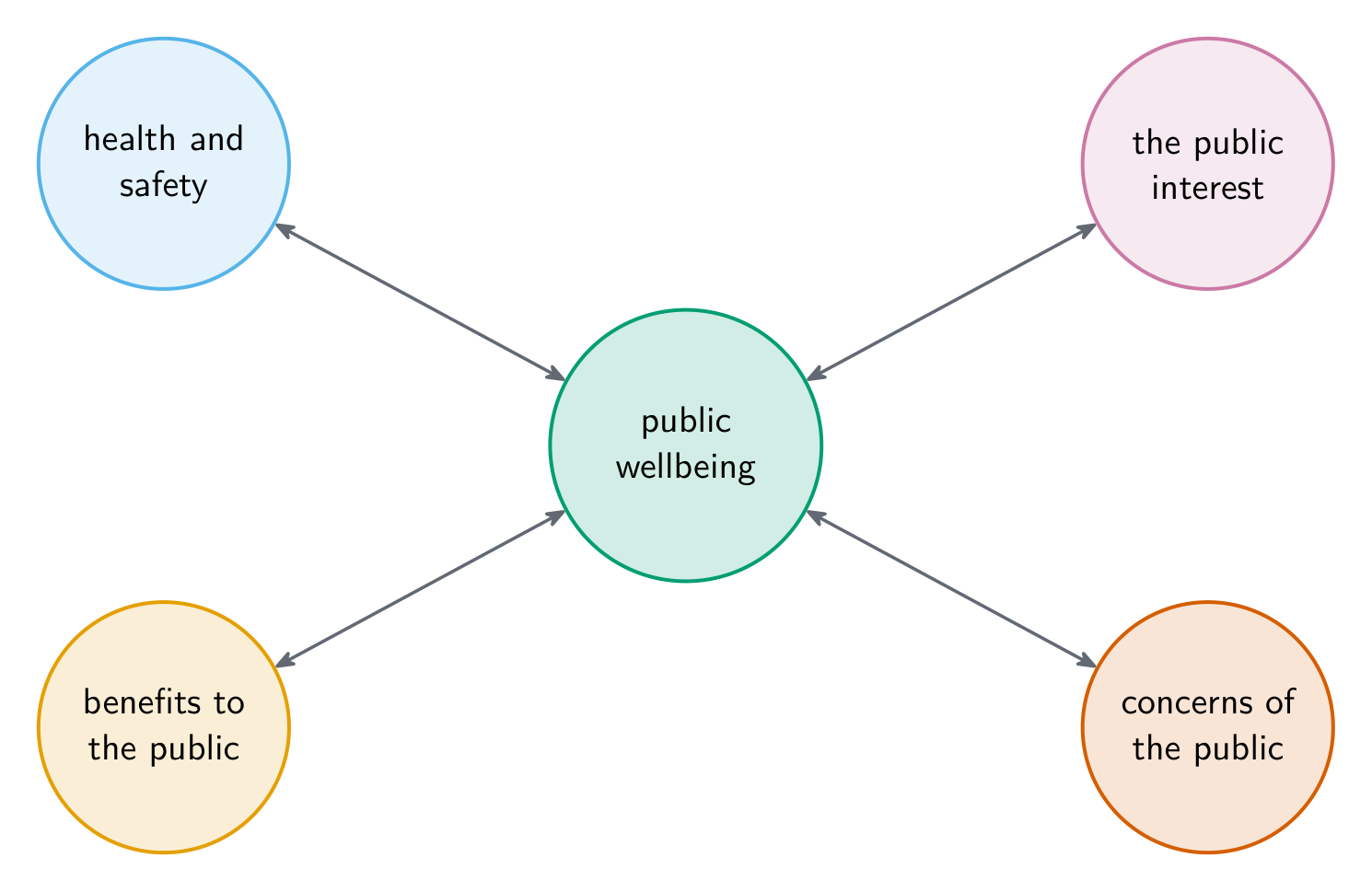
แผนภาพ Hub ที่มีความเป็นอยู่ที่ดีของประชาชนอยู่ที่ศูนย์กลาง เชื่อมต่อกับข้อกังวลด้านสุขภาพและความปลอดภัย ความสนใจของสาธารณะ ผลประโยชน์ต่อสาธารณะ และความกังวลของประชาชน
การพัฒนาซอฟต์แวร์ส่งผลกระทบต่อความเป็นอยู่ที่ดีของประชาชนในหลายรูปแบบ

หลักการทั่วไป

  • ความสนใจของสาธารณะมาก่อน — ปกป้องความปลอดภัยและสวัสดิภาพของผู้ที่ได้รับผลกระทบ
  • ความซื่อสัตย์และความเชี่ยวชาญ — ซื่อสัตย์เกี่ยวกับทักษะของคุณ; อย่าอ้างว่ามีความรู้เฉพาะทางที่คุณไม่มี
  • ความลับ — ปกป้องข้อมูลส่วนตัวของลูกค้าและผู้จ้างงาน
  • หลีกเลี่ยง ความขัดแย้งของผลประโยชน์ — อย่ารับงานที่ผลประโยชน์ของคุณขัดแย้งกับลูกค้า
  • รักษาทักษะให้ทันสมัย; เคารพ ทรัพย์สินทางปัญญา และ ความเป็นส่วนตัว; ปฏิบัติต่อเพื่อนร่วมงานอย่างยุติธรรม

การเข้าเป็นสมาชิกองค์กรวิชาชีพ

หลักสูตรระบุไว้สองแห่งคือ BCS (British Computer Society) และ IEEE (Institute of Electrical and Electronics Engineers) ทั้งสองเผยแพร่ จริยธรรมวิชาชีพ ที่สมาชิกตกลงปฏิบัติตาม ประโยชน์ของการเข้าร่วม ในคำอธิบายของแบบทดสอบ:ชุดแนวปฏิบัติทางจริยธรรมเพื่อปฏิบัติตาม เพื่อให้การตัดสินใจไม่ขึ้นอยู่กับวิจารณญาณส่วนบุคคล; การฝึกอบรม งานสัมมนา และเอกสารพิมพ์เพื่อให้สมาชิกอัปเดตความรู้; คำแนะนำและการสนับสนุน รวมถึงความช่วยเหลือทางกฎหมายเมื่อเกิดปัญหา; และสถานะวิชาชีพที่ได้รับการยอมรับ เพื่อให้ผู้จ้างและลูกค้าไว้วางใจในผลงานของสมาชิก ผลกระทบของการ ไม่ เข้าร่วม: ไม่มีแนวทางในการตัดสินใจทางจริยธรรม นักพัฒนาอาจกระทำโดยไม่เป็นจริยธรรมโดยไม่รู้ตัว; มีความน่าเชื่อถือน้อยลงกับผู้จ้างและลูกค้า ทำให้ยากที่จะได้รับงาน; ไม่มีการสนับสนุนเมื่อเกิดข้อพิพาท; และไม่ทันต่อการเปลี่ยนแปลงและกฎหมายใหม่ ๆ วัตถุประสงค์ของจริยธรรมวิชาชีพ (2 คะแนน): เพื่อสร้างสภาพแวดล้อมการทำงานที่ปลอดภัย เคารพกัน และเป็นมืออาชีพ性以及เพื่อให้มั่นใจว่าพนักงานทุกคนเข้าใจสิ่งที่คาดหวังและผลของการกระทำของตน

ตัวอย่างวิธีทำ. อธิบายว่าทำไมนักพัฒนาซอฟต์แวร์จึงจำเป็นต้องประพฤติตนอย่างมีจริยธรรมต่อเพื่อนร่วมงานและต่อสาธารณชน

เพื่อนร่วมงาน: ปฏิบัติต่อเขาอย่างยุติธรรมและไม่เลือกปฏิบัติ; เคารพผลงาน ความคิด และข้อมูลส่วนตัวของเขา; สincerity เมื่อทำผิดพลาดและยกย่องใคร deserved; สนับสนุนการพัฒนาของเขาแทนที่จะทำลายมัน สาธารณชน: ปกป้องข้อมูลส่วนบุคคลและความเป็นส่วนตัวของเขา; สร้างซอฟต์แวร์ที่ปลอดภัย เชื่อถือได้ และผ่านการทดสอบอย่างดี เพราะข้อผิดพลาดอาจก่อให้เกิดอันตราย; ซื่อสัตย์เกี่ยวกับความสามารถของซอฟต์แวร์; รับเฉพาะงานที่อยู่ในขอบเขตความสามารถของคุณ; ปฏิบัติตามกฎหมายและพิจารณาผลกระทบที่กว้างขึ้นต่อสังคมและสิ่งแวดล้อม แต่ละฝ่ายได้คะแนนจากเหตุผลและผลตามมา ไม่ใช่แค่คำว่า "ยุติธรรม" เพียงอย่างเดียว

การปฏิบัติอย่างมีจริยธรรม vs ไม่มีจริยธรรม

การปฏิบัติอย่าง มีจริยธรรม ช่วยปกป้องผู้ใช้ เสริมสร้างความน่าเชื่อถือ ลดความเสี่ยงทางกฎหมาย และสร้างความไว้วางใจ การปฏิบัติอย่าง ไม่มีจริยธรรม (เช่น ทิ้งขั้นตอนการทดสอบซ่อนช่องโหว่ ใช้ข้อมูลผิดวิธี) อาจทำให้ผู้ใช้จริงเสียหาย นำไปสู่การถูกไล่ออกหรือถูกฟ้องร้อง ทำลายชื่อเสียง และบั่นทอนความเชื่อมั่นในเทคโนโลยีโดยรวม

เมื่อคุณเผชิญกับการตัดสินใจที่_countries: ระบุว่ามีใครได้รับผลกระทบ ตรวจสอบจริยธรรมและกฎหมาย คำนวณถึงผลที่ตามมา Ask ผู้ที่มีอำนาจเหนือกว่าที่ไว้ใจได้ และเลือกทางเลือกที่ปกป้องผู้ใช้เหนือความสะดวกสบายระยะสั้น

ตัวอย่างวิธีทำ. ทีมของคุณมีเครื่องมือ AI สำหรับสรรหาพนักงานใหม่ที่คัดกรองใบสมัครได้เร็วขึ้นสิบเท่า แต่คุณสังเกตเห็นว่ามันปฏิเสธผู้สมัครวัยมากมากขึ้น การส่งมอบมันทำให้ผู้จัดการพอใจ แต่มันปฏิบัติต่อกลุ่มหนึ่งอย่างไม่ยุติธรรม ทางเลือกที่มีจริยธรรมคือ หยุดไว้ก่อนจนกว่าความลำเอียงจะถูกแก้ไข — ความสนใจของสาธารณะและความยุติธรรมมาก่อนความสะดวกสบายระยะสั้น

จริยธรรมยังใช้กับผู้ใช้ด้วย นักเรียนที่เชื่อมต่อคอมพิวเตอร์ส่วนตัวเข้ากับเครือข่ายโรงเรียนควรเคารพความเป็นส่วนตัวและข้อมูลของผู้อื่น ไม่ใช้โซเชียลมีเดียอย่างเหมาะสมหรือไม่กลั่นแหย่ผู้อื่น ไม่ดาวน์โหลดหรือแชร์งานที่มีลิขสิทธิ์ ไม่ใส่ไวรัสหรือพยายามเข้าถึงระบบที่ไม่ได้รับอนุญาต และใช้เครือข่ายตามวัตถุประสงค์ที่กำหนดไว้ คำตอบ "ให้สามข้อพิจารณาทางจริยธรรม" จะระบุสามข้อเหล่านี้

Explore · ⁨สำรวจ⁩

Risk and responsibility lab · ⁨ห้องปฏิบัติการความเสี่ยงและความรับผิดชอบ⁩

Sort examples by the rule, risk or protection involved. · ⁨จัดลำดับตัวอย่างตามกฎ ความเสี่ยง หรือการป้องกันที่เกี่ยวข้อง⁩

7.1

Copyright · ⁨ลิขสิทธิ์⁩

English

Copyright 版权 is the legal right of the creator of an original work to control how it is copied, distributed, modified and performed. It applies automatically (no registration) to source code, software, documents, images, audio and video.

Without copyright, anyone could copy software freely, the developer would not be paid, and plagiarism would be legal. With copyright, developers can earn from their work (encouraging more software), users know who made it, and re-use happens on the developer's terms through licensing. Copyright lasts a long time (often 70 years after the creator's death). General ideas and algorithms are not covered by copyright but may be covered by a patent 专利.

Why a programmer should copyright a program, in the scheme's words: to be identified as the owner and author (formal recognition of ownership); so that there are legal consequences if anyone copies or steals it; to restrict competitors from selling the same work; and to be able to earn money by licensing it. Copyright applies to the program as written; a different program that does the same job does not infringe it.

ไทย

ลิขสิทธิ์ คือสิทธิทางกฎหมายของผู้สร้างสรรค์งานต้นฉบับในการควบคุมวิธีการ คัดลอก กระจาย แก้ไข และแสดง มันใช้ได้ทันที (ไม่ต้องจดทะเบียน) กับโค้ดต้นฉบับ ซอฟต์แวร์ เอกสาร รูปภาพ เสียง และวิดีโอ

หากไม่มีลิขสิทธิ์ ใครก็คัดลอกซอฟต์แวร์ได้อิสระ ผู้พัฒนาจะไม่ได้รับเงิน และการละเมิดลิขสิทธิ์จะเป็นเรื่องถูกกฎหมาย ด้วยลิขสิทธิ์ ผู้พัฒนาสามารถสร้างรายได้จากผลงาน (ส่งเสริมการสร้างซอฟต์แวร์มากขึ้น) ผู้ใช้รู้ว่าใครเป็นผู้สร้าง และการนำกลับมาใช้ใหม่เกิดขึ้นภายใต้เงื่อนไขของผู้พัฒนาผ่านใบอนุญาต ลิขสิทธิ์มีอายุยาวนาน (มัก 70 ปีหลังวันเสียชีวิตของผู้สร้างสรรค์) ไอเดียและอัลกอริทึมทั่วไปไม่ครอบคลุมด้วยลิขสิทธิ์แต่อาจครอบคลุมด้วย สิทธิบัตร

ทำไมนักพัฒนาควรจดลิขสิทธิ์โปรแกรม ตามคำอธิบายของแบบทดสอบ: เพื่อระบุตัวตนเป็นเจ้าของและผู้สร้าง (การรับรองความเป็นเจ้าของอย่างเป็นทางการ); เพื่อให้มีผลทางกฎหมายหากมีคนคัดลอกหรือขโมยมัน; เพื่อจำกัดคู่แข่งไม่ให้ขายงานเดียวกัน; และ为了能สร้างรายได้โดยการออกใบอนุญาตลิขสิทธิ์ ใช้ได้กับโปรแกรมตามที่เขียนไว้; โปรแกรมอื่นที่ทำหน้าที่เดียวกันแต่ต่างกันไม่ละเมิดลิขสิทธิ์

ลิขสิทธิ์ใช้ได้ทันทีโดยไม่ต้องจดทะเบียนและมีอายุประมาณ 70 ปีหลังวันเสียชีวิตของผู้สร้างสรรค์ ครอบคลุมโค้ด รูปภาพ และเอกสาร; สิทธิบัตรต้องยื่นขอและมีอายุประมาณ 20 ปี ครอบคลุมนวัตกรรมและอัลกอริทึม *ลิขสิทธิ์ใช้ได้ทันทีและมีอายุยาวนาน; สิทธิบัตรต้องยื่นขอและมีอายุประมาณ 20 ปี

Explore · ⁨สำรวจ⁩

Risk and responsibility lab · ⁨ห้องปฏิบัติการความเสี่ยงและความรับผิดชอบ⁩

Sort examples by the rule, risk or protection involved. · ⁨จัดลำดับตัวอย่างตามกฎ ความเสี่ยง หรือการป้องกันที่เกี่ยวข้อง⁩

Vocabulary · ⁨คำศัพท์⁩ Train · ⁨ฝึกฝน⁩
English ไทย
copyright/ˈkɒpɪraɪt/ ลิขสิทธิ์
patent/ˈpeɪtənt/ สิทธิบัตร
software licence/ˈsɒftweə ˈlaɪsəns/ ใบอนุญาตซอฟต์แวร์
7.1

Software licences · ⁨ใบอนุญาตซอฟต์แวร์⁩

English

A software licence 软件许可证 is a contract granting permission to use software on the owner's terms; choosing and applying one is called software licencing.

Commercial (proprietary)

  • commercial software is sold: you buy a licence; the software is used only within its terms.
  • the source code is not given (a proprietary 专有 product); you cannot modify or redistribute it.
  • examples: Microsoft Office, Adobe Photoshop, most games.

Used when the developer wants revenue per user and to keep control of the code.

Open-source

  • the source code is public; users can read, modify and redistribute it (open-source 开源).
  • permissive licences (MIT, BSD) allow almost any use; copyleft 著佐权 licences (GPL) require that modified versions are released under the same licence ("share-alike").
  • the Free Software Foundation (FSF) and the Open Source Initiative (OSI) promote and approve open-source licences.

The syllabus names both, and they are marked as distinct answers. Free Software (the FSF's term) means free as in freedom, not price: the user may run the program for any purpose, study and change it (so the source code must be available), redistribute copies, and distribute modified versions; a fee may still be charged for a copy. Open Source (the OSI's definition) requires that the source code is available, that the program may be modified and redistributed, and that the licence does not discriminate against any person or field of use. "Identify two licence types that let other people edit and redistribute the program" is answered with these two.

  • examples: Linux, Python, Apache.

Used when the developer wants the software widely used and improved by the community.

Freeware and shareware

  • freeware 免费软件 — free of charge, no source code, may be redistributed but not modified (Acrobat Reader, WhatsApp).
  • shareware 共享软件 — free for a trial period, then you pay to keep using it; no source code.

The scheme's descriptions: shareware is distributed free for a trial (a limited time or limited features) and the user pays to continue using the full version; commercial software is sold for a fee, the source code is not supplied, the licence protects the developer's intellectual property, and the fee usually buys support and updates. Benefits of shareware to the programmer: users can try the program before buying, so they are more likely to purchase; it spreads widely at almost no advertising cost; and those who keep it pay. Benefits of a commercial licence: the developer earns a fee for every copy; the code and its rights stay protected; and the income funds support, updates and further development.

Type Cost Source Redistribute Modify
Commercial Paid No No No
Open-source Free Yes Yes Often, with conditions
Freeware Free No Yes No
Shareware Free trial, then paid No Sometimes No

To justify a licence choice, link it to the developer's goal (revenue, reach, community), the user's needs (cost, customising), and the use case.

Worked example. A programmer has written a game to sell to the public. Identify the most appropriate licence and justify it.

A commercial licence: the game is sold for a fee, so the programmer earns money from every copy; the source code is not released, so nobody can copy the game or change it and sell it as their own; the licence protects the intellectual property; and buyers receive updates and support. Open source would not fit, because the source code would be available, so the game could be copied, changed and redistributed without payment.

Worked example. A program helps shoppers by reading product labels aloud. Explain why an open source licence might not be appropriate.

The source code would be accessible, so it could be changed; a changed version might output the wrong product information, so shoppers could buy the wrong item; and the programmer would lose control over the quality and safety of what is distributed under the program's name. Going the other way, programs are released as open source so that other developers can improve and extend them, so that they are adopted widely at no cost, and so that users can adapt them to their own needs.

ไทย

ใบอนุญาตซอฟต์แวร์ คือสัญญาที่_entropy Permission ให้ใช้ซอฟต์แวร์ตามเงื่อนไขของผู้เจ้าของ; การเลือกและนำไปใช้เรียกว่า การออกใบอนุญาตซอฟต์แวร์

แบบเชิงพาณิชย์ (Proprietary)

  • ซอฟต์แวร์เชิงพาณิชย์ ถูกขาย: คุณ ซื้อใบอนุญาต; ใช้ซอฟต์แวร์ได้เฉพาะตามเงื่อนไขเท่านั้น
  • โค้ดต้นฉบับไม่ได้ถูกเปิดเผย (เป็นผลิตภัณฑ์ เชิงพาณิชย์; ผู้ใช้ไม่สามารถแก้ไขหรือจัดจำหน่ายต่อได้)
  • ตัวอย่าง: Microsoft Office, Adobe Photoshop, เกมส่วนใหญ่

ใช้เมื่อผู้พัฒนาต้องการ รายได้ ต่อผู้ใช้และต้องการ ควบคุม โค้ดต้นฉบับ

ซอฟต์แวร์เปิดซอร์ส (Open-source)

  • โค้ดต้นฉบับมี สาธารณะ; ผู้ใช้สามารถอ่าน แก้ไข และจัดจำหน่ายต่อได้ (ซอฟต์แวร์เปิดซอร์ส)
  • ใบอนุญาตแบบอนุญาตให้ทำwhatever (MIT, BSD) อนุญาตให้ใช้งานได้เกือบทุกแบบ; ใบอนุญาตแบบcopyleft (GPL) กำหนดให้เวอร์ชันที่แก้ไขแล้วต้องReleasedภายใต้ใบอนุญาตเดียวกัน (
  • Free Software Foundation (FSF) และ Open Source Initiative (OSI) ส่งเสริมและรับรองใบอนุญาต open-source

หลักสูตรตั้งชื่อทั้งสองไว้ และให้คะแนนแยกกัน Free Software (คำศัพท์ของ FSF) หมายถึงฟรีในความหมายแห่งอิสรภาพ ไม่ใช่ราคา: ผู้ใช้สามารถรันโปรแกรมเพื่อวัตถุประสงค์ใดก็ได้ ศึกษาและแก้ไข (ดังนั้นซอร์สโค้ดต้องพร้อมใช้งาน) นำสำเนาไปแจกจ่าย และแจกจ่ายเวอร์ชันที่แก้ไขแล้ว; อาจเรียกค่าใช้จ่ายสำหรับสำเนาได้ Open Source (นิยามของ OSI) กำหนดให้ซอร์สโค้ดพร้อมใช้งาน โปรแกรมสามารถแก้ไขและแจกจ่ายได้ และใบอนุญาตไม่เลือกปฏิบัติต่อบุคคลหรือพื้นที่การใช้งานใดใด

  • ตัวอย่าง: Linux, Python, Apache

ใช้เมื่อนักพัฒนาต้องการให้ซอฟต์แวร์ ,,

Freeware และ shareware

  • freeware — ฟรีไม่มีค่าใช้จ่าย ไม่มีซอร์สโค้ด อาจแจกจ่ายได้แต่แก้ไขไม่ได้ (Acrobat Reader, WhatsApp)
  • shareware — ฟรีสำหรับช่วงเวลาทดลอง แล้วคุณต้องชำระเงินเพื่อUsage ต่อ; ไม่มีซอร์สโค้ด

คำอธิบายของแบบแผน: software แบบแชร์แวร์ จะถูกแจกจ่ายให้ใช้ฟรีเพื่อทดสอบ (เป็นระยะเวลาจำกัดหรือมีฟีเจอร์จำกัด) และผู้ใช้จะชำระเงินเพื่อUsageเวอร์ชันเต็ม; ซอฟต์แวร์เชิงพาณิชย์ ถูกขายด้วยราคา มีโค้ดต้นฉบับไม่ถูกจัดจำหน่าย ใบอนุญาตปกป้องทรัพย์สินทางปัญญาของผู้พัฒนา และค่าซื้อมักครอบคลุมการสนับสนุนและอัปเดต ประโยชน์ของแชร์แวร์ต่อผู้พัฒนา: ผู้ใช้สามารถลองใช้โปรแกรมก่อนซื้อ จึงมีโอกาสซื้อได้มากกว่า; แพร่หลายไปอย่างกว้างขวางโดยแทบไม่มีค่าใช้จ่ายในการโฆษณา; และผู้ที่ใช้งานต่อไปจะชำระเงิน ประโยชน์ของใบอนุญาตเชิงพาณิชย์: ผู้พัฒนาได้รับค่าธรรมเนียมสำหรับทุกสำเนา; โค้ดและสิทธิ์ถูกปกป้อง; และรายได้用於สนับสนุน การอัปเดต และการพัฒนาเพิ่มเติม

ประเภท ค่าใช้จ่าย โค้ดต้นฉบับ แจกจ่ายใหม่ แก้ไข
เชิงพาณิชย์ ชำระเงิน ไม่มี ไม่ได้ ไม่ได้
โค้ดเปิด ฟรี ได้ ได้ มักจะได้ ภายใต้เงื่อนไข
ฟรีแวร์ ฟรี ไม่มี ได้ ไม่ได้
แชร์แวร์ ทดสอบฟรี แล้วชำระ ไม่ได้ บางครั้ง ไม่ได้
ต้นไม้ตัดสินใจสำหรับการเลือกใบอนุญาต: หากคุณต้องการขายหรือควบคุม ให้เลือกเชิงพาณิชย์; มิฉะนั้นหากคุณแบ่งปันโค้ดต้นฉบับ ให้เลือกโค้ดเปิด; มิฉะนั้นหากฟรีตลอดกาล ให้เลือกฟรีแวร์, อื่นๆ ให้เลือกแชร์แวร์ (ทดลองฟรีแล้วชำระ)
การเลือกใบอนุญาตจากเป้าหมายของผู้พัฒนา

เพื่อให้การเลือกใบอนุญาตสมเหตุสมผล ให้เชื่อมโยง它与เป้าหมายของผู้พัฒนา (รายได้, ความแพร่หลาย, ชุมชน), ความต้องการของผู้ใช้ (ค่าใช้จ่าย, การปรับแต่ง), และกรณีการใช้งาน

ตัวอย่างที่คำนวณแล้ว. นักเขียนโปรแกรมสร้างเกมเพื่อขายแก่สาธารณชน ระบุใบอนุญาตที่เหมาะสมที่สุดและให้เหตุผล

ใบอนุญาตเชิงพาณิชย์: เกมถูกขายด้วยราคา ดังนั้นนักเขียนโปรแกรมจึงได้รับเงินจากทุกสำเนา; โค้ดต้นฉบับไม่ถูกเปิดเผย ดังนั้นไม่มีใครสามารถคัดลอกเกมหรือแก้ไขและขายเป็นของตนเองได้; ใบอนุญาตปกป้องทรัพย์สินทางปัญญา; และผู้ซื้อมีการอัปเดตและการสนับสนุน โค้ดเปิดจะไม่เหมาะสม เพราะโค้ดต้นฉบับจะถูกเปิดเผย sehingga เกมสามารถถูกคัดลอก แก้ไข และแจกจ่ายใหม่โดยไม่เสียเงิน

ตัวอย่างที่คำนวณแล้ว. โปรแกรมช่วยผู้ซื้อสินค้าโดยการอ่านฉลากสินค้าออกมาเป็นเสียง อธิบายว่าทำไมใบอนุญาตแบบcode open source อาจไม่เหมาะสม

โค้ดต้นฉบับจะถูกเข้าถึงได้ sehingga สามารถแก้ไขได้; เวอร์ชันที่ถูกแก้ไขอาจแสดงข้อมูลผลิตภัณฑ์ที่ผิดพลาด sehingga ผู้ซื้ออาจซื้อสินค้าผิด; และนักเขียนโปรแกรมจะสูญเสียการควบคุมคุณภาพและความปลอดภัยของสิ่งที่ถูกแจกจ่ายภายใต้ชื่อโปรแกรมนั้น ในอีกทางหนึ่ง โปรแกรมถูกปล่อยเป็นcode open source เพื่อให้ผู้พัฒนาคนอื่นปรับปรุงและขยาย их, เพื่อให้ถูกนำมารับใช้อย่างกว้างขวางโดยไม่ต้องเสียค่าใช้จ่าย, และเพื่อให้ผู้ใช้สามารถปรับให้เข้ากับความต้องการของตนเอง

Vocabulary · ⁨คำศัพท์⁩ Train · ⁨ฝึกฝน⁩
English ไทย
proprietary/prəˈpraɪətəri/ เจ้าของสิทธิ์
open-source/ˈəʊpən sɔːs/ ซอร์สเปิด
copyleft/ˈkɒpɪleft/ คอปี้เลฟต์
freeware/ˈfriːweə/ freeware
shareware/ˈʃeəweə/ แชร์แวร์
artificial intelligence/ˌɑːtɪˈfɪʃl ɪnˈtelɪdʒəns/ ปัญญาประดิษฐ์
machine learning/məˈʃiːn ˈlɜːnɪŋ/ การเรียนรู้ของเครื่อง
Deep learning/diːp ˈlɜːnɪŋ/ Deep learning
neural networks/ˈnjuːrəl ˈnetwɜːks/ เครือข่ายประสาทเทียม
speech recognition/spiːtʃ ˌrekəɡˈnɪʃn/ การจดจำเสียงพูด
image recognition/ˈɪmɪdʒ ˌrekəɡˈnɪʃn/ การจดจำภาพ
machine translation/məˈʃiːn trænˈsleɪʃn/ การแปลภาษาด้วยเครื่อง
recommendation systems/ˌrekəmenˈdeɪʃn ˈsɪstəmz/ ระบบแนะนำ
autonomous vehicles/ɔːˈtɒnəməs ˈvɪəklz/ ยานยนต์อัตโนมัติ
optical character recognition/ˈɒptɪkl ˈkærɪktə ˌrekəɡˈnɪʃn/ การจดจำตัวอักษรแบบออปติคอล
text-to-speech/tekst tə spiːtʃ/ ข้อความสู่เสียง
7.1

Artificial Intelligence (AI) · ⁨ปัญญาประดิษฐ์ (AI)⁩

English

Artificial intelligence 人工智能 builds systems that do tasks once thought to need human intelligence — recognising speech and images, translating, playing games, driving.

Most modern AI uses machine learning 机器学习 — algorithms that improve at a task by learning patterns from large amounts of data, instead of being programmed step by step. Deep learning 深度学习, using neural networks 神经网络 with many layers, is the leading approach today.

Everyday examples

AI tasks split into two kinds — understanding input, and producing output or decisions.

Understanding input:

  • speech recognition 语音识别 — spoken words to text (voice assistants).
  • image recognition 图像识别 — finding objects, faces or text in images.

Producing output or decisions:

  • machine translation 机器翻译 — automatic translation between languages.
  • recommendation systems 推荐系统 — suggesting products, videos or music.
  • autonomous vehicles 自动驾驶汽车 and robots.

A common exam scenario: a program reads a label with a camera, translates it, and reads it aloud — using optical character recognition 光学字符识别 to find the words, machine translation to convert them, and text-to-speech 文本转语音 for the audio.

A four-mark "explain how AI is used" answer follows the pipeline step by step: image recognition (OCR) analyses the pixels of the photograph to locate the characters; the patterns of pixels are converted into individual characters and words; machine translation converts the words into the user's language; and text-to-speech produces the spoken output. Each step is a mark.

Benefits

  • accessibility — speech/image AI helps users with impairments; translation helps non-native speakers.
  • productivity — automating repetitive tasks frees people for creative work.
  • decision support — AI spots patterns in huge datasets (medical diagnosis, fraud detection).
  • always available, and personalised to each user.

Impacts: social, economic, environmental

The syllabus asks for the impact of AI under three headings, and a question names one of them. Give the impact and its consequence.

  • Social: benefits — a label-reading program helps people with a visual impairment, people who cannot read the language, and people with reading difficulties; facial recognition at an airport speeds up identity checks and can stop wanted people entering. Harms — facial recognition can misidentify people and tracks everyone without consent, so privacy is lost; students who use AI to do their homework may not develop reasoning and problem-solving skills, may rely on it instead of learning, and may lose the collaboration and face-to-face communication that working together brings.
  • Economic: an AI fault-diagnosis module in a repair garage diagnoses faults faster and more accurately, so more vehicles are repaired per day and costs fall; but fewer skilled mechanics may be needed, so jobs are lost, and the module must be bought and maintained. More generally, AI raises productivity and creates new jobs in some fields while removing routine jobs in others.
  • Environmental: training and running large models uses a great deal of electricity and water for cooling in data centres, and the hardware becomes e-waste; on the other side, AI is used to cut energy use in buildings, optimise transport and monitor the environment.
  • Ethical (the classroom question): an AI that marks work or watches students must be fair to every student, must not leak their data, must be explainable when it makes a decision about them, and must not replace the judgement of a teacher where that matters.

Concerns

  • bias 偏见 — unfair patterns in the training data become unfair AI decisions (hiring, lending).
  • job displacement — AI may replace some roles.
  • privacy — training often uses large amounts of personal data.
  • transparency — large models are "black boxes", hard to explain.
  • accountability — when AI is wrong, who is responsible: developer, user, or operator?
  • misuse — deepfakes, misinformation, surveillance.

Professionals must understand the limits of the AI they build, inform users, and reduce harm.

ไทย

ปัญญาประดิษฐ์ สร้างระบบที่ทำภารกิจที่เคยเชื่อว่าต้องใช้ สติปัญญาของมนุษย์ — เช่น การจดจำเสียงและภาพ การแปล การเล่นเกม การขับรถ

ส่วนใหญ่ของ AI สมัยใหม่ใช้ การเรียนรู้ของเครื่อง — อัลกอริทึมที่พัฒนาทักษะด้วยการเรียนรู้รูปแบบจากข้อมูลปริมาณมาก แทนที่จะถูกเขียนโปรแกรมทีละขั้นตอน การเรียนรู้ลึก โดยใช้ เครือข่ายประสาทเทียม ที่มีหลายชั้น เป็นแนวทางชั้นนำในปัจจุบัน

ตัวอย่างในชีวิตประจำวัน

ภารกิจของ AI แบ่งออกเป็นสองประเภท — การเข้าใจอินพุต, และ การผลิตเอาต์พุตหรือการตัดสินใจ

การเข้าใจอินพุต:

  • การจดจำเสียงพูด — คำพูดเป็นข้อความ (ผู้ช่วยเสียง)
  • การจดจำภาพ — การระบุวัตถุ ใบหน้า หรือข้อความในรูปภาพ

การผลิตผลลัพธ์หรือการตัดสินใจ:

  • การแปลภาษาด้วยเครื่อง — การแปลอัตโนมัติระหว่างภาษาต่างๆ
  • ระบบแนะนำ — การเสนอผลิตภัณฑ์ วิดีโอ หรือเพลง
  • ยานยนต์ไร้คนขับ และหุ่นยนต์

สถานการณ์สอบทั่วไป: โปรแกรมอ่านฉลากด้วยกล้อง แปลผล และออกเสียง — โดยใช้ การจดจำตัวอักษรแบบออปติคอล (OCR) เพื่อระบุคำ, การแปลภาษาด้วยเครื่อง เพื่อแปลงความหมาย, และ การแปลงข้อความเป็นเสียง เพื่อสร้างเสียงพูด

การอ่านฉลากภาษาต่างประเทศออกมา: ภาพจากกล้องส่งไปยัง OCR เพื่อระบุคำ จากนั้นส่งไปยังการแปลภาษาด้วยเครื่อง แล้วไปยังการแปลงข้อความเป็นเสียงเพื่อสร้างเสียง
สถานการณ์ทั่วไป: OCR → การแปลด้วยเครื่อง → โปรแกรมอ่านข้อความออกเสียงป้ายภาษาต่างประเทศ

คำตอบ 4 คะแนนสำหรับคำถาม "อธิบายวิธีการใช้ AI" จะอธิบายตามขั้นตอนของกระบวนการดังนี้: การจดจำภาพ (OCR) วิเคราะห์พิกเซลของภาพถ่ายเพื่อระบุตำแหน่งตัวอักษร; รูปแบบของพิกเซลถูกแปลงเป็นตัวอักษรและคำที่แยกกัน; การแปลด้วยเครื่องเปลี่ยนคำเหล่านั้นเป็นภาษาของผู้ใช้งาน; และโปรแกรมอ่านข้อความสร้างผลลัพธ์เป็นการพูดออกมา Each step is a mark. ทุกขั้นตอนนับได้คะแนนละข้อ

ประโยชน์

  • การเข้าถึง — อัจฉริยะประดิษฐ์ด้านเสียง/ภาพช่วยผู้ใช้ที่มีข้อบกพร่องด้านการมองเห็นหรือการได้ยิน; การแปลช่วยให้ผู้ที่ไม่ใช่เจ้าของภาษามีส่วนร่วมได้ง่ายขึ้น
  • ประสิทธิภาพ — การทำซ้ำอัตโนมัติ frees people for creative work.
  • การสนับสนุนการตัดสินใจ — AI ตรวจจับรูปแบบในชุดข้อมูลขนาดใหญ่ (การวินิจฉัยทางการแพทย์, การตรวจจับการฉ้อโกง)
  • พร้อมใช้งานตลอดเวลา และ ปรับแต่งให้เหมาะสมกับผู้ใช้แต่ละคน

ผลกระทบ: สังคม เศรษฐกิจ สิ่งแวดล้อม

หลักสูตรต้องการทราบผลกระทบของ AI ภายใต้หัวข้อหลักสามประการ และคำถามจะระบุชื่อหนึ่งในนั้น ให้ระบุผลกระทบ และ ผลที่ตามมา

  • สังคม: ประโยชน์ — โปรแกรมอ่านป้ายช่วยผู้ที่พิการทางสายตา ผู้ที่ไม่สามารถอ่านภาษานั้นได้ และผู้ที่มีปัญหาในการอ่าน; การจดจำใบหน้าในสนามบินเร่งรัดการตรวจสอบตัวตนและอาจป้องกันบุคคลที่ต้องการตัวเข้าได้ ความเสียหาย — การจดจำใบหน้าอาจระบุตัวผิดและติดตามทุกคนโดยไม่ได้รับอนุญาต ทำให้ความเป็นส่วนตัวหายไป; นักเรียนที่ใช้ AI ทำแบบฝึกหัดอาจไม่พัฒนาทักษะการคิดวิเคราะห์และการแก้ปัญหา อาจพึ่งพา AI แทนการเรียนรู้ และอาจสูญเสียการทำงานร่วมกันและการสื่อสารแบบเผชิญหน้าซึ่งเกิดจากการทำงานเป็นทีม
  • ด้านเศรษฐกิจ: โมดูลวินิจฉัยความผิดปกติของ AI ในศูนย์ซ่อมบำรุงสามารถวินิจฉัยปัญหาได้เร็วและแม่นยำขึ้น ทำให้มีรถซ่อมได้มากขึ้นต่อวันและต้นทุนลดลง; แต่อาจต้องการช่างเทคนิคที่มีทักษะน้อยลง ส่งผลให้ตำแหน่งงานหายไป และต้องซื้อและดูแลรักษามอดูลนี้ โดยรวมแล้ว AI เพิ่มประสิทธิภาพการผลิตและสร้างงานใหม่在某些领域的同时ก็ลบงานที่ทำซ้ำๆ ออกในบางสาขา
  • สิ่งแวดล้อม: การฝึกและรันโมเดลขนาดใหญ่ใช้ไฟฟ้าและน้ำจำนวนมากสำหรับการระบายความร้อนในศูนย์ข้อมูล และฮาร์ดแวร์กลายเป็นขยะอิเล็กทรอนิกส์; ในอีกมุมหนึ่ง AI ถูกใช้เพื่อลดการใช้พลังงานในอาคาร จัดการการขนส่งอย่างมีประสิทธิภาพ และตรวจสอบสภาพแวดล้อม
  • จริยธรรม (คำถามในห้องเรียน): AI ที่ให้คะแนนงานหรือเฝ้าระวังนักเรียนต้องเป็นธรรมต่อทุกนักเรียน ไม่ควรรั่วไหลข้อมูลของนักเรียน ต้องอธิบายเหตุผลเมื่อตัดสินใจเกี่ยวกับนักเรียน และไม่ควรแทนที่การตัดสินของครูในสิ่งที่สำคัญ

ข้อกังวล

  • อคติ — รูปแบบที่ไม่เป็นธรรมในข้อมูลการฝึก会变成 unfair AI decisions (hiring, lending).
  • การแทนที่งาน — AI อาจแทนที่บางบทบาท
  • ความเป็นส่วนตัว — การฝึกมักใช้ข้อมูลส่วนบุคคลจำนวนมาก
  • ความโปร่งใส — โมเดลขนาดใหญ่เป็น "กล่องดำ" ยากที่จะอธิบาย
  • ความรับผิดชอบ — เมื่อ AI ผิดพลาด ใครจะเป็นผู้รับผิดชอบ: นักพัฒนา ผู้ใช้ หรือผู้ดำเนินการ?
  • การใช้งานที่ผิดพลาด — Deepfakes, ข้อมูลเท็จ, การเฝ้าระวัง
ข้อมูลการฝึกสอนที่มีอคติทำให้โมเดลเรียนรู้ความลำเอียงนั้น ซึ่งนำไปสู่การตัดสินใจที่ไม่ยุติธรรม เช่น ในการจ้างงานหรือการให้กู้ยืม
วิธีที่อคติเข้าสู่ AI: ข้อมูลที่มีอคติ → โมเดลที่มีอคติ → การตัดสินใจที่ไม่เป็นธรรม

มืออาชีพต้อง เข้าใจขีดจำกัด ของ AI ที่พวกเขาสร้าง แจ้งให้ผู้ใช้งานทราบ และ ลดความเสียหาย

Explore · ⁨สำรวจ⁩

Computing concept lab · ⁨ห้องปฏิบัติการแนวคิดการคำนวณ⁩

Classify concrete examples by the computing idea they demonstrate. · ⁨จัดกลุ่มตัวอย่างที่เป็นรูปธรรมตาม idea การคำนวณที่แสดงออก⁩

Vocabulary · ⁨คำศัพท์⁩ Train · ⁨ฝึกฝน⁩
English ไทย
bias/ˈbaɪəs/ อคติ
7.1

Definitions the examiner accepts · ⁨คำนิยามที่ผู้สอบยอมรับ⁩

English

A definition question is marked against fixed wording. Learn these exactly.

Term Definition
ethics the moral principles that govern how a person behaves, in a profession the standards set out in its code of conduct
code of conduct the rules an organisation or professional body sets for how its members must behave
copyright the legal right of the creator of an original work to control how it is copied, distributed and modified
software licence the legal agreement that states how a piece of software may be used, copied and distributed
commercial software software sold for a fee, without source code, under a licence that protects the developer's intellectual property
free software (FSF) software whose users are free to run, study, change and redistribute it, so its source code is available
open source (OSI) software whose source code is available and which may be modified and redistributed under its licence
shareware software distributed free for a trial period or with limited features, after which the user pays to continue
freeware software that is free of charge to use and copy, but whose source code is not released and may not be modified
artificial intelligence computer systems that perform tasks which normally need human intelligence, such as recognising images and speech
machine learning a form of AI in which a system improves at a task by learning patterns from data rather than by explicit programming
ไทย

คำถามนิยามจะถูกตรวจตามข้อความที่กำหนดตายตัว. เรียนรู้สิ่งเหล่านี้ให้เป๊ะ

พจน์ นิยาม
จริยธรรม หลักจริยธรรมที่กำหนดพฤติกรรมของบุคคล ในสายวิชาชีพคือมาตรฐานที่กำหนดไว้ในจรรยาบรรณวิชาชีพ
จรรยาบรรณวิชาชีพ กฎระเบียบที่องค์กรหรือสมาคมวิชาชีพกำหนดให้สมาชิกปฏิบัติตาม
ลิขสิทธิ์ สิทธิทางกฎหมายของผู้สร้างสรรค์ผลงานต้นฉบับในการควบคุมการคัดลอก การกระจาย และการแก้ไขปรับปรุงผลงานนั้น
ลิセンスซอฟต์แวร์ สัญญาทางกฎหมายที่กำหนดวิธีการใช้ คัดลอก และกระจายซอฟต์แวร์ชิ้นหนึ่ง
ซอฟต์แวร์เชิงพาณิชย์ ซอฟต์แวร์ที่ขายด้วยราคา พร้อมใต้_license that protects the developer's intellectual property
ซอฟต์แวร์ฟรี (FSF) ซอฟต์แวร์ที่ผู้ใช้มีอิสระในการใช้งาน ศึกษา เปลี่ยนแปลง และกระจายต่อ ดังนั้นโค้ดต้นฉบับจึงเปิดให้ดูได้
โอเพนซอร์ส (OSI) ซอฟต์แวร์ที่มีโค้ดต้นฉบับเปิดให้ดูได้并可被 modify and redistribute under its licence
ซอฟต์แวร์ทดลองใช้ ซอฟต์แวร์ที่แจกฟรีในช่วงทดลองหรือมีฟีเจอร์จำกัด หลังจากนั้นผู้ใช้ต้องจ่ายเพื่อUsage continues
ซอฟต์แวร์ฟรี (Freeware) ซอฟต์แวร์ที่ใช้งานได้และคัดลอกได้โดยไม่เสียเงิน แต่โค้ดต้นฉบับไม่ถูกเปิดเผยและไม่สามารถแก้ไขได้
อัจฉริยะประดิษฐ์ ระบบคอมพิวเตอร์ที่ทำหน้าที่通常需要 human intelligence, such as recognising images and speech
การเรียนรู้ของเครื่อง รูปแบบหนึ่งของ AI ที่ระบบพัฒนาความสามารถในงานโดยการเรียนรู้รูปแบบจากข้อมูลแทนการเขียนโปรแกรมอย่างชัดเจน
Vocabulary · ⁨คำศัพท์⁩ Train · ⁨ฝึกฝน⁩
English ไทย
ethics/ˈeθɪks/ จริยธรรม
privacy/ˈprɪvəsi/ ความเป็นส่วนตัว
confidentiality/ˌkɒnfɪˌdenʃiˈæləti/ ความลับ
conflicts of interest/ˈkɒnflɪkts ɒv ˈɪntrest/ ความขัดแย้งของผลประโยชน์
intellectual property/ˌɪntəˈlektʃuːəl ˈprɒpəti/ ทรัพย์สินทางปัญญา
code of conduct/kəʊd ɒv ˈkɒndʌkt/ จรรยาบรรณวิชาชีพ
7.1

Exam tips · ⁨ข้อแนะนำสำหรับการสอบ⁩

English
  • Answer ethics questions against a professional code of conduct (public interest, competence, honesty), not personal opinion.
  • Distinguish copyright (protects the expression) from a patent (protects an invention).
  • Compare software licences: proprietary, open-source, freeware, shareware and FOSS.

Common mistakes

  • Giving a personal opinion ("it is wrong") instead of a reason with a consequence ("faulty software could harm users, so it must be tested").
  • Treating free software and freeware as the same thing. Free software is about the freedom to study and change the code; freeware is merely free of charge.
  • Saying open source means free of charge. It means the source code is available and may be modified and redistributed; a fee may still be charged.
  • Writing that copyright must be registered. It applies automatically to the work as written.
  • Naming an impact without its consequence. "Job losses" scores when it is tied to why: the AI does the diagnosis, so fewer mechanics are needed.
  • Describing what AI is instead of how it is used. The marks are for the steps: recognise, convert, translate, speak.
ไทย
  • ตอบคำถามจริยธรรมโดยใช้ จรรยาบรรณวิชาชีพ (ผลประโยชน์สาธารณะ, ความเชี่ยวชาญ, ความซื่อสัตย์) ไม่ใช่ความคิดเห็นส่วนตัว
  • แยกแยะระหว่าง ลิขสิทธิ์ (ปกป้องการแสดงออก) กับ สิทธิบัตร (ปกป้องสิ่งประดิษฐ์)
  • เปรียบเทียบใบอนุญาตซอฟต์แวร์: Proprietary, open-source, freeware, shareware และ FOSS

ข้อผิดพลาดที่พบบ่อย

  • การให้ความคิดเห็นส่วนตัว ("มันผิด") แทนการใช้เหตุผลพร้อมผลที่ตามมา ("ซอฟต์แวร์ที่ชำรุดอาจทำให้ผู้ใช้ได้รับอันตราย ดังนั้นจึงต้องทดสอบ")
  • การ treating free software และ freeware เป็นสิ่งเดียวกัน Free software คือเรื่องของการมีอิสระในการศึกษาและแก้ไขโค้ด; Freeware คือแค่ไม่ต้องจ่ายค่าใช้จ่ายเท่านั้น
  • การบอกว่าโอเพนซอร์สหมายถึงฟรีค่าใช้จ่าย มันหมายถึงโค้ดต้นฉบับเปิดให้ดูได้และสามารถแก้ไขและกระจายต่อได้; อาจมีการเก็บค่าธรรมเนียมอยู่ดี
  • การเขียนว่าลิขสิทธิ์ต้องจดทะเบียน มันใช้ได้ทันทีกับผลงานที่เขียนไว้
  • การระบุชื่อผลกระทบโดยไม่กล่าวถึงผลที่ตามมา “การสูญเสียงาน” จะได้รับคะแนนเมื่อเชื่อมโยงกับเหตุผล: AI ทำการวินิจฉัย因此 fewer mechanics are needed.
  • การอธิบายว่า AI คืออะไร แทนที่จะอธิบายวิธีการใช้งาน คะแนนให้ตามขั้นตอน: ระบุ, แปลง, แปลภาษา, พูด

Interactive lessons on this topic · ⁨บทเรียนเชิงโต้ตอบสำหรับหัวข้อนี้⁩

Work through it step by step, with instant-check exercises. · ⁨ทำทีละขั้นตอน พร้อมแบบฝึกหัดตรวจสอบผลทันที⁩

Past Papers · ⁨ข้อสอบย้อนหลัง⁩

More topics in A-Level Computer Science · ⁨Computer Science A-Level⁩ · ⁨หัวข้อเพิ่มเติมใน A-Level Computer Science · ⁨Computer Science A-Level⁩⁩

Log in or create account · ⁨เข้าสู่ระบบหรือสร้างบัญชี⁩

IGCSE, A-Level & AP