Lists · ลิสต์ (Lists)
This page needs a recent browser (with SharedArrayBuffer support). Please update Chrome, Edge, Firefox or Safari to the latest version. · หน้านี้ต้องใช้เบราว์เซอร์ล่าสุด (รองรับ SharedArrayBuffer) กรุณาอัปเดต Chrome, Edge, Firefox หรือ Safari เป็นเวอร์ชันล่าสุด
Lists
- Use a list when you have several items.
- A bullet list uses
<ul>(unordered list). - Each item goes inside its own
<li>(list item).
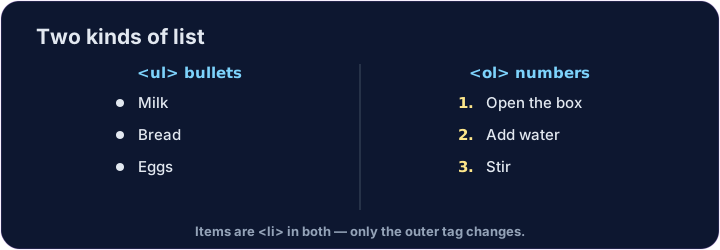
<ul>
  <li>Milk</li>
  <li>Bread</li>
  <li>Eggs</li>
</ul>
Numbered lists
- For steps in order, use
<ol>(ordered list). - The browser adds the numbers 1, 2, 3 for you.
- The items are still
<li>— only the outer tag changes.
<ol>
  <li>Open the box</li>
  <li>Add water</li>
  <li>Stir</li>
</ol>
Common mistakes
<ul>is bullets,<ol>is numbers; each item goes in<li>.- Close every
<li>.
Now you try
- Notice how the
<li>items sit inside the<ul>or<ol>. - Build one of each below.
Make a bullet list with three items: Apples, Bananas, Cherries. Put each one in its own <li>. · สร้างรายการแบบมีจุด (bullet list) ที่มี สาม รายการ: Apples, Bananas, Cherries วางแต่ละรายการใน <li> ของมันเอง
Make a numbered list with at least two steps. Use <ol> with <li> items inside. · สร้างรายการแบบมีตัวเลขที่มีขั้นตอนอย่างน้อยสองขั้นตอน ใช้ <ol> กับรายการ <li> ภายใน