Colours and backgrounds · 色と背景
This page needs a recent browser (with SharedArrayBuffer support). Please update Chrome, Edge, Firefox or Safari to the latest version. · このページには最新のブラウザ(SharedArrayBuffer対応)が必要です。Chrome、Edge、Firefox、Safariを最新バージョンに更新してください。
Colours
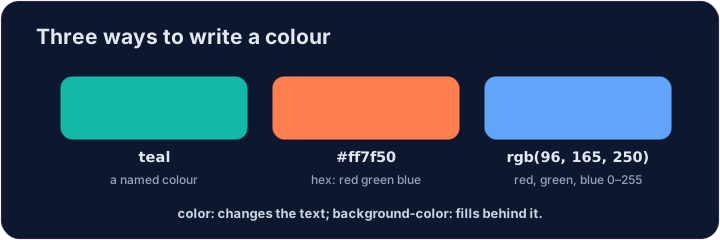
- You can name a colour:
red,blue,green,tomato,gold, and many more. - Or use a hex code like
#2a7ae2— a#followed by six letters/numbers. - Names are easy to remember; hex codes give you millions of exact colours.
Backgrounds
colorchanges the text colour.background-colorchanges the colour behind an element.- Put
background-coloronbodyto colour the whole page.
<style>
  body { background-color: #f3f4f6; }
  h1   { color: tomato; }
</style>
<h1>Hello!</h1>
<p>A page with a soft grey background.</p>
Common mistakes
colorsets the text;background-colorsets the background.- A colour is a name, a
#rrggbbcode, orrgb(...).
Now you try
coloris the text;background-coloris behind it.- Colour the page background, then use a hex colour on the heading.
Give the whole page a soft background. Add body { background-color: lightyellow; }. · 全体に柔らかな背景を与えてください。body { background-color: lightyellow; }を追加してください。
Colour the heading with a hex code. Add h1 { color: #2a7ae2; } (that's a blue). · ヘッダーを十六進カラーコードで色付けしてください。h1 { color: #2a7ae2; }を追加してください(これは青色です)。