Page layout and margins
This page needs a recent browser (with SharedArrayBuffer support). Please update Chrome, Edge, Firefox or Safari to the latest version. · このページには最新のブラウザ(SharedArrayBuffer対応)が必要です。Chrome、Edge、Firefox、Safariを最新バージョンに更新してください。
English
Controlling the page
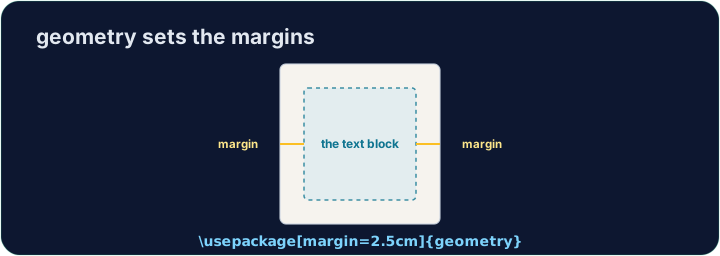
- LaTeX's default page has generous, book-like margins. Sometimes you want more space.
- The
geometrypackage lets you set margins in one line:
- That gives a one-inch margin on all four sides. Try
2cm,1.5in, and see the text reflow.
日本語
ページの制御
- LaTeXのデフォルトページは、本のような広々とした余白があります。場合によっては、より広いスペースが必要になることがあります。
geometryパッケージを使用すれば、1行で余白を設定できます:
\usepackage[margin=1in]{geometry}
- これにより、4辺すべてに1インチの余白が設定されます。
2cm、1.5inを試して、テキストのレイアウトが変わる様子を確認してみてください。
English
Fine control
- You can set sides separately:
- Useful when a binding needs extra room on the left, for example.
日本語
詳細な制御
- 各辺を別々に設定することもできます:
\usepackage[top=2cm, bottom=2cm, left=3cm, right=2cm]{geometry}
- 例えば、綴じ目側に十分なスペースが必要な場合に便利です。
English
Other handy commands
\newpageforces a page break;\todayprints the current date.\begin{center} ... \end{center}centres a block of text or an image.- These small tools let you shape a document to look exactly how you want.
日本語
その他の便利なコマンド
\newpageは強制改ページを行い、\todayは現在の日付を出力します。\begin{center} ... \end{center}はテキストブロックや画像を中央に配置します。- これらの小さなツールを使えば、文書をお好みの形式に整えることができます。
English
Common mistakes
- Load the
geometrypackage to change the margins. - Let LaTeX handle spacing — avoid forcing it with manual blank lines.
日本語
よくあるミス
- 余白を変更するには、
geometryパッケージをロードしてください。 - 間隔の調整はLaTeXに任せて、手動の空行で無理に調整しないようにしてください。
The default margins are wide. Load the geometry package in the preamble with a one-inch margin: \usepackage[margin=1in]{geometry}. Run and watch the text spread out.
Click Run to compile and preview the PDF. · コンパイルしてPDFをプレビューするには「実行」をクリックしてください。
Control the flow of pages. Force the second section onto a fresh page with \newpage, and centre the title line with a center environment.
Click Run to compile and preview the PDF. · コンパイルしてPDFをプレビューするには「実行」をクリックしてください。