English
| Candidates should be able to: | Notes and guidance |
|---|---|
| 1 Understand the difference between the internet and the world wide web | • The internet is the infrastructure • The world wide web is the collection of websites and web pages accessed using the internet |
| 2 Understand what is meant by a uniform resource locator (URL) | • A URL is a text-based address for a web page; it can contain the protocol, the domain name and the web page/file name |
| 3 Describe the purpose and operation of hypertext transfer protocol (HTTP) and hypertext transfer protocol secure (HTTPS) | |
| 4 Explain the purpose and functions of a web browser | • The main purpose of a web browser is to render hypertext markup language (HTML) and display web pages • Functions include: – storing bookmarks and favourites – recording user history – allowing use of multiple tabs – storing cookies – providing navigation tools – providing an address bar |
| 5 Describe how web pages are located, retrieved and displayed on a device when a user enters a URL | • Including the role of: – the web browser – IP addresses – the domain name server (DNS) – the web server – HTML |
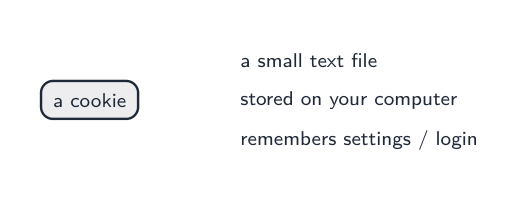
| 6 Explain what is meant by cookies and how they are used, including session cookies and persistent cookies | • Cookies are used for functions, including: – saving personal details – tracking user preferences – holding items in an online shopping cart – storing login details |
עברית
| המועמדים צריכים להיות מסוגלים: | הערות והנחיות |
|---|---|
| 1 הבנה ההבדל בין האינטרנט לבין האינטרנט | • האינטרנט הוא התשתית • האינטרנט הוא קבוצת האתרים והדפים שנגישים באמצעות האינטרנט |
| 2 הבנה על המשמעות של כתובת משאם אחיד (URL) | • URL היא כתובת מבוססת טקסט לדף אתר; היא יכולה להכיל את הפרוטוקול, שם הדומיין ושם הדף/הקובץ |
| 3 תארק את המטרה והפעולה של פרוטוקול העברת היפרטקסט (HTTP) ופרוטוקול העברת היפרטקסט מאובטח (HTTPS) | |
| 4 הסבר את המטרה והפונקציות של דפדפן אינטרנט | • המטרה העיקרית של דפדפן היא לעבד שפת סימון היפרטקסט (HTML) ולהציג דפי רשת • פונקציות כוללות: – שמירת סמני עיון ואהובים – הקלדת היסטוריית משתמש – אפשרות לשימוש בכרטיסיות מרובות – אחסון קוקיס – אספקת כלי ניווט – אספקת שורת כתובת |
| 5 תאר כיצד נמצאים, נשאלים ומוצגים דפי רשת על מכשיר כאשר משתמש מקליד כתובת URL | • כולל את תפקידם של: – הדפדפן – כתובות IP – שרת שם התחום (DNS) – שרת האינטרנט – HTML |
| 6 הסבר מה מתכוונים בקוקיס וכיצד הם משמשים, כולל קוקיי סेशन וקוקיי מתמשכים | • קוקיס משמשים לפונקציות, ביניהן: – שמירת פרטים אישיים – מעקב אחר ההעדפות של המשתמש – החזקת פריטים בסל קניות אונליין – אחסנת פרטי כניסה |