Deleting rows
DELETE removes the rows that match a WHERE condition:
DELETE FROM product WHERE code = 'P03';
Only the matching rows are removed; the table and its other rows stay.
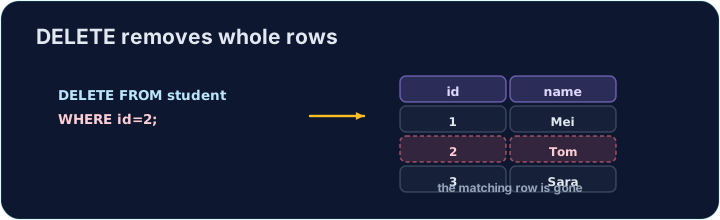
Like UPDATE, a DELETE with no WHERE hits every row:
DELETE FROM product; -- empties the whole table!
Always check your WHERE before running a DELETE. The checker runs your DELETE, then reads the table back to confirm the right row is gone.
Question. Cara (customer 3) closes the account. Remove Cara and Cara's orders.
Answer. Each of Cara's orders refers to customer 3 through the foreign key customer_id. Deleting the customer first would leave orders that point at nobody, which breaks referential integrity. So remove the orders first:
DELETE FROM orders WHERE customer_id = 3;
and then the customer:
DELETE FROM customer WHERE id = 3;
Orders 12 and 13 are gone; orders 10 and 11 (Ada's) are still there.
- There is no
*inDELETE.DELETE * FROM productis a syntax error; writeDELETE FROM product WHERE …. DELETEremoves rows,DROP TABLEremoves the table. AfterDELETE FROM productthe empty table is still there.- Test a risky delete first as a
SELECTwith the sameWHERE, and check which rows it shows.
Difficulty 2/5 · 140 coins + a small bonus on first completion today
Delete the product with code 'P03' from the product table. (Afterwards only P01 and P02 remain.)
Click Run to see the output here.
Difficulty 2/5 · 140 coins + a small bonus on first completion today
Delete can use any condition. Remove every product that costs less than 2.00 with WHERE price < 2.00. Only the Pen (0.80) goes; check which rows remain.
Click Run to see the output here.
Difficulty 2/5 · 140 coins + a small bonus on first completion today
Remove every order placed before '2024-03-01'. Dates written as 'YYYY-MM-DD' compare correctly with <.
Click Run to see the output here.