Updating rows
UPDATE changes values in the rows that match a WHERE condition:
UPDATE product SET price = 0.95 WHERE code = 'P02';
SET lists the columns to change. You can change several at once, separated by commas: SET price = 0.95, in_stock = 150.
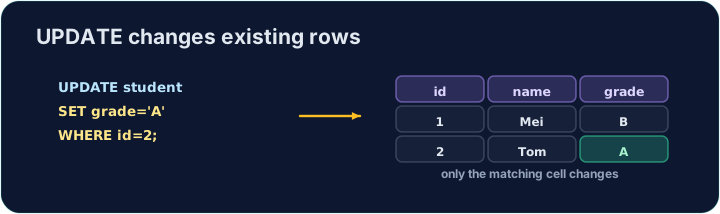
The WHERE decides which rows change. Leave it out and every row is updated:
UPDATE product SET price = 0; -- changes ALL products!
So nearly every UPDATE should have a WHERE. The checker runs your UPDATE, then reads the table back to confirm only the right row changed.
Question. Five notebooks were sold. Reduce the stock of the product titled Notebook by 5.
Answer. The new value can be worked out from the old one. in_stock - 5 is calculated separately for each row the WHERE picks:
UPDATE product SET in_stock = in_stock - 5 WHERE title = 'Notebook';
code | title    | in_stock
P01  | Notebook | 35
P02  | Pen      | 200
P03  | Backpack | 15
Only the Notebook row changed: 40 became 35.
ANDinstead of a comma inSET.SET price = 0.95 AND in_stock = 150is read as one true-or-false expression, so the price becomes0and the stock does not change. Separate the columns with a comma.- Text without quotes.
WHERE code = P02fails withno such column: P02. WriteWHERE code = 'P02'. UPDATEwithout aWHEREchanges every row — always add theWHERE.
Difficulty 2/5 · 140 coins + a small bonus on first completion today
Change the price of the product with code 'P02' to 0.95. Be sure to use a WHERE so only that product changes.
Click Run to see the output here.
Difficulty 2/5 · 140 coins + a small bonus on first completion today
A delivery arrived, so every product gains 10 in stock. Update with an expression — SET in_stock = in_stock + 10 — and no WHERE, so it applies to all rows.
Click Run to see the output here.
Difficulty 2/5 · 140 coins + a small bonus on first completion today
The Backpack (P03) now costs 16.50 and has 12 in stock. Change both values in one UPDATE: separate them with a comma in SET.
Click Run to see the output here.