Filtering with WHERE
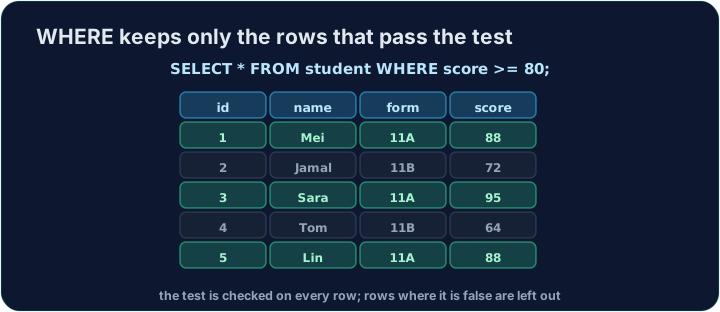
So far every query returned all the rows. Add a WHERE clause to keep only the rows that match a condition:
SELECT name, score FROM student WHERE score >= 80;
Only rows where the condition is true are returned.
You can compare with:
=equal to<>not equal to<less than,>greater than<=at most,>=at least
Numbers are written plainly (80). Text must go in single quotes ('11B'):
SELECT name FROM student WHERE form = '11B';
Question. Show the name and form of every student who is not in form 11A.
Answer. "Not equal to" is <>. The form is text, so '11A' goes in single quotes:
SELECT name, form FROM student WHERE form <> '11A';
name  | form
Jamal | 11B
Tom   | 11B
Check each row against the test: Mei, Sara and Lin are in 11A, so form <> '11A' is false for them and they are left out.
- Text without quotes.
WHERE form = 11Afails withunrecognized token: "11A". WriteWHERE form = '11A'. =>is not an operator. Write>=(and<=): the=always comes second.WHEREgoes afterFROM.SELECT name WHERE score > 80 FROM studentis a syntax error.
WHERE filters rows
WHERE keeps only the rows whose condition is true.
Difficulty 2/5 · 140 coins + a small bonus on first completion today
Show the name and score of every student who scored 80 or more.
Click Run to see the output here.
Difficulty 2/5 · 140 coins + a small bonus on first completion today
Show the name of every student in form 11B. (Text goes in single quotes.)
Click Run to see the output here.
Difficulty 2/5 · 140 coins + a small bonus on first completion today
Show the name and score of every student who scored less than 75.
Click Run to see the output here.