Colour and links
This page needs a recent browser (with SharedArrayBuffer support). Please update Chrome, Edge, Firefox or Safari to the latest version.
Adding colour
- The
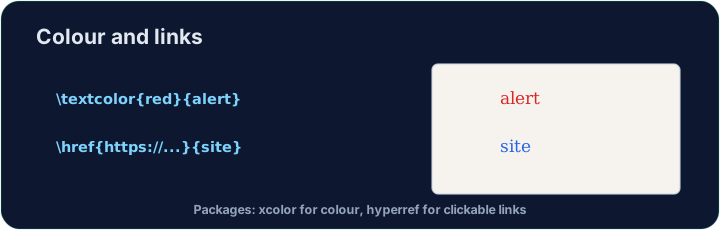
xcolorpackage lets you colour text. Load it, then wrap words:
\usepackage{xcolor}
...
\textcolor{red}{This is red} and \textcolor{blue}{this is blue}.
- Built-in names include
red,blue,green,orange,gray, and more.
Highlights and your own colours
\colorbox{yellow}{text}puts a highlight behind the words.- You can even mix your own:
\textcolor{red!60}{...}is 60% red (lighter).
Clickable links
- The
hyperrefpackage turns cross-references and web addresses into clickable links:
\usepackage{hyperref}
...
Visit \href{https://ctan.org}{CTAN} for packages.
- Load
hyperreflast in your preamble — it likes to have the final word.
Common mistakes
\textcolorwithoutxcolor. LaTeX stops with! Undefined control sequence.- A misspelt colour name.
\textcolor{rd}{...}gives! Package xcolor Error: Undefined color 'rd'. - Loading
hyperrefearly. Other packages can then break its links. Load it last in the preamble.
Difficulty 2/5 · 140 coins + a small bonus on first completion today
Load xcolor, then make the word warning red with \textcolor{red}{warning}. You need both the package and the command.
Click Run to compile and preview the PDF.
Difficulty 2/5 · 140 coins + a small bonus on first completion today
Make a clickable link. Load hyperref, then turn the word CTAN into a link with \href{https://ctan.org}{CTAN}. Load hyperref last in the preamble.
Click Run to compile and preview the PDF.
Difficulty 2/5 · 140 coins + a small bonus on first completion today
Highlight the word Note with a yellow background using \colorbox{yellow}{Note}. xcolor is already loaded.
Click Run to compile and preview the PDF.