Labels and cross-references
This page needs a recent browser (with SharedArrayBuffer support). Please update Chrome, Edge, Firefox or Safari to the latest version.
Never write "see Section 3" by hand
- If you write a number by hand and later add a section, every number is wrong.
- LaTeX solves this with labels. Tag something:
\section{Methods}\label{sec:methods}
- The name
sec:methodsis just a nickname you choose.
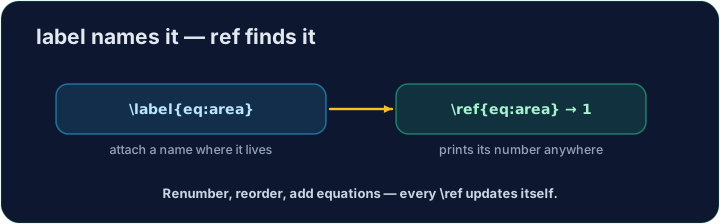
Refer to it anywhere
- Then point at it with
\ref— LaTeX inserts the current number:
As shown in Section~\ref{sec:methods}, ...
- The
~is a space that never breaks across lines, so "Section" and its number stay together.
It needs two passes
- On the first compile LaTeX learns the numbers; on the second it fills them in.
- Our Run does this for you automatically. (The same trick powers a table of contents.)
Common mistakes
- A typo in the key.
\ref{sec:b}when you wrote\label{sec:a}prints??, and the log saysLaTeX Warning: Reference 'sec:b' on page 1 undefined. It is a warning, so the PDF still builds: look for??. \labelbefore the thing it names. Put it after\section{...}(or after\caption{...}in a figure), or it picks up the wrong number.- One compile only. The first run writes the numbers down; the second uses them.
??after one run is normal.
Difficulty 2/5 · 140 coins + a small bonus on first completion today
Label the Methods section with \label{sec:methods}, then refer to it from the last line with \ref{sec:methods}. LaTeX fills in the correct number for you.
Click Run to compile and preview the PDF.
Difficulty 2/5 · 140 coins + a small bonus on first completion today
The same numbering machinery builds a table of contents. Add \tableofcontents as the first line of the body — LaTeX lists every section automatically.
Click Run to compile and preview the PDF.
Difficulty 2/5 · 140 coins + a small bonus on first completion today
Equations can be labelled too. Put the formula in an equation environment with \label{eq:area} inside it, then refer to it in the last sentence with \eqref{eq:area}, which prints the number in brackets.
Click Run to compile and preview the PDF.